-
AIUTO...CHI CONOSCE L’ITALIANO? PARTE DODICI
Si, esatto, solo che per quello che devi fare tu devi solo esportare la figura dopo aver creato il tuo personaggio ed importalo come nuovo morph.

Grazie, ci devo giocare un po'!
Adesso mi sono rimesso a lavorare sulla mia storia più seria.
Caspita, mi piace il risultato, ma certo che è più pesante lavorare su storie convolute e strutturate rispetto a quelle più casual xDVorrei avere più tempo per studiare Daz, ma le scadenze del Patreon incombono, e già ho tantissimo da studiare IRL :/
AIUTO...CHI CONOSCE L’ITALIANO? PARTE DODICISi, esatto, solo che per quello che devi fare tu devi solo esportare la figura dopo aver creato il tuo personaggio ed importalo come nuovo morph.
AIUTO...CHI CONOSCE L’ITALIANO? PARTE DODICINon vi posso aiutare raga, roba troppo complessa per un povero fumettista come me xD
Ancora mi scervello per capire quale sia il modo per creare un morph unico da un personaggio, e se poi si può trasferire a un'altra figure.
Te lo avevo già spiegato tempo fa... Mixi i morph che vuoi usare, porti la figura a risoluzione base e zero sudduvusioni, exporti come OBJ e reimporti come morph. Poi un bel riallinemanto degli ossi dal joint editor e erc freeze prima si salvare.
La parte ERC freeze non mi ricordo come si faccia adesso...ma non dicevo portare la forma su un'altra figure!
Quello è semplicissimo, basta salvare come shaping present, e fare merge, senza riallineare nessun rig.
Altra cosa sarebbe creare un morph intero che io possa poi usare come slider!
E che mi libererebbe dal dover tenere installare alcune figure orribili solo perché se le levo perdo le reference riguardanti personaggi storici.EDIT: forse ho capito cosa volevi dire!
Devo riguardare questo video, l'ho completamente dimenticato: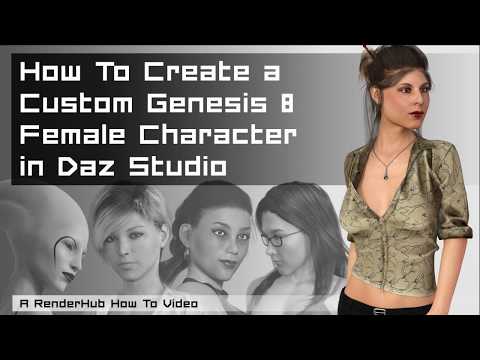 SereneNight's Sci-Fi Fun Thread 2
Adriano's skin is really good. The area around his eyes is weirdly light though. I had to go in and darken it a touch, since it is distracting.
Maybe he wears sun glasses? Or has no allergies, gets enough sleep, and brows that project more than usual over the lower face although that sculpt doesn't show it.
 Adriano does look Italian though.
He has a noticible whitish pinkish skin colored blob on his mats around his eyes. It looks... Sort of okay in some lights, but when I applied the skin to owen, it looked like white eyeliner. I did not care for the look.
Nope, I've tried his skin on a few of my shapes and his eyes look ok to me. As for his face, it's the one thing I'll be changing - the nose in particular.
Its under the eyes. And it seems rather noticible to me the skin is very pale there, and looks... Odd. Glad you don't notice it. I Do agree about changing the head though. Can't wait to see what you do with him.
I know the look you're talking about as far as it goes on real people because I've seen it but I'm curious as to what's happening with Owen. Maybe the UVs for the eyes somehow are not the correct ones selected and making an eyeliner effect?
I agree about the nose but I didn't want to say anything for upsetting the artist, the nose is wrong though I'm afraid. Dialing in one of Darwin's Mishap's style noses would probably work well. Not to be too discouraging as I have trouble even dialing a believable nose in with a morph pack.
AIUTO...CHI CONOSCE L’ITALIANO? PARTE DODICINon vi posso aiutare raga, roba troppo complessa per un povero fumettista come me xD
Ancora mi scervello per capire quale sia il modo per creare un morph unico da un personaggio, e se poi si può trasferire a un'altra figure.
Te lo avevo già spiegato tempo fa... Mixi i morph che vuoi usare, porti la figura a risoluzione base e zero sudduvusioni, exporti come OBJ e reimporti come morph. Poi un bel riallinemanto degli ossi dal joint editor e erc freeze prima si salvare.
Fatto.
No il fatto è che se uso quello creato dalla DAZ, nella TAB surface appare una surface chiamata Face, se li creo io non appare.
Per questo ti ho detto di applicare il Reset To DS Default o Apply First, per liberarti quello shader rotto e utilizzarne uno che puoi gestire. Stessa cosa per IRay, applichi lo shader di base e lo fai funzionare come serve a te.
Puoi addirittura utilizzare delle texture per avere il giusto effetto maculato/striato/quellochetipare sulle pellicce.
AIUTO...CHI CONOSCE L’ITALIANO? PARTE DODICINon vi posso aiutare raga, roba troppo complessa per un povero fumettista come me xD
Ancora mi scervello per capire quale sia il modo per creare un morph unico da un personaggio, e se poi si può trasferire a un'altra figure.
so wait, hold the presses, morphs work by copying them from G3 to G8 data folders?The G3 and G8 mesh are different, so morph deltas for one won't work on the other, what Jepe is talking about is the male genitals, don't have them but it sounds like they are the same mesh, so morph assets can be copied between the two, you will need to do a bit of text editing before they will show up in DS though.
[Released] Character Converter from Genesis 3 Female to Genesis 8 Female(Now Conv JCMs) [Commercial]I have submitted an update. Hopefully it will be out this week but more likely early next week:
- Added G2-G8 2020 Conversion Method (non-merchant resource method)
- Added ability to specify Material Preset option
- Added ability to detect and load "character" presets
- Replaced Legacy Conversion checkbox with Conversion Method radio group
- Added wHeadMorphPrefix option
- Fixed Ignore Previously Converted option so that it works
- Fixed Head Morphs not being updated
- Fixed conversion to not allow empty VendorName or ProductName
- Fixed conversion to not allow Character Name equal to Female or Male
- Added namespace to all morph safe names
- Fixed bug for Duplicate Formula Found errors (Adjusting Rigging To Shape would add bones to JCMs)
- Fixed bug where JCMs/MCMs were not being set as hidden properties
I guess it's related to the specific version of the plugin... Or you expanded the G3 to G8 version?
I mean I added the same process (algorithm) to G3 to G8, which may be useful to some people. Not that I added G2 compatibility.
Better GenX transfers? I can't wait!
Can't load any g8....Looking at your second Log-file;
The file "ePHMDDAlyxSmile.dsf" has a typo somewhere within the code => Reinstall the file and if the error doesn't go away, look for an update or contact the PA. You could try to figure out the mistake by yourselves, but it may be quite difficult as it could just be a comma instead of a full stop or something just as frustrating.
You can remove the file or rename it to "ePHMDDAlyxSmile.dsf.xxx", which will get rid of that particular warning but unless you remove the character as well, renaming/removing can cause new warnings due to the missing file that is referenced in other files of that character.
KinsleyBody.dsf... Could be the same thing.
Alias... No clue
The morph/file "CTRL_ChRO_Smile.dsf" is trying to find another morph/file "eCTRLEyesClosed.dsf" to change it's value, but cannot find it
... The same with the rest of "Could not find", the easiest solution is to remove the file mentioned after "in file :", keeping in mind that if the file is a part of a package / character, the rest of the package / character may as well be in need of removal if removing the one file causes new warnings.
"Duplicate formula found" = You have the same morph installed at least twice in your data-files, this could be that you have installed the same file twice in different locations (revisions may cause this), or the PA has copied code from a previous morph and didn't change it enough, or even DS may have erraneously written code into a wrong file when updating assets.
Reinstall the morph, search for duplicates and these don't give you a solution or a clue to the cause, remove the character.
How to fix elf ears in Genesis 8Select the hair and go to the Parameters pane. Click the icon in the upper right corner (4 lines and a triangle) and make sure "Show Hidden Properties" is checked. On the left-hand column drill down through Actor > Head > Ears. There will be grayed out morphs showing the morphs that have been automatically generated. Find the morph for the ears and set it to zero.
[Released] Character Converter from Genesis 3 Female to Genesis 8 Female(Now Conv JCMs) [Commercial]I have submitted an update. Hopefully it will be out this week but more likely early next week:
- Added G2-G8 2020 Conversion Method (non-merchant resource method)
- Added ability to specify Material Preset option
- Added ability to detect and load "character" presets
- Replaced Legacy Conversion checkbox with Conversion Method radio group
- Added wHeadMorphPrefix option
- Fixed Ignore Previously Converted option so that it works
- Fixed Head Morphs not being updated
- Fixed conversion to not allow empty VendorName or ProductName
- Fixed conversion to not allow Character Name equal to Female or Male
- Added namespace to all morph safe names
- Fixed bug for Duplicate Formula Found errors (Adjusting Rigging To Shape would add bones to JCMs)
- Fixed bug where JCMs/MCMs were not being set as hidden properties
I guess it's related to the specific version of the plugin... Or you expanded the G3 to G8 version?
I mean I added the same process (algorithm) to G3 to G8, which may be useful to some people. Not that I added G2 compatibility.
Moving my content to a different driveHey guys, in the meantime while waiting for more informed responses that might pertain to your specific situations, take a look at this and it might get you through the process in one of the many ways it can be done...
https://www.daz3d.com/forums/discussion/407716/moving-daz-content-off-of-c-drive-in-2020
@DMax The first section is about a mass transfer options in Windows, but I'm pretty sure if you read the other couple sections regarding pointing DAZ and DIM to the location you copy your My DAZ 3D Library to, you'll be good to go. I've done the process 2 more times since posting that trying the performance of an external HDD, which was no good for me at least, @pratiktiki . I ended up replacing the few HDDs still attached to my system with internal SSDs which has made a huge difference after doing the process of copy and point DAZ and DIM again to one of those SSDs...
Daz3d to Blender WorkflowRight, but the last part of Padone's comment above made me think that we could subdivide a DAZ figure, export it, morph it at a higher resolution, and then import the changes back as a morph as long as the subdivision levels matched up. I probably just misunderstood.
It Don't Mean a Thing (If It Ain't Got that Swing)@Vyusur has four great figures. As noted above, any original figure may involve adjustments using content designed for a Daz Genesis (number), but Janna has a clone available at that other 3D content store. I like the two children, Teena and Leon, better than applying an extreme shape morph to Genesis 8 male and female. But I don't mind the content issues.
Mandatory Ella & Duke link
 so wait, hold the presses, morphs work by copying them from G3 to G8 data folders?
you can the genitalia ones with some notepad editing as the same mesh
not the others AFAIK
ok, bummer. so projection morph type stuff, like to help fit with clothing won't work?
Daz3d to Blender WorkflowI have not been able to successfully bring a morph back to Studio using any of those methods (I think someone said that Studio and Blender use different subdivision methods which make it impossible to do at anything other than base resolution), but sending it back as a static prop does retain the UVs (after some export fiddling) and textures can be reapplied. Thank you for the information.
[Released] Character Converter from Genesis 3 Female to Genesis 8 Female(Now Conv JCMs) [Commercial]I have submitted an update. Hopefully it will be out this week but more likely early next week:
- Added G2-G8 2020 Conversion Method (non-merchant resource method)
- Added ability to specify Material Preset option
- Added ability to detect and load "character" presets
- Replaced Legacy Conversion checkbox with Conversion Method radio group
- Added wHeadMorphPrefix option
- Fixed Ignore Previously Converted option so that it works
- Fixed Head Morphs not being updated
- Fixed conversion to not allow empty VendorName or ProductName
- Fixed conversion to not allow Character Name equal to Female or Male
- Added namespace to all morph safe names
- Fixed bug for Duplicate Formula Found errors (Adjusting Rigging To Shape would add bones to JCMs)
- Fixed bug where JCMs/MCMs were not being set as hidden properties
I guess it's related to the specific version of the plugin... Or you expanded the G3 to G8 version?
AIUTO...CHI CONOSCE L’ITALIANO? PARTE DODICIMetti la spunta a "Show Hidden values" nei parametri e vedi quali moprh sono stati utilizzati nel piegare la gamba. Disabilità uno per uno (porta a zero o meno) i vari morph utilizzati e vedi quale è il responsabile.
In ogni caso, una roba del genere non l'avevo vista mai prima!
 Realistic Muscle Girl
If you can wait a while, D Master should be releasing the female version of Auto Muscle Enhancer relatively soon. Here’s the thread for that product, so you can judge for yourself whether that’s likely to be the solution for you. Otherwise, do you have the basic G8F body morph pack? It’s pretty must-have no matter what you’re doing with G8F, but pertinent to your needs, it has bodybuilder and fitness morphs. For more specific control over muscles, there are things like Muscularity Morphs that will get you more realistic morphs. Also bear in mind that She Freak, She Swole and other products can be partially dialed in, and don’t have to look like the over-the-top promo images you see.
I have those morphs but I Don't know if my habilities are not good enoght but I never have a good result, especialy on arms. My Models aways look a bad cartoon character XD. I Think this Auto Muscle Enhancer will be a good solution! Thanks for yout help
Realistic Muscle GirlIf you can wait a while, D Master should be releasing the female version of Auto Muscle Enhancer relatively soon. Here’s the thread for that product, so you can judge for yourself whether that’s likely to be the solution for you. Otherwise, do you have the basic G8F body morph pack? It’s pretty must-have no matter what you’re doing with G8F, but pertinent to your needs, it has bodybuilder and fitness morphs. For more specific control over muscles, there are things like Muscularity Morphs that will get you more realistic morphs. Also bear in mind that She Freak, She Swole and other products can be partially dialed in, and don’t have to look like the over-the-top promo images you see.
Daz 3D is part of

Connect
DAZ Productions, Inc.
7533 S Center View Ct #4664
West Jordan, UT 84084Licensing Agreement | Terms of Service | Privacy Policy | EULA
© 2026 Daz Productions Inc. All Rights Reserved.