-
Welcome to Hatsune Miku Anime Manga Cafe ☕
Same goes with Star! It's Aiko 3 Kioki
Feel free to ask for morph challenges.
Vyusur Janna etc in CarraraIf someone interested in, Genesis 8 clone for Janna is available on Rendo.
So cool! I've recently bought several of SickleYield's clones. Work great!
I know a lot of people don't like reading directions, so I just want to pass this along (leanred from SickleYield):
If we want to use a clone to convert clothing from one figure to another, with the notion to then save it to the library for further use, don't use the clone in Fit-To
Instead, deselect the target figure before loading in the clothing or just Cancel the Fit-To popup
Now use the Transfer Utility to fit the clothing to the target figure. In the dialog from the Transfer Utility, always click "Show Options" and put a check into Remove Source from...xxx whatever it says. You'll see it in the list.
Also, after you're done with the Transfer Utility, save the item to the library before firing any morphs. Save it to the library then delete it and bring it back in from the library or things can go all caterwonky.
So if you make a clothing conversion and it's going all caterwonky, that means that you ignored that last thing and now must start over from the beginning - which isn't a long process, so no big deal. But that's something to look out for. Caterwonky = Start over - this time save, delete, load from library before checking morphs. :)
So many steps! I don't have enough time to mess with all those conversions. With my clone I just fit them all like a charm.
Look at my Hair (LAMH) Official Thread: update 1.6.0.2 releasedyeah, I'm sure there was something beyond the (I think it was) 3 packs here at daz, think. there was the rodent base mesh-bone thing, then the fox add-on, then a winter or pose thing for the fox. think.
The LAMH pro (that I don't have) supposedly lets you do some things, however, I don't know if it lets you give the fox them cute Raptor sideburns or adjust the color of hair in specific spots. https://www.furrythings.com/presets/ I'm really sure at one time I had seen something "in passing" of textures at AM's site, tho I may be confusing AM with another PA's product. I simply never fussed with costume hair things, sorry.
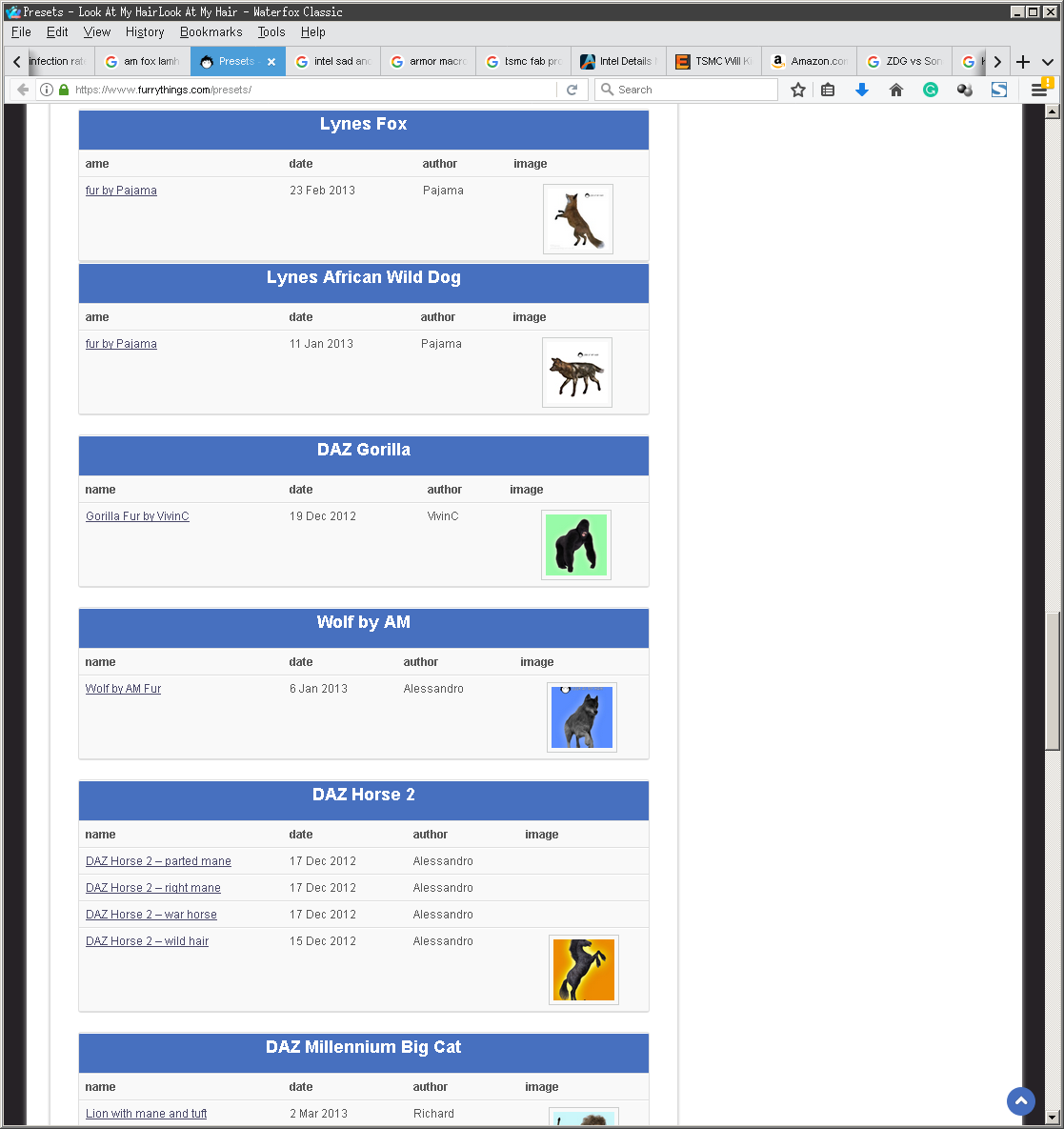
I don't know if them are LAMH-pro plugin things, or texture maps for the regular critter. I am so behind on so many things because of other distractions with the world being sideways, I do hope all are as well as can be. supposedly win10 'fixed' the random click-move thing that was very bad with that LAMH thing your just not supposed to touch in the scene tab, I also have yet to pull the AM raptor (base dino figure needed) through DIM to look at the fella. It would be so cool if the fella has a side burn morph or something, not holding my breath tho (I like the colors on the promo, the side burns tho, I want, lol).
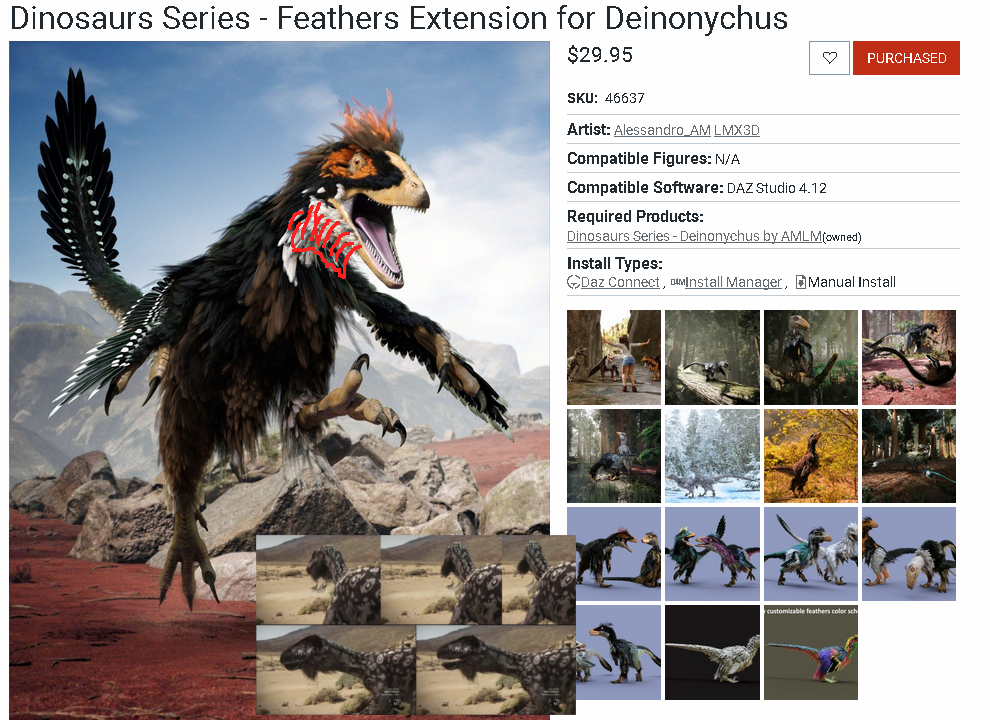
P.S. it would be cool if there was a texture map somewhere ye could just draw on in GIMP/PS or something for furr color (I don't know if there is such a thing for the fox).
Shaping Genesis 8 modelI purchased a character for Genesis 8 female, but the only options are to apply the body and head morphs. I wanted to reshape the character to be more unique, but there are no options to do anything else.
Is this due to the character having no basic morph options, or do I need to purchase a morph pack? I can't seem to find any body/head morphing options for the base model either.
Is there a way to convert Gen2/3 characters to Gen8 without needing to buy a converter?
It depends which character you purchased. A few are shape presets, no or few new morphs added to the gene pool.
If you apply the body and head morphs, have the main [root] figure selected, then on the Parameters Tab select to show which morphs are in use - you may find the body and/or head listed there and can take note of their location.
More advanced animation tutorials?Does anyone happen to have any more advanced tutorials or tips for animating with the new timeline/graph combo in DAZ Studio 4.12? Things like adjusting TCB falloff or timing suggestions for actions like blinking or breathing? I can't find anything at all about animating in the manual for 4.9, and although I know it pretty well already, there are a few things here and there that I'm not yet familiar with.
Also, we used to have an Inhale morph for earlier Genesis figures, but no longer. Any suggestions for how to remake a similar animation from scratch would be useful (maybe tiny adjustments to shrug, chest/stomach out, a sternum morph, etc)? Thanks in advance.
Gen 8 female load error - please helpYour image is missing, but I expect it's a morph saved with a non-zero default value - check the Currently Used group in the Parameters pane, try zeroing anything that isn't until the issue goes away - that is probably the culprit, you can either contact the maker to report it as a bug and in the meantime uninstall, or it is possible to fix the issue your self (you can also save a new character preset with the morph zeroed, but that won't help with saved scenes and figures loaded with other presets).
Auto Muscle Enhancer HD [Commercial]I now understand what to do next.
1- I will add bicep morph
2-muscle tightening regions
just a bit more sliders.
Vyusur Janna etc in CarraraIf someone interested in, Genesis 8 clone for Janna is available on Rendo.
So cool! I've recently bought several of SickleYield's clones. Work great!
I know a lot of people don't like reading directions, so I just want to pass this along (leanred from SickleYield):
If we want to use a clone to convert clothing from one figure to another, with the notion to then save it to the library for further use, don't use the clone in Fit-To
Instead, deselect the target figure before loading in the clothing or just Cancel the Fit-To popup
Now use the Transfer Utility to fit the clothing to the target figure. In the dialog from the Transfer Utility, always click "Show Options" and put a check into Remove Source from...xxx whatever it says. You'll see it in the list.
Also, after you're done with the Transfer Utility, save the item to the library before firing any morphs. Save it to the library then delete it and bring it back in from the library or things can go all caterwonky.
So if you make a clothing conversion and it's going all caterwonky, that means that you ignored that last thing and now must start over from the beginning - which isn't a long process, so no big deal. But that's something to look out for. Caterwonky = Start over - this time save, delete, load from library before checking morphs. :)
Mugshots - lots of them - is this the product for creation?Daz Genesis models are modular in nature, so it is very easy to change how they look. You can very easily press a button on a skin preset to make the same shape look completely different. Shapes are easy to change as well, you can click shape presets or use the sliders. Just about all shaping morphs can be dialed from 0 to 100%, giving you a lot of freedom in how strong you want that particular shape morph to be. You can also change eye and hair color very easily.
If you have some texture editing skill, you can also change textures. Since we are dealing with just faces, you can add blemishes and whatever to the base textures.
I would think Daz would be one of the better options for such a project. Provided you can render quickly in Iray, you can whip a lot of faces up with this.
There is even a product sold here that can randomize face shapes for you each time you press it, which could be ideal. https://www.daz3d.com/ej-easy-face-generator-for-genesis-8-females There is another for males.
Now there may be one other option you may like. https://thispersondoesnotexist.com/ This site will randomly generate an image of a person each time you click it. However, I do not know what legal details there may be for it. But if it is legal to use the images in your project, then this would be the fastest and easiest tool possible. You literally get a new face each time you click in a fraction of a second. You cannot beat that! There is a contact link on the page so you can contact the people behind it for information. You can even create your own version of this, as there is a link to instructions. The downside is this is totally random and not repeatable. If you do not save the image, that image is forever gone when you click the website again. Though since the code is available, it may be possible to tweak it to your liking.
Auto Muscle Enhancer HD [Commercial]Daz3d do have https://www.daz3d.com/musculature-hd-morphs-bundle-for-genesis-8 and https://www.daz3d.com/add-some-veins-hd-for-genesis-8 for you to play with. You can add these products to your controls. You can also add AME on top. You just need to blend them the way you want it to be. Note: AME is controlled by JCM.
I create these products so that I can use in my animation production. I am one of those people who do not like too many sliders. I just like to pose the character and move on to the next pose and expecting the pose in between will have the correct morphs. That is what Auto is all about. Auto morphs are controlled by Joint Control Morphs = Daz calls them JCM.
JCM is morphing that is linked to 2 parts of the body together to control a bend. For example. the elbow bend is a morph that blends the lower arm and the upper arm together. One cannot have the morph separated. If one is off then the bend will look unnatural. The separated morphs here will be the upper arm muscle and the lower arm muscle. AME is the skin morphs on top of these 2 muscles and the blended skin wrinkle as the arms are bend.
Again. AME is not an individual morph. It is multiple morphs combine to look like one. The bend, the twist, and the projection must work together as one.
To split up the morphs into a few sub-morphs will be a dif process and it would have to be a dif product. = creating a set of morphs like the 2 named product above = will end up being the same and it is already done.
I understand what you are asking. Unfortunately, I do not have any plan to dive into making the sub-morphs.
Thanks a lot for taking time to answer my request. Just to clear things up, the reason why I was asking was, because no other product even remotely offers a level of detail that matches your sd3 / sd4 morphs (please take this as a compliment ). In my particular case the jcm's are really just a bonus, since I'm only doing still renders and most poses on bold/extreme characters need a certain amount of manual corrections/custom morphs anyways.
Please help me understand the limitations of AME a little better. As far as I can tell 01 AME Muscle Definition is just a plain (although good looking) hd full body morph and the only real ways to fine tune body regions are the 03 AME Upper Body 2X and 04 AME Lower Body 2X morphs. As such, creating a character that is making use of AME details and features only in certain parts of their body is out of question, right?
product to inj face rigging to V4 and M4I did autofit m4 with all his morphs++ etc injected to Genesis 3 once,
hid genesis 3
if you ignored facial animation for mouth and eyes with bones and used his morphs instead most other stuff works quite well including genesis 3 morphs on the mesh
the face bones have the welding issue for mouth and eyes
I used that to export an obj for morphloader on M4 to transfer morphs from genesis 3 to M4so it could be done if the welding issue could be solved not m4 skeleton though
mebbe they started with the mouth open, closed it after the verts were assigned.
yeah was way I actually rerigged the subdivided marsh monster for iclone, baked rotations on mouth for obj mesh and the target skeleton figure
I used the other figures internals just his skin and eyes
but that for strictly my own use in renders obviously
product to inj face rigging to V4 and M4I did autofit m4 with all his morphs++ etc injected to Genesis 3 once,
hid genesis 3
if you ignored facial animation for mouth and eyes with bones and used his morphs instead most other stuff works quite well including genesis 3 morphs on the mesh
the face bones have the welding issue for mouth and eyes
I used that to export an obj for morphloader on M4 to transfer morphs from genesis 3 to M4so it could be done if the welding issue could be solved not m4 skeleton though
mebbe they started with the mouth open, closed it after the verts were assigned.
product to inj face rigging to V4 and M4the mesh needs to be unwelded
you can actually use the transfer utility on all of them using clones but mouths are welded shut, eyeballs welded to sockets etc
just the skins work somewhat better
i cant work out how they rigged the eye lids? the eyelid skin has to fold. did they start with closed eyes
the poser heirarchy needs to see the eyelids split into 3 body parts.
Morphs loaded with morph loader are too "round" upon applying SubDJust a suggestion.
You could try to mark the top edge as 'sharp' - although I do not know if the subD algorithm will respect that.
Where would I do it - inside Blender , or in DAZ's geometry editor?
Yes, Geometry Editor. Put it in Edge mode in the Tool Settings pane, select the affected edges, right-click>Geometry Editing and as I recall there's an option to set the weights. Though do you really need t do this as a morph? Unless you are planning to share it with others I'd think it better to delete the unwaned parts of the mesh, cap the opening (and steal the UVs from the shin on the cap), then use the Transfer Utlity to rig it from the base figure if it needs to be posable.
Thanks, I'm gonna look into that, although I have no idea how to use the transfer utility :) I need it as a morph though because I'll be using it on many figures - as I understand your method would imply doing it all over again on every new figure? I never really fiddled with geometry editor - can you save the deleted parts of the mesh as a preset or something?
Textures wold still work, and you can transfer morphs as well as rigging in the Transfer Utility.
GenX2 - Need HelpThanks, Havos! I'll try that.
So you load the base character (David 3 for example) and then inject all the head and body morphs and then export that as a CR2. Then you use this as the source file in GenX2. And you load the character injection file. Is that the head morphs and body morphs under the pose folder? Or a different file. Do you drop those files in the center box of GenX2 or do you have the base character loaded in the scene and apply the head or body morphs to it? And do you just load the head or body morphs separately depending on whether you are creating a head or body single morph? I know there is an option to get the non-zero morphs from the character in the scene.
I'm just not clear on what pp2 you are refering to, if it's not the head and body injection morphs. (I just checked and my head/body morph files are pz2. Is that the same thing? And if this is the right file, why do you have to inject them again, if they were already saved to the CR2 that was exported? Also, if you injected the morphs, will any of them have values? Or do you have to select one? Or set one?
Sorry about all the questions. Hopefully, this will be the last time. I really appreciate your help and I would really like to move David 3 to some of the other generations, as he was always one of my favorite characters. So that's why I keep pestering you.
Thanks again.
Sorry I meant pz2, I am not sure where I got pp2 from! Basically it is the file that sets all the individual morph dials for a particular character, and you then use these settings to transfer the character to Genesis. Some earlier characters will also have custom morphs, and the pz2 file should inject these into a custom morph channel and give it a value (usually 1.0). Then in the GenX panel when you select "Select all with non-zero values" all the relevant morphs will be used to hopefully transfer the character over. A fair few V4 characters had custom morph injections, but I doubt many D3 ones did.
The standard head and body morphs for D3 should only be used to create the CR2 file for the source. After that you do not need them again.
I don't have many charaters for D3 to show off as a Genesis character as a demo, I only have Hunter for D3, Santa for D3, John mutiple figure, and one character from Rendo (Nurah)
I have an old render of D3 Santa from 2015, it was transferred to G2M.
 Morphs loaded with morph loader are too "round" upon applying SubD
Just a suggestion.
You could try to mark the top edge as 'sharp' - although I do not know if the subD algorithm will respect that.
Where would I do it - inside Blender , or in DAZ's geometry editor?
Yes, Geometry Editor. Put it in Edge mode in the Tool Settings pane, select the affected edges, right-click>Geometry Editing and as I recall there's an option to set the weights. Though do you really need t do this as a morph? Unless you are planning to share it with others I'd think it better to delete the unwaned parts of the mesh, cap the opening (and steal the UVs from the shin on the cap), then use the Transfer Utlity to rig it from the base figure if it needs to be posable.
Thanks, I'm gonna look into that, although I have no idea how to use the transfer utility :) I need it as a morph though because I'll be using it on many figures - as I understand your method would imply doing it all over again on every new figure? I never really fiddled with geometry editor - can you save the deleted parts of the mesh as a preset or something?
IRAY Photorealism?@jcade I agree. The eyes look fantastic! Would you mind sharing the secret?
The eyes are Parris' macro eyes with some tweaked settings, but the main key is that I switch the sclera material to eyemoisture, because I fund the gen3 way of dealling with eyes so much less fiddly its not even funny. I can use "thinwalled off" without getting weird shading on the sclera. Morph wise there's the cornea buldge morph and an iris depth morph. Looking at further reference I think I need to turn the specular strength down which is a new one for me
@jcade Thanks for the info! I have tried setting the sclera to the eye moisture material, but I do not think I have tried switching off "thin walled". I have also not tried using an iris depth morph. Will definitely give this a try.
Morphs loaded with morph loader are too "round" upon applying SubDJust a suggestion.
You could try to mark the top edge as 'sharp' - although I do not know if the subD algorithm will respect that.
Where would I do it - inside Blender , or in DAZ's geometry editor?
Yes, Geometry Editor. Put it in Edge mode in the Tool Settings pane, select the affected edges, right-click>Geometry Editing and as I recall there's an option to set the weights. Though do you really need t do this as a morph? Unless you are planning to share it with others I'd think it better to delete the unwaned parts of the mesh, cap the opening (and steal the UVs from the shin on the cap), then use the Transfer Utlity to rig it from the base figure if it needs to be posable.
Many object properties will not save keyframes anymore (and other problems)On the update, what does Help>About Daz Studio say you are running?
Are the keysa ctually gone (clicking play you get no aniamtion) or are they not showing in the Timeline?
Thank you for responding.
I am currently running version 4.12.1.117 of Daz Studio, according to the About dialog box.
Since I wrote my original post, I have done some experimentation. First and foremost, I followed the advice in a different thread about database corruption and did an export of user data followed by a database reset. I then re-imported metadata. This should, in theory, give me a somewhat blank slate. Or so I believed.
I don't know how widespread the problem is across the Daz content I have installed. I have instead focused on morphs that have issues that are easy to reproduce and experiment with. For this example, I have focused on the Breast Control products, both for Genesis 3 and 8, but the problem is not isolated to this product alone. Here is one way I can reproduce these problems and how they appear when I do so:
1) Load a base Genesis 3 Female model. It looks like the problem occurs for all Genesis 3 female models, though I cannot tell if it will occur for other models in different circumstances.
2) Go to frame 1. I use keyMate because I'm so used to its workflow, but I can't see why it would be related to any of this since the only thing I use it for in this example does not directly affect the problem area.
3) Under Pose Controls and Breast Control, set the "!TogetherApart" slider to 100%.
4) Move to frame 2 and set the "1 Move UpDown" slider to 100%.
5) There are now keyframes on frames 0, 1, and 2, as expected.
6) Set the frames to constant interpolation so that we can easier observe the results.
7) Clicking back and forth between the frames shows that everything is still working as expected. The morphs apply correctly.
8) Go to frame 0 (this is important. The results vary depending on which frame I'm on when I save) and save the project.
9) Reload the project. (restarting Daz makes no difference to this step)
10) There is no keyframe on frame 1. There is a keyframe on frames 0 and 2.
11) Clicking back and forth reveals that the "!TogetherApart" slider does not move at all in any of the frames. It is 0% on every frame.
Repeating this process with a Genesis 8 model does NOT cause the same issue. There might be other morphs that affect Gen8 models in this way, but I haven't experimented enough to see that in action.
Notably, on step 8, if I go to frame 1 and save there instead, the results are different. In that case, the "!TogetherApart" morph is set to 100% across all frames. There is still no keyframe on frame 1. It is as if that particular morph only saves its current state and is unable to save keyframes. The "1 Move UpDown" morph from the same product does not demonstrate any of these issues and works as expected.
I have tried uninstalling and reinstalling the Breast Control for Genesis 3 product, but this did not help.
Honestly, I'm at a loss here. I still suspect database shenanigans, but at this point, I can't really see what else I can do to fix it.
For the record, I had none of these problems before yesterday. It appears to me that the "Play All Frames" toggle corrupted something in my install.
[Released] Character Converter from Genesis 3 Female to Genesis 8 Female(Now Conv JCMs) [Commercial]The script doesn't save morphs. And I have to go through Force convert because it doesn't recognize characters, even those from DAZ.
Can I see the Daz log of the conversion?
13:27:37 GMT+0200 (Paris, Madrid (heure dété)): Executing Script
13:27:37 GMT+0200 (Paris, Madrid (heure dété)): Selecting Preset: E:/Poser Pro 2014 Content/People/Genesis 3 Female/Characters/Bethany 7.duf
13:27:37 GMT+0200 (Paris, Madrid (heure dété)): Converting character from E:/Poser Pro 2014 Content/People/Genesis 3 Female/Characters/Bethany 7.duf to E:/Poser Pro 2014 Content/People/Genesis 8 Female/Characters/Bethany 7.duf
13:30:20 GMT+0200 (Paris, Madrid (heure dété)): Bethany 7 is of type Actor/Character
13:55:12 GMT+0200 (Paris, Madrid (heure dété)): Error saving morphs
13:55:12 GMT+0200 (Paris, Madrid (heure dété)): Execution Complete.
I need the Daz Log (Help->Troubleshooting->View Log File) for the conversion, not the script window log.
What part of the report? it is really very long.
2020-05-03 13:55:07.739 WARNING: ..\..\..\..\..\src\sdksource\fileoutput\dzassetoutfile.cpp(611): Failed to create file path.
2020-05-03 13:55:07.740 WARNING: ..\..\..\..\..\src\pluginsource\DzAssetIOFilters\dzmorphsupportassetfilter.cpp(936): Failed to write Morph Asset(s).
2020-05-03 13:55:12.312 Failed to save Morph Asset(s). See the log for more details.
2020-05-03 13:55:12.320 DEBUG: Error: Operation failed
2020-05-03 13:55:12.320 DEBUG: Error saving morphs
2020-05-03 13:55:12.321 DEBUG: END Conversion of E:/Poser Pro 2014 Content/People/Genesis 3 Female/Characters/Bethany 7.duf
2020-05-03 13:55:12.352 DEBUG: Execution Complete.
2020-05-03 13:57:55.134 Script executed successfully: E:/Poser Pro 2014 Content/Scripts/RiverSoft Art/Character Converter/Character Converter G3F to G8F.dseBest from when it starts the conversion to the end. Just with what you posted, I can see that it failed to create the path (directory). I would like to see what path it thought it was supposed to create.
Daz 3D is part of

Connect
DAZ Productions, Inc.
7533 S Center View Ct #4664
West Jordan, UT 84084Licensing Agreement | Terms of Service | Privacy Policy | EULA
© 2026 Daz Productions Inc. All Rights Reserved.