-
leartes studios assets working in daz 3d? (Solved)
Gordig said:
With texture and everything? Almost certainly not, as textures rarely survive format conversion. Any time I transfer something from one program to another, I do so fully expecting to have to rebuild the shaders myself. Looking at the description of one of the items, I'm not sure what format these are in, so if they're in a proprietary Unreal/Unity format instead of OBJ, I don't know if you'd be able to get them into DS at all. Even if they are OBJ, DS imports OBJ as a single mesh, so if you wanted to import a single building, you might have to export it individually from another program like Blender after separating it from the rest of its subscene, depending on how these are set up.
Okay, thank you. Was worried about that, then I will be skipping them.
 I Don't Wishlist Stonemason Products Anymore
xyer0 said:
lou_harper said:
xyer0 said:
lou_harper said:
xyer0 said:
In the meantime, there's KB3D's Americana, which lacks streets, but you can borrow from Stonemason, FirstBastion, or Mountain Valley.
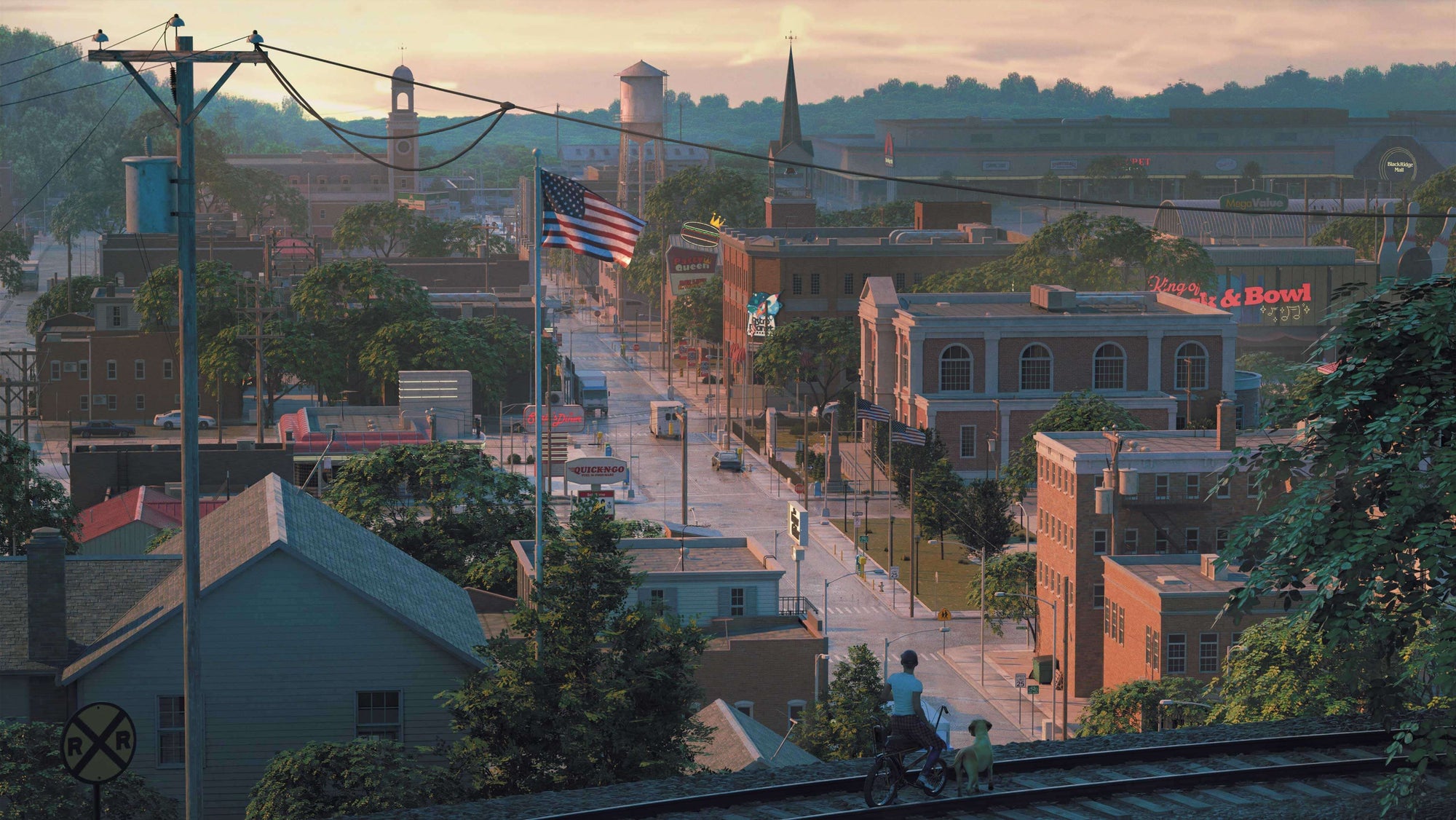
I bought that when it was half-off. It's tedious to convert to DAZ, and comes with a lot of inconveniences.
They are tedious to convert, which is why I do 3 or 4 at a time. I haven't converted Americana yet, but I need some of the elements; so, this weekend may be the time. The most tedious part is the small parts, but once it's done, it's done.
What are these inconveniences of which you speak?
There are a few. Nothing is rigged for one, doors, windows don't open. When you export from Blender it's all one piece. Sof you export the house with props in the front yard, you can't move the props. If you want them moveable, you need to export them separately. You have to add back the textures in DAZ. Fortunately, they are well named, but it's tedious. And in the end I replaces a bunch of them with shaders, anyway. So far I did the diner, pharmacy and one of the stores.
Thanks for the explanation. I use Poser Pro 11 to open fbx, then import the pp3 file into Daz. All textures come in properly, but I do have to scale to Genesis, Uber Iray convert, and geometry edit to separate each building and prop. Takes less than two hours if I'm slow. If I had to manually assign textures, I don't think I'd have ever done more than one kit. The only shaders I've needed are for windows.
I'm used to unrigged doors and windows; so, that's not a big fuss for me. Thanks again for educating me.
Takes me about the same time doing the Blender way. Adding the textures is not hard because they have a very clean-cut naming structure, but I'm generally not too crazy about them. And I could use geometry editor in DAZ to separete parts. It's still quite a bit of fuss. I made this scene using the Diner and the Drug Store and some DAZ assets. (Finished it up in Photoshop.)
I Don't Wishlist Stonemason Products Anymorelou_harper said:
xyer0 said:
lou_harper said:
xyer0 said:
In the meantime, there's KB3D's Americana, which lacks streets, but you can borrow from Stonemason, FirstBastion, or Mountain Valley.
I bought that when it was half-off. It's tedious to convert to DAZ, and comes with a lot of inconveniences.
They are tedious to convert, which is why I do 3 or 4 at a time. I haven't converted Americana yet, but I need some of the elements; so, this weekend may be the time. The most tedious part is the small parts, but once it's done, it's done.
What are these inconveniences of which you speak?
There are a few. Nothing is rigged for one, doors, windows don't open. When you export from Blender it's all one piece. Sof you export the house with props in the front yard, you can't move the props. If you want them moveable, you need to export them separately. You have to add back the textures in DAZ. Fortunately, they are well named, but it's tedious. And in the end I replaces a bunch of them with shaders, anyway. So far I did the diner, pharmacy and one of the stores.
Thanks for the explanation. I use Poser Pro 11 to open fbx, then import the pp3 file into Daz. All textures come in properly, but I do have to scale to Genesis, Uber Iray convert, and geometry edit to separate each building and prop. Takes less than two hours if I'm slow. If I had to manually assign textures, I don't think I'd have ever done more than one kit. The only shaders I've needed are for windows.
I'm used to unrigged doors and windows; so, that's not a big fuss for me. Thanks again for educating me.
Why, WHY (painted eyebrows on G9)Richard Haseltine said:
Some people like, and even prefer, painted brows to mesh. Neither is perfect, it's a matter of what is felt by the individual user to be the lesser evil. Ideally both, or at leasta browless option, will be offered and if not you are of coruse free to ask for a refund - but please do bear in mind that taking the path you don't wish to follow is not a cardinal sin.
I just wish they would not import brows with Facetransder 2. I am able to edit them out with Affinity Photo in skin, but there should have been an option. Brows: Yes/No?
leartes studios assets working in daz 3d? (Solved)With texture and everything? Almost certainly not, as textures rarely survive format conversion. Any time I transfer something from one program to another, I do so fully expecting to have to rebuild the shaders myself. Looking at the description of one of the items, I'm not sure what format these are in, so if they're in a proprietary Unreal/Unity format instead of OBJ, I don't know if you'd be able to get them into DS at all. Even if they are OBJ, DS imports OBJ as a single mesh, so if you wanted to import a single building, you might have to export it individually from another program like Blender after separating it from the rest of its subscene, depending on how these are set up.
G8.1F suddenly not compatible with G8.1F items and figures in smart contentprotosynthetic said:
NorthOf45 said:
Metadata can be changed inadvertently by another product installed later. With a G8.1F loaded, check the actual compatibility base. Right-click the Scene tab, Edit->Scene Identification, and look for the Compatibility Base field. If it is not /Genesis 8.1/Female, that's your problem. From that value, you might be able to determine the product, or something that uses it, that has set the wrong value in its metadata.
Swift and precise answer. The compatibility base was /Genesis 8/Female1. Switching it and Preferred Base to the right one fixed it for this scene at least. Now I know what my next step is. After that, find the root's gonna be... ugh.
Maybe not so difficult. Work back from today through the products that you have last installed. If it has only been a week, or so, it shouldn't take long.
Looking for Advice on How to Finish My Front DoorAs the title says, I'm looking for advice on how to finish the door I'm working on. I started with a door I found online and added a window to it. The more I try to fix the shading issues, the worse they get, and I still need a way to connect what I'm calling the "floating points" ('cause I don't know the technical term) in the arch portion of the window that aren't really connected to anything. I tried adding a bunch of loops to the top of the door and connecting to those, but the shading issue only got worse, and it looks pretty terrible when I import it into Daz. The images below are with Auto Smooth turned on. It doesn't look much better when I turn it off. Any advice would be greatly appreaciated.
Thanks!
leartes studios assets working in daz 3d? (Solved)With them on sale on humble bundle i just thought I would ask, how difficult do you imagine it would be to import them into daz3d with texture and everything? Will it work in under five minutes or take an hour or more? (Has anyone here tried?)
https://www.humblebundle.com/software/leartes-unreal-and-unity-assets-giga-bundle-software?hmb_source=&hmb_medium=product_tile&hmb_campaign=mosaic_section_1_layout_index_1_layout_type_threes_tile_index_2_c_leartesunrealandunityassetsgigabundle_softwarebundleG8.1F suddenly not compatible with G8.1F items and figures in smart contentNorthOf45 said:
Metadata can be changed inadvertently by another product installed later. With a G8.1F loaded, check the actual compatibility base. Right-click the Scene tab, Edit->Scene Identification, and look for the Compatibility Base field. If it is not /Genesis 8.1/Female, that's your problem. From that value, you might be able to determine the product, or something that uses it, that has set the wrong value in its metadata.
Swift and precise answer. The compatibility base was /Genesis 8/Female1. Switching it and Preferred Base to the right one fixed it for this scene at least. Now I know what my next step is. After that, find the root's gonna be... ugh.
G8.1F suddenly not compatible with G8.1F items and figures in smart contentMetadata can be changed inadvertently by another product installed later. With a G8.1F loaded, check the actual compatibility base. Right-click the Scene tab, Edit->Scene Identification, and look for the Compatibility Base field. If it is not /Genesis 8.1/Female, that's your problem. From that value, you might be able to determine the product, or something that uses it, that has set the wrong value in its metadata.
Re-installing or re-importing metadata for Genesis 8 Female Starter Essentials should get it back on track, but does not correct the source of the problem. If you can identify the product in error, let us know what it is, and report it so that it can be corrected for any other users who might have the same problem.
Moving DAZ Content off of C: Drive in 2020okay right clicked my old liberary and exported meta data, then right click smart content and hit import meta data content, looks like it might work when its done seeing all the missing names. yup that worked
Vue, Plant Factory now freeMasterstroke said:
---and how to get Iray-Genesis characters into Vue.
You can import a G9 as FBX but..have fun getting the materials to look right in vue.


it will import a poser files(PZ3) natively with materials
though,so poser users may find this an alternative for outdoor rendering.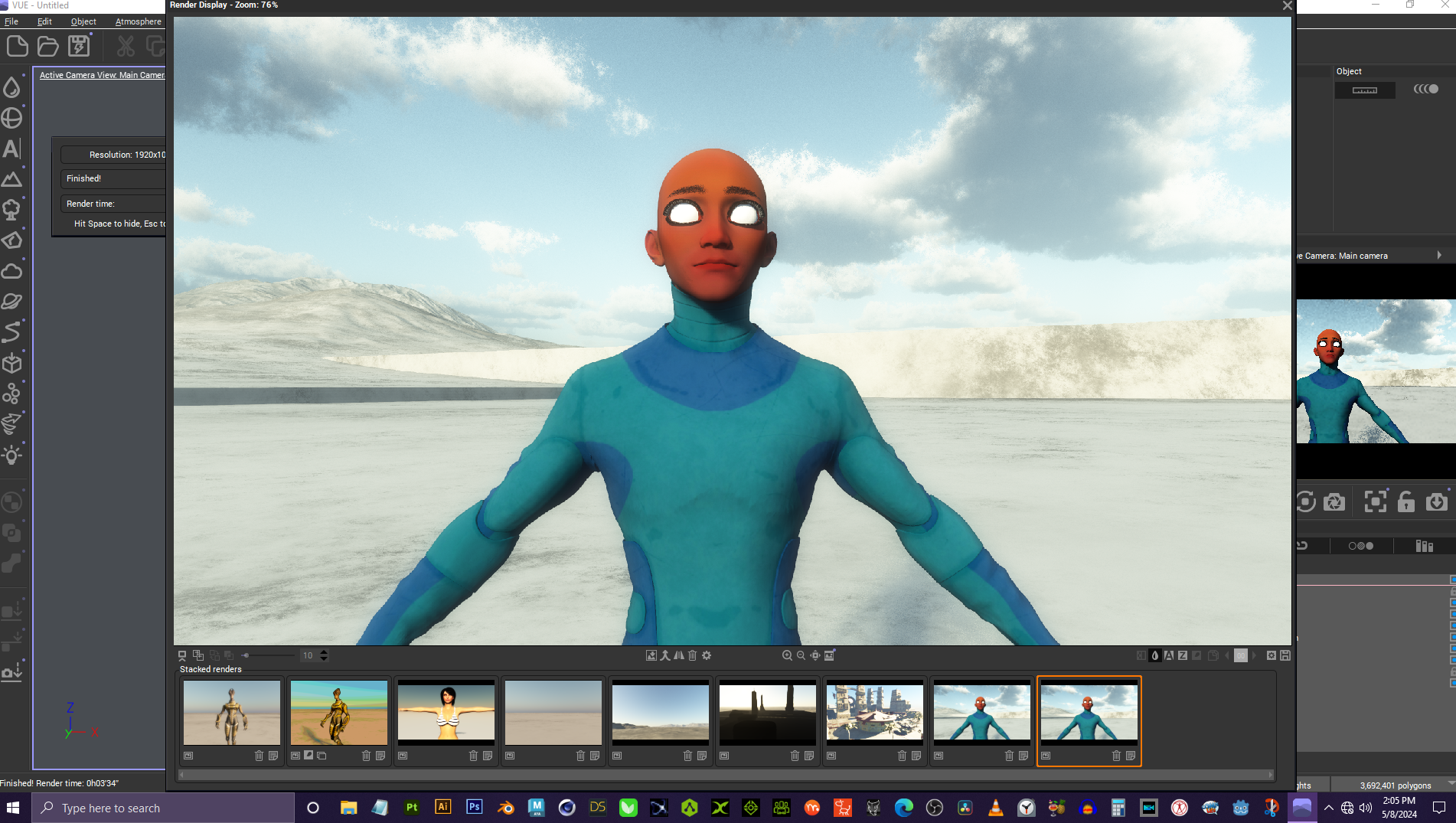 [Released] Content Wizard [Commercial]
robertswww said:
@Cliffborne I don't think there is a unified guide to fixing errors encountered in Content Wizard. Most of the problems have a solution listed somewhere in this thread, but currently at 46-pages long, it can take a lot of time to find all the solutions.
Sometimes you can find answers in the Content Wizard User Manual.pdf which you can find either inside Daz Studio (once CW is installed), or open the CW product folder and look in the Scripts sub-folder and drill-down until you see it.
Daz Content Wizard Documentation:
http://docs.daz3d.com/doku.php/public/read_me/index/67507/startI did compile a list of some of the most common Errors and Solutions, as follows...
Black Triangle with a Red Exclamation Mark:
Uncheck all the Morph files and UV Sets (+Weblinks, Templates, etc.) in the Smart Content tab, as they are not needed for creation of Smart Content.No User Facing Files Where Found In The Product:
Fix the error by Unpacking and Re-Zipping the product folder with the same folder structure and names as Daz uses.FILE EXISTS error:
Clear the working directory (temp directory you set the path to in CW)... Restarting CW should also empty it.There were errors during installation:
Remove any Templates.zip files from your list of product Zip files you imported into CW (under the Product tab).Error creating metadata for Daz Studio:
Make sure you have Runtime and Support folders inside your save location
(Example: DAZ CONTENT/3rd-Party/My DAZ 3D Library/Runtime/Support/)Hope that helps :)
Thanks a lot for this!!! I might create a small guide myself, someday :)
[Released] Content Wizard [Commercial]robertswww said:
@Cliffborne I don't think there is a unified guide to fixing errors encountered in Content Wizard. Most of the problems have a solution listed somewhere in this thread, but currently at 46-pages long, it can take a lot of time to find all the solutions.
Sometimes you can find answers in the Content Wizard User Manual.pdf which you can find either inside Daz Studio (once CW is installed), or open the CW product folder and look in the Scripts sub-folder and drill-down until you see it.
Daz Content Wizard Documentation:
http://docs.daz3d.com/doku.php/public/read_me/index/67507/startI did compile a list of some of the most common Errors and Solutions, as follows...
Black Triangle with a Red Exclamation Mark:
Uncheck all the Morph files and UV Sets (+Weblinks, Templates, etc.) in the Smart Content tab, as they are not needed for creation of Smart Content.No User Facing Files Where Found In The Product:
Fix the error by Unpacking and Re-Zipping the product folder with the same folder structure and names as Daz uses.FILE EXISTS error:
Clear the working directory (temp directory you set the path to in CW)... Restarting CW should also empty it.There were errors during installation:
Remove any Templates.zip files from your list of product Zip files you imported into CW (under the Product tab).Error creating metadata for Daz Studio:
Make sure you have Runtime and Support folders inside your save location
(Example: DAZ CONTENT/3rd-Party/My DAZ 3D Library/Runtime/Support/)Hope that helps :)
Thanks a lot for this!!! I might create a small guide myself, someday :)
DAZ database gone?DIM does not show what is intalled, DAZ Central also and the Smart Tab ist empty. I have changed the drive and path the assets are because of memory problems some months ago but then everything worked just fine. Just after changing of the email adress and password these problems started.
Also I tried to reimport the metadata but after hours of doing nothing - the task manager showed 0% CPU time and no activity on the drives - I stopped the program.
DAZ database gone?That does seem odd. As far as I am aware the state of the CMS database is not dependant on your Daz account details. For this to happen without any other error messages or something else not mentioned does not quite make sense to me. Perhaps someone else will have other ideas?
I wouldn't advise this until you determine why it's happened in the first place but if your previously-installed products are there but just not appearing under Smart Content then you can use the "Content DB Maintenance" -> "Reimport Metadata" function to put it all back in.
[Released] Content Wizard [Commercial]RiverSoft Art said:
Overwrite is copying all the metadata from the Daz columns (i.e., what CW read from the Daz database for this item) to the analyzed columns.
But shouldn't it then read the current category instead of nothing? No matter what file I try this on (stuff that already shows up correctly in the smart content panel), I always end up with both category columns empty.
Diffeo - Importing G8.1 Female - error when loading morphsI don't get any error here, either with easy import or manual import. You may try to update and clean install.
https://diffeomorphic.blogspot.com/2022/11/safely-installing-new-version.html
my steps (1.7.4.2116):
- in daz studio export G8.1 as non-HD
- in blender easy import with the default preset
- import FACS
How to render polylinesUncannyValet said:
@InTheFlesh - your email is exposed See: https://www.daz3d.com/forums/discussion/681551/why-is-daz-exposing-user-email-addresses
@TheMysteryIsThePoint - Any luck? It would be nice if we could import renderable Blender hair.Thanks for the heads up, fixed it now!
I did end up making some progress, but I lost a hardrive recently and been out of the scene working on other projects for a while now. Hopefully I'll get back to it eventually.
[Released] Content Wizard [Commercial]Nathrai said:
(I'm sorry if this has been asked before - I tried to skim the thread, but 46 pages is a tad bit long ...
 )
)First of all, a HUGE thank you for this, after a few weeks I already can't imagine going without this script!
You're welcome!
But today I tried to add a .zip to an existing product for the first time, and I can't seem to get it right. Here's what I tried:
- Load the configuration file for the product
- Add the new .zip file
- Analize / Refresh analysis
I get the popup asking what to do with files already categorized in smart content:

Sadly, neither does want I would need.
- Overwrite simply deletes everything in the "category" column
- Skip defaults to the automatic categories which, depending on the original .zip files, can be terribly off
Is there any way to keep the existing categories? Either by only updating the analysis for the new .zip file, or by convincing overwrite to not delete the category information?
Overwrite is copying all the metadata from the Daz columns (i.e., what CW read from the Daz database for this item) to the analyzed columns.
Daz 3D is part of

Connect
DAZ Productions, Inc.
7533 S Center View Ct #4664
West Jordan, UT 84084Licensing Agreement | Terms of Service | Privacy Policy | EULA
© 2026 Daz Productions Inc. All Rights Reserved.