-
Celani 8
Well, it seems that we've mostly stopped complaining about the deal (which I didn't find impressive either) and are finally discussing the actual bundle. My own position is that of an illustrator. And what I illustrate are usually stories. They're posted online on my own site, so I don't really need to grab attention with a catchy cover (although I'll usually add one, but it probably won't entail 3D). If someone clicks on the link, they are already interested enough to at least check it out.
None of the stories so far have been SF, or post apcolyptic, and I don't do pinups, so right there a lot of the stuff in the store is basically off target from the get-go. I try to make the image fit the story, and the store here has no idea what the story may be, and I don't expect it to. Besides, there are a lot of stories. Even I can't predict which one I'll be working on next. But it probably still won't be SF or post-apocalyptic.
So.
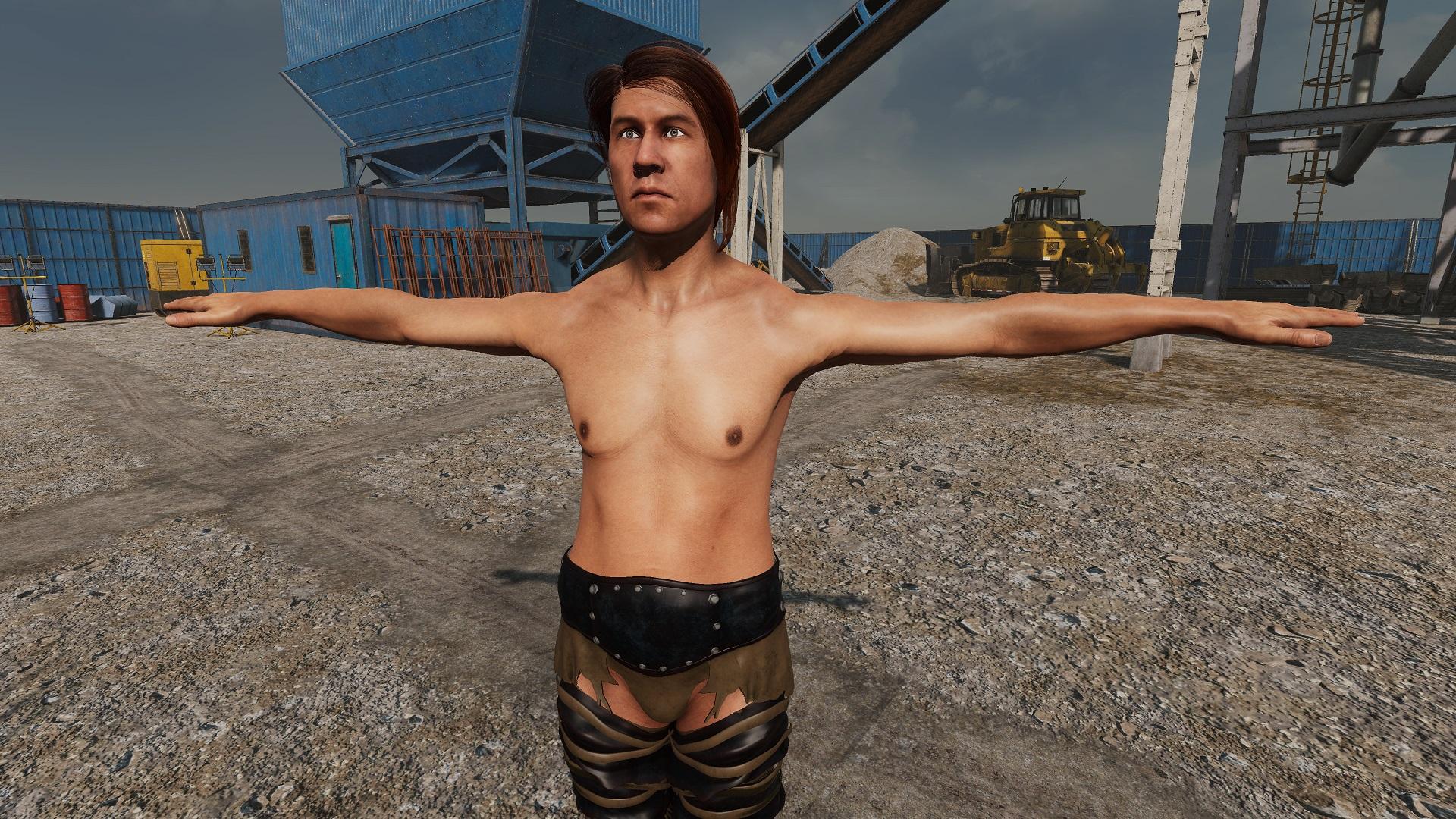
The character comes with yet another pack of extreme makeup that I cannot imagine ever needing or using, but that's fairly inevitable these days. I may very well use the morph, because it's a good morph. If we're going for themes, that morph *looks* like a survivor. I probably will use the skin, if I can get it lit decently. I work in 3DL almost exclusively. Trying to get dark skin lit properly in a scene with people who aren't dark skinned, can be problematic.
Both hairs look excelent. And *Thank you AprilYSH for including 3DL maaterials.* This is one of the dreadlocks styles that actually looks like some of the dreads I've seen. The Prae hair is lovely, but I'm not even going to try to guess how long it will take to render. And this is another one which will be getting smacked with Disparate Dreamer's Hana 3DL hair shaders. I'm still waiting for somebody to grab this ball and run with it, and offer a broader range of 3DL hair shaders than can make all of this frapping Iray hair usable.
Nothing to say about the pose sets.
The clothing? Well, like I say, I haven't got much of a call for post-apocolypse per se. But I do a lot of kitbashing, and most of these come in separate pieces which may well get used for that. I really like the Huntress set. I'd particularly like to see how parts of it work on male figures. I've got the cross-figure converter, so I'll soon find out. The Dystopian Dreams has some interesting possibilities. The open-toed boots look silly as all get out in the desert setting of the promos, but I could see them happily worn by a Boho type in an urban setting. The road warrior and rogue getups both have bits than might be useful, although I would prefer them not to look *quite* so painted on, and I can't help but find them a little repetitive, but, still, possibly useful.
Not my favorite bundle by any means, but there are things that I can see getting some use out of.
Celani 8Yeah, Bethany 7 is one of the body shapes I moved into Genesis 8 with the morph transfer utility and have saved as a separate pre-set template.
(Latonya 8 also has a good shape, but IMO, she is no Bethany 7.)As for requriing more full coverage clothing through Pro Bundles? Meh. That's a boatload of meh for me.
People ought to buy it in the store and make the case for vendors to make more of it. (And I DO buy plenty of full coverage bodysuits and body armor, like Midnight_stories' sci-fi suits, so it ain't me who's ignoring the store.) Having this full-coverage stuff as required in a Pro Bundle? AND requiring dForce? How many capes and cloaks and ankle-length dresses and high-waisted pants does one need?
The value is not there for me, but others might want more dForce full coverage outfits, I guess. I don't think they actually are responding to criticism. It just seems like a trick to force us to buy more of what we want since we don''t get as much of that through the Pro Bundles anymore.The outfits just seem predictable more than anything else, like there's been stricter/harder requirements for these Pro Bundles lately. I can't really blame the artists when you look at what is in the store versus what we actually get in the Pro Bundles these days.
I think I might just get Celani 8, not this bundle.
The clothing is not a theme I need. I don't really see much Post-Apoc in this, anyway. It really seems like some kind of Fantasy stuffed into Post-Apoc.
Like, what happened to Sci Fi? We hardly knew ye. That was a really brief diversion into Sci Fi because Celani 8 looks much more Fantasy themed than Sci Fi.For instance, if Celani had an Afro-Futurist theme, that would've gone straight to the cart.
The Kwan/Kayo Alien Bundle was superior compared to the Kayo Bundle (and I like Wrasslin).
In some ways, I hope there is no repeat of that Kayo/Kwan thing. In other ways, I hope there's another bundle of the quality of the Alien/Kayo/Kwan release. Afro-Futurist Celani 8 versus Mutant bundle? (Like Kwan versus Aliens?) Now that would be something.all daz original products with $5 interactive licenses!!!!! omg!!!Just tested, how Genesis 8 character transfer to Unity with HDRP pipeline.
Even without further tweaking it looks quite nice for me.
Below is Dasan 8 - https://www.daz3d.com/dasan-8
rendered in HDRP in Unity.
 Blender render engine question from a noob
I may have to look at Rigify. I tried to export an animation scene using diffeomorphic, but it didn't work. Parts of the environment didn't import either.
Environments are hit or miss. Some of them transfer perfectly, others show up as an error. When that happens, just export from Daz as an FBX and you'll be good to go. And I personally like Rigify a lot. Don't forget to update the morphs in the diffeomorphic options so that you can have facial controls and expressions!
But when you exported the animation, how did you do it? Did you save the baked animation as a saved pose file with the timeline selected, and then in Blender imported the pose as an action under poses? You'll have to do some tweaking still with the legs and arms sometimes I've found, but all your keyframes will transfer over that way, I did half my animated short that way.
I understood up to export the FBX. After that, I'll have to study.
Blender render engine question from a noobI may have to look at Rigify. I tried to export an animation scene using diffeomorphic, but it didn't work. Parts of the environment didn't import either.
Environments are hit or miss. Some of them transfer perfectly, others show up as an error. When that happens, just export from Daz as an FBX and you'll be good to go. And I personally like Rigify a lot. Don't forget to update the morphs in the diffeomorphic options so that you can have facial controls and expressions!
But when you exported the animation, how did you do it? Did you save the baked animation as a saved pose file with the timeline selected, and then in Blender imported the pose as an action under poses? You'll have to do some tweaking still with the legs and arms sometimes I've found, but all your keyframes will transfer over that way, I did half my animated short that way.
RetiredCatherine,
Thanks for your contributions!

Any chance you might be willing to tackle an Elizabeth 2 to Genesis 3 (or 8) Clone? There's a few E2 cosplay outfits and such out there that I've been struggling with.
Which "Elizabeth 2" figure are you referring to?
This one? https://sharecg.com/v/94763/view/11/Poser/Elizabeth-2-Core
Yes. At least I think so... as an example, here's one of the cosplay outfits I was having trouble with:
http://www.threednd.com/E2PUUniform.html
Looks like the the same gal in the pic, so very probably.
Nice outfit :-)
Yes that looks like her. Preliminary clone morph indicates it is possible however I think it would be a good idea to ask the person that made it if it's okay with him. The clone morph would be for use as an auto-fit clone only, no way I'm going to even try to match the face details.
he is very touchy about using his stuff in DAZ studio though for some reason, I clashed with him on facebook over this as he said it's not possible and I was disrespectful saying it was even though I had actual animated renders
Help Running 2 versions (not instances) of Daz.Hello, Hopefully this wonderful, highly knowledgeable Daz community can help me out. My Daz library has became too large to have normal load times for characters and morphs. As I do not want to delete or remove different morphs and items from my runtime database, I have came to the conclusion that I would like to run two separate versions of DS 4.11 and 4.12. One version with my full library database synced, and one with just a lean database for performance. My question is, has anyone else done this or currently doing this on one computer, and what is the best way to install and configure DAZ around this idea? Install on the same drive non-partition, or one version on one HDD drive and another on a second HDD? I am not sure if I run two versions will conflict with each other DS system files, or will scripts like renderque still will work on both versions or create errors. Are there any special configurations needed? I will continue to my DIM paths strictly for the full library database currently installed, and will do a manual transfer of files to the lean database.
I envision using DS with the full library to play around and find the items, environments and morphs that I would like to use. Then copy them to new lean data base library to work with and creation. I know it’s possible to unlink my full database and then link a leaner one in the same version, however I feel like having two versions with databases synced read to go will be less time consuming and more easy work flow.
Lastly, a month or so ago, I stumbled on a script for purchase that would analyze your *.Duf file and list out all the scenes data and runtime directory pathway links assigned to it. I forgot to bookmark it and I am not sure if it was here at Daz store or a third party site. On top of that I am not sure what to search for to find it again. If anyone knows where this script is, it would be most appreciated. Thank you Dazer for reading and hope this is a good solution to my problem.
Introducing the Daz to Blender Bridge & native Blender File FormatsI can't find the bridge that's supposed to transfer from Daz3D to Blender. I had to export an object and well, now the textures don't work. I have it installed, there is no "Script" tab on my Daz Studio (4.12), I can't find it in any layout and when I found the postgres script it was not very friendly nor did it show where the export went. I know I'm missing something but anyway, I just need a little help. I tend to overthink a lot so maybe I just missed something.
Catherine HD for Genesis 8 Female(s)That's pretty cool. We've seen different coloured irises, but this is a new option. I had put her on my wishlist because she has a lot of great options, but now I've gotta go ahead and pick her up. They listed the earlobe morph, but you don't see the eye morph unless you check the file list.
Celani 8I am glad that Daz did the 25% extra off of Celani pro bundle. Finally, my cart price was more reasonable and I pulled the trigger. I am very happy I did too and Celani renders very well just out the box! Unlike some others on this forum, I really enjoy the unique and different body sculpts for the core figures like Celani. There are many body and face types out in the world, and I prefer to use quality sculpted base figures as the starting point for my dial spinning. I would rather not spend countless hours dial spinning a mediocre base version of Celani or Nida from a Vicy 8 base model, that I would then modify even more to create my character. A quick example, I can easly create a older asian grandmother with Mei Lin or asian style character and aging morph packages, however since Mei Lin's body (most G8 bodies) is not scrupled with extreme curves, as well as body to hight proportions with those curves, I will never get a very close match to Mrs Chow's default sculpted body and details to build / dial out from. I own way too many characters, and I now only like to buy well sculpted unique characters to add to the "gene pool". Also side note, love the outfits and vehicle as well! Thanks PA's and Daz!
[SOLVED] Zbrush morphs disappearing when reloading character/restarting PLEASE HELP!!!When you load the morph with morph loader pro, it defaults to creating a category under morphs in parameters. It can be saved temporarily by saving a scene. For permanence, you do as described above. Go to File -> Save As -> Support Asset -> Morph Asset, and select the morph you created. While you can keep the morphs in Parameters>Morphs, it would be better to place it in a more appropriate place. When you first load, you can right click on the location in the MLP window by right clicking on the category being created (arrow shows where in the image here in the post).
Skin duplicate = no more power needed?Hi,
I got from someone the hint, when he wanna make a scene with multiple persons he use the same textures on all chars. now is my question, when I copy&Paste the skin from 1 char to another one, does the engine really not have to load the teyture 2x?
Because the images are still there in both surface tabs, so... my brain does not understand why it should then just use 1 "slot" instead of 1 slot for each char+image (bump, normal, diffuse etc).
I hope someone can help me out.
I solved the gender problem with UV:

Gave the boy the female skin and set it to Female ( I assume thats possible because I have skin transfer from pride bundle? Still didnt got an answer in my Transgender thread ;(.... )
Thanks ^_^
Diffeomorphic DAZ-to-Blender@ChrisSerket You may try importing the figure without additional morphs, then import the closed eyes as custom morph using a obj and check that it works fine. Then start adding the other morphs and check that the eyes works fine until you find what's messing things up.
As I said, making characters by mixing other characters is looking for troubles. The basic shape is exported fine because it is baked in the dbz, but then the custom jcms and mcms need to be mixed as well for them to work fine. If I understand correctly your character is a G8F + Sakura8 + Hotaru mix.
The "good way" to make characters is to use the standard body and face morphs, also most morphs packages are fine if they don't "inject" custom jcms mcms. But mixing characters isn't safe.
Can you share a .duf of the character, although I don't have Hotaru.
Actually, are you using the eyes that Sakura changes to or some other Manga style eyes; I'm just trying something out; thinking about it, I seem to remember trying her manga style eyes and having issues.
Edit: Nope, not having an issue.
Cheapest PC to run Daz Studio decently?You can also just keep your old PC add some memory and render in Blender.
+1
Although even adding RAM, it's still going to be slow.
Before spending cash to solve what you think is the problem; identify the problem then decide what you want to do about it.
Slow renders is a symptom of the problem.
 Do you want to throw cash at the problem straight away, or investigate various options before deciding where the cash should be spent? You are going to need to spend cash sooner or later if you want a more enjoyable experience.
That image was rendered and post-processed in Blender on a Threadripper 1950x CPU, which is faster than my 980ti. It uses all Daz assets. I use the Diffeomorphic plugin to transfer items and it also converted the hair to a particle system (similar to strand hair in Studio).
Yes there is a learning curve, but I get more freedom to do what I want, and faster renders; ymmv.
I was testing out this (https://www.daz3d.com/ry-bambie-character-and-hair-bundle) Bundle to be sure the hair would convert reasonably well. OOC's hairs seem to, and I have a shed load of them, mainly for G3F.
[SOLVED] Zbrush morphs disappearing when reloading character/restarting PLEASE HELP!!!I'm using Voidtools Everything constantly to check what's happening in my hard drives. But if, when I save a morph, it's indeed there when I restart DAZ, I can't figure out where or how it is saved ? No new file appear in the last modified ones on my hard drives when I actually save a morph ??
DELETEThe DAZ TOS sees to it that nothing overtly sexualised or politicised every sees the light of day in the galleries or from PAs. Possibly the two things that occupy the minds of many people these days.... politics and sex. So DAZ will always occupy the bland middle-ground of not offending the sensibilities of the easily offended. Hence the endless collage of harmless grey and hackneyed repitition of old tired themes. No wonder some are feel thrill-less when there's no edgy contempory truely meaningful stuff allowed.
Then again DAZ has to work within the confines of the online money transfer system for their money, which is increasingly cracking down on anything they consider "inaproppriate' in their view.... child characters with their shoulders visible etc. So that tail waggs the DAZ dog. And you can't blame them when a corporation's bottom line is always to see a profit on their books. It's just the way things work.
all daz original products with $5 interactive licenses!!!!! omg!!!Now if I actually had a use for the interactive licenses... Still, a great deal for those that do use them. Question though: If you get the license for a bundle, does that give you the interactive license for all the items in the bundle? And for anything involving characters, you'd need the license for the underlying genesis model?
yes, you get a license for "everything inside the bundle, it's a "cheap way to pay for all the licenses in one go.
about the "underlying" yes before using "any character" or moprh you also need a "interactive license" for the "essentials" like if you planing to use any daz genesis 8 character, you must also first have the daz genesis 8 essentials license, then also buy the license for the "character or morph" you are wanting to buy.
well second day, i really hope it last a little longer again until 02 or 03 august, which is when my credit card will be "free" to use and buy all the stuffs i really need, i'm planing in buy around 40 licenses($200 ) most for g8 and some others stuffs.
Another note the license is only needed when you are ready to "sell the product" you don't need to have it during the "development" process, the license is only for when you release it, but ofcourse great deals like that can't be ignored and you really must grabe it while you can.
i'm just waiting for when the right time come and i can buy it.
Need help putting an emblem on top of a bodysuitI'm fairly new to Daz Studio so it's been a frustrating but fun experience searching google with the right keywords and finding workarounds when tutorials steps don't exactly line up with my experience. I've been working a superhero character and has decided to recreate a character like Superman as practice and experimenting using Michael 4 and The Freak 4. I've figured out how to use geometry shells when the bodysuits won't give me the results I want. I've searched up on Rigid Follow Nodes, watched tutorials on how to rig Props, how to attach props to bones, DForce, DFormer, etc, essentially everything I could think of. I want to put the S emblem as a separate piece and thought of using a primitive plane and using opacity and diffuse maps to make the plane appear like a flat emblem (I plan to add displacement map later). It needs to be attached onto the geometry shell or the model. Using Layered Image Editor and Diffuse, Opacity, Displacement, Bump,... Maps can only take me so far. With the morphs I have on the character, not even using a tshirt fitted on there with different morphs to make it appear baggy gives me the desired results. Putting Maps on surfaces and Layered Image Editor made the emblem look distorted and follow the body morph. Meanwhile, I want it to look like it's an actual piece of clothing that smooths out in between the gaps. I've attached the images of the results I want to achieve for reference.
Any suggestions or advices would be greatly appreciated! Thanks a lot!
HD Add On VS Normal Mapping Brawl!I like breaking the rules! Just ask the mods.

I know that feeling.
Displacement is different, it can actually alter the mesh. I am sure that the same rules apply. I don't use displacement very much, few models have it these days,
Shame. I like it.
There's a technique, if we were going to use DAZ parlance "joint controled displacement" where you could paint a displacement map of wrinkies on the skin around an eye, and tie it into expressions. It makes for some of the most life-like characters...
but it does slow down renders.
Same effect as a high sub D setting, because that's basically what it does.
It is certainly better to be able to sculpt that detail rather than use displacement,
They're exactly the same thing, except (if memory serves) DAZ only implemented monochrome (normal) displacement, and color (3D) displacement is better for larger scale sculpting because you can move points in any direction.
but there are times where displacement is a good option. Like adding veins to a character while using other normals and/or HD shapes.
And with a fairly simple script you can have lovely pulse effects in the veins.
The big advantage to both normals and displacement is that the end users can alter them and mix and match them easier. The biggest issue I have with HD is that we end users have no way to alter them. Zelara HD has a HD head and HD body, and that is it. I cannot go and pick a smaller section of that morph and use it, or alter it in any way.
You need a dang big machine to deal with HD in realtime, or some tricky software that can HD one area of interest at a time.
With the texture maps, if there is say a mark I do not like, I can get rid of it easy. I can do that on standard Genesis mesh, too. But I cannot do that to a HD shape. It is really frustrating. Like one area that is often over done are the ridges on fingers. Too many DO characters have freakin' canyons on the fingers, I have never seen a person with knuckles like that in my life. With a normal map, I can smooth that down a little while still keeping the rest of the detail.
And with a well-done displacement map you could do it even better.
To recap, HD:
- A bit of work to do, and high entry cost
- Moves points in any 3-space direction
- Can only animate if you build tons of sub-areas
Displacement map:
- A normal displacement map is easy for even noobs to edit
- Displaces along normals (the Catmal sub-D calculated ones, if memory serves)
- Fairly animation friendly
HD Add On VS Normal Mapping Brawl!A couple small observations
1) Zelara may be a uniquely bad character to make this test with. According to her product page, "Her render subD level should be set to 4 to take full advantage of the included HD morphs". She is the ONLY core figure with that on her product page (though not the only character with that statement). When you look at her HD images, her HD morphs don't seem to do much of anything, in part because the way she was made makes them almost completely unnecessary. She's basically an HD morph on her own. (I did see that you were working with other characters, as well. Edie seems to have a rather severe mismatch of body and head, somehow.)
2) Even with Daz core figures, some of them have HD morphs that do noticeably different things than the normal maps. For example, with Darius 8, a lot of his muscular definition is in his normal maps. He also has normal maps that emphasize his HD vein morphs. That separation is fairly consistent with the beefier male characters, at least. I think it's also true that for the HD characters produced by other PAs, they tend to use the normal maps to provide skin details, and the HD morph for the character details apart from skin, so doing one without the other may not be helpful for anything but render times.
3) Iray's microdisplacement is kind of terrible, compared to 3Delight. (And Sloooooooow. The displacement on Anatoly HD, a PA product, designed to be rendered at SubD 5, is just grinding, and likely can't even be rendered on relatively low-powered computers.)
Daz 3D is part of

Connect
DAZ Productions, Inc.
7533 S Center View Ct #4664
West Jordan, UT 84084Licensing Agreement | Terms of Service | Privacy Policy | EULA
© 2026 Daz Productions Inc. All Rights Reserved.

















