-
Downloading and Installing DAZ Studio: a guide and FAQ
3DRenderBoy said:
I am confused and having problems with DAZ Install Manager, DAZ Studo Pro and especially when I install DAZ Central.
Normally, I install DIM first then all the content DIM found including DAZ Studio Pro.
After everything is installed, when I start DAZ Studio, it shows that almost all products are NOT yet installed.
SO, I install all the products within DAZ Studio. But then, I got double products (like Genesis 8 Starter Essentials) in the Library section.
Then I try with installing DIM first then DAZ Studio within DIM, start DAZ Studio, and install the products from my account.
My biggest problem is with DAZ Central. Installing it makes me VERY confused and I do not know where DIM downloads folder is and "My 3D Content Library"
because DAZ Central does not aks (when installing the first time) where to install. I never install to default folders ("Public Users" folder).
I tried DAZ Central many times but every time I was very confused and could not install downloaded products from DIM folder.
DAZ Central does not show added products within DIM's Downloads folder.
By the way, DAZ Central is VERY useful because I can see all installed products with screenshot and web links to products' pages.
I would use it instead of DIM but like I said it makes me very, very confused.
When I start DIM and want to install other products it wants already (via DAZ Central) installed products to be installed again.
My question is: How to install products from my account (and boughtt products) properly.
Should install everything that DIM finds and use DAZ Studio and NOT install grayed-out products again within DAZ Studio?
Or, should I install DAZ Studio via DIM then install all other products (from my account) via DAZ Studio?
Like I said, I really like DAZ Central but it makes everything confused and very hard to find where the products are installed.
I do not get it to work properly. I know I am doing somethign wrong. I tried it 5 times, I guess but every time had to uninstall it and install everythign new via DIM/DAZ Studio.
Thanks.Don't use Daz Central if you are using Install Manager - it is a simplified version of the latter, which can perform fewer tasks.
If installed products are greyed out see if their files are nonetheless avaialble in the Content Library under Daz Studio Formats - if they are then it is a communication issue with the database, if not then the path setttings in DS probaby don't match those in DIM.
Downloading and Installing DAZ Studio: a guide and FAQI am confused and having problems with DAZ Install Manager, DAZ Studo Pro and especially when I install DAZ Central.
Normally, I install DIM first then all the content DIM found including DAZ Studio Pro.
After everything is installed, when I start DAZ Studio, it shows that almost all products are NOT yet installed.
SO, I install all the products within DAZ Studio. But then, I got double products (like Genesis 8 Starter Essentials) in the Library section.
Then I try with installing DIM first then DAZ Studio within DIM, start DAZ Studio, and install the products from my account.
My biggest problem is with DAZ Central. Installing it makes me VERY confused and I do not know where DIM downloads folder is and "My 3D Content Library"
because DAZ Central does not aks (when installing the first time) where to install. I never install to default folders ("Public Users" folder).
I tried DAZ Central many times but every time I was very confused and could not install downloaded products from DIM folder.
DAZ Central does not show added products within DIM's Downloads folder.
By the way, DAZ Central is VERY useful because I can see all installed products with screenshot and web links to products' pages.
I would use it instead of DIM but like I said it makes me very, very confused.
When I start DIM and want to install other products it wants already (via DAZ Central) installed products to be installed again.
My question is: How to install products from my account (and boughtt products) properly.
Should install everything that DIM finds and use DAZ Studio and NOT install grayed-out products again within DAZ Studio?
Or, should I install DAZ Studio via DIM then install all other products (from my account) via DAZ Studio?
Like I said, I really like DAZ Central but it makes everything confused and very hard to find where the products are installed.
I do not get it to work properly. I know I am doing somethign wrong. I tried it 5 times, I guess but every time had to uninstall it and install everythign new via DIM/DAZ Studio.
Thanks.
Getting Mckenzie HD for Genesis 8.1 Female to install / appearSame problem for me. No DIM or manual files. DAZ Central or Connect only.
Daz Central - entry point not foundSplit to its own thread since the other thread was about an issue, long ago, with Daz Studio rather than Daz Central.
What are your system specifications and operating system? What security software are you using? Were there any errors when installing Daz Central?
Daz Central - entry point not foundThis discussion was created from comments split from: DAZStudio.exe- Entry Point Not Found ...??.The We Will Miss You, Chohole Complaint Thread...congratulations TJohn on your latest trip around our central main sequence stellar primary You can add another 585.6 million miles to your life's journey logbook.
Fatal Error on first attempt to open Daz StudioThanks, everyone - I didn't uninstall the old version but did "re-install" through DIM (with my irregular internet connection it seems to work better than Daz Central) Daz 4.15 or whatever - - the basic free version available - - the empty viewport rotates smoothly again, but trying to load characters produces an error. Where do I find the log?
Getting Mckenzie HD for Genesis 8.1 Female to install / appearOK, and you say the product won't show in DIM/Daz Central at all? Can you download the zip manually? If so do that and place it in the Install Manager Downloads folder, which should make it avaialble in the Ready to Install tab on refresh/erstart, in DS right-click on the product container and Uninstall, then install through DIM. Even if that works please open a support ticket to report the issue.
Getting Mckenzie HD for Genesis 8.1 Female to install / appearJust purchased Mckenzie HD , can't get it to show up in Daz Central, Install Manager, or get the manual download option to function. I've tried walking through the procedure, putting the .sea and .sep files in the appropriate daz connect library, and still nothing. The product shows up under content library, in the listing of all purchased products, but when I click on the icon, it started a lengthy download process that lasted several minutes. After it completed, it still did not show up in either smart content or any other content library folder. It does have files in the connect library data/ cloud folder, but these are not recognized. Any one else having this problem?
No Send to unrealHad the same problem, till I opened a fresh instance of DAZ Central; and the opening splash asked if I wanted to add the asset.
[Released] Thickener plugin [commercial]barbult said:
Alberto said:
barbult said:
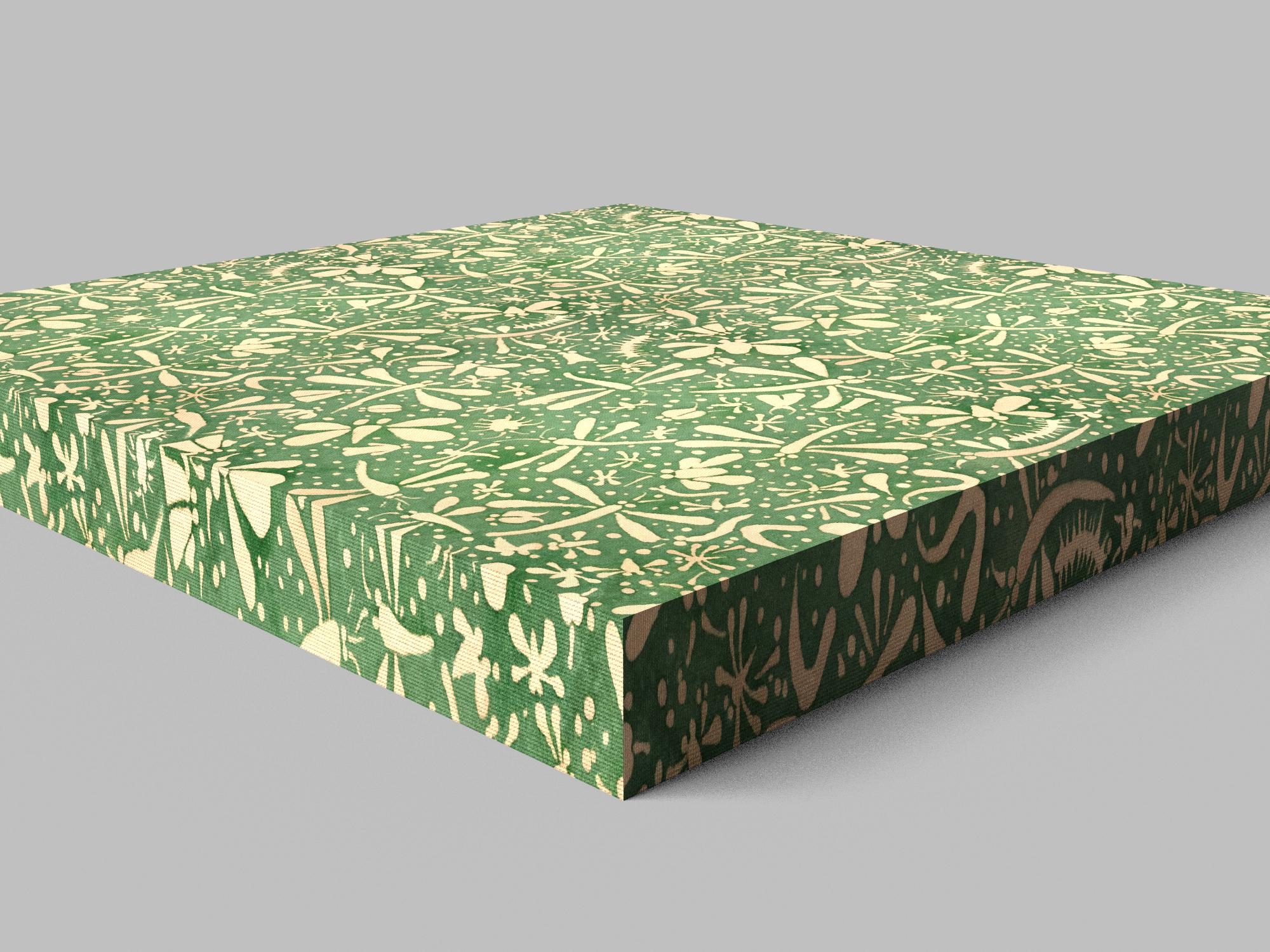
So now I am going back through my issues to see what is fixed. I started with the thickened plane, where the UV stretching looked OK on one side but not the other. In version 1.0.1.0 (the update) I see that the original problem that I saw at subD 0 is fixed, but there is a Border Subdivision problem. The problem may have been there before, but I looked only at subD 0 at the time.
The problem I see is that the subdivision of the border mesh is not uniformly spaced in either UV direction. In the vertical UV dirrection the pattern isn't stretched over all of the subdivisions. (These are all static thickened objects.)
Border Subdivision 0 - UV stretching is fixed

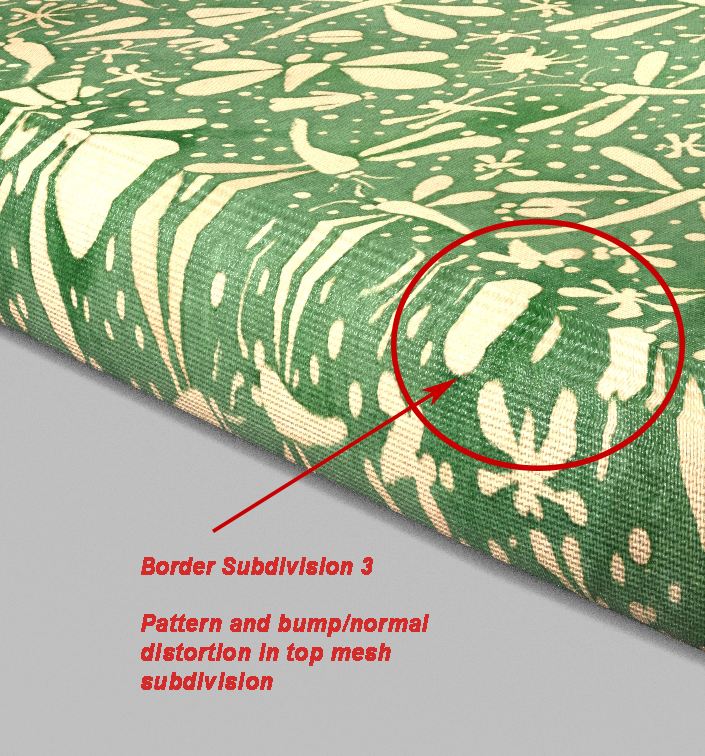
Border Subdivision 1,2,3,4,5 - UV stretching is not uniformly spaced. Here is Border Subdivision 3 as an example.


I see.
It's fixed. I expect to be sending the fixing to DAZ next week.
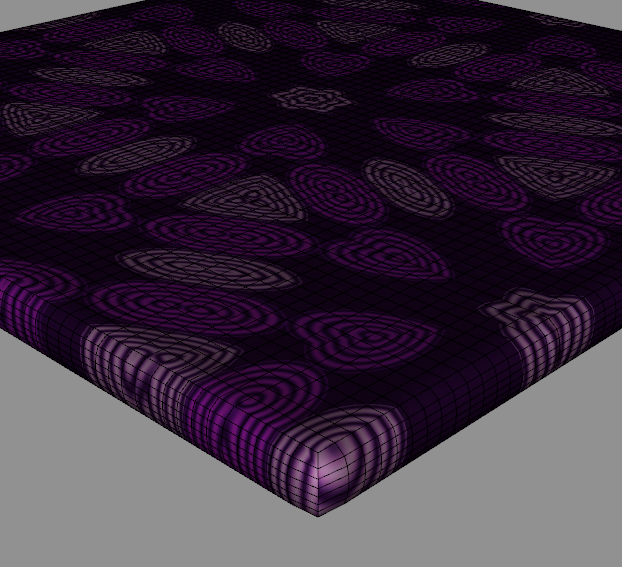
Fast work! I see that the stretching now covers the entire vertical UV direction, which will be a great help. But the spacing of the suvdivisions is still not uniform. The border subdivision nearest the top of the thickened object is wider than the other visible mesh subdivisions. I can't really see the bottom subdivision from this camera view (in either my example or yours). I don't know if it matches the others or not. The fact that the subdivision near the top is wider causes visible distortion in the pattern and the bump/normal texture. Is that mesh spacing something that you have control of and can improve?
A different example, Border Subdivision 5
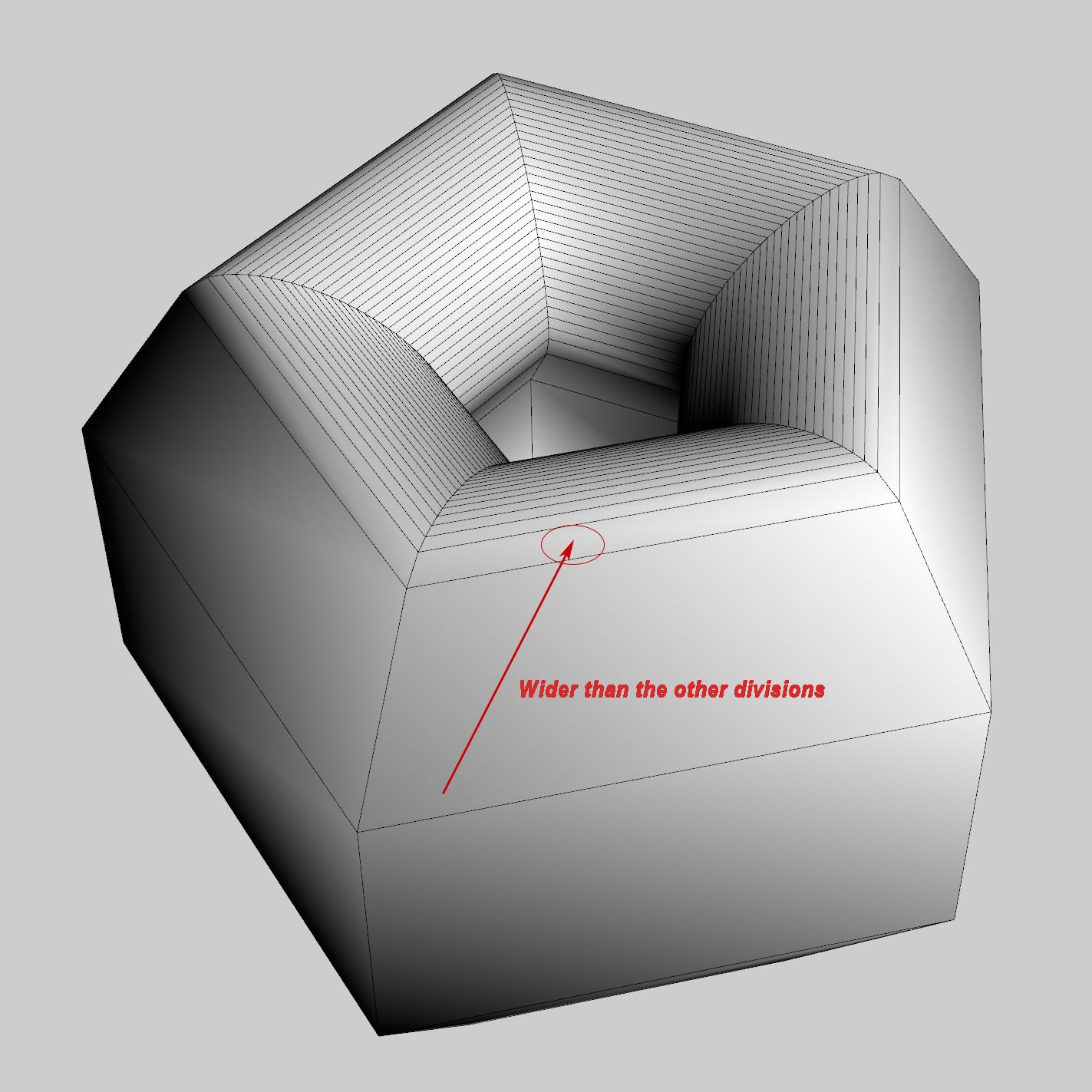
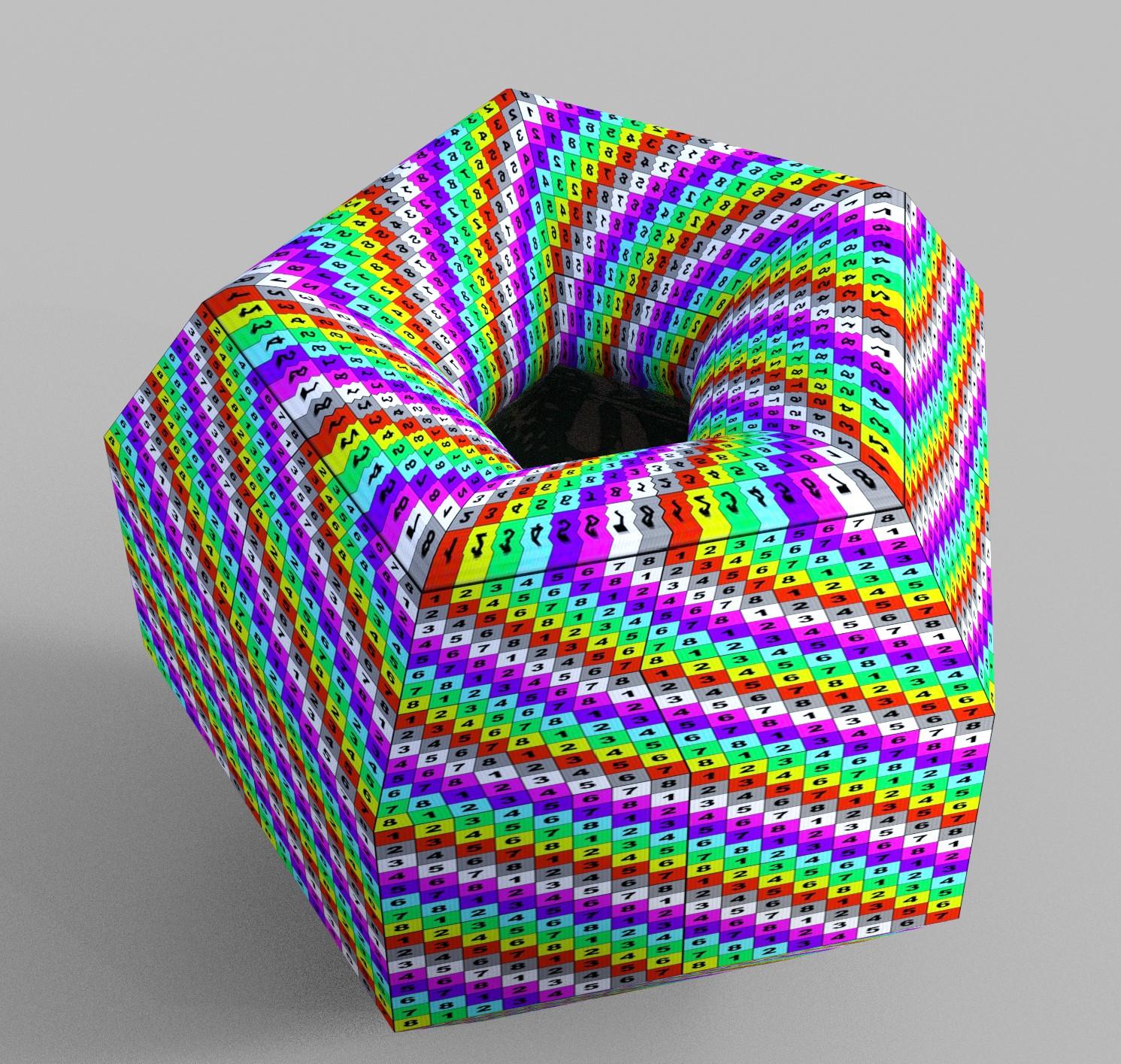
The UV map is following the geometry of the stretching. You can see that the first row of facets is the wider, wheras the central rows are the thinner.
That was the model I chose. But let me see...
Let me see...
Daz Studio 4.16[.0.x] Pro, General Release! (*UPDATED*)So am I nutz ... it seems the latest build for the General Release is 4.15.0.14, however where do you get it? I have 4.15.0.2 installed and it looks like there have been several updates since then. I tried both DIM and Daz Central (latest versions) and no joy. What am I missing?
Genesis 8.1So there isn't a way to just download the package for Genesis 8.1? I don't use Daz Central or the other one. It never worked on my computer or just crashed everything so I don't have it installed. I guess that means I'm SOL until a new upgrade of Daz Studio, assuming that suddenly become available only through Daz Central. Not that I'm all that excited about the need to purchase new characters for the skin, but the basics will be nice to play around with.
Strange repeating manner of Daz StudioPerhaps you are trying to manually install into the Protected DAZ Central folder?
Strange repeating manner of Daz StudioSince I've been having huge problems with both DIM and Daz Central, I've resorted to manual install. In the long run, it is the less stressful. Have to come back for the log file though.
Strange repeating manner of Daz StudioWhat methods have you used in installing your content into DS? (DIM/DAZ Central/Manual installation/DAZ Connect inside DS)
Do you use DS in online or offline mode?
What does you log say? (Help->Troubleshooting->View Log File)
What was changed in your system a week ago?
Help with LY CAYENNE HDgeordiesharp said:
Hey Lyoness, Thanks that's great. I have looked on the website but nothing new. Will the fix be a new purchase or a free download?? Geordie
It should show as an update, in Install Manager iof Daz Central or in Smart Content if you installed through DS, once released.
UltraScenery - new territory [Commercial]Something I learned in the recent Season Pass 2 tutorials was to make and use Billboards for background people and large props. As a newbie to GIMP it took me a bit. My thanks to a store tutorial by Linwelly that I finally went through. But that may help others who want to add in bits and bobs into US scenes.
Regarding the issues that are being mentioned about double-loading with DIM, Daz Connect and Daz Central. Just don't do it. I have been working with Customer Service for over a year cleaning up two Daz computers and a total file mess I made by not understanding what I was doing. And I tested Daz Central when it was released on one computer and it destroyed my file structure, taking everything back to the C: drive, where there is little space left. Daz Central is poison. Stay off-line in Daz and let updates come in by DIM. And I recommend listening to barbult's advice. She has helped pretty much everyone who has had these issues with US not seeing the add-ons.
Mary
Nothing opensHello - i recently bought a faerie pack from your site and downloaded DAZCentral + DAZ studio -
I want ot preface im an artist so the only thing i need are the faerie poses - nothing else - so i downloaded all the essential packs from DAZCentral -
i also checked the uppet Config destioantion thingy - i chose Base path location to Documents\DAZ 3D\Studio\My Library\Applications\Data\DAZ 3D
as i assume all the things are supposed to be there - but no DAZ studio does not open anything, like i said i just need the faerie poses - i don't really have
the time to learn this program - i just need it as a reference.
So the question is how do i open my faerie pack? It seems DAZ CENTRAL is kind of useless or not working properly - i tired to download
all the needed essential manually - but ofcourse the main essentials can not be downloaded - only through DAZ CENTRAL.
Thanks :)
PostgreSQL CMSI know we all have seen this error message, basically it prevents your files from being displayed in Smart Content. I watched, watched, re watched the tutorial on the so called easy fix, however after the part where you "Process Metadate Que" and "Re Import Matadata " that is when it goes fudge cake on me.
I do not get the log in as being in Daz Central with the studio version of 4.15 I do not have to log in, I see the content however it still does not display in the Smart Content. I am DOA and without the content one cannot create images, etc. I have watched the youtube video from Tomasi studios all day and even go step by step still I cannot display my files in Smart Content. Any more suggestions on how to get my files displayed.
HELP
Daz 3D is part of

Connect
DAZ Productions, Inc.
7533 S Center View Ct #4664
West Jordan, UT 84084Licensing Agreement | Terms of Service | Privacy Policy | EULA
© 2026 Daz Productions Inc. All Rights Reserved.