-
Character Mixer for All Genesis Figures; If anyone buy it, I'd like to ask you one thing
I just don't get why anyone would want randomly generated characters. For me, the most creative aspect of this hobby is to slide those morph adjusters to make a character that is unique and convincing. That's probably 80 percent of the reason I indulge in this hobby. I'll go further and say that I rarely, if ever, use a commercial character "out of the box". Those I buy serve as the basis for my own variations.
j.cade is Back! And brought the adorable Bette!That mix morph promo is what sold it to me. She mixes *very* well with others.
Cartoonized vs Toon Boy/GirlThey are both good.
The Cartoonized is more flexible as it has more individial morphs to make cartoons unique so it's more useful for making caricatures unique enough to still be recognized as real individuals. So you could say it's more a realistic toon style.
The Joe Quick's Toon Boy/Toon Girl/Toon Dad/Toon Mom when you apply the morphs that make them in levels above 60% really start looking all alike and you are almost 100% dependent then on hair, clothing, skin and eye color to make them unique characters. That's sort of the point though of cartoons to generalize stereotypes into "every person" type characters.
I have them both and using other morph products or even those 2 products in combination with each other it's pretty easy to make both unique to the story you are making.
Show Your Bra 3It's a "standard" morph contained in a Genesis X Body morphs product.
How can I fix my morphs saved wrong and now are zeroed out.So the slider position is irrelevant, they simply don't affect the mesh at any value? right.
I saved the morph again as a morph assed to save the card image I added once the morph were saved and loaded because the image would not stay. Then when I saved it with the morphs at full body , it turned the morph to zero so the slider does nothing.
Anime nose and lips / mouthwhat about only side angels?
Check out my thread at https://www.daz3d.com/forums/discussion/295231/welcome-to-anime-manga-cafe#latest
I use Aiko 3 kioki you could achieve what you are seeking.
I gave up on daz studio about 4 years ago do to the fact i just couldn't get the faces the way i wanted.
I really want to get back into it now that they have more models and morphs out there.
Model i would be using is genesis.
Here is a what i consider "anime nose and lips\ mouth."
1. here she is looking at you as you can see her nose is just a small dot with no nostrils and her lips are small.
2. here she is looking far to the side and her nose is more like a small bend without nostrils and her mouth is open and her lips are more like a single line.
3. here she is looking slightly to the side and her nose is more like a small dot without nostrils and her mouth is wide open and her lips are more like a single line.
4. here she is looking slightly to the side and her nose is more like a small dot without nostrils and her mouth is slightly open and her lips are more like a single line.
I am looking for a single morph/face edit that will looking like this from all angels and the mouth\lips i am aiming for is closest to picture 3.
I am looking for a morph or even a idea for d-forms that will give me the effect i am wanting.
Check out my thread at https://www.daz3d.com/forums/discussion/295231/welcome-to-anime-manga-cafe#latest
I use Aiko 3 kioki you could achieve what you are seeking.
Anyone use Studio and Iclone7?As far as I know, JCMs from Daz 3D characters does not transfer to iClone7 or CC3,
so one need to fix pokethroughs with the clothes.
Anyone use Studio and Iclone7?I have iClone7 Pipeline and CC3 plus their latest morph pack.
I have already invested so much in Reallusion products, that is hard to resist
while they offer their products with big discounts.
Rendering in iRay from iClone7 or CC3 takes similar time as in Daz Studio.
I do not like to wait for animations to finish rendering,
so I use Unity game engine for rendering videos because of the speed.
Most of the time it is real time 30 to 60 frames per second and the quality of the renders
has greatly improved nowadays.
Sienna HD Leg Corruption when KneelingI would make sure you didn't save any pose files while the flex quad morph was activated. It's possible that a bad value can be saved to file, so whenever you load the pose again, the bad value comes back like a nasty virus that was backed up.
Sienna HD Leg Corruption when KneelingThere's JCM flex morphs for the left and right leg. Assuming all things equal, why is only the left leg going crazy? Did somebody copy over the right morph file to the left, and forgot to edit the values?
I did some experimentation but I could not replicate the problem with a fresh scene. Chalk it up to a weird bug I guess?
I'll say this, I showed my wife the screenies above and she was horrified :)
How to transfer customized menuYou can also use the command line to tell a version of DS in one release channel to load settings from another, and there's a sample script that will do the job too http://docs.daz3d.com/doku.php/public/software/dazstudio/4/referenceguide/scripting/api_reference/samples/general_ui/copy_ui_from_channel/start
That's a little more than I care to bother with, so I guess I'll just do it the old fashioned way (manually), but I appreciate youu making the suggestion!
What do you mean, it's crazy easy and works brilliantly - just click where it says "Copy_UI_From_Channel.dsa" then save that to your Scripts folder in your Daz Studio Library. Load up the version of Daz Studio that you want the new layout brought into and click on that script. It's easy as pie and works like a dream. :)
Really? So, if I have both copies of Studio, each on a different, unconnected hard disk (with no way to connect them), it will magically and crazy easily transfer everything? The only way this might work is to port (make a copy of the entire previous version of Studio) and then place it onto the new HD with the new (target version) of Studio ... and then to run the script. And if I have to copy things between hard disks anyway, maybe less time and effort is involved in merely transfering manually just a few folders with vthe right files. Or have I missed something here?
Also where is the “just click here where it says” link? The advice here is only conceptual, not illustrative of where to go, what one sees, and then what or where to click. A step by step would be helpful to understand how this works.
[Released] Bette for Genesis 8 Female (I'm back!) [Commercial}
dForce H&C Open Back Dress for Genesis 8 Female(s)
Anastasia Heel for Genesis 8 Female(s)
This Microphone - with some editing + the stand made by me

Karly Bikini Outfit for Genesis 3 Female(s) (the sunglasses)
Cady Hair for Genesis 3 & 8 Female(s)
MEGA Wardrobe 2 for Genesis 8 Female(s)

Classic Bikini for Genesis 8 Female(s)
Sweater Shaders Merchant Resources
Custom SBH

Reyna Hair for Genesis 3 Female(s)
and
frankensteined together

Gangster Outfit for Genesis 3 Female

Adeline Hair and Circlets for Genesis 8 Female(s)
dForce Gown of Fantasy 1 for Genesis 8 Female(s) (with custom textures by me)
Winterblack Tower (also with some custom textures but mostly just no textures whatsoever)

Code Squad 01 for Genesis 8 Female(s)
More custom SBH - seriously everyone should be experimenting with SBH - its great and I love it

Cutie Hair for Genesis 3 and 8 Female(s)
dForce Beth Holiday Outfit for Genesis 8 Female(s)

Blair Hair for Genesis 8 Male(s) and Female(s)
dForce Cherry Blossom Outfit for Genesis 8 Female(s) + its textures
dForce Skate Punk with Skateboard for Genesis 8 Female(s) +its textures

Jocelyn Hair for Genesis 3 & 8 Female(s)
Evelyn Hair for Genesis 3 & 8 Female(s)
dForce Darcy 8 Hair for Genesis 8 Female(s)
Blair Hair for Genesis 8 Male(s) and Female(s)
Stella Hair for Genesis 3 and 8 Female(s)
Classic Bikini for Genesis 8 Female(s)
Bandeau Twist Bikini for Genesis 8 Female(s)
edit I also used Together: Brotherhood Poses for Genesis 8 Male(s) as a base to start posing from Eva and Darcy in particular are only slightly modified
Each character used a makeup from the character I was borrowing from - so the character that used the Eva morph used one of Eva's makeups applied on the Bette skin - the only exception being Darcy who used Darcy's diffuse texture as well - but still used the bump etc from Bette. This had more to do with conserving resources. I'm pretty sure this scene ended up only using 4gb of memory on my gpu
Also If anyone can't tell I'm a big fan of Aprilysh hairs
.... And now I go to sleep
[Released] Bette for Genesis 8 Female (I'm back!) [Commercial}Its Live!
I'm back with a product after a looooooooooooooooong hiatus.
I've made toony morphs going back to Genesis 2 (though back then it was mostly morph dialing) But finally I did a complete version with things like textures and JCMs (lots of JCMs)
Introducing Bette!
Inspired by some classic and modern cartoon ladies as well as some classic 20s and 30s actresses. Hopefully she can fill your toon needs from Pinup to Fairytale to Modern.
I generally hate advertise-y writeups and am pretty terrible at them - so I'll focus on some fun stuff that might not be completely evident from the promos
There is a mysterious icon/dial called "Bette Cleavage Fixer" If you dial it in on an unclothed figure you might be confused when nothing happens. This is an optional projection morph that will popagate on clothing as a fairly stylized morph The autofollow morphs generated on clothing have some nasty distortion the cleavage fixer morph will--- fix this. you won't want it on tight fitting clothing (things like bras) but for anything loose It will definitely help It was used in all the promos where she wasn't in a bikini. None of the clothing in the promos have custom fits - its all the fixer morph + some smoothing.
I've included some nice MCMs:
I wanted to make sure she could easily me morphed into different styles so If you dial "Upper Eyelid Height" "Eyelids Fold Down" "Lips Thin" "Breasts Small", "Breasts Gone", "Hips Size" or "Glutes Size" from the main DAZ Morph sets there are some nice custom morphs that will also dial in under the hood to make these morphs work better. My goal was a character that could easily blend between Tex Avery, Fleischer Studios, and Disney-esque (though I dont think she hits quite the degree of stickbug with googly eyes that is modern disney). She's very easy to de-pinup (or make even more pinup-y if thats your thing)
She also has plenty of JCMs I'm particularly proud of the ones on her knees I realized. I didnt actually ever get around to a promo that actually demontsrated this so made a really quick crappy one just for this thread
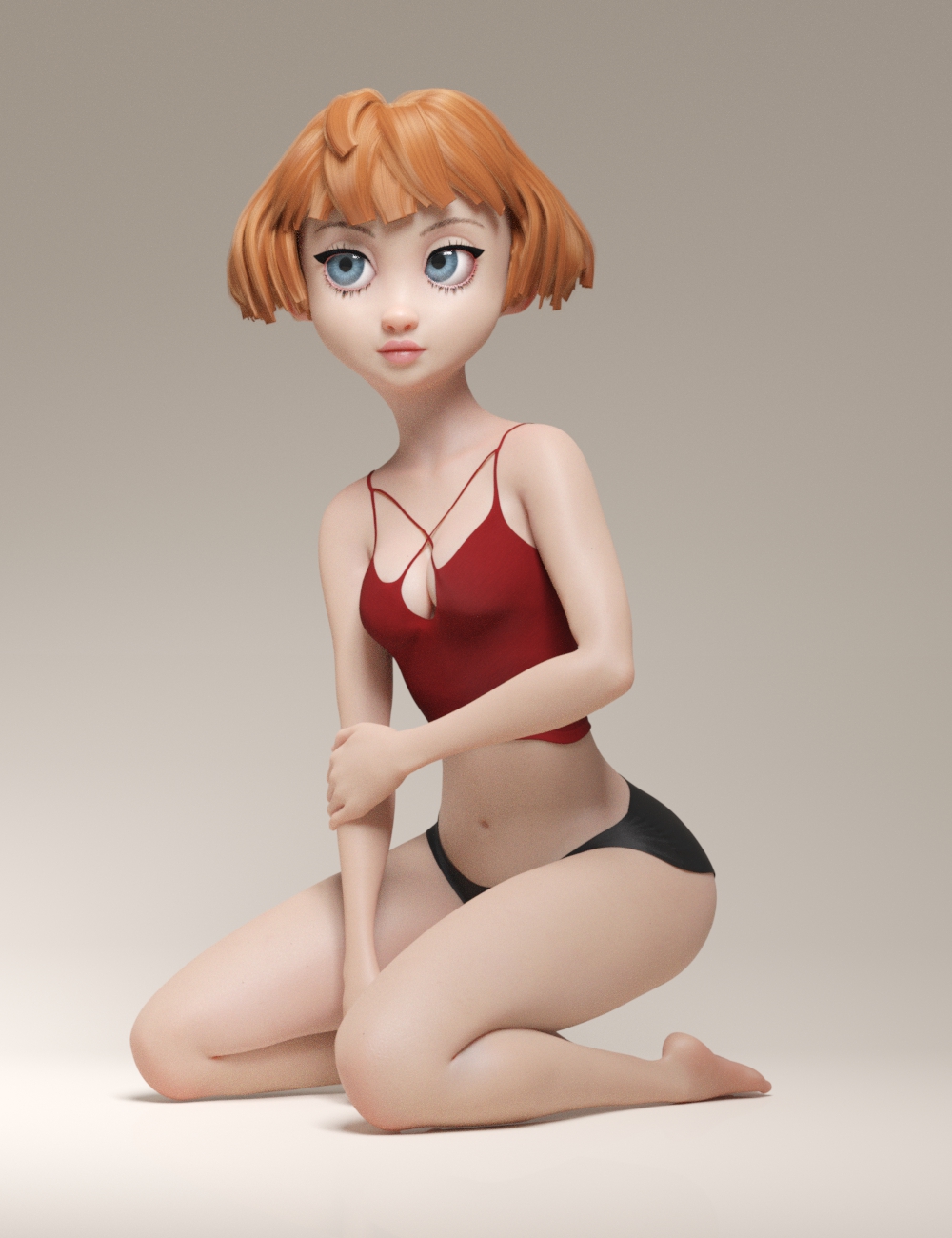
Maybe its just me who gets excited when cg thighs and calves interact with mimimal intersection and as much volume preservation as possible but this makes me happy
edit:
Also the Toon eyelashes, Toon eyebrows and, Natural Brows include some extra morphs controling size and thickness
I'm not going to reinclude all the promos here since they're right on the page in the store but I am going to reinclude this one, because I really like it
Now some of you might be thinking "she seems kind of lonely" and while Bette does want me to mention that thats a little heteronormative, Her male counterpart is absolutely on the way! He would have been here sooner but well... I'm not saying it was sabotage but Bette does need to explain why I have this photo in which she appears to be sticking her leg out right as he trips
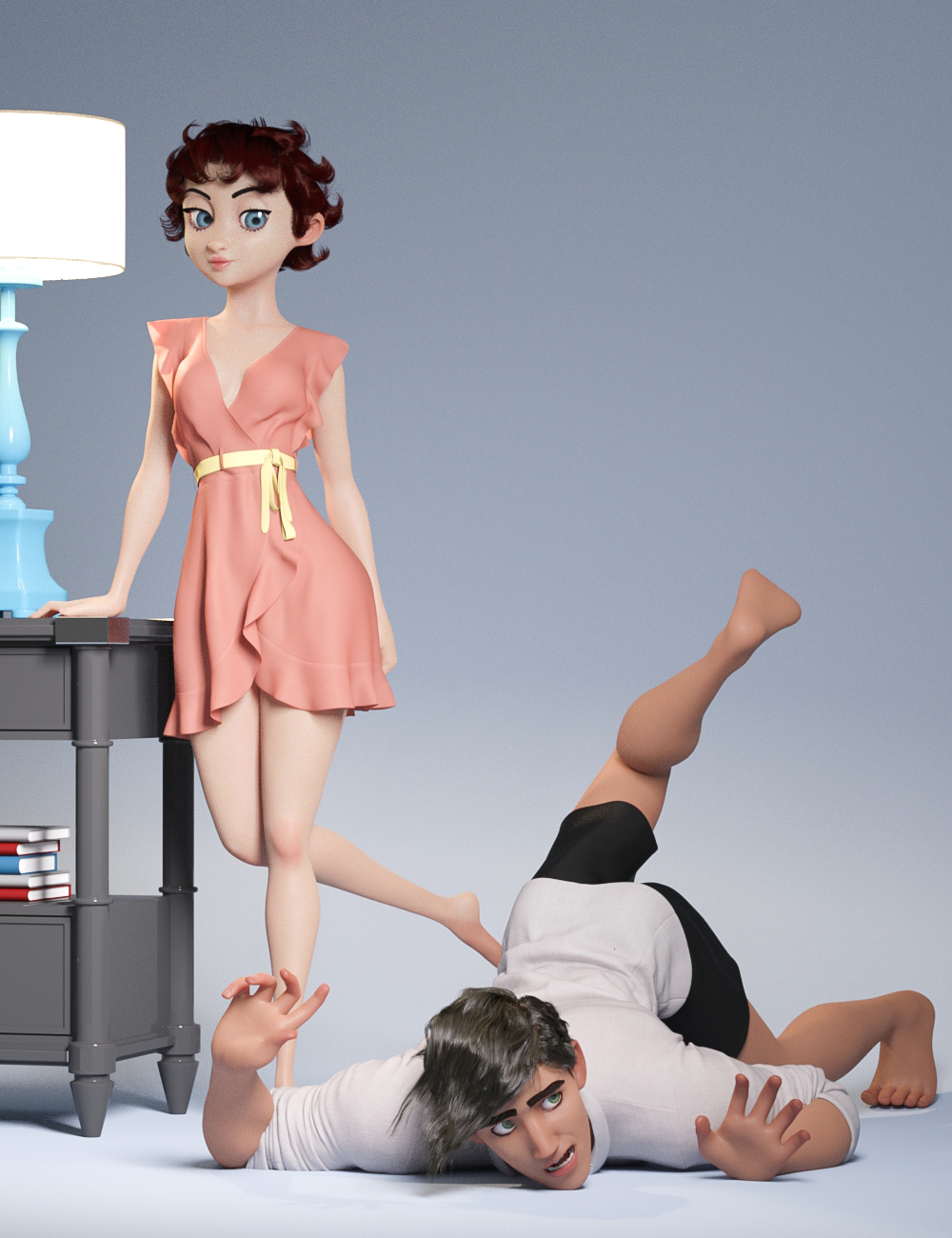
(if you think this is dumb its got nothing on this one)
 Anyone use Studio and Iclone7?
I was wondering how well things transfer between the 2 programs with pipeline. Reallusion was saying that it will ALL transfer, but I'ld like confirmation from someone who has used it. Do the morphs and animations transfer reliably? Is the animation capability worth it? How is the renderer speed and looks?
Gus
Product Cross Gender/Transgender -Transfer morphs (feature suggestions)I also eagerly await this product! In fact it can't come soon enough for me, since the scifi project I'm currently working on requires me to make opposite gender versions of alien characters which were only released for one gender base. As has been mentioned before, the ability to transfer associated geografts would also be rather critical for me, since the characters I'm hoping to expand into a more-than-one-sex-species all have geografts which are highly distinctive and defining for their appearance. Currently I'm trying to make do by using transgender morphs and/or transfering the texture over and parenting the geografts to the "wrong" base without autofit, to maintain the bones and other needed features in the graft, but this still leaves a lot to be wanting. I'd also use a product like this to transfer morph kits that were only released for one gender to expand my shaping options equally to both genders; usually that'd mean F->M morph transfer, so a script or optional additional morph adjusting for the different nipple placement would be most helpful too.
I'm in the same hoverboat as Jeylien: I look at various space-alien characters for sale and notice there's only the female version or only the male version made of a given alien race, but I want to have an entire family of them. Husband and wife alien, and their school-age son and daughter aliens, or maybe just one of the kids.
I look forward to seeing this product come out.
what is the 'correct' order when it comes to creating Daz characters?I THINK what you're trying to ask is: "What is the Blender to Daz Studio workflow for creating Genesis 8 Characters?"
I wish I could help though, I don't know how to use Blender. I do know that people who create characters often have their own preferred way of doing things, as some PAs like to create the textures FIRST and then create the morphs, others prefer to create the morphs first and then create the textures. It really comes down to personal preference and just what YOU, personally, find works best for you. I think it also depends on what type of character you're creating. I think when it comes to people, the order doesn't matter QUITE so much, but with creatures, you're probably more likely to have an easier time if you do the morphs first and then create the textures based on the morph.
Can an expert give a final word on Catmark Subdiv and How To in Maya?The "details" are just the subdiv on the base cage in Daz. For render there are other shader-based things that can be applied (but depend upon materials), such as bump, normal/heightmap, to get the detail. As far as I know there's no way to export a rigged high resolution mesh from Daz into Maya. It just doesn't work that way and none of the tools you can buy do it either. The way to do it in Maya is import the base cage fbx (subdiv 0) and then apply smoothing (x1 or x2, whatever). Unfortunately if you do that you then have to go and paint weights, usually around the lips/mouth/teeth (hammering vertices often works on this) in order to clean it up. I made a script to do the import part but it's not really sharable. There's no script that can do the weight painting, though I believe the chap who did the Unreal Engine exporter was working on it (I'm not sure if he succeeded in making his algorithm work).
So what you see there alex, is the subdiv mesh but only the base cage mesh vertices have weights. You need to transfer the weights from the base mesh in his method, but when you do they won't be quite correct most times (a point skipped in the tutorial above, or rather the phrase is "there are a lot of smaller things in between", i.e. a bit of a rabbit hole).
I will try to dig out my script to see what I did but it's not just a question of applying the smoothing. Things like selecting nodes in the Maya hierarchy and deleting non-deformer history and so on, is required. I think I can get a character through Daz into Maya and on into Unreal Engine with subdiv 2 with a couple of hours work (not including materials). There's still lots to do to a character after that, such as hair. You really don't want to export a model with hair from Daz as the vertex count explodes, as does the time it takes Maya to do the smoothing.
3D Comic Book Tips And Pictures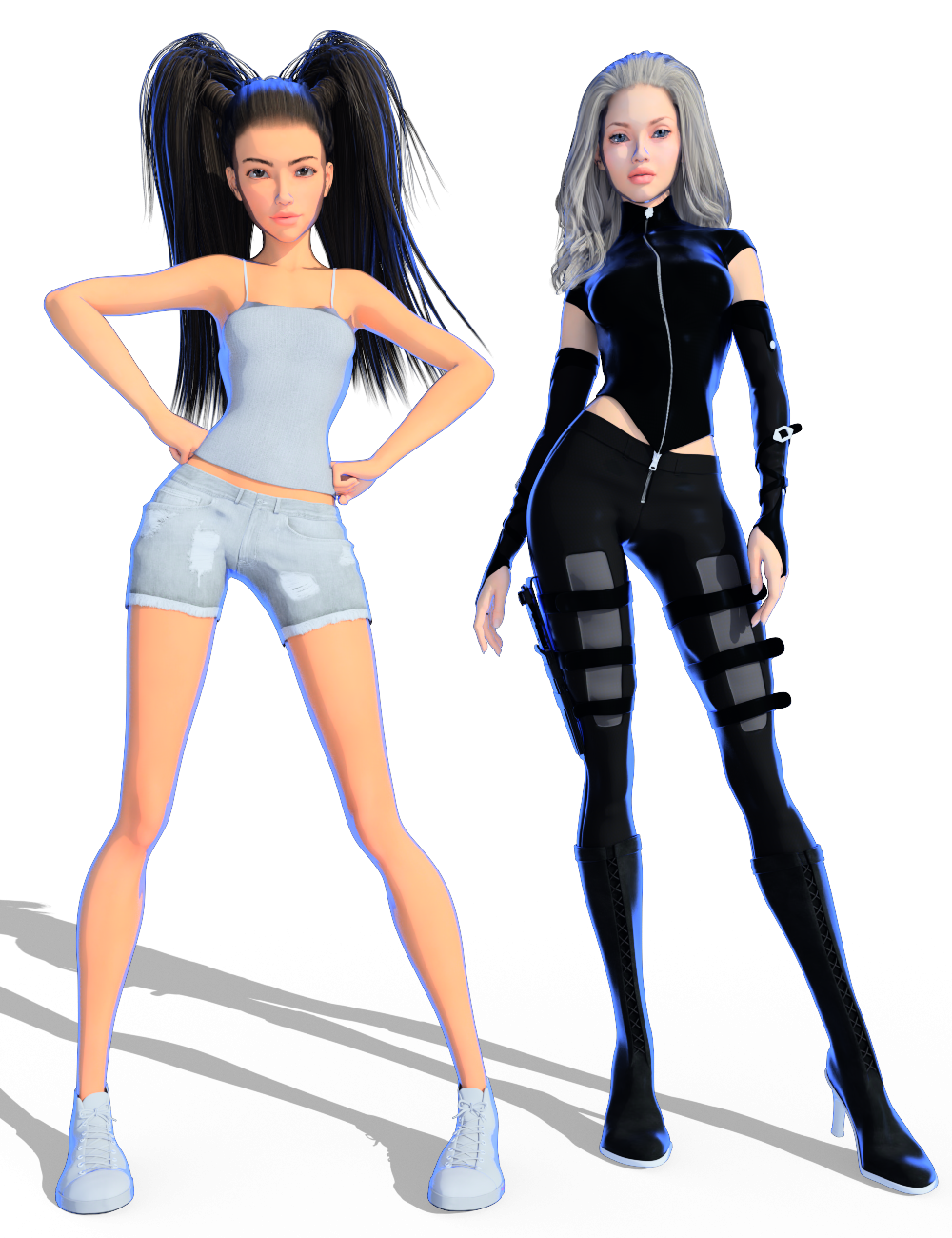
If you notice - her shape and style has changed too. Some of the morphs I originally used for her were on a drive that failed. It made me have to rework her shape, so I thought I'd go a tad less stylized with her this time. I think she looks a little older too, which is probably good since some of the story changes added some more "adult-ish"/more mature types of scenes to the script.
Very cool being able to control the rimlight color the way you are. It's not hard to imagine how that ability could be used creatively in a million different ways.
The evolution of your character makes me think of one of the main advantages of a 3D workflow. When you change the shape, textures, etc. on a character, it is relatively easy to make those changes rippple in backwards time. Of course you have to re-render, but opening up the saved scenes, applying the new morph or whatever, starting the render and walking away to grab a coffee isn't all that bad!
- Greg
I'm really excited about the rim lighting possibilities. I'm worried that it might be a bit "much" for every panel though. I hope once I have the first two pages done we'll be able to get a better idea on if the style will work for an entire comic (or series of comics *crosses fingers*) or not.
I totally agree about the advantages of the 3D workflow for comics too. It's SO MUCH easier to go back and make changes if needed than with traditional comics. As long as you save every scene and keep everything labled correctly, it's so easy to go back and make adjustments and rerender the scene.
I'm finding that making sure that my renders are labelled EXACTLY the same as my scenes and scene subsets makes things much easier. I find that even if I just change the camera angle or make some other subtle changes, saving it with a new scene name that matches exactly the name of the render is extremely helpful and can save a lot of time later. I may end up liking "version a" better than "version b" but wanted to make one small adjustment to "a", going back and finding that exact scene is WAY easy when I've labelled the scene with the exact same name as what I named the render.
I'm certain that your organization and consistent file naming conventions will pay off. Similar concepts have played a huge role in the development of my NPR algos over the years.
- Greg
3D Comic Book Tips And PicturesIf you notice - her shape and style has changed too. Some of the morphs I originally used for her were on a drive that failed. It made me have to rework her shape, so I thought I'd go a tad less stylized with her this time. I think she looks a little older too, which is probably good since some of the story changes added some more "adult-ish"/more mature types of scenes to the script.
Very cool being able to control the rimlight color the way you are. It's not hard to imagine how that ability could be used creatively in a million different ways.
The evolution of your character makes me think of one of the main advantages of a 3D workflow. When you change the shape, textures, etc. on a character, it is relatively easy to make those changes rippple in backwards time. Of course you have to re-render, but opening up the saved scenes, applying the new morph or whatever, starting the render and walking away to grab a coffee isn't all that bad!
- Greg
I'm really excited about the rim lighting possibilities. I'm worried that it might be a bit "much" for every panel though. I hope once I have the first two pages done we'll be able to get a better idea on if the style will work for an entire comic (or series of comics *crosses fingers*) or not.
I totally agree about the advantages of the 3D workflow for comics too. It's SO MUCH easier to go back and make changes if needed than with traditional comics. As long as you save every scene and keep everything labled correctly, it's so easy to go back and make adjustments and rerender the scene.
I'm finding that making sure that my renders are labelled EXACTLY the same as my scenes and scene subsets makes things much easier. I find that even if I just change the camera angle or make some other subtle changes, saving it with a new scene name that matches exactly the name of the render is extremely helpful and can save a lot of time later. I may end up liking "version a" better than "version b" but wanted to make one small adjustment to "a", going back and finding that exact scene is WAY easy when I've labelled the scene with the exact same name as what I named the render.
3D Comic Book Tips And PicturesIf you notice - her shape and style has changed too. Some of the morphs I originally used for her were on a drive that failed. It made me have to rework her shape, so I thought I'd go a tad less stylized with her this time. I think she looks a little older too, which is probably good since some of the story changes added some more "adult-ish"/more mature types of scenes to the script.
Very cool being able to control the rimlight color the way you are. It's not hard to imagine how that ability could be used creatively in a million different ways.
The evolution of your character makes me think of one of the main advantages of a 3D workflow. When you change the shape, textures, etc. on a character, it is relatively easy to make those changes rippple in backwards time. Of course you have to re-render, but opening up the saved scenes, applying the new morph or whatever, starting the render and walking away to grab a coffee isn't all that bad!
- Greg
Daz 3D is part of

Connect
DAZ Productions, Inc.
7533 S Center View Ct #4664
West Jordan, UT 84084Licensing Agreement | Terms of Service | Privacy Policy | EULA
© 2026 Daz Productions Inc. All Rights Reserved.