-
Gun Belts and Holsters (for Males)
I gave it a stab. Whats the corrct way to attach this to the body?
Transfer utility to transfer the rigging on the figure you want to use it on.
most popular types of character?...
Also with the release of new generation, your old characters will gradually lose their usefulnessClothing has a bit longer lifetime as you can usually fit or make them fit several generations of figures.
Have to disagree with that. I'm running several 'old' V4s that are now living out their lives as G3. Converting a V4-Genesis2 character with all morphs and skins to Genesis 3/8 takes 5-20 minutes, depending on the number of makeup options (after you get your morph clones made and Blender set up to rebake the textures). Going back and forth between G3/8 takes seconds once you have the clone models set up. There are really good tutorials out there that give all the steps necessary.
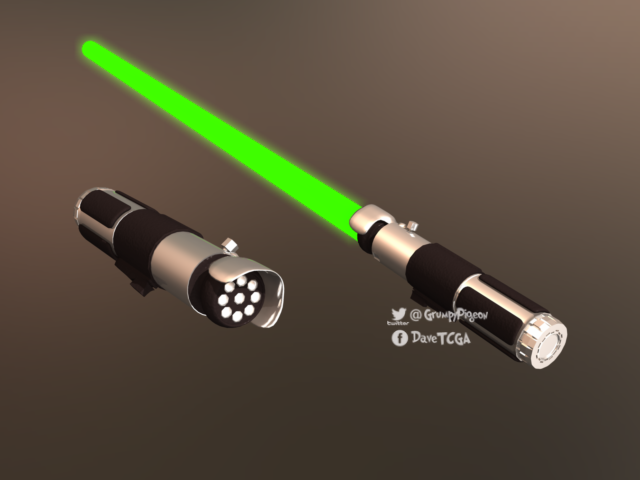
Wacky Modelling ~ In Carrara ~a wacky Carrara lightsaber with an on off morph!
how wacky is that!
it's in the zip file for you to experiment with

 Morphs are not saving in 4.12
Are you saving scene subsets, scenes, character or shaping presets?
Morphs are not normally applied to the default figure unless the morph was made incorrectly.
New Updates: the Daz to Blender Bridge 2.0!We've made the Daz to Blender Bridge even more compatible with your Daz Content.
If you thought the Daz to Blender Bridge was cool before, you’ll love the Daz to Blender Bridge 2.0, with tons of updated and new functionality!
With this revamp, even more of the Daz content you love is ready for direct export to Blender. The newest version of the Daz to Blender Bridge lets you take Props, Multiple Characters and even Environments from Studio to Blender with added support. Like to strike a Pose? Bring your Daz Poses to Blender with added Pose support!
We’ve also added sizing abilities, support for Daz Animals, Genesis and Genesis 2, general Character Optimizations, and additional supports for shaders, weight maps, characters with props, and finished it all off with support for 2.90.
New Features in the Daz to Blender Bridge 2.0
Fully Supported for import:
-
Environment
-
Props
-
Posed Characters
-
Simultaneous Multiple Character/Environment import
-
Prop/Character import
Added Basic Supports:
-
Genesis
-
Genesis 2
-
Daz Animals
Now you can add multiple characters to your scene in one transfer, bring in a posed character with a prop, and keep creating in your other favorite 3D software with even more of the functional, photo-real and versatile Daz content you love.
Get the Daz to Blender Bridge 2.0 for FREE!
Questions? See our updated Daz to Blender Bridge FAQs.Cool! Thank you for this.
Is geograph support on the horizon?
Where are the directions for manual offline install?Look back a couple of posts and you'll see it, my screen-cap. The only difference between success and fail is loading Victoria in two steps instead of one, so it's a small workaround. I have a few other G8F characters so I'll give them a test, but I haven't noticed problems there yet. I haven't tried V8-HD yet either, come to think of it.That's weird. Definitely shouldn't happen. Open a Support Ticket about it, and see what they can do for you. (Click on "Help" at the top of this page.) There should be no difference with V8-HD, it's just another more detailed character shape laid on top of the V8 shape.
Have you tried uninstalling/reinstalling V8? (Don't uninstall/reinstall everything, there's no need.) If there's a glitch in your installed V8 files, that might clear it up. This won't affect your Genesis figures or any other installed characters.
My experience base is Poser, where character morphs aren't available on my figures until I inject 'em. But in D|S I'll place a G8F, look at her parameters, and there I see face and body morph sliders for every G8F character in my content tree... and they're active. Is that normal? Doesn't it eat memory? Will I need to start applying REM poses?It isn't a Poser/DAZ|Studio thing, it's a Unimesh/Genesis thing (DAZ figures before the first generation of Genesis were made from a single figure called Unimesh). Genesis doesn't use INJ/REM poses, all the morph channels for every character you have installed will be present in the Genesis figure when you load it into the scene. And it doesn't take up too much system resources; only the morph channels are included, the morph data (which is much bigger than the channel data) will not be loaded until you give that morph a non-zero value.
It's fun experimenting with them now I admit, but as my runtimes grow that slider pane's gonna get packed.Yes, it does. I only have a few characters each for less than half of the main <name>8 base characters, and my scroll-wheel finger gets a lot of exercise.
 Transfer rigging to a scaled object
Maybe ... have the properly rigged figure done and saved. Then using the scale on the Parameters Tab, dial it down to 16.5%. Either send it over the bridge to Hexagon or export out the .obj however you prefer for to make a morph.
Then in D/S dial the properly rigged figure back to 100% and then either from Hexagon send the smaller figure back over the bridge to D/S OR import in the smaller .obj file using Morph Loader Pro. Make the morph [reversing deformations is often a good idea].
Dial in the morph to 100%, go to Geometry Editor brush, right-click on a bone, Edit > Adjust Rigging to Mesh. Then on the Parameters Tab where the new morph is located, right-click on it to select Edit Mode. Then go to the little tool cog on its upper right corner to get the long list of options, ERC Freeze {I usually just select everything of those bottom 3 options}, click Accept. Then dial the morph back to 0%. Then save the morph.
Then one can load the figure, dial in the morph, and save a character preset or shaping preset or whatever. {million things on my mind right now, hope this makes sense}
How do I repair the rigging on fingers that are morphed out of alignment?I was a DAZ noob 2 month ago, I think I went thorough exactly what OP went tho,
Morph and rigging are 2 different things, from your 1st post, sound like it's a rigging problem you had on your gen2 figure since his/her bones are rigged out their default limits, like the second poster said, you can right click on the posing tool editor to restore it and there's an easier way(for me at least) select the part of the body you wish to restore shape -> find this little figuer icon as shown in pic below - > select "restore selected item(s) pose", that will restore your selected body part to 0 or you can just restore all pose to zero T pose
Here are couple possiblites on why it happened
1. you used custom pose you purchased from Daz, many of them removed the default rigging limit on certain body part to achieve exaggerated results, and once you applied them, those body parts are without end limits so it's very easy to overextended them if you wish to customize those poses further. Even you restored your pose, you might still run into this issue if you don't restore bone's default limit to their native stats.
2. You removed the default limit yourself, but I think it's unlikely the case.
Always beware to apply pose from different gen figuers or figuers with huge body size disparity. such as, using men's pose to women, 7 feet character to a 5.5, a muscled figuered to a skinny one etc. it's always a good parctice to keep a pose to a certain gender and body type.
How do I repair the rigging on fingers that are morphed out of alignment?With the joint editor tool selected, right click in the window and click "Adjust rigging to shape".
Then ERC-Freeze the rigging to the new shape
Are we supposed to do this everytime we morph a character?
It depends what you mean by "morph a character".
If you mean "create a custom morph" then yes, rigging may need to be adjusted, especially if the morphed shape is very different from the default shape. You would do it once and then resave the morph with the adjustments, not every time you use the morph.
If you mean "create a character by combining existing morphs" then usually it's not needed as rigging adjustments should already be included in the morphs you used.
By morph i meant use morphs from the Daz store.
Using DAZ Store bought morphs is no insurance against this, especially if the character is changed significantly by the morphs.
k well now im getting mixed messages
j.cade is Back! And brought the adorable Bette!Bette adds cute to established characters like a treat - this is Alexandra 8 with Bette shapes added
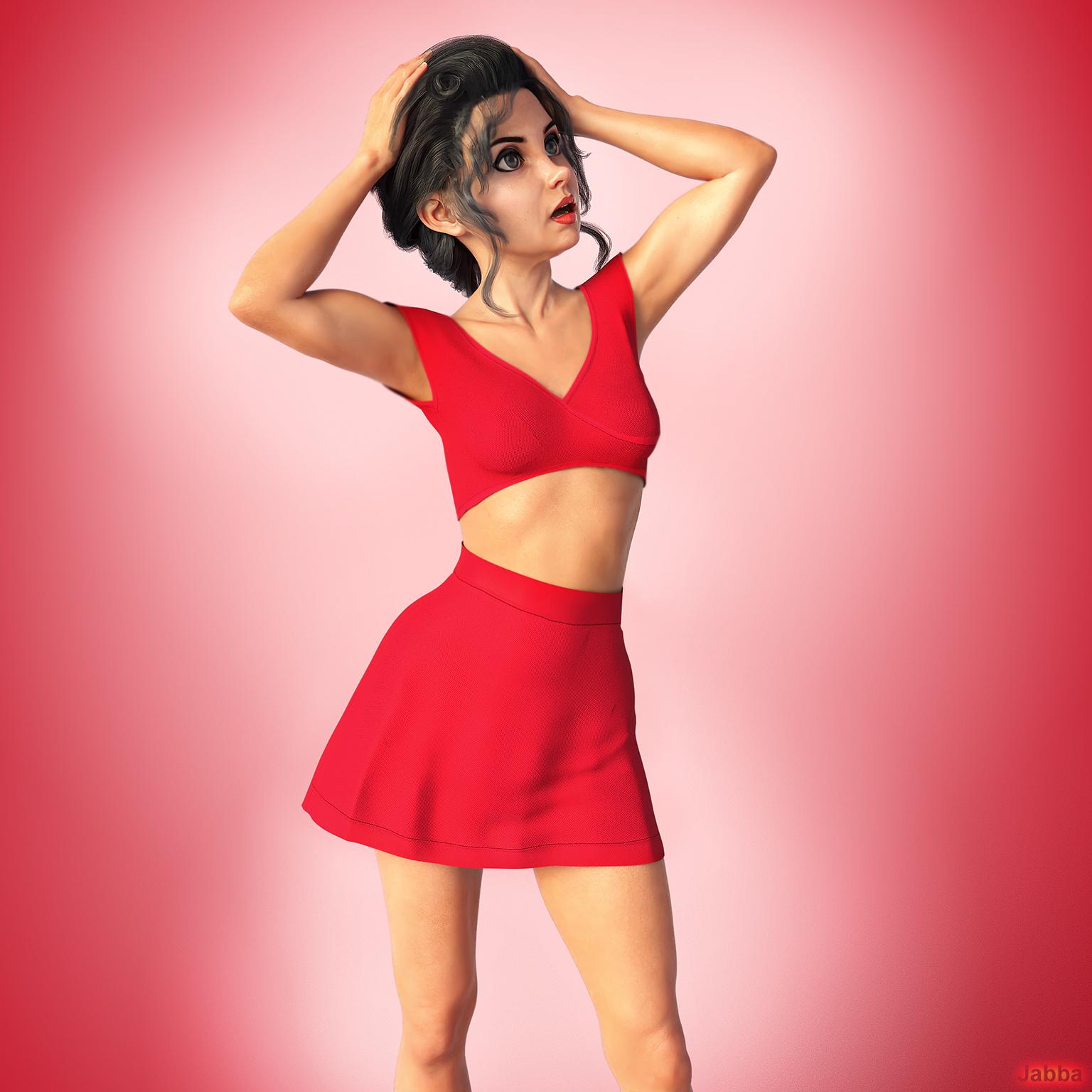
Oh that is cool. I guess what she brings to the table is the stylized nose, which emphasizes Alexandra’s upturned nose even more. I’m pretty sure Cartoonized also had a similar nose morph.Not something i need right away but added to my wish list.
Transfer rigging to a scaled objectI'm looking for some help.
What I have done is taken an easy-pose chain and made some edits to it such as decimating it in hexagon, welding the links together, adding some new surface areas and made a chain that drapes nice and easy without loosing shape with dforce.
Problem is, it's much to big for my need so I scaled it down to size. I found that when I do this, dforce no longer wants to play nicely and either it wants to deform into unrecognizable clumps or explode into oblivion.
So what I did was scaled it to the size I need and sent it to hexagon and back so now it's the size I need at 100% but without the rigging or surfaces. I tried to scale down the rigged one and transfer the rigging, but the bones scale back up durring transfer so no longer match up.
I tried scaling the shrunken one up to match the rigged size, but again the transfered rigging takes the scale % of the new item and is therefore much to big for the object.
How can I do this?
1 figure is at 100% size and rigged, the other figure is at 16.5% size and un-rigged both have the exact same geometry.
Questions about licensingI may be interested in licenses some time in the future for VR but are models by Mousso and hair by Lindsay even usable in VR? Can you use dforce hair? And doesn’t everything have to be really low poly for VR? Would Genesis 1 or 2 be better? Or can you use G8 with Decimator? And what hair would work in VR?
Also, if I get a license for a PA character based on a Genesis model, can I re-morph it? Is there a license just for the plain generic free Daz Genesis models?
So confused about this licensing thing...
Should be no problem with the base models, Lindsay clothing is pretty low poly but I think the hair might cause problems.
As far as I understand on the license and where I've started.... You need to buy the license for the starter essentials to get the G8 or G3 etc.. (to use the generation at all). Then for the Mousso item and if you use the morphs, expression etc..a license for each of those. Very cheap at the moment, try to buy bundles if you can for one license (Slaying the dragon comes with G1 and G2 starter essentials and some of the older generations bundle the morphs)
Where are the directions for manual offline install?What are you seeing?
Look back a couple of posts and you'll see it, my screen-cap. The only difference between success and fail is loading Victoria in two steps instead of one, so it's a small workaround. I have a few other G8F characters so I'll give them a test, but I haven't noticed problems there yet. I haven't tried V8-HD yet either, come to think of it.
My experience base is Poser, where character morphs aren't available on my figures until I inject 'em. But in D|S I'll place a G8F, look at her parameters, and there I see face and body morph sliders for every G8F character in my content tree... and they're active. Is that normal? Doesn't it eat memory? Will I need to start applying REM poses? It's fun experimenting with them now I admit, but as my runtimes grow that slider pane's gonna get packed. I'm just glad all the material presets don't pile up that way.
Whatever you can tell me, I appreciate it. Thanks for reading.
Hallelujah!
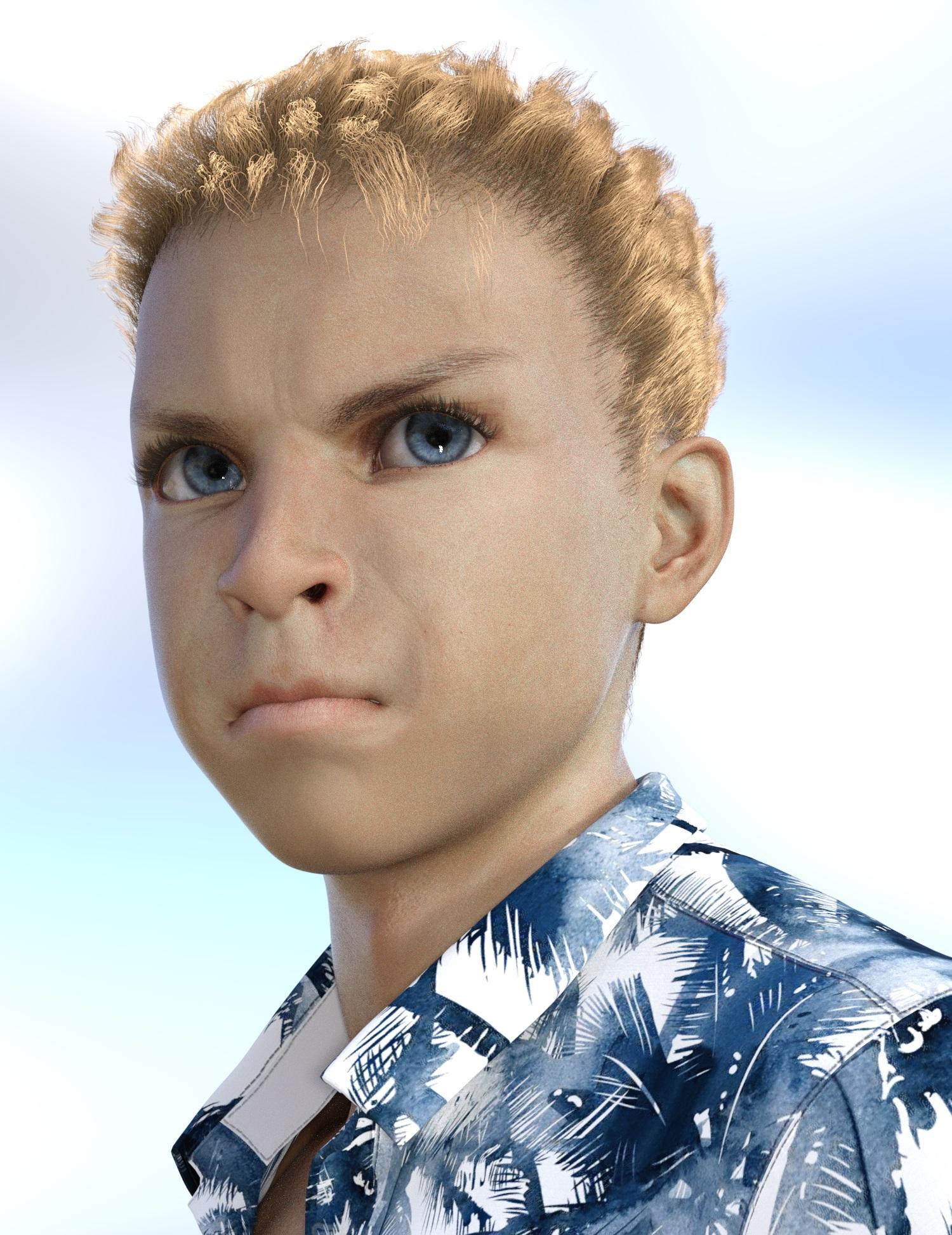
DiscipleMimicMolly's Renders & WIPsI'm so busy IRL. Barely have any time to do my own renders. This was originally supposed to be a quick render with Marcius' Luc. Except that I never really liked his out-of-the-box skin. I almost planned to unistall it and only leave his morph, but for some reason I decided to apply Mousso's Asher HD's material settings over Luc's default skin. Somehow that improved it that I changed my mind about uninstalling it. The eyes are from Mousso's Fan Ling for G8F.
I was also messing around with a freebie expression randomizer script that doesn't seem to work very well with newer versions of DS. (So I can't recommend it, but I like it too much and will continue to use it until it's completely unusable.) I thought this grumpy face was adorable.
 GPU fan during rendering
You would have to have a fair menagerie of pets running about a dusty house to cause that level of dust build up in a 2080ti in less than 2 years surely!
 But yeah, worth a shot!
Edit: When selling my 4yr 1070 recently I took about 10 secs cleaning dust before ebay pictures. Spotless. But I ran out of puff in my lungs trying to blow the dust off the 2nd hand 1080ti replacement, it was awful. So I guess it will vary :D
The fans are very effective in collecting the dust, and 2 years build-up can be significant.
20 years ago I was involved in testing systems that required data transfer to and from the HD at rates that were not normally possible, but using several Seagate 7200rpm in Raid got you the speed, but you had to cool down the stack with the equivalent of a wind tunnel... Worked until the dust buildup short circuited one of the drives in under 2 years.
GUIDE - What To Buy On The Daz Store?It's been almost 3 years since I started using Daz Studio, and almost 2 years since my first purchase on the Daz Store.
During this time, I've spent maybe too much money there, sometimes with smart purchases, sometimes with dumb ones.
I've checked every single product of the last years, and I check the new releases every day.So, I thought it would have bee nice, both for new and for older users, to write this guide.
I hope it'll help you to spend your money in a wiser way, to see a real improvement in your workflow and in the quality of your art.If you're just starting to use Daz, my suggestion is to check freebies all around the web: you can learn with those, then choose if you'd like to make more with Daz!
This guide is about Iray, Genesis 8 and static renders, because that's what I've done thousands of times, while there surely are better users than me to talk about previous generations, 3Delight and animations.
Furthermore, I use Daz Studio to create stories set in a contemporary setting: that explains my focus on workflow and reusability of assets. I think that people interested in making a few artistic renders every once in a while may have a different opinion about some parts of the guide.It's hard to write such a long guide, and I've tried to keep it organized.
Sometimes I've stated my opinion as facts, and that was to not repeat every time that everything I've said is subjective and based on my personal experience.I've written a brief description of most products, because this is not a list of things to buy: read the description, and choose for yourself what you need and what you don't!
I hope you'll find this guide useful, and feel free to contribute in the comments if you think there are some great products I haven't listed here!
I care about your feedback and opinion, and I've already changed some parts of the guide based on that.INDEX
- General Tips
- Daz Deals
- Gift Cards
- Platinum Club
- Store Sales
- What Would I Avoid?
- Too Many Figures And Morph Packages
- Textures
- Too Heavy Products
- Bundles
- What Would I Buy?
- Utilities
- Shader Presets
- Figures
- Morphs
- Expressions
- Poses
- Environments
- HDRIs
- Lights
- Hair
- Wardrobe
- Accessories
- Props
GENERAL TIPS
Daz Deals
If you're interested in spending money on the Daz Store, the first thing you should do is to install the Daz Deals browser extension.
It will allow you to see if the current price is a good one (like Keepa or CamelCamelCamel for Amazon), and you can even set email notifications to be alerted when a specific product has reached the price you wanted, or when it's at his 1/3/6/12-months best price.
Keep in mind, that the price you could have reached special sales is not shown there. Indeed, to see those prices, you have to put some specific products in your cart at the same time.And one of its most useful features is that you can filter the store by wishlisted items, or by PC coupons.
You can also receive mails for flash sales (Daz doesn't send them).
Furthermore, you'll be notified about daily Daz sales hours before Daz will do it. To me, that means I can check new releases when I wake up, instead of maybe losing sight of them throughout the day.Plus, with Daz Deals you'll find, on every product page, links to gallery renders that have used it, and to forum threads where it has been mentioned. That will help you to clarify what the promos and description are not specifying.
It's free, so there's no reason not to install it!
Gift Cards
When I see a 10-20% gift card sale, I always buy some store credit, even if I'm not going to purchase anything in the near future.
This allows me to combine that discount with other sales.
Sometimes you'll be even able to purchase gift cards at a 30% discount: that's when you really want to stack up store credit.Gift card sales often need a new release in the cart.
To find the best item, just search for "new" in the store, and it'll show you every product considered new.
Then, you can filter it by wishlisted items, or just find one that you like. If they cost too much, just grab a 2$ texture set, and it'll probably be worth it thanks to the store credit discount.Platinum Club
If you regularly purchase products from the Daz Store, this is the best purchase you can make.
Every month, you'll get
- 6$ coupon to use on many products
- 6$ coupon to use on even more products, but only if you're spending at least 18$
- Freebies. Sometimes they're great (like an electronic store), other times it's stuff you don't have a use for. But it's always free stuff.
- A lot of relevant discounts on most products in the store.
- Often, there are specific sales for PC+ members.
Now that you want to join the PC club, what membership should you aim for?
The 3-months one makes little sense, unless you just want to try it out, because it's 8$/month, while the annual membership is 5.8$/month.
On top of that, there are sales when you can purchase the memberships with a 30-50% discount.
They're more frequent for people who don't currently have the PC+ membership, but sometimes (maybe every 6 months) there are also flash sales for already members.In the best-case scenario (50% discount on the annual PC+ membership, 30% gift card), that means you can get 12$ worth of coupons, freebies and a ton of sales and discounts for 2.04$/month.
Store Sales
Chance is you probably need a specific plugin ASAP, but you can wait to get that new hair.
Daz marketing stuff is seriously great: every day a new sale is on, with wonderful graphics etc.
But most of the sales are just not good in practice.If you can wait, it's best to wait for huge Store Sales, which usually happen 2/3 times per year.
On those occasions, the whole store can go on sale.
Some premium products won't be discounted by more than 50% in a small window of time, but that's still better than full price.
Other products, like i13's huge library, often reach something like 90-95% discount.Be aware when you spot a great gift card sale: a store sale is probably coming.
WHAT WOULD I AVOID?
Too Many Figures And Morph Packages
Something I've recently discovered is that, with Genesis 8, the more morphs you have installed in your library, the longer loading and clearing times will be.
It doesn't matter if you're not using them on a specific figure: it will take longer both to load it, and close Daz Studio (very important fact, now that we need a script to open more than a single instance)/clear the scene afterward.It's very sad to say, but I'm currently not using 2/3 of the figures and of the morph packages I had bought.
And I'd uninstall even more of them, if I hadn't already used them in story characters I still need.So, avoid figures who look very alike, and absolutely avoid morph packages you're not planning on using.
Textures
There are a lot of awesome texture packages around, but the chance is, you can apply shaders yourself for a fraction of the price.
Furthermore, you can use shaders everywhere, but you can only apply textures to the relative products. And you don't even see them, unless you're in Smart Content->Files. And trust me, as your library gets bigger, you'll forget about most products you have in it.Please note, this is a controversial thesis: some people have different opinions about textures for specific products, and they have expressed them in the comments.
Too Heavy Products
I'm a huge fan of SSDs, and I don't have a single HDD installed in my build. I've discussed this choice in other threads, and since this one is already going to be pretty long, I'm not going to discuss it further.
The problem is that SSDs cost a lot. Especially if you have your Daz library installed on an NVME one, like I do.
So, I have to think about storage space too.
In particular, this is one more reason why I'm not fond of texture packages.
And I'm not fond of dForce hair too, in general: they look great in the final renders, but sometimes they make my whole interface sluggish, they are not viewable in the Texture Shaded viewport, and, first of all, they sometimes can occupy more than 1GB of storage.Bundles
Almost every day there's a new bundle, both in its "Pro" and "Basic" version.
Honestly, since most products in those bundles are not useful to me, there was never a time when I've thought "this is a good purchase".
Plus, if you have already purchased a few products from that bundle, you'll still have to pay for the whole thing, differently to how bundles work on other platforms like Steam.The only bundles I've purchased are those for charity, and one with a male and one with a female figure, because it's the only way to receive the relative Anatomical Elements.
I've also purchased bundles that contained all products I needed, and I've regretted doing otherwise when, for example, I've purchased separately the male and female versions of the same addon: it would have been wiser to save for the relative bundle in that case.So, in the end, just wishlist the specific products you'd use, and don't let that majestic marketing techniques go to your mind.
For example, you need some specific figures to use other figures in the store.
The most important ones are Victoria, for females, and Michael, for Males.Please note, this is a controversial thesis: some people love to purchase pro/basic bundles.
Thank you very much for the effort and explanations, I agree with most of it.
I am using Daz since 2015, and these are some things I would add as useful (i.e. I use them a lot):
Bone doctor for converting poses
https://www.daz3d.com/bone-doctor-pose-control
My favorite G8 female character
https://www.daz3d.com/ly-zara-hd-for-genesis-8-female
My favorite G8 male character
https://www.daz3d.com/dylan-for-michael-8
My favorite jungle
https://www.daz3d.com/jungle-construction-kit
My favorite HDRI
https://www.daz3d.com/dry-mud-desert-iray-and-add-ons
Street Mouse for G8F [commercial]That was kinda what I was expecting.
I think the only other thing I'd have to do is lighten the hands, feet and tail on the white mouse so they're pinkish. Not that the brown isn't ok, it just doesn't quite fit the character I've need a mouse morph for. :)
Eyebrow TransferI don't think you can transfer over, unless you take it into some modeling app and reshape them yourself. Or you could try to redraw your eyebrows on the face texture (with another app like GIMP or Photoshop) and put those fibermesh brows over it for volume. As for refunds, that's up to you.
The eyebrows I use are AprilYSH's Christmas freebie, "OnFleek", because they have shaping options. (You can read more about it on this thread that also links to her site where she's hosting them now.) https://www.daz3d.com/forums/discussion/217576/onfleek-for-genesis-3-download
These are actually really good and a couple of them are a close enough approximation that it solves my problem. Thanks!
Carabelle brows looks like they're painted of her texture map, not fibermesh brows shaped by a morph.
You can use Carabelle maps on any G8F character, but that will be the whole map, not just the brows.
This is very illuminating, thank you.
Where are the directions for manual offline install?Question- when I add a Victoria 8 to my scenes, she arrives without functional ear bones or face rigs, but if I add Genesis 8 female, she has 'em. Then I can impose the Victoria 8 character and have her correctly rigged. That doesn't happen with Michael 8. Is that how it works for other customers?That... shouldn't be happening. Remember Victoria 8 isn't a different figure, it's just the Genesis 8 Female figure with the V8 character morph and textures auto-applied.
Here's what I get when I load V8; note the highlighted body parts in the Scene pane on the left. What are you seeing?
 New Updates: the Daz to Blender Bridge 2.0!
We've made the Daz to Blender Bridge even more compatible with your Daz Content.
If you thought the Daz to Blender Bridge was cool before, you’ll love the Daz to Blender Bridge 2.0, with tons of updated and new functionality!
With this revamp, even more of the Daz content you love is ready for direct export to Blender. The newest version of the Daz to Blender Bridge lets you take Props, Multiple Characters and even Environments from Studio to Blender with added support. Like to strike a Pose? Bring your Daz Poses to Blender with added Pose support!
We’ve also added sizing abilities, support for Daz Animals, Genesis and Genesis 2, general Character Optimizations, and additional supports for shaders, weight maps, characters with props, and finished it all off with support for 2.90.
New Features in the Daz to Blender Bridge 2.0
Fully Supported for import:
-
Environment
-
Props
-
Posed Characters
-
Simultaneous Multiple Character/Environment import
-
Prop/Character import
Added Basic Supports:
-
Genesis
-
Genesis 2
-
Daz Animals
Now you can add multiple characters to your scene in one transfer, bring in a posed character with a prop, and keep creating in your other favorite 3D software with even more of the functional, photo-real and versatile Daz content you love.
Get the Daz to Blender Bridge 2.0 for FREE!
Questions? See our updated Daz to Blender Bridge FAQs.Daz 3D is part of

Connect
DAZ Productions, Inc.
7533 S Center View Ct #4664
West Jordan, UT 84084Licensing Agreement | Terms of Service | Privacy Policy | EULA
© 2026 Daz Productions Inc. All Rights Reserved.