-
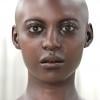
IRAY Photorealism?Thank you, but I have updated the morph quite a bit. To resemble her more regarding her actual age. Also I am redoing her face skin surface too. Then I am going to attempt one of her hair styles. She has thin hair in the front and on the sides of her scalp. Which is gonna be difficult but we will see.
Your Minka's renders are absolutely remarkable !

Quite often, with various daz lookalikes, we struggle to recognize them, but with your model, it was identifiable instantaneously. Great job.
Updating exported objects?Just a general question, but is there any way to export something from Studio into Blender and later update the Studio file, export it again, and update the object in Blender with the updated mesh? For example, exporting a Genesis 8 figure as an OBJ or other format, import into Blender, then later, turn morph dials in Studio or change the pose, export again, and tell Blender to replace an existing mesh with the new update while retaining its world position and material settings? Doesn't seem like it from the searches I've done, but many of those results appear to be quite old.
Thanks in advance.
Character Mixer ProblemWow. This new script is truly excellent. Espcially because it feels SO much easier to read the list of morphs than in the Simtenero script. And there's some kind of a "filter" to help us select the morphs we need without having to look for them for hours.
- we can set all morphs additioned to be no more than 100%
- we can keep the morphs already defined manually (youth, etc). SO useful !
- it gives us an idea of how realistic or cartoon the result will be (that's just insane).
Damn impressive new script really ! Thanks 3D Universe :D
Would be nice though if we could :
- set manually the "Morph sum total is". Setting it a bit higher than 100% could help push a bit some unusual shapes.
(EDIT : I don't think what I asked is necessary as I guess that this multiplication does the same : "Max individual Morph Value" x "Total Morphs to include" = Morph Sum Total)
- See only the filtered results in the list when typing a Filter Morph
- access ALL morphs like Simtenero : Easy Teeth morphs, Hidden morphs, etc. But with a proper filter, that show only what we type.
@jaxprog 100/44 = 2.27 taking 2.2 % of each morph is more or less useless. Instead, you should select let's say 50 morphs in the list. Then set the Total Morphs to 10 and the Max individual value to 10 (or a bit more to get more extreme results) so that the Mixer plays with 10 randomly chosen morphs out of 50 every time you press "Randomize!". It will go MUCH faster and you'll get the same diversity of results.
Also : work on head and body separately. It makes more sense to focus on one than on both. And it goes faster. But you're right, Simtenero's script seems to be 10 times faster.
Converting Michael 4 to Genesis 8 Problems and HurdlesMichael 4 Genesis 2
His morph is rather touchy and I have to kind of select a hotspot where he looks right. I am not pleased with that outcome.
It makes me think I really do not have the right Michael 4 entirely.
 Converting Michael 4 to Genesis 8 Problems and Hurdles
Michael 4 Genesis 2
His morph is rather touchy and I have to kind of select a hotspot where he looks right. I am not pleased with that outcome.
It makes me think I really do not have the right Michael 4 entirely.
Converting Michael 4 to Genesis 8 Problems and HurdlesI have finally managed to get a decent Michael 4 figure converted into the Genesis 2 figure.
He looks like Michael 4 but not perfectly.
His skin is 3delight and looks nice but it does not translate well at all with the 3delight to Iray converter. It is terrible, with parts missing and textures not overlayed correctly. (his lips were on his chin)
But I am able to get the idea of Michael 4 in Genesis 2, the 3delight textures look okay when rendered in iray and all of the daz Genesis 2 figure's clothes fit correctly.
I tried to convert him to Genesis 8 or at least his morphs. (I am not sure what I am doing)
The converter asked me to select the Michael 4 character first and then the Genesis 8 character.
It converted them and in the end of the process I was left with three figures in the scene and I don't know what to do next.
Only one figure that had no textures at all and had a single morph associated with it and I was not sure what to do with it.
The other figures were Michael 4 and Genesis 8.
PLEASE DAZ, sell us a Genesis 8 Michael 4 figure with Iray skin and original shape and textures... :(
None of the old Michael 4 hair, clothes and props need to be able to work with him just the Genesis 8 clothes etc...
It would be nice to try other Genesis 8 skins on him and morph him into other Genesis 8 figures...
Sell us the Michael 4 morph and Iray skins and base it on any figure preferably the Genesis 8 figure.
These converters are a horrible solution...
Morphs are not saving in 4.12Thank you for the replies!!
Ahh, good to know its a bug that will hopefully be fixed soon. I was afraid it might because it was 3rd party morphs.
What do you mean by preset? Is that saving a each morph, or pose? Saving an pose animation?Save a Pose preset and/or a Shaping preset or a Properties Preset with both shaping and posing for each figure/prop, then apply that on reloading the scene.
Thanks for that. Quite intensive on a long animation with multiple poses and shapings.
I've decided going back a version to not have to do that. 4.11 morphs save through. Hope they get this bug fixed soon.Attaching an ERCFreeze to an Existing Morph [Solved]I've been working on a script to automatically align the bones of Antenna to the head of whatever model they are attached to, then ERC freeze them, and Save the morph.
I've modified two of the Sample Scripts:
http://docs.daz3d.com/doku.php/artzone/wiki/user/rbtwhiz/technotes/daz_script/node_properties/start
I use the Node Properties script to find and isolate and FHM head morphs, then pass them onto the ERCFreeze function.
			for( var i = 0; i < aPROPERTIES.length; i++ ){
				oProperty = aPROPERTIES[ i ];
				oOwner = oProperty.getOwner();

				if( oOwner.className() == "DzMorph" && (oProperty.getValue() != 0) ){
					sMorphName = oOwner.getName();
					sMorphName = sMorphName.toUpperCase();

					if ( (sMorphName.slice(0, 3)) == "FHM") {
					      oHeadMorph[nHeadMorphNum] = oProperty;

==================================================================================================

			// Define a controller;
 			oControllerNode = (oTrgtNode);

			// Create and setup a controller property
			oControllerProperty = ( oHeadMorph[i] );
 			oControllerNode.addProperty( oControllerProperty );
While this technically works, it changes the NAME of the Controlling Property to VALUE, which is the actual name of the property. The real name is found by using oProperty.getOwner(). I don't want to create a NEW property, because then I'll have duplicate properties.
Using the oHeadMorph[i].getOwner() throws a null error, so I assume the FHM property is not compatible as an addProperty, while the child IS, but it's name is VALUE.
I still don't have an innate grasp of classes yet, so hard to wrap my head around. =/
Does anyone know how to attach an ERC Freeze to an Existing Controller? or how to REMOVE the current Morph controller, so I can just make a new one?
Iris Concave morph G8F; Anybody knows?Thanks nonesuch I'll look for those
Thanks j cade, I've looked and Opal G3F is my only saiyaness character and I don't have that morph for G3F. I will look your cgshare and your store here
Why might a product not appear AT ALLThe Connect Library is the file path shown. In fact, its the default path. C:\Users\Public\Documents\etcetera
If something is installed both with DIM and Connect DS will always use the Connect files when loaded from smart content, so installing with DIM would not help if there's something wrong with the Connect files.
Error messages in your screenshot are about missing morph files, not textures, so I'm not sure what it's supposed to show...
Edit: apparently I missed the last line...
What is registered as Connect content directory in DS?
Delete frames cause I just want to keep the final simulation frame in dforcewhy do you need to get rid of the frames before 30 ? what is stopping you from doing your work at frame 30 and onward ?
anyway you'll need to make sure that you export the object at base resolution and not subD if you want to import it back as a morph. hide all objects except the cloth mesh (don't forget the figures eyelashes/eybrows if they have) set your cloth mesh to base resolution smoothing off and export to obj. save your pose as you did before, apply it at frame 0 and clear simulation. select your cloth mesh object and launch morph loader pro, in morph loader pro after choosing your morph files don't click accept straight away, the morph file has a drop down arrow to the left, clicking that shows the options for the morph, reverse deformations is in there, right click on it and change it to yes, this should give you a morph that works with the current pose.
Buy Something That Doesn't Work in Carrara? Post your Questions and Workarounds here. (please)Silene,
Here's aexample of a dForce cape that was created for G3M.I changed theweight mapping in Studio and imported it into Carrara. I didn't modify anything else. The first image shows it as it comes into Carrara. As you can see from the second image, there are a lot of morphs. I believe the author used dForce ti drape the cape then turned them into morphs. He also supplied G3M poses to match the cape morphs. The third and fourth images show what happens as the morph is applied. Andthe final image is the posed image with the morphed cape.
I have a few more capes like this and some cloaks. The cloaks don't work as well because the morphs were created for G3M without any body morphs. The cloak doesn't follow the figure when I change the body. I'm not sure how this will work with clothes, but it's great for capes.
I hope this helps.
Why might a product not appear AT ALLIf something is installed both with DIM and Connect DS will always use the Connect files when loaded from smart content, so installing with DIM would not help if there's something wrong with the Connect files.
Error messages in your screenshot are about missing morph files, not textures, so I'm not sure what it's supposed to show...
Edit: apparently I missed the last line...
What is registered as Connect content directory in DS?
(First Clothing Attempt) Bikini BottomsThey look nice, but there is a gap between them and the body. That kills believability imo; ok for a distant shot, but it doesn't need to be that close to tell.
I'd add a morph - if you don't want to make them fit closer - that the user can use to dial closer or further away.
It's great that they have depth - cloth does - which is missing from many bought products.
Iris Concave morph G8F; Anybody knows?I have this fantastic morph for the eyes in my G8F called "Iris Concave", greenbluish tab in the tree enclosed, and I don't recall how it came to my morphs assets list. Was it a freeby? Is it part of Dimension Theory ProjectEYERay which I own? My bought list is huge by now and memory fades...
Does somebody have and know?
Is there same or similar morph for other Genesis characters?
Applied In the viewport by the list with cornea and moisture invisible
Renders are with and without in combination with Iris cornea bulge
help whit character from different gameWhat are you wanting to do? Convert game clothing to work in Daz Studio, ot take Daz Studio clothing into a game? Check the license terms for the game if you are trying to extract clothing, if you want to use DS content in a game then - if it's not just for your own, local, use - you need Interactive Licenses for the content. If you want to fit game clothing to a Genesis figure then you need to adjust it to fit the figure - most easily in a 3D modelling application, but you could use dForms and other tools in DS then export as OBJ and reimport (to bake the chnages into the model) before using the Transfer Utlity (Edit>Figure>Transfer Utility) to do the basic rigging.
most i am to get geneses looking like my character whit right seetings i have try put my charcter over geneses and change settings on geneses but its rl tricky
Delete frames cause I just want to keep the final simulation frame in dforceI don't understand. I hid everything but the dforce cloth, exported (Poser config without touching anything) it, hit "clear" in the simulation setting, the cloth "falls back" to before animation, fine. However still the animation track shows 30 frames. When I limit it to 1 frame only, my figure goes back to the A pose. Ok, I think I can save the wanted pose at the end of the animation as "save as pose" and load it upon a new genesis 8 character in a new scene. So I get the pose back. But, when I import the saved cloth.OBJ with Morph Loader Pro (still with Poser setting), I don't find the Reverse Deformations option. When I load it, I got the error "Warning, Geometry did not match,...."
Delete frames cause I just want to keep the final simulation frame in dforceIf you just want the final drape I would hide everything but the dforce item (or if the re aremultiples, all bar one), export as OBJ, clear the simulation from the item, then import as a morph (Edit>Figure>Morph Loader Pro) with the Reverse Deformations option set - that should recreate the result without needing the animation.
A Ninja Outfit With Heels...I've just posted on my Deviant Art page a heel morph for a different clothing item - see signature.
That item had been in my wishlist through 2 complete clearings. (I did wait until I got about 75% discount - becuase they had heels. I knew I needed to get rid of them for the idea I had.)
Thorn Melody - Willow Night Outfit Boots -Heel/Toe MorpI wanted this morph for the boots because they have heels; it took me 18 months to get them due to the heels, and they had to be super cheap.
Let me know if any issues with the Zip, but there shouldn't be...
https://www.daz3d.com/willow-night-outfit-for-genesis-8-females
https://www.deviantart.com/writeblock/art/Melody-Willow-Night-Outfit-Boots-Heel-Toe-Morp-856264085
Daz 3D is part of

Connect
DAZ Productions, Inc.
7533 S Center View Ct #4664
West Jordan, UT 84084Licensing Agreement | Terms of Service | Privacy Policy | EULA
© 2026 Daz Productions Inc. All Rights Reserved.