-
Suit shaped bodies
I was thinking a bit more though, about the outfit shape being the body so to speak. Then applying outfits to that. Too often, for example, outfits look odd across the shoulder. So something with shoulder pads, to make it look more like a body wearing cloth. I mean, we have tons of monsters. Wouldn't a body thats more sqared off, create a less lumpy clothing look.
I mean, whenever I put clothing on the characters I like tto use, I really have to dial out some of the musculature or the outtift strains to fit the fiture anyway. So wouldn't it be easier to make a smooth body morph, that clothing fit better?
Suit shaped bodiesI think that is what projection morphs are for. They morph clothing without affecting the shape of the character. I don't know much about them, but SickleYield did a tutorial about them on DA once. I don't know if they can accommodate any arbitrarily shaped character, though.
XTransfer Module 1- Genesis 3 to Genesis 8 Morph Converter (Commercial)Well, you do have to save the morph after clicking the "auto-follow" box...
Halloween Expressions? Scared or Frightened?I find it hard to get true 'terror' in the expressions - the more you morph the face, the less realistic it ends up looking - but with the right combination, you could do it - good luck :)
How can this image be improved?I would agree there should be more in the skin and eyes. I think they suffered in the transfer from High Definition EXR file to JPG file. Part of the learning curve with canvases.
Shape Gen & Shape Gen Plus for Genesis 3 & 8 (Commercial)I did a search for HD and built this character from those morphs. Then I looked at the result to see which character's head morph had the highest percentage and used her skin (Edie 8). I used Brow Remover to remove Edie's reddish painted eyebrows and gave her some other fibermesh eyebrows.
Edi: Hmmm. I see I have some other morphs in there, too, besides the HD morphs. I'm not sure how they got selected and used. Operator error most likely. I still find the result very interesting.
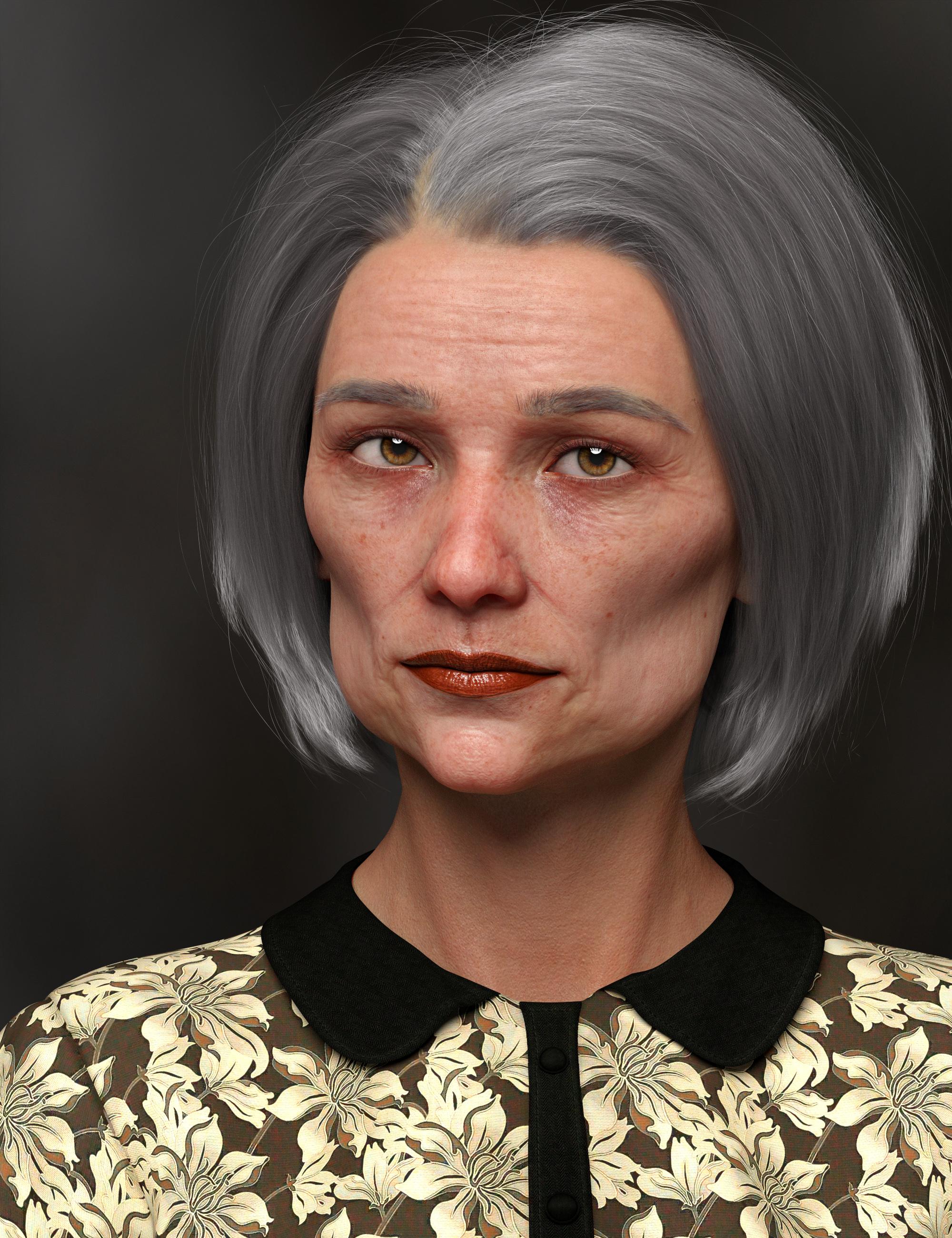
That's a very believable and interesting face.
All it really needs is a touch of asymmetry.
New morphs aren't found when saved as morph assets ?!Hi Richard. About the composite morph, this is a good idea I didn't think about the lost of all the original JCMs and MCMs. I do that to simplify my user interface and because I've heard that the more sliders you're using, the slower Daz becomes (at least that's what I've heard). But the FBM composite morph I did actually works well, it is all the other morphs after that that I have a problem with, and those morphs are 100% Zbrush on top of my newly created FBM; "Yes" on reverse deformation while importing with morph loader pro.
I haven't checked the log file, Idk how and what to look for :/ I can if you tell me. I already went through redoing all of it 3 times, with the same results --> morphs aren't saved. I haven't tried with a new morph, only the 4 from yesterday that didn't work.
"Had you modified the geometry iteslf in the scene?" What do you exactly mean?
Okay so for one of the 4 morphs I have a problem with: It is a corrective for when she bent her waist.
My character is shaped using only the new and perfectly working FBM, I also use the posing slider "waist bend" at 85%. Export as OBJ> morph into Zbrush> morph loader pro> yes to reverse deformation. I edit the parameters for the sliders and save as a morph asset. The morph appears in the corresponding directory underData>DAZ 3D> ... > morph >'username'> products. But when I load another scene, the morph is nowhere to be found...
That's what I did for the second and third time around with this morph. At first, I did a legit JCM with the pose slider 'waist bend', but after I saw it didn't work, I kept the process simpler for the subsequent attempts, without any ERC freezes.
Converting characters from Genesis 3 to Genesis 8 that use head and body morph addon'sNot now the .duf files are encrypted.
I'd recommend the G3 head and body morphs by Daz, even for those just using G8, cause you never know.
AFAIK Dufs can always* be converted to readable text just run it through the batch converter tab in DS and uncompress them
*I've actually done a lot of experimenting with this, as I recently have gone down the rabbit hole of manually editing dufs in notepad++ (Its infinitely faster if you're creating a bunch of material presets where just the image texture names change) Stuff that Daz considers proprietary will remain scrambly (you can only read parts of the uncompressed dufs for hd morphs or dforce hair) but everything else is completely readable and even for dforce hair and hd morphs the information that does not directly relate to the proprietary elements is readable (you could still manualy change the location of the dial in the parameters if you had some weird urge to do so)
You could load G3. screen shot the various slider settings of how the shape was created and repeat in G8; the morphs used look the same as come with G8, so it is likely that a very close likeness can be obtained.
Except you can't do that if you don't own G3 Head and Body Morphs. You don't see what sliders are being used if you don't have the sliders.
Is there a way to find out what G3 Head and Body Morph sliders a character uses without actually having G3 Head and Body Morphs?
I too am in the same boat as Pitmatic and have asked myself the same question... I don't own G3 Head and Body Morphs, but I do own the G8 equivalents (as well as XTransfer).
You can open the morph file with something like wordpad or notepad++ It will list all the used morphs and their strengths (I actually have Ceridwen and checked and successfully opened it) If you get gibberish it is compressed and you need to run the file through the batch converter (its a tab in studio)
the file location will be content/data/daz 3d/genesis 3/female/saiyaness/ceridwen (or if its a different figure whatever the file equivalent is) since I specifically went diving "Ceridwen Face is the unique morph data so if you open that its a bunch of vectors which will not be helpfull to you "Ceridwen Head" will contain all the morphs used and their values though I wont say its the nicest thing to read. Reankly the gen 3 head morphs are on sale I think the cost of them is worth the time you will spend doing this.
Hm, I tried this and it seems hit and miss.
I opened Drako's head and indeed, I can see that he uses 100% Drako and 50% Ivan.
Then I opened Rex' body, but I can't see what morphs he uses... it's not gibberish, but I can't see the information. I can see that he uses 100% Rex, but he's also supposed to use some other morphs.
Nevermind, I now see that I have to open the files under data/daz 3d (as you said, I just didn't read properly) and not under people.
Thanks for the info!
Converting characters from Genesis 3 to Genesis 8 that use head and body morph addon'sNot now the .duf files are encrypted.
I'd recommend the G3 head and body morphs by Daz, even for those just using G8, cause you never know.
AFAIK Dufs can always* be converted to readable text just run it through the batch converter tab in DS and uncompress them
*I've actually done a lot of experimenting with this, as I recently have gone down the rabbit hole of manually editing dufs in notepad++ (Its infinitely faster if you're creating a bunch of material presets where just the image texture names change) Stuff that Daz considers proprietary will remain scrambly (you can only read parts of the uncompressed dufs for hd morphs or dforce hair) but everything else is completely readable and even for dforce hair and hd morphs the information that does not directly relate to the proprietary elements is readable (you could still manualy change the location of the dial in the parameters if you had some weird urge to do so)
You could load G3. screen shot the various slider settings of how the shape was created and repeat in G8; the morphs used look the same as come with G8, so it is likely that a very close likeness can be obtained.
Except you can't do that if you don't own G3 Head and Body Morphs. You don't see what sliders are being used if you don't have the sliders.
Is there a way to find out what G3 Head and Body Morph sliders a character uses without actually having G3 Head and Body Morphs?
I too am in the same boat as Pitmatic and have asked myself the same question... I don't own G3 Head and Body Morphs, but I do own the G8 equivalents (as well as XTransfer).
You can open the morph file with something like wordpad or notepad++ It will list all the used morphs and their strengths (I actually have Ceridwen and checked and successfully opened it) If you get gibberish it is compressed and you need to run the file through the batch converter (its a tab in studio)
the file location will be content/data/daz 3d/genesis 3/female/saiyaness/ceridwen (or if its a different figure whatever the file equivalent is) since I specifically went diving "Ceridwen Face is the unique morph data so if you open that its a bunch of vectors which will not be helpfull to you "Ceridwen Head" will contain all the morphs used and their values though I wont say its the nicest thing to read. Reankly the gen 3 head morphs are on sale I think the cost of them is worth the time you will spend doing this.
ONLY Render shows pokethroughI've found often hd morph on figures cause pokethrough on men's clothing.
Possible 4 fixes by SGGhostRiderHi, i saw the link Jeronimo left in the youtube section as response to my message and i decided to take a look :)
David Vodhanel , as it seems (if i'm not mistaken) you are the original developer of the plugin, and so i have few more contributions if you don't mind ^_^
1 - For the "geograft leftovers" part, in the link you gave it seems you are talking about a different problem, which i did not even knew it was a problem because Daz Studio (in my experience) always gets rid of the hidden geometry, what i was talking about in the message Jeronimo pasted over here was that after the export, the FBX contains 2 copies of the geograft, one welded and completely integrated with the body and one loose copy that serves no purpose and has to be deleted because it's a useless duplicate, this is always true for the TRUE geografts, the ones that are welded to the original model and/or replace parts of it, like in the case of tails, wings or anatomical elements per example, here i screenshot of what i'm talking about:
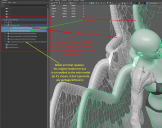
Every geograft that leave leftovers, groups the garbage shapes/models into a group of the same name, so it should not be difficult to detect them on import and delete them afterward.
2 - The Updated FBX that the plugin stores in a subfolder after the import and processing has been finished, contains the Morph's Models and BlendShapes with the original names (with the "GenesisXGender__" prefix) and not the updated ones that shows inside the UE4 project without any prefixes, so if a modification and reimport is needed, it's imposible to achieve without breaking the correct functionality of the character, so the deletion of the imported files and a complete import from zero of the character is required...
3 - The original exported FBX gets locked after import and cannot be deleted nor overwriten while the ueproject is still open, a close or restart is needed to do so, maybe you forgot to execute the unlocking method? or if you are using direct file access, in that case you probabbly are not calling the "file.close()" method after the fbx have been processed.
4 - The Ragdoll Physics of the character have a bug where the upper and lower body are not attached during Ragdoll and each parts goes by it's own, making the waist stretch like hot cheese. Thats caused because the hip bone is not skinned to the body(has 0 influence) and because of that, the Physics solver do not work with it, to solve it the easiest solution is to just parent the "abdomenLower" joint to the "pelvis", as far as i can tell it has no effect on animations, at leasts not on the retargeted ones (which is the most probable use case as Daz's available animations sucks big time, at least the full body ones, and the facial animations are not affected at all), and if some specific Daz animation is absolutely needed a simple retargeting from a skeleton without the modification to the one with the modification should be very easy.
5 - The plugin is currently incompatible with source builded UE4, it makes the engine build fail and doesn't even allow to open any project while the plugin is installed and active, which is a boomer as DualQuaternionSkinning is ONLY available in source builds and moving imported characters from one project to another is a pain in the ass by how this plugin works as all parent files like materials and skeleton are inside the plugin's own folder, making any kind of migration cumbersome and time consuming as i have to copy and change the references to the copies for every material and skeletal mesh.1>UnrealBuildTool : error : Unable to find module 'DazToUnreal' referenced by F:\UE4_Sources\UnrealEngine-Official\Engine\Plugins\DazToUnreal\DazToUnreal.upluginForget everything i said in this last paragraph about your plugin not being compatible with source builds of UE4, i found your Git through a post in this forum, i then downloaded and builded everything with the files from there and now seems to be working ;)
And by the way, great plugin, especially the SubDiv1 export with corrected skinning without trypophobic effects XD , i don't know how you managed to do it so seemlesly, even with geografts (which is the biggest challenge as you can't just copy some pre-made weights from a file as the vertex count changes with non standard base mesh), until now i always had to do tricks in maya with the "Transfer Attributes" tool for every export so i can have a correctly skinned SubDiv 1 and 2. I wish you could do it with SubDiv2 too in the future, that would be even more amazing :D
1 - to be fair this is a "daz issue", even without the pluging, it still happens, something i daz code, is creating the "duplicated" mesh during the process of creating the fbx, maybe void can fix it, but it's looks much more like something to be fixed in the "daz itself than the pluging(maybe void can find a work around to fix it, but it's gonna happen in any case or pluging, don't matter if its daz to unreal bridge, daz to maya daz to blender even the "base export all will have this, i also hope void can do something about it, but i've also opened a ticket to daz support about this bug.
3 - yeah this is a annoying issue for me too, would be good if he can fix it, it's annoying have to close unreal to delete those stuffs when you don't need it anymore.
4 - the ragdoll issue is because when the mesh is exported to unreal it "autogenerate the "collision capsules" and that "autogeneration is "being honest terrible" most of the capsules and constrains are generated totally wrong and broken you need to "create from 0 your own capsules and constrains, to have a proper ragdoll, which is "another chore, void already place it on his "to do list' in a way to proper export a better collision and constrains, capsules.
Sagan: A DAZ Studio to Blender Alembic Exporter2. Export as Alembic using Sagan. You dont need a high subD for Marvelous Designer simulation, so usually i just export the Cage (i.e., zero SubD)..Forgive me for nitpicking, but it caused me a lot of trouble early on before I realized that the subD cage (no SubD) and SubD level 0 are actually not the same thing... even SubD level 0 has some degree of smoothing and the level only refers to the number of faces that have been added, i.e. by a factor of 2 to the power of the level.
Missing that distinction was what was causing the horrible rounded teeh problem, and I think it bit Thomas in Diffeo, as well.
Sorry for being pedantic, but it's an important difference.
Oh - well im new!
I barely understand what a UV is let alone a SubD cage.
Look in Studio at a character; they have a sub d of 2, usually. It's under parameters, and Resolution Level; High Resolution will have a value below, even at zero, it is high resolution. You can change High Resolution to Base.
If for instance you were creating a morph for use in studio, and exported the character at High Resolution, but level zero, it wouldn't work; it needs to be Base.
In Blender with the default cube when it opens, add a Subdivision Modifier - Ctrl 2 works fine as long as the Cube is selected. In Edit mode it is possible to get it looking like that - the effect the Subdivision Modifier has on the mesh; Studio and Blender don't work quite the same, but that might give you an idea.
Converting characters from Genesis 3 to Genesis 8 that use head and body morph addon'sImari is really tricky with XTransfer because there are no morph sliders for those shapes, and that's how XTransfer works. I don't remember how I eventually got her to work, but there was a lot of trial and error. The good news is that you can simply apply the Imari shapes to G8F.
Converting characters from Genesis 3 to Genesis 8 that use head and body morph addon'sYou could load G3. screen shot the various slider settings of how the shape was created and repeat in G8; the morphs used look the same as come with G8, so it is likely that a very close likeness can be obtained.
Except you can't do that if you don't own G3 Head and Body Morphs. You don't see what sliders are being used if you don't have the sliders.
Is there a way to find out what G3 Head and Body Morph sliders a character uses without actually having G3 Head and Body Morphs?
I too am in the same boat as Pitmatic and have asked myself the same question... I don't own G3 Head and Body Morphs, but I do own the G8 equivalents (as well as XTransfer).
Possible 4 fixes by SGGhostRiderHi, i saw the link Jeronimo left in the youtube section as response to my message and i decided to take a look :)
David Vodhanel , as it seems (if i'm not mistaken) you are the original developer of the plugin, and so i have few more contributions if you don't mind ^_^
1 - For the "geograft leftovers" part, in the link you gave it seems you are talking about a different problem, which i did not even knew it was a problem because Daz Studio (in my experience) always gets rid of the hidden geometry, what i was talking about in the message Jeronimo pasted over here was that after the export, the FBX contains 2 copies of the geograft, one welded and completely integrated with the body and one loose copy that serves no purpose and has to be deleted because it's a useless duplicate, this is always true for the TRUE geografts, the ones that are welded to the original model and/or replace parts of it, like in the case of tails, wings or anatomical elements per example, here i screenshot of what i'm talking about:
Every geograft that leave leftovers, groups the garbage shapes/models into a group of the same name, so it should not be difficult to detect them on import and delete them afterward.
2 - The Updated FBX that the plugin stores in a subfolder after the import and processing has been finished, contains the Morph's Models and BlendShapes with the original names (with the "GenesisXGender__" prefix) and not the updated ones that shows inside the UE4 project without any prefixes, so if a modification and reimport is needed, it's imposible to achieve without breaking the correct functionality of the character, so the deletion of the imported files and a complete import from zero of the character is required...
3 - The original exported FBX gets locked after import and cannot be deleted nor overwriten while the ueproject is still open, a close or restart is needed to do so, maybe you forgot to execute the unlocking method? or if you are using direct file access, in that case you probabbly are not calling the "file.close()" method after the fbx have been processed.
4 - The Ragdoll Physics of the character have a bug where the upper and lower body are not attached during Ragdoll and each parts goes by it's own, making the waist stretch like hot cheese. Thats caused because the hip bone is not skinned to the body(has 0 influence) and because of that, the Physics solver do not work with it, to solve it the easiest solution is to just parent the "abdomenLower" joint to the "pelvis", as far as i can tell it has no effect on animations, at leasts not on the retargeted ones (which is the most probable use case as Daz's available animations sucks big time, at least the full body ones, and the facial animations are not affected at all), and if some specific Daz animation is absolutely needed a simple retargeting from a skeleton without the modification to the one with the modification should be very easy.
5 - The plugin is currently incompatible with source builded UE4, it makes the engine build fail and doesn't even allow to open any project while the plugin is installed and active, which is a boomer as DualQuaternionSkinning is ONLY available in source builds and moving imported characters from one project to another is a pain in the ass by how this plugin works as all parent files like materials and skeleton are inside the plugin's own folder, making any kind of migration cumbersome and time consuming as i have to copy and change the references to the copies for every material and skeletal mesh.1>UnrealBuildTool : error : Unable to find module 'DazToUnreal' referenced by F:\UE4_Sources\UnrealEngine-Official\Engine\Plugins\DazToUnreal\DazToUnreal.upluginForget everything i said in this last paragraph about your plugin not being compatible with source builds of UE4, i found your Git through a post in this forum, i then downloaded and builded everything with the files from there and now seems to be working ;)
And by the way, great plugin, especially the SubDiv1 export with corrected skinning without trypophobic effects XD , i don't know how you managed to do it so seemlesly, even with geografts (which is the biggest challenge as you can't just copy some pre-made weights from a file as the vertex count changes with non standard base mesh), until now i always had to do tricks in maya with the "Transfer Attributes" tool for every export so i can have a correctly skinned SubDiv 1 and 2. I wish you could do it with SubDiv2 too in the future, that would be even more amazing :D
New morphs aren't found when saved as morph assets ?!I am trying to ask here because I really don't know what is going on. Yesterday, making new morphs for a character in a scene subset I created with any fitted clothings or parented stuffs. The first one registered correctly, it was an FBM using countless sliders and some Zbrush work. Zeroed the figure, applied the morph, adjusted the rigging to shape and ERC freeze and saved as a morph asset; worked great. Then in the same session, proceeded to make some other corrective morphs than are situational and doesn't need the adjust rigging to shape and ERC freeze. I saved them as morph assets. It worked great in this particular scene subset during the session, But when I open up Daz again, no character can access the morph exept the first FBM I created. All .dsf morphs created that day show up in the directory > Data>DAZ 3D> ... > morph >'username'> products, but they don't show up on any characters, in any scene, even the original scene subset where the morphs were created. I always save them in morphs> morph loader
I am really puzzled as I don't think I am doing anything wrong... I wish I were tho. Do you see anything here that could cause this? I'd like the '2 cents' of the community.
Thx for reading
What is your top favourite product at the moment?Favorite product in my 232 product library is hands down https://www.daz3d.com/altern8--skin-shader-system-for-genesis-8 by @Divamekeup
Favorite Plug-in is Diffeomoric Transfer to Blender https://www.daz3d.com/forums/discussion/365631/diffeomorphic-daz-to-blender/p1
Shape Gen & Shape Gen Plus for Genesis 3 & 8 (Commercial)"A lot of head morphs appear to increase the scale of the head. Having two or more of these morphs in a single random can result in some pretty alien looking heads. When I find this happening, I tend to turn off morphs one at a time and re-random, to see which morph(s) are the offending parties."
Those are daz's propogation scale morphs I assume. We were going to bypass those by default but left it to user to uncheck them if they are being used or included in the list.
Thanks for that. I will take a look and let you know my results... I know I ended up with a lot of female models with huge craniums.
My guess was that the morph was tied to a body scale morph that I wasn't using. Which resulted in things looking out of proportion.
Shape Gen & Shape Gen Plus for Genesis 3 & 8 (Commercial)"A lot of head morphs appear to increase the scale of the head. Having two or more of these morphs in a single random can result in some pretty alien looking heads. When I find this happening, I tend to turn off morphs one at a time and re-random, to see which morph(s) are the offending parties."
Those are daz's propogation scale morphs I assume. We were going to bypass those by default but left it to user to uncheck them if they are being used or included in the list.
Morphs ExplodingHi,
I've been experiencing problems with morphs "exploding" since the latest update to Daz Studio.
Symptoms:
The mesh explodes when dialing up the morph...
This seems to happen whenever it feels like it. By that I mean, I can be in the process of loading morphs that I've created and all is well until it decides not to work anymore. In other words, there is no apparent pattern, anything to which it can be correlated. I've been dealing with this for a while, and if anyone has any ideas I'm all ears!
Thanks!
Causam
Daz 3D is part of

Connect
DAZ Productions, Inc.
7533 S Center View Ct #4664
West Jordan, UT 84084Licensing Agreement | Terms of Service | Privacy Policy | EULA
© 2026 Daz Productions Inc. All Rights Reserved.