-
* Closed * RRRR Swimsuit Babes render contest
A new round of RRRR is here and this one may be slightly more unhinged than usual.
The theme for this round is:
Swimsuit BabesYes, exactly. Sunshine, swimwear, glamour, disaster, absurdity, confusion, romance, chaos, or all of the above. Whether it turns into beach beauty, poolside mayhem, jungle pin-up nonsense, post-apocalyptic bikini racing, or a completely doomed tropical picnic is entirely up to you.
Check the Entries Only thread, first post, for an example of how to post an entry.
RRRR stands for Random Runtime Roulette Renders, and it is a contest that has been running for almost fifteen years now, on and off. We invite anyone to enter, especially all the newer users who have shown up over the years. This is not the usual “make a very nice render” contest — this is more about telling a great story, often a funny one, through your render.
How does it work?
For this round, the pull rules are a little special.
You must use:
- at least one animal
- at least one land vehicle
- at least one set of food
- at least one april fools release item
- plus 2 random items
And because this is a special round:
Lucky Bastards are counted twice.
That means that for this round, each Lucky Bastard gives you two extra random pulls instead of one.
So your base pull is:
- 1 Animal
- 1 Land Vehicle
- 1 Food Set
- 2 Random Items
- 1 April fools item
- + 2 extra random items per Lucky Bastard
Who can play?
Anyone can play!
How do you prepare yourself for play?
The rules are very simple, but first you need to have all your items in some kind of order in a text file, dumped from your itemized history into a text file or spreadsheet. Remove things like software, gift certificates, special plugins, and items that will not work in the software you use.
For example, if you have items for Poser, Bryce, or Carrara, and want to use DAZ Studio, remove those other items from your list. If you have loads of older figures, M3, M4, a ton of non-Iray stuff, and you only want to use Studio with Iray, remove the junk from your list first.
Then use a randomizer to randomly pick items from your list (your Runtime/My Library) for your pull. You can use items from any store. Build a scene using those required items plus anything else you want to add to make the scene work, tell the story, or make it even more ridiculous. For newcomers, I warmly recommend looking at previous contests below to get ideas for how this usually goes.
Working randomizer:
https://www.random.org/integersRedraws
There are some situations where you are allowed to redraw. These are:
- You pulled something that does not work: broken item, wrong version, wrong software, etc.
- You pulled a software item, add-on, or anything that should have been filtered out from the list.
- You pulled only gigantic environment props and cannot reasonably build or render a scene without crashing.
- You pulled an item you have already used in two RRRR renders in this contest and that was randomly picked both times. Three is the curse rule!
- You pulled something for one of the required categories that clearly does not fit the category after all.
Lucky Bastard Rule!
I say this again:
If you have Lucky Bastards, they count twice in this round.
Lucky Bastards Standings Player Changes LBs Totte 2 - 1 + 2 3 acb 2 - 1 + 1 2 Luci45 1 - 1 0 Aprilshowers 1 - 1 0 Fae3D + 1 1 katywhite + 1 1 emanuela1 + 1 1 Normally, each LB gives one extra pull.
In this round, each LB gives two extra random pulls.Explanation of Lucky Bastards
Lucky Bastards, or LBs, are a form of handicap system that makes the contest a little more difficult for those who have won before.
This round, the handicap is extra evil, because April 1st seemed like a good day for bad decisions.
How to play
You pull, you compose, and you render.
Post your image and your pulls in this thread.
Do not miss that part — entries without pulls posted in this thread will be disqualified.Then the entry should also be posted in the Entries Only thread.
Bundles
If you pull a bundle, use two or three complete items from it, or more if you like, but you do not need to use all of it. Only picking a hairpin from Victoria 8 Pro Bundle is too little.
Clarification: A bundle still counts as only one pulled item.
Poses, expressions, and textures/colors
If you pull a pose pack, expression pack, or texture/color pack, you only need to use one of them, not all.
For example:
- If you pull 500 Expressions for Genesis 8 Female, use one.
- If you pull 128 colors for Frappe Hair, use one.
Accidentally breaking the TOS
If your entry is removed by the forum mods because it accidentally, not deliberately, broke the TOS, you do not have to redo that entry. You may move on and make a new pull.
The rules of madness!
Now you have successfully and randomly picked your items, make a scene. You may add other items as well, but the ones you picked should be prominent, important, or cleverly used.
Render it, post it, and make us all laugh, cheer, groan, or question your judgement.
Remember, the renders must still follow the forum TOS.
Because this round has a theme, the render should in some way connect to Swimsuit Babes. That connection may be glamorous, comedic, weird, action-packed, romantic, absurd, or catastrophically ill-advised.
The contest categories!
There are two categories:
- Best
- Funniest
Every image will compete in both categories.
The contest starts today, April 1st 2026 and ends on April 1st 2027 23:59:59 Local Daz time
Lets play!New Year, New Sales Thread: Report Issues Here 4 "Reporting Only"Cris Palomino said:
Where is the incorrect link of which you speak. We don't normally link an object to its textures, do we, since there could be multiples?
It's about the missing Product Add-ons section for this outfit, the section products with add-ons have at the bottom of their store page:
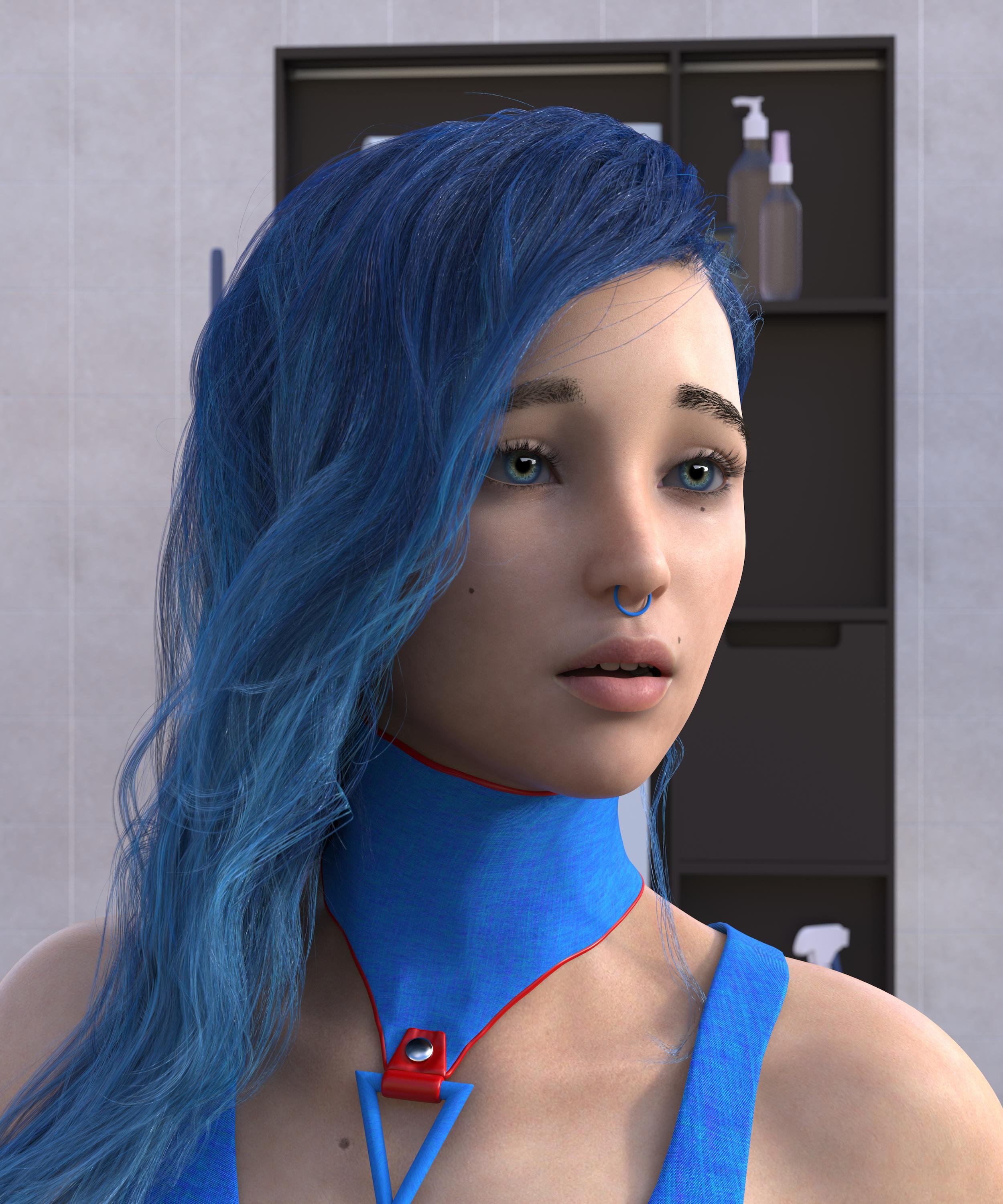
Freebie Challenge March 2026 - "The Big Blue" - Main ThreadBlue and Lonely
Free:
Room: https://www.renderhub.com/zoro-d/midrange-bathroom-for-daz-studio
Hair: https://www.renderhub.com/zoro-d/side-swept-rose-hair-revised-for-genesis-8-females
G8 Female Character: https://www.renderhub.com/vfoxgames/vfox-victoria-for-genesis-8-female-mothers-day-2025-gift
Shirt Outfit: https://www.patreon.com/posts/dmc-dante-for-g8-77418839
Blue Shaders: https://www.renderhub.com/anassecret/big-blue-shader
Nose Ring: https://www.renderhub.com/aglassdarkly/agd-simple-jewelry
Collar: https://www.renderhub.com/herhey/barrel-collar-for-g8f
Celebrity Look-a-Likes for 3D figures Part 4Dareshiranu said:
I can't help but think of Rocket Racoon or Groot, or at least Mantis or Gamora, when I read the phrase "non-human celebrity". :)
Yeah but Victoria 3 is technically a Humanoid since she's human in form, but isn't a human. And I use the term "celebrity" since she was the biggest celebrity of the Daz and Poser world back then. No idea whether she was based on a real celebrity, though, or in fact any woman.
If there's a real woman she's based on, I can imagine she'd be quite a seductress!
Celebrity Look-a-Likes for 3D figures Part 43DIO said:
I could be the odd one out here in asking about a non-human celebrity, but I'm gonna ask anyway:
Does anyone know who Victoria 3 was based upon, that's assuming she's based on a real life woman? I've always been under the impression that she's probably based on some super-gorgeous super-model or something, but to be honest I've never come across anyone who I think she could be based upon. Now obviously Daz own the rights to Victoria 3, so the suggestion I'm about to make could probably only be done by Daz, but if there was a Genesis 9 release of Victoria 3, I'd buy her in a heartbeat. They'd have to capture the face and body type of Victoria 3 perfectly, and at the same time bring the textures up to date with modern Genesis 9 standards, but you know what I mean.
Victoria 3 just looks so classy and naturally seductive, and more times than not she always looks really good (to me anyway). So yeah, would really love to see a Genesis 9 release of this women, whoever she may be, and regardless of whether she's a real-life celebrity, or purely a CG one. Maybe they could do a whole series of them, one for each of the Pre-Genesis figures, call it the "Retro Reloaded" series or something like that!
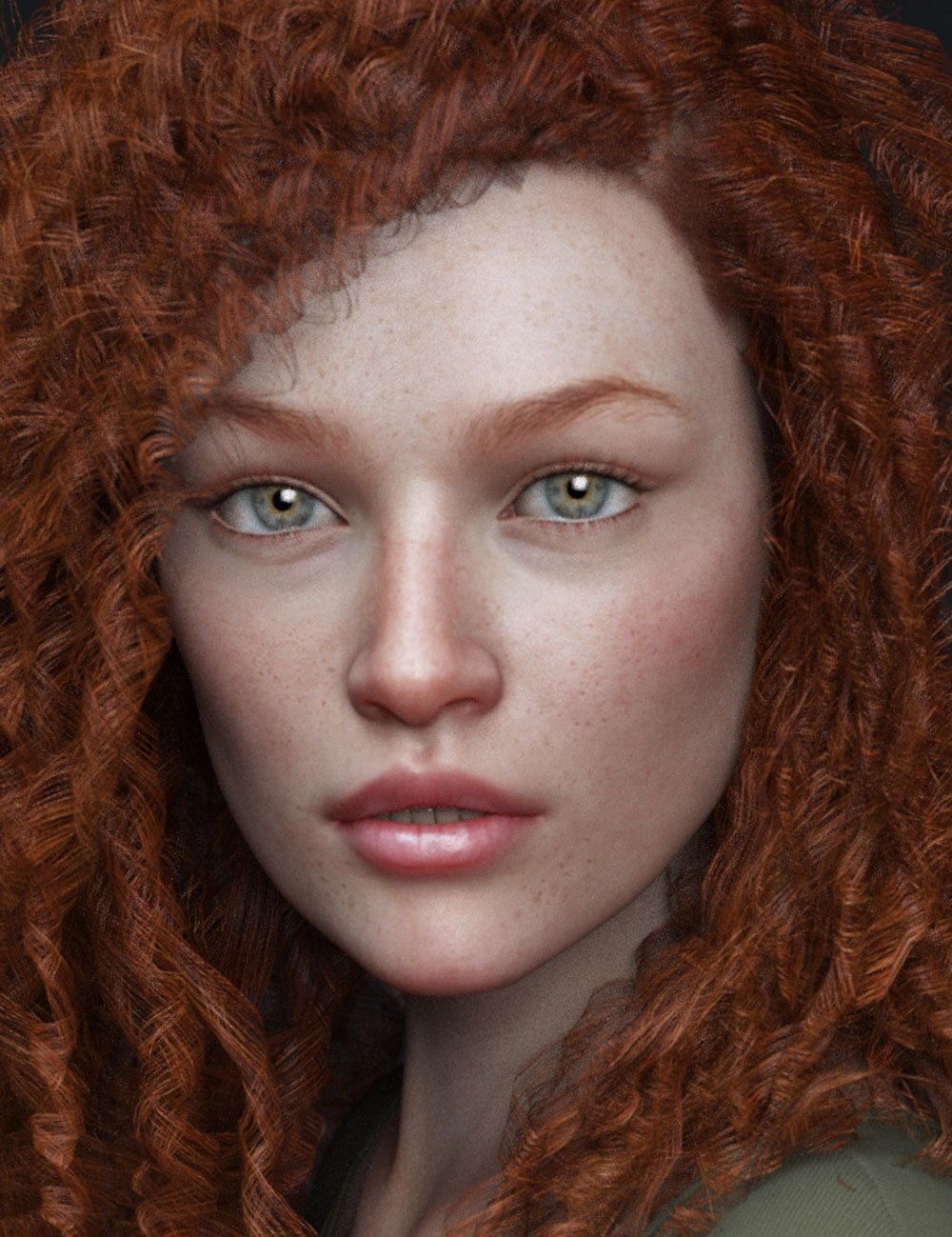
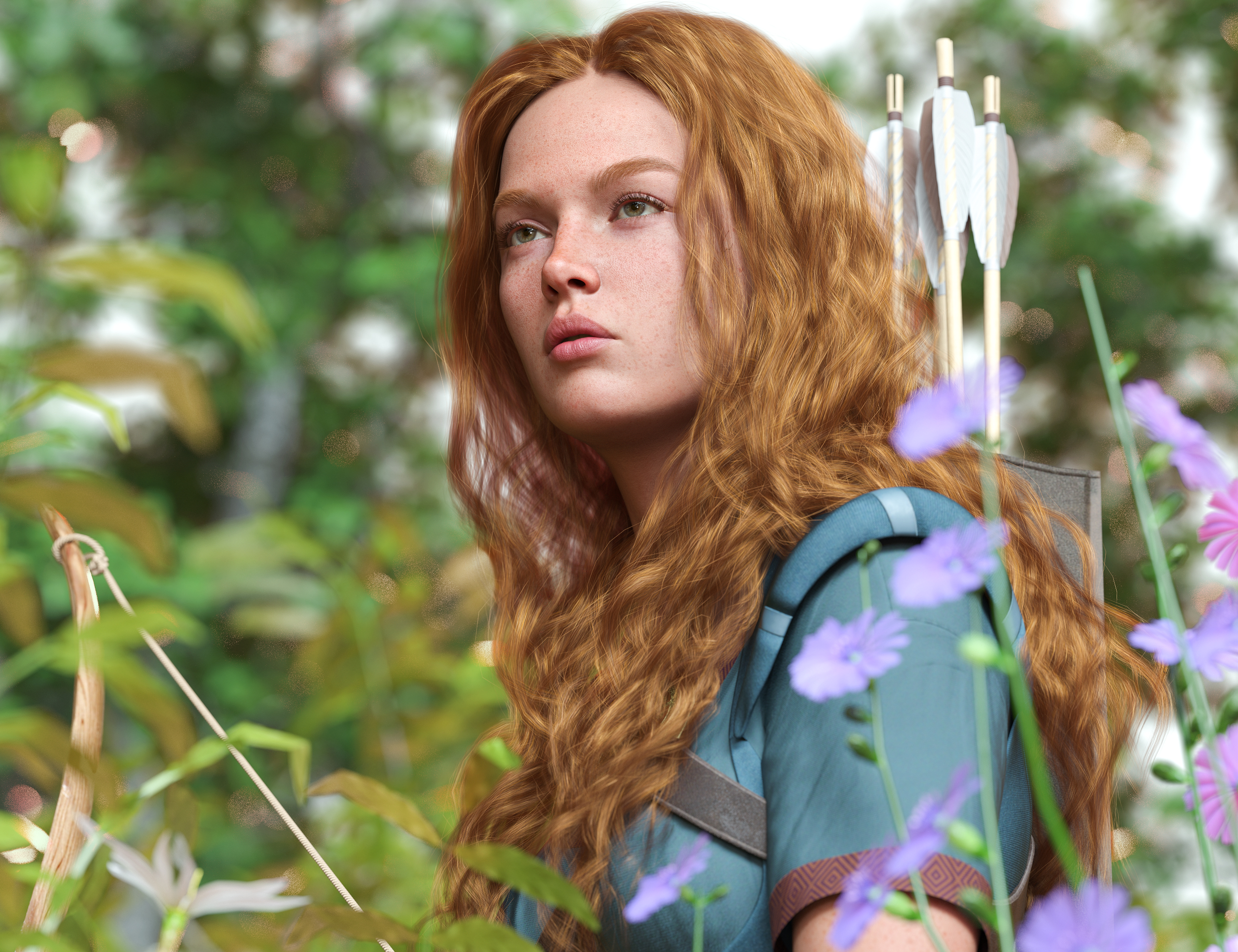
To demonstrate, the attached images were found on the Daz store, ones that demonstrate the classy, naturally seductive look she has about her:
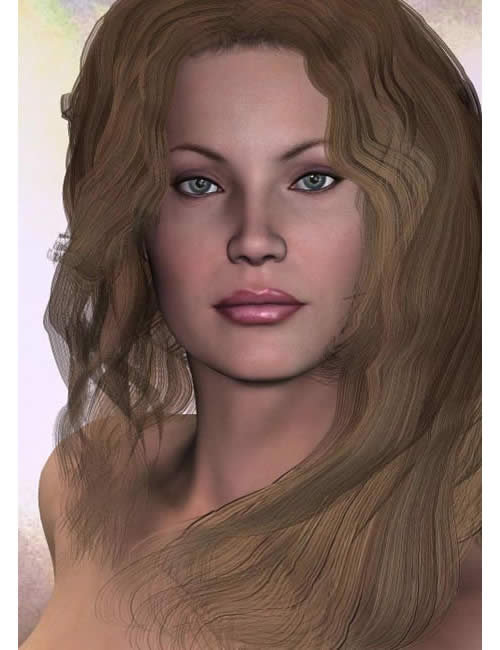
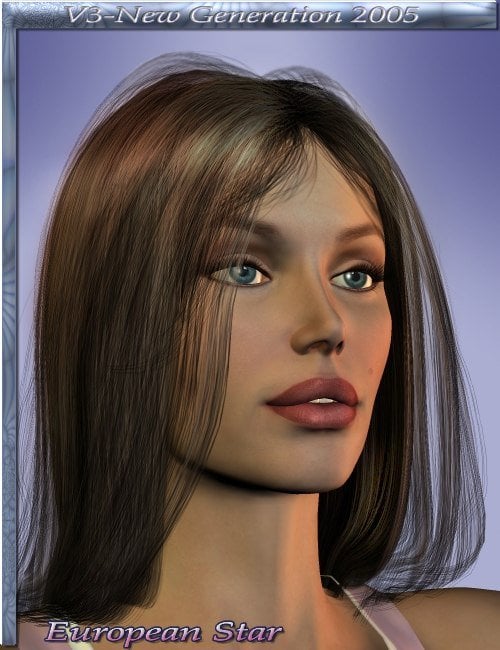
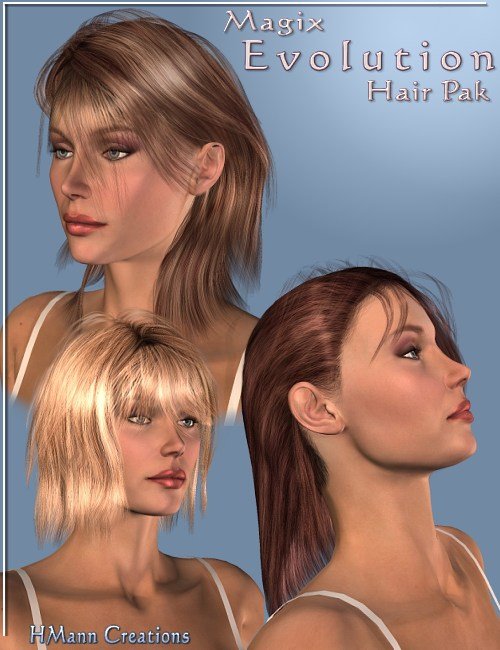
I can't help but think of Rocket Racoon or Groot, or at least Mantis or Gamora, when I read the phrase "non-human celebrity". :)
Question About Ultimate Natural Bend Morphs G9Elor said:
They are independant products and if you don't have any, I would buy UNBM 2.0 directly and skip the first version of UNBM.
UNBM 2.0 looks a bit better to my untrained eyes, with one caveat: there is a 'UNBM Feminine Breasts' that will change the shape of the breasts of the character, which I dialed down to zero each time because I don't like what it is doing (at least in the base pose, maybe it's doing something else once a character is posed).
If you're planning to buying one during March Madness, UNBM 2.0 is unlikely to be discounted during it because it was released at the start of January 2025 and most of the time, the cutoff date decided by Daz Studio for items to be part of the sales (either as part of the Mad Artists Stores or the Mad Adjacent Stores) is the end of 2024.
If at one point you think you may need a similar system for masculine characters, there is Natural Movements Pack for Genesis 9 by Mechasar which is working on both Masculine and Feminine characters while UNBM was made mainly for feminine characters (UNBM 2.0 can be dialed on masculine characters but I got NMP first so I'm using it instead).
NMP working as UNBM: you activate it and morphs will be applied automatically depending on your character's pose, and if you feel some morphs are too strong, you can adjust them manually.
NMP also has a couple of morphs you'll have to activate manually (like one to use when a character is sitting on a hard surface).
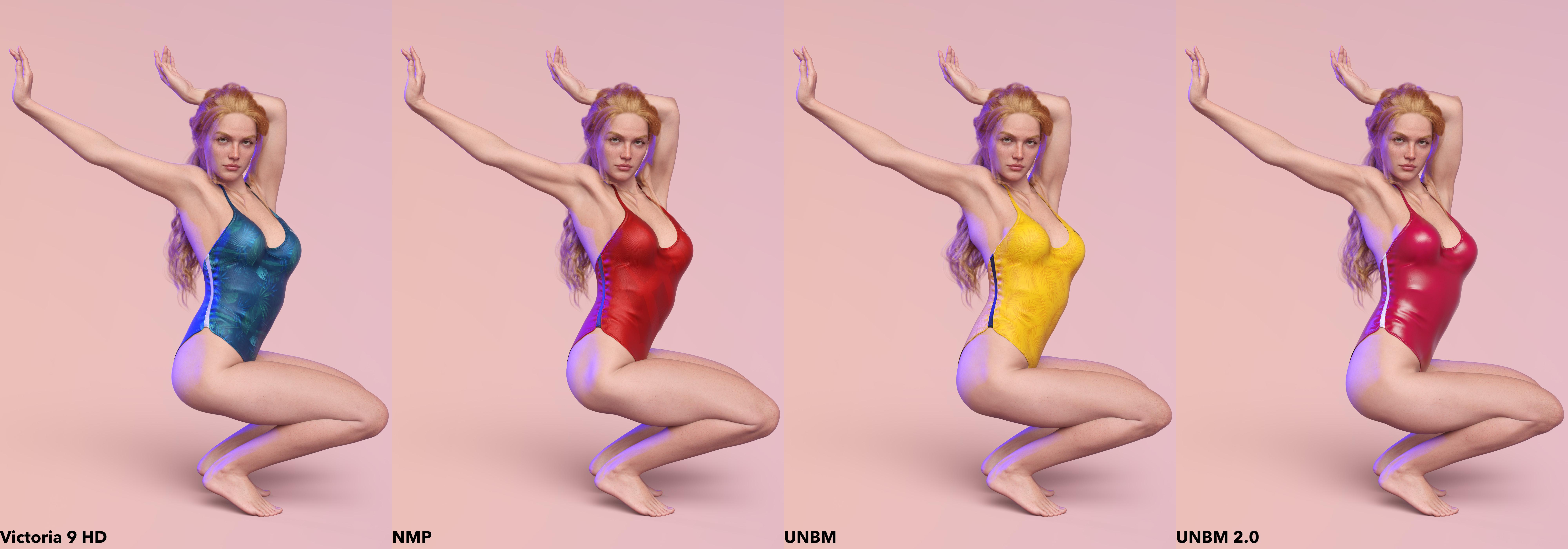
Here a (limited) comparison using Victoria 9, from left to right (I looked for a pose that resulted in a lot of joints bent on the legs and the arms while allowing to have 4 characters side by side):
- Victoria 9 without any third party product used (I dialed Victoria 9, Body Pose Detail Strength and Flexion Automatic Strength to 100%, which means her own corrective morphs are used alongside the ones made by Daz for Genesis 9 Base), wearing a blue swimsuit
- Victoria 9 using Natural Movement Pack (I clicked to On to activate all morphs and that's it), wearing a red with a black strip swimsuit.
- Victoria 9 using UNBM (I dialed UNBM for Genesis 9 to 100%), wearing a yellow swimsuit.
- Victoria 9 using UNBM 2.0 (I dialed UNBM 2.0 for Genesis 9 to 100% and dialed UNBM Feminine Breasts back to 0, sorry, it's muscle memory at this point
 ), wearing a red with a white strip swimsuit.
That's really helpful, thanks very much for the detailed response!
Question About Ultimate Natural Bend Morphs G9They are independant products and if you don't have any, I would buy UNBM 2.0 directly and skip the first version of UNBM.
UNBM 2.0 looks a bit better to my untrained eyes, with one caveat: there is a 'UNBM Feminine Breasts' that will change the shape of the breasts of the character, which I dialed down to zero each time because I don't like what it is doing (at least in the base pose, maybe it's doing something else once a character is posed).
If you're planning to buying one during March Madness, UNBM 2.0 is unlikely to be discounted during it because it was released at the start of January 2025 and most of the time, the cutoff date decided by Daz Studio for items to be part of the sales (either as part of the Mad Artists Stores or the Mad Adjacent Stores) is the end of 2024.
If at one point you think you may need a similar system for masculine characters, there is Natural Movements Pack for Genesis 9 by Mechasar which is working on both Masculine and Feminine characters while UNBM was made mainly for feminine characters (UNBM 2.0 can be dialed on masculine characters but I got NMP first so I'm using it instead).
NMP working as UNBM: you activate it and morphs will be applied automatically depending on your character's pose, and if you feel some morphs are too strong, you can adjust them manually.
NMP also has a couple of morphs you'll have to activate manually (like one to use when a character is sitting on a hard surface).
Here a (limited) comparison using Victoria 9, from left to right (I looked for a pose that resulted in a lot of joints bent on the legs and the arms while allowing to have 4 characters side by side):
- Victoria 9 without any third party product used (I dialed Victoria 9, Body Pose Detail Strength and Flexion Automatic Strength to 100%, which means her own corrective morphs are used alongside the ones made by Daz for Genesis 9 Base), wearing a blue swimsuit
- Victoria 9 using Natural Movement Pack (I clicked to On to activate all morphs and that's it), wearing a red with a black strip swimsuit.
- Victoria 9 using UNBM (I dialed UNBM for Genesis 9 to 100%), wearing a yellow swimsuit.
- Victoria 9 using UNBM 2.0 (I dialed UNBM 2.0 for Genesis 9 to 100% and dialed UNBM Feminine Breasts back to 0, sorry, it's muscle memory at this point ), wearing a red with a white strip swimsuit.
Celebrity Look-a-Likes for 3D figures Part 4I could be the odd one out here in asking about a non-human celebrity, but I'm gonna ask anyway:
Does anyone know who Victoria 3 was based upon, that's assuming she's based on a real life woman? I've always been under the impression that she's probably based on some super-gorgeous super-model or something, but to be honest I've never come across anyone who I think she could be based upon. Now obviously Daz own the rights to Victoria 3, so the suggestion I'm about to make could probably only be done by Daz, but if there was a Genesis 9 release of Victoria 3, I'd buy her in a heartbeat. They'd have to capture the face and body type of Victoria 3 perfectly, and at the same time bring the textures up to date with modern Genesis 9 standards, but you know what I mean.
Victoria 3 just looks so classy and naturally seductive, and more times than not she always looks really good (to me anyway). So yeah, would really love to see a Genesis 9 release of this women, whoever she may be, and regardless of whether she's a real-life celebrity, or purely a CG one. Maybe they could do a whole series of them, one for each of the Pre-Genesis figures, call it the "Retro Reloaded" series or something like that!
To demonstrate, the attached images were found on the Daz store, ones that demonstrate the classy, naturally seductive look she has about her:
Let's appreciate/discuss today's new releases - more ongoinger threadmding said:
Amazing, @richardandtracy!
Could you share it at https://www.daz3d.com/forums/discussion/108001/the-older-generation-victoria-2-3-michael-2-3-and-their-children-renders/p23, please?
Actually that's the thread where the image is uploaded, it's on page 17 .

Regards
Richard
Let's appreciate/discuss today's new releases - more ongoinger threadAmazing, @richardandtracy!
Could you share it at https://www.daz3d.com/forums/discussion/108001/the-older-generation-victoria-2-3-michael-2-3-and-their-children-renders/p23, please?
Headwear: Slim Beretrichardandtracy said:
Cabin crew with beret. Going as far back as Victoria 3 there is this: Flight Crew. There are others, do a store search for "Cabin Crew". Hope these are vaguely along the lines of what you're looking for. Regards, Richard
Thank you. The search term "Cabin Crew" was indeed helpfull:
https://www.daz3d.com/sexy-stewardess-outfit-for-genesis-8-female
The older generation: Victoria 2/3, Michael 2/3 and their children rendersrichardandtracy said:
Erm... Because I didn't try to extract the obj from the cr2 because.. err.. it has a different extension & additional info. In all honesty, and without flummery, not having tried it, I don't know if it'll work. Will have a bash at it (tomorrow if things don't fall apart like they often do). (Why do I always seem to learn shortcuts after they'd be useful? Hrrumph.)
CR2 files rarely contain any geometry. They reference a separate OBJ file, usually in the Poser "Runtime" folder, under "Geometries" and "DAZPeople". The base geometry without any pose or morphs can be imported directly with the OBJ file there. If you're not sure where the Runtime folder for your Poser format files are, you can also get the figure's OBJ file from the figure ZIP file.
I'm not a complete expert in all things Poser, but I know almost of the formats and can edit them by hand when I need to. Older versions of Poser didn't save some things correctly, so I learned to fix them myself.
I have got poses close enough for the autofit clones, and they're in the thread or the installation package for the tutorial. Not perfect, but close enough to be usable. In an effort to do a bit better after the tutorial was published, for the G8F clone, I actually bought SY's V3 & M3 autofit clone set, and then reversed it to get a G8F shape for V3. That one is a bit (but not hugely) better, but the fingers are a bit dodgy for things like rings.
Regards,
Richard.
Huh...I thought I had all of clones for older figures. I'll have to see if I can get it while it's on sale.
The older generation: Victoria 2/3, Michael 2/3 and their children rendersErm... Because I didn't try to extract the obj from the cr2 because.. err.. it has a different extension & additional info. In all honesty, and without flummery, not having tried it, I don't know if it'll work. Will have a bash at it (tomorrow if things don't fall apart like they often do). (Why do I always seem to learn shortcuts after they'd be useful? Hrrumph.)
I have got poses close enough for the autofit clones, and they're in the thread or the installation package for the tutorial. Not perfect, but close enough to be usable. In an effort to do a bit better after the tutorial was published, for the G8F clone, I actually bought SY's V3 & M3 autofit clone set, and then reversed it to get a G8F shape for V3. That one is a bit (but not hugely) better, but the fingers are a bit dodgy for things like rings.
Regards,
Richard.
Edited to add. I know now.. (it is a bit of a 20-20 hindsight
) It means the same process can be used for all morphs and autofit clones, be they G8, G9, V4, etc or Generation 3 unimesh. It means you learn 1 process, not 2.The older generation: Victoria 2/3, Michael 2/3 and their children rendersDollyGirl said:
Oooh Halloween! Nope can't guess. Who is it?
richardandtracy said:
@Semicharm, it is nice to see someone new joining in with the older generations, great images full of action & character.
If I have to guess as to the newer figure, I'd say the ghost sheet in the lowest image. IIRC in the last year or two there was a ghost sheet figure released.. Where from I can't recall, but it rings a [faint] bell.
It seems the "bookmark" system keeps breaking. It will randomly stop sending notifications for replies and I lose track of theads without them. Er...

The "new" figure is the vampire girl in the background. It's a character I made for Poser's La Femme. I think the ghost was Maddie, as is Bo Peep. The wizard was Luke, Scarecrow was Kid 4, and vampire Michael 4.
BTW, I'm curious how you got G8F outfits on Victoria 3. You mentioned about converting V3 to DS weightmaps, but I'm a bit lost after that. I don't think the shape was that close to G8F to just do a generic refit in DS.
There's Always Another Sale Thread -- Discussions Only Pt 5Less than ideal to release all your best character PAs on the same day. But I've been waiting for bluejaunte's new release since Victoria 9.
How to create a CBS for negative value of Proportion Height on G9 ?Elor said:
crosswind said:
Yep, you can. Just like using an FBM on the figure with setting it as Auto Follow. Then save the Auto Follow morph as a Modifier Asset with the shoes to control another corrective morph on the shoes as needed.
Sorry, I meant using a controller from the figure, a controller without autofollow, to control a morph on the shoes: body_ctrl_ProportionHeightScaleNeg is not set for autofollow, and on the shoes, I only saw a negative value for Proportion Height.
Got it ~ Yup, if a property on Genesis figure is not set as Auto Follow, like body_ctrl_ProportionHeightScaleNeg, it'll also work if you set it as a Controller to activate corrective morph(s) on the shoes.
Understood~ But to me, the defect of negative Proportion Height just comes from the improper value set on Metatarsals. It's easy to fix it and it won't bring issues to existing characters as well as shoes / heels etc. products with negative Proportion Height dialed.
I made a corrective modifier as attached. You may give it a try by extracting the data folder to your Daz Lib. I tested it with Hanako 9 / Victoria 9. It works as expected and even fixes the heel deforming issues with Proportion Height dialed from -20% ~ -200% with high heel shoes... So far so good ~
Perhaps you might not need to make corrective morph for the shoes ~~ In the below screenshot, Hanako 9 on the right has the corrective morph for negative Proportion Height. You can see the difference on the heel of the shoes ~~
It's a bit strange honestly: your corrective morph is solving the problem for some shoes but not the others where instead, it'll make the heels higher.
Apparently, having an existing CBS is one of the reasons it's fixing the problem (I checked with City Sandals by HavanaLibere or Tifa High Heels by Prefox) but I also found pairs of shoes without an existing CBS that did work fine with your corrective active (PFX Helene Heels, from the cooperation between Prefox and Belldazine, the Kuro shoes from Mada). And on shoes like the Mabel ones from HavanaLibere, your corrective is making the heels higher.
I suppose it'll depend on how each pair of shoes was set up

After testing City Sandals with both G9 Base as well as Hanako 9, actually I found my corrective modifier make the shoes / heels look more correctly and even better.
You can see the screenshot 1 down below. Without corrective modifier on the left, the heels cannot touch the ground which make the sandals look weird, while with the corrective modifer on the right, the heels are right on the floor... then you don't have to tweak them. I have to say the default shape of these City Sandals are not correctly made.
However, City Sandals do have fixed bs for Hanako 9 that make things really work. (like Gracie High Heels that I tested in above screenshot... they also have fixed bs for Hanako 9)Mabel Strappy Sandals don't have fixed bs for Hanako 9, so they make things worse. (screenshot 2)
So, I think we may have to fix them case by case. For the cases like Mabel ones, you may click the link icon of "overrides controllers" on cbs_ProportionHeightNeg and Alt Click to zero it. But still, you have to fix its blend shape as per the character you use.
How to create a CBS for negative value of Proportion Height on G9 ?crosswind said:
Yep, you can. Just like using an FBM on the figure with setting it as Auto Follow. Then save the Auto Follow morph as a Modifier Asset with the shoes to control another corrective morph on the shoes as needed.
Sorry, I meant using a controller from the figure, a controller without autofollow, to control a morph on the shoes: body_ctrl_ProportionHeightScaleNeg is not set for autofollow, and on the shoes, I only saw a negative value for Proportion Height.
Understood~ But to me, the defect of negative Proportion Height just comes from the improper value set on Metatarsals. It's easy to fix it and it won't bring issues to existing characters as well as shoes / heels etc. products with negative Proportion Height dialed.
I made a corrective modifier as attached. You may give it a try by extracting the data folder to your Daz Lib. I tested it with Hanako 9 / Victoria 9. It works as expected and even fixes the heel deforming issues with Proportion Height dialed from -20% ~ -200% with high heel shoes... So far so good ~
Perhaps you might not need to make corrective morph for the shoes ~~ In the below screenshot, Hanako 9 on the right has the corrective morph for negative Proportion Height. You can see the difference on the heel of the shoes ~~
It's a bit strange honestly: your corrective morph is solving the problem for some shoes but not the others where instead, it'll make the heels higher.
Apparently, having an existing CBS is one of the reasons it's fixing the problem (I checked with City Sandals by HavanaLibere or Tifa High Heels by Prefox) but I also found pairs of shoes without an existing CBS that did work fine with your corrective active (PFX Helene Heels, from the cooperation between Prefox and Belldazine, the Kuro shoes from Mada). And on shoes like the Mabel ones from HavanaLibere, your corrective is making the heels higher.
I suppose it'll depend on how each pair of shoes was set up
Mommy?Elor said:
She looks a lot like Victoria 9 wearing her makeup:
https://www.daz3d.com/victoria-9-hd
https://www.daz3d.com/victoria-9-hd-makeup
Edit: the discussion's title could be more clear.
Regarding the title, clearly, you never saw my mother... (O:
How to create a CBS for negative value of Proportion Height on G9 ?Elor said:
Thank you both, I'll see what I can do.
@crosswind: I can use the value of a property on the figure to control the activation of a morph on shoes fitted to her?
Yep, you can. Just like using an FBM on the figure with setting it as Auto Follow. Then save the Auto Follow morph as a Modifier Asset with the shoes to control another corrective morph on the shoes as needed.
About fixing Proportion Height, I'm nowhere near the level needed to create a proper bs to fix it on G9 directly: I'm already sweating bullets while trying to get clothes fitted correctly on various body shapes when the clothes are following a body shope very closely (less when they are more loose).
And I suppose at that point of the life of Genesis 9, it's unlikely to be fixed by Daz if I opened a ticket because it would likely mess with all the shoes already released with CBS for characters like Hanako who are using Proportion Height, especially considering that Victoria 9 does use it too (even if it's only at -4.5%) and she's likely one of the most popular figures for G9.
Understood~ But to me, the defect of negative Proportion Height just comes from the improper value set on Metatarsals. It's easy to fix it and it won't bring issues to existing characters as well as shoes / heels etc. products with negative Proportion Height dialed.
I made a corrective modifier as attached. You may give it a try by extracting the data folder to your Daz Lib. I tested it with Hanako 9 / Victoria 9. It works as expected and even fixes the heel deforming issues with Proportion Height dialed from -20% ~ -200% with high heel shoes... So far so good ~
Perhaps you might not need to make corrective morph for the shoes ~~ In the below screenshot, Hanako 9 on the right has the corrective morph for negative Proportion Height. You can see the difference on the heel of the shoes ~~
Daz 3D is part of

Connect
DAZ Productions, Inc.
7533 S Center View Ct #4664
West Jordan, UT 84084Licensing Agreement | Terms of Service | Privacy Policy | EULA
© 2026 Daz Productions Inc. All Rights Reserved.