-
Khemsit 8...
My total was higher for using the Cairo-Coupon, so approx. $50 after store credit.
Bundle + 2 textures & The HD morph to get the 20$ store credit.
(Like the two textures and although the HD morph might be subtle it will add to the pool. By the way: Try out an HD Add-On on a different character. Brings out interesting effects and can help to improve an otherwise "flat" character or even do a little bit of additional aging (for example with a HD morph like Mrs. Chow.)Then thanks to the Cairo-Coupon 88% on the Nature Trees in Fast Grab and 80% on the UltraScenery Pines. Very good deal for UltraScenery-Lovers. Also 88% on the Sshodan Cloak from fast grab. Did think about also getting the outoftouch texture extension but given that I hardly use the connected base hair I opted for two other things on my wishlist and the 80% option.
Now the big question is whether "CAIRO-GIFTS" will also work tomorrow? It is stated that it will work twice though.
Well, it doesn't work on new releases, only on things that are more than 2 months old. So it will really depend on what artists have new items released tomorrow, and whether they have anything available in their Featured Artists list that's high on your wishlist already. I noticed there's already a 40% discount on Fluidos 2, so I just figured I'd rather grab that today with the coupon, than risk the 40% discount being gone tomorrow. A combined discount of 80% is pretty sweet I think.
it wouln't be 80% discount. It's price x 0.6 x 0.6 which would be discount of 64%
Khemsit 8...My total was higher for using the Cairo-Coupon, so approx. $50 after store credit.
Bundle + 2 textures & The HD morph to get the 20$ store credit.
(Like the two textures and although the HD morph might be subtle it will add to the pool. By the way: Try out an HD Add-On on a different character. Brings out interesting effects and can help to improve an otherwise "flat" character or even do a little bit of additional aging (for example with a HD morph like Mrs. Chow.)Then thanks to the Cairo-Coupon 88% on the Nature Trees in Fast Grab and 80% on the UltraScenery Pines. Very good deal for UltraScenery-Lovers. Also 88% on the Sshodan Cloak from fast grab. Did think about also getting the outoftouch texture extension but given that I hardly use the connected base hair I opted for two other things on my wishlist and the 80% option.
Now the big question is whether "CAIRO-GIFTS" will also work tomorrow? It is stated that it will work twice though.
Well, it doesn't work on new releases, only on things that are more than 2 months old. So it will really depend on what artists have new items released tomorrow, and whether they have anything available in their Featured Artists list that's high on your wishlist already. I noticed there's already a 40% discount on Fluidos 2, so I just figured I'd rather grab that today with the coupon, than risk the 40% discount being gone tomorrow. A combined discount of 80% is pretty sweet I think.
Khemsit 8...My total was higher for using the Cairo-Coupon, so approx. $50 after store credit.
Bundle + 2 textures & The HD morph to get the 20$ store credit.
(Like the two textures and although the HD morph might be subtle it will add to the pool. By the way: Try out an HD Add-On on a different character. Brings out interesting effects and can help to improve an otherwise "flat" character or even do a little bit of additional aging (for example with a HD morph like Mrs. Chow.)Then thanks to the Cairo-Coupon 88% on the Nature Trees in Fast Grab and 80% on the UltraScenery Pines. Very good deal for UltraScenery-Lovers. Also 88% on the Sshodan Cloak from fast grab. Did think about also getting the outoftouch texture extension but given that I hardly use the connected base hair I opted for two other things on my wishlist and the 80% option.
Now the big question is whether "CAIRO-GIFTS" will also work tomorrow? It is stated that it will work twice though.
Rigging of V3 & V3 clothingOK. Thinking on it.
It sounds a fair bit of effort to get to somewhere I regard as a bit of a distraction from the main, long term goal of getting the GV3 figure shape onto G8F. I think I will stop chasing down this rabbit hole and go towards the main goal of transferring the GV3 shape as a morph to G8F. There, I am in much more comfortable territory as I can program whatever tools I need and I don't have to flounder around with a hopelessly inadequate documentation system (such as in DS).
I know Blender can do it, but for some reason the Anti Virus system on my main PC objects to Blender and deletes the installation file when I try to get it to run.
I understand that the GenX2 package with all addons and one further morph can get me to a G3F morph, and the G3 to G8 convertor by RiversoftArt (that I already have) can get me to G8F, but the amount of cash involved means I couldn't finish the conversion this year on my budget, and it's a lot of cash to invest in one or two conversions and no more. Instead I think I'll re-vamp my 3D finite element modeller program with the aim of doing two tasks: that of converting GV3 (https://www.daz3d.com/glamorous-vicki-set-for-victoria-3-0) and GND2 (https://www.renderosity.com/mod/bcs/the-girl-next-door-2-athletic/39673/) to G8. Don't think any other V3 figure I got ages ago is worth the conversion effort. Then I can probably stop trying to work around or hide the joint limitations of V3 based figures.
So, can I thank you for your help & bring this aborted experiment to the end it deserves.
Regards,
Richard
Default Daz Studio vs Maya head shapethere are at least 2 work-a-rounds for this problem. What you are experiencing in Maya is the pure basemesh. You are not comparing apples to apples. Unless you dial down your viewport in DS, you won't ever see what the basemesh really looks like. Anyways, here are the workarounds that I use:
1. Export a hi-poly OBJ (usually subD4) and bake it as a displacement map to your Maya rig. I bake vector displacements in Zbrush or Mudbox. I use this method when I want to use the micro details already on the HD Daz asset (HD morphs).
2. Export hi-poly OBJ (usually subD2 or 3) and use it as your render mesh. You can transfer animation by means of UVblendshapes. I do this when I'm transferring micro-details from other sources or making my own.There is also a third possible way: a piece of software published by a friend of mine called Kinetic Motive has a feature that reportedly automatically bakes the HD morph from Daz into your Maya rig. I haven't tried this feature to confirm it, but you might want to try it out. Good luck.
/edit/ I neglected to provide you with links for the tools used in these methods. SeUVblendshapes plugin is essential to my Maya animation pipeline: https://scottenglert.com/seuvblendshape/
Kinetic Motive is my pal's facial animation plugin. Here is his webstore: https://gumroad.com/kineticmotive. ; He has a website too, but I can't find it at the moment.
And these are some renders of Daz figures using this method in Maya:

https://www.deviantart.com/bad-uncle for more images (figures are unclothed)
I used method #2 in the above examples. If you have any questions about how to employ some of these techniques, feel free to hit me up on Skype.
PRZ White Tie Outfit for Genesis 8 MaleI am messing around with it now. I really like that the bowtie is not conforming to the neck, and can be moved around, making it look a lot beter in certain poses.
Hi!
the bow also has a morph to bend its tips forward to make it look more natural.
p
Reconstruct Subdivision in ZBrushIt won't work because DAZ and Zbrush use differente subdivision algorythms. DAZ uses Catmark while Zbrush uses Catmul-Clark. When you use the "reconstruct subdivision" feature in ZBrush you are breaking the vertex order of the model. That's the reason why it explodes when loading it back to DAZ.
One solution is to use Blender's addon "Transfer Vertex Order":
The addon restores the correct vertex order to your mesh so you can now load it back successfuly as a morph in DAZ.
(Maybe Maya has something similar but I don't know as I have never used Maya.)
Hope this helps,
Martha
OH COOL! Thank you for the info! It's really nice to know the technical "WHY" behind why it's doing what it's doing, even if it doesn't change the end result. I'm so hesitant to adding a 4th program to my already blown-out pipeline, but if this works it's worth looking into. I'll take a peek and see if I can figure it out.
I'd be interested to know what others people solutions are for addressing this kind of functionality, or if anybody else is struggling with it like I am. Perhaps I'll start a thread on it at some point, it would be very interesting to see :)
THanks everyone!
Let's talk about Daz's animation featureIn response to the original post, I have a feeling that Animation in Daz Studio is greatly enhanced with the aniMate 2 paid version, which unloacks some very useful tools.
Yep. It's a bummer of a timeline compared to Carrara's, there's no tip toing around that one. I love how BVH imports into Daz Studio, so I use that and then bake the result into aniBlocks, which I then take into Carrara, where I can edit literally any portion of the animation I like. I often delete the arms and head/neck key frames and animate those elements by hand, or blended with the arms from something else entirely, for example.
I have an aniMate 2 page with a bunch of video tutorials and demonstrations from GoFigure. It's eye-opening to see what all aniMate 2 comes with for useful tools in editing your animations without touching a single key. It comes with a tool for reshaping the path of any limb's motion, special foot adjustment controls from one aniBlock to another and a lot more.
In the opening, you were talking about having a sleek toolset - using one tools for most anything. For me, that;s Carrara 8.5 Pro - hands down. It's dirt-cheap for PC+ members as well. But I like to keep Daz Studio around for aniMate 2 and all it can do - even though, having Carrara, I still haven't tried all of those cool aniMate 2 tools I was just mentioning, which is why I made that page - so I can study that stuff and give it a whirl in Daz Studio.
I like this video, where Steph from Daz 3D shows us the new Graph Editor (purchased by Daz from GoFigure - used to be GraphMate)
In Carrara, we could actually grab that whole arc that she delete (before moving the one key) and scale the whole arc up or down, making the entire edit as smooth as the original animation, yet as exaggerated as we want it to be. We can even tweak individual morph animations, x, y, z independently, apply oscillations, noise, curves....
Carrara Rocks!
I agree with Wendy!
 g8+morphs to FBX
is there a way to tell daz stuido to export all inactive morphs on a figure to fbx and with out having to type the name of every morph on g8 one at a time in the FBX export Morph rules list?
More versatile tongue for Sobek and Bullwarg?MarcCCTx
Thank you for your advice, that seems to have put me on the right track... I have to ask though, how do you make it look sealed on the second example image like that? Did you make a morph?Anime Nose Morphs?Sakura 8 has a selection of noses plus a "nostrils gone" morph, you could try dialing them in on other G8F characters.
If you find a character that has a look you like for the nose but not an individual nose morph, Shape Splitter may be useful in isolating it: https://www.daz3d.com/shape-splitter
Ten Years After - The Making of Dartanbeck.comI've been practicing a lot with VWD cloth simulator and, for this process doing a lot of experimenting with editing content from my library to try different things. I'm feeling comfortable enough to do a bit of an in-depth demonstration of what I know so far, and show some really fun results.
This, of course took a lot of preparation, trial and error, and then educated guesses as to what to do next.
In this whole endeavor, I've been reacquainted with tools and workflows that I was into testing quite a while ago. What a blast to visit this stuff again! That hiatus that took me away from my computer - being an over-worried, tired family member really took me away from this - nearly completely. The only reason I can add 'almost' is that I've never stopped thinking about Carrara and this Carrara forum. Anyway, enough about that!
Carrara is such a fun suite of tools. I'm constantly amazed at how drawn in I can become for months at a time, putting everything I have into it, all the while only using a fraction of what it can do!
With my current work in VWD and working wih the meshes of purchased content (for my own use only, mind you) I got to a point where, during a long render session in Batch Queue, I felt the urge to start writing about what I was doing with these clothing items. Then it occurred to me that I've written this all before, so into the Carrara Information Manual Thread I went and found my article. Not entirely as specific as what I wanted to say, it also went even deeper than I was originally planning. So I used that article/thread to create a new page, and updated it, made some changes, added to it, but included the video that I made back then, as it fully melds into what will be coming in the near future - at which time I might also make a cleaner, more to-the-point version of that video.
 At the same time I've also decided to get back into tweaking Rosie's dynamic hair some more. I very much like how far I got when I last left off, but it's still using the 'test-mode' setting that I set up for quicker simulations and much faster renders. Carrara's dynamic hair can look utterly real if we can give it enough time to render, and it doesn't blow the smoke out of our computer chips!
 So I've been making a few tweaks to things and increasing the amount of hair and render quality for testing, etc., Fun trip.
Modeling for Genesis began back then (when I originally made the video and article) with me using Genesis 2 Female as my subject figure. Now I'm using Genesis 1. It's really cool to see how incredibly similar the workflows are. They're actually the same except that Genesis 1 is unisex, adding a slight twist on the modeling process. Okay maybe more of a twist than Slight - which is why Genesis 2 and after are no longer unisex by design.
Until we get to my new video/article hybrid, I needed to adapt that older article. It all fits into place. So here's that:
Carrara Zone > CG Workshop > Pre-Production Phase > Character Setup > Modeling for Carrara
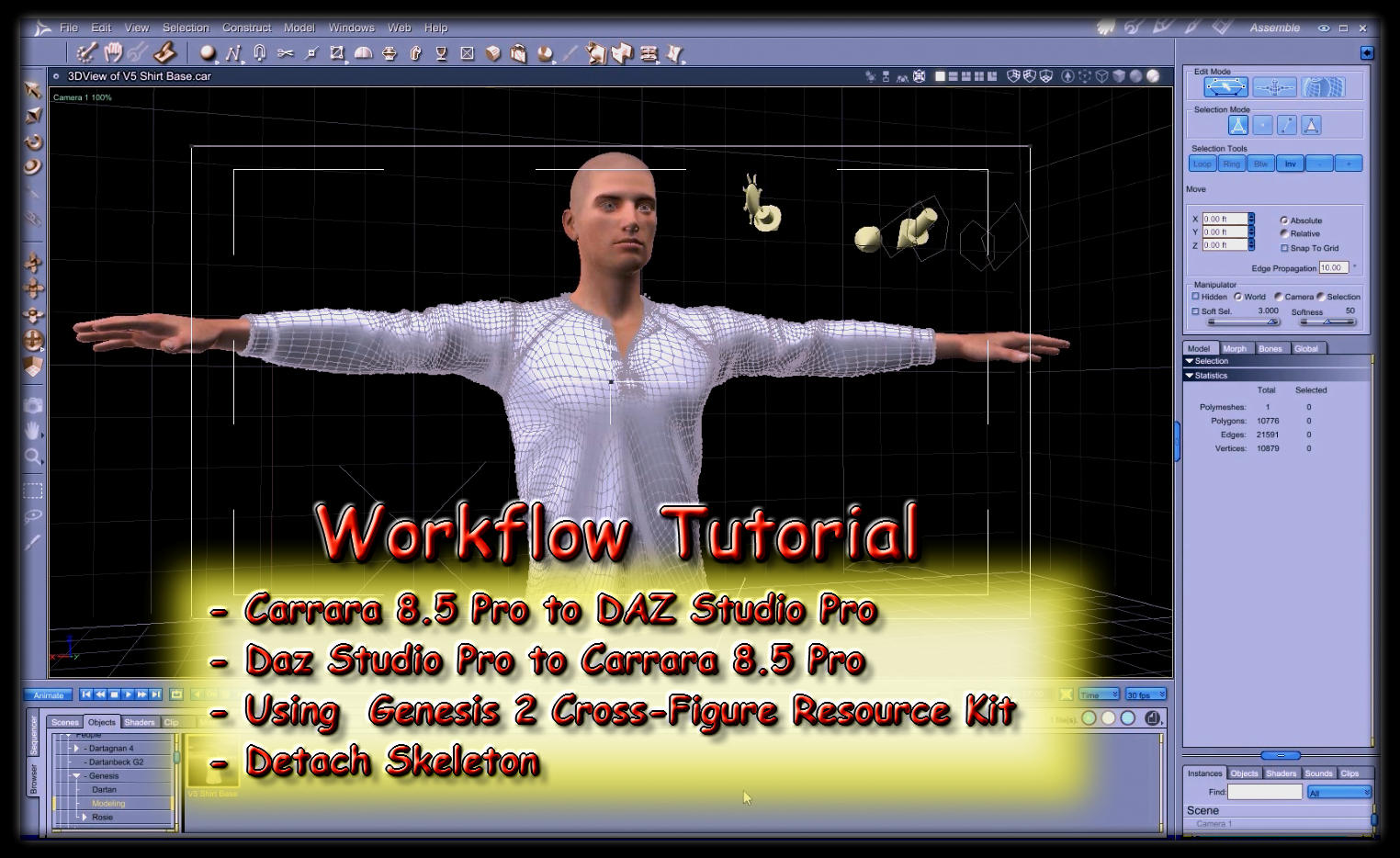
Well this got me all into all of this again. That tutorial includes the demonstration of using the Genesis 2 Cross-Figure Resource Kit to change female clothing to male and vice versa. This might make for a fine additional workflow to converting clothing from one Genesis generation to the first, since the female attire could be shaped to male to better align with the Genesis 1 base for a good OBJ to work with - and I believe that there are Cross-Figure Resource Kits for other generations of Genesis.
Okay now my mind is getting back to where I was then, so I start getting back into what I was doing with those amazing tools found under the new hood of Daz Studio 4.0, when that came out, and I was having fun with Genesis in the Carrara 8.5 beta. Now we're getting deeeeep again!
Oh man, do those tools have no end? I have so much fun trying new things - making new things - but now I've been using Fenric's Unlock Figure to Detach Skeleton so that I can run V4, V3, A3, etc., etc., clothing through VWD without the auto-fit shrink wrapping it first - it's been a really fun thing, and it works really great - for many (not all) things!
Thank goodness for PC+ offering so many free items over the years. I'm taking things that I think might work to shape into... okay, yeah. I'll see what shapes I can make with this one. Load it in, do not Fit-to, go Edit > Fenric > Unlock Figure. Then Animation > Detach Skeleton. Drag Model or Actor out of the rig, delete the rig. Select the Model or Actor, rename it to what I call it now, Edit > Center Hotpoint. Scale tool it close to the size I need it to be - sometimes a bit too small, sometimes a bit too big. Which ever gets me closer to the final shape I'll be modeling it into.
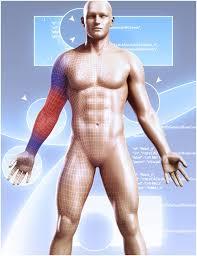 Now I click the wrench tool to edit the mesh in the Assemble Room. Section > Select By Shading Domain and delete any parts of the mesh I don't want to keep. Move stuff around, model it as if it was a model I made myself but never finished. Blah, blah, blah - and it goes on.
Can you see where I'm going with this?
Instead of only running these end results through VWD, I can use these same techniques (as I did back then) to actually create new conforming clothes that fit my character! Now I only need to figure out how to get a clone of Rosie 5 into Daz Studio so I can subract that from the shape, when using the Transfer Utility to turn the OBJ into a conforming cloth. That part should be quite simple, I'm thinking. I just need to test the TU and see what all is in the drop down used to subtract the shape from. If it contains my GenX2 people, I think I'm in luck. More on that later, I'd imagine.
So this all got me to digging back into Daz Studio's amazing CCT (Content Creation Tools). Here's my new page on all of that:
DAZ ZONE > Daz Studio > Content Creation Tools
A measurement featureIt is pure horror
They make plenty of Doctors offices with all kinds of details
and NEVER the Measure rod.
Asked for it since 2003.
it just does not happen
But there is a free one here: https://www.renderosity.com/mod/freestuff/z-doctors-measuring-device-including-morph-/74468
Anime Nose Morphs?Yeah, we have the other anime style morphs like that but while the semi-bobble-head look is there, the nose just sticks out as realistic and ruins the look. Now, Anime Doll at Renderosity looks very nice and has the ideal pointed nose style that would work but having a dedicated morph for that style of nose would be helpful. Even just a "Hide Nostrils" or "Smooth Nostrils" morph would work but so far we've only been able to adjust that by modifying the exported character in Mudbox later. As it is, whatever morphs I've tried simply shrink the nose or end up requring a full head or body morph to go with it and it just scrunches the nose up without giving the smooth pointed anime nose look. I know there are custom male morphs for some of the female anime figures but having a set of Anime-style nose morphs and maybe some other adjustments would help to apply different styled figures as well (ie. "Pokemon" characters vs. "Deathnote" characters). In my research, older versions of Hiro and Aiko had some custom options that seemed nice but either the download links are gone, the artists have retired, or the morph options wouldn't transfer to Genesis 1/2/3/8 properly, also, there would be the problem of being stuck with that look of Version 3 characters.
Four (4) Arms for Genesis 8Thanks. Wasn't exactly looking for a creature per se. Was wanting something where I could build an alien out of it.
Same here, I'd love something like this to make some alien figures. But, after some theorizing, I figure a developer would want to make a custom skeleton for something like that as well, to make some sensible connection for the extra arms, instead of just stacking two pairs of shoulders on top of each other. I actually wouldn't even mind if a second (or third) pair of arms turned out to be smaller, or even moved slightly forward towards the belly/chest to make it happen properly. And then would come the next problem: outfits. As awesome as many sci-fi and fantasy outfits are, most don';t really support extra arms, so such a special morph (or geograft, or even custom model) would need some custom outfits to make it a success. Some generic yet extremely bodysuit for starters..
Some developers here might consider such a figure as an awesome interesting project, but they still wouldn't do it, because it'd be a huge hassle, and pretty niche. Not necessarily something that would put bread on their table, and as such, not something they can afford to spend time on.
Rigging of V3 & V3 clothingyeah sadly not owning the character I cannot find if it works either
I could make a genesis clone if I owned it though
what you need to do is fit the V3 mesh to genesis, import the glamorous Vicky morph on it using its obj in morphloader
save that as a clothing asset
then fit genesis to it and dial in the morph, hide the clothing and export the base genesis shape as an obj
import that on genesis as a morph and adjust rigging to figure shape
run erc freeze
under parameters in edit mode change it to morph clone
then save the morph asset as morph not clone
Reconstruct Subdivision in ZBrushIt won't work because DAZ and Zbrush use differente subdivision algorythms. DAZ uses Catmark while Zbrush uses Catmul-Clark. When you use the "reconstruct subdivision" feature in ZBrush you are breaking the vertex order of the model. That's the reason why it explodes when loading it back to DAZ.
One solution is to use Blender's addon "Transfer Vertex Order":
The addon restores the correct vertex order to your mesh so you can now load it back successfuly as a morph in DAZ.
(Maybe Maya has something similar but I don't know as I have never used Maya.)
Hope this helps,
Martha
Rigging of V3 & V3 clothingThanks Catherine. I confess at first reading I think I understand about 50% of what you said. I shall study it again and research what I'm not sure about. Thank you for taking the time to describe a way to do it to me.
GV3 when fiddled about for iRay looks as below:

A bit tall, leggy, excessively slender and not apparently wildly life-like, but.. actually pretty close to the shape of the young lady who became my wife Tracy. OK, my wife had only unintentionally achieved that shape shortly before I met her having had a quite debilitating dose of gastroenteritis and she filled out a fair bit within the next 8 months before we got married, but she was close to that shape when I met her. Her figure made me want to get to know her, and having done so, her figure became unimportant because the whole of her was important, not just her figure. Anyway, I am fond of GV3's shape because I am reminded of my wife every time I see her. Sorry maundering a bit here, I shall stop forthwith.
It is my aim, one day, to transfer the whole GV3 shape to G8F, but I thought I'd take a baby step first of getting more clothes to fit the slightly oddball version of V3 she represents. I know the figure transfer from V3 to G3F then G8F is not always reliable and I am preparing for a long slog on that side.
Regards,
Richard.
Anime Nose Morphs?How anime are we talking? Fully stylized, or more like later Aikos that are less overtly anime than A3/A4 but still a lot more stylized than Vicky?
In general, Rendo is better for stuff like that in my experience. Anagord sells lots of morphs and has a small nose morph pack for G8F that may be helpful, plus three packs of G8F anime body morphs. KrashWerks and ColorGaleria also have quite a few heavily stylized full characters.
Biala has a lot of morphs that are pretty far out there, including the Manga Morphs for G8M and G8F, Elf Creator packs, and also some other toon morphs
I assume you already have tofusan's free anime head morphs for G8F/G8M and G3F.
Rigging of V3 & V3 clothingDo I understand correctly that the end result you are after, is to have new clothes for GV3?
Legacy clothing is made by replacing the body parts of the main figure with the various groups of clothing - named {as I recall} to be the same as the bones they are to be attached to. We used blank .cr2 figure files for this. [i.e. they contained only the rigging information, "no" morphs]
The solid mesh of clothing needs to be grouped in D/S, exported out using certain settings, then the blank .cr2 is loaded in the Figure Skeleton setup pane, slide over to get the rigging into the hierarchy side, then the new clothing is imported in as well. Unrequired bones are deleted. The new mesh is slide over to replace the calls for the blank mesh. Make sure the appropriate rigging is selected [i.e. for legacy], then "create" ... and hopefully one has a clothing item appear in the viewport. Then one goes through each and every bone to make minor adjustments for twists and turns, etc. When done, saving out the clothing as a .cr2 figure.
After a few weeks of pulling out hair and all else being pretty much as is, the October sales should be upon us. Then one decides to be nice to oneself and get the legacy shapes for Genesis [at least]. They include V3.
Now while there is allegedly a collection of how to plugins for transfering morphs from hither to yawn ... I have yet to see "everything one needs" on sale at the same time and so do not have all whatever said collection may or not include.
However, the morph pool for Genesis is pretty big. With V3 dialed in, and other various morphs [is or was a huge free collection over at sharecg.com] plus using one's morphing skills with either modellers or the funky dFormers, perhaps one could achieve something akin to GV3 [which I do not have nor have any idea what it looks like] ...
And then to make clothing is super duper EASY. Make clothing 'one piece of mesh' ... landing on figure as desired when .obj file is imported. Run transfer utility using figure as donor, clothing as target. Select appropriate bones [very bottom choice bar, i.e. something for a dress, or pants, or hair, etc. Attachments are for geografts.] and accept. DONE. Save as Figure/Prop file. Then one can if need be or so desired, add additional morphs or jcms, etc. depending upon the garment and circumstances. {and remember to save those too}
And once any garment is made for any Genesis clan member, it can be autofitted to fit any of the other clan members. Most clothing items will "follow" their figure pretty good through their various character morphs. Extreme morphs [i.e. people/Yeti] would require some special morphs being made to deal with the extremes.
Last I checked, D/S 3 Advanced - which was released free on magazine's disk - was still available on the archival website [digital library, legal]. Just takes awhile to find which disc it is on ;-)
Daz 3D is part of

Connect
DAZ Productions, Inc.
7533 S Center View Ct #4664
West Jordan, UT 84084Licensing Agreement | Terms of Service | Privacy Policy | EULA
© 2026 Daz Productions Inc. All Rights Reserved.