-
Are these merchant resource kits or not?
sometimes it means you can redistribute your own character using them but buying the morph set is a listed prerequisite in your product
Khemsit 8...She's got a really unique morph, and she seems to take expressions pretty well.
 beginner questions
Thanks Gordig, that helped alot. I was able to use several of the Characters\Models I downloaded, now that I finally understood how to unzip the files correctly. I was sure the folder would be replaced when one put a folder with the same name over another folder, but cleverly it merged them. Still a few issues here and there, but atleast now I feel like I can do somethin with the program. Thanks a whole lot :)
There was a couple other I downloaded that I didnt get to work, but they were not entire characters, just morphs, if I understand correctly. And when I "install\unzip" them in the same way, put them in the correct folder, I can't find it in the program. Can you tell if this is different?
I just downloaded that, and it worked for me. Try searching for "pop" in the parameters pane if you're having trouble finding it. It should be under Full Body.
Gordig, is Content Wizard really good? I watched the video about it, and it seems really nice. I was thinking about doing most of this for free, since it is not work related for me, but if it saves me alot of time and it is really good, I will buy it.
I think it's definitely worth it. I got it after I'd largely stopped using free content, and I still consider it worthwhile.
A measurement featureIt is pure horror
They make plenty of Doctors offices with all kinds of details
and NEVER the Measure rod.
Asked for it since 2003.
it just does not happen
But there is a free one here: https://www.renderosity.com/mod/freestuff/z-doctors-measuring-device-including-morph-/74468
It should be in Install Manager Ready
I messed something up and now Genesis 8 always loads with preapplied morphs.Looking at the screenshot it seems that Gou Luk character is applied automatically. Reinstalling Gou Luk character should fix the default value of the Gou Luk character morph.
No dice!
I did however figure it out by searching through similar threads. Namely this thread: https://www.daz3d.com/forums/discussion/comment/2579591/
The problem was that I saved the morph as an asset file, which is found in the data folder ( \data\Daz 3D\Genesis 8\Female\morphs\authorname\productname)
I must have mashed the "save as asset" button at some point while experimenting with custom morphs because I recogizned the "author name" I left on the morph asset folder as my own.
So it wasn't Gou Luk directly but a morph you saved which used it?
Glad you found what caused the problem.
I must have had Gou Luk's sliders turned up when trying to create a custom morph slider.
I messed something up and now Genesis 8 always loads with preapplied morphs.Looking at the screenshot it seems that Gou Luk character is applied automatically. Reinstalling Gou Luk character should fix the default value of the Gou Luk character morph.
No dice!
I did however figure it out by searching through similar threads. Namely this thread: https://www.daz3d.com/forums/discussion/comment/2579591/
The problem was that I saved the morph as an asset file, which is found in the data folder ( \data\Daz 3D\Genesis 8\Female\morphs\authorname\productname)
I must have mashed the "save as asset" button at some point while experimenting with custom morphs because I recogizned the "author name" I left on the morph asset folder as my own.
So it wasn't Gou Luk directly but a morph you saved which used it?
Glad you found what caused the problem.
Bug in animationI wonder if a work-around is to save as pose-preset on the character in question, all frames and load it back that way.
Having same issues!!!! - That might work, will have to try. In the meantime I had to revert to studio .86 for all animations (it saves morphs). Also reduced the G8 character and morph content to just what I am using for the scene. Without the additional characters/morphs overhead - I can preview animations in almost real time - makes a world of difference !!!
beginner questionsThanks Gordig, that helped alot. I was able to use several of the Characters\Models I downloaded, now that I finally understood how to unzip the files correctly. I was sure the folder would be replaced when one put a folder with the same name over another folder, but cleverly it merged them. Still a few issues here and there, but atleast now I feel like I can do somethin with the program. Thanks a whole lot :)
There was a couple other I downloaded that I didnt get to work, but they were not entire characters, just morphs, if I understand correctly. And when I "install\unzip" them in the same way, put them in the correct folder, I can't find it in the program. Can you tell if this is different?
https://www.renderhub.com/batov3d/pop-body-morph-for-g3f
Zilvergrafix, Thanks for the advice, I will check it out. I have been alittle uncertain where to begin, just watched a bunch of tutorials on youtube, some of those from daz3d also. I feel it is more motivating to make a scene that "looks like something", rather then posing or scaling a lifeless doll in the middle of nowhere. If you know what I mean <3 atleast that is how I feel. So now when I finally have some characters and houses and props to work with, it will be alot of fun. Renderhub has alot of awesome stuff, and so much for free :D
Gordig, is Content Wizard really good? I watched the video about it, and it seems really nice. I was thinking about doing most of this for free, since it is not work related for me, but if it saves me alot of time and it is really good, I will buy it.
Richard, you think the download issue was only on my side? Or was it something other people experienced as well? Thank you also for your help :)
good night people :)
I messed something up and now Genesis 8 always loads with preapplied morphs.Looking at the screenshot it seems that Gou Luk character is applied automatically. Reinstalling Gou Luk character should fix the default value of the Gou Luk character morph.
No dice!
I did however figure it out by searching through similar threads. Namely this thread: https://www.daz3d.com/forums/discussion/comment/2579591/
The problem was that I saved the morph as an asset file, which is found in the data folder ( \data\Daz 3D\Genesis 8\Female\morphs\authorname\productname)
I must have mashed the "save as asset" button at some point while experimenting with custom morphs because I recogizned the "author name" I left on the morph asset folder as my own.
I messed something up and now Genesis 8 always loads with preapplied morphs.Looking at the screenshot it seems that Gou Luk character is applied automatically. Reinstalling Gou Luk character should fix the default value of the Gou Luk character morph.
Horse2GoatI also converted the presets into morph sliders, and just for goofs, here is both morphs dialed to 100, with a default DH2 for scale.
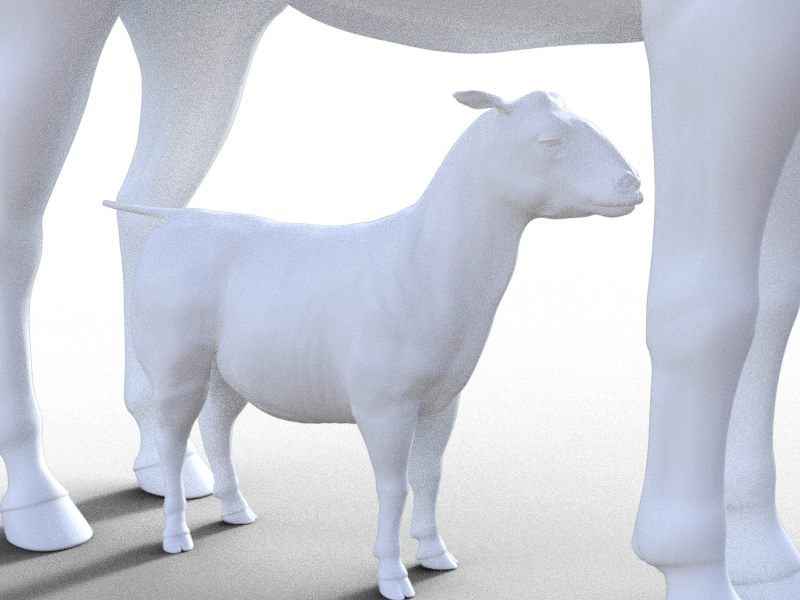
I wonder if I dailing in a bit of the toon pony might result in a pygmy goat...
I'm starting to sound like Victor Frankenstein, aren't I...?
Horse2GoatYou're welcome for the morphs, Gordig. I use the two morph sliders from the SF Unicorn to make my horse 2 based creatures either more robust or slender with slightly longer neck, so the Unicorn isnt too important considering the diversity among sheep/ goat breeds.
I really like the Gnu fur, and I'm hoping I can use different texture presets with at least the dForce fur. I can probably use the horns with my bull preset to make cape buffalo for AM's lions to do battle with. Should also look interesting on the DA Unicorn for Daz Horse 2.
I messed something up and now Genesis 8 always loads with preapplied morphs.To fix any ill-behaving morphs, do as follows;
1. Load your base figure or the developer version to an empty scene. ("Genesis 8 Basic Female" or "Genesis 8 Female Dev Load")
2. Select the figure
3. Select "Show Hidden properties" in the Parameters-Tab, drop down menu (right-click)
4. Zero the figure (Found in Parameters-Tab, drop down menu)
5. Memorize the figure (Found in Parameters-Tab, drop down menu)
6. File->Save As->Support Asset->Save Modified AssetsThis procedure will zero the default value in the ill-behaving morph/morphs, and while saving DS also shows you a list of the morphs it is changing.
No dice. I tried your directions a few times and Genesis 8 still loads with morphs already applied. The loading process also is taking much longer than it used to last week.
*Released* Porefectionist for Genesis 8 Females- CommercialI did a quick and dirty test with Twosret ( my new favorite). I loaded g8, subd to 5 and dialed in Twosret and added her maps. With standard render settings and my hardware (2080 ti) total render time was 47 seconds. Dialing in the Twosret HD Morph took 48 seconds to render. Removing that and dialing in 6 different Porefectionist HD detail morphs rendered in 49 seconds.
The difference will obviously be that you dont get that same overall effect that the DAZ O's have with HD, as mine only include face areas right now. If they do well, I may add more body parts that are considered more crucial for up close portraits.
Subd 5!!!! Is that what is required to see the detail? I couldn't even render a single naked character at subd 5 with my 6 GB graphics card. G8F at subd 5 is over 16 million polygons.
I got Mimic 3 Pro to work in Windows 10 but need some adviceA CR2 saved from Poser with the morphs injected and external binary morph targets turned off in Poser's Edit>General Preferences>Miscellaneous?
IRAY Photorealism?I am already updating the maps. And looks better now. It would be easier if she poses for me so I can take some skin photos hahaah. Maybe if we'd ask her, she would do it? Saw interviews with her and she is effervescent and fun.This character uses the same principle but different maps and also a bit different settings. As youIit is not easy. I think iray still lacks a lot of stuff for skin. Maybe a costum MDL shader is better.
When I was looking for suitable pictures to use in FaceGen Artist Pro for Elvis Presley (and any other celebrity for that matter), that's how there skin looks, like they have on heavy pancake makeup. You render is very good in that aspect of realism.
I'm just a hobbyist who likes to make pictures so I really envy your skills. I too like to include older characters because, well, they have character. When you are looking for realism, I suggest that such character will catch the eye more so than a plain, smooth Barbie. Unfortunately, I do't have your skills for creating your own skins or sculpting your own bodies and faces so I have to rely on morph packs and commercial skins. That said, it gives me hours of fun even though I'm not starting from a blob of clay, as it were.
This is a slightly modified version of Frida and with no effort at portrait lighting - just a quick scene with only HDRi. Some of my other characters have more extensive morphing but I like Frida.
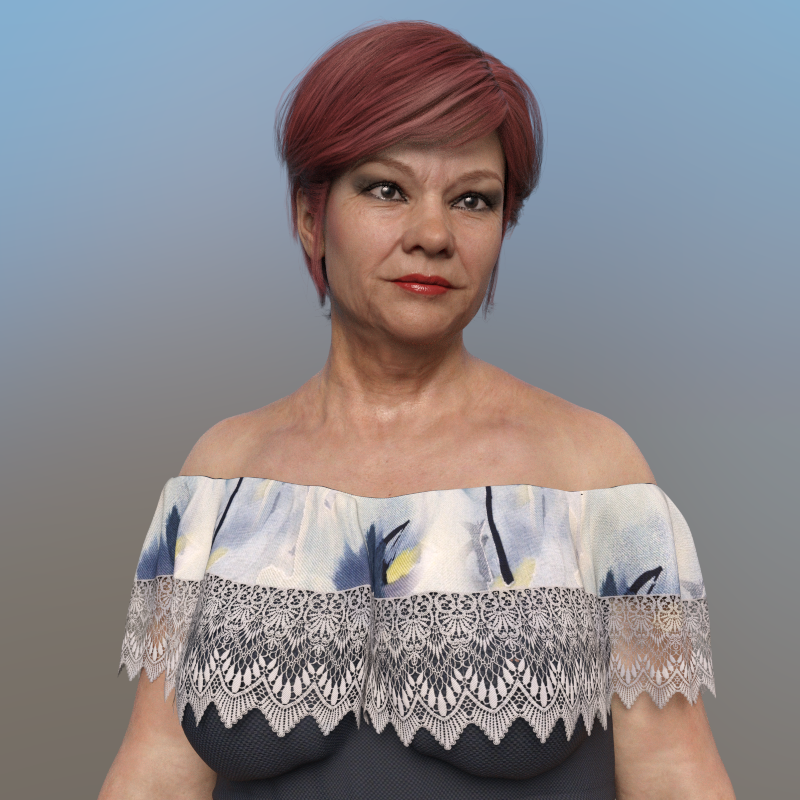
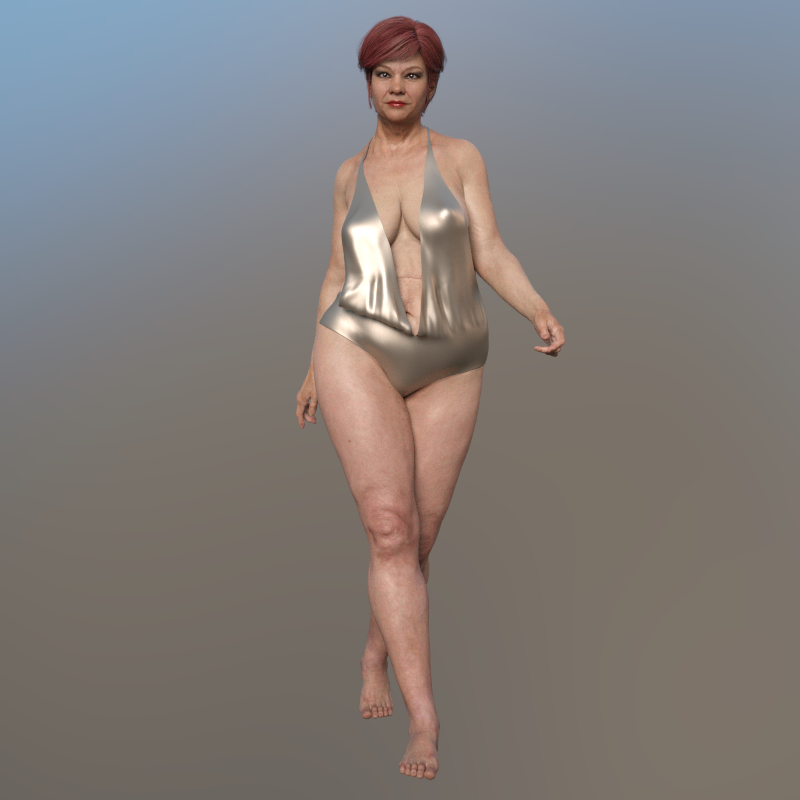 Khemsit 8...
Well, so far I'm dissapointed. The eye makeuo and lipstick load together (I pulled a different lip color from files), no fibermesh brows and as usual, I had to make the eyelashes longer with other PA morphs. But what really surprised me was that the Nirv hair looks nothing like the promos! Instead of a morph for length, there are style morphs and just combining the morph for curliness with a style morph that makes it longer, it gets all jaggedy! I haven't tried a smoothing modifier yet, but this looks like really old hair! Going to play with everything more to see if I can make things look decent, but I'm not happy with it so far.
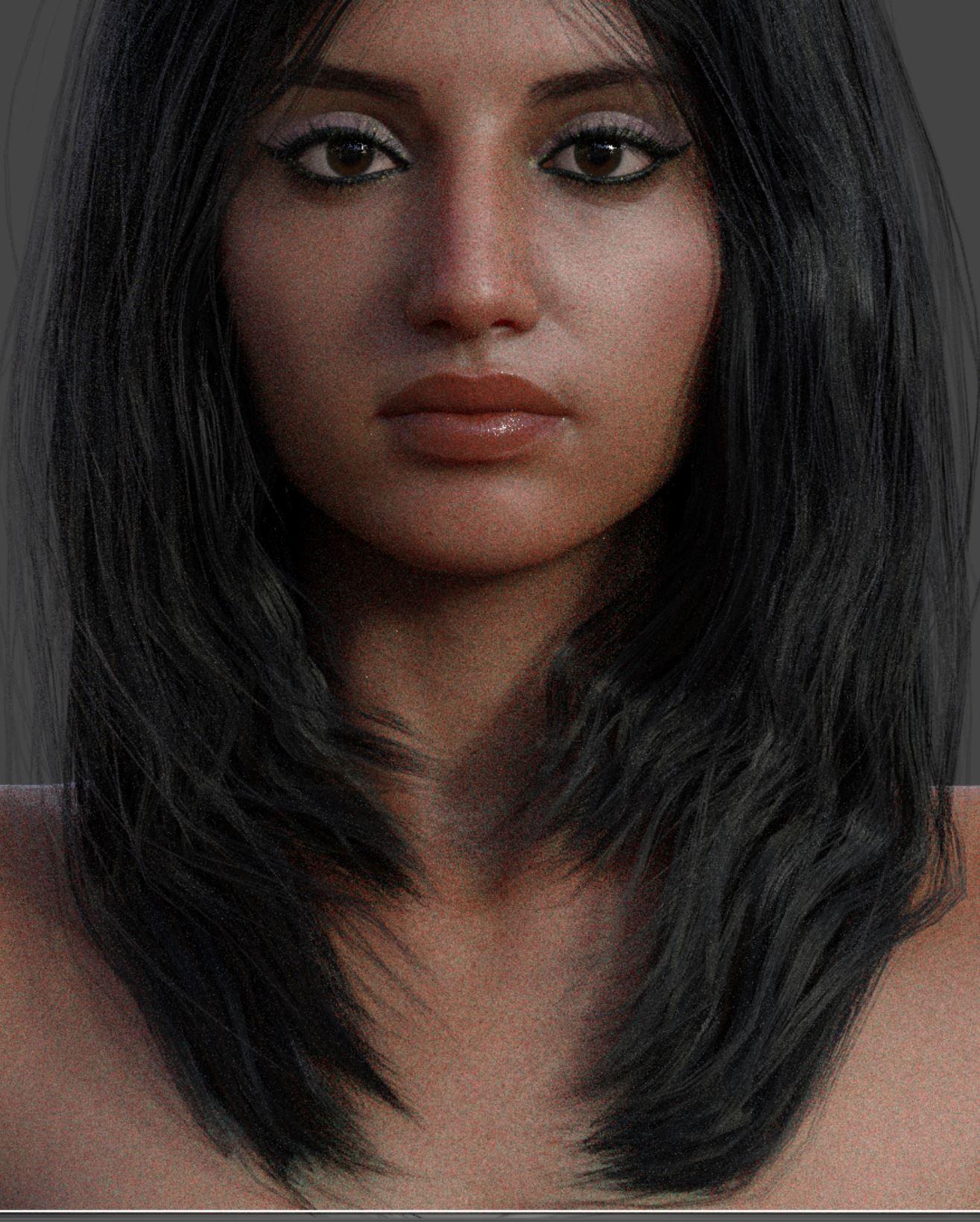
So close to clone Lana Rose,a youtuber
 Khemsit 8...
Well, so far I'm dissapointed. The eye makeuo and lipstick load together (I pulled a different lip color from files), no fibermesh brows and as usual, I had to make the eyelashes longer with other PA morphs. But what really surprised me was that the Nirv hair looks nothing like the promos! Instead of a morph for length, there are style morphs and just combining the morph for curliness with a style morph that makes it longer, it gets all jaggedy! I haven't tried a smoothing modifier yet, but this looks like really old hair! Going to play with everything more to see if I can make things look decent, but I'm not happy with it so far.
*Released* Porefectionist for Genesis 8 Females- CommercialThanks so much! "Volume" is EXACTLY what I've needed on the edges of the lips (and if I had thought of that word, I would've used it in my verbose mis-explanation). The other morph packs give me a polygon wide edge with no volume. This will hit the spot! I've needed it since earlier this year. It can't come out too soon.
I was kinda pissed when you stopped making characters, but you have really carved out a niche for yourself fixing problems for us. And you even threw in the incomparable Oshun a while back.
Finally, please consider religiously adding the word "hair" to your forthcoming hairs. Thanks for making the effort to show me what I needed!
You are very welcome!!!
I do wish I could have continued with characters but its just too much for me. I enjoy it so much, but, I get hung up on details that set me back weeks. Financially, it makes zero sense when I do this full time . So this little niche Ive carved out kinda screams me. I get to, get the whole character creation desire out of my system while still continuing to keep my head financially above water. It all thankfully, pans out :)
As for the hair, In my older age certain things seem to slip a little more often. Particularly words. I believe all the submitted products missing the word "hair" have worked their way through the system, so future hairs will have the word hair in them now! YAY!
Morph importing problemyou have to make your morph at base resolution or subd 0 unless you are a daz store vendor. only they get the privelege of hd morphs apparently.
Daz 3D is part of

Connect
DAZ Productions, Inc.
7533 S Center View Ct #4664
West Jordan, UT 84084Licensing Agreement | Terms of Service | Privacy Policy | EULA
© 2026 Daz Productions Inc. All Rights Reserved.