-
More Non-photorealisitic Renders (NPR II)
Been playng more with G1 blends. Found that Hitomi works best as an accent, rather than the main morph.
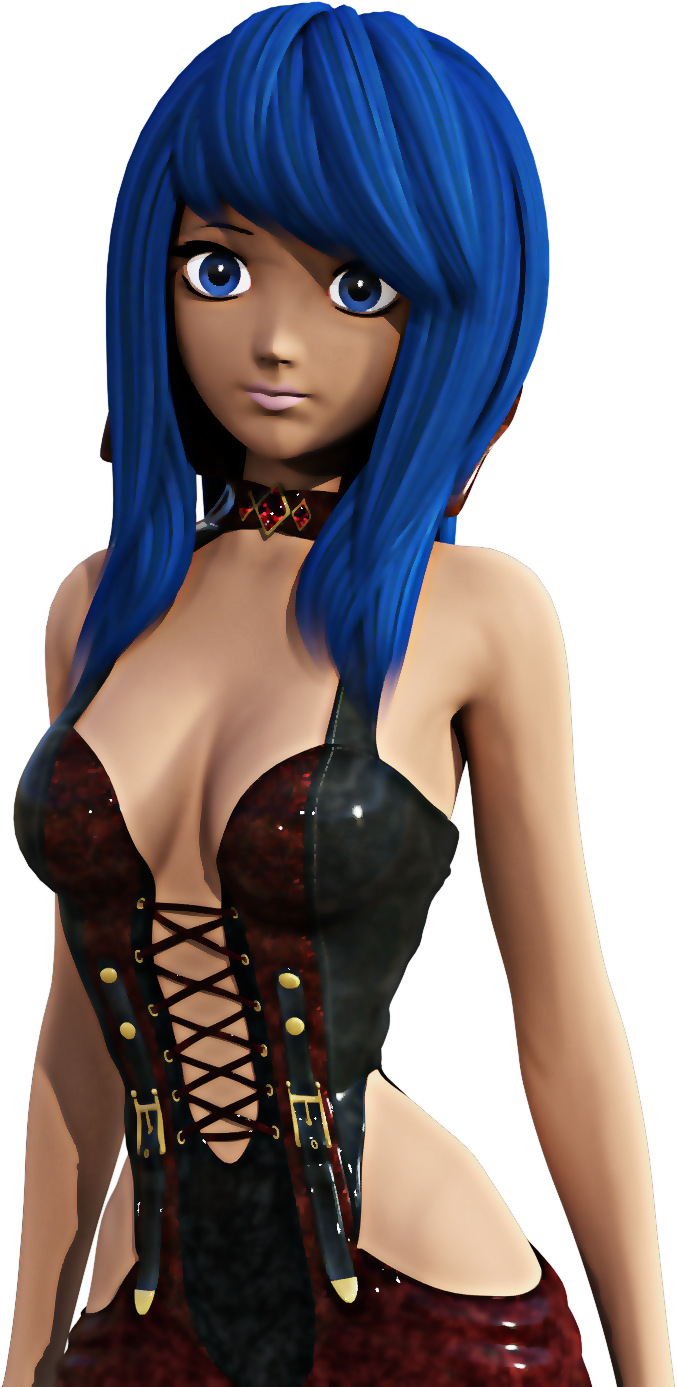
Cool design! Looks like something that could be fun to work with.
The Doors [A Rant...Sort of]use the geometry editor
This tool will only let you create new surfaces, but it can be used to make existing doors invisible to put in new doors, which is how I use it. Lots of sets come with moving doors which can be separated (unparented) and saved as a scene asset, then worked into position. That's how I solve the problem of non-opening doors anyway.... a tiresome process but works for me.
I 'solved' this in the update of Corridors I'm doing. The basic corridor prop is 600cm long and there are a lot of different ones - 4 door openings. 2 door openings. no openings, etc. Plus single walls, blank or with door openings, crossroads, T-junctions..... and they all fit together. You get the idea.
In amongst this, there are 3 door figures - each one has 4 doors and they fit any corridor unit. And each door can be switched off/on or moved to be used in a totally different environment. The 3 types are Wood, Office, and Glass. On top of that, these same 3 types, plus a pushbar door come as single props.
In the image, you can see Office doors along the corridor and an emergency exit at the back. (That pushbar door is in the figure, but also included as a prop)
Of course, it's only a partial solution because if you want sci-fi doors, I can't help you.
Just out of curiosity: How much extra time does it take you to model and rig a door that opens vs a door and frame that are merely decorative?
I can't answer that, because I've never made an unrigged door. All my sets have doors that open. Many of them have been multi-part props and not figures, but the work is mostly the same - hinges, locks, etc. I can tell you you that figures are more of a nuisance, with rigging and what-not, especially since DAZ switched to the full figure morph system, but I reckon there could be a fair amount of work on both sides.
One of the main things in any set is the planning, and definitely if you're going modular. That requires a great deal of thought, and measurements to see how the pieces will fit together,.
Anyone done any renders of Hagar?you can sort of fix the brows yourself, load her in, select the brows, open the transfer utility, set hagar as source and brows as target, set source item shape to current shape, under advanced options tick reverse source shape from target.
file>save as> support asset > save modified assets.
Unfortunately you'll still have to change the eyebrows fit to parameter each time you load Hagar as they load in parented and not fitted.
Edit: assuming update hasn't made any changes to the brows and they load in, in place parented to Hagar but not fitted
Thank you for this fix.
No Pose Controls on Import [SOLVED]Okay, I found the solution. If you find yourself unable to see any pose morph tags on import from Daz Bridge, go to your C4D preferences -> Import/Export -> FBX Import -> be sure under animation "Poses" is checked on.
FBX morph syntaxThe text you type is matched with the morph name (case sensitive), so if you enter "Head." it will export/bake/ignore any morph that contains "Head." it's nothing more to it then that, if you type the full name of the morph it will only export/bake/ignore that one.
I have not actually tried but it might be possible to do something like:
export "abc." (export everything containing abc)
ignore "def" (ignore any of the abc that contains def).
But that is juse a guess, you cannot do any more fancy filtering
Not sure what you mean with favorites, once you have a list of the ones you want to export you save it as a .csv file and you can reuse it next time.
Bake = The morph is baked into the exported mesh, so the morph is lost but the mesh is set to whatever the morph was
Export = The morph is exported and can be used in the FBX
Ignore = Do not export that morph
Can't use dForce hair or fur with UnityHello!
I would like to use dForce hair/fur with Unity. Especially Felidae by AM - Smilodon Populator ( https://www.daz3d.com/felidae-by-am--smilodon-populator ) and the required Felidae by AM - Lion ( https://www.daz3d.com/felidae-by-am--lion ).
The description clearly states that Daz to Unity Bridge is in the list of compatible softwares, however I am not able to transfer them. I just want to use it in a special pose, freezed in time for a short animation. So I've tried to export the Smilodon to an OBJ, I have set the Viewport/Render tessellation to 3 or 2, turned on the preview. The OBJ is 2.8 GB and I was not able to import it to Unity, but Zbrush shows it, that it is okay.
How am I able to send the Smilodon to Unity in pose? Or convert it to mesh ?
AIUTO...CHI CONOSCE L’ITALIANO? PARTE DODICINon cpaisco come si fanno a vendere degi shape preset a questi prezzi
Body By Sublime Series 8 Female | 3D Models and 3D Software by Daz 3D (daz3d.com)
"Con 10.000 lire il mio falegname la faceva meglio" cit.
Perché $3.26 ti sembra molto?
Io ho finito (tranne rare eccezioni) di installare morph, per non rallentare Daz, ma altrimenti mi sembrerebbe anche molto conveniente!
Per gli utenti normali so 5.93 $ scontati, il prezzo reale è 16.95 $. Per usarli devi spendere almeno 100 $ fra vari morph di base. A me sembra un enorme presa per i fondelli. DI solito chi vende gli shap preset, ci mette anche una texture per giustificarne il prezzo. Ma vendere degli shape preset a 16,95 $ mi sembra un assurdità. Ma in fondo c'è chi vende le foto ottimizzate per Iray, quindi che mi sconvolgo a fare.
Mi pare strano che gli shape preset ti rallentino, in fondo si basano su morph già installati.
Cross converted Morphs sharing allowed?@RichardHaseltine Quick question.
workflow: (Dev G8F mesh)
pose using sliders dials. to get proper alignment and shape to work out a sculpt on G8F in blender. Export as Daz collada, import to blender, sculpt out the shape I want which is unrecognizable to the initial shape of the dials of the G8F I exported,save as obj in blender, load as morph in morph loader on a zeroed out fresh dev G8F mesh, change the detail names in editor, like location of People/Real World/ Morph character name/ directory, limits, and tab colors, save as morph asset.
Distribution:
Only the morphs I created this way in a data folder structure. Like data/vendor/product name/morph I created from morph loader add.duf
Shaping preset dufs that increase the dial value to the morph I made this way.
Is this ok to distribute.
No, if you build on top of other morphs - however little that may be apparent in the end - then you need to strip those out of the final shape and distribute only the differences, with the original morphs being required products to get the final shape.
Geo-Graft head QuestionFor Adjust Rigging to Shape to work for a morph you have to have the rigging set up for the base shape and then memorised (Joint Editor tool option menu).
More Non-photorealisitic Renders (NPR II)Been playng more with G1 blends. Found that Hitomi works best as an accent, rather than the main morph.
G2, G3 Accessories with G8?In fact, you can use all conforming items from Genesis 1 to 3 with Genesis 8 :) You can even use conforming items for G8 Male with G8 Female :D
For other not conforming accessories (like weapons), you can use everything that can be imported in DAZ Studio so (OBJ, FBX, etc...).
And even if you have OBJ files, it's easy to conform them in DS :)
I also recently purchased a lot of Genesis 1, 2 and 3 items on sale for my G8 characters :) Some of them don't adapt very well to my characters, but it's easy to fix them using a Smooth Modifier or creating a morph in Blender (just load an OBJ of the item and your character, edit the mesg of the item, export it to OBJ and create a morph in DS).
And to convert 3Delight surfaces to iRay, it's also very easy, you just need to select all materials and click on Shader Presets -> iRay -> DAZ Uber -> !iRay Uber Base. You can verify parameters are good but all textures are kept :)
AIUTO...CHI CONOSCE L’ITALIANO? PARTE DODICIrallentano la libreria anche quelli!
I preset ti rallentano la libreria?
 Come sarebbe a dire? Verifica che il tuo PostGreSQL sia installato correttamente, può darsi che abbia dei problemi tipo delle porte non accessibili o operazioni in background che lo rallentano.
Non in quel senso, ricordi quando abbiamo parlato del fatto che ogni singolo morph installato rallenta il caricamento di G8 e la pulizia delle scene?
Eh, quello dipende dalla ultima versione di G8 che hanno rilasciato quando hanno lanciato il Face Transfer, hanno creato una nuova versione "compatibile" con il nuovo plugin ma hanno finito di rompere la base.
A me non lo fa (non troppo credo, ci mette circa sei-otto secondi a caricara nella scena) con un migliaio di morph installati tra commerciali e trasferiti perchè per fortuna avevo un vecchio backup e l'ho messo al posto del ultimo update.
Penso lo facesse anche prima!
Magari pochi di quei morph sono per G8.
No, sono tutti per G8, non possono essere per altro se carico la base G8 nella scena e apro il tab Parameters.
 Morphs for slightly anthropomorphic characters
All of the anthro characters (catgirls, Lycanthropes) I've seen morph the entire head when applied. I would like to be able to start with a pretty face and add a few details to make a furry character. I'm thinking something similar to Thorne/Sarsa's Pooklings for Gen 3 & 4.
Or the Kioki Furry morphs on Capsces site. http://www.capsces.com/capframe.htm
Despite the name, these morphs work on Aiko 3 as well as kioki.
AIUTO...CHI CONOSCE L’ITALIANO? PARTE DODICIrallentano la libreria anche quelli!
I preset ti rallentano la libreria?
Come sarebbe a dire? Verifica che il tuo PostGreSQL sia installato correttamente, può darsi che abbia dei problemi tipo delle porte non accessibili o operazioni in background che lo rallentano.Non in quel senso, ricordi quando abbiamo parlato del fatto che ogni singolo morph installato rallenta il caricamento di G8 e la pulizia delle scene?
Eh, quello dipende dalla ultima versione di G8 che hanno rilasciato quando hanno lanciato il Face Transfer, hanno creato una nuova versione "compatibile" con il nuovo plugin ma hanno finito di rompere la base.
A me non lo fa (non troppo credo, ci mette circa sei-otto secondi a caricara nella scena) con un migliaio di morph installati tra commerciali e trasferiti perchè per fortuna avevo un vecchio backup e l'ho messo al posto del ultimo update.
Penso lo facesse anche prima!
Magari pochi di quei morph sono per G8.
AIUTO...CHI CONOSCE L’ITALIANO? PARTE DODICIrallentano la libreria anche quelli!
I preset ti rallentano la libreria?
Come sarebbe a dire? Verifica che il tuo PostGreSQL sia installato correttamente, può darsi che abbia dei problemi tipo delle porte non accessibili o operazioni in background che lo rallentano.Non in quel senso, ricordi quando abbiamo parlato del fatto che ogni singolo morph installato rallenta il caricamento di G8 e la pulizia delle scene?
Eh, quello dipende dalla ultima versione di G8 che hanno rilasciato quando hanno lanciato il Face Transfer, hanno creato una nuova versione "compatibile" con il nuovo plugin ma hanno finito di rompere la base.
A me non lo fa (non troppo credo, ci mette circa sei-otto secondi a caricara nella scena) con un migliaio di morph installati tra commerciali e trasferiti perchè per fortuna avevo un vecchio backup e l'ho messo al posto del ultimo update.
Trouble loading morphs on genesis 8 in Daz 4.12I can no longer load any morphs on my genesis 8. The G8 initial load doesn't detect them either. My load times are wonderfully fast now, but only bodybuilder, pear, and two other basics show up. Trying to apply a shape doesn't change anything nor does any issue appear in the log
I uninstalled Daz and reinstalled it on a new drive after a fresh windows but directed it to the same folder to use as my library since i didnt have to change that drive. Everything still appears there, but now when I try to apply a shape or a morph on G8, nothing happens. Anyone have any ideas, as I really dont want to reinstall everything?
AIUTO...CHI CONOSCE L’ITALIANO? PARTE DODICIrallentano la libreria anche quelli!
I preset ti rallentano la libreria?
Come sarebbe a dire? Verifica che il tuo PostGreSQL sia installato correttamente, può darsi che abbia dei problemi tipo delle porte non accessibili o operazioni in background che lo rallentano.Non in quel senso, ricordi quando abbiamo parlato del fatto che ogni singolo morph installato rallenta il caricamento di G8 e la pulizia delle scene?
Investigating Character Load Timewell actually there is a way to check how much time conflicts waste. not 100% accurate because it's based only on daz studio log and I'm not sure everything is logged..
I am sure everything is not logged.
When I had problems with loading times, I first eliminated the warnings and then started removing characters and morphs that I wasn't using.
Every now and then I got a new warning that wasn't related to anything that was removed, for example typing errors inside the remaining morph files.
yea but that may also be related to the fact you loaded a different character with different requisites (and so different derivated morphs allowed) like G3 or G8 or V7, Darius 8 and so on..
No, that's not the case. I am talking about loading the development version that has no character and/or morphs activated, but as DS still reads each and every character/morph installed for that base figure, it should list ALL warnings every time but apparently doesn't.
[Released] ManFriday's Mesh Grabber [Commercial]Thank you for the Mac version!! :)
Better thank US Windows user for testing it and finding the bugs, before it got to you Apple guys and girls :P
I hope you Mac users will now test the Morph Addon first and good :P
Cross converted Morphs sharing allowed?@RichardHaseltine Quick question.
workflow: (Dev G8F mesh)
pose using sliders dials. to get proper alignment and shape to work out a sculpt on G8F in blender. Export as Daz collada, import to blender, sculpt out the shape I want which is unrecognizable to the initial shape of the dials of the G8F I exported,save as obj in blender, load as morph in morph loader on a zeroed out fresh dev G8F mesh, change the detail names in editor, like location of People/Real World/ Morph character name/ directory, limits, and tab colors, save as morph asset.
Distribution:
Only the morphs I created this way in a data folder structure. Like data/vendor/product name/morph I created from morph loader add.duf
Shaping preset dufs that increase the dial value to the morph I made this way.
Is this ok to distribute.
Daz 3D is part of

Connect
DAZ Productions, Inc.
7533 S Center View Ct #4664
West Jordan, UT 84084Licensing Agreement | Terms of Service | Privacy Policy | EULA
© 2026 Daz Productions Inc. All Rights Reserved.