-
Problem with joints with morph in animation [SOLVED]
Hello everybody!
Here I am once again! Trying to understand this lovely program called Daz! :)
I'm trying to make an animation of a human form morphing. I used morph loader pro to make the morph slider and it all worked out fine... I'm used to using morph loader pro, but this time, I'm trying to do my first animation of someone slowly morphing. When I move the morph slider the figure distorts cos the the joint (bones) don't adjust with the morphing figure shape... In a still image this is easy to fix. With the Joint Editor Tool I right click on the figure and in Edit I choose Adjust Rigging to Shape and problem solved. But this time it's an animation of a morph what I'm trying to do, and I don't know how I can make the joints adjust to the rig shape automatically in each frame to make an animation.
Does that mean I'd have to go frame by frame adjusting the rigging to the shape to be able to make an animation of a morph that doesn't distort?
Chest Region Conforming Gripe of the day- even with dforceTry this technique. It dosent work 100% but it works often enough that I use this method whenever I can. I use this mostly with dforce, havent tried it as much with conforming but it has worked a couple times.
Load a base G8 with whatever dforce clothing item it is you are using. Check your simulation settings to make sure that your duration is set for timeline simulation, be sure that start simulation from default pose is off (sorry, not sure of the actual wording at the moment). Set your timeline to 61 frames for the simulation or whatever you feel is appropriate. Frames 0 - 30 are going to be devoted to draping the dforce clothing item around your character. So at frame 30 you are going to morph your G8 into whatever character form you want to use. For example, base G8F at frame 0 morphing into Alexandra 8 at frame 30. If the method works, the shirt should drape naturally around your figure as it morphs into your intended shape. Then frames 31 - 61 will be used for the actual pose simulation.
Try this, I can get some good results from it. You might still have to mix in some morphs from fit control or whatever, but it should'nt take alot of fussing to get it right. Ill post a couple pics to demonstrate.
morph loaderI'm working on a sculpt of a figure i'd like to bring in to Daz with the morph loader. I've done this before with various base mesh alterations, however right now I am working in Mudbox and would like to try bringing in a subdivided sculpt. I'm not sure how i'm supposed to do this? Would anyone be able to point me in the right direction?
I tried loading in a test sculpt with one level of subdivision. 65,472 polys rather than the base 16,368. Morph loader wasn't having it.
Why is this happening?This happened to me years ago with an earlier build of Daz and through lots of questions asked, I was finally told that I may have a certain character morph that was a freebie at Rendo, to check and see if I had it. I did. They told me to delete it, I did. I immediately got my power back and characters were loading like they should.
Since you had a similar issue in the past and it was traced back to a character freebie, you should try to remember when it started happening again. If you can make a rough estimate of when you think the issues started again you can look back at your purchase history around that time (and see if you can remember if you installed any freebies during that time). You can uninstall your purchases and freebies downloaded from that time and see if that helps. If it does help you know that it's one of the things you uninstalled and you can then install them one at a time to find out which one is the culprit (assuming it's a product or a freebie that is causing it again).
Dartanbeck's Journey - CG FilmmakingWow!
I had no idea it had grown this much!
So here on October 14th of 2020, this is how far Dartanbeck.com has come. I never imagined it would grow this big this quickly, but it still has a l o n g way to go to fulfill my original intention of being a CG Filmmaker's complete(ish) resource - mostly geared toward using Carrara, but with hopes that it'll also inspire users of other software as well. It's amazing what can be done with little time - It's often difficult for me to get to a computer for any length of time.
Dartanbeck.com
Dartanbeck.com Home - Kind of a blog of what's inside with recent events toward the top of the page, under the initial greeting
Carrara Zone
Carrara Zone - Currently mostly a landing page to hold all of the Carrara oriented pages, but will eventually also serve as a more Carrara-centric blog
Carrara Info - A new Index for Carrara Information - features, guides, video links... this is meant to become a more cleanly placed and organized ►►► Carrara Information Manual ◄◄◄ sort of thing. It now houses a new Forum Help!!! Links index, but this time with Carrara Training videos from Cripeman and GKDantas, and will include my own as well.
- Carrara Cafe - A word about an amazing site!
- Cripeman Memorial - A loving dedication to a lost friend and the Index to his Cool Carrara Tricks
- GKDantas' Carrara Training Videos - Wonderful guides into many of Carrara's features and tools
- Installing Carrara - Just some important tips to get all you deserve from this incredible software. I'll be expanding this page soon
- Custom Browser - Still needs support images to guide the text, but this is part of what keeps Carrara very efficient for me to work in
- Carrara Plugins - An edited and updated version of Jay Nola's FAQ, this page also expands to several others filled with information, links and demonstrations. BrianOrca's Ocean, YaToons and more are on this main page within Jay's FAQ
- >>> Alvin Bémar
- >>> Daz 3D Plugins for Carrara
- >>> Digital Carvers Guild
- >>> Fenric
- >>> Frederic Rible
- >>> Inagoni
- >>> Philemo
- >>> Sparrowhawke
- >>> VWD
- ►►► Carrara Information Manual ◄◄◄ - talks about the origins of the post, etc.,
- Dantanbeck's Articles - Meant to be an index to the hybrid Video/Written articles I create - currently just links to my articles
- >>> Finding Carrara - a story of how I discovered my favorite reason to be on a computer!
- 3DXtract e-zine - Keeping this historic archive of greatness alive!
- Physics and Particles - a branch off of the Forum Help!!! Links, specifically regarding Physics and Particles
Carrara CG Workshop - In addition to being a landing page for all of the pages within, this page also explains the goal for this section
- Story - It all begins with one of these, right?
- Pacing and Rendering - A discussion regarding common film practices as well as render outputs for animations
Pre-Production Phase
Pre-Production Phase - The things we do to prepare for Production
- Concept Art - I have a few of my designs in here. I'll be adding more along with descriptions of them... eventually
- Concept Art > Kitbashing Marcoor - The process of making my cool Marcoor Hunter space vessel
Scene (stage) Setup - Currently only has one offering: Volumetric Lighting, which is an early hybrid video/written article. It doesn't have much of a written version yet - but does include a Base Scene Download
Character Setup - This seems to be my main interest lately, as it has quite a few articles. Don't worry, I'll be getting on to other stuff soon!
- Introducing Rosie 5 - I needed to get something started to find a focus toward developing this web site. This was it
- Making Rosie 5 - Developmental information on creating my main protagonist - to be developed further
- Using Genesis in Carrara - A work in progress that will explore many ways to use various Genesis generations within Carrara
- Genesis Morph Reduction - My method of not only reducing the weight of a Genesis figure, but also the number of available sliders in the Parameters tab
- Dynamic Hair - One of the parts of the Hybrid Video/Written article for Introducing Rosie 5
- EYEdeas 3+ - A look at using Arki's amazing 3D eyeballs! Another part of Introducing Rosie 5
- Millennium Teeth - Using third-party teeth to get what my character (Rosie 5) needed to complete her ultimate look. Another part of Introducing Rosie 5
- Character Transfer using NLA - I often like to update/upgrade my character to a fresh base figure with a different set of morphs (often when I buy new ones) - here's how I transfer the shape over
- Character Design - With its Character Template Scene download, this video/article demonstrates how I build each of my characters, monsters, animals, etc., It also covers the basics of creating shaders for Genesis (or any other figure, for that matter)
- Modeling for Genesis - A fresh look, rejuvenating an article I wrote here quite some time ago. The video I made then is still helpful in how to send models from Carrara into Daz Studio, rig them to conform to the intended figure, and save back into the library.
Production Phase
Animating - This is where my animation articles will continue. I placed some useful info in here to get it started
- Hybrid aniMation - another hybrid article I'm working on now. Currently contains much of the info from aniMating in Carrara
- aniMate 2 - Daz Studio comes with a free version, but when we buy the full version we get some really great bonus features!
DAZ ZONE
DAZ ZONE - This is an exciting page full of my love for Daz 3D with a stroll back in time to when Genesis came out and then even further down is this wonderful video I posted years ago - Daz 3D as it was when I was an aspiring young PA here! (the face you see there is Kevin, who was my boss! :) )

Daz 3D Content - Mainly just a container/landing page
- Daz 3D Bundles - A look at the amazing wealth of content to be found in Bundles at Huge savings
- Genesis 1 ROCKS!!! - I really dig into what I love about this amazing figure generation
- Victoria 4 - A look at what is still (by far) the absolute Most Supported 3D articulate human figure on the planet
- Some Personal Favorites - Kind of the opposite of "Buy something that doesn't work", this is stuff that I love, and it does work! I'll be adding a LOT more to this one as I've only just begun
- Carrara 8.5 Pro Content - This page shows the massive bundle that comes with Carrara 8.5 Pro. The price of Pro includes all of this plus Carrara Pro? Very Cool!
Daz Studio - I've started this page to help gather information towards learning this amazing suite called Daz Studio. As I learn I'll be expanding this whole section, but I like this page now already. I update it when I can - several times so far.
- Content Creation Tools - Oh Yeah! This is what I mostly use DS for now - and even in that I've only been scratching the surface!
Platinum Club + Experience - It's amazing how much value we can get from this service if we check in often! Even with little internet time I've been able to really fill up my library over the years - and the yearly membership cost is tiny comparatively
- PC+ Cloth Frenzy - I've only just started this page. Since I started using VWD and removing rigging from figures so that I can add/delete polygons, change domains, etc., stuff in the low-price range in the PC+ catalog looks great and is fun to model with! I am working on a tutorial on how I make the clothing into static prop objects and then model them to fit the morphed figure, then run them through VWD as if using them as conforming clothes. It's really neat!
Do It In Post
VFX Zone > Fusion - Movie Magic at its Finest! Hollywood-grade compositing software
Editing Zone > DaVinci Resolve - This page contains the Resolve Training materials I'm using to learn this Hollywood-grade Non-Linear Editor - and the free version also includes Fusion, built right in! (along with Fairlight Audio and Resolve's high-end color corrector)
- A Quick Look - This is my short demonstration of some of the techniques I used to create the "Introducing Rosie 5" video
 Gallery
Gallery - This landing page also has a carousel of some of my images you've all seen before. The Still Images and Video pages are very much incomplete still

 Downloads
The Software
The Software - I've included most of what I'm currently using and more. I still have plenty of stuff to add though. HitFilm will be coming to this page, and getting its own but I haven't used in yet in my current workflow - but its coming! Some software is just linked to from this page, others have their own as well:
- Cyberlink Software - Great setups for video production and a lot more. Philip Staiger (PD Howler) uses this to make his awesome videos
- Autodesk - With as little time as I have to use software, this high-end stuff isn't the practical choice. But when you want to go pro....
- PD Howler - Oh yeah!!! My favorite image editor to date!
- Particle Illusion - amazing particle effects simulator/recorder, now from Boris
Whew! So that's the current list of pages. While a few of them are rather bare, currently just containers or landing pages, they have a lot of content in the works for them and the other pages are looking pretty cool, I think.
...and some of my Carrara forum friends have asked my to put up a "Donate" button of some sort, so I reluctantly made a Donate page. I don't really have a method for taking donations, as such, so I offer some examples there ;)
Obj import Export Morph QuestionYou need to export at Base Resolution. (Setting Sub D to zero will NOT work).
You need to make sure that the scale the item comes back in at is the same as in Studio.
You can NOT add or remove geometry. EG: If you delete a vertex, then add it back - chances are it will break. You would have to undo said delete.
Ideally work in default pose and default shape; if you're not, then import back in and select the settings to allow for the differences.
(If you ever use external software to adjust the obj, then you will also need to check/find where the option is to Keep Vertex Order.)
OK...this makes sense... I'll try it again...
I just wanted to make a morph out of the result, post smooth modifier...and I assumed smooth modifier didn't add geometry.
JD
Conforming Garment Shirt Sleeve Distortion HorrorHi. I've made a short sleeved shirt in MD and used the Daz transfer utility which kind of works all right if the figure bends his torso but when he lifts an arm the result is absolutely repulsive.
I've tried weight mapping but that just gives it a new kind of horror.
I've tried refitting the shirt in MD with the avatar's arms up and it looks fine in MD but the sleeves explode in Daz.
I've included pics of the pre weight mapped horror and the post weight mapped horror.
Does anyone have a solution?
1. Model the shirt to the default load position of the figure. ["A" for G8]
2. The shirt must load exactly where it is to be on the figure in said position. Run the transfer utility to make the clothing. Then select the clothing item and save it.
3. Then onto the wonderful world of making pJCMs. JCMs are what cause the issues you are seeing. To deal with those entering the clothing, the clothing needs to have its own set of morphs bearing exactly the same name so when the figure's arms are raised causing its JCMs to be activated, it will also dial in your new pJCMs in the clothing.
Conforming Garment Shirt Sleeve Distortion HorrorHi. I've made a short sleeved shirt in MD and used the Daz transfer utility which kind of works all right if the figure bends his torso but when he lifts an arm the result is absolutely repulsive.
I've tried weight mapping but that just gives it a new kind of horror.
I've tried refitting the shirt in MD with the avatar's arms up and it looks fine in MD but the sleeves explode in Daz.
I've included pics of the pre weight mapped horror and the post weight mapped horror.
Does anyone have a solution?
Pet peeveHeh, need to have insane morph where the thighs open like Robocop's do to put away his gun.
...actually had a Shadowrun character with a cyberleg that had an internal holster.
Soft Expressions Collection 2 (Solved!)It is likely that another expression has been loaded prior to your selection of "SE02 Smile_02". This can happen if you have been trying other expression and forgot to zero the changes or if a figure has had an expression applied and then been saved over the original. This is a fairly common occurence for new users.
I have a lot of Studio characters and i don't quire recognize the character in your example so I wonder if another morph/expresion is at play.
@fastbike1 Thanks for the response. The character is P3D Aria. Here are my steps:
- Open new scene
- Load P3D Aria
- Load expression "SE02 Smile_02"
The result is what I showed in my screenshot in the original post. I even tried the expression on the Genesis 8 Basic Female and get the same issue. See below for Genesis 8 Basic Female with the SE02 Smile_02 expression applied and nothing else:

It looks a little less weird than the P3D Aria character, but still doesn't look like the promo images nor the thumbnail for the expression shown in my original post.
I went to the Shaping tab and the only "Currently Used" shapes are Eyelashes Curl, Eyelashes Length Lower, and Eyelashes Length Upper. Similarly, the "Currently Used" Posing tab shows only pose dials that are brought on by the SE02 Smile_02 dial.
Could this have something to do with me using the Content Library tab rather than the Smart Content tab?
Editing CarsOut of range data indicates that this model was not uvmapped nicely at all and hence that mess.
Options are to select the surfaces in D/S and try out various shaders - some don't depend upon uvmaps, others do. Or just colour it. Or, use another car.
For D/S models one can make a brand new uvmap using a modeler. Not a simple process. If you know how to make a morph, the idea is the same, nothing must change to the model. One applies a new uvmap, makes the seams and lays it flat out. Exports out a new .obj file. Then in D/S with the car selected, somewhere under Edit is the option to bring in a new uvset. Give it a decent and short name. On the surface panel it will then appear as a selection option under uv sets. If a keeper, save it before making any new mats with it. File > Save as > .... something about uv sets.
Ten Years After - The Making of Dartanbeck.comSo here on October 14th of 2020, this is how far Dartanbeck.com has come. I never imagined it would grow this big this quickly, but it still has a l o n g way to go to fulfill my original intention of being a CG Filmmaker's complete(ish) resource - mostly geared toward using Carrara, but with hopes that it'll also inspire users of other software as well. It's amazing what can be done with little time - It's often difficult for me to get to a computer for any length of time.
Dartanbeck.com
Dartanbeck.com Home - Kind of a blog of what's inside with recent events toward the top of the page, under the initial greeting
Carrara Zone
Carrara Zone - Currently mostly a landing page to hold all of the Carrara oriented pages, but will eventually also serve as a more Carrara-centric blog
Carrara Info - A new Index for Carrara Information - features, guides, video links... this is meant to become a more cleanly placed and organized ►►► Carrara Information Manual ◄◄◄ sort of thing. It now houses a new Forum Help!!! Links index, but this time with Carrara Training videos from Cripeman and GKDantas, and will include my own as well.
- Carrara Cafe - A word about an amazing site!
- Cripeman Memorial - A loving dedication to a lost friend and the Index to his Cool Carrara Tricks
- GKDantas' Carrara Training Videos - Wonderful guides into many of Carrara's features and tools
- Installing Carrara - Just some important tips to get all you deserve from this incredible software. I'll be expanding this page soon
- Custom Browser - Still needs support images to guide the text, but this is part of what keeps Carrara very efficient for me to work in
- Carrara Plugins - An edited and updated version of Jay Nola's FAQ, this page also expands to several others filled with information, links and demonstrations. BrianOrca's Ocean, YaToons and more are on this main page within Jay's FAQ
- >>> Alvin Bémar
- >>> Daz 3D Plugins for Carrara
- >>> Digital Carvers Guild
- >>> Fenric
- >>> Frederic Rible
- >>> Inagoni
- >>> Philemo
- >>> Sparrowhawke
- >>> VWD
- ►►► Carrara Information Manual ◄◄◄ - talks about the origins of the post, etc.,
- Dantanbeck's Articles - Meant to be an index to the hybrid Video/Written articles I create - currently just links to my articles
- >>> Finding Carrara - a story of how I discovered my favorite reason to be on a computer!
- 3DXtract e-zine - Keeping this historic archive of greatness alive!
- Physics and Particles - a branch off of the Forum Help!!! Links, specifically regarding Physics and Particles
Carrara CG Workshop - In addition to being a landing page for all of the pages within, this page also explains the goal for this section
- Story - It all begins with one of these, right?
- Pacing and Rendering - A discussion regarding common film practices as well as render outputs for animations
Pre-Production Phase
Pre-Production Phase - The things we do to prepare for Production
- Concept Art - I have a few of my designs in here. I'll be adding more along with descriptions of them... eventually
- Concept Art > Kitbashing Marcoor - The process of making my cool Marcoor Hunter space vessel
Scene (stage) Setup - Currently only has one offering: Volumetric Lighting, which is an early hybrid video/written article. It doesn't have much of a written version yet - but does include a Base Scene Download
Character Setup - This seems to be my main interest lately, as it has quite a few articles. Don't worry, I'll be getting on to other stuff soon!
- Introducing Rosie 5 - I needed to get something started to find a focus toward developing this web site. This was it
- Making Rosie 5 - Developmental information on creating my main protagonist - to be developed further
- Using Genesis in Carrara - A work in progress that will explore many ways to use various Genesis generations within Carrara
- Genesis Morph Reduction - My method of not only reducing the weight of a Genesis figure, but also the number of available sliders in the Parameters tab
- Dynamic Hair - One of the parts of the Hybrid Video/Written article for Introducing Rosie 5
- EYEdeas 3+ - A look at using Arki's amazing 3D eyeballs! Another part of Introducing Rosie 5
- Millennium Teeth - Using third-party teeth to get what my character (Rosie 5) needed to complete her ultimate look. Another part of Introducing Rosie 5
- Character Transfer using NLA - I often like to update/upgrade my character to a fresh base figure with a different set of morphs (often when I buy new ones) - here's how I transfer the shape over
- Character Design - With its Character Template Scene download, this video/article demonstrates how I build each of my characters, monsters, animals, etc., It also covers the basics of creating shaders for Genesis (or any other figure, for that matter)
- Modeling for Genesis - A fresh look, rejuvenating an article I wrote here quite some time ago. The video I made then is still helpful in how to send models from Carrara into Daz Studio, rig them to conform to the intended figure, and save back into the library.
Production Phase
Animating - This is where my animation articles will continue. I placed some useful info in here to get it started
- Hybrid aniMation - another hybrid article I'm working on now. Currently contains much of the info from aniMating in Carrara
- aniMate 2 - Daz Studio comes with a free version, but when we buy the full version we get some really great bonus features!
DAZ ZONE
DAZ ZONE - This is an exciting page full of my love for Daz 3D with a stroll back in time to when Genesis came out and then even further down is this wonderful video I posted years ago - Daz 3D as it was when I was an aspiring young PA here! (the face you see there is Kevin, who was my boss! :) )
Daz 3D Content - Mainly just a container/landing page
- Daz 3D Bundles - A look at the amazing wealth of content to be found in Bundles at Huge savings
- Genesis 1 ROCKS!!! - I really dig into what I love about this amazing figure generation
- Victoria 4 - A look at what is still (by far) the absolute Most Supported 3D articulate human figure on the planet
- Some Personal Favorites - Kind of the opposite of "Buy something that doesn't work", this is stuff that I love, and it does work! I'll be adding a LOT more to this one as I've only just begun
- Carrara 8.5 Pro Content - This page shows the massive bundle that comes with Carrara 8.5 Pro. The price of Pro includes all of this plus Carrara Pro? Very Cool!
Daz Studio - I've started this page to help gather information towards learning this amazing suite called Daz Studio. As I learn I'll be expanding this whole section, but I like this page now already. I update it when I can - several times so far.
- Content Creation Tools - Oh Yeah! This is what I mostly use DS for now - and even in that I've only been scratching the surface!
Platinum Club + Experience - It's amazing how much value we can get from this service if we check in often! Even with little internet time I've been able to really fill up my library over the years - and the yearly membership cost is tiny comparatively
- PC+ Cloth Frenzy - I've only just started this page. Since I started using VWD and removing rigging from figures so that I can add/delete polygons, change domains, etc., stuff in the low-price range in the PC+ catalog looks great and is fun to model with! I am working on a tutorial on how I make the clothing into static prop objects and then model them to fit the morphed figure, then run them through VWD as if using them as conforming clothes. It's really neat!
Do It In Post
VFX Zone > Fusion - Movie Magic at its Finest! Hollywood-grade compositing software
Editing Zone > DaVinci Resolve - This page contains the Resolve Training materials I'm using to learn this Hollywood-grade Non-Linear Editor - and the free version also includes Fusion, built right in! (along with Fairlight Audio and Resolve's high-end color corrector)
- A Quick Look - This is my short demonstration of some of the techniques I used to create the "Introducing Rosie 5" video
GalleryGallery - This landing page also has a carousel of some of my images you've all seen before. The Still Images and Video pages are very much incomplete still
DownloadsThe Software
The Software - I've included most of what I'm currently using and more. I still have plenty of stuff to add though. HitFilm will be coming to this page, and getting its own but I haven't used in yet in my current workflow - but its coming! Some software is just linked to from this page, others have their own as well:
- Cyberlink Software - Great setups for video production and a lot more. Philip Staiger (PD Howler) uses this to make his awesome videos
- Autodesk - With as little time as I have to use software, this high-end stuff isn't the practical choice. But when you want to go pro....
- PD Howler - Oh yeah!!! My favorite image editor to date!
- Particle Illusion - amazing particle effects simulator/recorder, now from Boris
Whew! So that's the current list of pages. While a few of them are rather bare, currently just containers or landing pages, they have a lot of content in the works for them and the other pages are looking pretty cool, I think.
...and some of my Carrara forum friends have asked my to put up a "Donate" button of some sort, so I reluctantly made a Donate page. I don't really have a method for taking donations, as such, so I offer some examples there ;)
GENERAL FREEBIE REQUESTS part 3Hi, I'm having trouble finding alien skin textures for M4/V4/Genesis1. I'm sure I found some on sharecg years ago, but can't find them now.
Cheers.
There's a very wide selection still to be found: to be fair, you didn't specify what sort of alien. Many of them aren't aliens per se, but might do for alien skins in a pinch. I hope that one or more of these will suit your needs.
Mostly V4, but they'll work for the other two without too much fuss (some have textures+, others not so much):
- https://sharecg.com/v/70555/browse/11/Poser/The-Illiate
- https://sharecg.com/v/51942/browse/11/Poser/Asari-skin-and-head-textures
- https://sharecg.com/v/51941/browse/11/Poser/Barriss-textures-by-mememo
- https://sharecg.com/v/39582/related/11/Poser/Feeloo-for-V4
- https://sharecg.com/v/40636/related/11/Poser/Ankhanara-for-V4
- https://sharecg.com/v/39863/related/11/Poser/Sileena-for-V4
- https://sharecg.com/v/40105/related/11/Poser/Ixia-for-V4
- https://sharecg.com/v/77674/related/11/Poser/Mirialan-Skin-Textures-v4.2
- https://sharecg.com/v/63986/browse/11/Poser/XENO-Character-for-V4
- https://sharecg.com/v/75028/browse/11/Poser/MMD-Alien-Invasion-for-V4
- https://sharecg.com/v/95119/browse/21/DAZ-Studio/Iray-Toon-Fur-Shaders-for-Melody-2
- https://sharecg.com/v/85461/browse/21/DAZ-Studio/Furry-Friends
- https://sharecg.com/v/85486/related/21/DAZ-Studio/Furry-Friends-2
- https://sharecg.com/v/78555/gallery/11/Poser/Snake
- https://www.sharecg.com/v/35449/Poser/Verin-Ssinss-Drow-for-Victoria-4
- https://sharecg.com/v/57702/browse/21/DAZ-Studio/DSA-Mats-for-Verins-Ssinss-Drow-V4 (add-on for the above)
- https://sharecg.com/v/67291/browse/21/DAZ-Studio/Genesis-Drow-2nd-Skin
- https://sharecg.com/v/64781/browse/21/DAZ-Studio/Genesis-Dragonrider-FB-Morph-and-Texture-DS-4.5
- https://sharecg.com/v/67179/browse/21/DAZ-Studio/Lizzar-For-Genesis-DS4.5
- https://sharecg.com/v/67292/browse/21/DAZ-Studio/Genesis-Ghost-2nd-Skin
- https://www.renderosity.com/mod/freestuff/5-yeux-daliens-pour-genesis/65350 (Alien eyes for Genesis)
- https://www.renderosity.com/mod/freestuff/sci-fi-imperial-blue-alien-for-m4-and-v4/76141
- https://sharecg.com/v/78781/browse/21/DAZ-Studio/Terra-for-Vic-4
- https://sharecg.com/v/79274/browse/21/DAZ-Studio/Luna-Lux-for-V4
- https://sharecg.com/v/80523/browse/21/DAZ-Studio/BD-Nishi-for-materials-for-V4-and-Genesis-1
- https://sharecg.com/v/80371/browse/21/DAZ-Studio/Asajj-Ventress-for-V4.2
- https://sharecg.com/v/79124/related/21/DAZ-Studio/Venjahr-Muninn-for-Vic-4
- https://sharecg.com/v/78734/related/21/DAZ-Studio/Tenebris-Pythonissam-for-Vic-4
- https://sharecg.com/v/78556/gallery/11/Poser/Water
- https://sharecg.com/v/78575/gallery/11/Poser/Alien-Texture-for-Vic-4
- https://sharecg.com/v/24578/related/11/Poser/V-4.2-Character-male-Maxx
- https://sharecg.com/v/94374/browse/21/DAZ-Studio/The-Goblins
- https://sharecg.com/v/66183/gallery/11/Poser/Cheron-Skin-for-M4-and-V4
- https://sharecg.com/v/67903/gallery/11/Poser/Cardassian-Texture-for-M4-and-V4
- https://sharecg.com/v/61715/gallery/11/Poser/Romulan-Tattoo-Textures-for-M4-and-V4
- https://sharecg.com/v/61645/gallery/11/Poser/Orion-Textures-for-M4-and-V4
- https://sharecg.com/v/61643/gallery/11/Poser/Bolian-Textures-for-M4-and-V4
- https://sharecg.com/v/61641/gallery/11/Poser/Andorian-Textures-for-M4-and-V4
- https://sharecg.com/v/61639/gallery/11/Poser/Aenar-Textures-for-M4-and-V4
- https://sharecg.com/v/38244/gallery/11/Poser/Tellarite-for-V4
That should give you enough to start with, anyway. And if you see one that looks familiar, by all means, go for it. It might be one of those you misplaced.
Soft Expressions Collection 2 (Solved!)It is likely that another expression has been loaded prior to your selection of "SE02 Smile_02". This can happen if you have been trying other expression and forgot to zero the changes or if a figure has had an expression applied and then been saved over the original. This is a fairly common occurence for new users.
I have a lot of Studio characters and i don't quire recognize the character in your example so I wonder if another morph/expresion is at play.
Was the V4 Era the Golden Age of Creativity?I certainly think it was. Mind you, my perspective of that time is of a window shopper/observer of this cottage industry, not really a buyer/artist. Quite different nowadays. And yes, the market was way more focused on fantasy/sci-fi than it is today. Not surprising when you think back to whom the dominant vendors of that era were. Still plenty of that today, mind you, but it's tempered with a lot of realism. It's kinda like how baseball went from a batter focused appeal to a pitcher focused appeal. And while it's true a lot of bad stuff for v4 has been deleted.. a lot of really cool stuff has suffered the same fate. 110.1
But as for working with v4.. it was a hobby kit, to put it mildly. Morph loading, aggregious pokethru, getting her smile to actually look human were all uphill battles. By the time that era was over for me, I was never loading a base v4; I was loading custom rigs with tailored morph loads. And getting all that cool stuff to fit on those custom morphs was a nightmare I'm glad we don't have today at all. I would either have to use the fitting room in poser pro 2014 or the earlier option which was to inject the matching morphs into the clothing via a program offered by the late Draagonstorm. All that morph injecting quickly bloated the scenes. I wasn't working on anything special back then; I wouldn't get a serious computer that could handle the firefly era until 2015. Ironically the jump to IRAY occurred a week later.
I generally concur with RawArt that the 'instability' caused by three successor models being brought forth and discarded in about half a decade("about" on the northern side of that half) was both part of v4's longevity (and I'd add part of the current state of vendor production in the DAZ industry), but far more was occurring in the community as well. Consolidations, wars, DAZ building it's modern 'stable' of artisans and it's current model and approach to supporting the community took years and lessons learned.
But the end result is that we are without doubt in a second golden age: the reign of the Ocho. Genesis 8 has been dutifully supported now for over three years and it's catolog is much like that of v4 in her heyday. I can visually confirm that.
I went back and did a poser image about a year ago and was reminded just how difficult it was to get something set up. I've also tried to use the RSA converter to get those old outfits onto G8.. I can see why DAZ didn't include reverse compatibilty for v4 after I tried it. We're in a better place now. Technology has jumped 10 years and it shows. As neat as that stuff is.. very little of it is still salvagable as technology has marched on.
AIUTO...CHI CONOSCE L’ITALIANO? PARTE DODICInemmeno sapevo esistessero aggiornamenti di G8.
Se non lo sai, sallo! (cit.)

Si, ci sono stati aggiornamenti per G8 e tutte le altre figure. Non so immaginare come tu non possa essertene accorto, nella lista del DIM e in Connect vengono messi bene in evidenza. Solo quel fracassone di central non sembra fare quella notifica.

Ti linko uno screenshot della mia lista, è quella che racchiude tutti i morph su G8 che ho installati, dalla dimensione del cursore puoi capire grossomodo se la mia è più piccola o più grande della tua.
Ci ho messo quattro secondi esatti stavolta a caricare la figura.4 secondi per caricare una figura G8 con migliaia di morph installati?! Che stregoneria è mai questa?!
E come dovrei fare per provare la versione vecchia di G8?
AIUTO...CHI CONOSCE L’ITALIANO? PARTE DODICInemmeno sapevo esistessero aggiornamenti di G8.
Se non lo sai, sallo! (cit.)
Si, ci sono stati aggiornamenti per G8 e tutte le altre figure. Non so immaginare come tu non possa essertene accorto, nella lista del DIM e in Connect vengono messi bene in evidenza. Solo quel fracassone di central non sembra fare quella notifica.
Ti linko uno screenshot della mia lista, è quella che racchiude tutti i morph su G8 che ho installati, dalla dimensione del cursore puoi capire grossomodo se la mia è più piccola o più grande della tua.
Ci ho messo quattro secondi esatti stavolta a caricare la figura.[Released] ManFriday's Mesh Grabber [Commercial]Looking at getting this addon. Is there a timeframe for when the Morph Load/Save will be available for Windows @manfriday? Or is this already included in the Windows version of MG?
Many thanks.
The Morph Editor for Windows is not released yet. Give it a few more days. :-)
@mattporter, As you can see from the above quote, the Morph Editor is an Addon for Mesh Grabber. Daz marketing decides when to release products, though it's usually pretty quick for PA products. My guess is they decided to keep the Mac versions release separate from the Windows addon release to prevent possible confusion, and that the Morph Editor for Windows will show up after the Mac versions are no longer showing as Still New on the sales page. (I'm not including the catchup weekends, as I don't think Daz will wait until after the PC Anniversary sale to release the windows version. At least I hope not.)
Edit: Also, for future reference, notifications by name are case sensitive, so you need to use @ManFriday to get this PA's attention.
And welcome to the forums!
Thank you for the helpful response. And the kind welcome! Looking forward to this addon being released. It really should be native functionality.
Fiddling with Iray skin settings...Consider increasing the Base Bump and / or Normal Map values, and putting the bump or normal map in the Top Coat Bump channel (set the Top Coat Bump Mode accordingly) and experiment with the value for that channel (start from 1.00 and work from there towards a result you like). That should help break up the highlights and replicate a bit more realistic durmal topology.
I also often apply an HD morph with good skin detail that loosley matches the character's features (if you're not already using a character that has an explicit HD morph). That helps replicate a more realistic durmal topology in most cases. I set subdimension to 4 when using HD morphs, I find the details tend to get washed out at lower subdimension values.
thank you very much to everyone who have shared information on skin and hair settings. I'm having very good results with G3. However, I'm struggling a bit with G8F & M skin settings. Also some hair products are still too grainy even after 4h render time. I don't have such issues with G3 or lover. Render time is much faster. Have been reading all possible forum treads and external articles, I'm still stuck with G8. I'd appreciate your help, since I'm looking forward to render some promo images. Thank you in advance :)
Attached images is the last render with skin settings with the render time over 4h.
In this image i used V7 skin settings suggested by Arnold. I'm getting realistic results however she looks a bit too wet.
 Aeon Souls Alice for Genesis 3?
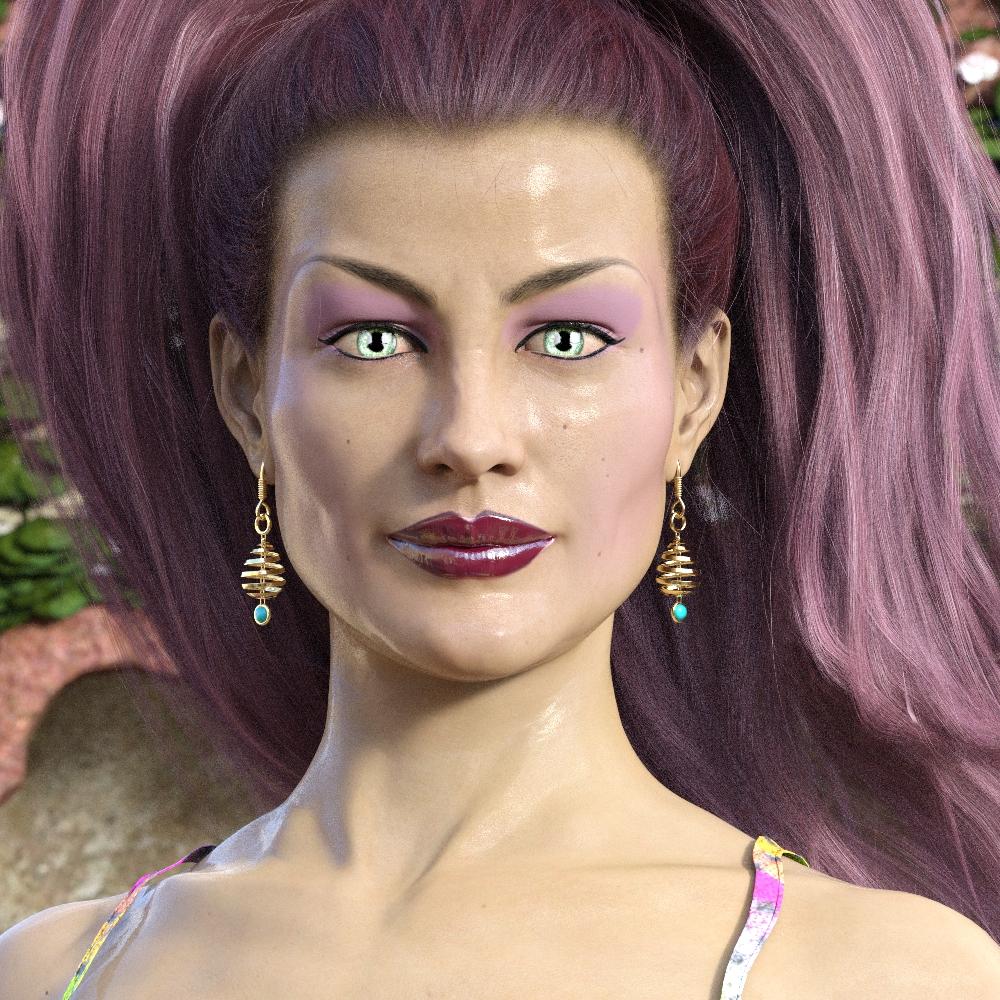
I love Alice. I only sort of see the logic behind (1) making her their brand and (2) not being willing to sell their brand. It still seems counterproductive to make all their clothing items for Alice, but then never selling Alice.
Perhaps they should just release a body morph like they did with V4. But the problem here is that the more people see the character in product promos, the more they want it. It's the same thing that happens with joelegecko's character who appears in DOs, like the goldtassel PC+ hairs.
Also, you might notice that Alice doesn't look exactly the same in the various promos in their shop. Sometimes her face looks toony, other times she looks more inhuman, etc. Her round, different colored eyes are consistent, though. If anything, the best option is to dialspin your own version to get close to whatever you like most about her.
There were/are multiple Alice characters {realistic, Faery, Yly etc..) so the various characters can look fairly different. This conversation is an odd one; merchants are selling the product that they are selling and nothing more and nothing less so there is no obligation to also sell the model as well as the clothes.
They don't seem to want the model with clothes, they just want the model available so they can make their own renders with it. Other characters like Olympia 7 or Babina 8, don't get asked this as much since they're easy to find and are for sale.
It's almost like the clothing identification posts for characters and pose sets. People see these in the promos and think they'd be good to incorporate into their projects.
Understandable but this is an unrealistic expectation. I once worked in a bookstore a long time ago. The cardboard displays that books are presented in are called "dumps" and they often can be very elaborate with lights, sounds etc... I can remember people asking if they could buy the dump rather than the book and having to explain that we were a bookstore so thy can only buy the books. Aerysoul gets to decide what product they want to sell.
Daz 3D is part of

Connect
DAZ Productions, Inc.
7533 S Center View Ct #4664
West Jordan, UT 84084Licensing Agreement | Terms of Service | Privacy Policy | EULA
© 2026 Daz Productions Inc. All Rights Reserved.