-
What Character Was Used for "Dina Hair" "Aviva Hair" Promos?
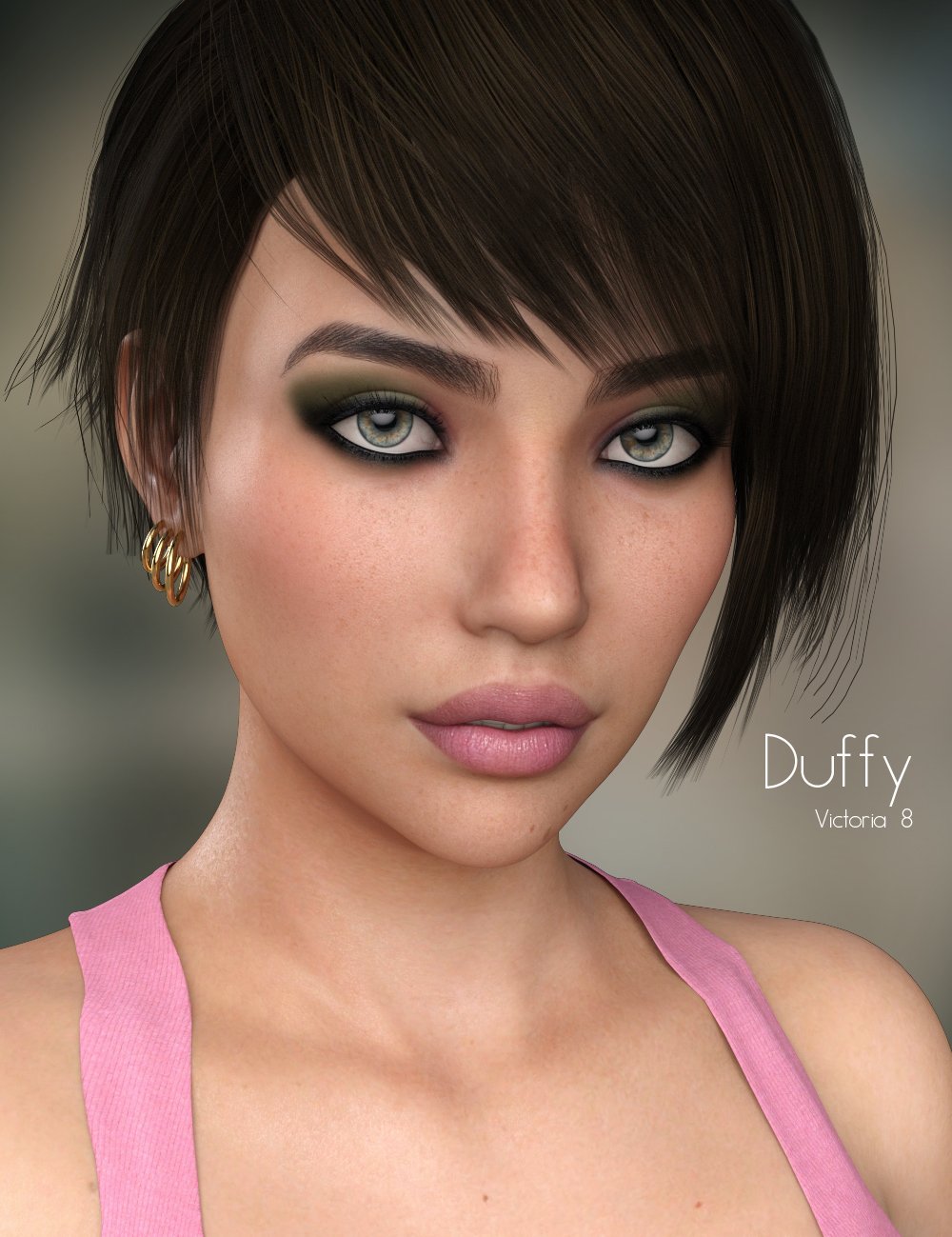
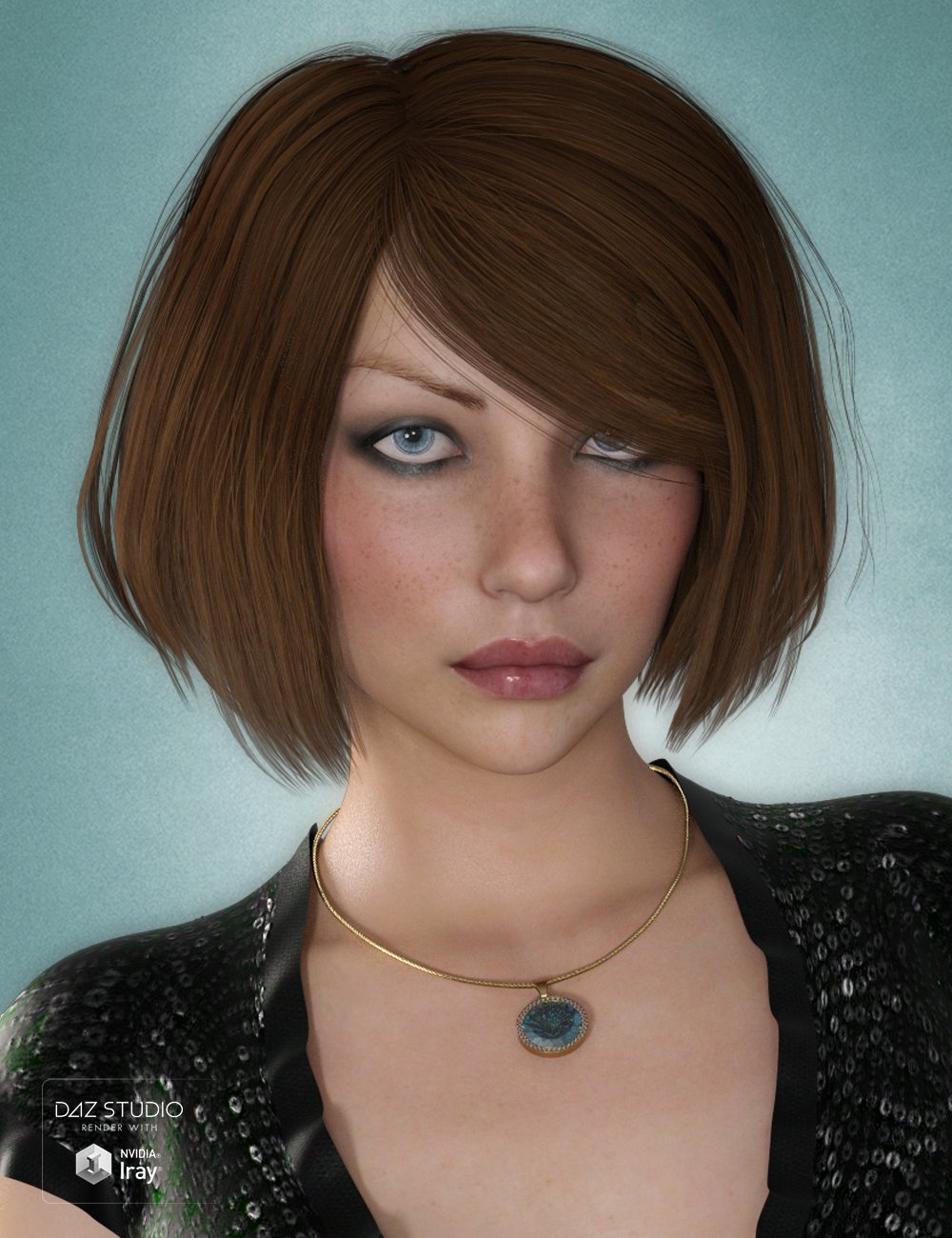
The morph looks like P3D Duffy.
 fabriquer des tenus
Yes, most clothes are made in an external application such as Blender, usually using the base figure as a manequin, and then imported into Daz Studio to use Edit>Figure>Transfer Utility to rig them up - set the figure as Source, set the imported object as the target.
Cows and calfs... but where are the iRay Bulls??Can't find a HD Bull/Taurus with iray... Any suggestions?
I'm not too sure of differences in bull anatomy relative to cow anatomy but you could see if the Magarite cow morphs can combine nicely with some of the deer/elk morph products for the DAZ Horse 2 to make the cow sans udder a bit more narrow waisted.
I think then you could look at some pictures of bulls and export the cow to make the horns longer in Hexagon or Blender. Or, more easily hopefully, hide the horns and fit the horns from the old 3DL bull in the DAZ store to the cow.
The other textures from DAZ Horse 2 products should still work.
A bit of work but not too difficult.
fabriquer des tenusbonjour je suis nouveau et je débute dans la 3D, j'apprend en ce moment à utiliser blender et je viens de découvrir daz3d, je me demandais s'il était possible de construire des vêtements qui s'adaptent aux personnages comme genesis 8 par exemple avec blender puis les transférer dans daz (oubien créer des vêtement avec daz directement ) ?
----------------------------------------------------------------------------------------
hello i'm new and i'm new to 3d, i'm currently learning to use blender and i just discovered daz3d, i'm wondering if it was possible to build clothes that adapt to characters like genesis 8 for example with blender and then transfer them to daz (oubien create clothes with daz directly)?
The older generation: Victoria 2/3, Michael 2/3 and their children rendersI wonder, would anyone find a script to transfer a pose from G8F to V3 useful?
May be of use to someone, despite there being rafts of V3 poses available if you know where to look. I am tempted to do it anyway for my own use, just not sure if anyone else might find it useful.
Regards,
Richard.
it could come in handy

I do use legacy extras
Wendy, I have uploaded the script, now in its own thread in the freebies forum.
Regards,
Richard
thanks, will look later, rendering stuffs at the moment
The older generation: Victoria 2/3, Michael 2/3 and their children rendersI wonder, would anyone find a script to transfer a pose from G8F to V3 useful?
May be of use to someone, despite there being rafts of V3 poses available if you know where to look. I am tempted to do it anyway for my own use, just not sure if anyone else might find it useful.
Regards,
Richard.
it could come in handy
I do use legacy extras
Wendy, I have uploaded the script, now in its own thread in the freebies forum.
Regards,
Richard
Loading obj morphs into DSAre you sure you mean morphs? A morph moves vertices in a straight line from their start point to the morphed point, so it does not do well for rotations - that would usually be a job for rigging.
G8F Pose Transfer to Aiko 3, Victoria 3 & GV3I have recently finished a script to transfer a G8F pose to Victoria 3 (note NOT the G3F based Victoria 7), that will enable someone with V3 to download so some of the wide range of G8F poses and use them quickly on this elderly figure.
To use, load G8F and apply the desired pose. Then load V3, and run the script. Due to the rudimentary state of my scripting knowledge, the script asks that you identify the hip nodes of both G8F and V3 in the appropriate node selection combo boxes because it can't identify them automatically. Then press 'ACCEPT' for the script to run. With any luck you will be pleased with the result. It is highly likely that you will need to tweak the pose a little, but probably not much more than you would expect when applying a G8F base pose to a character.
Below are a few images. The first is G8F in the form of FWSA'S Francesca in the zero pose, and V3 has that pose applied. This is pretty close, particularly the fingers & thumbs which are less splayed than in the V3 zero pose. The outward splay of the legs and feet is less obvious in this view than a straight ahead view, but is there, and masked a little by the fact I've had to set V3 off to one side to get the right arms close together for comparison.
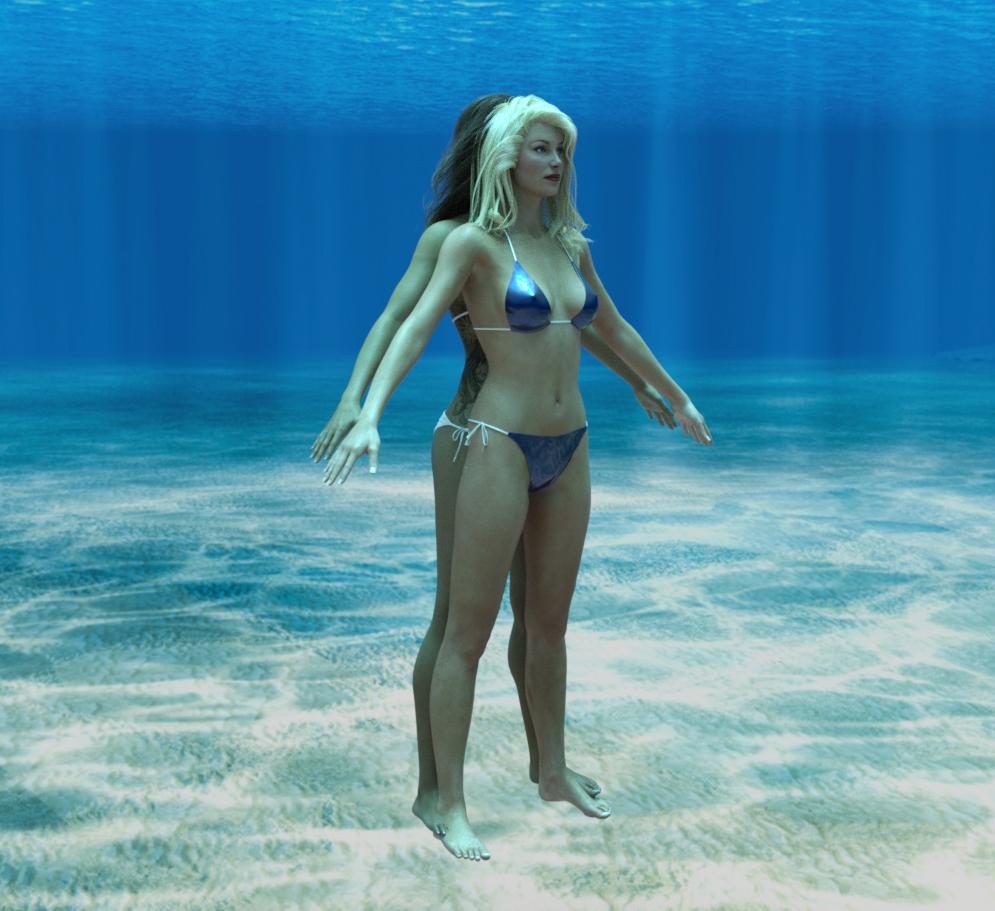
The next two images are V3 in the zero pose before and after the pose transfer. The G8F pose is a BBarbs freebie, 'Just Elegant 07' over on Renderosity, and is not deliberately chosen to be a good one, just one that I thought moved a large number of joints in different ways to show up problems if there were going to be any.
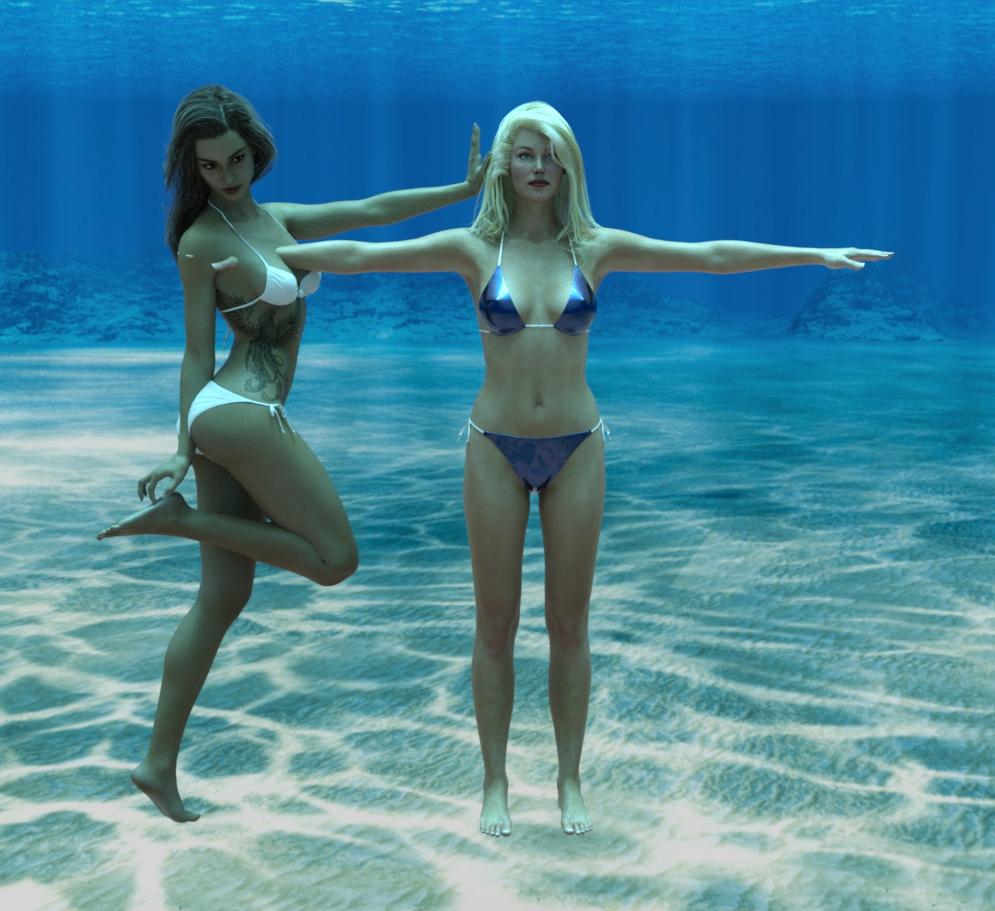
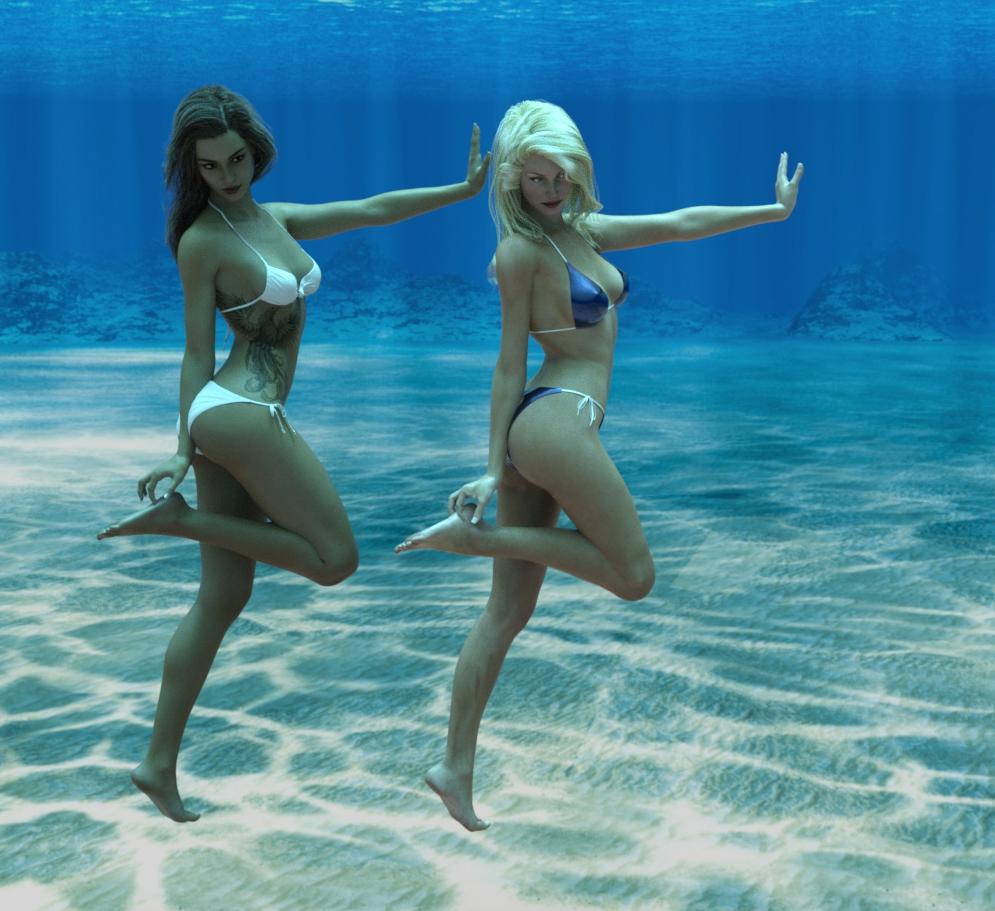
The final image is Blackhearted's V3 based GND2 posed using the script and is included to show it works on more than just the base figure. You will note that GND2's eyes are not moved by the script. This is because GND2 has props substituting for the V3 eyes, and the script only recognises the bones in the base figure. You will need to alter GND2's eyes manually, and with any other character with similar prothsetic parts.
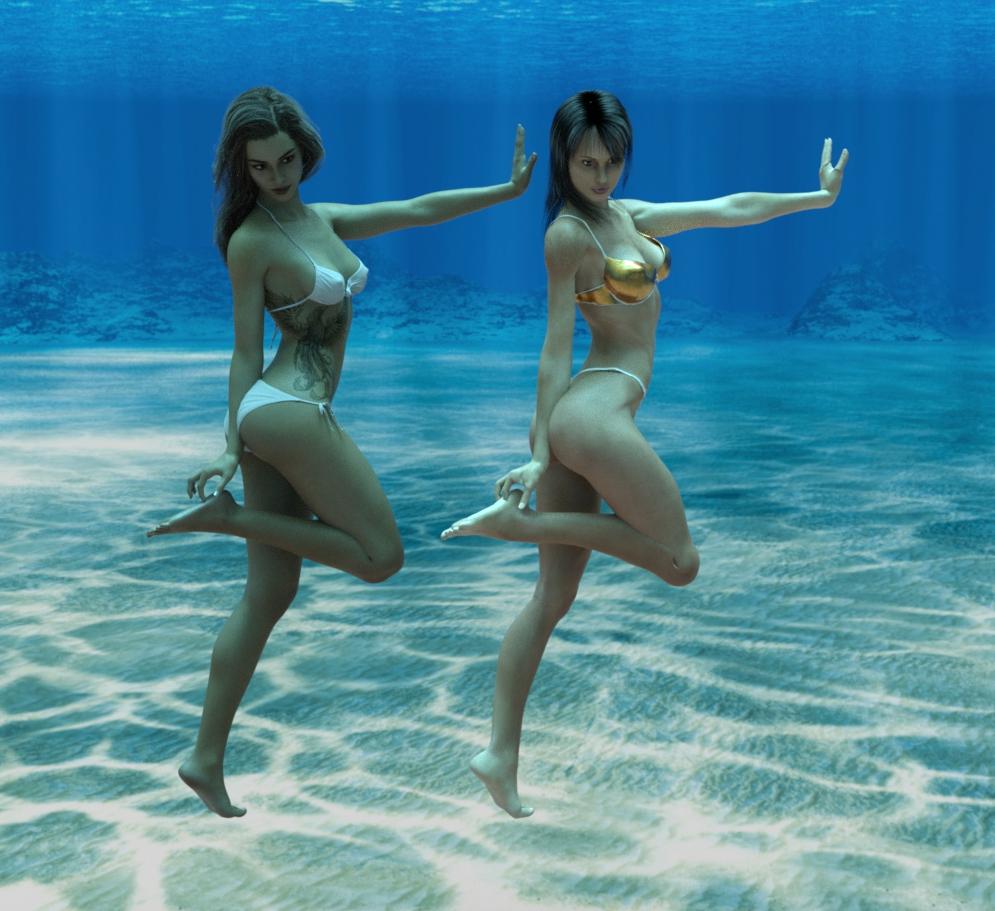
Please be aware that V3 is 5 generations older than G8, and does not react well to some poses, particularly ones with large bend angles at the shoulders, elbows and hips. This script cannot get over the fundamental limitations of the base figure, however much we might wish for it to.
I have applied this script to my favourite V3 character, Jim Burton's 'Glamorous Vickie' (GV3), and due to having its own CR2 file and its own custom jcm's it's a little better at more extreme angles of bend at the hips, elbows and shoulders than the original V3 figure. It's a totally different story for the feet, though. GV3 has high heel feet modelled in, and a morph to make them flat so as to be similar to V3. Unfortunately, the bones are not moved by the flat foot morph and bending the toes when the flat feet morph is applied makes them rotate about an centre of rotation outside the feet and they distort very rapidly into disemboweling claws. When the pose is applied to the high heel feet, the feet rotate 45 degrees too far and she looks as if her ankles are broken. I will need a special script to get GV3 to look right. Edited to add: see next post but one for a GV3 specific script that corrects this problem.
I do hope it's useful to someone!
Why the underwater HDRI? Well, I like it, it justifies the swimwear and the swimwear permits you to see enough of the figure's limbs and assess that a majority of the pose transfer is sufficiently accurate to be useful.
Image info: Background: Namtar3D's freebie underwater HDRI available via this freebie forum (among other places). G8F Character is FWSA's Francesca for G3F converted to G8F using RiverSoftArt's script. Hair: G3F Leyton Hair, swimwear Hongyu's G8F Bikini 2. V3 SAE base with medium resolution texture. Hair: 'Las Vegas Hair' by Jim Burton (now unavailable). Swimwear: from V3 basic bundle with DS Uber shaders. GND2 wearing alternative GV3 swimwear fitted by smoothing modifiers and DS Uber shaders, and 'Erika Hair' by Elizabet from Rendo (now unavailable)
Regards,
Richard.
ETA: For a script to take a V3 pose & transfer to G8F, see https://www.daz3d.com/forums/discussion/443772/scripts-to-adjust-and-transfer-v3-poses-to-g8
Edited to add: It appears that this script works equally well on Aiko 3 as Victoria 3, opening up a whole planopy of additional uses.
ETA: For a script to take a V4 Pose and transfer to G8F, see https://www.daz3d.com/forums/discussion/448391/v4-pose-transfer-to-g8f
Loading obj morphs into DSGreetings,
I have several obj items that I'd like to use in DS 4.12 They have morphs which open doors, turn tires and the like while in blender. However, it is tedious to go to blender, open the door and then save the obj (originally a fbx if that matters) and then import back into DS over and over again as I change one thing in a scene.
Is there any way to import either the fbx or the obj into DS with working morphs? Thanks
Nope.
One has the prop/figure {not .obj but a proper D/S file} loaded in D/S. Make a morph for it then in Blender and export out the morphed .obj file. In D/S use the Morpher Loader Pro to bring in the morphed .obj and make the morph in the prop/figure. If it works as intended, zero the morph and save the morph then carry on.
Nvidia Ampere (2080 Ti, etc. replacements) and other rumors...Nvidia may still have better Raytracing than AMD but if all the new games are built for RX 6000 series cards due to both Playstation and Xbox using basically the same graphics hardware, games tha are ported over to PC form consoles are going to have a distinct advantage on AMD hardware.
To reiterate a point from earlier, all modern efforts to introduce realtime raytracing into gaming-type workloads on Windows is being done via hardware-agnostic APIs like DirectX DXR. Meaning that games "ported" over from the new AMD powered console generations will actually work just as well if not better (judging by the lack of raytracing performance bragging in AMD's release events) on Nvidia cards right away.
Lots of times being best in some metric is irrerevant when people are just trying to minimize the probability of encountering bugs by using as nearly the same GPU as they can. AMD GPUs in those two consoles is big. AMD putting 16GB in there new cards isn't aimed at us so much as it's aimed at the game market, the Unity/UE4 game making hobbyist crowd, and lastly Blender, DAZ, and the like. nVidia made a mistake being stingy with RAM on the 30X0s.
AMD made no headway despite having been in both consoles in the last generation. It flatly does not matter. DirectX, and Vulkan, makes the card irrelevant. The days of having to check if the game you're buying supports the card you have is 25 years past, literally, as DirectX just passed its silver anniversary as amazing as that is.
As I've patiently and repeatedly explained in this thread Nvidia made no mistake, beyond losing a few sales to the clueless and the epeen wavers, in choosing to cap its flagship at 10Gb. There is not going to be some huge rush of games actually take up 16Gb of textures porting over from console.
First the console game makers are cheap. Making all those textures would make those games a lot mroe expensive. Console gamers are not going to put $100 for a game. The big volume games like Madden and FIFA certainly aren't going to spend a dime on bigger textures not when they can't sell them as a separate transaction and the EU has dropped the hammer on that. Second there is no need for them until 8k is an actual thing.
I have Horizon Zero Dawn for PC which is likely the best looking console game of the last generation. It looked amazing on my friends 65" TV at 4k 30fps on the PS/4 and looks better still on both my 32" 4k monitor at 60fps and my 55" OLED. And that is without using more than 6Gb of textures, or DLSS or even real time ray tracing.
Personally I think about the time the first 8k monitors start to become an actual thing, along with next gen GPU's (or gen after next) that can actually drive one, we'll also have PCIE gen 5 which is double the bandwidth of gen 4. IOW four times the transfer speed of gen 3 per lane. Or possibly even gen 6 which is coming up right quick as well which again doubles bandwidth. At those sorts of transfer speeds (2 or 4 billion transfers/second per lane) it may become essentially irrelevant where a texture is stored for a game. The entire system may just be so fast that the various latencies may just no longer matter at that point, assuming you use NVME storage etc.
Fit Control for Genesis 8 (Commercial)I'd think the crashes would have to be due to a certain combination of morphs rather than the number of morphs---if even the former is the cause---as I own every G8F morph pack/kit in this store and many from Renderosity as well as having at least 650 G8F characters installed.
Contradicting statements. I don't think it's a combination of morph kits, but sheer number as my content library 'character' section exceeds that 650 by more than double, and that's not including the "HD" versions.
I kind of find that hard to believe, but whatever.We have no control of how daz handles morphs loaded onto a figure. If your figure is too heavy there is nothing we can do about it if that is the case. Do you get a crash when using on a default figure with no added shape morphs?
I didn't say you had any control over how daz handles morphs. I stated that if it's a 'number limitation' problem pertaining to morphs, it can be overcome with programming unless somehow it is causing Daz to hit a hard number limit somewhere under the hood.
As I said before, when I exceed 33,000 morphs under the "data/daz 3d/Genesis 8/female/morphs" folder, it crashes. I currently have 50,000+ files in that particular folder (according to windows file counter). I tested from no morphs (just Daz 3D and yours as the previous person on page 10 stated) and added all the morph folders that started with 'A' and kept adding until it crashed. Then I repeated what they did- took some out and added others starting from Z. I eventually found that it didn't matter which folders i put in there, it was around 33,300 that it caused Daz to crash out.
Coupled with what Xyer0 just said about combinations- if they own all morph packs, then I believe it's a sheer number limit.
Fit Control for Genesis 8 (Commercial)I'd think the crashes would have to be due to a certain combination of morphs rather than the number of morphs---if even the former is the cause---as I own every G8F morph pack/kit in this store and many from Renderosity as well as having at least 650 G8F characters installed.
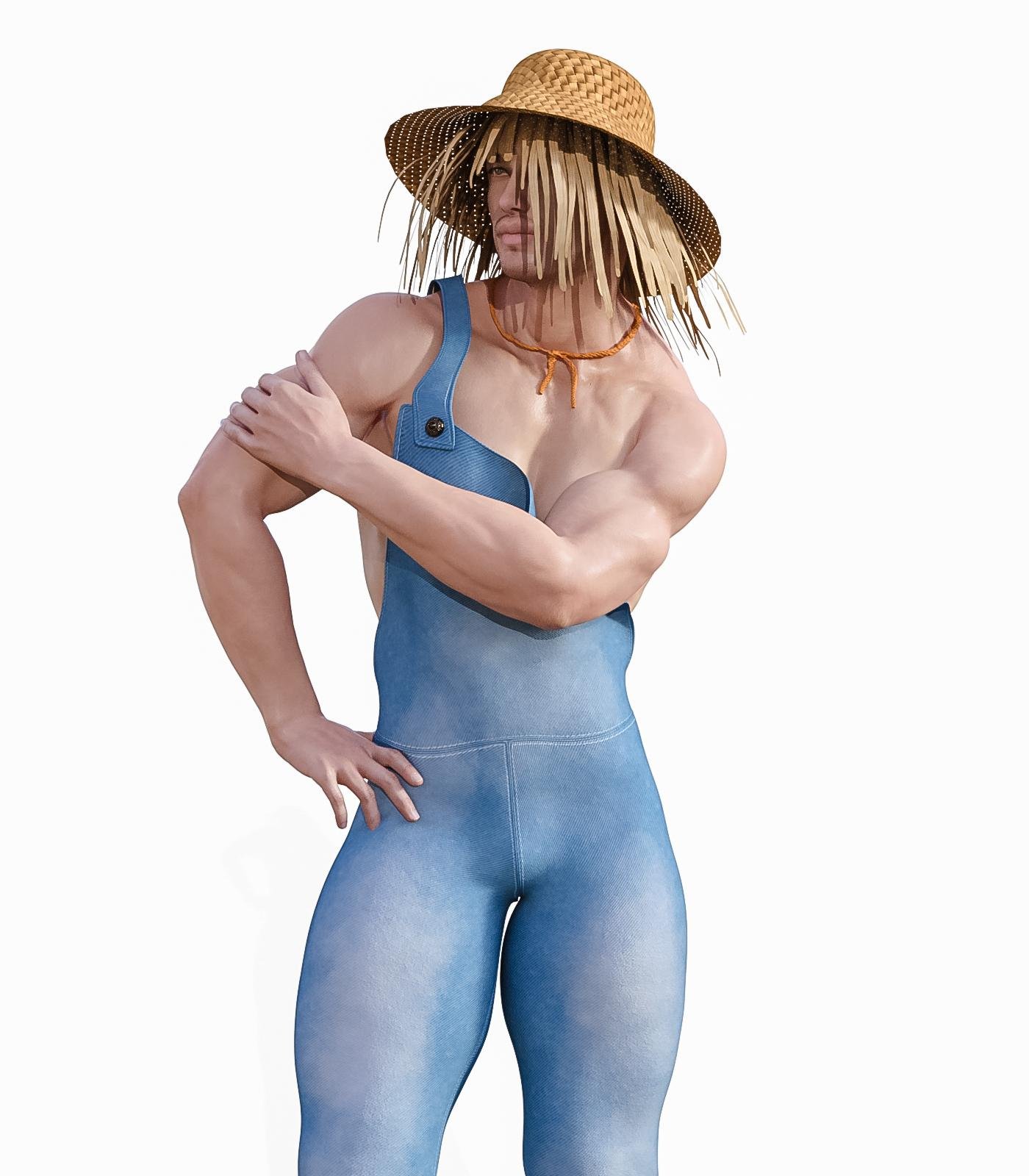
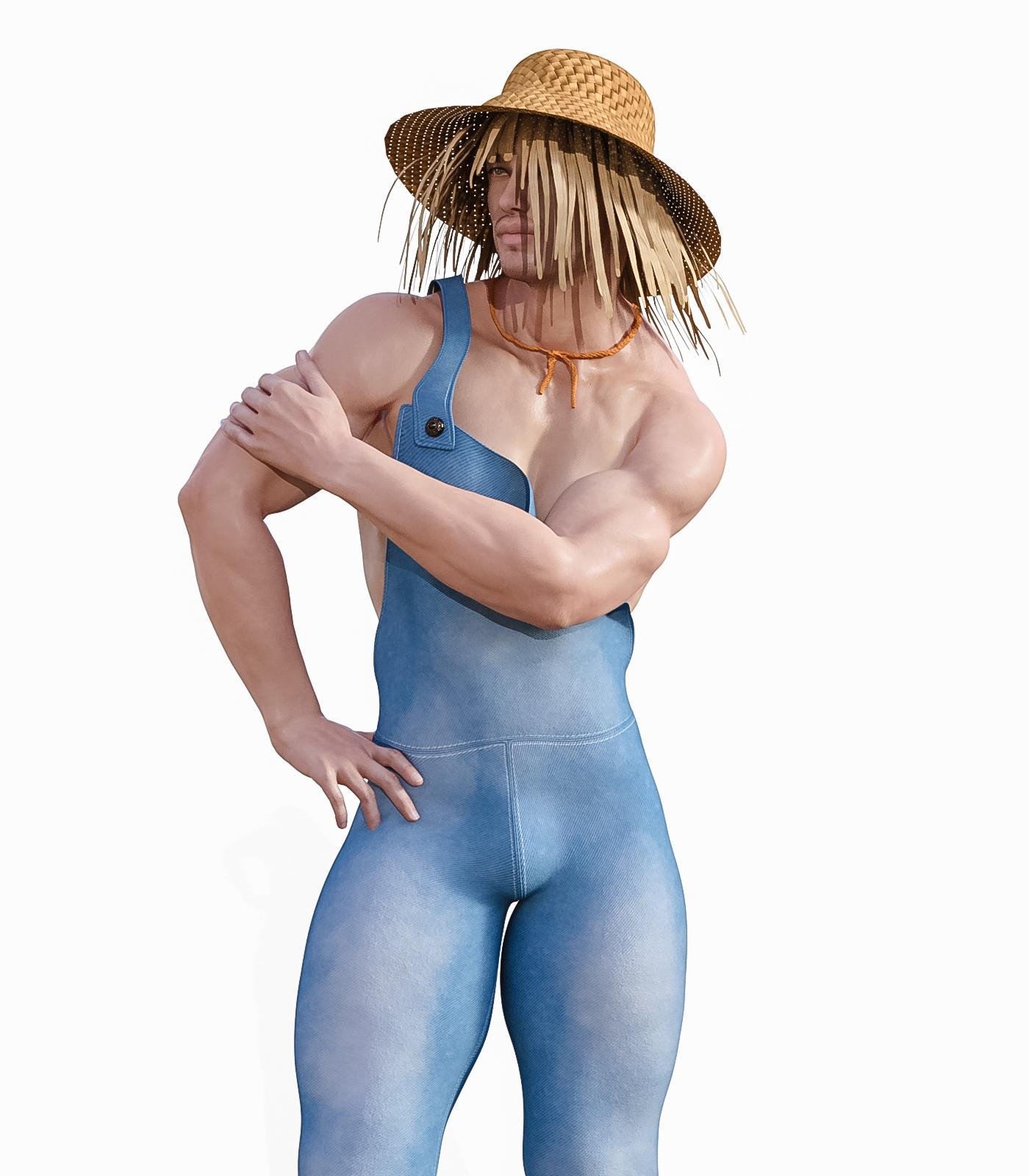
SereneNight's Sci-Fi Fun Thread 2SickleYield has an interesting new product for G8M SY Pants Masculinizer. which adds a bulge to clothing where there is no bulge. You can check it out over at ShareCG.
I like the first setting. Here you can see it applied to these overalls, with and without the morph. If you buy it pay attention to the install instructions.
I was going to show you the Scarecrow outfit, but looks like the makeup options are broken. So you just can see the straw hat and straw!
 Missing Texture files after importing
Thanks for the answer. Will try and let you know how it goes.Either the textures didn't transfer, or the paths are incorrect.
Edit the associated DUF with a word processor, notepad++ is a good option, and check the paths for the textures, JPG in this instance.
If there's a drive letter included, it means the mapping wasn't correct and you simply need to delete the drive letter and path above Runtime\textures.
Also, check to make sure the package includes the textures.
Need help using MorphsI think you've over complicated this a bit.
From what it appears, all you want is an axis rotation, x,y or z at the pivot point.
If you aren't doing any complex rigging, you just need to adjust the placement of the pivoting parts bone to match the pivot point and use the x,y,or z rotation dial to move it.
you can simply rename the existing dial, or if you want to add a morph dial, create a new dial, and link it to the x,y, or z rotation.
In the case of the attached image, all i need to make sure of is where the pivot point, green arrow when joint editor tool is active, and then rotate on the x axis.
Ahhh, gotcha. Thanks
Need help using MorphsI think you've over complicated this a bit.
From what it appears, all you want is an axis rotation, x,y or z at the pivot point.
If you aren't doing any complex rigging, you just need to adjust the placement of the pivoting parts bone to match the pivot point and use the x,y,or z rotation dial to move it.
you can simply rename the existing dial, or if you want to add a morph dial, create a new dial, and link it to the x,y, or z rotation.
In the case of the attached image, all i need to make sure of is where the pivot point, green arrow when joint editor tool is active, and then rotate on the x axis.
Missing Texture files after importingEither the textures didn't transfer, or the paths are incorrect.
Edit the associated DUF with a word processor, notepad++ is a good option, and check the paths for the textures, JPG in this instance.
If there's a drive letter included, it means the mapping wasn't correct and you simply need to delete the drive letter and path above Runtime\textures.
Also, check to make sure the package includes the textures.
Need help using MorphsHello,
I am struggling trying to make a morph that acts similarly to the D-Former. Here's what I'm getting:
Using morph (not what I want):

Using D-Former (what I want to happen):

How can I make a morph that acts just like the D-Former?
Missing Texture files after importingHi. Im a bit of a noob with things but, I have created a custom morph and materials for Genesis 8 for sale hopefully soon. trying to install the content on my other pc to test it. I get an error saying i am missing the textures for the model. even tho they are in the exact directory it is asking for. I have Created the folders that im supposed to. Read tutorials i can find on packaging content . Still the same error. Can anyone help? Thanks
[Released] ManFriday's Mesh Grabber [Commercial]OK, I very much like creating my own morphs. I'm no expert, but I now have four morphs saved in a scene, and I would very much like to be able to use them in other scenes. I have been searching around. I found some advice about saving as a Support Asset--> Morph Asset. (Right in this Forum.) I'd want to know where would it be saved in DAZ Studio,though? In what folder or folders? And how would I call these Morph Assets up? (Screen shot will be included.)
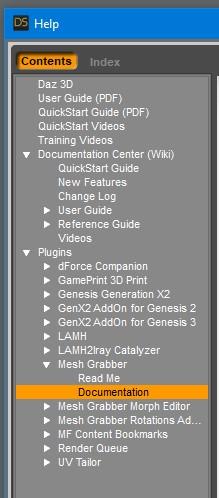
Also, here's a problem: When I'm saving a Morph, and also when I look at the Tool Settings Tab, with Mesh Grabber selected, right under the Mesh Grabber name, there's a little Question Mark. Hovering over the Question Mark, I can read Press this button to open Mesh Grabber's PDF Documentation. I have done that a number of times. Nothing happens. No PDF opens up. I'm on a Macintosh Pro, late 2013 model, running Catallina 10.15.7, and using DAZ Studio 4.12.1.118. The version of Mesh Grabber is 3.7.1(2020-09-14). (Screen shot will be included.)
Save As/Morph Asset will open a dialog that lets you specify where it will be saved as well as other information about the morph. Once you can access the Mesh Grabber manual, you will see instructions and a screenshot of this dialog.
If you can't open the manual from the ?, try just opening it from within Daz Studio with the (on Windows anyway) F1 help shortcut. Sorry, I don't know if the shorcut is the same for Mac.
Daz 3D is part of

Connect
DAZ Productions, Inc.
7533 S Center View Ct #4664
West Jordan, UT 84084Licensing Agreement | Terms of Service | Privacy Policy | EULA
© 2026 Daz Productions Inc. All Rights Reserved.













