-
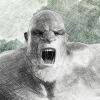
Niko 8 -Cyber Funk Bundle
I'll second the longing for some less muscly guys. There's Eli, Owen, and David 5 and thats pretty much it for all the Geneses (I still use the David I've transferred down the generations If I had to pick one character to be my all time fav its him)
I do like the artstation characters. As much as anything for research - theres a certain similarity in how most daz characters are done and ints interesting to see some different styles (this is probably more from the content creation side of things - i like looking at normal maps. underbelly had some impressive normal maps)
also having purchased niko, he has less of the issues that Underbelly started out with in regards to limited options - hes actually very modular - one eye color buuuut the base, scars and ritual scars are all seperated out so for the torso, for instance, there are 4 sets of color and normal maps: base, ritual scars, scars, and scars and ritual scars. the base morph is HD with aditional seperated hd scar and ritual scar morphs. also the head and body morphs are seperate
mouth morphI am trying to create a vampire that has the tips of his fangs pratruding from his mouth and lying on top of his bottom lip when his mouth is closed. What would be an easy way to accomplish this?
Transferring all data to another computerDue to the Big Sur issue, I have to use my laptop for Daz until which time they update Daz for MacOS Big Sur
That being said, how do I transfer all my custom saved figures to the other computer? The folder is located in DOCUMENTS called DAZ3D
I thought to just replace the new install with MY folder, but it did not work. None of my files are showing.
Any help would be awesome!
DAZ vs BLENDER... Help me understandIf Daz Studio is a toy store, then Blender is a toy factory. Just depends what you want to do. :)
Agreed. Depends on what you want to do. At some point, you may want to fix your character's hair because it does not look right in DAZ. So, export to blender, make a morph, and load that morph back into DAZ. And then, the character's hips don't quite look right in that pose. Export to blender, move the vertices around, and import the morph back into DAZ. Now you want your character sporting a Illudium PU-36 Space Modulator, but it does not exist for DAZ. Go into blender, model and texture, then bring it back into DAZ. Then, your character gets tired and wants to sit down. Now we need to edit the character and the chair to emulate real world interactions between the two. How? You guessed it, Blender.
At some point you may think - wouldn't this be easier if I just brought the character into Blender?
DAZ and Blender are just tools we use to create our end product. Use DAZ, start supplementing with Blender, and then migrate over to Blender if you want to. If DAZ lets you create what you want without having to learn Blender, then go for it. The only person you have to satisfy is yourself. DAZ is easy to use but limited, Blender is harder to use but much less limited in what it can do.
Just my $0.02.
is there any hair like this avaliable?There is a “Style Longer” morph for Anny Hair that could work https://www.daz3d.com/home (That link is obviously not correct, goes to Daz home) but check out Anny Hair by Swam. The store is still really screwed up!
Serial number?Hi,
I originally installed Hexagon on a Dell T7400 dual quad-core (8 threads). Rendering times on most apps seemed OK initially but, I bought much faster computers and have ported most of my other applications to the faster computers (Dell T5500's, Dual-Hex, 24 threads, & Dell T5600's Dual-Oct 32 threads). After installing Hexagon on a new computer, it is prompting for a serial, and the one on my account (serial numbers) will not work.
The dialog box says "Invalid license". I've tried the full serial number and the last four groups of numbers (XXXXXXX-XXX-XXXXXXX-XXX-XXX-XXXXXXX and XXXXXXX-XXX-XXX-XXXXXXX). I copied the serial numbers directly from the Account page and pasted them into the dialog box.
Can I transfer the serial number to the new computer? Do I have to buy a new license? What are my options?
Randy
Can you help with importing high res figures?Unfortunately only Daz PAs have access to the tools needed to create HD morphs.
You could try transfering the rigging from the base figure with transfer utility (in the same way you would create the base rigging for clothes), but there's no guarantee it will work well.
Thanks for replying. I can get the rigging to transfer with the transfer utility but although the pose controls will control individual parts of the figure the weighting is removed so it can be posed but tares around the joint that moves.
Niko 8 -Cyber Funk Bundle
I figured you would. When this character popped up I thought about you.I like Niko.
Yeah, it is disappointing. It doesn't seem well thought out. Seems like a few random items tossed together. I do like the female though (I know, I'm odd man out on this)and now the kitchen sink approach of throwing in females, props, sets, and previous items into a bundle, just is disappointing.
I guess this is probably it. Sometimes they release a bundle one day & another the next. They released both the same day this time. The HD will probably drop tomorrow. Possibly a morph or 2.My question is tomorrow will we get the hd, and more male content or is this all she wrote? Oh and I would love more cyber punk content. A reaistic cyber arm would be awesome. The Artek which I own already is disappointing chunky and primative.
Custom cloth morph ( MD ) - How to follow figure "without" autofittingLet me see if I understood that correctly:
You have a custom morph in the Genesis 8 figure. And you have a clothing item that doesn't support this morph by default, so you made a better morph in MD. Is that right?To get the morph into the clothing, do this:
- Fit the clothing to G8.
- Dial in the morph on G8. DS will automatically adjust the clothing to the morph as well as it can. Don't worry about that, we're going to replace this auto-generated morph.
- Click on the little gear symbol on the morph dial and choose "Parameter Settings" from the menu.
A morph can have two names, the internal one and the label (which is displayed on the slider). We don't need the label now, we need the real name.
Select the text in the "Name" field and hit Ctrl-C to copy it.- Use this name as a file name for your MD morph. Use the name on export or if you have already exported the obj, re-name it.
- Go back to DS and launch the Morph Loader Pro.
- Use the "Choose Morph Files" button to load the obj file. You will see the entry appear in the main field of the Morph Loader Pro dialogue.
- Double-click the entry to expand it. Towards the bottom you'll see an entry called "Reverse Deformations".
By default it will be set to No. Right-click that and change it to Yes.
Double-click the Reverse Deformation entry to expand it.
Make sure that "Preserve Exisiting Deltas" is set to Yes.- The next entry is called "Overwrite Existing" and the default setting is Make Unique.
Right-click that and change it to Deltas Only.- Click Accept.
-> DS will now replace the auto-generated morph with your custom morph.
Make sure to save the morph as a morph asset to the library (File - Save as - Support Asset - Morph Asset) so it will be available each time you load the clothing.
I hope that helps

Thank you so much! That actually helped me! No matter what I did the clothing would just get bigger or deformed. Your suggestion helped!
Can you help with importing high res figures?Unfortunately only Daz PAs have access to the tools needed to create HD morphs.
You could try transfering the rigging from the base figure with transfer utility (in the same way you would create the base rigging for clothes), but there's no guarantee it will work well.
Can you help with importing high res figures?Hello wonderful Daz community. Forgive me, I am sure that my problem is one with an answer, I can not be the only person ever to have had this issue, but I can’t find anything on the net that helps. I am a Toy Designer of twenty five years standing. I often use Daz to create base meshes for ZBrush, it’s one-way traffic though, once I’ve exported to ZBrush I don’t go the other way, I’ve never needed to. However, I have recently worked on a character that I want to pose in a large variety of positions so it would make sense to do this in Daz.
I exported a Genesis 8 female figure from Daz and re-sculpted it to an insanely high level of detail. I did not alter the base mesh, merely subdivided it (7 times!) to support the extra detail. Obviously, I can import the model back into Daz, as a morph but only at the lowest subdivision level. If I export the full resolution model and copy the rigging from the parent figure, all the weighting is lost (presumably because the polygon count is different).
I cannot save out a normal map to apply the detail to the figure in Daz Studio because ZBrush does not support multiple maps in the way Daz uses them. I don’t care how it’s achieved, please help; how do I import a high-resolution model into Daz Studio, rig it and pose it WITHOUT rigging the whole thing from scratch. Is it possible?
exporting my characters (morph + textures)Hello
After few years of running DAZ Studio, I want to do a clean up.
Half of DAZ data base is invisible from DIM and stuff from other sites/freebies/custom things from friends removal is painful.
Is there a way that I can safely export my characters and textures I used on them, so I can run them after clean install
without having checking which stuff I should redownload?
Is there a cleaner for non-DIM content?Niko 8 -Cyber Funk BundleNiko 8 comes with the HD Details? Yes, let's continue this trend, please!
Judging from the "What's Included and Details", it looks like that's just going to be those weird cyber scars, and not the complete full body morph. Although, in that case, I wonder how his full body morph would even work. More or less the way it did for Nix, I suppose.
Mass Export Favorite Morphs?When exporting a genesis figure to .fbx, a large list of morphs can be exported with it. Is there a way to export the favorited morphs specifically through the FBX Morph Export Rules panel? I've noticed when something is written into the Match column, all morphs with that writing in their names will be selected for export. For example, writing EJFM will select all morphs with EJFM in it. And writing Eye will select all morphs with the word Eye in it. It must also be upper or lower case specific. It doesn't seem to work with Favorite or Favorites.Transfered Morphs Location?I may be missing something fairly obvious, it's been quite a few years since last using Daz. I can not locate where morphs from G8M are, after they had been transfered to a G8F figure, via the transfer utility and using the Genesis 8 cross-figure resource kit. I do know they successfully transferred, as they can be manually searched through the parameter's section's search bar. There are too many to bother locating one by one with the search bar. Does anyone know where the transfered morphs would be located?XTransfer Module 1- Genesis 3 to Genesis 8 Morph Converter (Commercial)If I were to use this to transfer Lydia 7 https://www.daz3d.com/lydia-hd-for-victoria-7 to Genesis 8 Female, would there be any unforseen problems? I wouldn't transfer the HD, only the non-hd lydia.
Genesis 8 (Male and Female) Iris/Eyes controls and settingsDo you have Genesis 8 Head Morphs installed? Those sliders should be present.
Pretty sure about "pupils slit", absoluetly certain about iris size (and pupils size, for that matter).
https://www.daz3d.com/genesis-8-male-head-morphs
You mean this one?
I think so, but as I was checking the list, there is no "iris" setting.That's the one.
It's odd that Iris Size isn't listed on the promo page, but I'm absolutely certain it's part of that morph pack.
Thanks :)
I'll get it and give it a try :)Moving my library to a new (bigger) drive and I need a little helpHello all!
So I filled up a drive and bought a 2 tb ssd for my daz library. Now my question is, how do I transfer all the stuff I already have downloaded onto the new drive? Is there a way to do this, or do I need to delete everything and start redownloading it all onto the new hard drive? Any help would be appreciated. Thanks.
Genesis 8 (Male and Female) Iris/Eyes controls and settingsDo you have Genesis 8 Head Morphs installed? Those sliders should be present.
Pretty sure about "pupils slit", absoluetly certain about iris size (and pupils size, for that matter).
https://www.daz3d.com/genesis-8-male-head-morphs
You mean this one?
I think so, but as I was checking the list, there is no "iris" setting.That's the one.
It's odd that Iris Size isn't listed on the promo page, but I'm absolutely certain it's part of that morph pack.
M4/H4/F4-G3M Bi-directional Pose TransferThis post is the first half of the promised bi-directional pose transfer between M4/H4/F4 and G3M. This bit being G3M to M4/H4/F4.
So, here's evidence that the G3M zero pose is fairly accurately converted to M4: (both started in their zero poses)

And here is a before & after view of the G3M pose being transferred to M4:


Hope it's useful.
I suspect this is my last script for a while. I think I have reached the limit of my current scripting knowledge and need to learn rather more before I can offer anything beyond these rather simple (if long) scripts. Also, I need to return to doing some C++ programming to help some CNC machinists with G-Code CNC cutter path generating programs whom I've been putting off in order to get time to complete these scripts.
Regards,
Richard
Daz 3D is part of

Connect
DAZ Productions, Inc.
7533 S Center View Ct #4664
West Jordan, UT 84084Licensing Agreement | Terms of Service | Privacy Policy | EULA
© 2026 Daz Productions Inc. All Rights Reserved.