-
New Genesis, New Sales Thread: Report Issues Here "Reporting Only"
I also have this banner, but I don't own Victoria 9 and even at 50% off have zero interest in buying it. Thanks but, hard pass.
 Head games
Knittingmommy said:
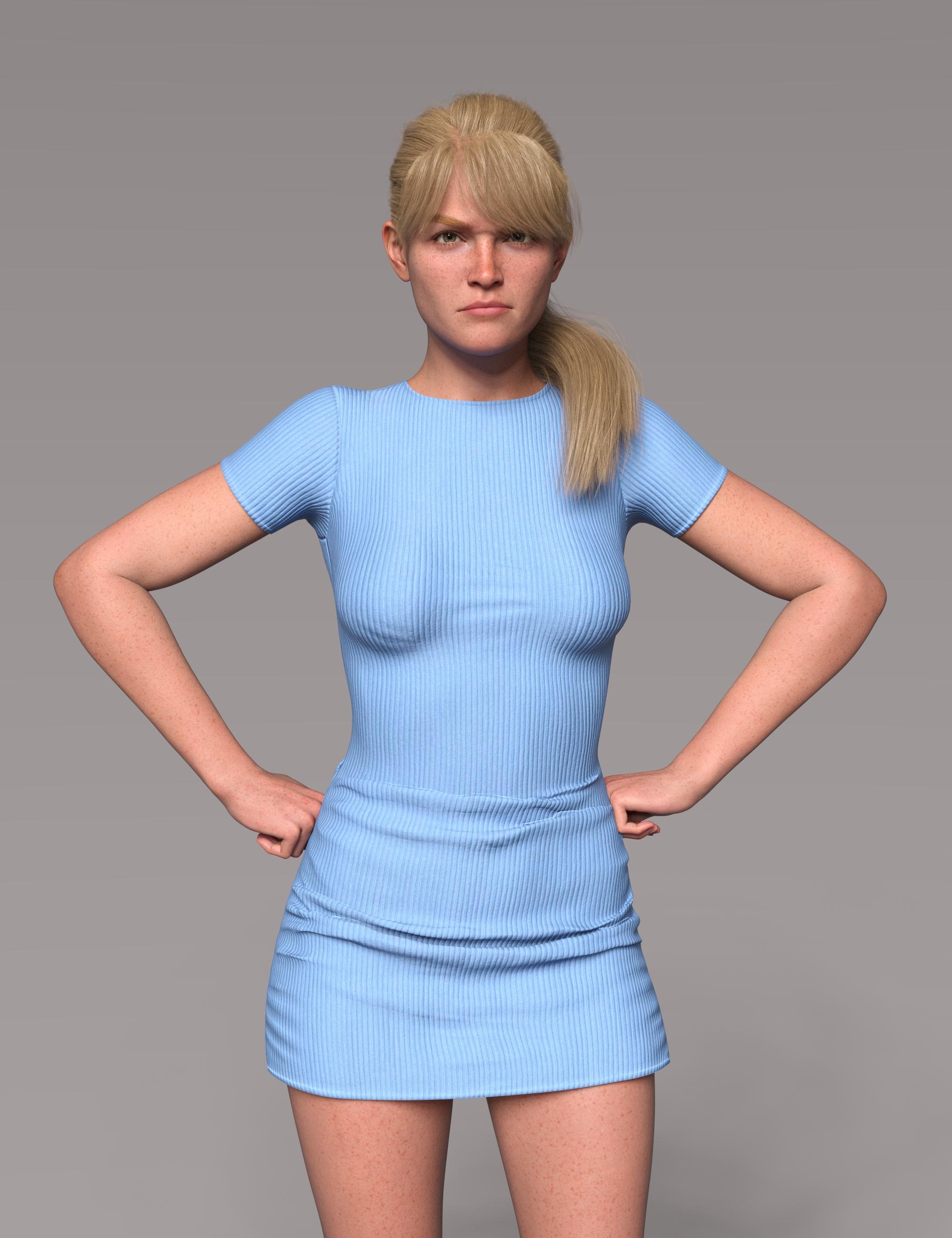
Playing around with Victoria 9 and the Face Morphs Kit for Genesis 9. Started with Victoria 9, dialed her head back to about 75%. Stated adjusting morph dials from the Face Morphs Kit to get the look I wanted. I don't know why it's so satisfying watching a new person emerge as I move dial around, but it is. Very much so!
I'll be honest I was missing the mark of what I was seeing in my head. So I then I added VYK Sydney for Genesis 9 at 15%. That little bit gave me what I was looking for. I just couldn't quite get what I wanted with the morphs dials only. Sometimes, you just have to mix other character heads in and see how they react. In this case, it gave me what I wanted. I rely on morph dials because my morphing skills in other programs are almost nonexistant. I can do small things, but not whole heads or their various parts. I'm looking forward to more morphs showing up in the store.
The skin is the Vitctoria 9 default skin. Eyes are from Natural Eyes 9 for Genesis 9.

Tremendous! I need to give myself some time also to have a play but it's results like this one, together with some explanation of 'how' that's inspiring me to dive in! Great result and great composition of the render.
New Genesis, New Sales Thread: Report Issues Here "Reporting Only"Catherine3678ab said:
Robert Freise said:
ericolsen said:
Not so impressed with the Orange banner offer of Victoria 9 HD, since I already own that lol
Same here
Same
Same
New Genesis, New Sales Thread: Report Issues Here "Reporting Only"Why do I find an orange banner today, offering me 50% off Victoria 9 even though I have owned her since day 1? Is there no alternative offer?
New Genesis, New Sales Thread: Report Issues Here "Reporting Only"Robert Freise said:
ericolsen said:
Not so impressed with the Orange banner offer of Victoria 9 HD, since I already own that lol
Same here
Same
New Genesis, New Sales Thread: Report Issues Here "Reporting Only"ericolsen said:
Not so impressed with the Orange banner offer of Victoria 9 HD, since I already own that lol
Same here
New Genesis, New Sales Thread: Report Issues Here "Reporting Only"Why do I get this Banner offer

as I own https://www.daz3d.com/victoria-9-hd-intro-bundle
Is there a new Ultra-Advanced Genesis 9 somewhere in the shop?
One that is more advanced than the one I already bought?
Please enlighten me.
New Genesis, New Sales Thread: Report Issues Here "Reporting Only"Not so impressed with the Orange banner offer of Victoria 9 HD, since I already own that lol
(Released!) Vellus Horizon Shader System USER GUIDE IN COMMENTSAfter once trying that vellus hair that came with Genesis 8.1, I never used it again. I didn't like the look of it. I think it is dForce strand-based hair, from looking at your images. It will show when you render it. I think the Vellus Horizon Shader System for Genesis 8 and 8.1 Female is a superior product, and this is the only one I use.
Submit a help request and tell Daz there are no instructions for the Victoria 8.1 vellus hair, and you want to know how to use it.
(Released!) Vellus Horizon Shader System USER GUIDE IN COMMENTSbarbult said:
Vellus Horizon Shader System for Genesis 8 and 8.1 Female and People/Genesis 8 Female/Anatomy/Genesis 8.1 Female Vellus Hair are two entirely different products.
Read this forum thread https://www.daz3d.com/forums/discussion/459006/released-vellus-horizon-shader-system-user-guide-in-comments/p1
Thanks Barbult! Genesis 8.1 Female Vellus Hair came bundled with Victoria 8.1. When I went looking for a product page and instructions, it said Oops! Page Not Found. I stupidly stumbled upon this thread not even realizing it was a separate product. Small wonder the instructions were not helping.
Given all that, do you know where I would look for instructions for Genesis 8.1 Female Vellus Hair? In DIM the Information link also says Oops! Page not Found. On the order page it says this:
This is meant to be distributed with every pro bundle like the anatomical elements are.
Vellus hair page does not go live
[Released] Walk this way poses for Genesis 9 [Commercial]vwrangler said:
... That's not Michael 9, is it? The woman is Victoria, but the guy doesn't look like Michael.
You are right! I made the promos before having Michael 9. That guy is my upcoming product :).
What you see there is not the final character tho, but you have an overall idea of how "Tony" is going to look.
[Released] Walk this way poses for Genesis 9 [Commercial]... That's not Michael 9, is it? The woman is Victoria, but the guy doesn't look like Michael.
Genesis 9 clothing questions & answersMada said:
Its the video by Josh Darling yes - use the transfer utility, not autofit - there's a script called create follower in dev tools that should do that quickly and fast.. Since the shape should be set to G8 female already it should give you a good fit that you can then dial back to the base shape. I'm in the middle of a render so can't take screen shots right now
In following the Josh Darling video, when I clicked on Create Follower in the Dev Utilities, it complained that the item was already rigged. It is a G8F item that I am trying to refit to G8B, so of course it is already rigged to G8F. I tried using the Transfer Utility instead, but I wasn't sure what settings to use. Do I use G9 Current Shape an reverse shape from follower? I don't know.
So I finally stumbled upon something that worked, but I'm sure it is not the most straightforward approach. I exported the G8F garment as an unrigged OBJ and brought that back in to DS to process with Josh's instructions. Then I exported the result after Josh's instructions as another OBJ. At this point I am confused about the next steps I did. (I'm getting too old for all this.
 ) I think I autofit the original G8F dress to G9B and used the second OBJ to update base geometry. Anyway, I finally got something the doesn't have those artifacts. But I did have to apply a bunch of smoothing during the Josh Darling steps, as he did in the video. I imagine if I had done the same thing to my original autofit, it might have had the same result.
So, I'm not sure I could ever repeat this! But I won't give up. Victoria 9 wants to know why this is so hard! Mad props to you Mada, for all the skills you have and the wonderful clothes you produce!
 AOBB's freebie head morph La Divina G9 for G9F based on Sophia Loren. No materials or textures.
I cannot get Cary Grant right for my life but I sculpted Sophia Loren's head in 1.5 day with Zbrushcore! Go figure... Here is the intense beauty of the queen of Italian cinema:
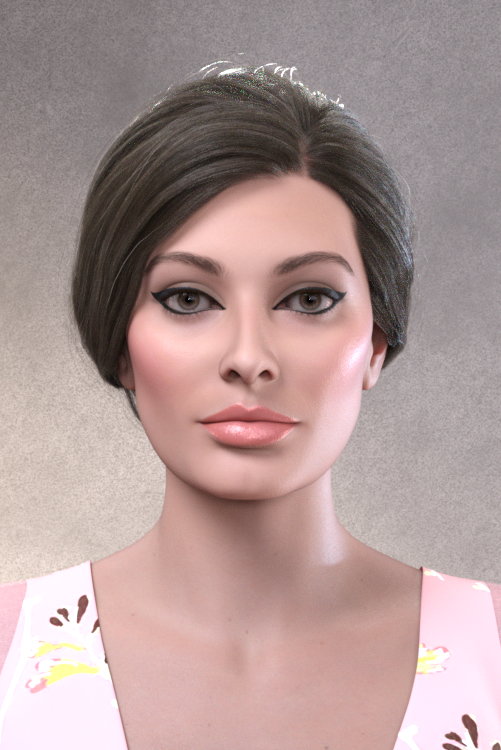

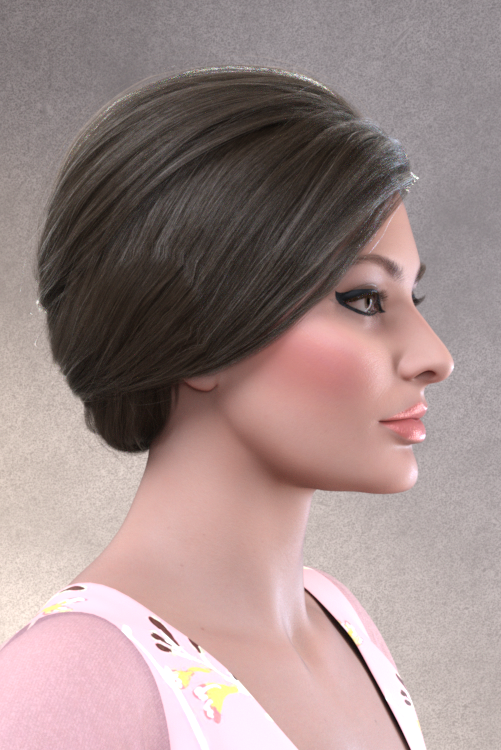
Assets used in promo images:
dForce Iris Dress and Outfit for G8.1F
SP Hair 017 for G3,8F
Victoria 9 makeup
Bold Look Makeup LIE for G9
BOSS Pro Light Set
Non-commercial use only please!
I am looking forward to seeing your renders of La Divina in this thread (as usual).

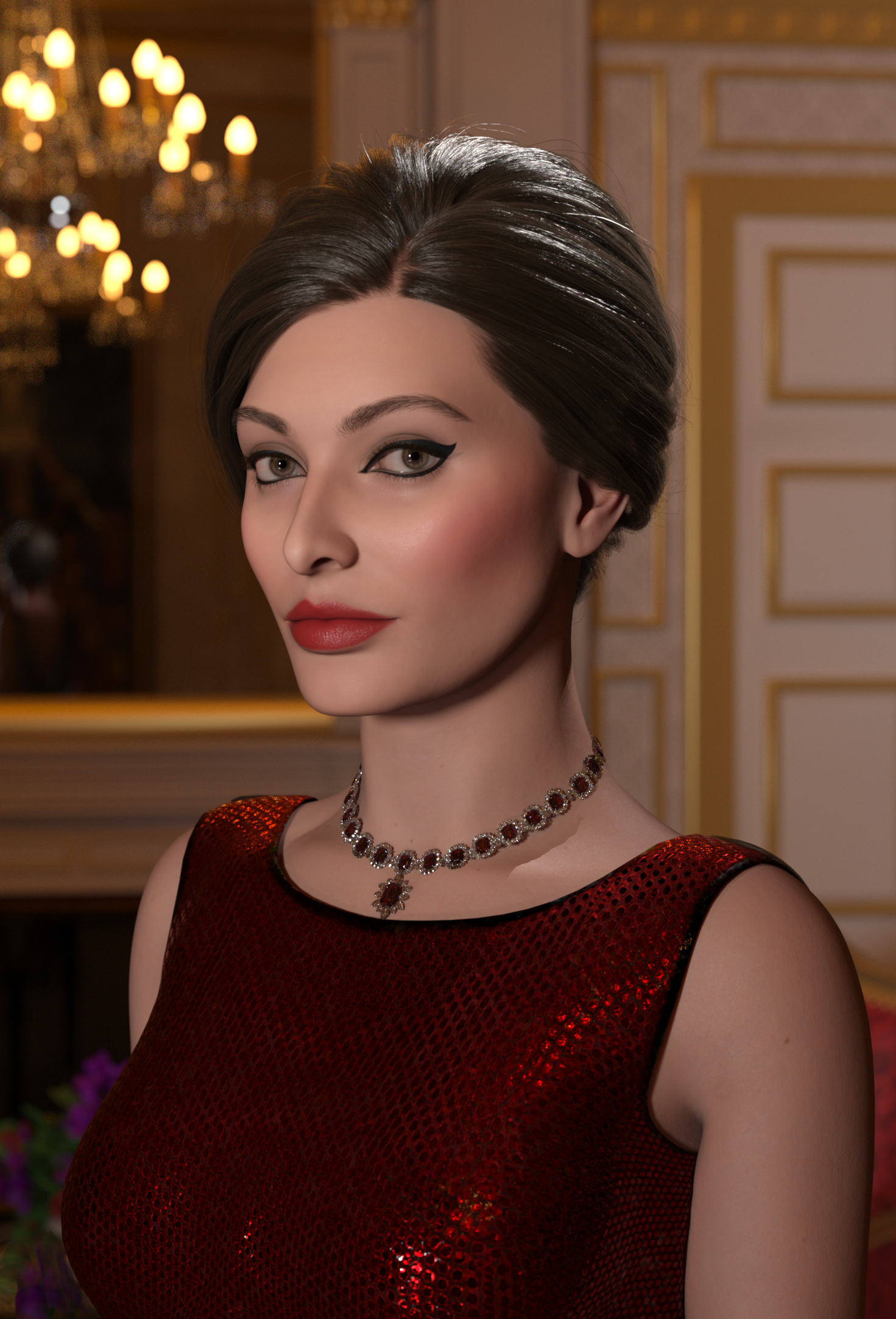
For starters here is my render of La Divina (made before the final corrections to the sculpt and featuring perlk's Elizabeth necklace!
 ):
):
Have fun!
AOBB
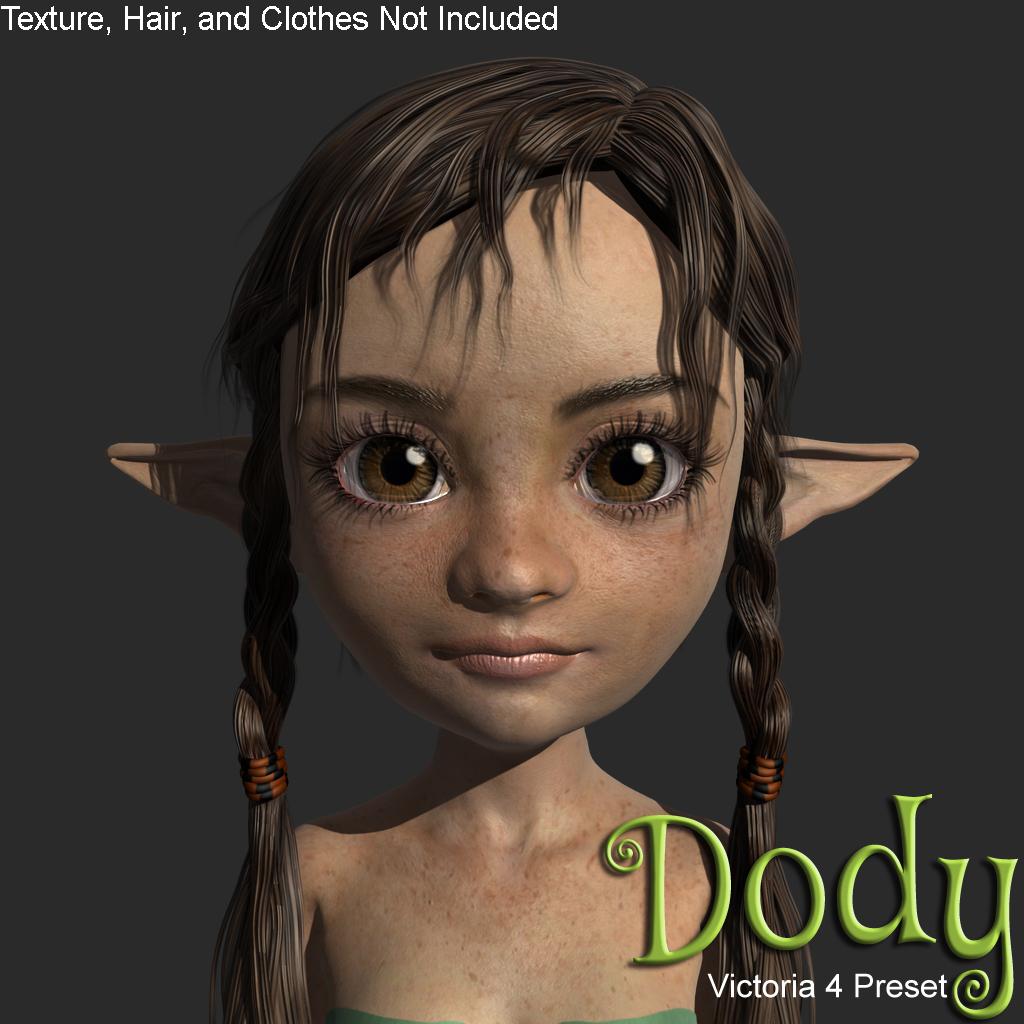
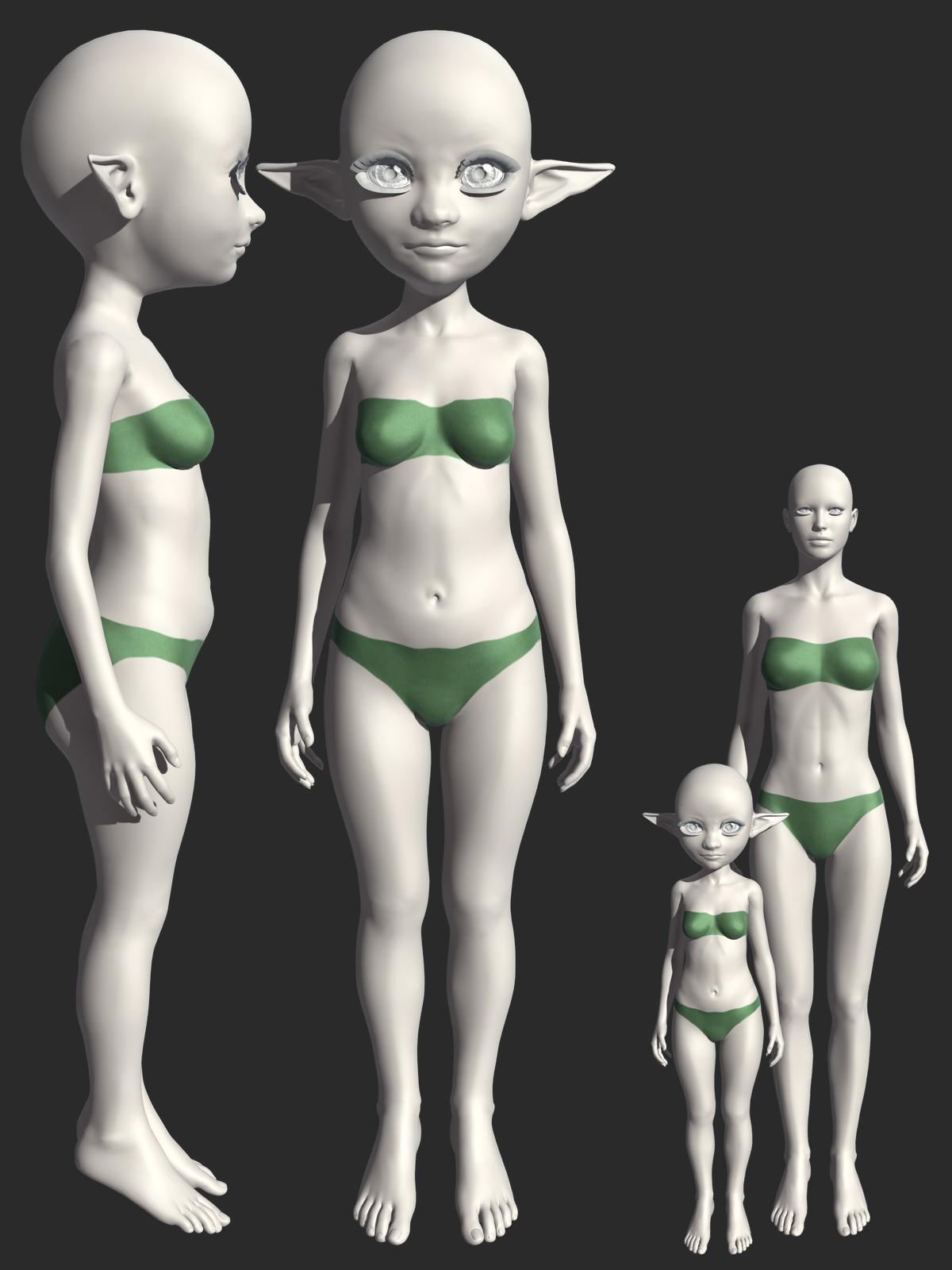
Dody Morph Preset for Victoria 4Dody Morph Preset for Victoria 4.
Texture, Hair, and Clothes Not Included!
Requirements:
Victoria 4.2 Base
Victoria 4.2 Shapes++
Aiko 4 Base
Stephanie 4 Elite Base
Victoria 4.2 Creature Creator Morphshttps://sharecg.com/v/99714/view/11/Poser/Dody-Morph-Preset-for-Victoria-4
https://www.renderosity.com/freestuff/items/93640/dody-morph-preset-for-victoria-4
 Genesis 9 we are back in the game Carrara users
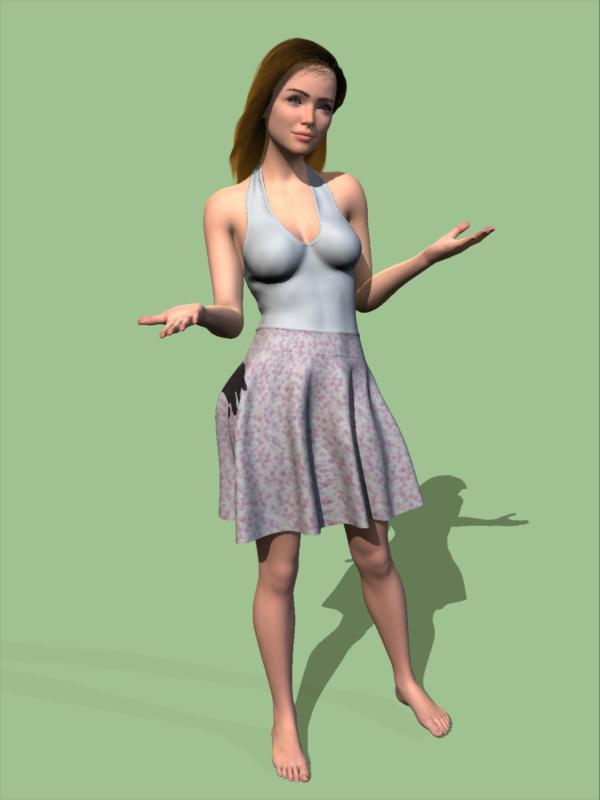
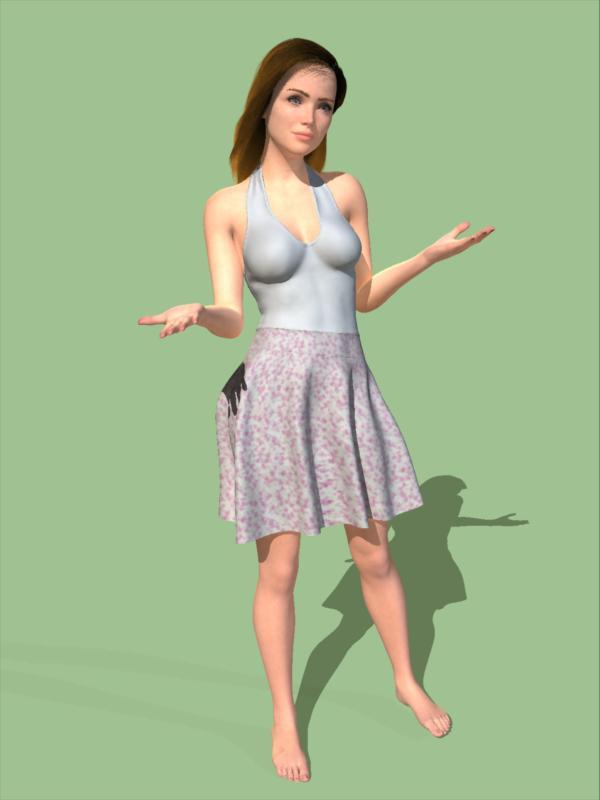
Basically another test like the one I did above. I made a fresh attempt to load the textures for Victoria 9. I added some subsurface scattering to the skin texture. Used Jay Versluis's method to transfer Genesis 8 character morphs to Genesis 9. Here is a mixture of the G8F Janet character with Victoria 9. Hair is a Carrara dynamic hair I made for Genesis 2 - fortunately on a hair cap so can be used on other figures.
Overall, for the moment, I think I could get better results in Carrara with Genesis 2, and with less hassle. The biggest issue seems to be the joints. Noodles. Not sure if the cause is JCMs, or maybe how blended rigging affects weightmapping, or... Perhaps as the utility producers like Xevo and RSSY offer joint corrections it will improve. Or maybe the error is mine and it will get better as I learn the figure more.
One of these renders has indirect lighting checked and the other does not. Make a difference with the subsurface scattering I added to the skin?
 Is it possible to create an interesting G9-Character?
I doubt. Or at least - I doubt, if we don't have access to the HD-Tools. I tried to transfer several G8 characters to G9 - it is possible, but the resulting characters have a flat face and body. Not so surprising, because the morph transfer tool does not work with HD morphs. But perhaps it's a more general problem - I think so far the only convincing G9 character is Victoria 9; which indeed is beautiful. But that seems to be a result of HD-morph and texture. Many new g9 characters are looking strange or flat, with thick lips and flat face. In the best case they look like a Victoria 9 modification.
Perhaps I am wrong. Perhaps it is possible. (Stella HD is a positive exemption...) Perhaps we need some morph kits to create interesting faces with flaws and wrinkles. Or perhaps it is the lack of HD tools, or is there a lower resolution in the model mesh? I am rather clueless at the moment.
G9 product wish listI would like another character like Victoria 9...and RawArt's Sasquatch. Basically, a G9 "character" that comes with male and female chest mat options and both gens. (I'd prefer a "female" like this because in the case of Michael 9, they'd leave painted on body hair on the male's skin which limits its use on an adult female and a child.) I don't use characters "as is" and the more I can vary their looks when I dial spin my own, the better.Getting on the 9 train, or notI compared Michael 8.1-HD to Michael 9-HD in the picture below. Notable findings:
- Both skins have painted hairs, which is bad, especially for Michael 9-HD as I cannot use a skin with painted stubble for Victoria 9.
- As identified before with Victoria 9, the arms are longer with the new generation
- The chest and pectorals of Michael 9-HD look flat and unrealistic
As I said before, Generation 9 is a step back for me and I have enough Genesis 3, 8 and 8.1 items to ignore it.
Josie 9Alright so this is the problem I believe Daz needs to understand going forward.
Josie is a full priced Daz core character, $60. But Josie has no HD head or body. Not only that, but Josie lacks eye textures. She has zero eye textures. She can use the 8k normal maps that came with Genesis 9 base...but that doesn't make Josie special.
Daz users are going to expect characters to have their own unique textures. All users have Josie's eyes already. If Josie is toonish, why doesn't she has some fantasy or toon eye colors? All users have the base 8k normal maps already. Josie needs to bring us something more unique to warrant her $60 price tag in my opinion.
People were hoping that Victoria 9 was the new standard...not the exception. While V9 also lacks eyes, she contains enough to demonstrate the value, like her HD morphs and custom normal maps, as well as gen mats for BOTH male and female.
Besides that, wouldn't it make sense for this character to be Mika 9 or something else? Previous Josies were not this toonish.
I will point out that the readme does list 2 HD morphs for Josie, she has a HD navel and her own HD nipple. So there's that. But there is no HD full body or head. So at least she isn't using the basic navel and nipple morphs. I don't think that is enough.
She does have a fair number of corrective morphs, much more than typical Thorne characters. Most G8/8.1 Thorne characters list barely any corrective morphs, most only have one for the eyes and that is it. Josie has a bunch. Again, Victoria also has these, setting the standard. Plus many 8/8.1 core characters had tons of corrective morphs.
I have always believed that Daz core characters should be setting the standard, setting a high bar that all PAs strive for, whether it be realistic or toon. With Genesis 9 being so new and prices going up, it is even more important to set this standard. Try to blow our minds, not our wallets. If you can set the bar high, the wallets will open, and people will move towards G9 naturally in order to get that quality.
Daz 3D is part of

Connect
DAZ Productions, Inc.
7533 S Center View Ct #4664
West Jordan, UT 84084Licensing Agreement | Terms of Service | Privacy Policy | EULA
© 2026 Daz Productions Inc. All Rights Reserved.