-
Modify Pivot Point on Imported Objects
Okay. After some trial and error, I figured out how to fix it:
If you import an object in any of the FBX, OBJ, DAE or 3DS formats, they may appear in a different position than desired.
If I need to modify the pivot points of some elements, for example the doors of a car, I should not rotate the elements first, much less group them and rotate them all together. If I do it like this, either I cannot move the pivot points or the rotation occurs in an undesirable way.
I have to modify the pivot point in the initial position when you import it. After modifications you can place them in the position you want or group them, and then it works well.
Greetings and thanks for reading.
Newly Bought Products Not Showingcrosswind said:
wildbillnash said:
I also just notice I have I have a folder for InStyle - Delta Bodysuit Genesis 8-8.1F and G9, which is an add-on, but the sales page says I haven't bought it. I also have the Delta Bodysuit folder but it's sales page shows I having bought it and it's not in my product Product Library. Any ideas what's going on here. Ever since Daz came out with Gen 9, I've been having problems with their clothing. I have yet check anything else, like enviroments.
Oh, just checked something else. The Delta bodysuit product didn't come with the base bodysuit. I have have the materials, not the suit. What The Heck Is Going On Here?I'm sorry I have no ieda what' going on... because I don't buy things from the emigrees from Rendo at this stage as I know they're with zero or messy metadata... though I'm able to easily fix them all.
Pls submit tickets... quite a few tickets...
I will submit tickets. But I was wondering. How do you know a product requires a base that is on another site. And I can't find Rendo online. So, we need to start a list of sellers to avoid since they, and Daz, don't do the complete work of metadata.
My first submission to the list is anything by InStyle.Newly Bought Products Not Showingcrosswind said:
wildbillnash said:
I also just notice I have I have a folder for InStyle - Delta Bodysuit Genesis 8-8.1F and G9, which is an add-on, but the sales page says I haven't bought it. I also have the Delta Bodysuit folder but it's sales page shows I having bought it and it's not in my product Product Library. Any ideas what's going on here. Ever since Daz came out with Gen 9, I've been having problems with their clothing. I have yet check anything else, like enviroments.
Oh, just checked something else. The Delta bodysuit product didn't come with the base bodysuit. I have have the materials, not the suit. What The Heck Is Going On Here?I'm sorry I have no ieda what' going on... because I don't buy things from the emigrees from Rendo at this stage as I know they're with zero or messy metadata... though I'm able to easily fix them all.
Pls submit tickets... quite a few tickets...
I will submit tickets. For a refund since the base is not available like I mentioned earlier.
Daz to Blender not importing correctlyHello everyone,
I've decided to post here because I'm having serious issues when I try to import some products in Blender (3.6.1) from Daz (4.22) with Daz to Blender (for Blender 3.6, latest version). I apologize in advance if this case has already been answered but I just feel completely lost right now and I could really use a hand.
With some products, I just can't make it work properly, even if it says it's compatible on the product's market page. I'm going to explain myself with the most recent exemple for me, the HH wyvern, but it already occured several times before.
Here is what I get by clicking on import for the first time :
And when I click on import the second time, I get the mesh but with no textures, and with no rigging either because the skeleton is not mapped to the mesh.
For other assets like HH hydra it's even worse, it stays like in the pic no matter how much time I click on import, even if it says it is compatible on the market's page.
For most of the assets of the HH collection, it works fine except for the scaling, I mean that the skeleton and the mesh are not equally scaled/positioned after the import so I get a distorted mesh and I have to manually rescale/reposition the mesh to fix his shape. So it easily fixable but still a little bit of a nuisance and loss of time, so it would be good to learn how to have it imported finely.
Thank you for your reading, I hope someone will be kind enough to help me :)
no strings attached - another free render engineFettbemme said:
Bunyip02 said:
https://www.daz3d.com/forums/discussion/635936/sketchup-into-carrara
what's that for?
Warehouse import and FBX export from PCon then import into Carrara as is.
And? what's the problem?
PCon has been covered in other threads, both Carrara and the main forum. A gentle reminder this is a Carrara forum and not a Vue forum.
Was having troubles with two things in Carrara - textures and file size.
Textures - were coming in stretched, and badly stretched at that.
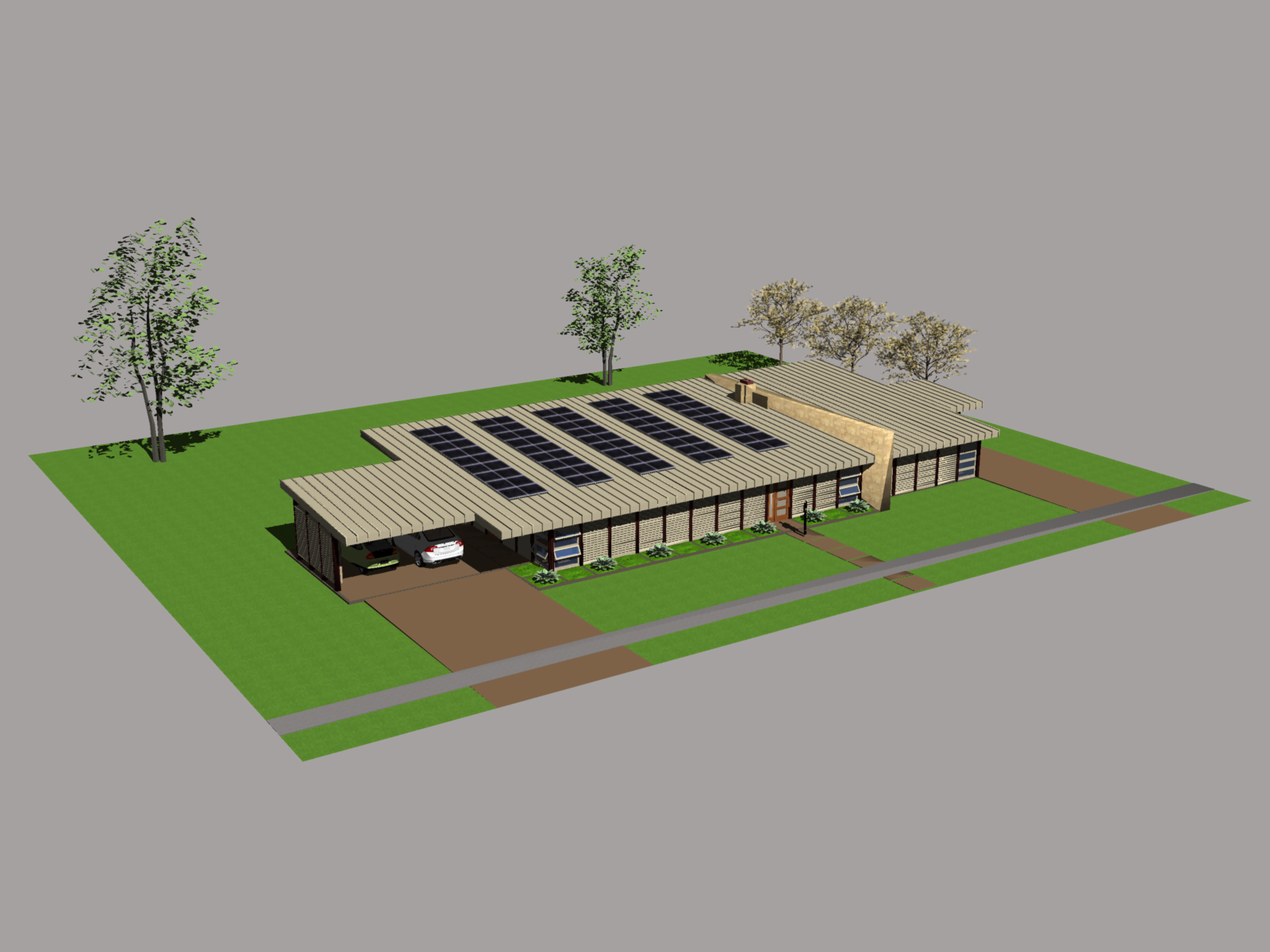
File size - larger models, typically a furnished house with trees in the yard and a parked car or two, file size for an fbx export would swell to about 500MB or more. When imported into Carrara it would crash.
Wendy was using obj export with no problems, but I was having issues with the stretched texture file.
The render is typical of the type of Sketchup file I was having trouble with. It was exported from PCon as a fbx file size over 460MB, import into Carrara caused it to crash. Exported as obj, into Blender, exported from Blender as a fbx at a size of 116MB. Carrara imported this file but took about 45 minutes to do so. Unfortunately with the texture import this time around everything in the glow channel was given a white colour which had to edited to none.
 Modify Pivot Point on Imported Objects
You can't modify it at all or it doesn't stick? What format are you using for the import?
Modify Pivot Point on Imported ObjectsHello everyone.
Sorry for my rookie questions.
Why can't I modify the pivot point with the Joint Editor when I import an object created with 3DSMax (obj, fbx, dae, and 3ds)?
Thanks for reading.
Newly Bought Products Not Showingwildbillnash said:
I also just notice I have I have a folder for InStyle - Delta Bodysuit Genesis 8-8.1F and G9, which is an add-on, but the sales page says I haven't bought it. I also have the Delta Bodysuit folder but it's sales page shows I having bought it and it's not in my product Product Library. Any ideas what's going on here. Ever since Daz came out with Gen 9, I've been having problems with their clothing. I have yet check anything else, like enviroments.
Oh, just checked something else. The Delta bodysuit product didn't come with the base bodysuit. I have have the materials, not the suit. What The Heck Is Going On Here?I'm sorry I have no ieda what' going on... because I don't buy things from the emigrees from Rendo at this stage as I know they're with zero or messy metadata... though I'm able to easily fix them all.
Pls submit tickets... quite a few tickets...
no strings attached - another free render engineBunyip02 said:
https://www.daz3d.com/forums/discussion/635936/sketchup-into-carrara
what's that for?
Warehouse import and FBX export from PCon then import into Carrara as is.
And? what's the problem?
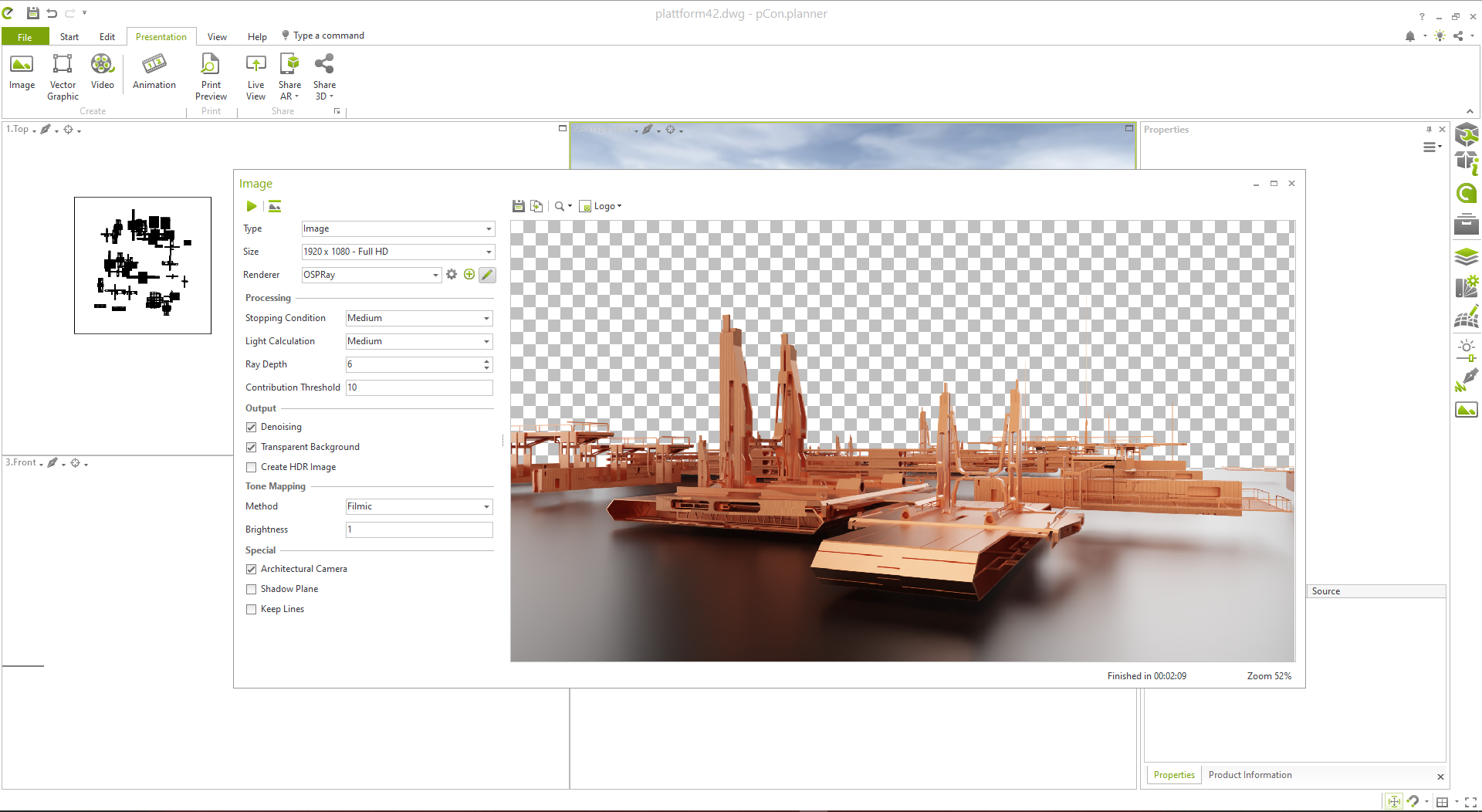
no strings attached - another free render engineNo Account creation needed. You don't have to be online to use the render engine. But if you wish to download the free stuff from their catalog you need an Internet connection but no account.
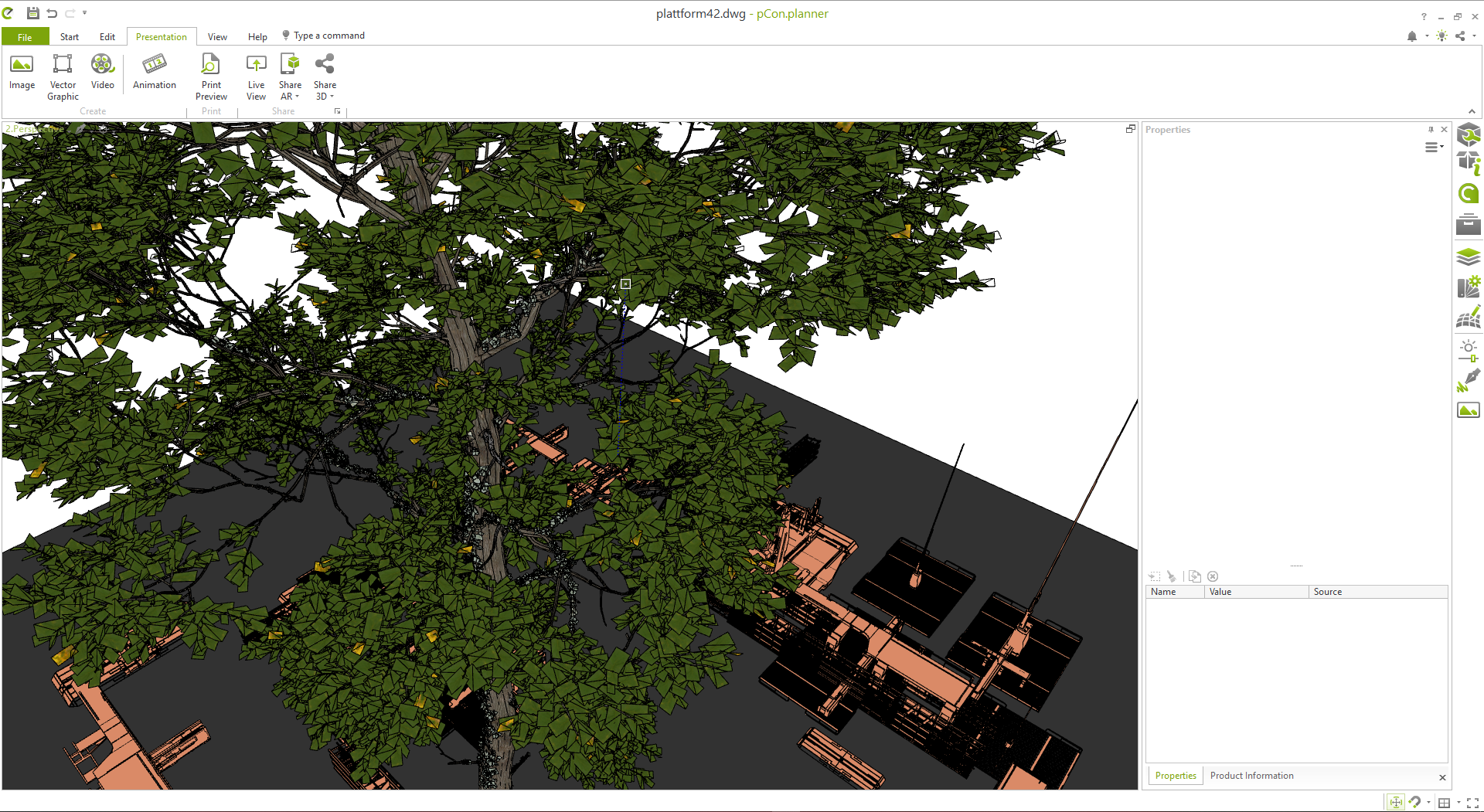
Trees from Plant Factory work, the only thing you need to change is the FBX Export to target Autodesk 3ds max and you are good to go.
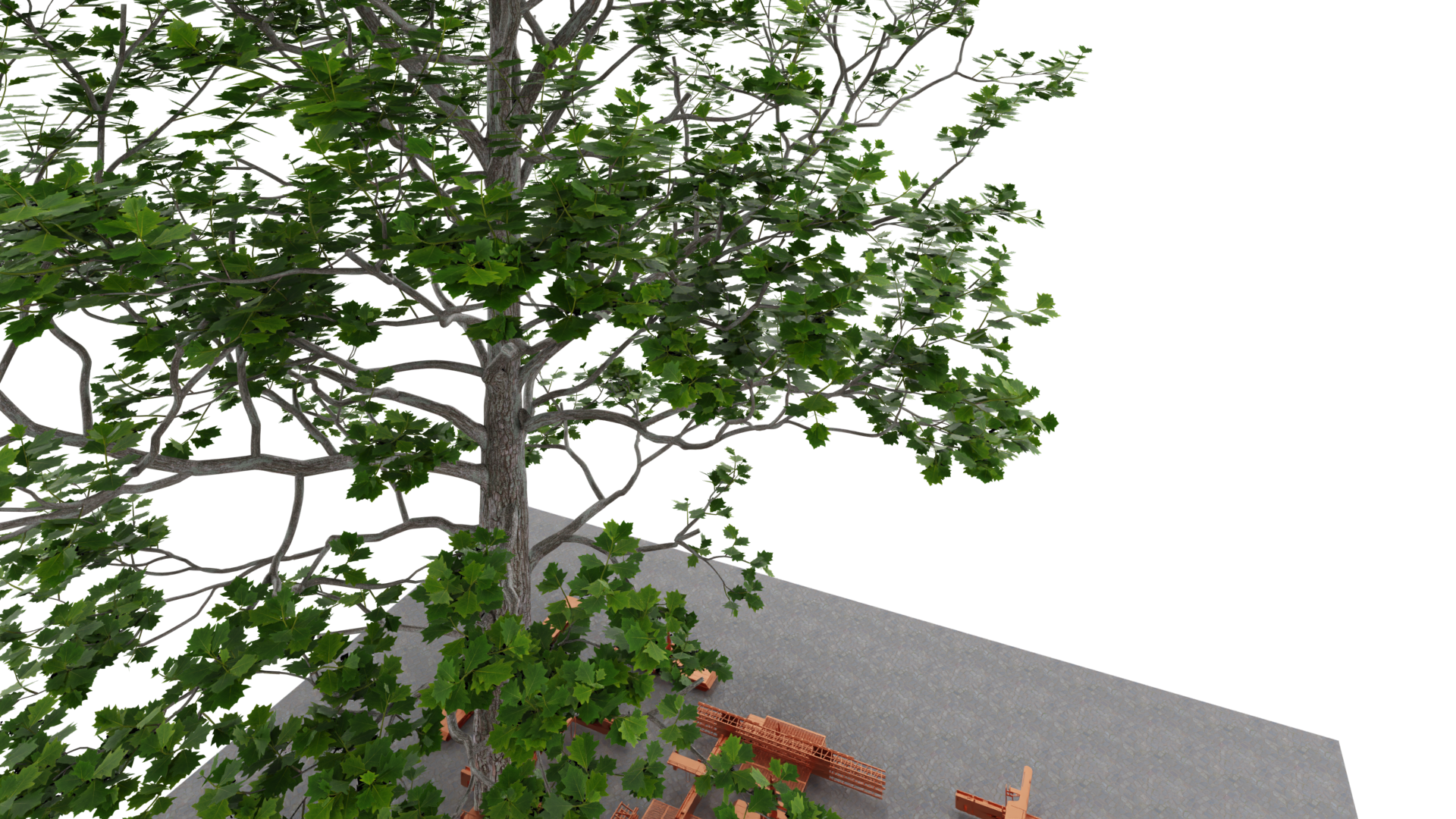
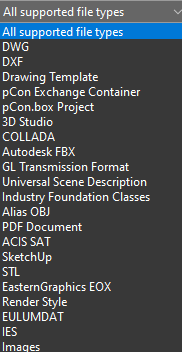
It can import Sketchup models, OBJ, FBX, IES
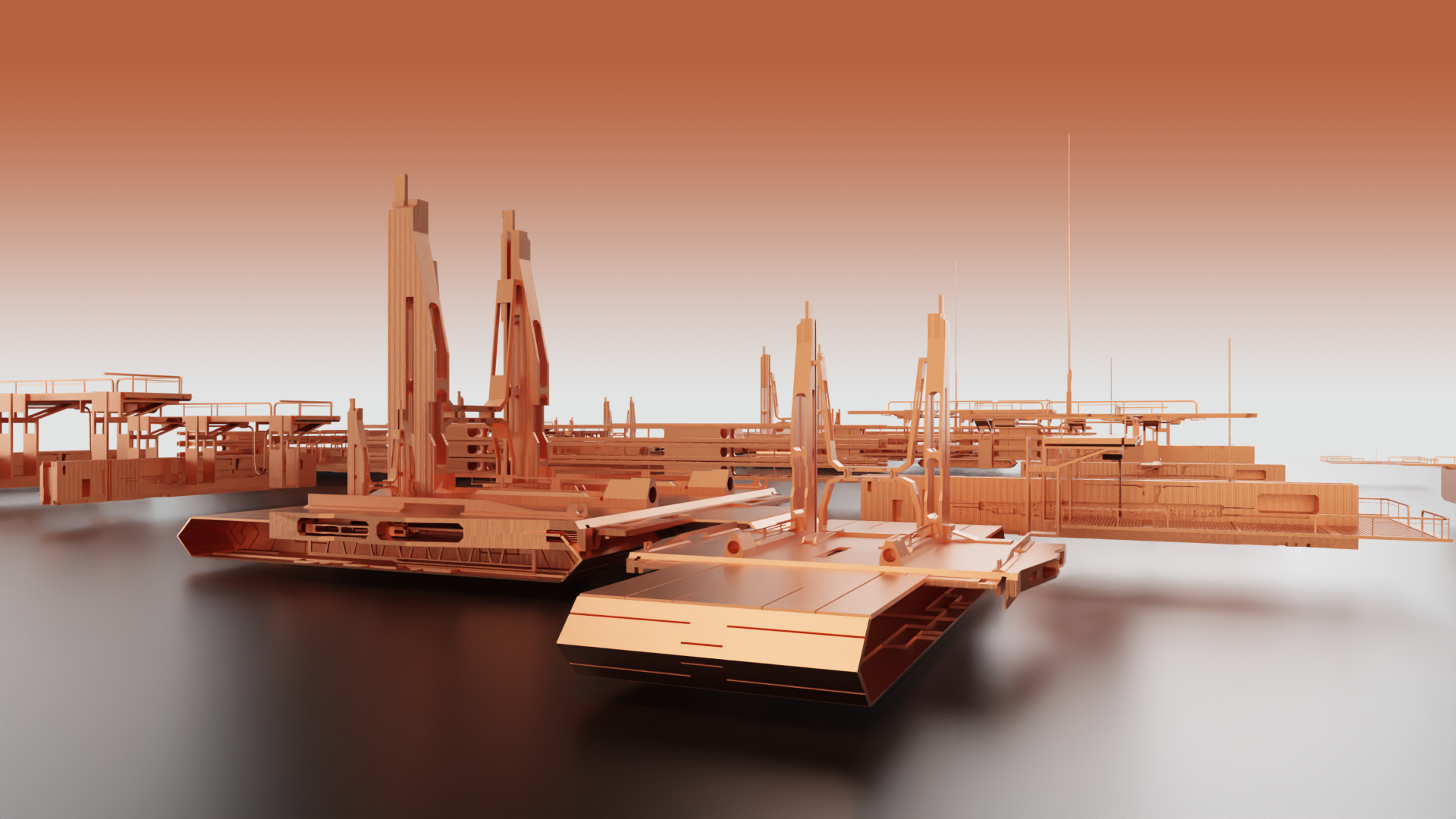
The render engine is OSPRAY which is lightning fast on non GPU hardware.
It's really free. The paid version is for real architects, only that need certain calculations for materials per SQM etc. We don't need that. Also there is an extensive free catalog to download all sorts of models for everything really and free of charge. And not to forget what the program was actually made for: you can create your houses, rooms, interior, exterior and import it into Carrara, Daz Studio, Bryce, Hexagon, Blender etc.
We all love free stuff.
have fun.
 Skyline HDRI
So maybe I'm just a nincompoop, but I haven't been able to find what I'm looking for. I have several scenes from the store (Luxury Hotel Balcony, High Rise Bedroom, etc.). They're excellent products. What I'm searching for is a complimentary HDRI of city buildings, namely, an HDRI that is taken from higher up to simulate the height of the scene. Note: this is mostly for Blender, as that's where I do 90% of my work. I use Daz to create the characters and environments, then import over using Diffeomorphic. I looked on Polyhaven, but all theirs are taken from street/ground level. I need something from perhaps a rooftop perspective, and if it came with both a day and night version, that would be even better! The store seems a bit quirky at times when using the search function, so maybe I'm not seeing all the options. Any help would be appreciated!
Buy Something That Doesn't Work in Carrara? Post your Questions and Workarounds here. (please)I went and bought it... very puzzling

I ended up in DS and exporting the pants as an OBJ file... new scene load G8 and import the OBJ and then I transferred the bones from G8 to the pants OBJ.. then adjusted the weight painting and removed G8 and saved the pants as a scene subset... the other bits of clothing I loaded into DS converted the weight painting and saved individually as saving the lot crashes Carrara on load.
 Midnight Bones for Genesis 9 doesn't accept standard hand poses
Okay, I got what you meant. You were checking and comparing the pose. Yes, after testing, it's an issue of wrong rigging... You may fill a ticket.
Then if we want to fix it, we can rerig it ~
- export standalone MB Skeleton to OBJ with Base Resolution and import OBJ. Rig it to G9 with Transfer Utility.
- transfer all morph properties / corrective morphs from MB Skeleton to MB Rerigged with Transfer Utility
- activate Geometry Editor, select All surface of G9, Set AutoHide Faces for Attachment > select MB Rerigged.
- convert MB Rerigged to SubD and apply a Material Preset to it.Done ~ The result will be correct. Then save G9 as a Subset, or a Figure Asset with your Vendor Name.
Windows Action Window Sizingcrosswind said:
ArtsyDragon said:
crosswind said:
To be exact, what is the Window that you mentioned ? Update Base Geometry window in screenshot 1 ? or OBJ Import Options window in screenshot 2 ? or any other window I've never seen before... ?
It's the second one. I can see the others just fine.
Well, that dialogue is on top of all other dialogues, just follow the attached screenshot to enlarge it. Even if you could not change the size of it, just click on Accept button, the default settings will do.
I'll try enlarging it again. I tried just accepting the settings but the hair product really failed to convert. I tried to do it a second time but that failed even worse. LOL
Thank you for the suggestions.
Windows Action Window SizingArtsyDragon said:
crosswind said:
To be exact, what is the Window that you mentioned ? Update Base Geometry window in screenshot 1 ? or OBJ Import Options window in screenshot 2 ? or any other window I've never seen before... ?
It's the second one. I can see the others just fine.
Well, that dialogue is on top of all other dialogues, just follow the attached screenshot to enlarge it. Even if you could not change the size of it, just click on Accept button, the default settings will do.
Decimator worked only once??Richard Haseltine said:
crosswind said:
jjoyner said:
RobertDy said:
jjoyner said:
Jay Versluis made two videos on using Decimator. In one of them, he discusses the fact that Daz Studio cannot save the level of detail created by Decimator. The levels of detail can be exported, though, and them imported later as needed.
- Decimating your Characters and combining textures with Daz Studio - https://www.youtube.com/watch?v=RU5FTHs-MDg
Thanks everyone for your replies. Crosswind is correct, there's no way it can be saved, jjoyner - I tried exporting as obj and then adding LOD using the obj, but whenever I apply the LOD, the figure just vanishes. What would the correct export import way be? Richard - yes, the same figures.I’m no expert with Decimator having only purchased it in May when it was more than 80% off. I just tried the process that Jay demonstrates in his video and it worked for me with no problems.
- I loaded Greylien HD for G8M and Decimated it to 50% resolution; see first image with Decimated LOD named Alien - 50%.
- I exported the reduced LOD as an OBJ file as Jay demonstrated.
- I opened a new scene, again loaded Greylien HD for G8M and imported the reduced LOD by naming it Alien Half Res so that it stood out with a different name; see second image.
Nope... it doesn't work as I mentioned in your post last time...and Jay never demonstrated the function but just mentioned it...
You only imported LoD OBJ but didn't really choose it. If you did choose "Alien Half Res" from Resolution Level dropdown list, the figure would vanish... just as RobertDy said. You can find there's zero Face from its geometry statistics.
We tried this function with decimated OBJ for times in various ways... it never works. The only way to use a Decimated figure in DS and make it savable is to purely import OBJ file, rig it with a specific way, supplement corrective morphs on it... then save a Figure asset.. etc. https://www.daz3d.com/forums/discussion/comment/8734511/#Comment_8734511
LoDs do, as far as I know, work - and can be created by scripts, so a Post-Load Script in a preset could make them addable from the content pane, or they could be added to a utility proeprty like the ones in Genesis 9. Not that I have tried either of these.
So the problem is how to make it really work .... especially with the OBJ generated by Decimator plugin. And to me, even if the LoD OBJ could be loaded into Resolution Level and shown with no issue, the result still cannot be saved into DSF / DUF files... then it'll be still useless at the end of the day...
Decimator worked only once??crosswind said:
jjoyner said:
RobertDy said:
jjoyner said:
Jay Versluis made two videos on using Decimator. In one of them, he discusses the fact that Daz Studio cannot save the level of detail created by Decimator. The levels of detail can be exported, though, and them imported later as needed.
- Decimating your Characters and combining textures with Daz Studio - https://www.youtube.com/watch?v=RU5FTHs-MDg
Thanks everyone for your replies. Crosswind is correct, there's no way it can be saved, jjoyner - I tried exporting as obj and then adding LOD using the obj, but whenever I apply the LOD, the figure just vanishes. What would the correct export import way be? Richard - yes, the same figures.I’m no expert with Decimator having only purchased it in May when it was more than 80% off. I just tried the process that Jay demonstrates in his video and it worked for me with no problems.
- I loaded Greylien HD for G8M and Decimated it to 50% resolution; see first image with Decimated LOD named Alien - 50%.
- I exported the reduced LOD as an OBJ file as Jay demonstrated.
- I opened a new scene, again loaded Greylien HD for G8M and imported the reduced LOD by naming it Alien Half Res so that it stood out with a different name; see second image.
Nope... it doesn't work as I mentioned in your post last time...and Jay never demonstrated the function but just mentioned it...
You only imported LoD OBJ but didn't really choose it. If you did choose "Alien Half Res" from Resolution Level dropdown list, the figure would vanish... just as RobertDy said. You can find there's zero Face from its geometry statistics.
We tried this function with decimated OBJ for times in various ways... it never works. The only way to use a Decimated figure in DS and make it savable is to purely import OBJ file, rig it with a specific way, supplement corrective morphs on it... then save a Figure asset.. etc. https://www.daz3d.com/forums/discussion/comment/8734511/#Comment_8734511
LoDs do, as far as I know, work - and can be created by scripts, so a Post-Load Script in a preset could make them addable from the content pane, or they could be added to a utility proeprty like the ones in Genesis 9. Not that I have tried either of these.
Windows Action Window Sizingcrosswind said:
To be exact, what is the Window that you mentioned ? Update Base Geometry window in screenshot 1 ? or OBJ Import Options window in screenshot 2 ? or any other window I've never seen before... ?
It's the second one. I can see the others just fine.
Just Curious - Does DAZ Studio Get As Easy to Use As Carrara?Steve K said:
Okay, thanks, factors to think about. I have used some DS products in Carrara, but it seems hit or miss. I've decided a few vendors seem to sell products that work in Carrara. And yes, I have exported OBJ with success. I do have a fast AMD 12 core/24 thread machine, but not CUDA, which is new to me. So many toys, so little time.

Yes, with the machines most of us have, Carrara is favored for fast animation render times, in many cases ~5 sec/frame..
I also enjoy using VUE which is now free, and GeekAtPlay has a tutorial series ~an hour long on integrating DS and VUE, I'll get into that shortly.
oh yeah, Vue my toy
 Windows Action Window Sizing
To be exact, what is the Window that you mentioned ? Update Base Geometry window in screenshot 1 ? or OBJ Import Options window in screenshot 2 ? or any other window I've never seen before... ?
Daz 3D is part of

Connect
DAZ Productions, Inc.
7533 S Center View Ct #4664
West Jordan, UT 84084Licensing Agreement | Terms of Service | Privacy Policy | EULA
© 2026 Daz Productions Inc. All Rights Reserved.