-
Genesis 8 Basic Female Broken Morphs
hello, i have not managed yet to change the SY morph/s. they are way too many and there is no update. I downloaded her files from share cg in april this year.
as for the missing g8f morphs, i checked them out and i have all of them installed. the same with v8 and topsy. they are all installed in data directory morphs location (attached screen shot).
i'll hve to open a support ticket, since i cannot tell why the issue related to g8f morphs is occuring.
2020-11-24 14:45:15.823 WARNING: ..\..\..\..\..\src\sdksource\fileinput\dzassetdaz.cpp(6843): Could not find target property for formula:
Genesis8Female:/data/DAZ%203D/Genesis%208/Female/Morphs/DAZ%203D/Head/PHMEarlobesAttached.dsf#PHMEarlobesAttached?value in file :
/data/DAZ%203D/Genesis%208/Female/Morphs/DAZ%203D/Victoria%208/eJCMVictoria8EarlobesAttached.dsf
PHMEarlobesAttached.dsf comes with the product "Genesis 8 Female Head Morphs", do you have it?
2020-11-24 14:45:16.024 WARNING: ..\..\..\..\..\src\sdksource\fileinput\dzassetdaz.cpp(6843): Could not find target property for formula:
Genesis8Female:/data/DAZ%203D/Genesis%208/Female/Morphs/DAZ%203D/Expressions/eCTRLExcitement_HD.dsf#eCTRLExcitement?value in file :
/data/DAZ%203D/Genesis%208/Female/Morphs/DAZ%203D/Topsy%208/eJCM_Topsy8_ExcitementHD_div2.dsf
"eCTRLExcitement_HD.dsf" comes with the product "Genesis 8 Female Expressions", do you have it?
Genesis 8 Basic Female Broken Morphshello, i have not managed yet to change the SY morph/s. they are way too many and there is no update. I downloaded her files from share cg in april this year.
as for the missing g8f morphs, i checked them out and i have all of them installed. the same with v8 and topsy. they are all installed in data directory morphs location (attached screen shot).
i'll hve to open a support ticket, since i cannot tell why the issue related to g8f morphs is occuring.
Partial morphs?I just did one using the Hexagon Bridge following this procedure.

https://www.daz3d.com/forums/discussion/394251/face-transfer-how-to-save-as-an-adjustable-head-shape
Pax's Pretty Boys ThreadDid you do something special with the 2nd picture re pose and morph? Whenever I do a pose like that - really anything with lifted arms - I get wonky biceps and triceps, sometimes wonky traps and lats.
(Why do those subtle scars on his torso make me feel... excited?)
The pose is from Composed Poses for Genesis 8 Males ('Pose 01M', descriptively), but I rearranged the right arm a lot and the left a bit because they were not having a nice time with the hood at all. Also, I have both Ultimate Natural Bend Morphs on (I totally forgot that was its name until I had to make an educated guess at what the U of UNBM meant...), which does a lot of heavy lifting with some poses. And in part I think it's because a lot of his right arm got obscured by the hood anyway.
 I usually avoid poses like this like the plague (same problem, I spent longer sorting out Alex's arm in one picture than I did setting up the rest of the scene and it still looked iffy) but this one worked out surprisingly well.
I'll admit to getting a bit... uh... distracted by his stomach as well...
Auto Muscle Enhancer HD [Commercial]I'm not sure if anyone has tried using AME on Leyna, so I gave it a go. AME Body set to 50%, AME Flex Size 50%, AME Muscle Definition 100%, and AME Veins 50%. Snuck in my starter morph parameters, but dialed out Cartoonized. Her outfit is one for G8F and autofitted.
Render straight out of DAZ Studio with none of my usual contrast/tone enhancements.
Leyna for Genesiis 8 Male might be of use for those wanting a quick way to get AME abilities on a female character without a lot of effort. :)
Here's the store link for Leyna:
https://www.daz3d.com/leyna-for-genesis-8-male
Lee
That's actually a great idea. However, is there a product that allows the use of female genitalia on a G8M-based character for situations such as studio nudes? If so, your idea would have even more merit. Thanks for this suggestion!
Pax's Pretty Boys ThreadDid you do something special with the 2nd picture re pose and morph? Whenever I do a pose like that - really anything with lifted arms - I get wonky biceps and triceps, sometimes wonky traps and lats.
(Why do those subtle scars on his torso make me feel... excited?)
Creating / importing morph for specific pose ?Ì have a figure posed and exported to blender.
Made adjustments in blender and imported the result back to DAZ via morph loader pro.
Technically it worked but the new morph "explodes" the mesh.
Question:
Do moprhs only work if they where made with a figure that was exported in base / zero pose?
Partial morphs?Hi Folks
I created a face with face transfer, and spent hours "cleaning up" with various morphs.
Is it possible to save and then load the face morphs, and apply them to a default G8 figure? If so, how?
Thanks a lot...
Mike
DELETE(From memory) There's an eyebrow hide morph dial in her head, if you want to use textures with painted-on eyebrows. The separate eyebrows are for sets which include an eyebrow transmap and there aren't many of those about.
[Edit] Or as @Masterstroke says, you can just set the upper eyebrows to 100% transparent, no specular.
How do you handle heavy scenes? (hardware, props, tips)First of all, sorry, I had to respond ;) I probably won't be able to help you out (going to try!) but oh my word that render of yours! It's hilarious and really nicely made too IMO! I'm a fan (I think), that's for sure. Though I suppose it would explain why I couldn't get RIley to wear her bikini earlier on, hmmm :D
And then that banner on the store, easily overlooked? That's the fun stuff ;) Just wanted to share, I really enjoyed that!
I just got my first Stonemason "Architecture" set (Streets of Steampunk).
Congrats! It's not the kind of advice you asked for but always remember that depending on the scenery you can usually also use individual parts which can sometimes even help take the whole thing out of context. Sometimes even a black background and decent lighting can help maskerade that you only used one "scenery prop", depending on the setup of course. You probably know this but ey, wanted to share. Your comment reminds me of the days when I just got (parts of) West Park. I had so much fun with that...
For a 'real' render I'd need suitable clothes. I don't have any Victorian stuff.
(I have a selection of bikinis, because 1 bright beach HDRI + 1 figure + 1 bikini was about all I could render on CPU back then).Depending on your audience I'll bet bikini's work just fine ;-) (ok, ok, sorry, sorry!)
Now DAZ would surely prefer I raid the store and spend hundreds on a dozen steampunk outfits (need some males, too).
Too much for one "just for fun" render. I'd spend maybe 15 on a hero outfit and 20 on a bag of background wardrobe.
I'm more liberal with figures and hair, since you can use those in any scene.A few things you might want to try but please bare in mind that I don't heavily work with Genesis 8 (just yet) but... Auto fitting is a thing, you can often fit clothes on one character even though they were made for another. This runs quite deep. The best way to try is to ignore the auto content pane but instead use the content library tab and find your wardrobe items in there. If an item doesn't fit at first right click and then use "fit to..." and see what happens. I've managed quite a few tricks this way.
Another thing to consider is to check out "freebie sites", there's a whole forum section dedicated to that. Who knows, you may find some good stuff there as well. Just because something is free doesn't necessarily maean its bad, there's some good (and really impressive) stuff out there as well.
Also... but you're probably aware: the Platinum club can save quite a bit of money, esp. with larger purchases. They even provide freebies (though... their quality fluctuates, I've had periods where I got something very good every month but you sometimes also have periods where the only thing you get is a freebie for something you have to buy and it "only" costs $23,- or so... errr, not a nice freebie). Still, maybe food for thought?
***Question 3: do you have any tricks how to populate a bigger scene, so that clothing items are not obviously duplicated?
Hmm, you could apply the tricks they often do in the news: when a group gathers keep the camera angles low(er) so that it looks as if a lot of people are attending while in fact there are only a handful present. You can also split up a scene and use some items in different places, depending on context.
I can dabble with the colors, but the shape is usually quite fixed. This will look like a clone army unless you buy many many items.
With a bit of adjustment, Western style might fit in, not much else.Keep the morph panel in mind as well, you can apply morphs / changes to plenty of figures and you could then save thay character preset so it can be used later. Then there's also the wardrobe which can obscure a thing or two. Heck... in an old render I even used to add the default (gray) Genesis because I only needed a (back) shot of the wardrobe. And it never showed that it wasn't even a 'real' character ;) (but don't mind me too much with that I guess, I still use Genesis 1 on frequent ocassions and still heavily enjoy the figure. That probably won't fly well with HD scenes).
Too bad, since 'plain clothes' haven't really changed that much between eras. (otoh, people tend to not make renders of me in my jogging pants)
Not that you're aware off anyway! :D
***Question 4: why does CPU rendering use SO much more memory than GPU rendering?
A CPU has to do a lot more than just your render whereas a GPU can be more or less dedicated to it. And an OS will also apply swapping.
Well, that's it for me. Can't really help with light issues because I'm still struggleing with those myself in iRay a bit. My gear can handle it but so far I'm still using 3Dl a lot as well.
Hope this could still be useful.
Newb question about licensesSometimes I see something in the store, and it doesn't show any license. Here's an example: https://www.daz3d.com/facegen-artist-pro
Can something like this be used in a game? If not, what good is it?
Thanks!
That is not something that would require the license. What requires the license would be the figure being used: i.e., Genesis 8 Male, Genesis 3 Female, Genesis 3 Male, Genesis 2 Female, Genesis 2 Male, Genesis, and/or Genesis 8 Female.
Other matters which would factor in would be the morph being made - is that safe for to use in a game or does it belong to a copyrighted/trademarked character?
That makes sense for the figures. Your last sentence confuses me, though. The whole reason I was wondering, was because I've seen people on YouTube talk about using morphs they bought, importing them from Daz into Unreal Engine 4, and then letting the player use them when they customize their character.
Auto Muscle Enhancer HD [Commercial]I'm not sure if anyone has tried using AME on Leyna, so I gave it a go. AME Body set to 50%, AME Flex Size 50%, AME Muscle Definition 100%, and AME Veins 50%. Snuck in my starter morph parameters, but dialed out Cartoonized. Her outfit is one for G8F and autofitted.
Render straight out of DAZ Studio with none of my usual contrast/tone enhancements.
Leyna for Genesiis 8 Male might be of use for those wanting a quick way to get AME abilities on a female character without a lot of effort. :)
Here's the store link for Leyna:
https://www.daz3d.com/leyna-for-genesis-8-male
Lee
The completely gratuitous complaint threadComplaint: I made an INJ morph for the Digi-I Tyranno and wanted to open it up in D|S too but even after it imports the morphs they won't show up :/
Non-Complaint: Painting in 3DCoat is very fun, and actually kind of relaxing~
Is There any convertor to convert V4 Matts to Genesis 8Is There any converter to convert V4 Matts to Genesis 8?
Also, is there any morph Transfer tool to convert V4 to Genesis 8 (free)
Thanks
These have been mentioned above but this is what I use and the process works quite well overall but it's not faultless. All are paid utilities but there is the clones alternative listed above if you want to reduce costs. It can seem overwhelming but it works and is easy once you've figured it out.
For V4 textures I use Texture Transformer and the appropriate addon for it. You can only go as far as G3F but as they are compatible with G8F it doesn't matter.
For V4 morphs I use Generation X2 to go from V4 to G3F, followed by XTransfer Genesis 3 To Genesis 8 to finish with.Newb question about licensesSometimes I see something in the store, and it doesn't show any license. Here's an example: https://www.daz3d.com/facegen-artist-pro
Can something like this be used in a game? If not, what good is it?
Thanks!
That is not something that would require the license. What requires the license would be the figure being used: i.e., Genesis 8 Male, Genesis 3 Female, Genesis 3 Male, Genesis 2 Female, Genesis 2 Male, Genesis, and/or Genesis 8 Female.
Other matters which would factor in would be the morph being made - is that safe for to use in a game or does it belong to a copyrighted/trademarked character?
Genesis 9 delayed until at least 2020. Will you be buying it?I'd probably mostly install things like the standard facial and body morphs (or morph collections) as preloaded, but all characters as injection. I rarely use character morphs, other than HD.Note that, in many cases, HD morphs aren't "the complete character including HD details", they're a "just the HD details" morph, which must be combined with the separate non-HD character morph. Dialling the HD morph automatically dials the character morph.
Tossing in my tuppence-worth, I'm on the "don't go back to injection morphs" side of the argument. As mentioned upthread, it had its complications; once I got used to it, the "always installed" style introduced with Genesis figures was much easier to work with.
Agreed. I would hate to go back to injections, and having both is just more work for the PAs.
Genesis 9 delayed until at least 2020. Will you be buying it?I'd probably mostly install things like the standard facial and body morphs (or morph collections) as preloaded, but all characters as injection. I rarely use character morphs, other than HD.Note that, in many cases, HD morphs aren't "the complete character including HD details", they're a "just the HD details" morph, which must be combined with the separate non-HD character morph. Dialling the HD morph automatically dials the character morph.
Tossing in my tuppence-worth, I'm on the "don't go back to injection morphs" side of the argument. As mentioned upthread, it had its complications; once I got used to it, the "always installed" style introduced with Genesis figures was much easier to work with.
Character stuck in high heeled foot pose.It's morph in the posing under the foot catagory there's one for either the left foot ot right foot for example "Left Foot Heeled Shoe" "Right Foot Heeled Shoe" just dial it to 0 and you're good. I just came to this page for help and saw what @Matt_Castle had said then i went to the foot catagory and saw the dials the fixed it
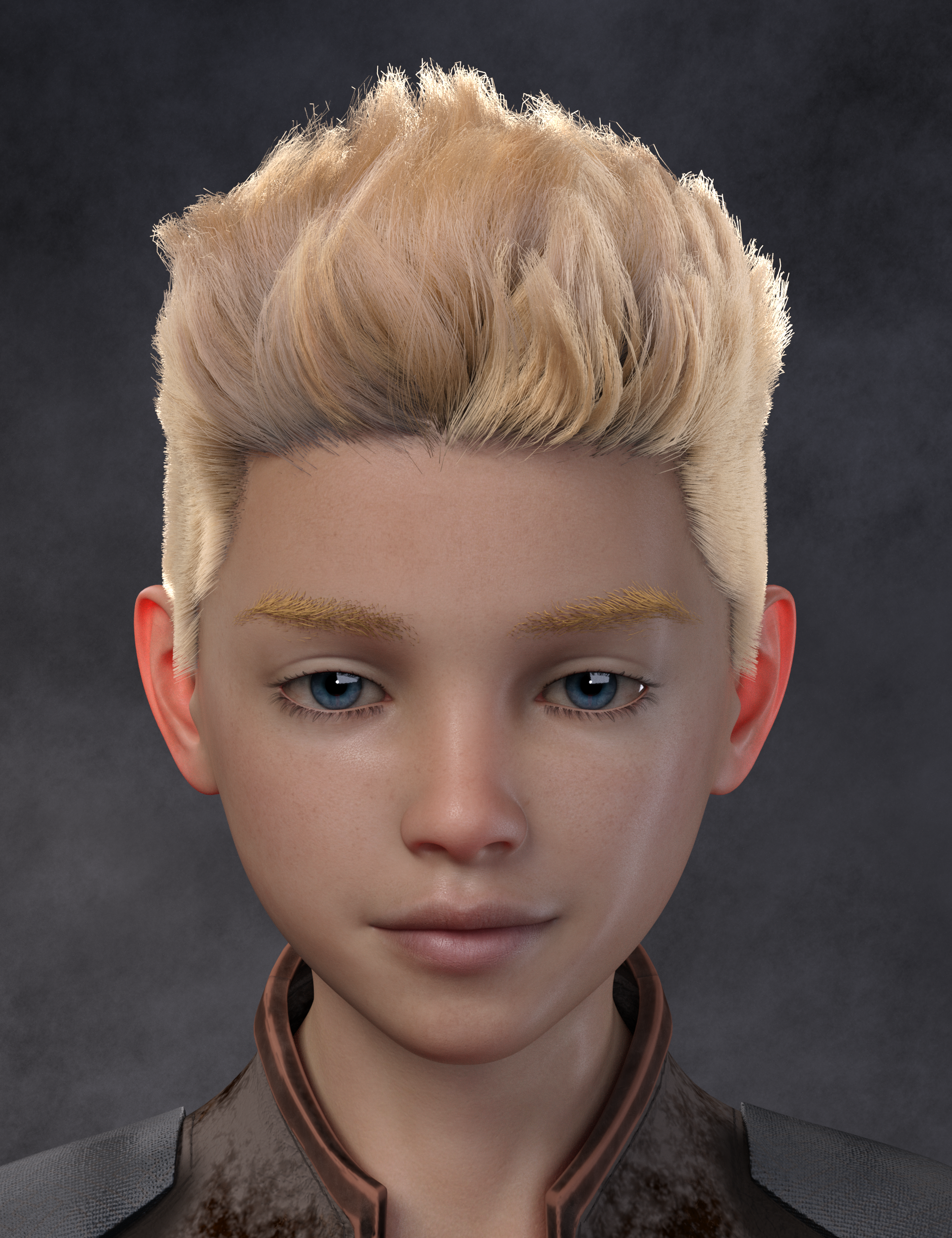
Ladies AND Laddies of Mousso appreciation threadVernon after an age down and some morph and skin tweaking
I used Teen Jamie skin and reduced bump and normal maps
 Genesis 9 delayed until at least 2020. Will you be buying it?
I was not around when V4/M4 were the main figures. I kind of like the whole "injection" idea, since the number of morphs on my G8F are crazy. I've had to parse some of the ones I don't really use out just so I can have a reasonable loading time. Don't know how people feel about the injection idea for G9, but it sure would be nice just to load the morphs I want when I want.
as someone who was around then - it was awful
any time you saved on the initial load was more than counterbalanced by all the time you spent loading morphs after the fact, including all the time you ended up spending having to find them. "Oh hey I'd like to dial in some of this character. Time to go find it in the content library and click the preset" if you wanted to dial in morphs from multiple sources, off you had to go to find all of them and click each preset. It was basically only faster if you never used anything other than premade characters
What about a choice or a hybrid system? You can choose to install products as injection only or preloaded. I'd probably mostly install things like the standard facial and body morphs (or morph collections) as preloaded, but all characters as injection. I rarely use character morphs, other than HD.
Daz 3D is part of

Connect
DAZ Productions, Inc.
7533 S Center View Ct #4664
West Jordan, UT 84084Licensing Agreement | Terms of Service | Privacy Policy | EULA
© 2026 Daz Productions Inc. All Rights Reserved.