-
Show Us Your Bryce Renders Part 13
Lots of great work to comment on so bear with me folks!
PixelPie,
That little island is fantastic! The water material, in fact all of the materials, are extremely well done. It has a swimming pool yet oceanic feel both at the same time. The lighting works very well here too! Its kind of a rainbow of colors and effects, and a feeling of safety from the way the floating toys are arranged. Simple and elegant!
Teobaldo,
So sorry to learn of the loss of your father. I too lost my father recently. Stay strong brother!!
Really like the alien scene! The colors are exceptional, the clear view of the sky also makes it feel dangerous in a sense. The liquid actually looks like a metal element, maybe mercury, which is alien indeed. Imaging your science fiction writing is probably very helpful. anything living on this planet is surely tough!
Electro-Elvis and Mermaid,
The moon renders are fantastic. Yes, I do think the revised submission gets your point across better, Mermaid. All three have very good moods, and clever use of the haze field! Electro-elvis, as usual, could well be mistaken for a photo aside from the lack of a frightening tide!
Bunyip,
Thanks for the models! I'll have to play with those. They have a nice space-worthy feel to them, maybe cargo ships and battle cruisers. Love that they are not overly aerodynamic.
Horo,
As always fantastic landscapes! I swear I'll never understand how you produce these types of terrains. I've tried a million times and it just doesnt work. Whenever I try to import an image, even at 16bit, I get all these steps and it drives me insane.
Electro-Elvis,
I think both versions of that interior are amazing! The more dimly lit one is plausible for me entirely since the lamps are not turned on. The second one, with the lamps turned on, looks quite good as wll. Very very good demonstration of the 3D Fill light in action. I do think this tools is a game changer for reasonably fast interior renders that look reasonably realistic! Bravo my friend! Always love seeing your stuff!
Mermaid,
The Trugloid is quite fascinating. The choice of reflective surface material and to HDRI as background and light source are beautiful. The shape should seem frightening and octopus-like, but instead it seems inviting. Love MatCreators models!
Hubert,
The Cobwebs is a great concept. Clever use of the flattened cylinder for the dust too, love when user cleverness manifests itself this way. I also like the way the scene is lit. Something about the clean reflections amid the dust is quite satisfying.
Hansmar,
I've been following your experiments with Plant Factory for a while now. The models seems to have good fidelity, and I think they look really good in Bryce. The shoreline scene with the head statues is particularly pleasing and relaxing to look at. You are also doing great things with your volumetric cloud planes all around. What kind of rendering times are you seeing?
Animation software that supports DAZ content?Hi WendyLuvsCatz. You're so knowledgeable :)
The content I'm using is G8 and a lot of custom models based on G8 or using G8 as a skeleton. So it looks like I'll need to learn more about Blender and iClone. Blender, I'm somewhat familiar with, but I'm using it for modeling. iClone, I've never heard about if before, but it sounds worthy of investigation.
Thank you for your advice!WendyLuvsCatz said:
well there is
Carrara (see Carrara forum here) depending on which content you want to use (pre genesis, genesis 1,2 and with conversion to blended weight genesis 9, most props but D|S functions not all supported
Poser, all legacy content before Genesis, most later content using various import methods such as FBX depending on version, Poser 9-11 have DSON import capabilty for up to Genesis 2, props again not all D|S fuctions supported which you will find with most softwares, I mean things like instances, geoshells etc
Blender, http://diffeomorphic.blogspot.com.au/ the most popular option but me being a Carrara diehard not made the leap, see the Blender forum here https://www.daz3d.com/forums/categories/blender-discussion
Unreal engine, Unity, free using bridges various advantages and limitations, the other Bridges for paid softwares Maya by far being the most popular worldwide and industry standard but fairly stiff subscription prices
iClone by Reallusion (I only have iC6 but 8 looks very robust and pricey) very easy to use but basically a conversion of DAZ content to their own format
Rigging versus mesh/geometry positionMore likely it is an FBX export or import issue. What's your DS version and Blender version?
how to make facial animation in blender using diffeomorhic"import expressions" will only import the standard expressions with the base figure package, to import extra expression packages you have to use "import custom morphs".
[Released] RSSY Character And Material Conversion Bundle Genesis 8 to Genesis 9 [Commercial]
Hello! The doubling is not intended, but the shape change is; Material Suit is a geograft so it completely replaces the original geometry. As thr maker of the suit component, I apologize for any inconvenience.his.royal.duckness said:Correct, I'm not loading any morphs. Just to test, I created a fresh, empty scene and put a dev load Gen9 in there. I clicked "Material Suite Add G8F Material Suite" and while the rest of the body appears to retain the G9 shape, the feet morph to what appears to be the G8F shape. I went back to my original G8F character I was trying to convert and turned off all the additional foot morphs to see if that would fix the issue, but it still warps the toes and enlarges the feet of the final product when I import the G8F shaped morphs over the G9 with the G8F Material Suite added, I think it's doubling them up.
how to use ARP to remap daz character between original daz rig to rigify rigPadone said:
Just pick a side. You can't animate with one rig then convert to another then mix the animations. You can only mix animations within the same rig. If you use the daz rig for cascadeur then you need a control rig which preserves that. Rigify doesn't. ARP I don't know you should look for options to preserve the original rig.
Another option is to use the daz rig alone. You animate with cascadeur, then import in blender, then work with NLA to mix the animations.
Unless I misunderstand what you're trying to do.
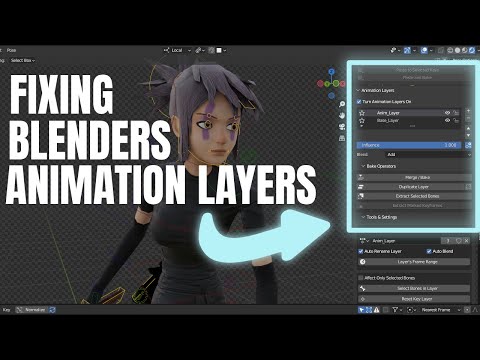
p.s. In diffeomorhic there's an option to keep the daz rig when generating rigify, that may be what you're looking for. This way you can use rigify as a control rig then bake the daz rig for NLA.
https://bitbucket.org/Diffeomorphic/import_daz/wiki/Setup/Rigging
Thank you for explanation. I will try animation with cascadeur in daz and then import it into blender
how to make facial animation in blender using diffeomorhic[how to make facial animation in blender using diffeomorhic] Actually what I need is an animation of a liying person smiled. I found in diffeomorhic import expression button doesn't work, but import pose works well. I save a scene with pose and expression as pose file, only pose show up correctly in blender.
Then I heard Faceit might help me to make dynamic expression. I searched keyword "daz faceit" and hard to find some helpful workflow.
so how to combine faceit and daz, or is there better way to make animation with expression?
[Released] RSSY Character And Material Conversion Bundle Genesis 8 to Genesis 9 [Commercial]Correct, I'm not loading any morphs. Just to test, I created a fresh, empty scene and put a dev load Gen9 in there. I clicked "Material Suite Add G8F Material Suite" and while the rest of the body appears to retain the G9 shape, the feet morph to what appears to be the G8F shape. I went back to my original G8F character I was trying to convert and turned off all the additional foot morphs to see if that would fix the issue, but it still warps the toes and enlarges the feet of the final product when I import the G8F shaped morphs over the G9 with the G8F Material Suite added, I think it's doubling them up.
Animation software that supports DAZ content?well there is
Carrara (see Carrara forum here) depending on which content you want to use (pre genesis, genesis 1,2 and with conversion to blended weight genesis 9, most props but D|S functions not all supported
Poser, all legacy content before Genesis, most later content using various import methods such as FBX depending on version, Poser 9-11 have DSON import capabilty for up to Genesis 2, props again not all D|S fuctions supported which you will find with most softwares, I mean things like instances, geoshells etc
Blender, http://diffeomorphic.blogspot.com.au/ the most popular option but me being a Carrara diehard not made the leap, see the Blender forum here https://www.daz3d.com/forums/categories/blender-discussion
Unreal engine, Unity, free using bridges various advantages and limitations, the other Bridges for paid softwares Maya by far being the most popular worldwide and industry standard but fairly stiff subscription prices
iClone by Reallusion (I only have iC6 but 8 looks very robust and pricey) very easy to use but basically a conversion of DAZ content to their own format
Is there a way to fit clothes over genitalia without advanced editing or post work?There's a method where you export a figure and its attachments as a single object, import it, and then change the clothing's "Collision Item" to the imported object.
This script provides a convenient way to generate objects for this collision target.Modeling Objects in Carrara - Q&A - Come One and AllI was wondering if there was a way to easily extrude polylines to faces
specifically on the rigged dforce hairs and furs that import into Carrara if edit rigging convert to blended weight is done in the Carrara plugin called DAZ studio and saved as a scene subset
a few actually import as mesh if line tesselation is set to 2 and a brief drape applied but most stay polylines
it's dependent on how they were created AFAIK and of course only PAs know that, the same applies to FBX exports, some work most don't
they DO import as rigged polylines as duf, but of course those don't render
BTW I only want the things like whiskers, not full body furs as those far too big
at the moment I export obj files of them with line tesselation 2 but they are not rigged
Primitive optionsalan bard newcomer said:
you can do a lot with basic primatives exporting and reimporting into larger more complex items. And you can import objects from other places that are more complex. Everything but the cars in this scene was created from daz primitives
Some great moelling work there, Alan. Is that the Nighthawks diner in the first one?
Projection MorphsStarLabz said:
crosswind said:
I used to play with projection morphs a long time ago, it should work as the mechanism never changes in DS AFAIK....
However, there're a few ways of making perfect fit... I wonder if it's really necessary to go for this cumbersome way, especially if one's already good at sculpting... let alone even if you made lots of projection morphs, they probably would not be able to apply for all cases of PBMs / FBMs used.
Chest area with various breast morphs dialed (especially with big boobs...) may bring various issues, some quick and perfect ways for fixing:
- crank up Smoothing Iteration value then export / import OBJ to update garment's Base Geometry
- sculpt the shape with external application and import as a fix morph
- for the dForce garments (or add dForce capability to non-dForce garments...), use timeline to simulation a fit morph (from PBMs / FBMs 0 to 100)
So what i did, even though it isnt a solution that is easy, i manually editied the Proj and Controller morphs. For some reason when making the controller and saving it out it didnt save out the correct identifier and point to the proj location, and in a few places it didnt place that into the dsf files when saving. When saving out to EMPTY Channel i noticed that it didnt behave like it should, idk what that was about... And i didnt change the auto follow as active and it also didnt save that info and i have to copy that line into the dsf files as well.
It is a pian to do it this way but since i now know that it doesnt work as intended i have a work-around so to speak. Still, this is an issue.
I use zBrush for all my sculpting and you will see that under the breast and especially the sternum area just doesnt play well with proj in clothing. For example, it just doesnt make since when you can do this on a stock g8 with just the breast gone, and in clothing that area that has NO MOVING verticies, there is a huge outward sharp line under and between the breast (sternum)... WHY? SO, i go back into zBrush, and in theory i push those areas INTO the body to force them toward the body to smooth that out. GoZ back to the char, dial it in and BAM either its worse by pushing it further out or deeper in.... the logic just doesnt make since to me, IT IS THE ONLY AREA on the body that this happens.... SO IS THERE a hidden built in DAZ component that does this, ie..a weight map? WHO KNOWS?? Is this info only given to PA's?
Oh, what you mentioned is really a good example.
What you get on the clothing with Breasts Gone morph dialed is just what Auto Follow does. 1stly the clothing was made on a G8F Base which has breasts of normal size. So there's a distance in between the chest area of the clothing and figure's sternum. Then the morph Breasts Gone only move the vertex positions of breasts per se while sternum stays there with nearly no change. The clothing only auto follows the deformation of breasts so the chest area still stays there, like the example in screenshot1. The vendor should fix the PBM - Breasts Gone on the clothing, especially when the morphs like Breasts Gone are from Daz Originals... However, in this example, the vendor didn't fix it. I know there're quite a lot of vendors don't test these PMBs on their products...
In the 2nd example in screenshot2, the vendor of this clothing fixed the PBM. So, there's no other specific info. or trick... just fix it ~~
Projection Morphscrosswind said:
I used to play with projection morphs a long time ago, it should work as the mechanism never changes in DS AFAIK....
However, there're a few ways of making perfect fit... I wonder if it's really necessary to go for this cumbersome way, especially if one's already good at sculpting... let alone even if you made lots of projection morphs, they probably would not be able to apply for all cases of PBMs / FBMs used.
Chest area with various breast morphs dialed (especially with big boobs...) may bring various issues, some quick and perfect ways for fixing:
- crank up Smoothing Iteration value then export / import OBJ to update garment's Base Geometry
- sculpt the shape with external application and import as a fix morph
- for the dForce garments (or add dForce capability to non-dForce garments...), use timeline to simulation a fit morph (from PBMs / FBMs 0 to 100)
So what i did, even though it isnt a solution that is easy, i manually editied the Proj and Controller morphs. For some reason when making the controller and saving it out it didnt save out the correct identifier and point to the proj location, and in a few places it didnt place that into the dsf files when saving. When saving out to EMPTY Channel i noticed that it didnt behave like it should, idk what that was about... And i didnt change the auto follow as active and it also didnt save that info and i have to copy that line into the dsf files as well.
It is a pian to do it this way but since i now know that it doesnt work as intended i have a work-around so to speak. Still, this is an issue.
I use zBrush for all my sculpting and you will see that under the breast and especially the sternum area just doesnt play well with proj in clothing. For example, it just doesnt make since when you can do this on a stock g8 with just the breast gone, and in clothing that area that has NO MOVING verticies, there is a huge outward sharp line under and between the breast (sternum)... WHY? SO, i go back into zBrush, and in theory i push those areas INTO the body to force them toward the body to smooth that out. GoZ back to the char, dial it in and BAM either its worse by pushing it further out or deeper in.... the logic just doesnt make since to me, IT IS THE ONLY AREA on the body that this happens.... SO IS THERE a hidden built in DAZ component that does this, ie..a weight map? WHO KNOWS?? Is this info only given to PA's?
Missing default.dsf filesI purchased three G3 wardrobe items this last weekend. I installed via DIM. When I try to open any one of them, I get a 'missing default.dsf' error message. I attached the error messages and log file.
I downloaded all three zip files manually, extracted, and noticed there is not a 'default.dsf' file included in any of the zip files. How can this be fixed? Updating metadata doesn't work.
Can you identify this jewelry?Seriously, you can ask (prompt) an AI image creation site to design a medallion as a tattoo design, and tell it what exactly you want on the medallion - like - I want Joan of Arc talking to the voices in her head. The AI program spits out a selection of medalions that conform to the prompt. Then you can import one of the designs into Blender and using a (I believe it's called an "extraction" tool, you can pull the 2 dimensional image up into a 3 dimensional model mesh. You can create the most intricate fantastical models in this way - but the BACK OF THE MODEL IS TOTALLY FLAT.
Projection MorphsI used to play with projection morphs a long time ago, it should work as the mechanism never changes in DS AFAIK....
However, there're a few ways of making perfect fit... I wonder if it's really necessary to go for this cumbersome way, especially if one's already good at sculpting... let alone even if you made lots of projection morphs, they probably would not be able to apply for all cases of PBMs / FBMs used.
Chest area with various breast morphs dialed (especially with big boobs...) may bring various issues, some quick and perfect ways for fixing:
- crank up Smoothing Iteration value then export / import OBJ to update garment's Base Geometry
- sculpt the shape with external application and import as a fix morph
- for the dForce garments (or add dForce capability to non-dForce garments...), use timeline to simulation a fit morph (from PBMs / FBMs 0 to 100)
What do you do with cloth in extreme position of pJCM?I use the move tool in Modo to fix the mesh, grabbing the polygons and moving them into place. If I use the smoothing modifier I will set it to not collide against the figure because it can cause unexpected issues and make it even harder to fix in a modeler (when the mesh is squished between the body and the arm it can really get distorted) and also with rolled edges/trims pushing through the outside of the cloth because its closer to the figure and pushed a different amount as the mesh further away from the figure.
If you find it challenging to do the full morph in one go, you can do them incrementally... - bend the arm half way, fix that, import the morph, dial it up and pose the arm to the full bend, then export with the morph active. Delete the halfway morph from the clothing. Fix the morph on the full bend and import :)
Primitive optionsramon73 said:
Why does DS does not have edit options for the primitive you have rezzed? I used to work with primitives for many years in the virtual environment SecondLife and there was so much I could do with it. I even made a pretty large mount of money in Secondlife selling my creations made with primitives and scripts. That was like 10 years ago though. :)
I would love to see some or the same edit options for primitives I used to have in Secondlife available in Daz Studio, it will be a huge boost for my creativity with DS. It would be great if I could use taper, hollow, triangle, twist, top shear, slice... on a loaded prim!

Probably limited by basic settings deep within the original structure of the program.
Although Meshgrabber has rotating etc options added to it.
OTOH .. you can do a lot with basic primatives exporting and reimporting into larger more complex items.
And you can import objects from other places that are more complex.
Everything but the cars in this scene was created from daz primitives
Second scene except for the cars, plane, and base of the train engine was created in daz.
The fancy mesh grabber in premier mode seems to do a bit more ... I would have purchased it as a separate product for sure, I have the earlier one and use it a lot.
----
If it's an object in second life can you find it, edit, export it as an object and then bring it into daz?
Dforce simulation starting from a morphed garmentlinoge8888 said:
How to ? I export the .obj with base resolution, import it back as a morph with morph loader pro, launch a new simulation from 100 (as expected, it autofits back the garment) but applying the morph on frame 100 doesn't fit the character at all.
you need to unfit it and export it at frame 100, the drape will likely look weird as not A posed but once fitted at that pose should look OK
I do this for seated morphs all the time and in addition use the attenuate feature to restrict it to skirts etc
Daz 3D is part of

Connect
DAZ Productions, Inc.
7533 S Center View Ct #4664
West Jordan, UT 84084Licensing Agreement | Terms of Service | Privacy Policy | EULA
© 2026 Daz Productions Inc. All Rights Reserved.