-
"There's Always Another Sale™" Sales thread: Report Issues Here
I'm just wondering, and it's not the end of the world if due to the sale price reduction it's not giving the full amount off, but I just tried to use my 6 dollar PC coupon for a DO on the Valentino HD morph, it shows 11.75, then when I apply the coupon it only goes to 7.75. There's nothing in my cart otherwise, no freebies or anything. Shouldn't it be down to 5.75? Or due to the percentage off for it being in the holiday sale, the full amount won't get taken off with the coupon?
Render a Daz3d animation and do compositions in UE4I am using Maya Daz and Unreal. I shared a post about them here : https://www.daz3d.com/forums/discussion/452926/daz-to-unreal-bridge-materials-plugin-fix-morph-exporting-smooth-meshes-fix#latest
My big advice is learn Maya, use Daz, render with Unreal ;)
Evelyn is really cute. Curious to see your test renders of her!I have no /Data/Cloud pathway anywhere.
I went nuclear on the problem today. I used the morph parameters settings in the parameters tab to locate the morph paths of Midori Head and Midori body and manually deleted them from my drive.
It's making Daz grind very, very hard and take a lot of time. Gen8 males load just fine, but Gen8 Females are taking a very long time. Several minutes, although males load within seconds. HOWEVER, I have sucessfully loaded three Gen8 Female figures and no evil unwanted Midori has appeared.
I'm guessing that Daz is searching for something it isn't finding before finally doing what it's supposed to do. It would be nice if it didn't take forever to load a Gen8 female but it sure is nice not having the cursed Midori haunting me.
Problems with Genesis 1 Clothing (maybe stepping down to 4.12)Andecaya said:
Richard Haseltine said:
Which set is that?
Hongyus Bikini
I wonder if the problem are the genesis evolution shapes?
Try finding the slider for a morph that isn't working, click the gear icon>Parameter Settings. is AutoFollow checked?
Orla Fae - Size changesYes, you can manually scale the figure and head after applying the morph.
Transfer a taller morph of G8F to G3FI've been trying to transfer a body morph (Leah) from G8F to G3F. The character is taller than G3F, and I am getting wonky arms after transfer. I have replicated this with Victoria 8 (who is also taller)
I assume I am missing the combination of settings in the Transfer Utility to do this.
I am using this transfer process, starting at PART 2, from @Sickleyield: [Tutorial] Transferring Character Morphs G1G2G3G8 by SickleYield on DeviantArt
I have tried a lot of combinations of 45 degrees down and legs at 6 degrees out/in, or clones of A pose or T pose...but I still get wonky arms as I dial it into G3F after transfer.
Here is what I am talking about using the V8 body morph...it is much, much worse with the Leah morph. Any ideas?
 Orla Fae - Size changes
Sevrin said:
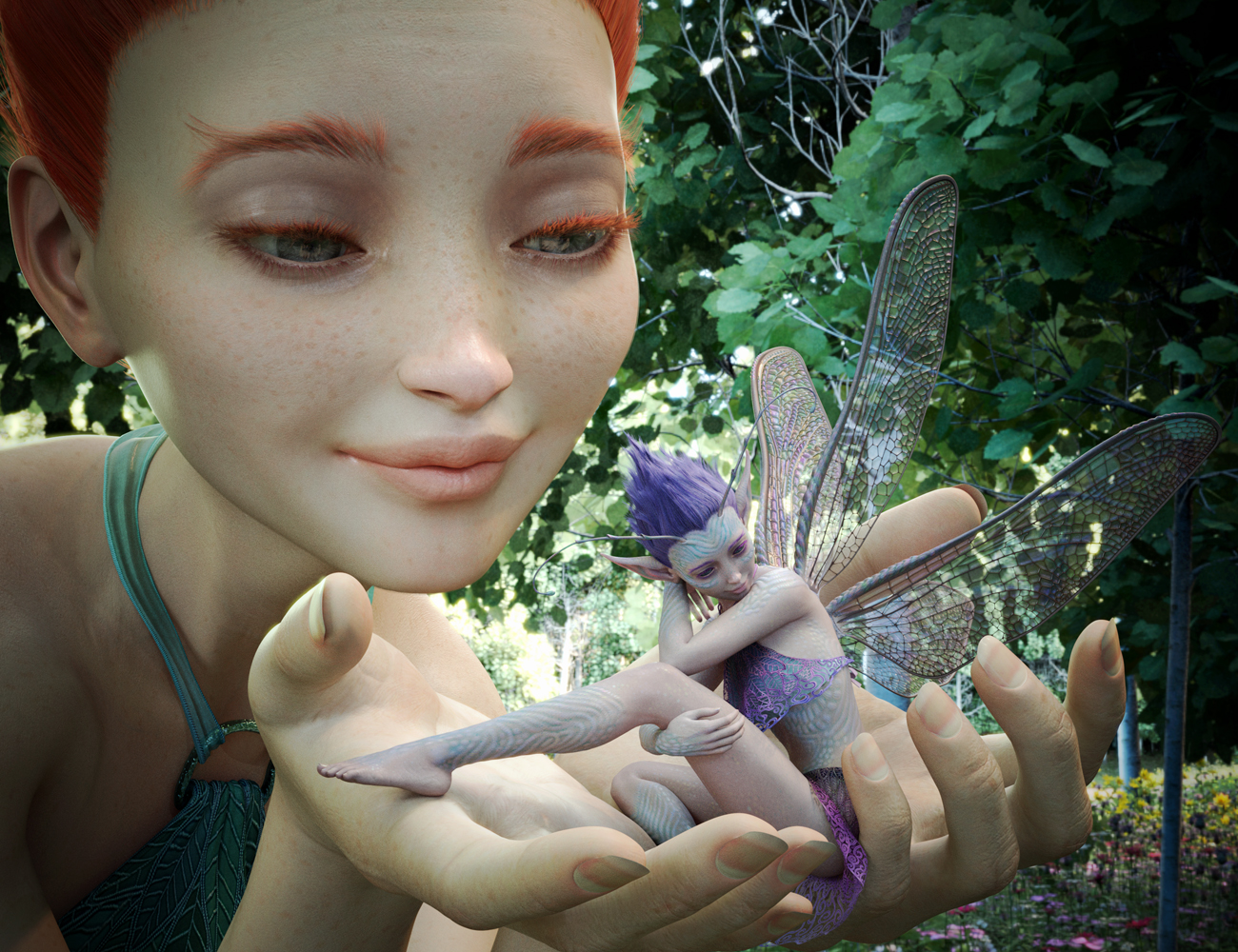
Sure looks like they can be different sizes.
I agree it is suggestive, but not conclusive it my option.
Oso3D said:
Whenever a morph changes scale, you can just change the scale after the fact.
Some scales are locked to the morph.
Adjust Rigging, ERC Freeze and Save Morph not working [Solved]Richard Haseltine said:
What are the exact steps you are following? Is this a custom morph or just a combination of sliders with a master slider? How was the content installed?
It's a mixture of both, everything installed with DIM.
So, I loaded the file, I used the Joint Editor to highlight the rigging. Right clicked on the scene and chose Edit > Adjust Rigging. Then put the morph into Edit mode, if it wasn't already, and chose ERC Freeze. With only G8M in the scene this time left everything at default. Checked the Slider to make sure it was working and the bones were in place.
File> Save As>Support Asset> Morph Asset.
Adjust Rigging, ERC Freeze and Save Morph not working [Solved]What are the exact steps you are following? Is this a custom morph or just a combination of sliders with a master slider? How was the content installed?
Orla Fae - Size changesWhenever a morph changes scale, you can just change the scale after the fact.
Slim Man Export to Reallusion Character Creator 3Hi
If the "Slim man" creature morph removes or even hides one single vertex of the original Daz model (such as those missing eyeballs)
then the CC3 "transformer tool" will not import the figure.your only alternatve is to import the figure via the 3DXchange pipeline app ( if you have it), and convert it to a "nonstandard Iclone figuer and import to Iclone from there.
Orla Fae - Size changesnicstt said:
https://www.daz3d.com/orla-fae-for-genesis-8-female
Can the Fae morphs be applied to a normal size G8 figure, or does the morph scale them down and the scaling can't be turned off or manually corrected?
Excellent promo images imo.
There are lots of options too - nice value it seems.
I didn't see in the description that the shaping preset scales the figure down. I remember a pose pack that had a scale preset but I can't find it
Adjust Rigging, ERC Freeze and Save Morph not working [Solved]Hi,
Earlier this year, I created a character, I did the usual Adjusted the Rigging, ERC Freeze then Saved the Morph. I used the character a few times then not for months. I noticed odd things happen with the posing but fixed the pose. Then started to use the figure again and realised the 'odd things' happening with the posing was because the rigging was off. So. I 'did the usual' and reloaded G8M. No joy.
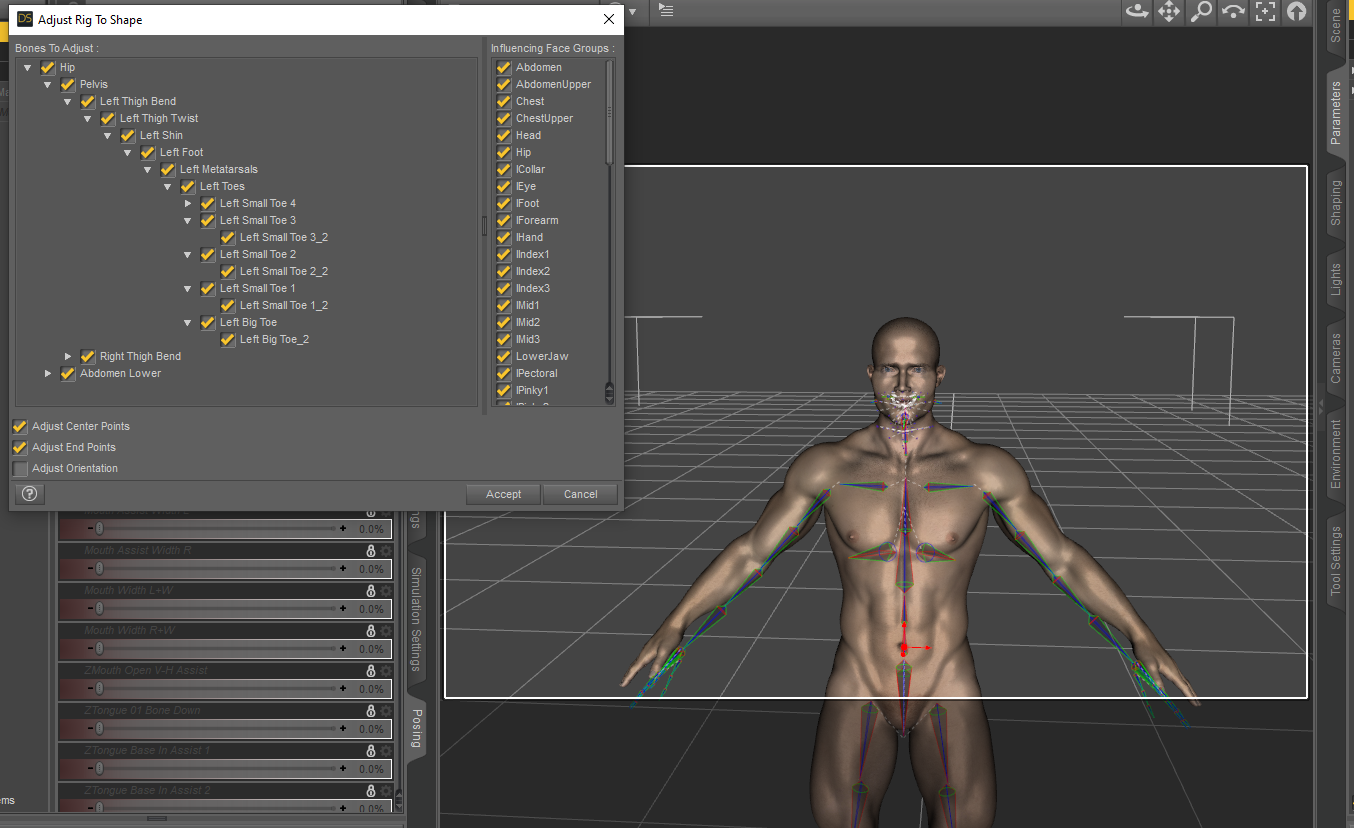
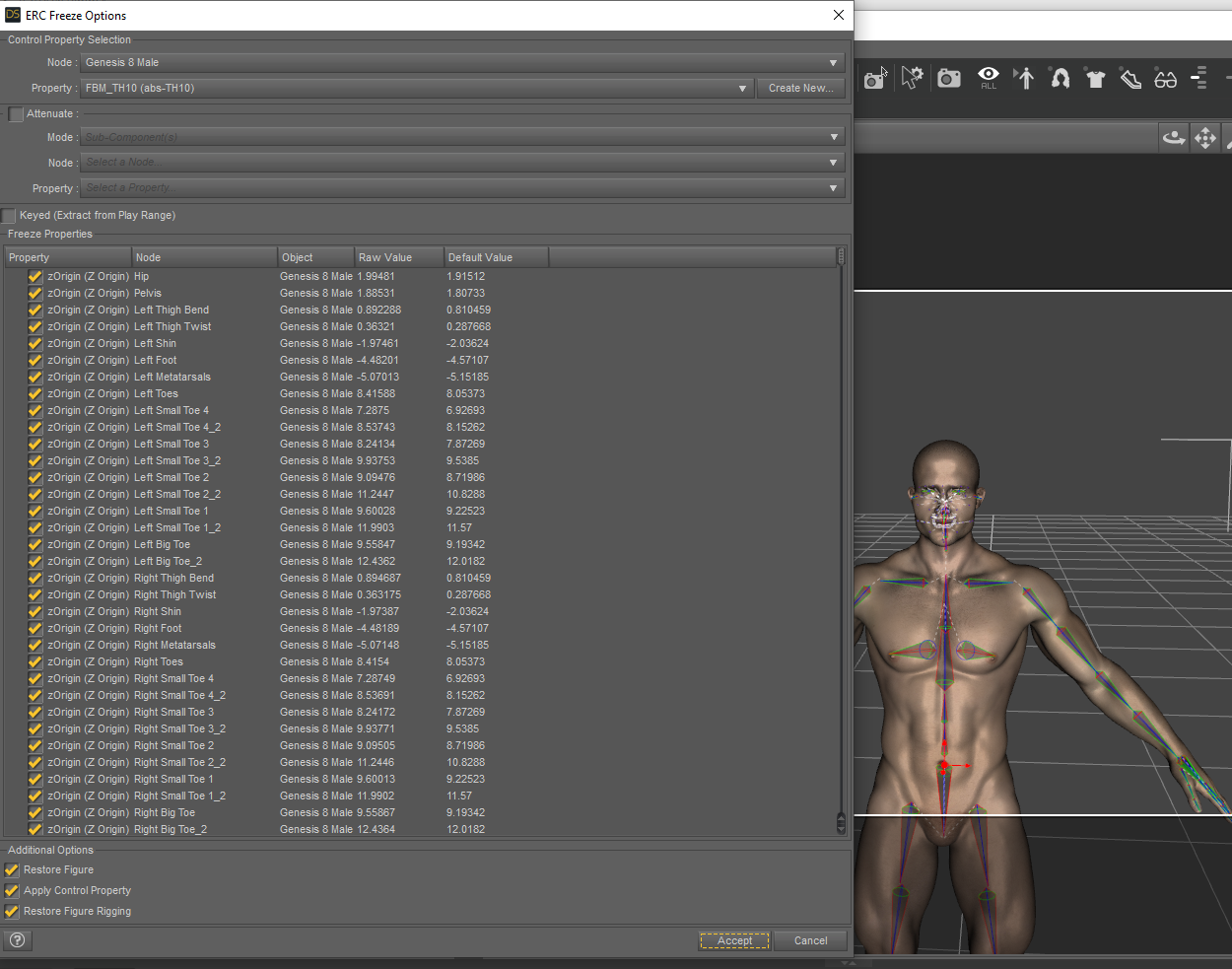
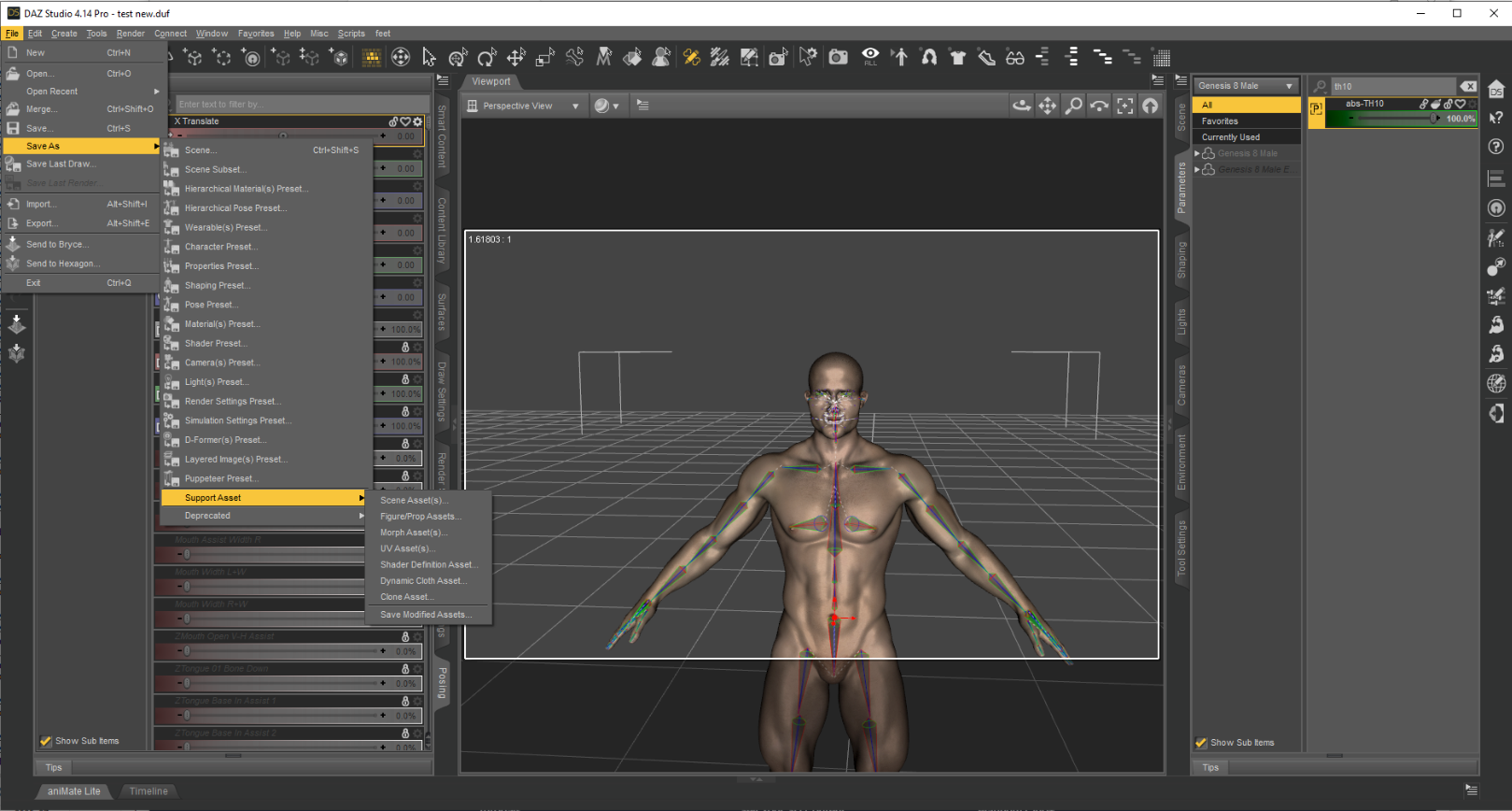
There's only so many times you can do the same thing and get the same result before you have to question yourself a little. I've done this step, many times and though i haven't done it for months was able to do it again this morning without having to think about it. I have to admit that I was foolish this morning and didn't delete everything in the scene and remove the clothing but I removed the items from the ERC Freeze making sure only G8M was selected now I've got duplicate formulas which appear to be in the 'cloud' I've deleted one 'cloud' folder because I hate it, it always causes problems. I might have another lurking. The problem wtih that is the log gives me this kind of info ..\..\..\..\..\src\sdksource\cloud\dzcloudtasknotifier.cpp(178)
Thanks, log, really helpful. I'm new to using a PC, a mac wouldn't give such vague results.
So, can anyone give any suggestions as to what could be going wrong here. Firstly with not being able to save the adjusted rigging and secondly with the now, duplicate forumlas? Might they be related? I doubt it but, I'm open to ideas.
Fixed. Basically I ERC Freezed Twice after finding I'd not previously ERC Freezed originally.
Orla Fae - Size changeshttps://www.daz3d.com/orla-fae-for-genesis-8-female
Can the Fae morphs be applied to a normal size G8 figure, or does the morph scale them down and the scaling can't be turned off or manually corrected?
Excellent promo images imo.
There are lots of options too - nice value it seems.
Auto Muscle Enhancer HD [Commercial]OrionPax09 said:
Wait...how are you using AME on Genesis 8 Female(s)?
I'm not, using a transgender morph on the G8M, layered with characters transferred from G8F, see page 24 of this thread. I have copied the AME body onto the G8F platform, but without all the Joint Control Morphs and the textures, the effect is just not the same. TD
The completely gratuitous complaint threadNon-complaint: I think I've come to a conclusion about my next step in resolving my flaky computer issue. My sick computer is a 10 year old HP Pavilion desktop in a microATX case. I use that computer for my personal stuff, (web browsing, email, managing the archive storage farm, DVD & Blu-Ray operations, simple, not graphic intensive stuff. Almost every hardware device in it has been updated within the last few years. Power supply, memory, new hard drive, new SSD, new DVD, new Blu-Ray, new 4-port USB3 card, new fans, and even a new(er) CPU. The only things left that might be causing my random reboots is the motherboard or graphics card.
The motherboard does not support on-board graphics so I have to have a graphics card.
The motherboard's support for the graphics card is somehow subtly different from more modern cards and every new modern card I've tried simply does not work at all. Believe me I've tried. Research on the Internet finally revealed that I am not incompetent, that yes there was a subtle change in PCIe protocol support for graphics cards about the time my computer was built. And yes, it does make the incompatible graphic cards simply not work. I've not been able to find a suitable graphics card, they're apparently just too old and rare.
I have another computer that I built last year. Great machine that I use exclusively for DAZing and video processing with a very nice modern CPU & graphics card, and lots of memory and internal disk/SSD storage. But it uses a microATX motherboard in an ATX case. And despite how nice it is I kind of wish it was nicer.
So, after much mulling the issue over in my head considering all the possibilities and costs I think the best and most exciting thing for me to do is...
1) Transfer the microATX motherboard, CPU & half the memory from my DAZing machine to my old HP case. Keeping the existing Win10-Pro OS. That motherboard supports graphics on-board so I won't need a graphics card in the HP case yet.
2) Buy a new, better ATX motherboard, and a better CPU to put into my DAZing machine with half the old memory. Will also need a new Win10-Pro OS. I'll also keep the existing graphics card in the DAZing machine.
This will be a lot of work getting all my files and software setup again in both machines, but will, in the long run, give me two great machines each with still a lot of growth potential. But I'm not afraid of the effort involved and it scratches my itch to build another computer (I quite enjoyed it the last time). It keeps me occupied and away from the refrigerator & TV.
Now to start shopping! Wheeee...
 Can I sculpt the skin separately from the eyeballs after importing the figure via the bridge?
Lissa_xyz said:
acdum1857 said:
Lissa_xyz said:
Separate by selection is fine if this isn't intended to be brought back into DS as a morph. If it is, you're better off hiding the selected geometry rather than separating it into diff objects.
Thanks for the advice :)
When I press P to separate the eyeballs object, it was not affected when sculpting.
However, when I pressed H to hide the eyeballs and switched to the sculpt mode, the eyeballs were visible again and was affected when sculpting.Oh, that's weird. What I do is go into the uv tab, and enable uv sync selection (for me it looks like 2 arrows in the upper left of the uv pane). Box select the eye geo and then press to hide the geo. In the sculpt tab, the geo doesn't come back and doesn't appear affected by edits to surrounding geo when revealed again (edits made whilst hidden).
I'm using 2.91, and I don't know when they added this, but sculpt mode automatically created a face set out of the hidden geo (you can tell by the red color when brought back). With this, instead of re-hiding the geo, you can now go into the right side tool panel and under options > auto-masking, enable "face sets". This way, even w/ the eyes visible, unless you touch the eye geo, they wont be affected when sculpting surrounding geo.
/edit
Apparently I'm behind the times. Face Sets have been a thing since 2.83. lmao
BLENDER 2.83 - FACE SETS (NEW FEATURE) - YouTube/edit 2 - Simpler Method
Exploring face sets more, since that video they've added a menu option for Face Sets Init. If you use this, and choose by material zone, you can just easily hover your mouse over the areas you want to hide and use the standard hide/show/invert visibility options. Much much easier than going through the uvs. Face sets by normals seems to do a decent job of separating all of the skin from the eye parts as well.Thank you so much for the explanation with the images! :)
First of all, to sculpt, I have to press the 'To Sculpt' button.
Sculpting doesn't work if I go straight to 'Sculpt Mode' without pressing this button.
(Please tell me if you can sculpt without pressing this button.)Then, to properly sculpt the figure, its 'subdivision' modifier must be removed and 'Multires' modifier added.
When brushing in 'subdivision' modifier, the response of the mesh is so slow that sculpting is impossible.So I am having the problem below.
In Subdivision Modifier :
-Hidden eyeballs are not visible in sculpt mode (Good)
-Mesh response too slow when sculping (Not good)In Multires Modifier :
-Hidden eyeballs are visible in sculpt mode (Not good)
-Fast mesh response when sculping (Good)[Released] MI Tactical OutfitI love them both. Would you please consider adding some fabric folds to the biceps of the suit? Even 007's bespoke suits have folds in the sleeves; otherwise, suits appear tubular, even at a distance. Or add them as a morph dial so there's an option for buff guys?
 Can I sculpt the skin separately from the eyeballs after importing the figure via the bridge?
acdum1857 said:
Lissa_xyz said:
Separate by selection is fine if this isn't intended to be brought back into DS as a morph. If it is, you're better off hiding the selected geometry rather than separating it into diff objects.
Thanks for the advice :)
When I press P to separate the eyeballs object, it was not affected when sculpting.
However, when I pressed H to hide the eyeballs and switched to the sculpt mode, the eyeballs were visible again and was affected when sculpting.Oh, that's weird. What I do is go into the uv tab, and enable uv sync selection (for me it looks like 2 arrows in the upper left of the uv pane). Box select the eye geo and then press to hide the geo. In the sculpt tab, the geo doesn't come back and doesn't appear affected by edits to surrounding geo when revealed again (edits made whilst hidden).
I'm using 2.91, and I don't know when they added this, but sculpt mode automatically created a face set out of the hidden geo (you can tell by the red color when brought back). With this, instead of re-hiding the geo, you can now go into the right side tool panel and under options > auto-masking, enable "face sets". This way, even w/ the eyes visible, unless you touch the eye geo, they wont be affected when sculpting surrounding geo.
/edit
Apparently I'm behind the times. Face Sets have been a thing since 2.83. lmao
BLENDER 2.83 - FACE SETS (NEW FEATURE) - YouTube/edit 2 - Simpler Method
Exploring face sets more, since that video they've added a menu option for Face Sets Init. If you use this, and choose by material zone, you can just easily hover your mouse over the areas you want to hide and use the standard hide/show/invert visibility options. Much much easier than going through the uvs. Face sets by normals seems to do a decent job of separating all of the skin from the eye parts as well.Lara rendersBeen wanting to try this to see how it worked out...a quick and dirty TRU Lara via Face Transfer
 Its got potential, but maybe not enough for me to spend more time on it? I did have to do some adjustment on the lips to give them more shape, FT made them very flat. The exercise did make me realize my Lara above is very pale!
Daz 3D is part of

Connect
DAZ Productions, Inc.
7533 S Center View Ct #4664
West Jordan, UT 84084Licensing Agreement | Terms of Service | Privacy Policy | EULA
© 2026 Daz Productions Inc. All Rights Reserved.