-
Surprise with original Aiko
Is there Aiko 1 morph for Aiko 3?
Surprise with original AikoOver the years I've had to edit a couple of thousand CR2 to fix morph ERC, and those numbers are one of the main reasons for a slider doing nothing in DS.
aliases in scene view?at this point in time my characters are genesis 1 bodys with everything but the head invisible parented to the neck of g8 characters with invisible heads.
the problem is when I want to change something .. surface or whatever on the genesis I have to open the g8 all the way to the neck and then open the genesis attached there
would like to have a link in the scene file at the same level as the g8 character that would take me straight to the gen 1 character.
--
basically is there a way to short cut getting to the highlighted genesis character in the drop down?
----
the head morph in particular I use in genesis is not availabe for later generations and creates an erros message with attempts to convert it with GenX or even riversofts great programs.
---
but it does work pretty well .. all of the pictured characters are mixed.Genesis 9 delayed until at least 2020. Will you be buying it?Cora Regina said:
nonesuch00 said:
I've not been to a hockey game in so long, over 15 years. I thought the Hartford Whalers still existed until I looked it up & found out they are now the Carolina Hurricanes.
They're such a bunch of jerks these days. ;)
I just wish we'd get a hockey outfit for G8M before G9M comes along, whenever that is (and if wishes were horses, the steaming pile in the barn wouldn't be my home team). There hasn't been one since M4 and it does not transfer well at all.
I'm fine with a big update to G8 over a new base for the time being. My computer sucks and can barely handle one naked G8 figure and I don't hold out much hope for G9M content based on what G8M has yielded, but there are definitely some things I'd like to see fixed with G8. The weird expressions, the problematic eye geometry, whatever has started happening with G8M's "anatomical elements" suddenly not grafting properly in 4.14...
I've bought the M4 Hockey Outfits too but everytime I mean to try them I remember I don't have an ice hockey rink.
Well I'd really like to see more geometry in the head of G8.5 I guess you'd call it and the face rig weigh mapping redone after that to make realistic expressions.
You know what would be neat? If head geometry were shaped by:
a) Change the skull shape
b) Change the muscle shapes
c) face rig automatically updated to match the changed skull shape & muscle shapes.
And then do the same with the body. What are there? 204 bones? I forget. I can't even guess how many muscles there are. Oh, and anatomy has mostly the same patterns of fat distibution maps, so for the difference between males and female their would be fat distribution maps as well as the more slight variations between male as a group and females as a group, then you have a fat slider to make people fatter and would be a different dForce collision layer. Same for muscles. And so on.
I think that would require PAs to model more like forensic medical doctors, archealogists, or forensics police then artists though.
I've not tried using the giblets since 4.14 but now you make me try to see if they are a problem now. (tested and it seems the same on my computer)
Fit Control for Genesis 8 (Commercial)Hi Zev0,
Hi recently purchased the fit control Bundle for Genesis 8 Female and Male and having issues with it. Whenever, I select the figure and add the script and tells me to apply the script to the clothings of the figure, after I hit accept, nothing happens. The fit control morphs do not show up in the shaping pane for the clothing. It just shows the default morphs but not the fit control morphs for both the basic tshirt and shorts. As you can see, I have loaded a genesis 8 male figure with the default clothing from Daz but seems like the fit control morphs just doesn't show even after appling the morph. I also tried the morph for the genesis 8 female model but also does not work. I have uninstalled/reinstalled the daz studio software amd alos tried it in an entirely new scren but no luck. I have also uninstalled/reinstalled the fitcontrol bundle but no luck. I am currenlty on Daz Studio 14.14.0.10 Pro. I have attached two screenshots for your reference. Thanks!
Sculpting male and female anatomical elements in ZBrush workflow suggestionsonix said:
grrinc_f1a4bed23e said:
Thank you for your feedback Onix. Im not going to lie, Im finding what you have suggested hard to follow. I guess Im newer to this than I thought. I know my way around C4D very well, and Zbrush reasonably well. But Daz seems to be unweildy to me.
I'm mostly looking for a video tutorial with step by step instructions.
Thank you for helping anyway - it is very much appreciated.
Regards
G
Actually, we still don't know what exactly you are trying to do. and it may cause considerable misunderstanding.
it is impossible to give you step by step instructions on how to achieve a goal when your goal is unknown
Thank you for replying Onix. Apologies for not making myself clear. I'll try again....
I have a G8 figure - male or female, with anatomy elements - basically their 'naughty bits'. When I pose them, there's often poor deformations where the original G8 mesh and the anatomical elemnt meets. I wish to be able to correct this with a custom made correction morph. I'd also like to be able to creat my own morphs for the anatomy elements.
When I send a G* figure, plus anatomy elemnt, to ZB via GoZ, I find that both parts do not arrive 'attached' and when I sculpt across them, they break away form each other. This is what i am trying to solve. I wish to make my own custom correction morphs for certain poses, plus my own shaping morphs for the anatomy parts.
Thank you for sticking around and trying to understand.
Are there any actually good face cloning tools out there? (E.g. not Facegen or Headshop)Zilvergrafix said:
had some of you replicate a Genesis Figure Morph face on Face Transfer to Genesis8?, do it, because you can do a perfect bald face with controlled light and see if really does that it promises with the requisites needed for "the perfect picture to work with".
Short Answer: Nope, does not work.
You are correct in saying that Face transfer is lacking in the effort to duplicate a character from a morph image. If it was good at it you would get a bit more accurate transfer, but it looks like 60-70% at best.
Genesis 9 delayed until at least 2020. Will you be buying it?nonesuch00 said:
I've not been to a hockey game in so long, over 15 years. I thought the Hartford Whalers still existed until I looked it up & found out they are now the Carolina Hurricanes.
They're such a bunch of jerks these days. ;)
I just wish we'd get a hockey outfit for G8M before G9M comes along, whenever that is (and if wishes were horses, the steaming pile in the barn wouldn't be my home team). There hasn't been one since M4 and it does not transfer well at all.
I'm fine with a big update to G8 over a new base for the time being. My computer sucks and can barely handle one naked G8 figure and I don't hold out much hope for G9M content based on what G8M has yielded, but there are definitely some things I'd like to see fixed with G8. The weird expressions, the problematic eye geometry, whatever has started happening with G8M's "anatomical elements" suddenly not grafting properly in 4.14...
Surprise with original AikoThis is my recollection and may be wrong:
Aiko was only a head morph so all of S1 clothes would fit
S1 and V2 had very similar shapes (I don't mean the mesh) except for the chest/breast so V2 clothes would also fit below the waist.
Possible to attenuate effect of character FBM on specific regions using weight map?thoreandan said:
... editedSo what I was hoping for was that there was some way to edit the FBM that was transferred to the clothing. In this case, for example, I would be hoping to be edit the FBM Aurore that was transferred to the dress to eliminate or reduce the effect it has on the breast area, so that the natural form of the original version of the dress is recovered. And then I can use adjustments and Fit Control to make it fit over Aurore's breasts without too much distortion. But it sounds like the only way to do this is to create a new version of the FBM and reload it using Morph Loader Pro with a d-former weight map used to attenuate the effect where I want it attenuated.
... edited
Yes I think there is. Generated morphs can be replaced with new morphs named exactly the same. I'm covering this topic for pJCMs in my next tutorial which is atm in the editing basket.
In a nutshell: It should be possible by taking the morphed figure and clothing into the modeler {I use Hexagon, if using Hexagon I recommend using a basic 3D shader on G3/8} - morph the clothing to look better. In D/S select the clothing piece and ZERO the FBM Aurore in the clothing, rename/relabel that morph too [but do not save it], then bring in the fixed clothing and make the morph naming exactly as the generated one was, possibly "FBM Aurore" - it should jump up to 100% as D/S recognizes it. Then select the figure and reset the figure to default everything, clothing will look terrible - check over at the morphs and the old one needs to be put back to 0%. Then it should look fine. New morph should be at zero.
Select the clothing and save ONLY THE ONE new morph you just made.
To check everything: delete the clothing from the scene - actually closing D/S and reopening it to be sure all memory is cleared is better - then load in the same G Aurore figure, load the clothing - it should be looking as you had it morphed. If you load a vanilla G figure and dial in Aurore with the clothing on, as Aurore is dialed in so too should the new morph be automatically dialing in.
The morph is in the clothing. Technically your new morph should load whether you use G3F or G8F - so that may affect how much morphing you want to do with it.Auto Muscle Enhancer HD [Commercial]Well I am surprised I am the first one to find this, right here in DAZ are some Beautiful Transgender clones. They are in this product:
G8 Cross-Figure Resource Kit by Daz Originals!
Billed as a way to move clothing and save it for the other figure, it no less has excellent Transgender clones, that look better than the ones I was using!
Attached pic shows G8F (in pink shorts) in the back with the baseline body builder at 100%.
Left front is G8M with AME/ASE at 85% with other settings at 40%
Right front is G8M with Josh texture, Teen Josie Morph, AME at 45%, Flex at 100%, Muscle Definition and Veins at 25%, upper and lower body at 15%, and my AME tweaks.
The Breast/Chest area doesn't appear to have the discontinuity that the other Transgender clone I was using exhibits (see page 24 of this thread and 3 posts back).
Hope that helps anyone looking to get into AME on a female platform.
Regards, TD
Surprise with original AikoZilvergrafix said:
Ascania said:
Zilvergrafix said:
what Aiko are you referring?, 1, 2 or 3 version?
The first standalone one, Aiko (Anime/Manga Character) - product code 673, not Aiko for Stephanie. I had forgotten that she came as an addon for the original Stephanie originally when I wrote the first post.
Oh the first one!, never got her, I came to the lands of 3D with Aiko3 and BelBel.

can you post some renders of this Aiko1?
The notebook I'm currently using is really not capable of much (nor am I), so don't expect anything fancy. Both characters are Aiko 1, one default, the other with the male morph. The cyborg and flight suit textures are included with the figure.
zilpha invades DAZ -It is a consequence of the way DS handles character morphs. Every instance of G8F has access to all G8F morphs, and if any morph defaults to a non zero value, that morph will appear in every instance of G8F as it's loaded. It's not a bug, possibly an unintended side-effect caused by a character setup error triggering a feature.
Regards,
Richard
zilpha invades DAZ -PerttiA said:
DKrieger said:
Yeah, and now I'm testing further and it seems that Zilpha is loading in on all Genesis 8 females. Not just characters I create, but when I load a base G8 from my library. SMH.
That is how the system works.
If a morph has been packaged with non-zero default value, it will be activated with all (past, present and future) figures that you open or load, no matter if the figure has been saved in a scene that was saved a year ago or started from the base figure at the moment.
The procedure a few posts up will fix the issue, if it is followed as it is written.
I don't know if you are trying to imply that this is a feature and not a bug.
"Thiccest" Daz Model Found on DeviantArt!ae12systems said:
Hey there everyone. There's a Daz artist on DeviantArt from Korea, that has sculpted the most beautiful Daz Morph I've ever seen. I've tried asking him if he's selling, with no response. does anyone have any advice on how to achieve this? Here is some of his art work attached:
His DeviantArt Profile links:
I have my doubts of this "morph" being created on zbrush (unecessary when you have ton of morphs available achieveing the same goal), but you can do the same effect unlimit Voluptuous more than 1.0 in value..and Smooth does marvels with some value of 4-7 on the entire figure. (I use that for breasts)
there is a ton of morphs...in Renderosity, that can do the same or even better result, for the face just stick with some Asian model and dealing with some Zev0 morph parameters and voila.
Distortion in waist/groin area when creating a morph using MorphLoader proTry to apply the morph to the figure, select the figure in the scene tab and use the adjust rigging to shape. this fixes most problems to me when I do what you did.

You can also use a D-Former weight map in morph load pro to select what parts of the figure to affect and leave the unwanted distortion out when you import the obj. this can help if the imported figure is not very different from the original in the affected area.
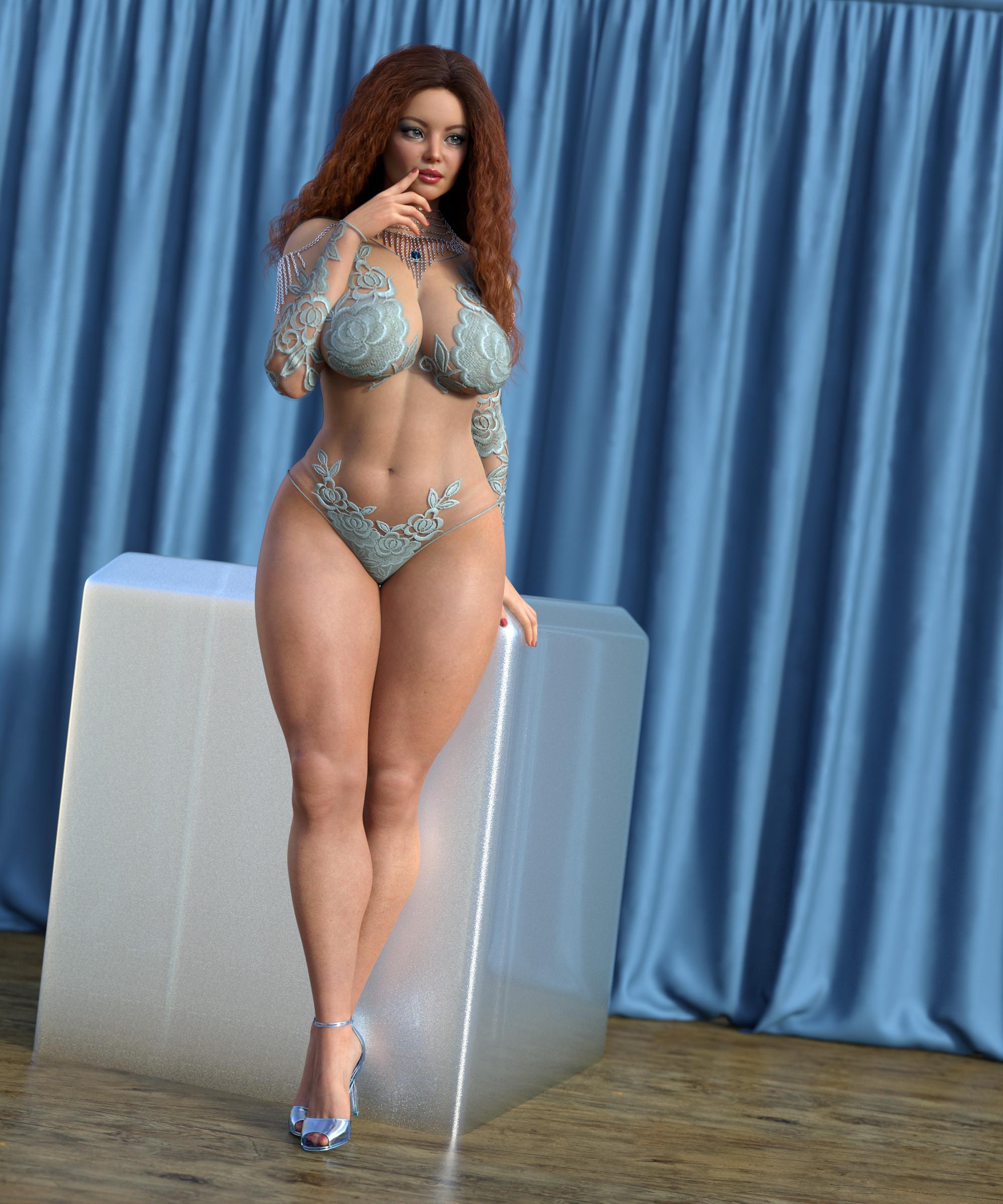
"Thiccest" Daz Model Found on DeviantArt!As others have noted, you can achieve similar results yourself by combining character morphs and morph packages. Below is a quick example I cooked up. It uses a character that isn't "thicc" (Brianne from Renderosity), with Girl 7 for Girl 8 and the Genesis 8 Female Body Morphs (the Voluptuous and wheight morphs, along with several additional invividual hip, waist, chest morphs ... ohh fitness and bodybuilder too). The body/face in this image is no doubt not exactly what you are looking, but it should help to demonstrate that you could easily make your own by taking a character with the facial look you want, then modify it with the Genesis 8 Femalle Body Morphs, and possibly some of the morph packages others have mentioned above, and get exactly what you want.
 Blender Cloth Brush
gregsgraphics_cafd0962a0 said:
I haven't tried it on a Daz asset yet, but I know for certain that you can use the Cloth brush in sculpt mode to create Key Shapes of a mesh inside Blender. This means that using the cloth brush will work as a morph. Shape Keys in Blender are the native equivalent to morphs in DS. Obviously, for the cloth brush to work properly, you need a mesh with a sufficient number of vertices to begin with but yes that should work fine.
OK - I did try it and it does work. However, it is very difficult to control the cloth rucking extent or direction. One thing that would be a great help would be some kind of collision detection otherwise the cloth just disappears into the Genesis figure and it is very difficult to get it to rest on the figure. A combination of cloth brush and cloth sim with the Genesis figure as the collision object would be ideal.
[EDIT] - It seems that collision detection is possible after all ...
Cloth Sculpting improvements in Blender 2.91 — Blender Developers Blog
[EDIT #2] - Unfortunately, Blender 2.91 crashes if I attempt to use the cloth brush with collision enabled. :(
Surprise with original AikoMiss Bad Wolf said:
I got Aiko 1/2 but haven’t used her much. Mainly because of clothing issues either not enough or need to add Aiko morph to them.
Pretty much what I failed to remember and am noticing now.
Surprise with original AikoI got Aiko 1/2 but haven’t used her much. Mainly because of clothing issues either not enough or need to add Aiko morph to them.
Daz 3D is part of

Connect
DAZ Productions, Inc.
7533 S Center View Ct #4664
West Jordan, UT 84084Licensing Agreement | Terms of Service | Privacy Policy | EULA
© 2026 Daz Productions Inc. All Rights Reserved.