-
Does anyone think this new "Lara" is gonna clash with an already "Lara"?
i don't have the new lara and not buying it, but I have the Thorne Lara...
Head morph name: FHM Lara Head/Lara Head
Body Morph name: FBM Lara Body, Body morph label: Lara Body
PBM Lara Breasts/Lara Breasts
PHM Lara Lashes/Lara Lashes
CTRL Lara/Lara
So it looks like there could be some conflicts.
Even if the characters files are in different folders, the morphs load into the same character, and it will load both morphs with the same name and it will show a (2) next to the morph in parameters. which means that morphs with the same base name will dial together causing neither to work properly.
I have had to rename a character's morphs twice because of naming conflicts- and I always check stores (here and Rendo, just in case) but both times the conflicts were characters submitted at the same time! Crazy right?
That's why I stick "DD" in front of all my characters/morphs/textures/products, to help hopefully make less a conflict (for example if i have a character DD Lara, and all the morphs are named DDLaraHead, DDLaraBody, it wouldn't conflict with someone else's LaraHead, LaraBody. HOPEFULLY. Lately there's more than a couple PAs with the initials DD that AREN'T me :P
Morphs affecting fit props?Hi, I made a custom morph for a genesis 8 face, and I need the eyelashes to follow it, as in the eyelashes morphing along the face? "Transfer active morphs" does NOT work for this.
RIP in peace hivewireOh, thank you, I had read that, but it conflicted with where he said the account number would be needed. I hope the transfer to Rendo will be seamless and he won't be flooded by emails from impatient people (like me).
Every G8F character loads with Zilpha morphEvery G8F character now loads with Zilpha HD morph (the store link doesn’t even work for this product.) How can I get rid of it while still keeping the character in my library?
Need help to identify two female characters used in promokevindmccoy_313efcf192 said:
Curious about #1 also, that's a nice morph!
I would say this is one from these three Mousso's characters:
https://www.daz3d.com/sherilynn-hd-for-genesis-8-female
https://www.daz3d.com/moriah-hd-for-genesis-8-female
https://www.daz3d.com/sherilynn-hd-for-genesis-8-female
IRAY Photorealism?j cade said:
Paintbox said:
Masterstroke said:
Straight DAZ Studio IRAY render without using canvases.
No post work here, except cropping and adding the white frame.excellent stuff, i held my hand above the top and then the bottom. The eyes and above the nose is very convincing, but my brain objected when I only saw the bottom area. Hard to pin down what exactly it is.
I would say the shadow on the upper lip seems off. The shadow indicates that it has a stong curve, but physically that area has one smooth layer of muscle so barring a scar or mole it should be a smooth relatively flat surface.
nice creepy reference

notice how most spots on the face where you see creases or strong changes in curvature coincide with the edges of muscles - If you're making your own morphs a smattering of anatomy knowledge is good - also feeling your own face like a weirdo -
mind you this secific thing will be pretty unnoticable in most other lighting situations, and over all I really like the morph - It looks relatively round and smooth without lookung undefined - also the eyes look very good
As far as the lip goes I thought it was a minor cleft and intentional.
Having anatomy charts like that at hand are great for finding those hard to remember morph names.
IRAY Photorealism?Paintbox said:
Masterstroke said:
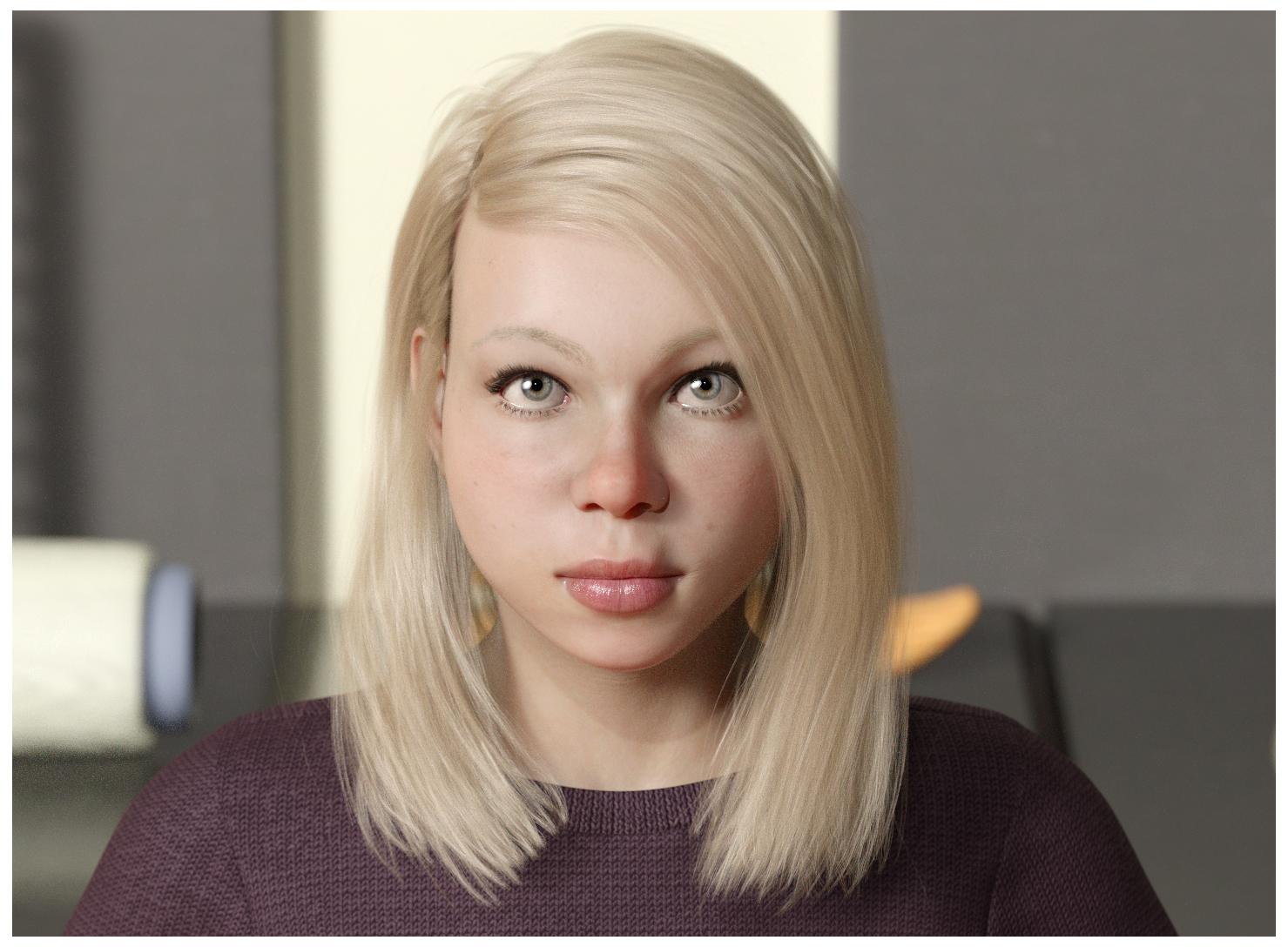
Straight DAZ Studio IRAY render without using canvases.
No post work here, except cropping and adding the white frame.excellent stuff, i held my hand above the top and then the bottom. The eyes and above the nose is very convincing, but my brain objected when I only saw the bottom area. Hard to pin down what exactly it is.
I would say the shadow on the upper lip seems off. The shadow indicates that it has a stong curve, but physically that area has one smooth layer of muscle so barring a scar or mole it should be a smooth relatively flat surface.
nice creepy reference
notice how most spots on the face where you see creases or strong changes in curvature coincide with the edges of muscles - If you're making your own morphs a smattering of anatomy knowledge is good - also feeling your own face like a weirdo -
mind you this secific thing will be pretty unnoticable in most other lighting situations, and over all I really like the morph - It looks relatively round and smooth without lookung undefined - also the eyes look very good
Need help to identify two female characters used in promoCurious about #1 also, that's a nice morph!
Morph already posed clothing?plasma_ring said:
I just did this for my It's Raining Men entry. My process was:
- Unparent posed clothing item
- Export at base res (I also exported a version of the posed character along with any props they interacted with, for reference)
- Import to Blender and edit
- In Daz, unfit the clothing item from the character and import the morph
I got warped results as long as the item was still fitted to the character, because it was basically adding the morph to the autofit results. Since I wasn't moving the character again this wasn't a problem.
Ah thank you ... that makes perfect sense.
Morph already posed clothing?I just did this for my It's Raining Men entry. My process was:
- Unparent posed clothing item
- Export at base res (I also exported a version of the posed character along with any props they interacted with, for reference)
- Import to Blender and edit
- In Daz, unfit the clothing item from the character and import the morph
I got warped results as long as the item was still fitted to the character, because it was basically adding the morph to the autofit results. Since I wasn't moving the character again this wasn't a problem.
Does anyone think this new "Lara" is gonna clash with an already "Lara"?Wildman oS said:
I liked the facial shape and skin as seen in the promo pictures
however upon install and loading up the character whilst the skin was very good
the nipple morphs and textures were grossly oversized
even using multiple breast morph packages I was unable to morph the nipples into anything acceptable
I'm returning it for a refund
Yeah, that's the weird thing with DAZ and many characters purchased elsewhere. On the one hand, the first thing you see when you load a character, and often all you get when you purchase a character, is their birthday suit, but you're not allowed to see what that birthday suit looks like until you purchase it.
Does anyone think this new "Lara" is gonna clash with an already "Lara"?I liked the facial shape and skin as seen in the promo pictures
however upon install and loading up the character whilst the skin was very good
the nipple morphs and textures were grossly oversized and 'distorted'
even using multiple breast morph packages I was unable to re-morph the nipples into anything acceptable
of course I could remove the body morph and replace it with another more 'acceptable' one
even then the nipple textures look terribly oversized for the breast
I think on a point of principle the creator needs to be taught a lesson
that if your going to create an abnormal characteristic it needs to be mentioned/shown in the promo material
I'm asking it for a refund
edit:
I do like the face shape and skin very much (apart from the abnormal nipples)
so I will first attempt to contact the creators and ask them to 'improve' the model
if they are unwilling then I will request a refund
one other thing I have noticed is that her left lacrimal tends to become enlarged in some eye positions
it's even noticeable in the promo pictures, for example when she is looking to her right
Show us your Blender RendersKrampus said:
Skin and eyes turned out really well. What's your secret for skin? Are you using the principled BSDF?
Thanks. It's really no secret. I always use Principled BSDF for just about everything. The reason being, it can transfer to both Eevee and Cycles reasonably well if needed, and there isn't much about it that isn't better than the old nodes for diffuse, glossy, etc. Anyway, the secrets are just in the scale and the texture maps. Things like SSS and lights always work better when the objects in the renders are scaled to real world units and as accurately as possible. In other words, SSS might not look correct for human beings if your character's model scale is 6 mm tall or, alternatively, 30 meters tall. Especially in Cycles this is important. Other than that, making quality detailed texture maps based on PBR principles is key with Principled Shader. Good quality maps for everything, including SSS, roughness, normals, and even displacement if necessary. The small details matter. I'll always try to incorporate some peachfuzz using particle hair, just because it helps catch the light and add more details in closeups without adding too much to render time. For stills, I really don't care about render time, but I'm trying to learn animation now so it's becoming more important. That's why Eevee is so interesting to me now.
Bloated dForce file sizesI guess it depends a little on what you want to do with it, I cannot see any reason why you could not save it out as an OBJ and make a morph from it, that should work.
Genesis 8 Basic female loads with Mafalda morph at 100%hellborn said:
Thank's all for helping out.
I thought everything was installed to C:\DAZ Library\....
Thats the structure all info I found in DAZ pointed to and where files where removed when unistalling using DIM.
However, when searching trough the disks I also found Mafalda in C:\Users\Name\Documents\DAZ 3D\Studio.
Head and Body morph found both had value set to 0 but the CTRL file had value set to 1.
Changing that to 0 fixed the problem.
Why do I have files in two places?
As an example.
Except for som thumbnails I seem to have the same subfolder and morphs under
C:\DAZ Library\data\DAZ 3D\Genesis 8\Female\Morphs\
and
C:\Users\Name\Documents\DAZ 3D\Studio\My Library\data\DAZ 3D\Genesis 8\Female\Morphs\The first path seems to be where DIM downloads to and thats also where the thumpnails resides so it feels as that it is the more correct place for my files. Can i remove the duplicates in user path?
Did you ever try Daz Central? That messed up library paths for many people.
Did you get Xiao Xin?It looks like a new vendor (VOOTW) as well. Looks pretty, but I have the same feeling about the price.
They also mention Full Body Apply, so I do not know, if head and body morph are separated.
Best way to save an expression?Hello everyone and happy new year!
Just wondering if there is a easy way to save the expression?
At the beginning I would select the head and then choose save pose. But it didnt seems to save any changes from morph sliding bar related properties.
Then I tried save properties. It somehow works but that also doesnt seems to save any additional minor adjustment inside face control, such as top right lips, center brow, etc.
So I'm just wondering if you guys have some tips or tricks to save the expression in an effective way?
Many thanks in advance :)
Cheers
IRAY Photorealism?
Well the top two are literally just twosret's textures on millawa's morph. So they kind of are. Normally I do massively tweak figure morphs, but I really like millawalilweep said:j cade said:


Whee! not dramatic lighting, but as ralistic as I've yet managed, I really like the studio hdris from hdri haven this one is studio 5.
Also I've gone down a rabbithole. Technically I'm now using my own custom skin shader - I got annoyed coppying the bump it displacement and the base color to translucency and glossy color (for backscattering) so I have connected them up with nodes. I also added a node so I can tweak the color of the translucency to lighten it it has some annoyances but its faster than manually switching maps around
(I also did do renders with dramatic lighting, obviously)

I think it looks more cg though
They look very good. This is how all those supermodel characters that Daz vendors constantly churn out should look.
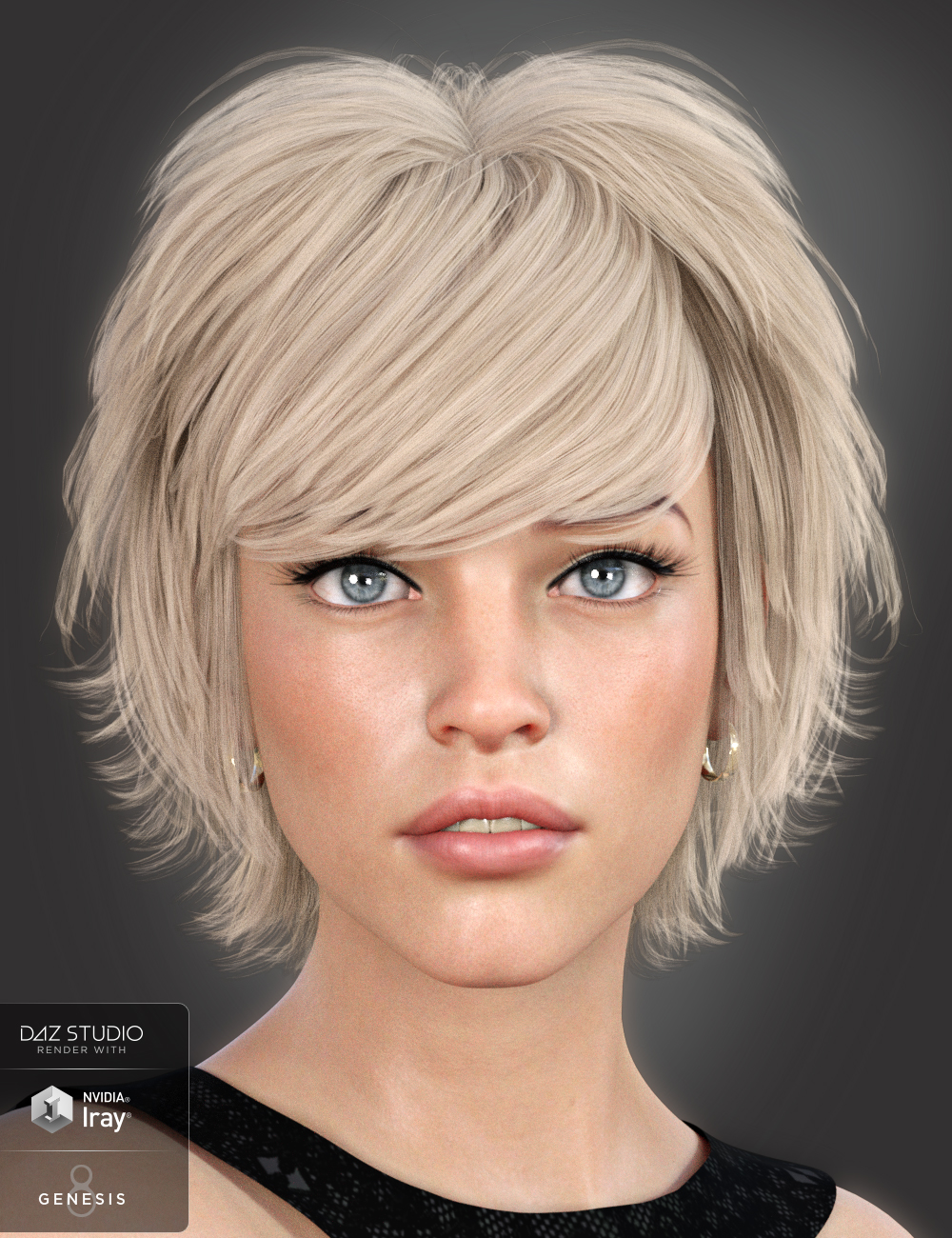
Identify Model in this hair bundleHi ;)
The vendor SWAM used this model a few times to display hairs he's selling on the daz store.
I think this morph, and especially her eyes and skin, look quiet stunning. Does someone please know where is this model coming from ?
Thanks for your help ! :)
https://www.daz3d.com/lissa-hair-for-genesis-8-females
 3D Print Questions - Differences in slicer software, cost of printer.
Melamkish said:
I've done some morph creating using Hexagon and the Daz to Hex bridge. Will look thru my tutorials and see if I may find some "freebies" from way back. I think I got some from the Daz tutorial section, but don't know if still available.
Finally got my printer back on line after about 3 years of inactiviy. Most time consuming part was going thru 10 versions of Marlin to see what changed in the controls sections. First calibration cube was as good as I remember!
Now the real work begins.
Nah, dont bother looking for those tutorials... I probably have them.
Im going to try to find the time to print the test figure this week. Im also giving alot of of consideration on how to cut down waste on things like gloves and such. I dont particularly want to fill my trash can with latex gloves for the purpose of my hobby. Id like to get some really good thick laboratory gloves that I can re-use, but, those are probably pretty expensive and in short supply these days.
Daz 3D is part of

Connect
DAZ Productions, Inc.
7533 S Center View Ct #4664
West Jordan, UT 84084Licensing Agreement | Terms of Service | Privacy Policy | EULA
© 2026 Daz Productions Inc. All Rights Reserved.