-
Perception check on G9 form definition
marcus.ames said:
alienarea said:
When you add a car it becomes apparent that you have to adjust G9 because the other characters fit to the car in terms of size.
A 200cm person and a 150cm person can drive the same car IRL. I don't know what kind of shots you're doing, whethere's it's a narrative like a VN or you're doing strictly one-offs, but if you really pay attention to real photos and movies, everybody is different sizes. Differences are made up for with shoes, setting people at different levels, or better camera angles. Why should using Daz be any different?
Yes, I know that.
It's not that all previous Daz characters are the same size. Victoria 8 was much to tall. Victoria 8.1 had a realistic size, and Victoria 9 is smaller. With longer arms. And massive shoulders.
My opinion is that Genesis 9 does not meet my expectations and I have enough content to ignore it.
I bought Victoria 9, Michael 9 and the face and body morphs and got some items like Corey because the dForce Bob Style hair was cheaper in the Bachelor and Bachelorette bundle than standalone. I will not buy items that are G9 only.
You are all entitled to different opinions and may buy as many G9 items as you like.
Sales will tell.
Problem with Nikolai EyesSince the essentials expansion has so many different eye colors, I'm guessing that the norm from here on will be that characters simply don't include much any more. Michael 9 had none, and Victoria and Minerva both have only one.
PA characters may be different, though. Casey has four eye colors (and two different texture set resolutions).
Alternativ UV map for G9 female anatomical elementsfelis said:
There has been some fuss about a Genesis 9 attachment, that shall not be named...
First the geograft was expected to be in the Victoria 9 bundle, but showed up in the product Character Essentials.When that was solved, there were discussions about corresponding textures for the provided base skins. It was said to be added, but later that Daz had no such plans, as it apparently not was suitable for minors.
At some point in time there will emerge third party products to fill that gap.
But I thought, that I might be able to refit the UV layout to match the body surface, and with some fiddling around I got a result, and it looked fine to me. For obvious reasons I can't show the result.
But I have attached the refitted UV map, that must be properly placed in a content library.Process for use:
1) Load your G9F and skin material
2) Attach the geograft
3) Change the shader of the geograft to SkinPBR (was at least needed for me)
4) Copy the Body surface to the geograft
5) Change the UV for the geograft to 'G9_f_gens_body_UV'For the female it is fairly straight forward to change the UV to match the body texture, for the male not so much, as there is more visible material to be covered. I might try if I can find a way that seems feasible.
Thank you. But did you mean to say that the geometry is in the Starter Expansion? I can't find a Character Essentials for G9. Thanks for any pointers.
Buttonable/zippable long sleeve minidressIn the time I've used DAZ Studio & Poser, I'm' surprised there isn't a buttonable &/or zippable long sleeve 1-piece minidress like the ones shown below:
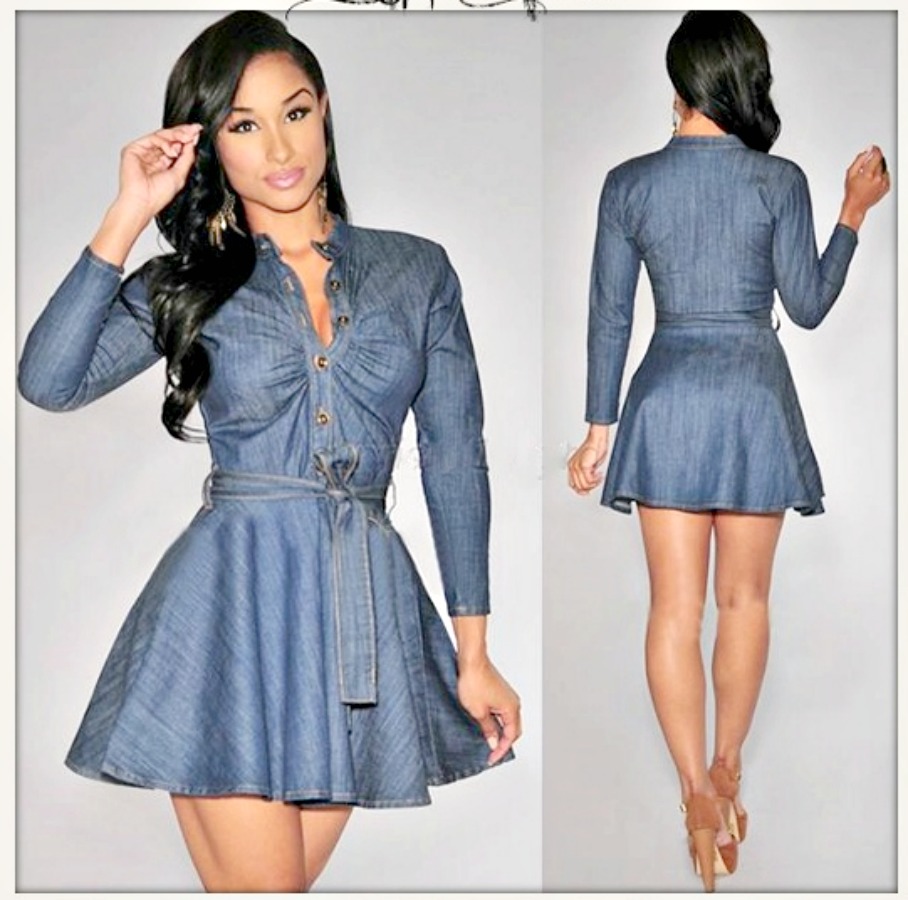
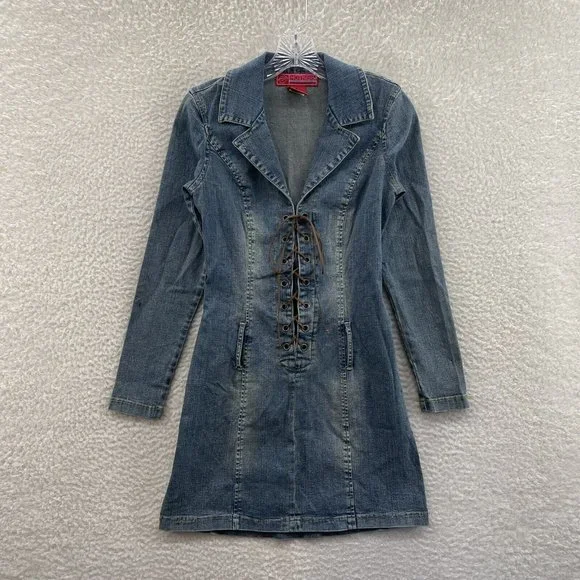

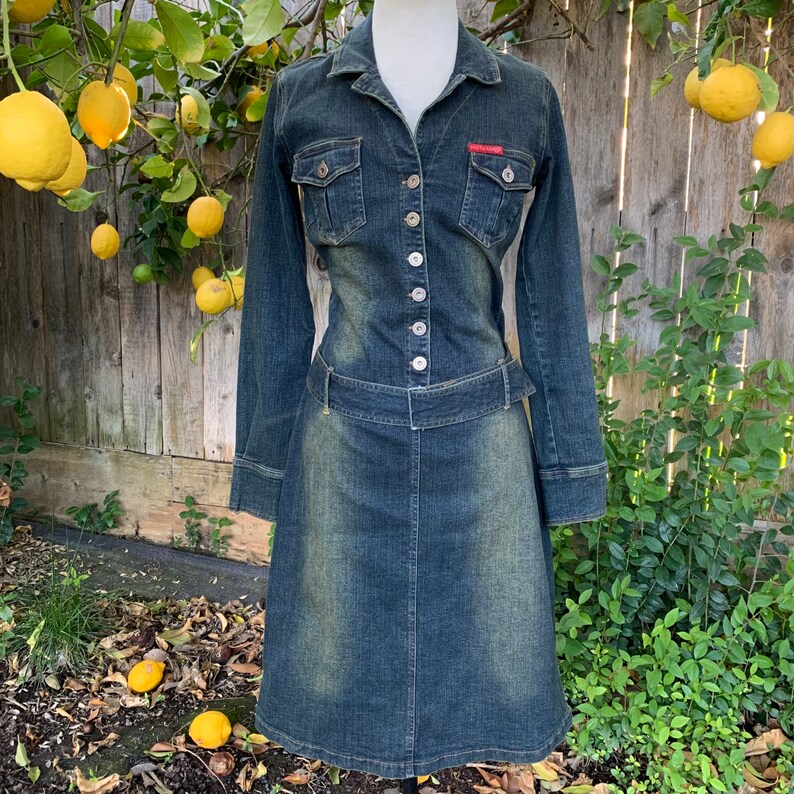


There are some close matches:
- MD dForce Classic Jeans Outfit for Genesis 8 and 8.1 Female looks the part but is 2-piece with no button movements.
- Linday's Boyfriend Shirt as the name implies is a long shirt rather than a minidress, in that it looks thinner & more creasy.
- Caroline Outfit has the right collar style but has no buttons/zips, & the hem is more longshirt than minidress.
- Shirt Dress Outfit for Genesis 8 Female has a button down to the waist but is short sleeve.
- dForce HnC Denim Mini Dress Outfit has a full button design down to the hem, but it appears to be only for show (no movements), and is sleeveless.
- Hongyu's Leather Dress for Victoria 7 has a full zipper but is sleeveless.
- Supernova's Sexy Denim at Rendo fits the bill perfectly, except for the sleeves & the fact it's an oldish V4 product.
DAZ Horse 3 - will there actually be any support this time?Richard Haseltine said:
I can't speak for Daz, and probably won't be able to get official word on a Saturday that is Christmas Eve but I certainly read the blurb as meaning we would get the full versions of the included products (assuming theya re erstricted right now). I would also more-or-less expect we would get a discount if relevant (and yes, I'm pretty sure there was a discount on the big Victoria 9 bundle for those who purchased the Intro Bundle - though it wasn't time limited to those who purchased early, as I recall).
Seems the same way to me, the current horse is probably an incomplete item released for testing and to give you the necesary files for the reindeer to work
DAZ Horse 3 - will there actually be any support this time?I can't speak for Daz, and probably won't be able to get official word on a Saturday that is Christmas Eve but I certainly read the blurb as meaning we would get the full versions of the included products (assuming theya re erstricted right now). I would also more-or-less expect we would get a discount if relevant (and yes, I'm pretty sure there was a discount on the big Victoria 9 bundle for those who purchased the Intro Bundle - though it wasn't time limited to those who purchased early, as I recall).
Perception check on G9 form definitionI honestly do not understand the problems anyone would have with base G9's heighth. As with every Genesis generation you can dial in pretty much every size your heart desires and if you look back on different G8 characters this brings convincing results.
However G9 so far is still in it's infancy, mostly in regards to tools and assets but this doesn't take away anything from it's capabilies. I only do own two G9 characters (Victoria and Minerva) and while I found a couple of features I do not especially like there is nothing which can not be or will not be solved once the necessary tools have been released.
Oh and when you convert an older G8 character to G9 you'll see that G9 doesn't degrade the quality of the character model. Quite the contrry, to be exact.
Let's appreciate/discuss today's new releases - ongoing threadThanks, @barbult & @paulawp(marahzen). I have no patience for that; so, I'll just leave it in DIM. Maybe I'll try it on Boost for Daz.
So, Daz Horse 3 is on pre-sale. Please disregard how we treated you with the Victoria 9 pre-sale. That was a one-time thing, I mean, if you don't count the Pass thingy. I said, "Don't count it."
I wonder what they mean by "upgraded access?" Let's leave it up to rumour. Looks like Daz Horse no longer has a bald spot. I'll just stick with Harry (Hivewire Horse) for now.
Perception check on G9 form definitionalienarea said:
In my opinion Genesis 9 is a failure, especially the shoulders seem too big and the pectorals neither fitting for males nor females. Artists going for nudity have issues with navel and nipples not included in the base mesh.
I did my compare here
https://www.deviantart.com/alien-area/journal/Genesis-9-The-Lost-Generation-935834672
and got some intersting replies.
@alienarea Thanks for the link. Informative. I don't do nudes; so, I have less of an issue than you. However, the photographic look of Victoria's and Michael's faces has not been matched by Minerva and Nikolai. And that was the main thing that had me excited about Genesis 9. Daz's past rollercoaster Core Figure quality is the issue.
Where to find anatomical elements for older generations of characters?newaltml said:
Sorry, my slow mind finally figured it out. With Genesis 1 & 2 the Pro Bundles are only for Victoria and other characters, not for the Genesis figures themselves.
That's always been the case. There weren't pro bundles for the G3, G8 or G9 base figures, either.
Where to find anatomical elements for older generations of characters?Sorry, my slow mind finally figured it out. With Genesis 1 & 2 the Pro Bundles are only for Victoria and other characters, not for the Genesis figures themselves.
Gordig said:
Genesis 1 and 2 (and thus Victoria 5 and 6) do have pro bundles available that include anatomical elements. There's also a V4 pro bundle, but that doesn't appear to include anatomical elements, and I don't immediately remember how you get them.
I have not been able to find a Pro Bundle for Genesis 1 or Genesis 2. Only for characters based on Genesis 1 or 2. I tried the following searches:
https://www.daz3d.com/people-and-wearables-bundles#filter_compat_figures=Genesis&filtered=1
Where can I buy this hair model?I thought it was this one that was available with Victoria 9. Just with the ponytail part hidden. https://www.daz3d.com/soft-curls-ponytail-for-genesis-9-and-victoria-9Where to find anatomical elements for older generations of characters?"Morphs++" pack for generation 4 figures was renamed "Shapes++" later, but the original name stuck.
https://www.daz3d.com/victoria-4-2-shapes
https://www.daz3d.com/michael-4-shapes
V4 didn't really have "Anatomical elements" as in a separate add-on, only a genital crease morph. It was indeed included in shapes++ pack.
2022 Christmas at DAZ & PA GiftsFeralFey and Orestes Graphics, thank you so much for this christmas freebie! I'm sure I'm not the only one who will find a use for it!
Oooohhhh . . . and wearable preset expressions and poses for G9 Base & Michael & Victoria 9 core characters.
Where to find anatomical elements for older generations of characters?Genesis 1 and 2 (and thus Victoria 5 and 6) do have pro bundles available that include anatomical elements. There's also a V4 pro bundle, but that doesn't appear to include anatomical elements, and I don't immediately remember how you get them.
Some Carrara Hairstyles For the CommunitySo here's something odd, but you may find a use for it. I built several eyebrows and eyelashes for Genesis 1 using Carrara hair.
Here's why it's probably not a great idea. Why on earth would anyone need this? Not sure, except in the case you're doing a fully procedural Genesis character. Or perhaps you want to make the eyebrows and eyelashes match the hair.
If you did choose to use these eyebrows, you'd need to use a tool to remove the existing eyebrows on your character's face texture, or some knowledge of how to do it in Gimp/Photoshop. There is a tool for this in the Daz store, which is what I used: Brow Remover for Daz Studio | Daz 3D
Anyway, eyebrows are a little like fingerprints, there are unlimited styles out there. So I realized this was a bit of a fool's errand relatively quickly, and I only created 5 different eyebrow types. They are designed for the following UVs on Genesis 1: Aiko 5, Michael 4, Michael 5, Victoria 4, and Victoria 5. Yes, it does make a difference which uv you are using, as the M4 eyebrow won't look quite right on a V4 character (I didn't intentionally build them this way, it's just the way it turns out, sadly), though there are some instances where they will still work ok even on a character with a different UV style. For instance, A5 works fine on a V4 character uv.
A5 probably sticks out like a sore thumb. Why in the world would I build an eyebrow for the UV set that has the least number of characters/textures? The answer is because I wasn't thinking when I started. But it looks ok and works on V4 uvs, so I didn't throw it out. :)
Now each of these 5 eyebrow sets comes in 3 different flavors. Light (meaning sparse), Medium (meaning normal) and Thick (meaning a bit bushy). I probably should also have done a 'Caterpillar' seriously overgrown style, but... I didn't think of that til just now. So really 5 different styles of eyebrows with 3 different amounts of hairs so I guess at a stretch that makes 15 different sets of eyebrows if needed.
Here's the link on sharecg:
https://sharecg.com/v/99776/view/5/3D-Model/Eyebrows-and-Eyelashes-for-Genesis1-M4M5V4V5
Here's what A5 eyebrows look like:

Here's the light, medium, and thick versions of the A5 pictured above:
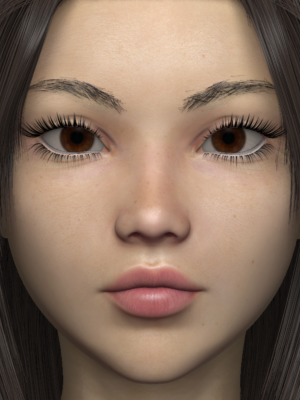
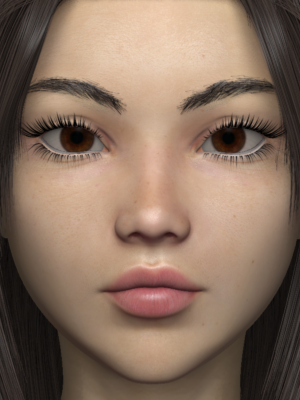
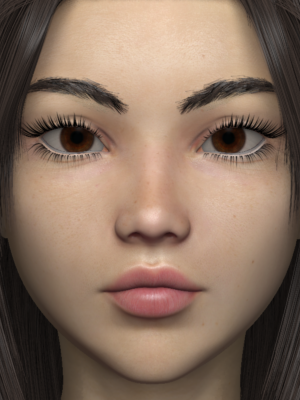
M4:
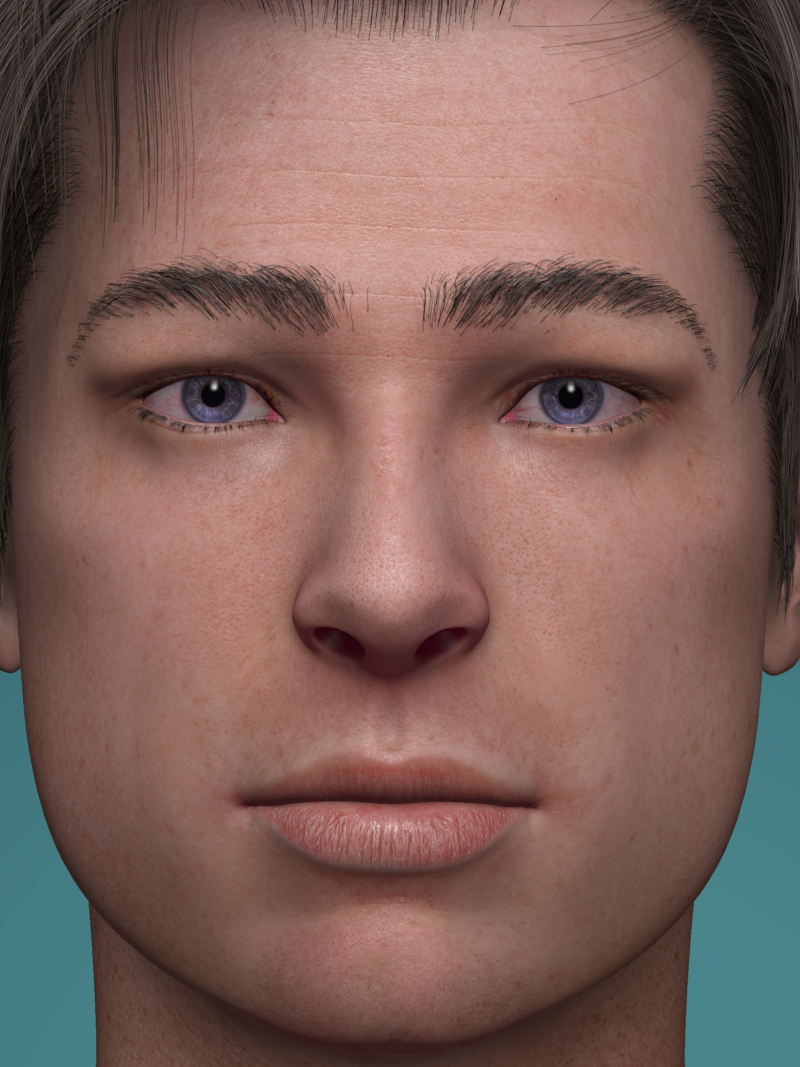
M5:
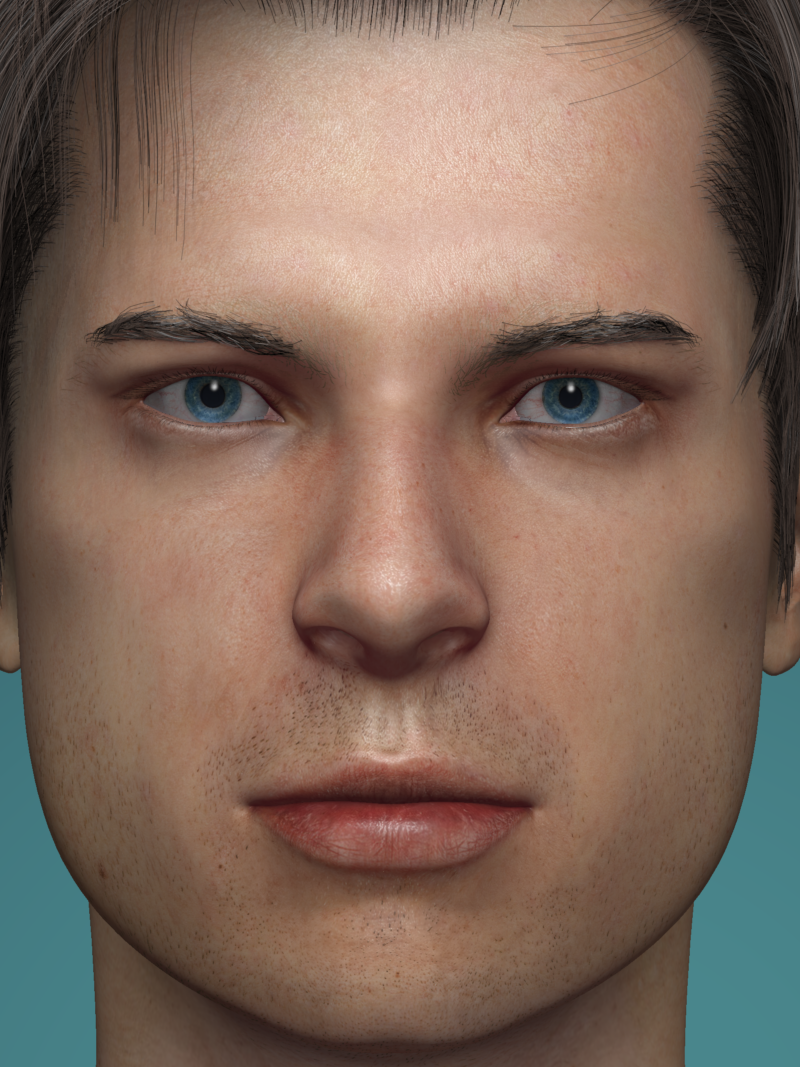


V4:
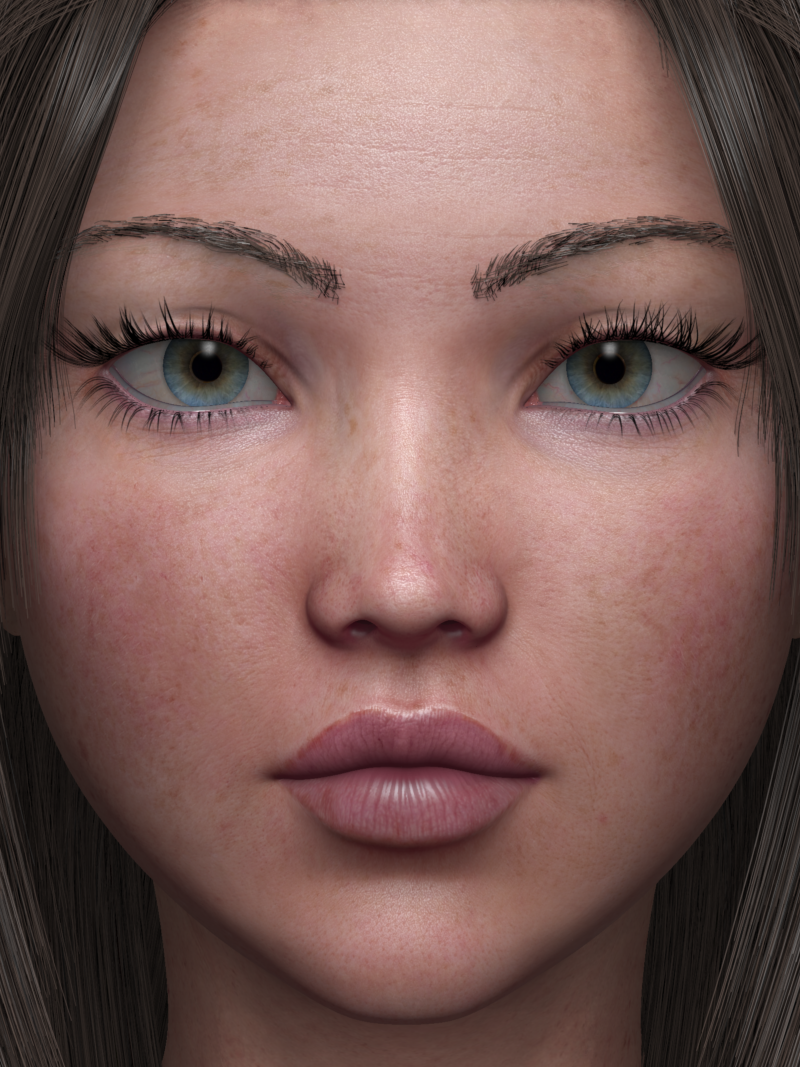


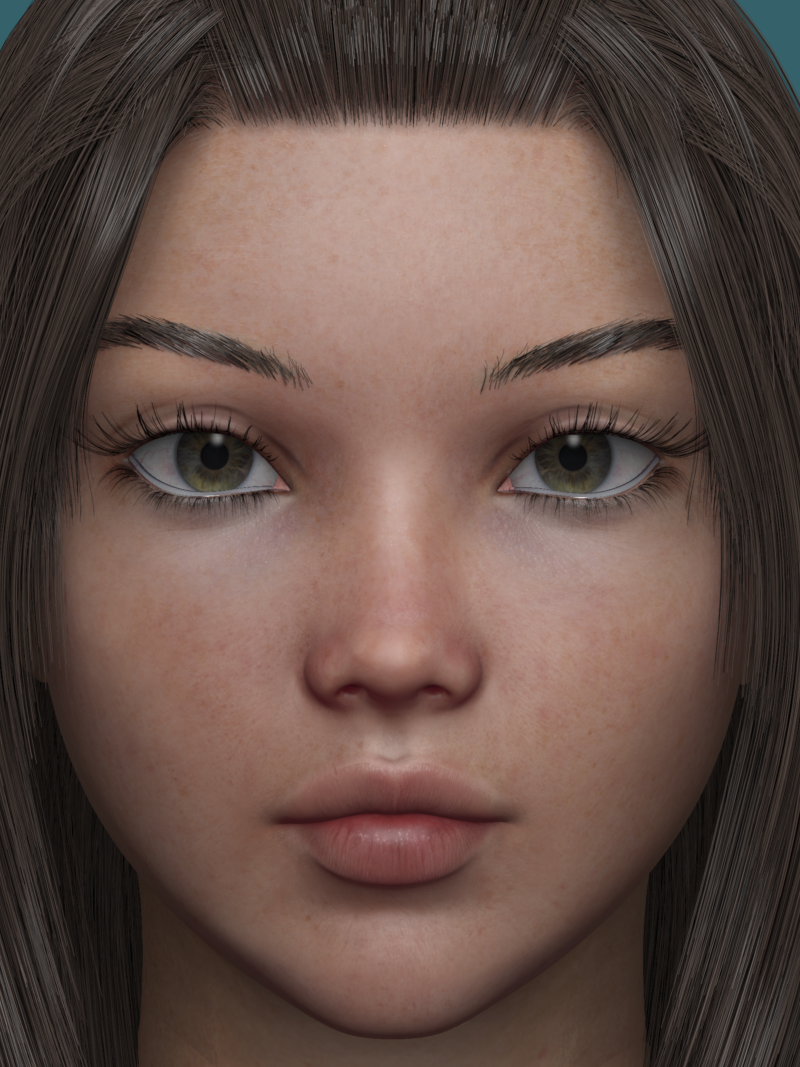
V5:

 GPU Question - RTX 3060
Just an update, for anyone searching in the near future on the 3060ti vs 3060 question, I wanted to share my findings.
I added in a 3060 12gb onto the motherboard, and no issues getting it up and running in Daz, so that is RTX 3060 ti 8gb in the CUDA 0 and RTX 3060 12gb in CUDA 1. My motherboard PCI-E slot 1 has a direct tie to the CPU and gives me a 16x connection, whereas PCI-E slot 2 is only 8X. Since I do some gaming, I want the Ti in slot 1 (see below for Daz implications)
Observations with the 3060ti alone:
- My VRAM ceiling is now considerably higher. How much? Well, in terms of models and such, with the 3060ti alone, I was maxed out at the following:
- 3 G8.1 figures with reasonable hair and clothing, 4K 16:9 render dimensions, fairly complicated environment background with some props etc.;
- Pushed to 2 G8.1 figures and added a Victoria G9 HD with no clothing or hair FAILED to render;
- The best I could acheive was a reduction in textures from 4K to 2K (using scene optimizer and carefully managing hidden objects, etc. etc.) was 3 G8.1 figures, all reasonable clothing and hair, running at 4K textures
Observations with the 3060 and 3060ti:
- Same background scene as above, adding in a Victoria G9 HD (i.e. 8K) and a Ravenna G9 HD (8K) both with no clothing and no hair, plus the other 2 G8.1 figures, all reasonable clothing and hair, running at 4K. Slow, but it definitely fit into the VRAM budget, and ran entirely on the 3060 while the 3060ti idled. (2 G8.1 2 G9 HD)
- Adding clothing or hair to the G9s failed the VRAM budget
- Hair is the VRAM budget killer.
- Turning off the 3060ti and relying just on the 3060, I saw just how slow the 3060 is compared to the 3060ti during the viewport iray rendering.
- With both units running for the under 8gb VRAM budget, it is fast! My non-scientific results showed about a 40% reduction in overall rendering time. The same scene above with 2 G8.1 clothed and hair rendered at 4K in 4 minutes.
- Temperature in the case became an issue, but perhaps because of my configuration. My case has plenty of ventilation (3 large draw fans in the front, 1 large rear exit, 3 large top exit), but the MSI 3060ti card I have has only 2 fans. The Gigabyte 3060 has 3 fans, and never reached 65C. The 3060ti, however, hit 85C a few times and as a result I had to put a custom fan curve and my results were much better (although increased noise and power draw). On the plus side, rendering keeps my office nice and warm in the winter!
Conclusion: Overall, pretty happy with the setup. Sure, a single 3090 would be great, and may be in my far future, but I was working with what I had and had a decent deal on the 3060 add on. For anyone considering a 3060 12gb vs 3060ti 8gb, you are going to see a drop in speed and responsiveness, but a much higher VRAM budget. I imagine two 3060 12gb cards would be the ideal, but then you are approaching used 3090 prices at that point.
Cheers!
Head gamesMelissaGT said:
My first boi...dial spun using a randomizer with the DA Genesis 9 Head Shapes and tweaking from there. Skin is Victoria 9's with my own adjustments to sss.
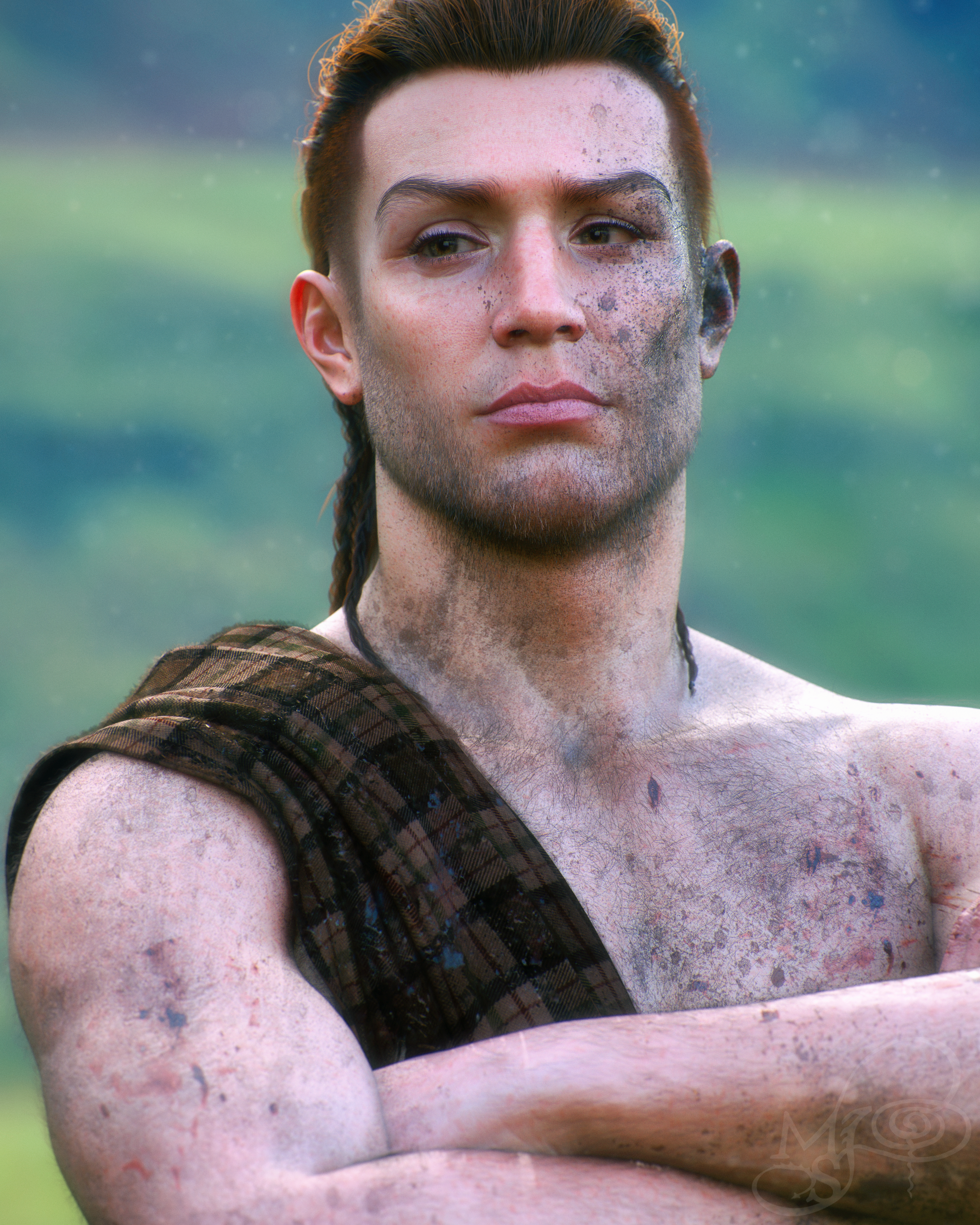
The trick is to take the female base to -100 rather than 0.
I quite like your skin paint spec embellishments.
Head gamesMy first boi...dial spun using a randomizer with the DO Genesis 9 Head Shapes and tweaking from there. Skin is Victoria 9's with my own adjustments to sss.
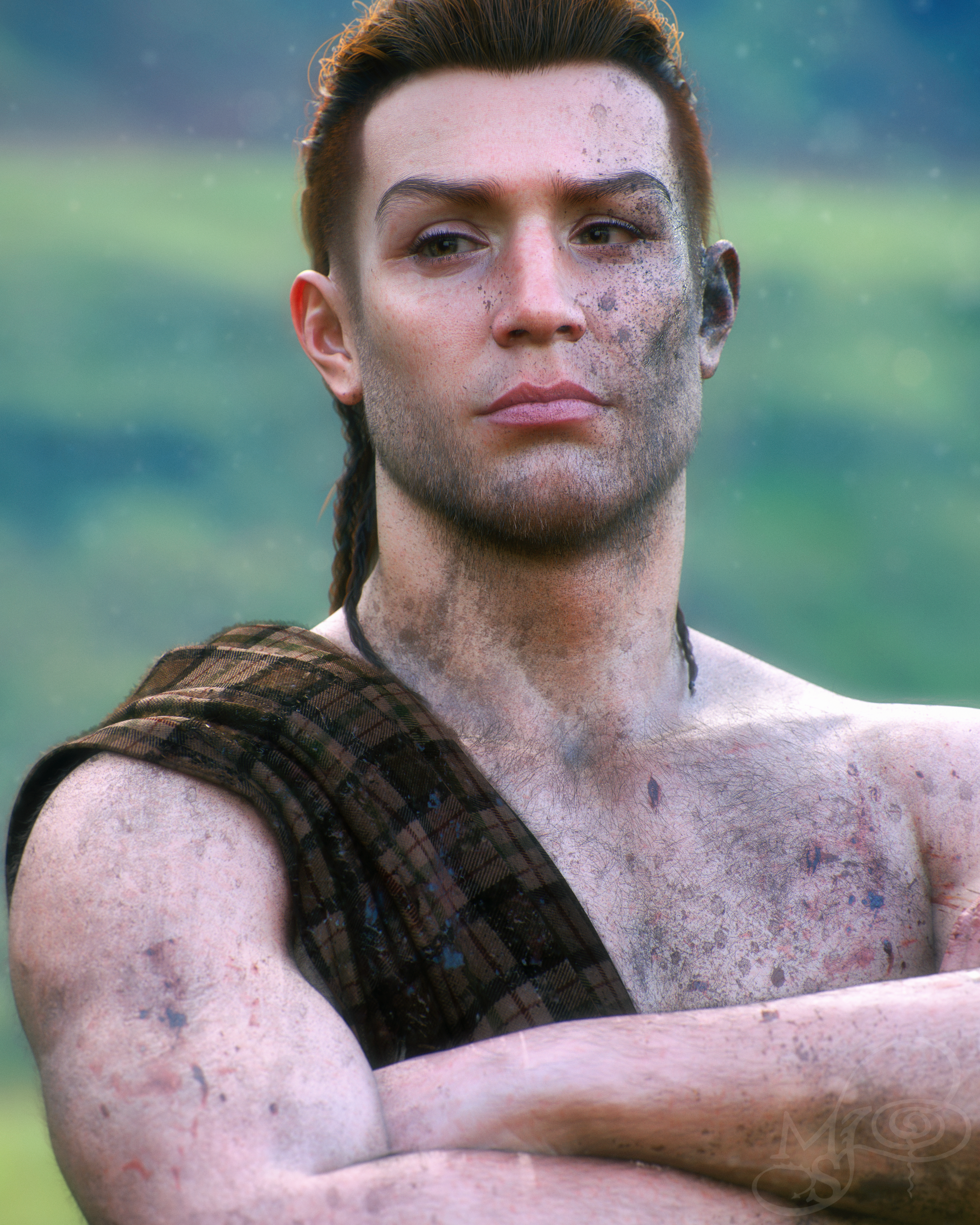
The trick is to take the female base to -100 rather than 0.
Can you identify the character used in this promo?MimicMolly said:
I thought it was Victoria 8.1 https://www.daz3d.com/victoria-8-1
Oh wow. I feel incredibly dumb now. That looks like her. Thank you!
Daz 3D is part of

Connect
DAZ Productions, Inc.
7533 S Center View Ct #4664
West Jordan, UT 84084Licensing Agreement | Terms of Service | Privacy Policy | EULA
© 2026 Daz Productions Inc. All Rights Reserved.