-
The completely gratuitous complaint thread
Complaint: Arghhh... While in the process of transfering huge archives of data from machine to machine to establish my new data structure I realized that I'm not getting best use of my, new fast machines, USB3 ports and gigabit network. I got this clue when the transfer time for one archive was estimated to be 13 hours.

 Upon reflection and crawling under desks tracing cables I discovered by checking device model & specifications that I have an old LAN 10/100Mb switch in the circuit and only one pair of machines will get full benefit of gigabit transfer speed through the fast switch, the others eventually end up going through the old slow switch. Heck it's not even a switch, it's a hub.
Non-complaint: Yay, I get to go catalog shopping again for a new gigabit switch or a bigger gigabit switch and longer cables to elimate one of the switches. And I get the joy of untying bundles of cables and pulling old short cables and replacing them with new longer cables. (yay?)

For 10 years it didn't matter much where I plugged in a new LAN device, it was all 10/100 devices and when I needed a new cable they all worked just fine. Now I need to inventory my cables too to make sure I haven't got a really ancient cable lost in the maze boogering things up. Oh joy.
Zooy Head?I just noticed a Zbrush option in the parameter menu, which lists "Zooy Head" as a slider. Appears to morph characters heads. Females only at first glance.
Not something I noticed before. Jumped out because someone mentioned Zbrush to me recently.
If it is female only, I am guessing it is a feature of a product I bought and either forgot about or am not fully utilising.
Can anyone remind me which one??
Do you have/use the Zooy Head slider?
Released: ShapesInjector [Commercial]Hello Totte,
Building off of Barbult's question above, I'm still a bit stumped about how this works. I'll outline my thoughts below:
Say I have VIctoria8, Olympia8, Stephanie8, Josie8, and Zelara8 characters.
1. I build a t-shirt in Hexagon/Blender, modeled around the base G8F mesh. I set materials/UV's, and then import the t-shirt.obj into DAZ Studio.
2. I use the transfer utility, with Genesis 8 Female as the source, and the t-shirt as the target. Once complete, the shirt now conforms to G8F, and I can save the shirt as a figure/prop asset.
The t-shirt will auto-follow most poses and shapes without too much trouble, but there is poke-through in areas, some weird bending/shearing in the mesh, so the shirt needs some additional morphs.
Since I have several DAZ base female characters, the base G8F does have sliders for Victoria8, Josie8, etc, as well as partial morphs and JCMs.
My questions about ShapesInjector are:
1. Does ShapesInjector pull the vertex delta information from the selected dials in the base Genesis 8 Female character (for instance, Victoria8, Olympia8, Pear-Shape, Voluptuous are selected)?
2. Do I need to manually create OBJ files for each particular character/morph as a reference, and ShapesInjector pull morph information (vertex deltas) from the respective OBJ file, and use that to inject into the clothing?
3. Or, do I still need to make manual morphs in Blender/Hexagon in the t-shirt, and ShapesInjector will then take the compiled morphed t-shirt.obj iterations and use that to automate the morph injections and dial setup?
Thanks, -David
SOLVED "Face Transfer" Plugin causes Daz To Crash When I Try to Save the FaceRiverted back to a previous version of Daz and when I click generate face it automatically goes to save face and Daz crashes. I try opening any previous project, including ones with no avatars, Daz crashes during the loading. I managed to deactivate the Face Transfer serial and the face generates fine. Daz crashes when I try using up one of the free trial save slots. Re-entered the serial, face generates fine, but crashes when I try to save.
Uninstalled Daz Central and used install manager to update to the latest version of Daz. Same thing. Daz crashes and burns attempting to save a face.
Adding Clothing Morphs?Sade,
THANK YOU for mentioning this utility- exactly what i'm looking for. How did I miss this? I swear this functionality was in an earlier version of the transfer utility.
Thanks again - David
Adding Clothing Morphs?
Just now had been released code66's shapeinjector, 2 click adding a gazilion morph. Really really handful script, spared me lot of hours even if i used not so long timeStarkdog said:I recall some time ago with the transfer utility that you could tick any or none of the morphs (Victoria 7, Olympia 7, Fitness, Pear Shape, etc.) to be added to the clothing item while it was being rigged. Has something replaced this? I really don't want to export out a ton of OBJ files to tweak in Blender or Hexagon to only re-import them and manually create morphs (I know there is Morph Load Pro, but it's only looking for OBJs to add as morphs). Does anyone know where this functionality went?
Thanks, -David
Adding Clothing Morphs?I recall some time ago with the transfer utility that you could tick any or none of the morphs (Victoria 7, Olympia 7, Fitness, Pear Shape, etc.) to be added to the clothing item while it was being rigged. Has something replaced this? I really don't want to export out a ton of OBJ files to tweak in Blender or Hexagon to only re-import them and manually create morphs (I know there is Morph Load Pro, but it's only looking for OBJs to add as morphs). Does anyone know where this functionality went?
Thanks, -David
Geografting Rigged Tail on Genesis 8 - Weight Map ErrorsThat happens according to SickleYield. I asked her on deviantART about it. She said that it happens when you use Transfer Utility. I only asked her if there was a way around that issue today, so I don't have an answer for you.
Sagan: A DAZ Studio to Blender Alembic ExporterPadone said:
Donald, is there any news as for the diffeo HD exporter ? I mean if you plan do make a package with copyright notes and some instructions. Your latest version works fine enough, and lately Thomas improved the HD importer so there's no need to enter the geometry editor anymore. That is, the importer can now import merged geografts then transfer the rig over the HD mesh. Plus there's an amazing work in progress by Xin to import HD morphs as vector maps, normal maps, or true HD geometry.
I uploaded the latest version at diffeo in #191, please let me know if you need to change anything.
https://bitbucket.org/Diffeomorphic/import_daz/issues/191/possible-speedup-for-the-hd-exporter
https://bitbucket.org/Diffeomorphic/import_daz/issues/223/after-merging-geografts-hd-body-base
https://bitbucket.org/Diffeomorphic/import_daz/issues/357/it-is-possible-to-read-dhdm-files-directly
Hi @Padone I'll make a package after figuring out how to move the Action from the Edit menu to File|Export. There's no DzExport action base class for some reason. There's lots of exiting stuff going on all over the place.
Sagan: A DAZ Studio to Blender Alembic ExporterDonald, is there any news as for the diffeo HD exporter ? I mean if you plan do make a package with copyright notes and some instructions. Your latest version works fine enough, and lately Thomas improved the HD importer so there's no need to enter the geometry editor anymore. That is, the importer can now import merged geografts then transfer the rig over the HD mesh. Plus there's an amazing work in progress by Xin to import HD morphs as vector maps, normal maps, or true HD geometry.
I uploaded the latest version at diffeo in #191, please let me know if you need to change anything.
https://bitbucket.org/Diffeomorphic/import_daz/issues/191/possible-speedup-for-the-hd-exporter
https://bitbucket.org/Diffeomorphic/import_daz/issues/223/after-merging-geografts-hd-body-base
https://bitbucket.org/Diffeomorphic/import_daz/issues/357/it-is-possible-to-read-dhdm-files-directly
Daz to Cinema 4D Bridge - Meet the TeamDAZ_sam said:
scobb3_60a649a03a said:
I hate to say it... now the plugin will not show up for me in R21. If I put back the last version, it's there.
Please look into it! It's getting worse, not better!
Sorry about the delay. So it working now! Shouldn't have to grab it from the GitHub even. You should have an update in Install Manager to be able to grab the newest version.
Thanks for the update! Auto-IK is working for me now. Unfortunately, the C4D plugin is not importing ANY morphs now. There's not even a morph tag. If we can just get those two things working at the same time, I'd be set!
One little update - the morph tags disappear when auto-IK is applied. The morph tags are there ad work fine before auto-IK is applied, and afterwards they are simply gone. Any thoughts on why that would happen? Anybody else having this issue?
Morph target not imported in UnrealWhat morph was it? Or is this happening for all morphs?
Facial Morphs AGAINRichard Haseltine said:
Those are third-party morphs - custom morphs would be loaded through one of the Morph Loader plug-ins or spawned from a dForm using the dForm pane. That makes it very odd that they are not being saved and reloaded correctly. Which version of DS is this - Help>About Daz Studio
It's 4.15.0.2 Pro Edition.
(Released!) Vellus Horizon Shader System USER GUIDE IN COMMENTSHere is my first go at the Hair. I tried to added to G8.1F but ran into issues and need to go look at the trick to adding geoshells to her.
This is the unedited version. If your interested there is a group of 3 in the gallery with 2 other edited images of the same render.
Click for larger (3000x3000) My only complaint about this absolutely awesome product so far is the hair does not go all the way to the lip line. Which I can understand might be impossible to do and I am by no means an expert on vellus hair so not everyone's might not do the same but my own goes all the way to the lip line.
Update: after Those Things pointed out that it should in fact go all the way to the lip line I retesting and do not know why with this character morph it did not.
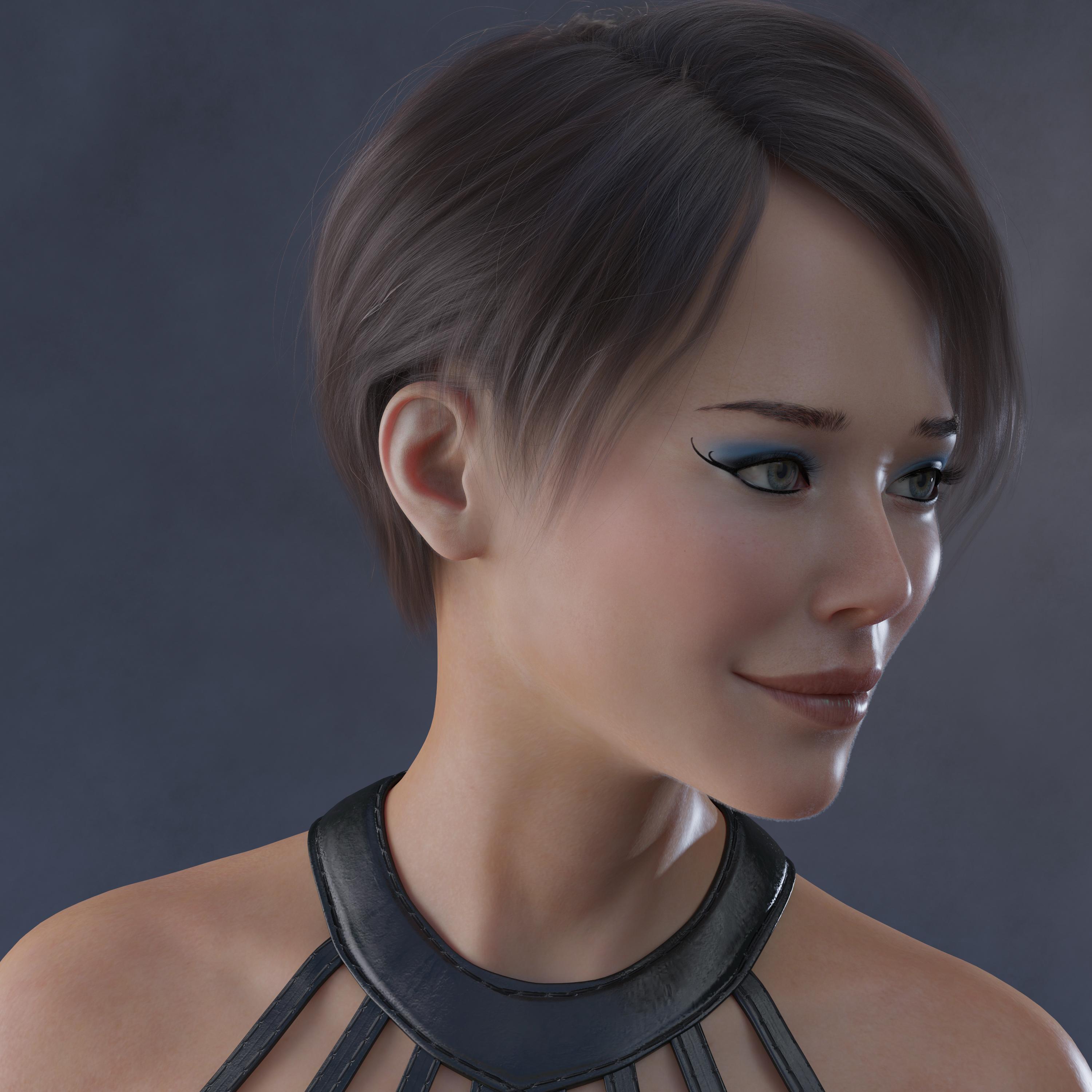 What is your favorite 3Delight character skin texture.
Ninive 6 was one of the last G2F base figures I bought, mostly so I could use the Lady of the Lake skin texture because it was one of those textures based on a specific figure (so glad they don't do that any longer.) Turns out I really like her a lot, both the skin and the morph.
The pale version might be a bit too blue-tinted for albinism? I never thought to try to approximate that skin tone. I should poke around google images and see what I find.
Favorite textures are going to be subjective, but I do have favorites in the ranges from toon to fantasy to realistic and qiute of few PoC textures too. DAZ has gotten much better at diversity these past few years.
SOLVED "Face Transfer" Plugin causes Daz To Crash When I Try to Save the FaceSaw that face transfer was half price so I purchased it. Only problem now is Daz crashes when I try to save the face. The logo is no longer on character's forehead so I assume it's been activated
Essential Products (in your view)I would say that every beginner should start with
growing up- if they plan to use younger characters.
some face morph pack for example from Rarestone or other
Zbrush (some will complain that it is expensive but ... ;) for quick fixing things as it is much better than using Mesh Grabber and SY Clothing Fit Helper Male/Female. sometimes it may be even preferable over other products as you can quickly adjust breast size and form fix poke through or improper bending. and it may be even used for some limited sculpting when you need to modify body shape. what pretty much eliminated the need for many other products.
If I were a newbie I would suggest other products too, like ghost light set and hdri toolkit but all that can be done without any extra product.
Released: ShapesInjector [Commercial]Totte said:
barbult said:
Where do the OBJ files come from? The product page says "Other clothes-making tools export out .obj files for every different shape morph". I don't understand what that means. What "Other clothes-making tools" are you referring to?
Blender, hexagon, Maya, any 3D modelling tool out there.
When someone makes for example a pair of trousers for G8F, you need to create Shape morphs, FBM (Full Body Morphs) for all released base shapes for that base figure. The work this script speeds up is when you need to inject the morphs into the pants. This takes hours now when there are almost 20 base shapes out there, with this tool it takes a minute.OK, thanks. I think I understand now.
The Official aweSurface Test Track...and as a fact I've used dForce mostly for things it was not made to do, more like dStroy. Or like here for making an asymmetrical morph;) Oh btw this one did not render in 3m 30sec

 Wacky Modelling ~ In Carrara ~
Simple vertex extrusion and morph set...
Base model as seen from
- the top (in the modelling room)
- an exagerated perspective view

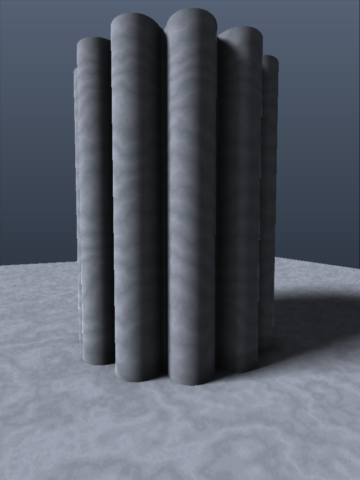
Wave morph
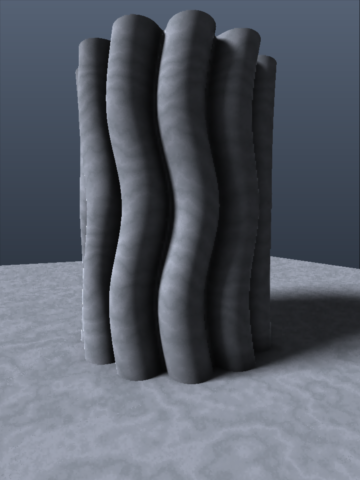
Bulge morph
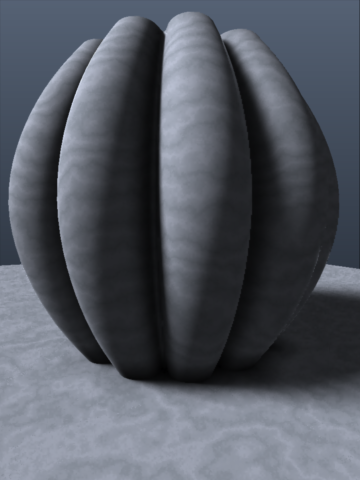
Offset morph
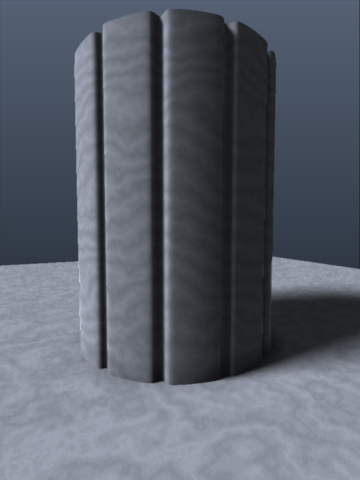
Twist morph
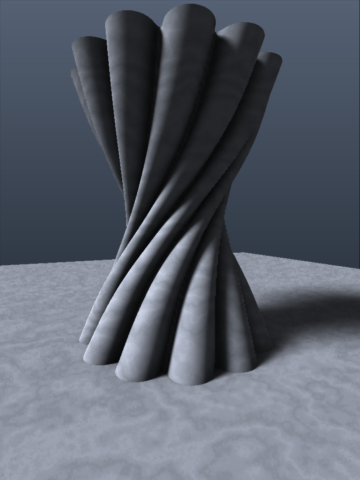
Combination (for good measure...)

Daz 3D is part of

Connect
DAZ Productions, Inc.
7533 S Center View Ct #4664
West Jordan, UT 84084Licensing Agreement | Terms of Service | Privacy Policy | EULA
© 2026 Daz Productions Inc. All Rights Reserved.