-
New hard drive
The reset command will completely clear the database, then you can reimport metadata to put the products back in - but that won't restore any chnages you have made, or your own files. You can export user data from the same dialogue, but that is all or nothing. Reinstalling ios needed only if you don't have the files installed, but note that DIM does track the absolute locations - unlike the CMS which cares about only the relative location. DS Custom Actions also care about the absolute location, so if the files are moved those will break.
New hard driveI bought a new hard drive. Currently my content library is split between 2 drives of insufficient capacity. What would be the easiest way to move the content to the new drive. I have a lot of garbage in my Postgre Database. I'm considering reinstalling the database and starting from scratch. (I do have a third small hard drive holding all the installation zips. So I wouldn't have to download it all again.)
Will Content Library | Content DB Maintenance | Reset Database do what I'm trying to do?
And am I better off using "Re-Import Metadata" compared to reinstalling from DIM?
Antique cast irons available?Sorry, I'm still recovering from the recent heatwave and forgot to click on 'Post Comment'

DoctorJellybean said:
I can create the DIM package.
Perfect
 Hopefully I didn't made any mistake while making and saving the metadata.
Unseen said:
For me, it's absolutely okay if you repackage the uvmapped prop. I just wanted to see if I could get decent UV coordinates with this item. I think it is perfect if it can help people who need such a prop. :)
I'll assume that richardandtracy is still okay.
I called the product R&T Unseen Old Cast Iron to have both of your names in it (I'm using R&T as a shorthand for the metadata for other freebies by richardandtracy) and you're both named as authors for Smart Content.
There is one file to load the prop, one to load the material in case someone wants to tweak the materials by themself and get easily back the default mat.
It's organised as such:
- Props > ChestnutP & Unseen > Old Cast Iron
- Props > ChestnutP & Unseen > Old Cast Iron > Materials
In Smart Content, there should now be icons in the following categories:
- Props::Tools
- Materials::Iray::Props
The icon (a 380x494 jpg file):
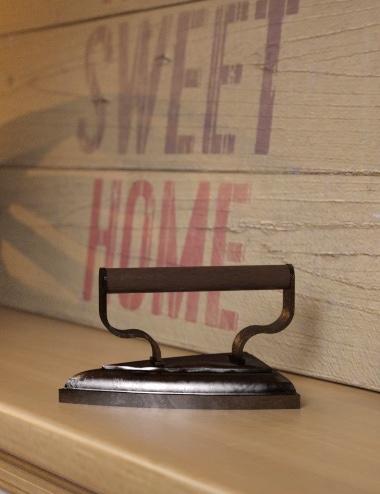
Hopefully, the Filter by content checkbox will show the material if the iron is selected.
If someone doesn't want metadata and prefers to organize their content as they want, as far as I know, neither the prop nor its materials are using relative paths, so they should work anywhere you wish. In that case, you don't need the Runtime folder, it's only used to store the files needed for the metadata.
Regarding the material:
- if someone thinks the wood is too dark, they can use the L.I.E editor to tweak the color mask (it's currently pure black with a 50% transparency) or replace it with any wood textures of their liking.
- Daz Studio Default Ressources needs to be installed, because I used the Cast Iron and Walnut Semi-Gloss shaders. I don't know if there is minimal version required.
Antique cast irons available?Elor said:
I repackaged your work, added default material using shaders included with Daz Studio, then added metadata.
If it's okay with both of you, I can share the result (and then, to go full circle, someone who has a tool to create DIM compatible archive can take the whole work to create the DIM package
 , I need to find some time to improve my own).
I think he'll be quite happy with that, and I will create the DIM installer.
https://www.daz3d.com/forums/discussion/comment/9578391/#Comment_9578391
Render your buys! Use buys from the current month and the previous month of salespaulawp (marahzen) said:
https://www.daz3d.com/dforce-80s-girl-outfit-for-genesis-9
https://www.daz3d.com/dforce-80s-girl-outfit-texture-add-on
https://www.daz3d.com/dforce-soft-confidence-for-genesis-9It took me a while to recognize the top: for a while, I thought you just had not used the 80s Girl Outfit's jacket.
Nice mix between the two outfits
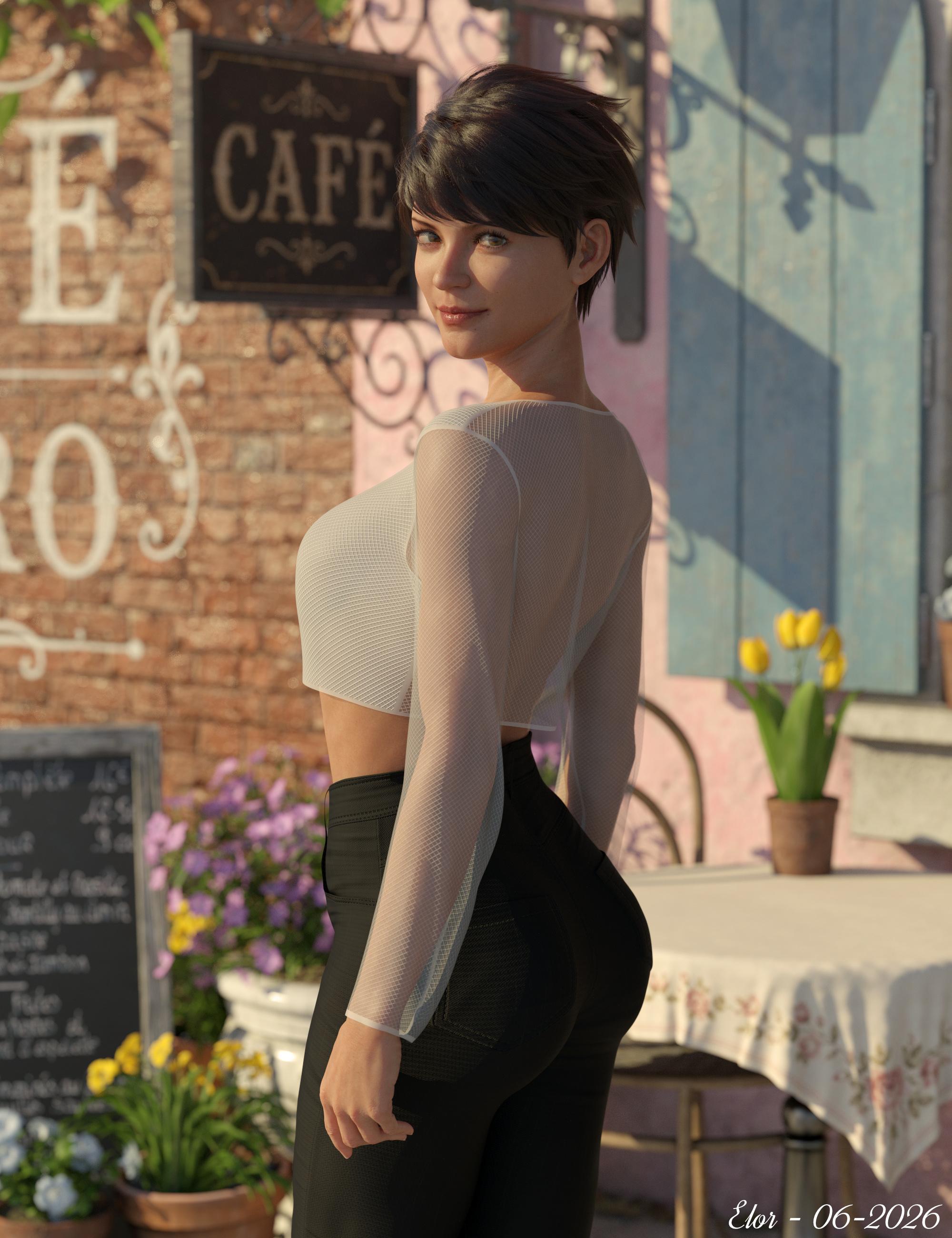
I kitbashed a top and a bottom pieces of clothes, using one new paid item and one new freebie (new to me, it was released almost twelve months ago).
Render done because a coupe of days ago, when I needed one picture for the crop top's metadata: I looked for a pose allowing to see both the front and the back of the top (hopefully one that won't be too hard on her spine), to remember that the back was translucent (the top has three surfaces - back, front and trim - so if someone wants a non translucent top, it should be easy to change).
Once Zelara 8 was posed and dressed, I needed a background and Stonemason beautiful Café worked nicely (on top of being an outdoor environnement, easier to light than an indoor one):
Other items will be listed on the gallery if and when it return, but I have the full list, so just ask if you want to know more about them.
Characters Not showing up and not loadingI have done several things like uninstall my files, reinstall, delete the daz studio and stuff. I only get 6 of my characters to show up in my content library. I have about 40 characters or more. When I click on them to show them in the scene, I get this error
an error occured while reading the file, see the log for more details.
2026-07-01 22:09:33.142 [INFO] :: Begin asset load (open): /People/Genesis 9/Characters/Daz Originals/Andy/Materials/Andy All MAT.duf
2026-07-01 22:09:33.164 [INFO] :: Clearing the scene...
2026-07-01 22:09:33.178 [INFO] :: Scene Cleared
2026-07-01 22:09:33.179 [INFO] :: Determining missing assets...
2026-07-01 22:09:33.353 [WARNING] :: Invalid hierarchy for selected node(s) and "preset_hierarchical_material" type; no root(s) found.
2026-07-01 22:09:33.353 [WARNING] :: Error loading asset: C:/Users/Public/Documents/My DAZ 3D Library/People/Genesis 9/Characters/Daz Originals/Andy/Materials/Andy All MAT.duf
Operation failed
2026-07-01 22:09:33.386 [INFO] :: Unlocking viewport redraw...
2026-07-01 22:09:33.386 [INFO] :: Viewport redraw unlocked.
2026-07-01 22:09:38.366 [INFO] :: Prepare asset load (open): /People/Genesis 9/Characters/Daz Originals/Charlotte Jr HD/Materials/CNB Charlotte !Full Base Skin.duf
2026-07-01 22:09:38.366 [INFO] :: Locking viewport redraw...
2026-07-01 22:09:38.367 [INFO] :: Viewport redraw locked.
2026-07-01 22:09:38.412 [VERBOSE] :: Native format content directories: 2
2026-07-01 22:09:38.412 [VERBOSE] :: Poser format content directories: 2
2026-07-01 22:09:38.412 [VERBOSE] :: Other import format content directories: 0
2026-07-01 22:09:38.412 [INFO] :: Begin asset load (open): /People/Genesis 9/Characters/Daz Originals/Charlotte Jr HD/Materials/CNB Charlotte !Full Base Skin.duf
2026-07-01 22:09:38.418 [INFO] :: Clearing the scene...
2026-07-01 22:09:38.429 [INFO] :: Scene Cleared
2026-07-01 22:09:38.431 [INFO] :: Determining missing assets...
2026-07-01 22:09:38.525 [WARNING] :: Invalid node selection for "preset_material" type.
2026-07-01 22:09:38.525 [WARNING] :: Error loading asset: C:/Users/Public/Documents/My DAZ 3D Library/People/Genesis 9/Characters/Daz Originals/Charlotte Jr HD/Materials/CNB Charlotte !Full Base Skin.duf
Operation failed
2026-07-01 22:09:38.558 [INFO] :: Unlocking viewport redraw...
2026-07-01 22:09:38.558 [INFO] :: Viewport redraw unlocked.
This is only part of my error load. This error happens when I click on any of the characters, but like I said only 6 are showing up out of the 40+ I have. Everything else loads up, environments and all load up, it is just the characters. I would upload my log file, but I can't find it. If someone will tell me where it is, I will upload it.Daz Studio 4.24 Face Chains not useableThe images you attached to your first message are inconsistent. The first image shows a different product (ear chains) than the SKU you said you purchased from the Daz store (Face Chains SKU:94046). There is no context visible in that second image. Is that in the Smart Content pane or what? Further down in another message, you attached another screenshot, which is also NOT the product you said you purchased. So I am not sure what you are really looking at.
But anyway, in the second image, there is no thumbnail for the product, because Daz didn't provide one. Did you try just double clicking on the exclamation icon to open it and see the items in it? If this is in Smart Content, when you double click on the exclamation icon, you would see that all the items are in the Lost and Found category, because Daz didn't make the effort to provide ANY metadata for the product they sold you. Be aware that when you buy any of those "other store" imported products from Daz, you won't get a readme or metadata, as crosswind previously explained.Did you install with DIM, or just drag to files to your content library? Either way, if you did it correctly, you would see the files in the content library. They will be under the People folder and then under the character generation the files are for (e.g. Genesis 9). Then under Accessories. Then under FK-Simplicity FaceChains. In the attached screenshot from my product library, I captured just from Genesis 9 on down. (This screenshot is of the mapped folders, not categories or products in the Content Library.)
V3D Magic Extract And Append Bundle (Commercial)V3Digitimes said:
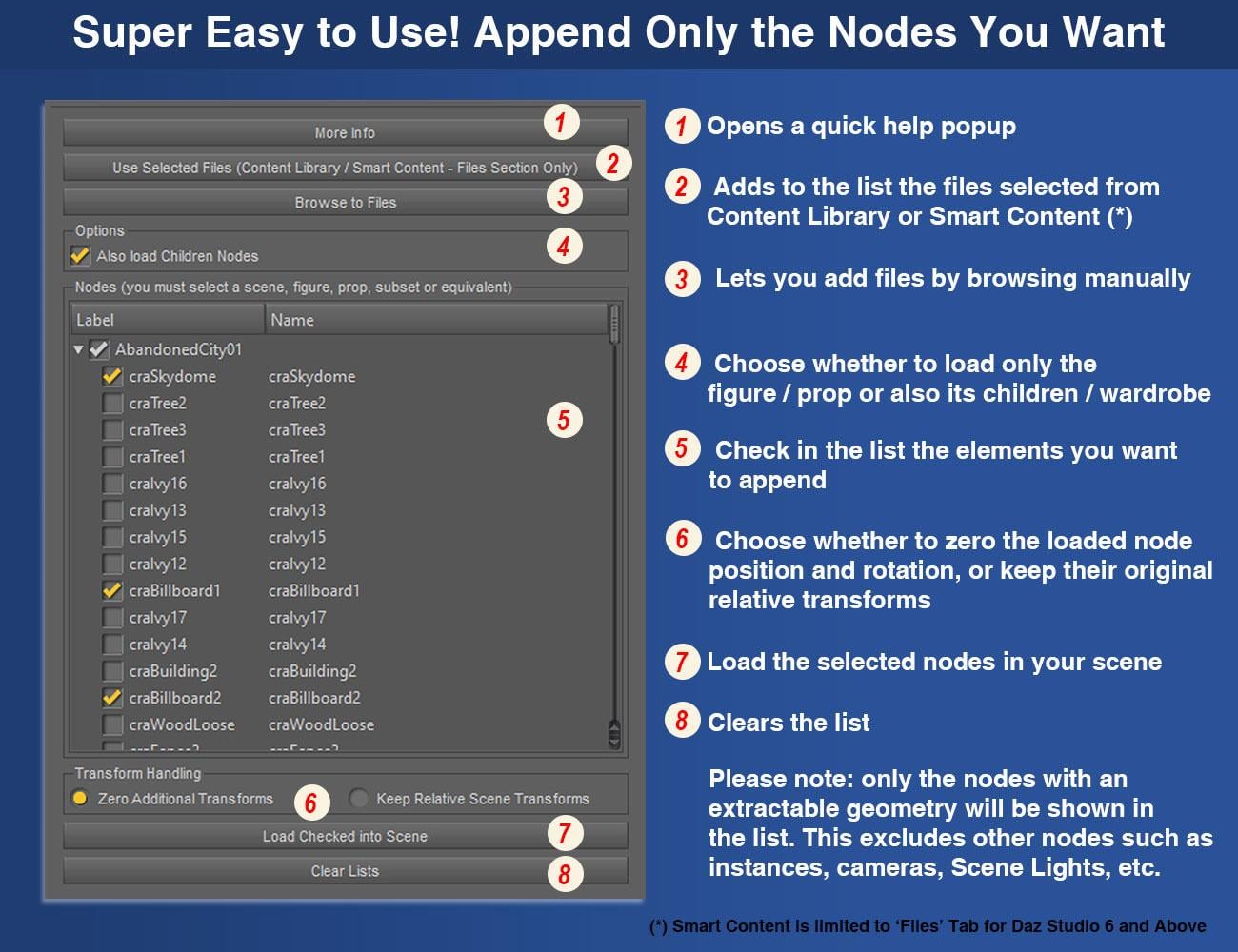
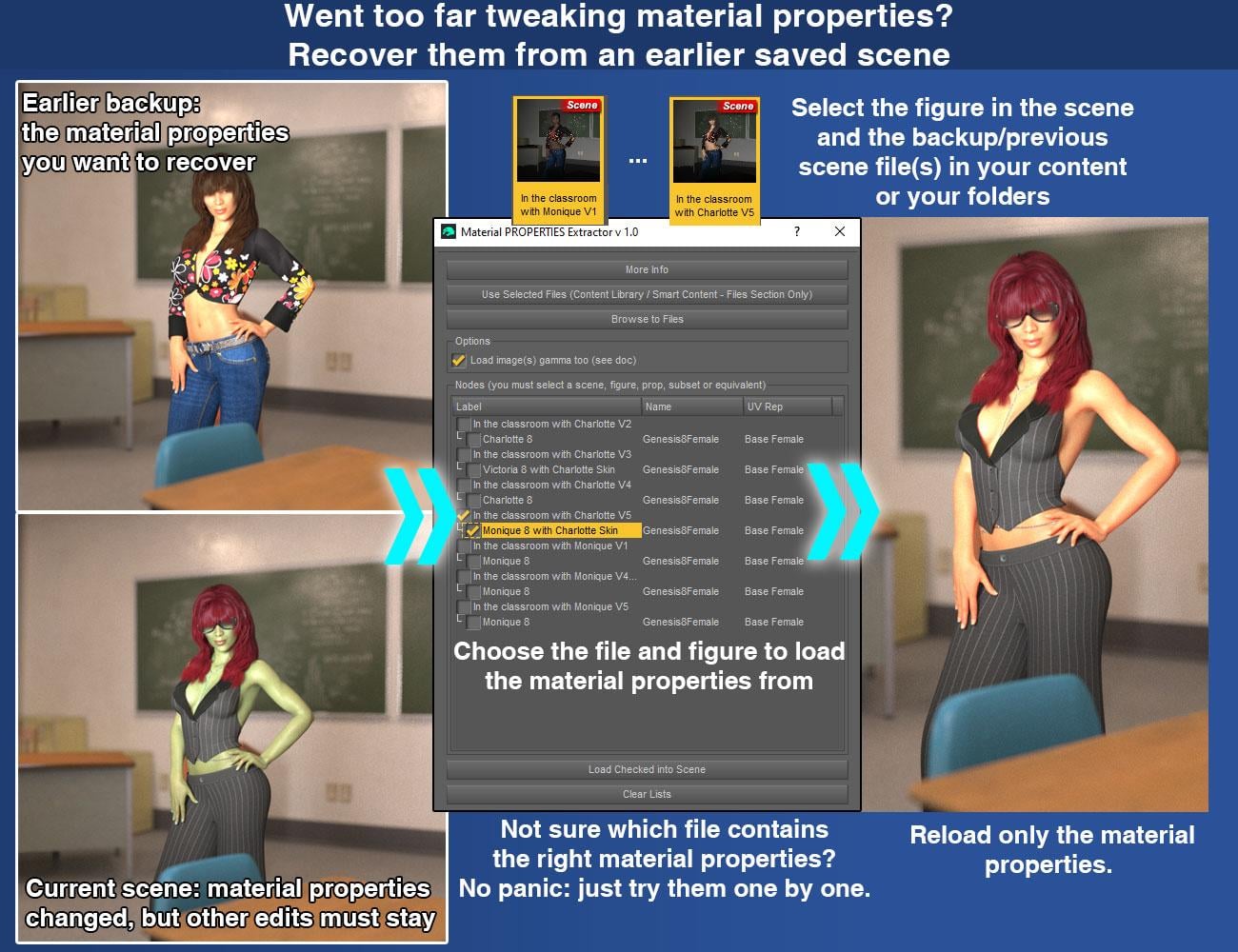
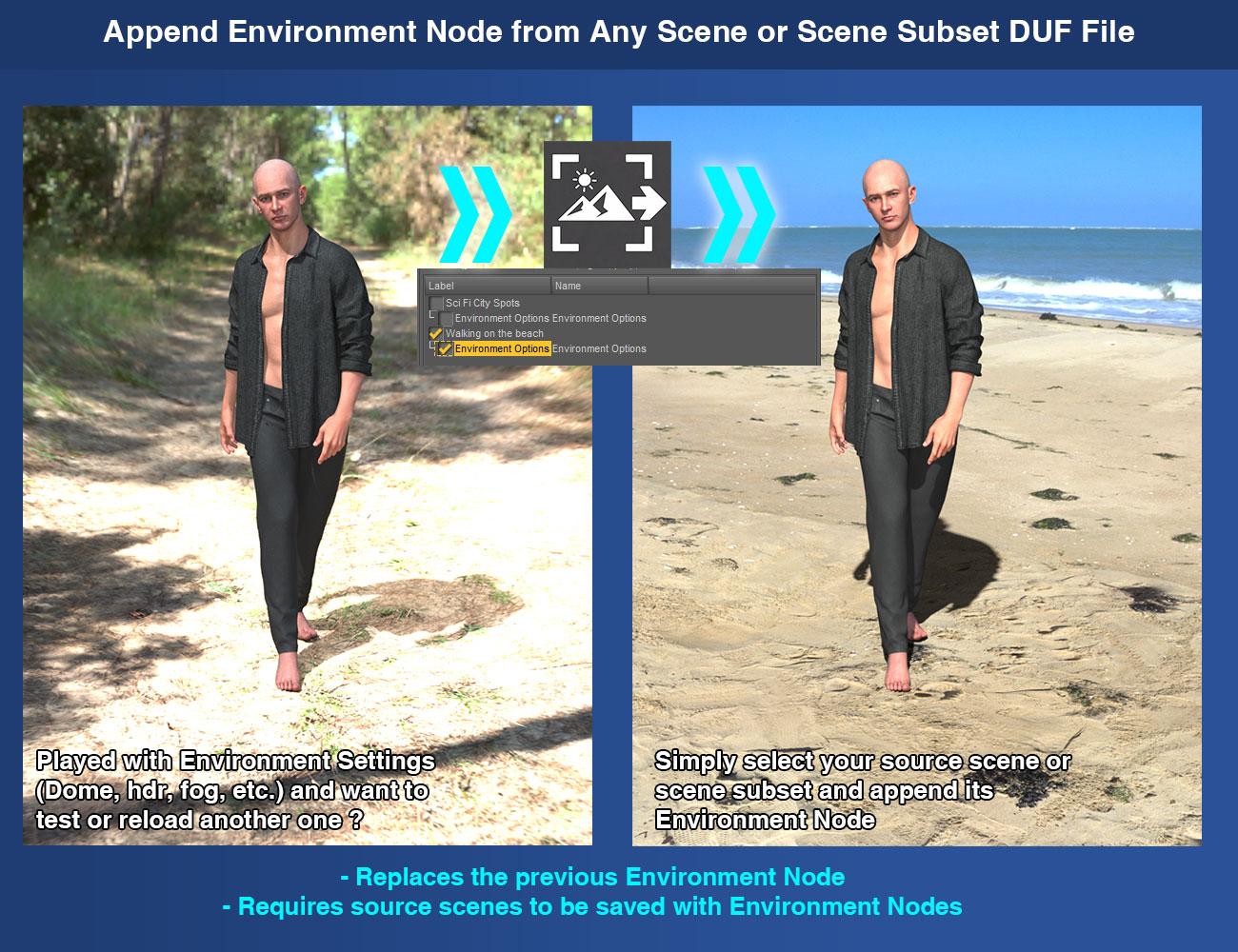
This is the support page for “V3D Magic Extract And Append Bundle””, a complete workflow bundle to recover and reuse only the scene content you want from saved DAZ Studio Scene and Scene Subset DUF files.
As usually, any issue, remark, feedback, questions, etc., feel free to post here or to contact me directly via PM.
You can find it here :
https://www.daz3d.com/v3d-magic-extract-and-append-bundleV3D Magic Extract And Append Bundle brings together the three products of the V3D Extract and Append series in one complete workflow collection for DAZ Studio.
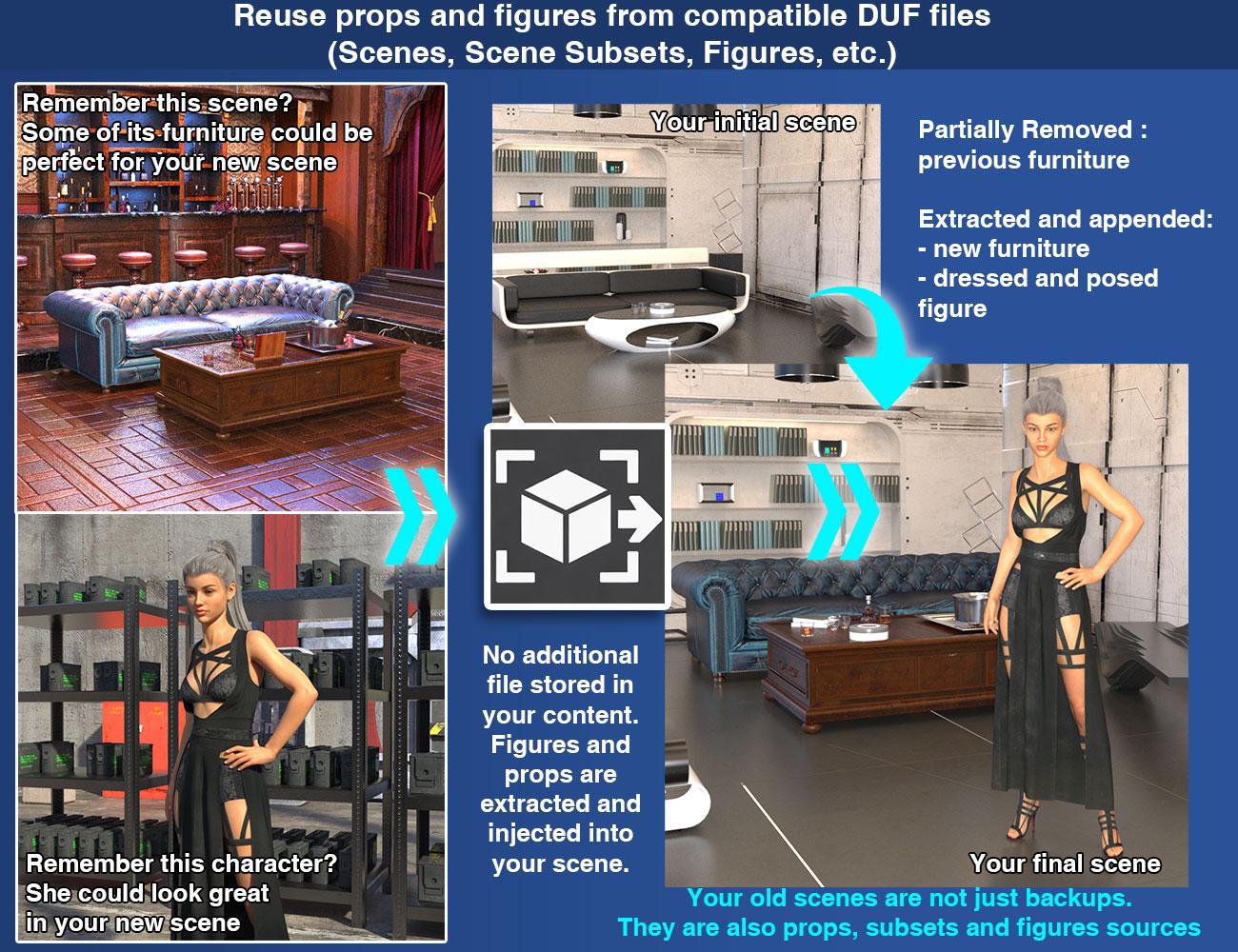
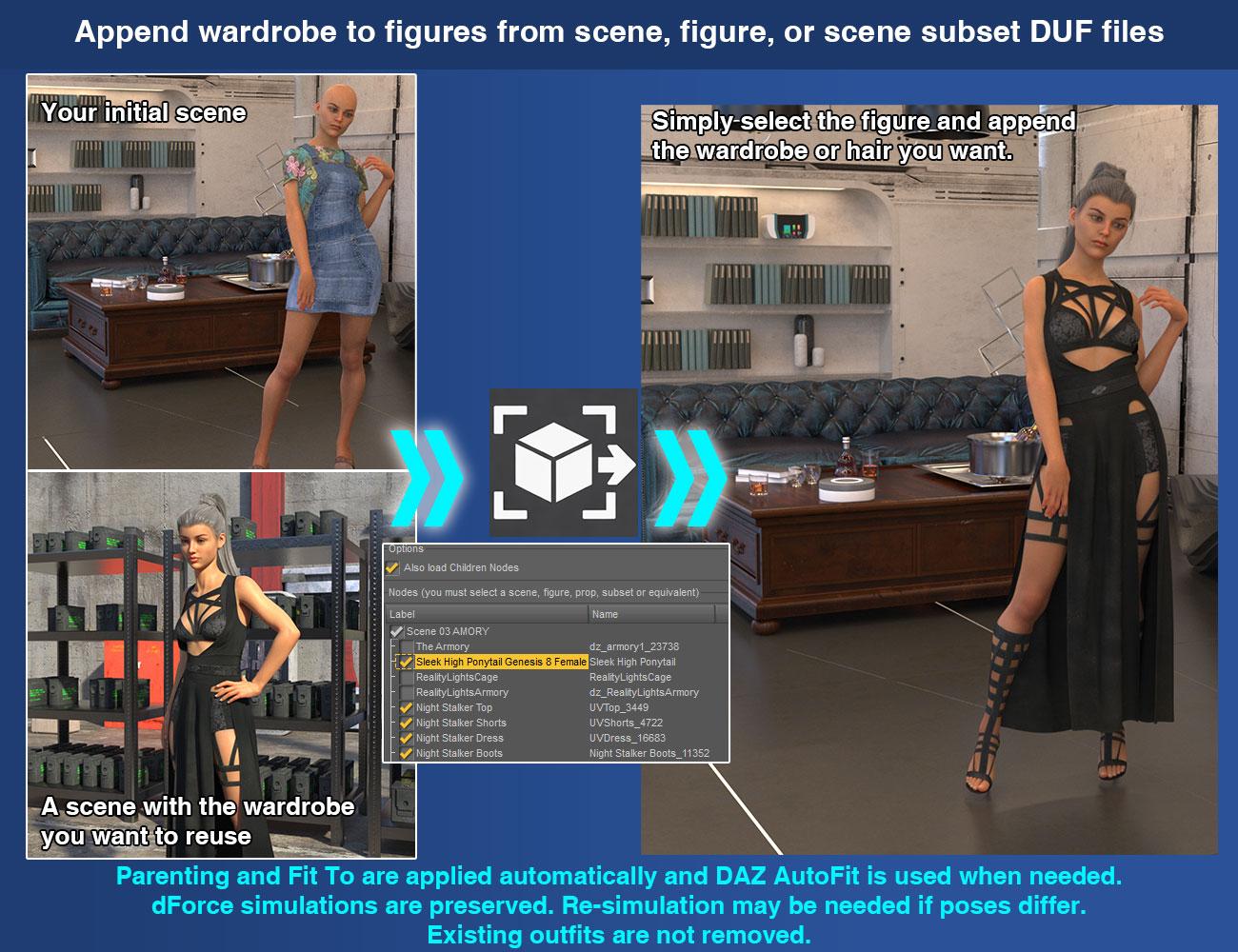
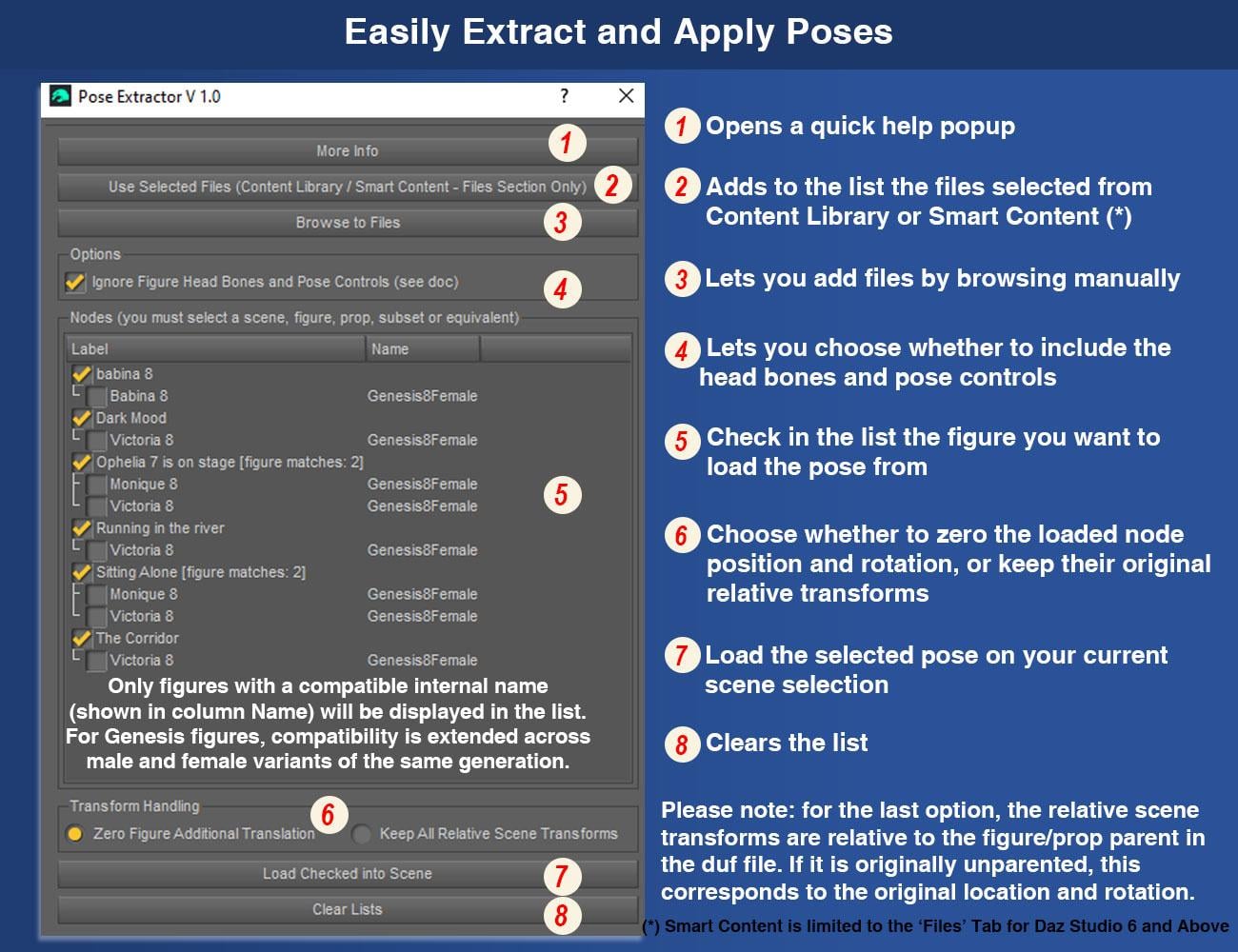
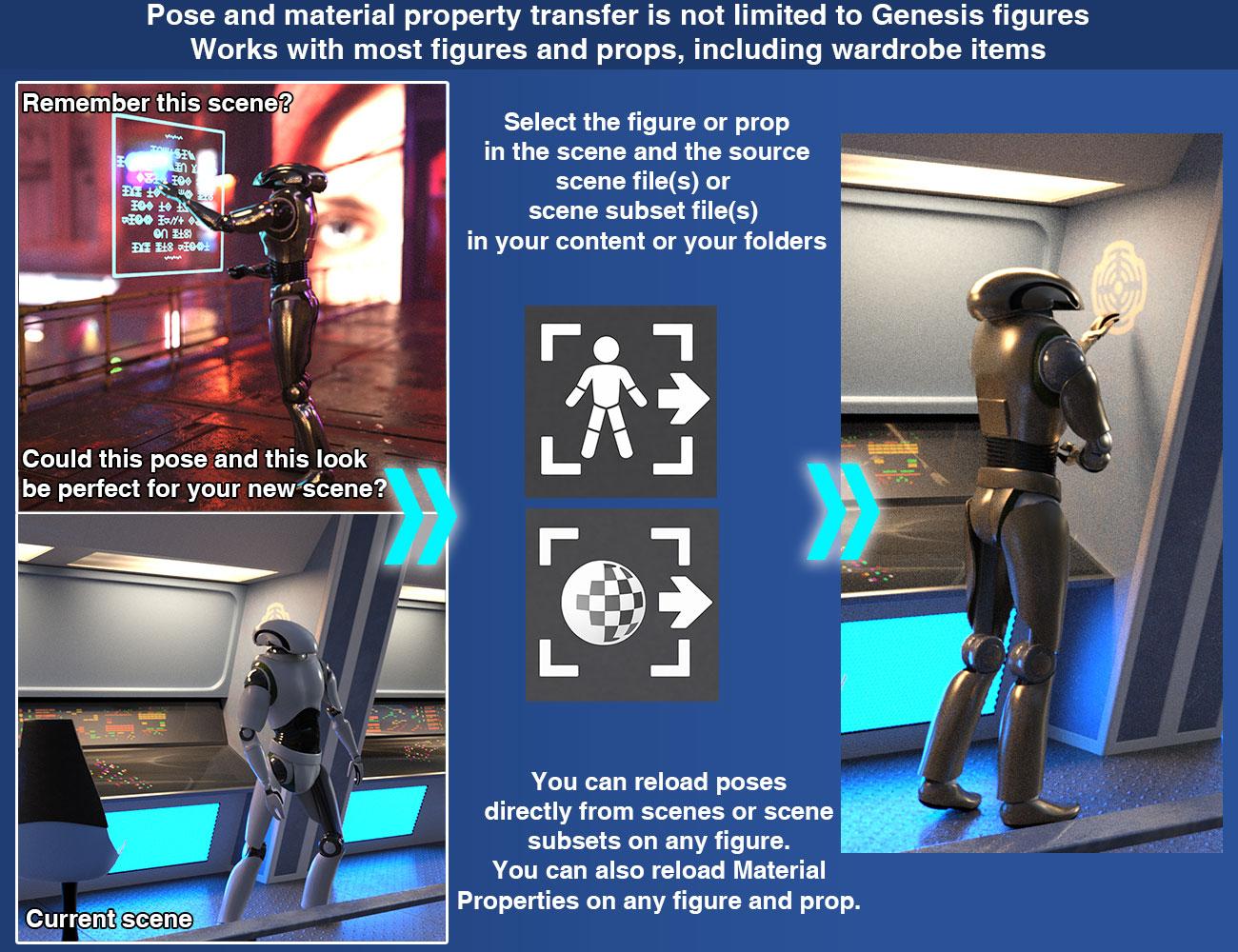
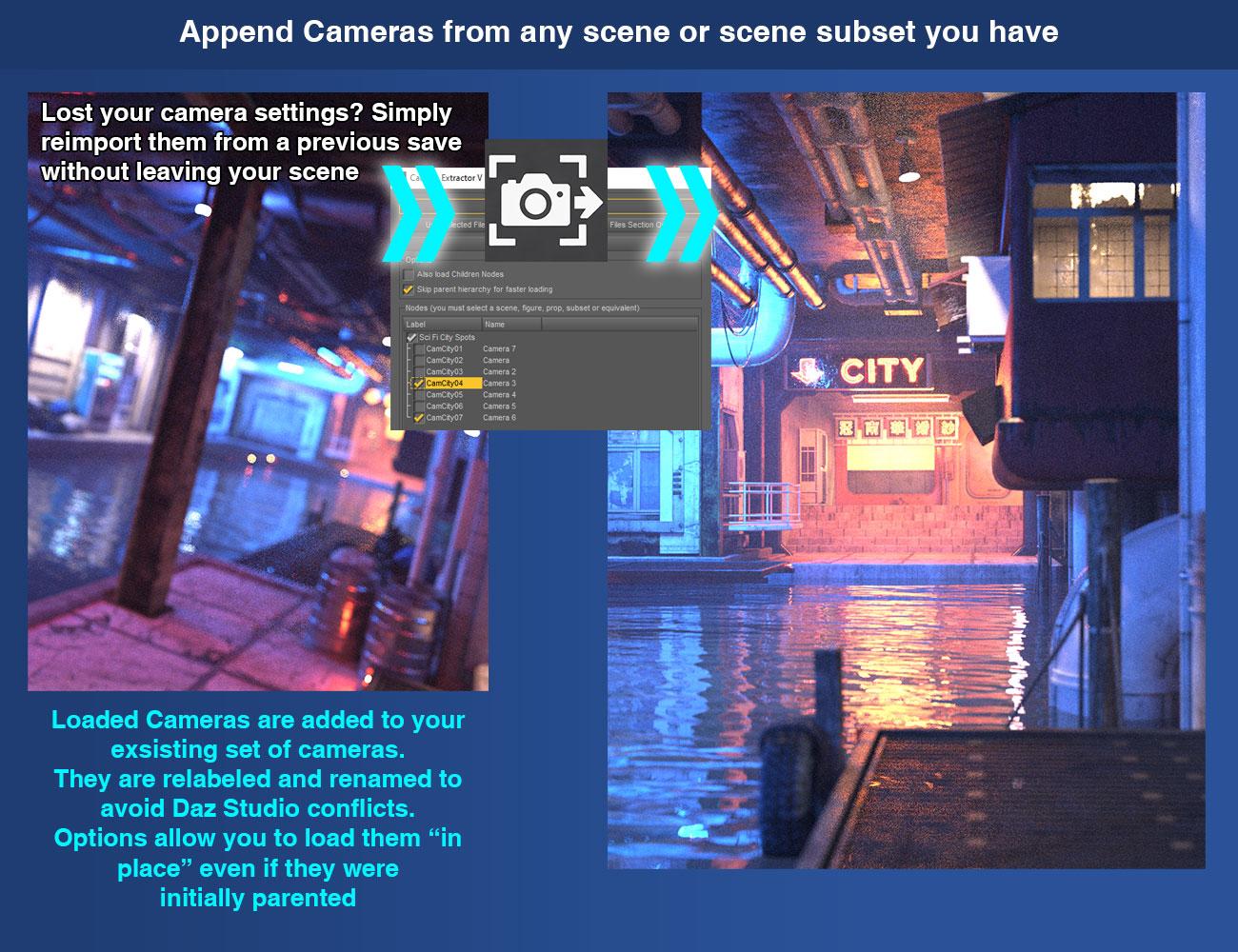
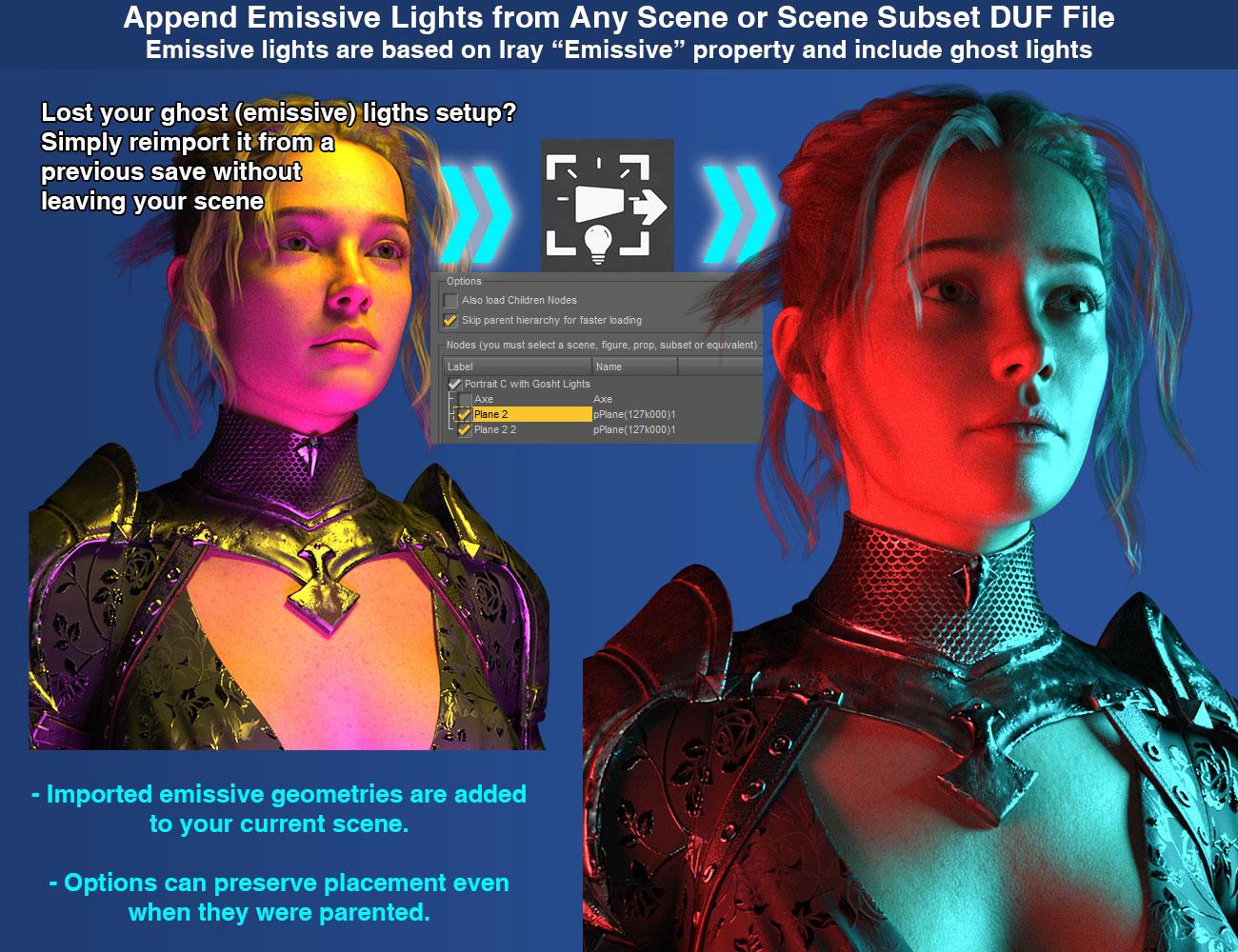
With this bundle, your saved DAZ Studio Scene and Scene Subset DUF files become practical reusable sources for a wide range of scene content. Depending on the script you launch, you can recover and reuse only the figures, props, outfits, hair, poses, material properties, cameras, scene lights, Iray Uber emissive surfaces, environment settings, or tone mapping settings you want to bring into your current scene.
These tools are designed to make scene reuse faster, cleaner, and more convenient. Instead of reopening older scenes and rebuilding content manually, you can extract and reload only the compatible data you actually want to bring back into your current work.
This bundle is also extremely practical during normal scene iteration. You may change a light setup, adjust a pose, load a new outfit, and then realize that the earlier pose or the previous lighting was actually better. Instead of undoing everything, rebuilding it manually, or going through any other tedious process to bring your preferred setup back, you can simply launch the extractor you need, load the relevant data from an earlier saved version of your scene, and bring back the part you preferred while keeping the rest of your current work intact.
The bundle includes:
V3D Extract and Append : Figures and Props
V3D Extract and Append : Cameras, Lights, Environment Settings and More
V3D Extract and Append : Poses and Material Properties
For detailed behavior, product-specific compatibility, advanced options, and technical notes for each workflow, please refer to the individual product descriptions included in this bundle.
V3D Magic Extract And Append Bundle is intuitive, easy to use, and workflow-efficient. It gives you a complete reusable scene-content toolkit for DAZ Studio, helping you recover the content you want while staying focused on building, posing, shading, and lighting your scene.
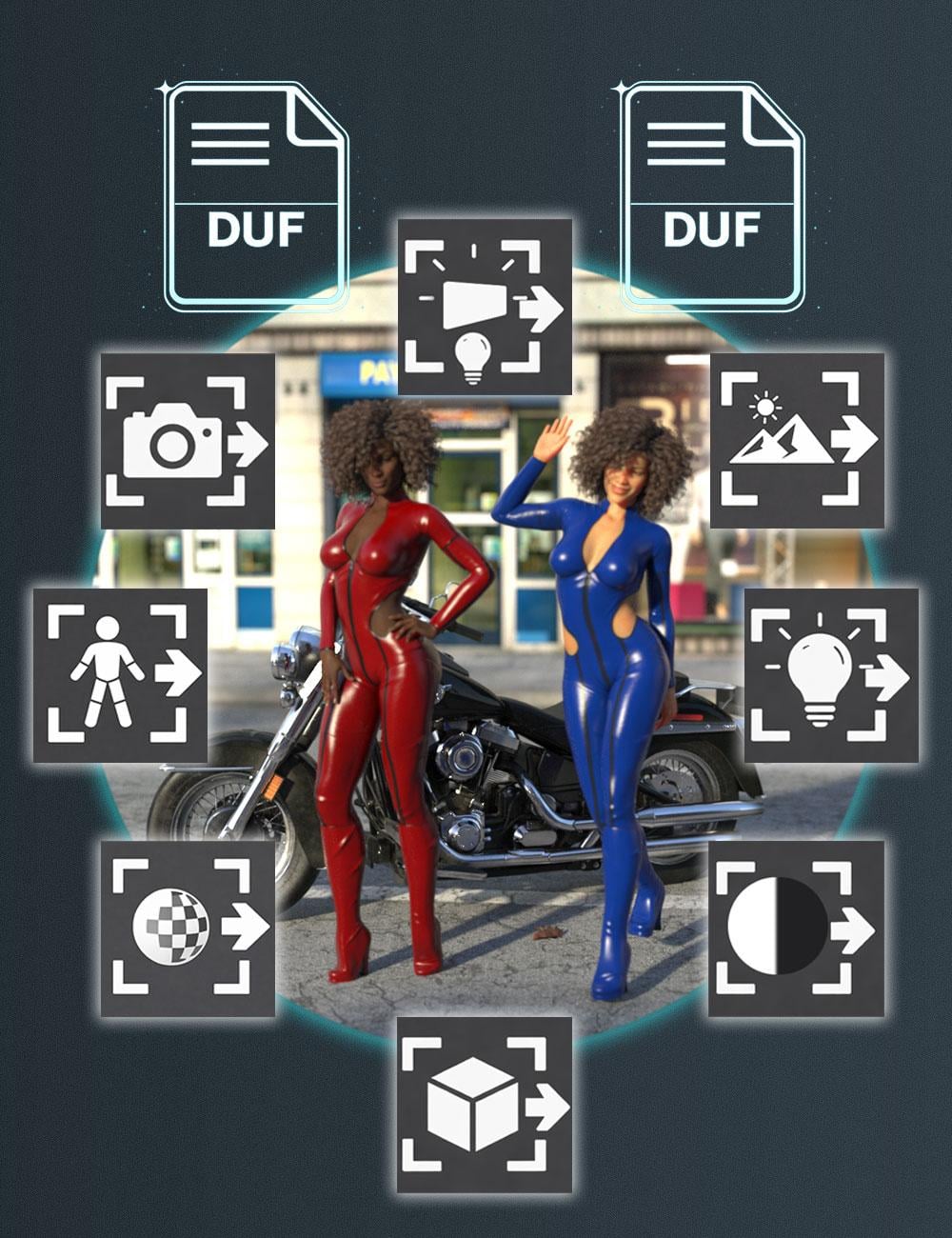
A couple of images - not showing everything... and a link to the video presentation of the bundle...Know issues :
DS6 User WarningVery large or complex source scenes seem to be problematic in DS6 with version 1.0 of the product.
They may cause DS6 to hang or crash during the initial source analysis step, before the item list is displayed. These same scenes should usually still work in DS4 / 4.24.
A DS6-specific solution is currently being investigated.
If you encounter this issue and have a way to share the problematic DUF file with me, it would be very helpful and could speed up the patch development.Please Note : This product was optimized around my own, fairly classic workflow, but it can be improved to support other workflows when it makes sense.
Feature requests that may be implemented in a future update, if technically possible:- Priority number 1 : If a GroupNode (what you call "Group") is the parent of supported geometry nodes, it should also be displayed in the list.
- A checkbox to load/appended items and strip (remove) their animation.
- If possible: a clearer display of the scene hierarchy (nesting hierarchy) in the item list. This one is more complex, as scripted list views are not the easiest thing to handle cleanly.
- Understand what happens in DS6 on one user large or specific - not clear yet - file (script blocked? DS6 freeze? What is specific in this scene?) - this is debugging, not refinment.
If something does not work for you, or if you see possible improvements, feel free to share.For Published Artists and environment creators, this can also be useful as a production tool. When working on large environments, test scenes, promo scenes, or older WIP files, you often need to recover one specific element without reloading the whole scene: a prop, a material setup, a camera, a light rig, a figure setup, or an imported object that was saved inside the scene and even not as a clean standalone dsf asset.This is one of the reasons I made these tools in the first place. They help me compare older versions of my scenes, recover elements from previous tests, reuse lighting/camera setups, and bring back specific parts of a scene without manually rebuilding everything.
So the product is not only intended for end users who want to reuse content from saved scenes. It can also be useful for creators who build complex scenes and need a faster way to extract, compare, and reuse parts of their own production files.
I FOUND A ISSUE with the Append Sricpt I finally figured out the issue with your script. After doing a bunch of testing by removing things one by one, I found that the script crashes on any scene that contains dForce hair that has already been simulated. When I removed the hair completely, the script worked perfectly. I then tested it further: when I added the same dForce hair but left it unsimulated, the script imported the scene without any problems. However, as soon as I simulated the hair, saved the scene, and tried to import it again, the script crashed immediately. So basically, the script cannot handle dForce hair that has already been simulated and saved in the scene file. The hair needs to be in its default, unsimulated state for the script to work. Just wanted to let you know the exact cause. Let me know if you need any more info.
Antique cast irons available?Elor said:
I repackaged your work, added default material using shaders included with Daz Studio, then added metadata.
If it's okay with both of you, I can share the result (and then, to go full circle, someone who has a tool to create DIM compatible archive can take the whole work to create the DIM package
, I need to find some time to improve my own).I can create the DIM package.
Antique cast irons available?I repackaged your work, added default material using shaders included with Daz Studio, then added metadata.
If it's okay with both of you, I can share the result (and then, to go full circle, someone who has a tool to create DIM compatible archive can take the whole work to create the DIM package
, I need to find some time to improve my own).Daz Studio 4.24 Face Chains not useableThere's no metadata ever given to these prodcuts at all from Daz3D... the actions you did would be in vain.
Daz Studio 4.24 Face Chains not useableI don't have Uninstall.
More Information takes me to a Page Not Found in the Documentation Cener.
Update Metadata seems to do nothing
Refresh seems to do nothing.Expressions not visible in head, only in whole figureI've installed a product with expressions (https://www.daz3d.com/101-expression-library-with-dials-for-the-genesis-8-male), but the expressions aren't visible if I select a figure's head (in the firstscreenshot below). They show up in the whole figure, under Pose Control->...->Head->Expressions (in the second screenshot), but they're gray there, rather than white.
The matching product for G8F *does* show up when the head is selected, so I presume it's a metadata error of some sort?
Is there a way to fix this?
Daz Studio 4.24 Face Chains not useableThese products were immigrated from Renderosity into this store in a certain period of time two years ago... they don't have any metadata in the packages. What's why you are not able find the product items in Smart Content as well as Content Library > Product.
But you can find them from their product folders in Content Library by referring to the folder structure in DIM packages.
If you have Content Wizard, you can install the product with it, Content Wizard can automatically generate metadata... or you can Create Product with metadata yourself in Content Lib.
{Diffeomorphic} Rigid Follow Nodes
I figured out how to get the dev version. Not sure if I am 5.2... I'd have to check.Padone said:
Invalid meshes are fixed by blender on import, there shouldn't be any problem with rigid followers and hierarchies. But invalid meshes may have problems with morphs as blender may need to delete some vertices or change the vertex order to fix the mesh. Again you need to get the 5.2 dev version as some issues with rigid followers and hierarchies are fixed there lately.
https://github.com/Diffeomorphic/import_daz
p.s. And in general always get the dev version before reporting bugs.
{Diffeomorphic} Rigid Follow NodesInvalid meshes are fixed by blender on import, there shouldn't be any problem with rigid followers and hierarchies. But invalid meshes may have problems with morphs as blender may need to delete some vertices or change the vertex order to fix the mesh. Again you need to get the 5.2 dev version as some issues with rigid followers and hierarchies are fixed there lately.
https://github.com/Diffeomorphic/import_daz
p.s. And in general always get the dev version before reporting bugs.
Water gushes / rushed from pipeshttps://www.renderosity.com/marketplace/products/87721/splashworks03
This is what I'm looking for, but .. better. Fairly old set, while I could import and shade the geometry is a bit simple.Deregistered Pluginscrosswind said:
dijidave_a64850a362 said:
frank0314 said:
butterflyfish said:
Sometimes you have to restart the program to make it realize you're supposed to have the Premier plugins. Mine were greyed out the other day for absolutely no reason. Restarting the program fixed it.
Did you get any errors with it?
No errors, just dissabled plugins & no ''Premier'' on splash screen.
Restarted a few times, no difference
(Post edited by mod to fix quote)
As per my experience of validating Premier membership:
1) Login to Daz Connect from Smart Content pane with Update Metadata unchecked. You may be asked to restart DS but DO NOT do that immediately. Wait for a while, appr. 1 ~ 2 minutes till you see Premier logo via DS > Help > About Daz Studio...(screenshot 1)
2) Now Exit and relaunch DS. You should be able to see Premier on the splash screen. Then check DS > About Installed Plugins... see if Premier plugins are shown as green plugs. (screenshot 2)
3) If you cannot find them via DS menu items. Save your DS Layout by pressing F4 firstly, then: DS > Window > Workspace > Update and Merge Menus.Edit: You also can check DS log to see if you can find a string : Roles: Premier If you cannot find it, it means your Premier validation is failed ~~
Thanx Crosswind, starting the CMS made me realize that while away on holiday I'd changed my password& after inserting the new password & restarting Daz, Premier & all it's plugins are restored
Edited by mod to fix quote)
Deregistered Pluginsdijidave_a64850a362 said:
frank0314 said:
butterflyfish said:
Sometimes you have to restart the program to make it realize you're supposed to have the Premier plugins. Mine were greyed out the other day for absolutely no reason. Restarting the program fixed it.
Did you get any errors with it?
No errors, just dissabled plugins & no ''Premier'' on splash screen.
Restarted a few times, no difference
(Post edited by mod to fix quote)
As per my experience of validating Premier membership:
1) Login to Daz Connect from Smart Content pane with Update Metadata unchecked. You may be asked to restart DS but DO NOT do that immediately. Wait for a while, appr. 1 ~ 2 minutes till you see Premier logo via DS > Help > About Daz Studio...(screenshot 1)
2) Now Exit and relaunch DS. You should be able to see Premier on the splash screen. Then check DS > About Installed Plugins... see if Premier plugins are shown as green plugs. (screenshot 2)
3) If you cannot find them via DS menu items. Save your DS Layout by pressing F4 firstly, then: DS > Window > Workspace > Update and Merge Menus.Edit: You also can check DS log to see if you can find a string : Roles: Premier If you cannot find it, it means your Premier validation is failed ~~
Released: Auto Rigging Pipeline [Commercial]Dareshiranu said:
barbult said:
N-RArts said:
So let me get this straight. I import a piece of clothing that has been fitted to a Genesis figure, import it to Daz, and use this. Then it'll be completely rigged?
Does it cut down on the need to make JCMs?
The first post in this thread says:
A very important note: This does not do auto weight mapping/jcms etc.Unfortunately, the images that advertise the product don't explain this very well... or at all. What I infer from the imagery is that it is rigging a skeleton (rig) to a figure and then allowing it to be posed. From reading this thread I understand that it's entirely not for that purpose, but now I've put it back on my wishlist a second time simply due to the fact that I didn't remember reading about what it did or didn't do in this thread but instead was once more suckered into being interested in something that is really of no use to me. So back out of the wishlist it goes, before I accidentally buy it.
Have you read the manual? Also, theres no need for you to advertise to the world that you are removing or adding anything to your wishlist. Just do it and move on. What would be helpful is describing what you are/were looking for, then inquiring about it. Have a great day.
Daz 3D is part of

Connect
DAZ Productions, Inc.
7533 S Center View Ct #4664
West Jordan, UT 84084Licensing Agreement | Terms of Service | Privacy Policy | EULA
© 2026 Daz Productions Inc. All Rights Reserved.