-
New release PoseRecorder needs better product description!
Ummm, I might have to return this. I just don't think it is ready for prime time at all. When you have to jump through all these conversion hoops and then the result doesn't look at all like the examples, the eyes don't seem to work etc, I am starting to feel a certain kind of way. Similar to how I felt about my purchase of Headshop. Like I so badly want it to work but it just doesn't.
has Headshop fixed the eyelash problem?info_b3470fa520 said:
alan bard newcomer said:
info_b3470fa520 said:
Catherine, obviously the green tint is a problem. Two ways to resolve: 1. Use different photo or 2. Use Photoshop to slightly change hues.
The green isn't the issue .. I get a falloff on the skin tones.. so I just use a skinbuilder to supply a complete skin
But the question is if I buy yet another version of this will it make the eyelashes work or come with a warning about what to do to make them work?Alan, since eyelashes are a separate "figure", it makes it for use hard to address it directly. As Catherine explained, that after your finished with HeadShop, you erease the original eyelashes, reload a new Gen figure, erease everything but the new eye;ashes and then make the new eyelashes parented to the original figure. I'd like to repeat that this is a problem caused by Gen 8 having eyelashes as a separate figure.
okay.. so it continues to be a "feature" ... I can live with that
But along with the various popup during runing the program it would have been nice ...
no more than nice.. almost a requirement, since you knew there would be issues
to have it laid out right on the line when we run the program.
---
That way I know what to do ... and can say "okay because of X I have to do Y" as opposed to finishing a figure and going "why the hell is wrong here".
has Headshop fixed the eyelash problem?alan bard newcomer said:
info_b3470fa520 said:
Catherine, obviously the green tint is a problem. Two ways to resolve: 1. Use different photo or 2. Use Photoshop to slightly change hues.
The green isn't the issue .. I get a falloff on the skin tones.. so I just use a skinbuilder to supply a complete skin
But the question is if I buy yet another version of this will it make the eyelashes work or come with a warning about what to do to make them work?Alan, since eyelashes are a separate "figure", it makes it for use hard to address it directly. As Catherine explained, that after your finished with HeadShop, you erease the original eyelashes, reload a new Gen figure, erease everything but the new eye;ashes and then make the new eyelashes parented to the original figure. I'd like to repeat that this is a problem caused by Gen 8 having eyelashes as a separate figure.
has Headshop fixed the eyelash problem?videoninja719 said:
anyway, a side question, anyone has upgraded or purchased headshop 14? i would like to see some renders of the faces
Really? Okay ...
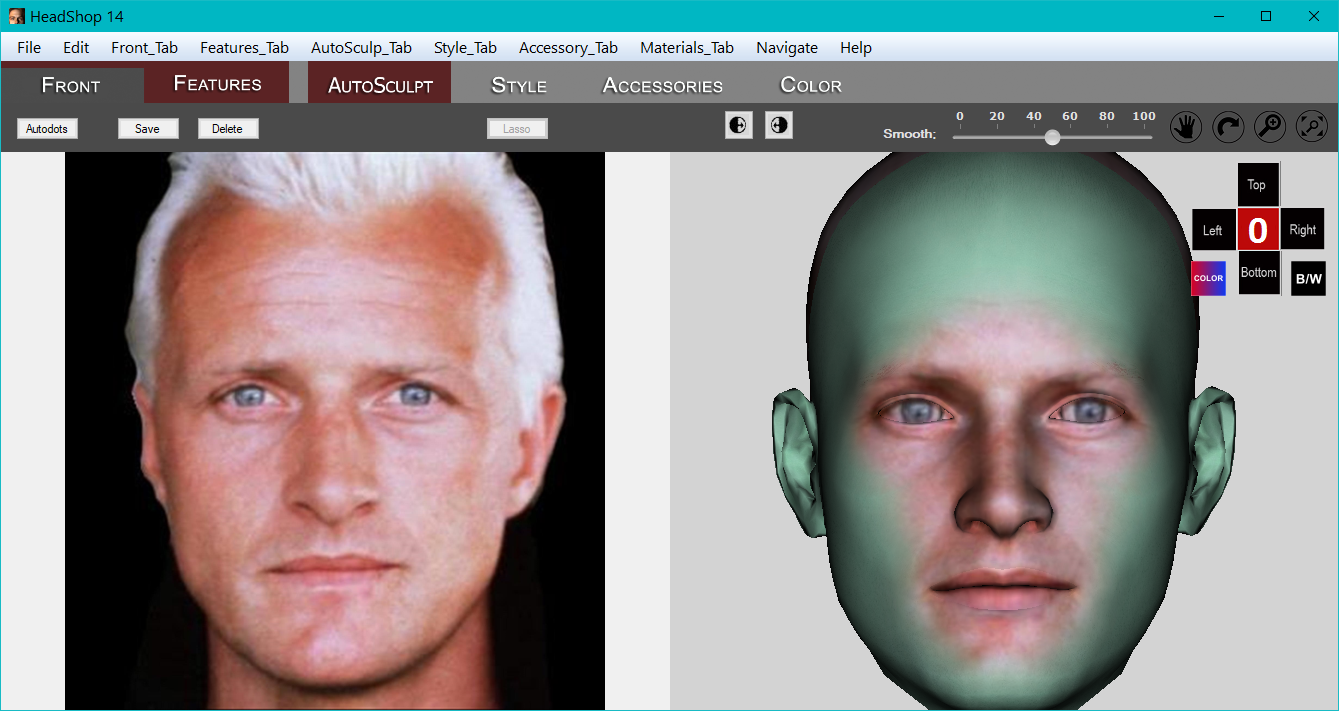
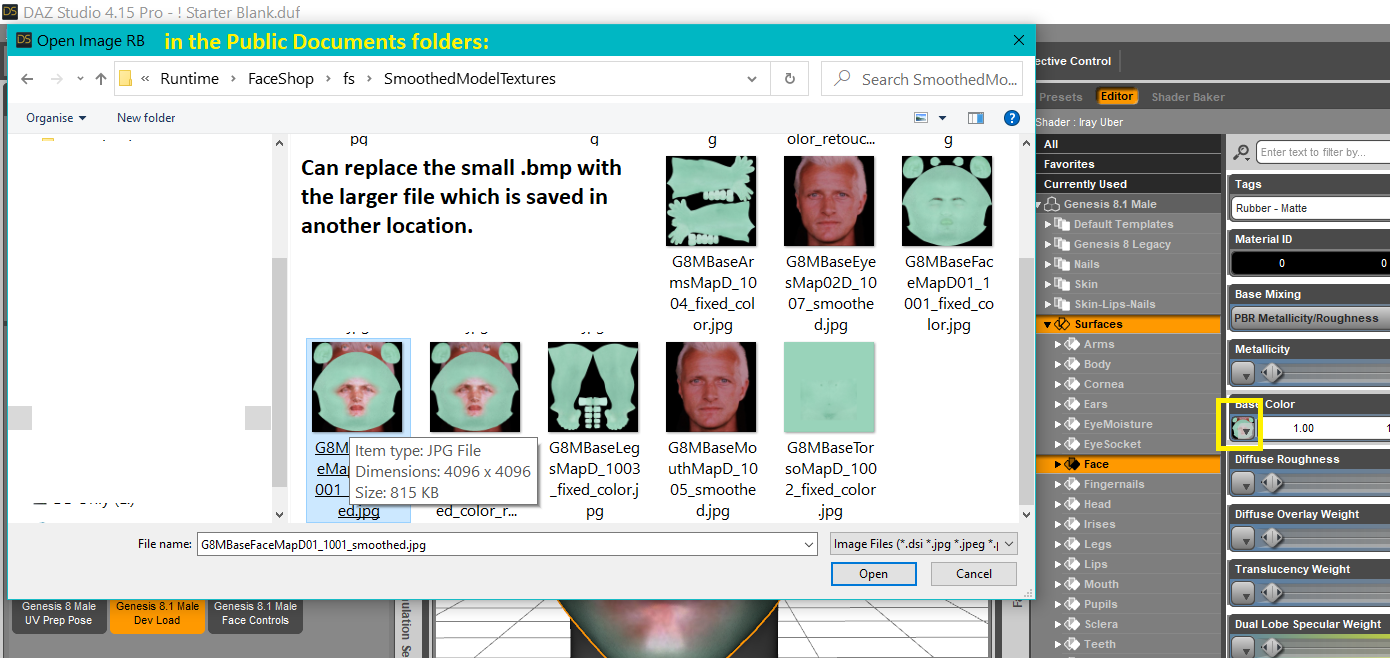
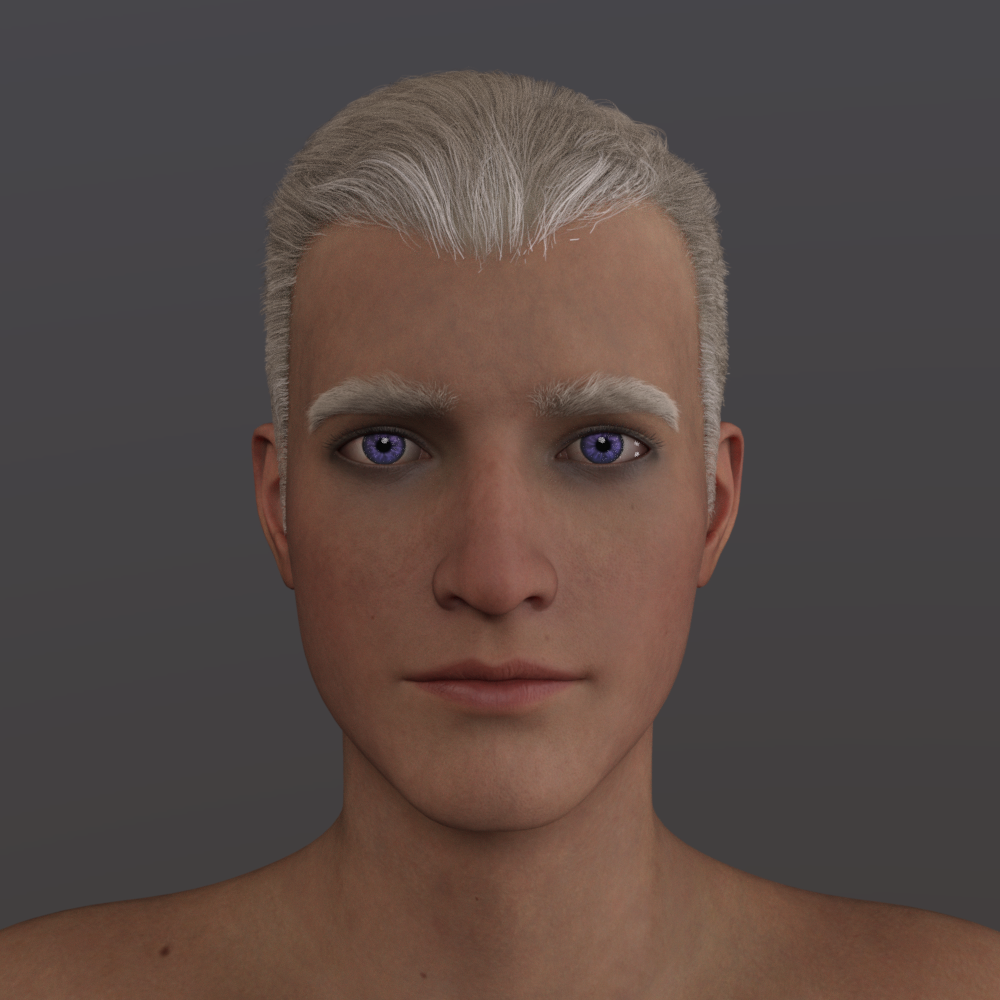
Here's the little journey: {in HS14 I also added about 1/2 of one of the nose morphs} Final draft renders: used one of the Easy Portrait lighting presets, eyebrows from some character, Commander Hair, eye textures from 8.1's eye material product. {I delete the tear, it's annoying} {obviously replaced the skin - used a merchant resource}
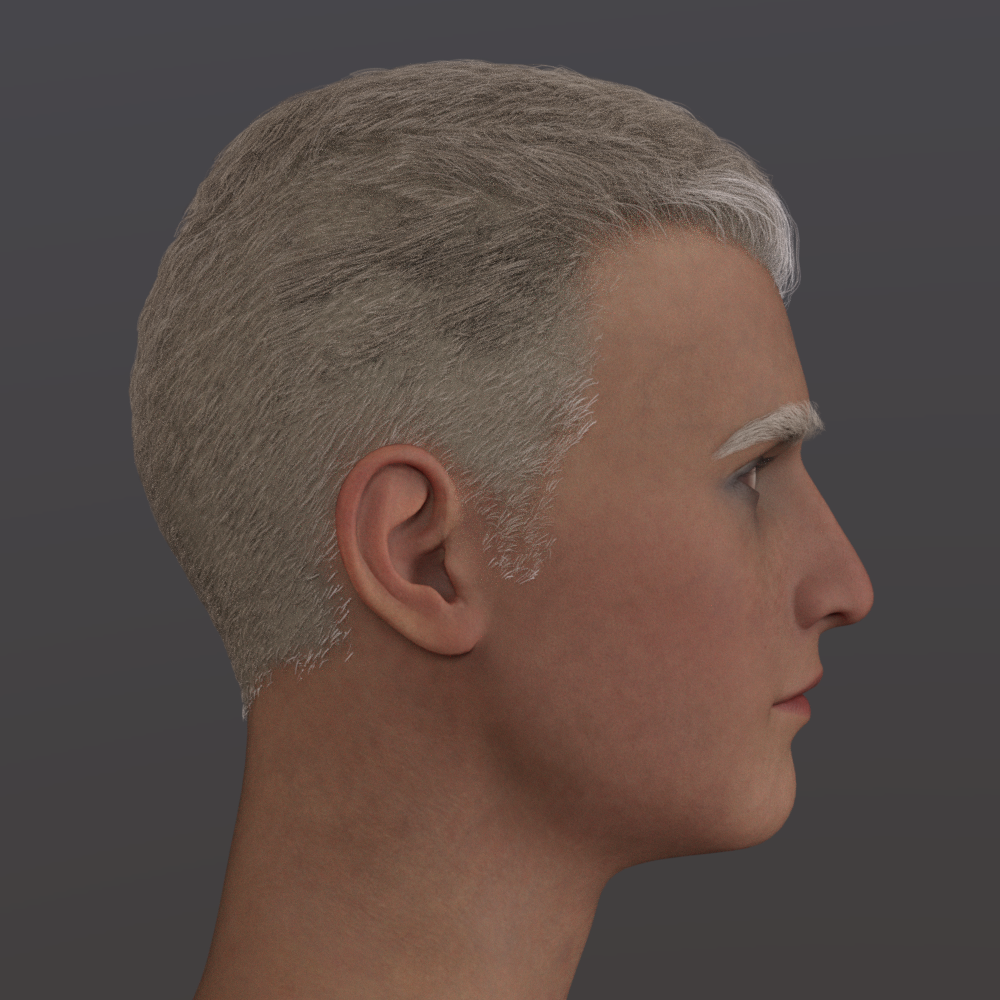 has Headshop fixed the eyelash problem?
anyway, a side question, anyone has upgraded or purchased headshop 14? i would like to see some renders of the faces
Star Trek Builders Unite 8: THE REBOOTrandym77 said:
@twistkill - If you're a Windows user, you might take a look at Head Shop:
https://www.daz3d.com/headshop-13-genesis-8
I have not used that version, as I'm a Poser user, but I have used an older version, that was for V4 and M3. (Yes, I'm old. Get off my lawn!) I also tried a recent version for La Femme and L'Homme. (That didn't work for me, just because it was designed for a pretty small monitor, and the menus weren't visible on my high-res screen. I returned it, but if he ever fixes that, I'll buy it again.)
The problem with those programs was the texture. It generates a texture, but it's low-res, and you have to blend it with a body texture somehow. IMO, textures are the hardest part of making Poser likenesses.
It's my understanding that you can import V4 morphs and textures to the G8 figures. There are V4 and M4 morphs out there for a lot of Trek characters. Not to mention costumes for them. For example, this is "Dianna":
https://www.sharecg.com/v/66577/view/11/Poser/Dianna-for-v-base
She looks a lot like Deanna Troi.
Some of these fan-created characters come with textures, but most do not. Another reason I like using V4 and M4. There are a ton of textures for them, and many of them dirt cheap. Textures make a huge difference in getting a likeness, IME.
The texture I used for Deanna is P3D Penny.
https://www.renderosity.com/rr/mod/bcs/?ViewProduct=104372
I got it on sale for $3.75. But there are probably many that would work.
Yeah. The P3D Penny texture is good. I used it on my Troi as well.
has Headshop fixed the eyelash problem?tippy toeing in ... clearing throat ... I doubt it.
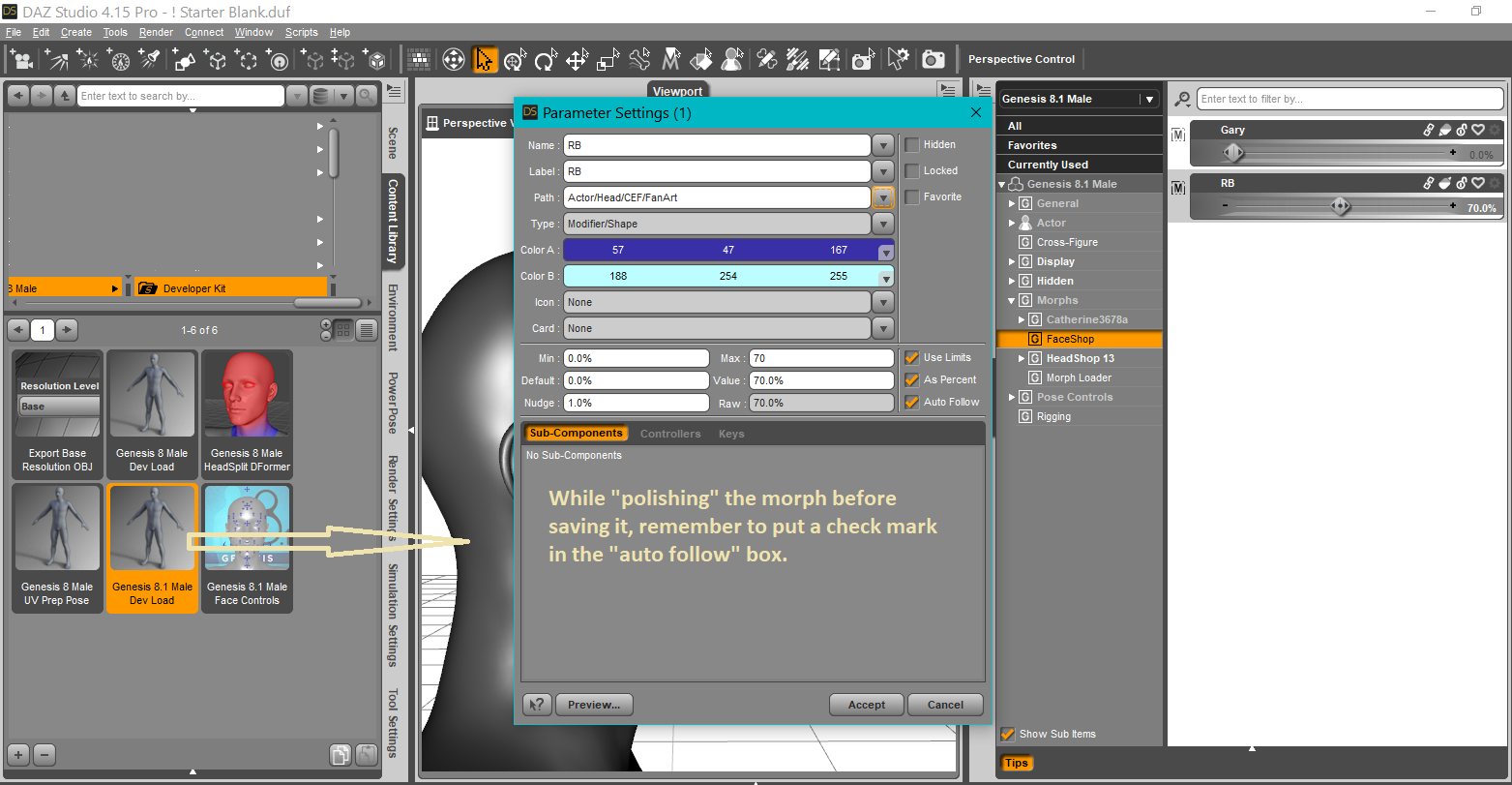
Before running any of the Headshop products, remove the eyelashes. Make the beautiful head morph. Then over on the Paramters Tab as you're polishing the morph, be sure to put a check in the box for auto-follow. Then load a fresh set of lovely eyelashes and they should land where they should be on the figure. {zero the morph before saving it}.
has Headshop fixed the eyelash problem?Abalone blamed it on Daz ... so if it works now... who fixed it?
Did daz fix something in their interface
or did abalone fixed the way their program works?
---
And if this works and the last version doesn't then one or the other owes me a working versionHeadshop Oneclick 2021josephf_youngjr_331330c0bc said:
I bought and installed Headshop Oneclick 2021. But when I load DAZ Studio, I can't find it in any of my menus. I went to Content Librery under general. and it's listed there. But won't load. Can anybody help to fix this?
It is important to read the README file. It has very detailed instructions how to install. (enclosed below).
In addition, there is a link to an "Install" video: https://studio.youtube.com/video/QACNeyStmT0/edit
Headshop Oneclick 2021I bought and installed Headshop Oneclick 2021. But when I load DAZ Studio, I can't find it in any of my menus. I went to Content Librery under general. and it's listed there. But won't load. Can anybody help to fix this?
Face Transfer problemsCatherine3678ab said:
AFAIK you need to use something like HeadShop 14 to make face morphs for Genesis 8.1.Th
Thanks Catherine, that's correct.In addition to HeadShop 14.1, starting tomorrow, Sept 4 DAZ will also sell OneClick2022 which also supports Genesis 8.1 Base Male and Female figures - at a much lower price:-)
Face Transfer problemsAFAIK you need to use something like HeadShop 14 to make face morphs for Genesis 8.1.
? Less hassle (easier learning curve) FaceGen Artist or Headshop 13?Want to take advantage of the CREATE80 sale by getting something from my wishlist that I usually think is too expensive for the limited use that I would have.
Am interested in one of the head photo-to-morph-and-texture plugins.
- FaceGen Artist Pro by Facegen - https://www.daz3d.com/facegen-artist-pro
- HeadShop 13 with LoveChild by Aballone LLC - https://www.daz3d.com/headshop-13-with-lovechild-
1) Duplication? Am I correct in believing they do similar functions? Or does one do something the other does not? Or is there no overlap at all?
2) Ease of use? I am not particularly sophisticated in Studio plugins and don't REALLY need to get morphs close to photographs, so ease of use is relatively more important. How difficult is it to learn these?
Star Trek Builders Unite 8: THE REBOOTrandym77 said:
@twistkill - If you're a Windows user, you might take a look at Head Shop:
https://www.daz3d.com/headshop-13-genesis-8
I have not used that version, as I'm a Poser user, but I have used an older version, that was for V4 and M3. (Yes, I'm old. Get off my lawn!) I also tried a recent version for La Femme and L'Homme. (That didn't work for me, just because it was designed for a pretty small monitor, and the menus weren't visible on my high-res screen. I returned it, but if he ever fixes that, I'll buy it again.)
The problem with those programs was the texture. It generates a texture, but it's low-res, and you have to blend it with a body texture somehow. IMO, textures are the hardest part of making Poser likenesses.
It's my understanding that you can import V4 morphs and textures to the G8 figures. There are V4 and M4 morphs out there for a lot of Trek characters. Not to mention costumes for them. For example, this is "Dianna":
https://www.sharecg.com/v/66577/view/11/Poser/Dianna-for-v-base
She looks a lot like Deanna Troi.
Some of these fan-created characters come with textures, but most do not. Another reason I like using V4 and M4. There are a ton of textures for them, and many of them dirt cheap. Textures make a huge difference in getting a likeness, IME.
The texture I used for Deanna is P3D Penny.
https://www.renderosity.com/rr/mod/bcs/?ViewProduct=104372
I got it on sale for $3.75. But there are probably many that would work.
Thank you! Ths is very helpful. I will look into these.
Star Trek Builders Unite 8: THE REBOOT@twistkill - If you're a Windows user, you might take a look at Head Shop:
https://www.daz3d.com/headshop-13-genesis-8
I have not used that version, as I'm a Poser user, but I have used an older version, that was for V4 and M3. (Yes, I'm old. Get off my lawn!) I also tried a recent version for La Femme and L'Homme. (That didn't work for me, just because it was designed for a pretty small monitor, and the menus weren't visible on my high-res screen. I returned it, but if he ever fixes that, I'll buy it again.)
The problem with those programs was the texture. It generates a texture, but it's low-res, and you have to blend it with a body texture somehow. IMO, textures are the hardest part of making Poser likenesses.
It's my understanding that you can import V4 morphs and textures to the G8 figures. There are V4 and M4 morphs out there for a lot of Trek characters. Not to mention costumes for them. For example, this is "Dianna":
https://www.sharecg.com/v/66577/view/11/Poser/Dianna-for-v-base
She looks a lot like Deanna Troi.
Some of these fan-created characters come with textures, but most do not. Another reason I like using V4 and M4. There are a ton of textures for them, and many of them dirt cheap. Textures make a huge difference in getting a likeness, IME.
The texture I used for Deanna is P3D Penny.
https://www.renderosity.com/rr/mod/bcs/?ViewProduct=104372
I got it on sale for $3.75. But there are probably many that would work.
Have you made Yourself In DAZStudio and What is Best HeadShop or FaceGen?I think Charles can use/sell is own DAZ character but:
- It must be composed of only original materials (body shape and even textures if you have)
- If you use another product your character must mantain the support to the required product: for example you make a morph with https://www.daz3d.com/genesis-8-male-body-morphs you can't resell the morph as a standalone product.
If you can't sell your morph all not-DAZ stores would be closed... In Renderosity there are a lot of morph realized in blender shaping a G2/G3/G8 model and are on sale !!!
You can use FaceGen/Headshop to create the base of your face/body. To refine it you can add other morphs like:
https://www.daz3d.com/genesis-8-male-body-morphs
https://www.daz3d.com/genesis-8-male-head-morphs
(now the price is discounted)
Have you made Yourself In DAZStudio and What is Best HeadShop or FaceGen?The facial geometry matching on all of those is fairly limited. Headshop does a good job with its markers but they are just too few for detailed transfer. There is KeenTools face builder that can do a lot more detailed sculpting but does not support actually applying it to a daz model so you have use it in blender and use a technique like shrink-wrap to get it on a g8 model and that requires some practice and patience and lots of trial and error. But that's just the shape the maps are useless from facebuilder so I usually use one of the other daz face tools for the texture map. That's still only going to get you so far because the blender to daz part is limited to non HD so you don't get the finer details. If it's not for closeups or portraits that's fine otherwise you need to then use your artistic eye and library of morphs to add in and adjust all those details and correct proportions. I'm about to release a type of virtual vellum for the pc for this purpose. In any case the point is there is no magic one click solution it still requires some elbow grease and art.Not Only is Daz Studio super small text, The entire thing is So Blurry, Never getting a Fix?Up your windows 10 font scaling in resolution settings and restart Daz. However this can screw up some poorly designed addons like headshop.Have you made Yourself In DAZStudio and What is Best HeadShop or FaceGen?I'm using FaceGen andit's pretty great. i love it, but i've givien up on the eyes it creates they just garbage. instead of a full iris, it's a messed up incomplete iris, so i just one of my many charactr's eye mats that match my own eye color and that looks good but for some reason my character doesn't look completelylike me, i even morph his body to be alittle chubbly the way i am ,but still the face is not convincing enough to look like me, even though yes it's my picture but for some reason on the DAZ model the picture doesn't make the model look like me exactly, even with the generated morph applied. what's keeping it from making it look exactly llike me?
Making Skins tutorial, Part 1, Part 2 - painting skinsHere it is "as is" ... sorry guys I'm sick today, so hopefully I didn't miss any big boo-boos in it.
https://sharecg.com/v/97957/view/3/PDF-Tutorial/Making-Skins-Part-Two
Programs used include: Daz Studio, Headshop 14, 3DCoat Textura.
Daz 3D is part of

Connect
DAZ Productions, Inc.
7533 S Center View Ct #4664
West Jordan, UT 84084Licensing Agreement | Terms of Service | Privacy Policy | EULA
© 2026 Daz Productions Inc. All Rights Reserved.