-
CAR AND BIKE LOVERS THREAD - MARK V
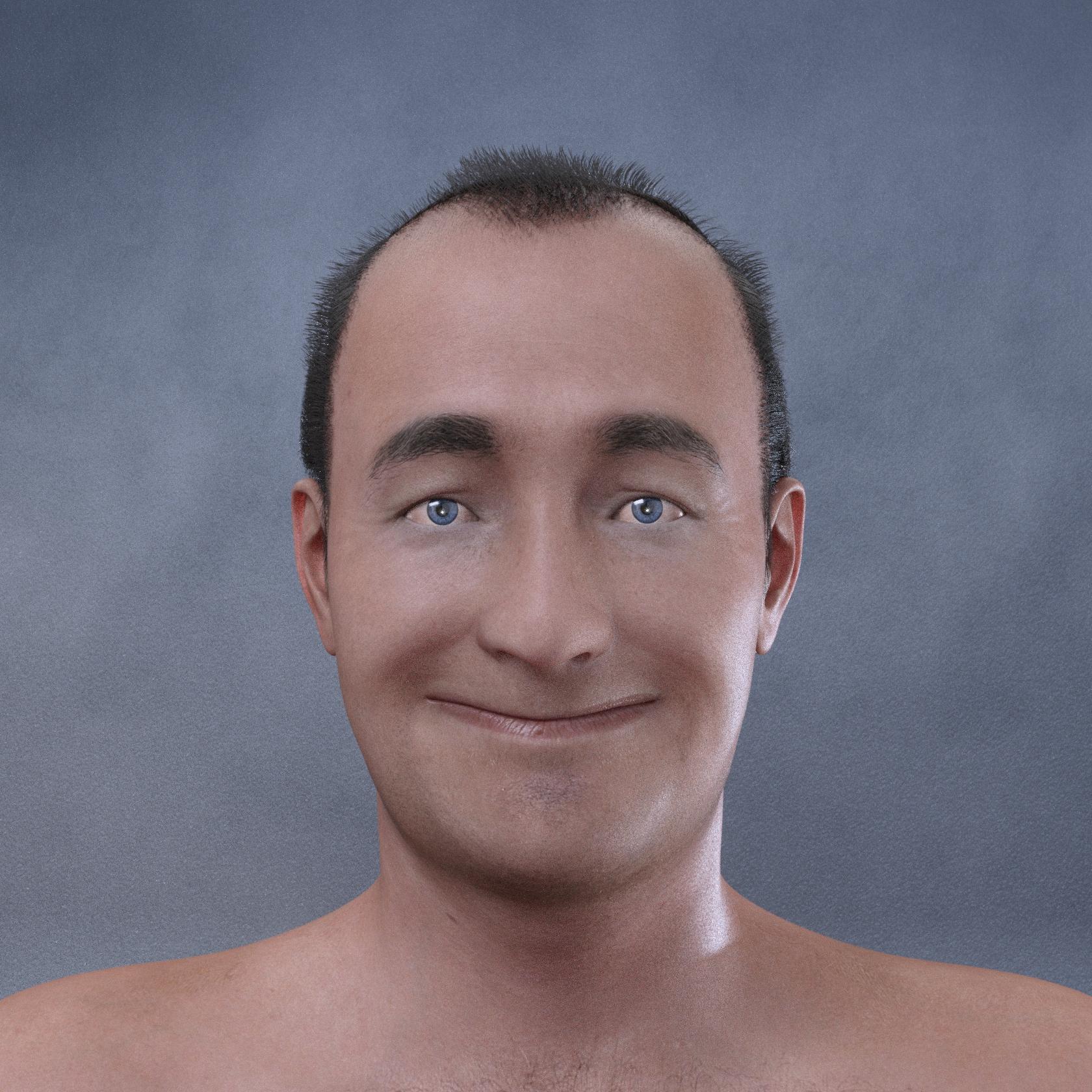
yeah.. nice work, nailed Goober for sure.. I tried doing a Face Transfer Goober, I think yous is better - this is untweaked, straight from FT.
 offering a 100GC for a convert rigging script in carrara
i psyched. and hopeful.
i've started culling my content, should solve some of the overhead of converting.
theres a few steps i do to prep clothing for carrara. some of it is easier to do thru editing the text in the file.
in dsf file I delete the rigid groups. the geograft group if there is one.in ds, i unparent figires from figures. for example, hair tails from the hair cap.
convert rigging on each piece, save character preset. put it back together in carrara.to prep shader for alpha masks, i select the surfaces, use the dzdefault preset. manually load the opacity maps. create support morphs if needed, by saving autofits as morph assets.
its gotten better. in g3 the eyebrows had no supporty morphs. eyelashes need support morphs for some heads.and then g8f had that rediculous toe bug. turned out to be because not all of her verts were in the 'actor' region group.
tried a few times to inject the missing verts with a cbr. i think there is a lot more potential for cbr files, like visibility settings.
ig a pz2 can do it, dont see why a cbr cant. mebbe even swap uvs.
morph groups, geografts, rigid groups can't be modified by a character preset.
can't see how to skip over parts of the geometry secction .dsf. i fix it by writing over the default dsf.and the way they mix up the name id and the internal id
 . tongue doesn't work in carrara without the extra preset work. the scene nodes go tongue01 thru 04, but the nodes in the joint groups are gontuebase, 01 thru 03
the g3/g9 tongue in carrara goes straight up into infinity. remembers those infinity verts in old poser, lolHow to Use dForce: Creating a Blanket, Draping Clothes on Furniture, and Much More [Commercial]Also, if you do this setup for the hood once, you can make the final state into a morph that can be used whenever needed with the particular product.
Genres You'd Like to See in the Store?Pixel8ted said:
nomad-ads_8ecd56922e said:
Last night I was in the middle of a totally futile search for a means of converting male face morphs into female face morphs and vise versa, because I needed a means of picking a father and a mother for a family scene, partly dialing in the face-shape of the mom onto the son, so that the son looks somewhat like he's the offspring of that mom, then party dial in the face-shape of the dad onto the daughter, so that the daughter looks like she's the offspring of that dad, in addition to partly dialing in the face-shape of the dad onto the son and partly dialing in the face-shape of the mom onto the daughter.
Every search result I was getting was products to convert, say, a Genesis 3 Male over into a Genesis 8 Male, and products to convert Genesis 3 Female into Genesis 8 Female. NONE OF THEM AT ALL were products to convert characters or morphs across BETWEEN GENDERS. I KNOW there's products SOMEwhere to do that... and I know I've BOUGHT at least one of them... but if I cannot flipping FIND the dag-blasted thnig when I NEED it, I cannot USE it 0O
Another issue I ran into recently was trying to find 1970s-specifical clothes... though that one at least did yield SOME results I was looking for... but it was burried under a bazillion unrelated things that weren't even clothes. o0
Maybe, this product: https://www.daz3d.com/genesis-8-uv-swap-male-and-female-base ;
Using the Transfer Utility with the settings listed on an attachment on a REDZ post on this thread (page 33 about 3 quarters of the way down on the page).
https://www.daz3d.com/forums/discussion/176271/morphs-from-g3-to-g8/p33
I haven't tried this myself but it might be worth a try if you have the uv swap utility for genesis 8. Edit: And yes the post with the attached file image is set for transfering between G8F and G8M even if the thread name does not reflect this.
- - - -
It seems like since the store change over search is even worse than it was. I like the idea that someone posted about using Tags because sometimes it is hard to figure out which search term is the sweet spot for what I want.
For genre ideas, I like the concept of using timelines or eras.
I like the idea of adding some useful categories so we can filter for things that are non dependent on a specific figure like environments, transportation and animals to name a few.
Yeah, I actually have that UV-swap product already, and it has its uses for me, too. I don't get the impression it switches the SHAPES of the characters over, tho, which is what I primarily was looking for here.
Using cloth to simulate Daz hair?What you described is exactly how to do it and I do it all the time! And a lot of hairs when you transfer them in have the vertex group setup under "head" already so you just pin that in cloth sim spot and go from there!
New! Novica & Forum Members Tips & Product Reviews Pt 14Novica said:
Wonderland said:
Faerwyn does look very different from the promos. Are you sure Zilpha isn’t loading with it? Zilpha still loads with EVERY G8 model for me. I sent in a ticket ages ago, they are aware of it but still haven’t fixed it. Check under currently used to see if Zilpha or anything else is loading with it.
YES SHE IS!!!!! 100 PERCENT! Has there been anything posted about this over in Commons? If not, everyone needs to know about it. THIS IS INEXCUSABLE. I don't need to be doing renders going for hours to have them ruined by someone's morph that isn't supposed to be loading!
When I load G8 every morph that I have installed loads and that's a lot of morphs, think fix coffee, something to eat drink coffee and eat then see if figure has finished loading.
They all load at 0% except for the ones that are supposed to be set for a specific character
XTransfer Module 1- Genesis 3 to Genesis 8 Morph Converter (Commercial)"My questions: will this work with DS 4.10"
It should. Think 4.9.3.166 is lowest version compatible.
" If I have morphs transferred from m4 to m7 using genx can I transfer those morphs and just those morphs to M8?"
Yes
Auto Muscle Enhancer HD [Commercial]I agree Leemoon, I am still exploring new ways to utilize these amazing products.
I have still been exploring how to utilize these products on thinner models effectively. Here is one of my latest renders on G8M with the G8F clone applied, overlayed with a G8F aged model (Olivia May) at 80%, with the product texture applied. I have also created 4 arm morphs that are ERC frozen to the Hand Bend parameters. This setup is primarily a mixture of AME/tuned ASE, tuned Musculature HD Flex control and tuned SWM products. I have a baseline figure built that I can quickly and easily transfer a character onto, then freeze the rigging. As a general comment I find the SWOLE/SWM products (endorsed by DMaster himself!) play the best with AME after all my trials. Limited amounts of others are OK, but as the original reviewer commented, certain muscle groups can be slightly offset, and at larger levels, some alignment issues can arise. Tons of fun once set up, as I have said before, I like to throw poses and partial poses at the models watching the show!
TD
XTransfer Module 1- Genesis 3 to Genesis 8 Morph Converter (Commercial)Hi, been away from rendering for a couple of years. Still using daz studio 4.10. My questions: will this work with DS 4.10? If I have morphs transferred from m4 to m7 using genx can I transfer those morphs and just those morphs to M8?
AIUTO...CHI CONOSCE L’ITALIANO? PARTE TREDICICrios said:
Si chiama TritiumCG, questa è la sua pagina su DA https://www.deviantart.com/tritiumcg
MA LO CONOSCERESTE, SE SEGUISTE IL MIO BLOG.............
Interessante!

Lavora sui morph per Genesis su DAZ Studio o sono tutti modelli di terze parti?
New! Novica & Forum Members Tips & Product Reviews Pt 14Wonderland said:
Faerwyn does look very different from the promos. Are you sure Zilpha isn’t loading with it? Zilpha still loads with EVERY G8 model for me. I sent in a ticket ages ago, they are aware of it but still haven’t fixed it. Check under currently used to see if Zilpha or anything else is loading with it.
YES SHE IS!!!!! 100 PERCENT! Has there been anything posted about this over in Commons? If not, everyone needs to know about it. THIS IS INEXCUSABLE. I don't need to be doing renders going for hours to have them ruined by someone's morph that isn't supposed to be loading!
Saving Morphs under "Actor" as Part of an ExpressionYou could have use File>Save As>Support Assets>Morph Asset (or Save Modified Assets), or saved a scene with the modified version.
That Trick with Elf Ears and Hair?Right above the "SavageBraid" selected in yellow is "Currently Used"; select that and you should see the autofollowed morph.
Saving Morphs under "Actor" as Part of an Expression@Richard Haseltine: Thank you very much for this information, Richard. This seems to do it. It does save the morphs under Actor/Head/Face. If I open a new file, the Type within Parameter Settings has switched back to Modifier Shape, from Modifier Pose, which is just what I hoped would happen.
I'm not sure what you mean, though, by making the change permanent by saving the morph assets. Just for information, how would one do this?
Saving Morphs under "Actor" as Part of an ExpressionClick the gear icon on each slider and open Parameter Settings, set the Type to Modifier Pose (you don't have to make the chnage permanent by saving the morph assets, it's enough to do it while saving the preset as that is the stage at which type matters), If there are a lot to do you might also right-click the pane to put it in Edit mode, multi-select teh sliders, and right-click to get a menu which I think includes setting the type.
Brooke 8.1... Yes, finally ! ! !Wonderland said:
Vyusur said:
Here is Brooke with Noemi skin.
Here she looks sooo much better! Shows that the original iRay shaders look so much better than the new “PBR” ones which is the main reason I’m not purchasing any G8.1 characters.
It's not necessary to abstain entirely. Some PAs include, at least for the time being, Uber Shader materials, as well as the "PBR" shader. Mousso's Ginny, for instance, includes both, and in fact, even includes a G8.0 version of the character.
And yeah, the skin is the big problem with Brooke 8.1, not the morph. I frequently find myself thinning the lips on characters, so that part I like.
Brooke 8.1... Yes, finally ! ! !Oso3D said:
It's also a bit trivial to apply lip shape morphs if one is so inclined.
Exactly, just any other morph. I like the Bluejaunte characters, but their noses are always to big and wide for my tastes and it's an easy fix with other morphs and doesn't stop me from buying them.
[Released] Dungeon Modular - Realistic [Commercial]The Alchemist said:
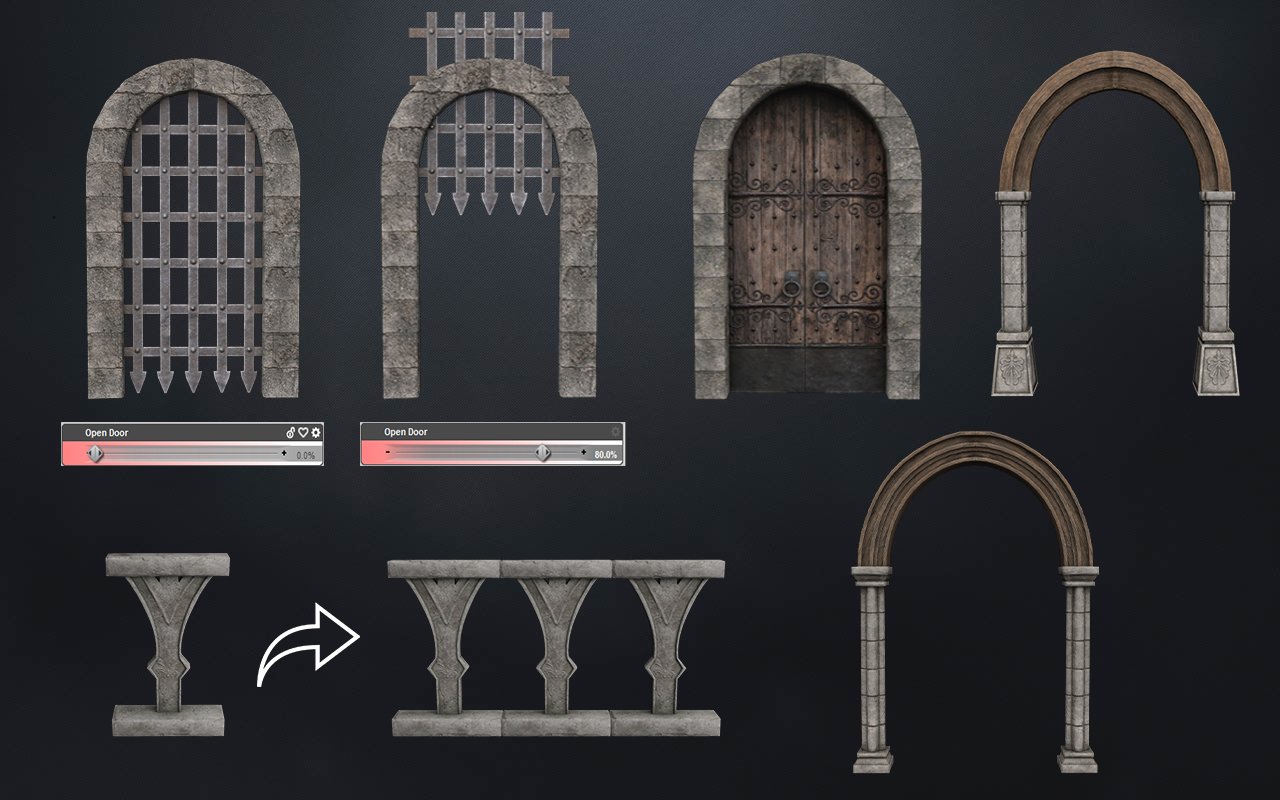
Are the doors rigged? It doesn't say so in the product description, so I assume not. The candles and floor are very nice, the broken barrels not so much. They are far too low poly to look realistic. Nothing breaks that way in the real world. I'll pass for now, but might pick up when on 70% off.
Not rigged. Other door morph.
[Released] Dungeon Modular [Commercial]Props and door morph
 Claws for G8M?
Is there an asset that provides claws for the G8M model, whether a dial-able morph or an applied shape?
For example, on G3M, I'm using the Liam vampire to apply claws and fangs. I have some full body morphs for G8M, but I'd like something that could just do the claws without morphing the full body.
thanks.
Daz 3D is part of

Connect
DAZ Productions, Inc.
7533 S Center View Ct #4664
West Jordan, UT 84084Licensing Agreement | Terms of Service | Privacy Policy | EULA
© 2026 Daz Productions Inc. All Rights Reserved.