-
Brooke 8.1... Yes, finally ! ! !
Mada said:
JamesJAB said:
Brooke 8.1 Manhattan Style Bundle: Slip Dress has 2 promo pics and no built in shape + News poses have Brooke specific stuff
There is a shape for Brooke in the dress... it might have gotten left out on the description since the page was created before I had the morph, but it is in the dress :) She's wearing it in the main promo
Daz may need to update the dress to your newest version. When I load the dress without a character in the scene, there doesn't seem to be a morph for Brooke.
Brooke 8.1... Yes, finally ! ! !JamesJAB said:
Brooke 8.1 Manhattan Style Bundle: Slip Dress has 2 promo pics and no built in shape + News poses have Brooke specific stuff
There is a shape for Brooke in the dress... it might have gotten left out on the description since the page was created before I had the morph, but it is in the dress :) She's wearing it in the main promo
Genesis evolution morphs bundlebarzay said:
MimicMolly said:
Are you talking about this? https://www.daz3d.com/genesis-evolution-shapes-bundle It's only for the first unisex Genesis figure (generation 5), not G8. The G8 versions weren't bundled in this same way. They're included in some expensive Staff Picks bundles.
That's the one. What a shame. I was hoping to use it with later versions of Genesis.
Generally speaking, you will want to make sure that what you buy is designed for the generation you want to work with.
This is especially true with morphs and expressions. The exception to this is some older clothing and G8. I buy G3 clothing for my G8s all the time and they are relatively easy to use, but you should know there will be extra steps needed (and with autofit I think you will lose some morphs and bones). G2 clothing also usually works on G8. But shoes for older generations don't really work well with anyone they are not designed for. G2 shoes don't look good on G3s, and G3 shoes won't work well with G8, but sometimes you can fudge it. There are "clothing converters" in the store, but I have heard they are hit and miss at best.
G3 morphs can sometimes be transferred to G8 with Xtransfer. I transferred most of my G3 characters and favorite G3 morphs this way. Morphs that rely on a lot of other morphs and projection morphs (like the morphs for smoothing clothes) won't transfer with that method though.
Monster/dragon feet & legs for Genesis 1?Anybody know of a product that has dragon- or lizard- like feet for Genesis 1, where I can morph just the feet/legs? I'm thinking like BruteX's (https://www.daz3d.com/brute-x-for-genesis) or Reptilian 6 (https://www.daz3d.com/reptilian-6-hd-for-genesis-2-male-s). Or is there some hack to be able to pull out a body part from a full-body morph?
Face Mojo [Commercial]pds said:
I recently downloaded Laylo's app from the iOS App Store and with the few tests I've done, it works fine. Getting the files (motion capture and optionally, audio capture) from the iPhone to your computer is convoluted, but that's due to the way iOS works and not the app.
- Locate the file(s) using the iOS Files app
- Click the small "hamburger" icon in the upper right corner of the screen (circle with three horizontal dots in it) to access the "Select" option and tap the file you want to export (.json for the mocap)
- Click the export icon in the lower left corner of the screen (square with an arrow pointing up)
- Choose your preferred method for exporting the file (AirDrop, email, Save to Dropbox*, etc.)
Since I run Daz Studio on a PC, it's easiest for me to use "Save to Dropbox," but obviously you need to have Dropbox installed on your iPhone and your PC. I've read that some people use email and that works fine also.
Once you have the files exported, you can access them from within Daz Studio using the Face Mojo importer. The process is a little different than shown in Laylo's original video because that video demonstrated how to import the file created by other 3rd party iPhone apps. Using Laylo's iPhone app and Face Mojo importer is actually easier:
- Add the appropriate generation Genesis character to your scene (based on which generation/version of the app you have, G3M, G3F, G8M, G8F)
- Select the character in the Scene tab
- Navigate to where you have Face Mojo installed in your Content library
- Double-click on the .json importer to load the mocap animation for the character
- Play the animation from the Timeline
- If you recorded audio, you can add that file to the animation Timeline by going under the Edit menu in Daz Studio and choosing Audio (a dialogue box will pop up letting you navigate to the saved audio file; once selected, another dialog box will pop up letting you specify the starting frame of the animation to sync the audio with--for some reason, you need to use frame 5)
Thanks for sharing your experience! Sorry it's not more straight forward transfering over the files. I've heard you can also use a USB cable and iTunes on Windows to transfer over the files, but I haven't tried it yet.
The steps look good, thanks for laying them out.
pds said:
You can tweak the mocap movements for every single frame, but that's a PITA (I wish there was a way to select a range of frames and apply a relative percentage tweak to the selected range, e.g. select 60 frames and boost the mouth opening amount by 20% for each frame)
You can use the strength modifiers for this! Just set a keyframe for them at 100% a bit before you want them boosted to start the transition from, then set one for 120% where you want the boost to be in full effect, then set one for 120% where you want it to end, and then set one for a 100% a little after to transaition back down to 100%. It's much easier to animate the strength modifiers to polish the animation in my opinion.
G8 female feet become thinner then the morph at unpredicted timesI have a reshaped the foot in a high heel position and have parented the shoes to the feet they are not rigged. When I put g8f in a pose usually the foot becomes thinner so there is much room in the shoe to the point where it does not look natural anymore. I have checked everything redid the preset also align bones and everything seems in working order. I have made the morph for the feet thinner in the past but saw that was not the correct way to go about it and have deleted this morph from my computer I have searched and can no longer find the thinner foot morph anywhere on the computer. Also Fahrenheit the foot reverts back to the thin setting and when she is selected in currently used it only says currently used is the new Highheel morph where the foot with his correct in relation to the in the shoes yet the feet are too thin. To me It seems to still be recalling the old thinner foot morph somehow even though I'm currently used it says nothing about the thinner foot morph.
How do you Choose what Morphs to Bake and Export when using Unity Bridge?When I used to use DAZ Studio before and export my characters as FBX for use in Unity,i would have to go to Export and then go to the morph options and change some settings. The default is to bake the body as you have it morphed with morph dials etc and the head too. But then if you want to add only specific facial expressions(like a few 6 of them and then the open mouth morph), you would set those as EXPORT type.
How does this all work now, if using DAZ to Unity Bridge, since DAZ to Unity Bridge doesn't ask you to select any export options? Will all the morphs become blendshapes in Unity, oh man i wouldn't want that to happen, there's tons of morphs...OR WILLL NONE OF THEM become blendshapes, that would suck...!!! Then how do i choose which ones i want to become blendshapes in unity and which ones i want hidden? Thanks
Eyes/Eyelids do not closing properly - Character based on Face-Transfermenghienrico said:
Richard Haseltine said:
It may be the Face Transfer shape - morphs often need corrections for things like eyes closed, which are hooked up to the morph and the eye closed control so that they kick in as needed.
What kind of corrections are you referring to?
If a morph chnages the eye shape then the standard Eyes Closed will not in fact close the eyes properly - at 100% it moves the vertices a set distance and direction, so it may go too far or not far enough. The maker of the morph will, for expressions they wish to support, make another morph that fixes the issues and that will be hidden and invisibly linked to both the main shape and to the closing control, so that it kicks in only to the extent needed. If a morph doesn't hav correction because of the way it is made them there are likely to be issues (this, incidentally, is why, aside from any copyright issues, it's a bad idea to export a morphed shape as OBJ and load it as a single new morph).
Auto-fit Clones - RetiredArkadySkies said:
Wow. Those disclaimers sure tell a story. Sorry about any drama you had to deal with to bring us these.
Everytime I try to make the switch to G8, I run back to G2. There are some things, especially among the regular base morph dials, that never got a G8 equivalent. But there are some good post-G2 clothing and hairs out there. Already made a G3 clone that works well, but G8 was a bit more of a challenge. This is solid work.
Yes the jump to G8 was certainly more a challenge lol ... I tease that the next figure could be arriving in the fetal pose lol ... but seriously no. The "A" pose is to facilitate the dForce draping plugin.
The Newest Evolution Is Here: The Daz Season Pass!$150-$250 for two months is a steep price for mere "support" - for that people want something meaningful in return. How many people sign up to support artists on Patreon for two months at $150 - $250? If companies want support, they shouldn't be counting on generosity from their customers, they should offer something worth the price they're charging. It's not something they deserve for merely existing. Users may consider what a company thinks of them when deciding whether to support them. Platinum Club already exists as a premium subscription to support Daz. I'll admit I had a higher opinion of Daz before their NFTs and the Season Pass and especially their handling of the drama. I have however carefully checked this post for anything the mods could remove it for, and aside from this sentence acknowledging mods do moderate content, looks like it should be safe.
Errr... that's hardly a good comparison. First, I still don't understand why some people keep talking about the SP thing as if it is a subscription for x amount of months. It is not. It is for the content described there. Much more like a videogame's season pass, not like a Patreon subscription where you only get whatever they manage to make during those 2 months. Second, it's not like you are getting nothing, just the 5 figures and their HD morphs are already worth the 150$. I finally got Torment 8.1 and the HD morph a couple of days ago because I managed to pile a discount over another discount and, how much did it cost? Basically 30$. Right now I can't remember the sale and the total discount amount but it was pretty good.
So really, the support is not giving them extra money, it's just giving them the money upfront. Of course, that is if you usually get most, if not all, the core figures and the HD anyway. If you don't... then no...the SP was not for you, and it was never meant to be for eeeverybody. Also, some people don't think the characters are worth even that amount of money saying PAs release cheaper characters with the same quality if not better, and while I mostly disagree (particularly with the HD morphs), I wouldn't argue, to each their own and all that. But then...again... not meant for them.
I do agree that keeping on the note of "not meant for everyone" the webinar probably shouldn't have been part of the SP and that it was only really worth it as Platinum. But other than that, I don't care about the NFT drama, I think NFT is extremely dumb and if it's not making money as I think will be the case, it will just go away eventually, not going to raise my torch and pitchfork over that. So, my support is not just for them existing, is for them running, mantaining and updating this app and the whole Genesis thing. Sure, it could be better, but if you take a look at Poser's current state... it could also be much worse. And those are pretty much the only options for me, not having the time to deal with the complications of exporting the scenes to Blender (maybe someday if stuff like soft body physics never gets introduced to Daz or I make a switch to AMD)
AIUTO...CHI CONOSCE L’ITALIANO? PARTE TREDICISilvhe said:
Muscleman said:
Avanti, ditemi che posso fare...Imago non farmi un papiro chilometrico please...XD
Io sono più breve di Imago, non faccio animazioni per cui mi conento di poco

I due problemi principali riguardano:
- il parenting degli oggetti, adesso quando parenti qualcosa l'oggetto "apparentato" si sposta. Se prendi ad esempio un bicchiere, lo aggiusti sulla mano di G8 e poi lo apparenti, questo si sposta e ruota in maniera del tutto imprevedibile, mentre prima restava dov'era
- l'altro problema è che adesso su alcuni capelli e copricapo se gli fai il "fit to" a una figura con un morph del viso, si deformano anche i capelli o il cappello. Un esempio è il set da soldato americano della II GM: https://www.daz3d.com/world-war-ii-u-s-uniform-hd-for-genesis-8-male-s quando metti l'elmetto a G8 senza morph non ci sono problemi, se applichi un character qualunque l'elmetto si deforma
Vedi che puoi fare

Ah, già... Avevo dimenticato l'autofit fracassato.

A me fa peggio che a Silvhe: Se per caso i valori Size di alcune parti del corpo non sono al 100% (tipo 120% o 80%) capelli e vestiti affondano o vengono allontanati dalla figura. In altri casi, capelli che prima funzionavano perfettamente, in 4.15 vengono risucchiati in un buco nero e ridotti ad un neutrino al centro del petto del modello.AIUTO...CHI CONOSCE L’ITALIANO? PARTE TREDICIMuscleman said:
Avanti, ditemi che posso fare...Imago non farmi un papiro chilometrico please...XD
Io sono più breve di Imago, non faccio animazioni per cui mi conento di poco
I due problemi principali riguardano:
- il parenting degli oggetti, adesso quando parenti qualcosa l'oggetto "apparentato" si sposta. Se prendi ad esempio un bicchiere, lo aggiusti sulla mano di G8 e poi lo apparenti, questo si sposta e ruota in maniera del tutto imprevedibile, mentre prima restava dov'era
- l'altro problema è che adesso su alcuni capelli e copricapo se gli fai il "fit to" a una figura con un morph del viso, si deformano anche i capelli o il cappello. Un esempio è il set da soldato americano della II GM: https://www.daz3d.com/world-war-ii-u-s-uniform-hd-for-genesis-8-male-s quando metti l'elmetto a G8 senza morph non ci sono problemi, se applichi un character qualunque l'elmetto si deforma
Vedi che puoi fare
Aniblock GlitchI`m not sure if this is actually DAZ animate glitches or just the way I`ve working with Animate2. I`m always using (short ) Empty Aniblok before applying another aniblok . So When I`m doing BAKE to DAZ Timeline I`ve got Zero pose ( rotation - scale etc) before the action . I do believe this is useful if someday I need to use dynamic dress or hairs ( having several frame for drapped before all animation kicking start) .
In Final render animation you dont have to render from frame zero right? Just start render from frame which your action start .
This technque I`ve learned long time a go when still using Poser 5/6 and their Dynamic dress
Here my attempt to duplicate yours . I`m adding empty block before using any aniblok . It seems I`ve got same position when baking to timeline . In this sample I`m using very extreme morph character
Introducing the Daz to Blender Bridge & native Blender File FormatsEverything seems to work perfectly for me except... When I first import a Daz character into Blender the morph sliders are there and working perfectly. When I save the character as a Blender file, close and re-open, all the DTB morph sliders are gone. The shapekeys are intact but most of them are drivers (which drive the missing morph sliders). I can delete the drivers and the shape keys work, but with a lot of morphs that's counter productive.
Is there a way to retain those DTB sliders in a native Blender file without having to re-import the character each time?
Eyes/Eyelids do not closing properly - Character based on Face-TransferSet the viewport to "Smooth Shaded" to render the figure with no textures. If the face looks "normal" with closed eyes, examine the Face Transfer generated face texture. Could be Face Transfer generated eyes in the eyelid texture area.
AIUTO...CHI CONOSCE L’ITALIANO? PARTE TREDICIMuscleman said:
Silvhe said:
Imago said:
Sono anni che dico che DAZ Studio da dopo la 4.12.0.86 è sempre più rotto, ma vengo puntualmente preso per scemo da tutti.
Finalmente non sono più solo! Spero che la tua voce sia più "importante" della mia e che si decidano a fixare i bug. Se riesci a farti dare la 4.12.0.86 non lasciarla mai più e vivrai felice.
See figurati se mi danno retta. Però uno raccomandato ce l'abbiamo...
Muuuusclemaaaan dove sei? Potresti dire una cosetta a quelli della DAZ?Avanti, ditemi che posso fare...Imago non farmi un papiro chilometrico please...XD
Impossibile non fare un papiro, Ragazzone...
Tutto questo accade in 4.15:
Come ripeto sempre, la timeline è rotta, se creo un keyframe muovendo un oggetto, il suddetto keyframe NON può essere mosso lungo la timeline se prima non seleziono la figura e poi premo "create keyframe" sulla timeline. In una animazione complessa dovrei fare questo centinaia di volte per ogni elemento che viene mosso...
Sempre nella timeline, il copia-incolla è frantumato, se copio e incollo anche solo un keyframe e faccio partire l'anteprima, tutti i valori della figura impazziscono e vanno su "n%n" o una roba simile e DAZ Studio freeza o crasha. Qualche volta non crasha ma l'intera scena sparisce nel oblio, non è possibile vedere nemmeno il grid di base. L'unica soluzione è quella di selezionare tutti i keyframes, impostarli su "linear" e poi di nuovo sul tweener che mi serve. E non sempre risolve. In una scena complessa dovrei farlo ogni volta per ogni elemento...
Frame selected, anni che lo ripeto, manda la visuale anche più lontano di come era prima di usarlo. Se mi serve inquadrare qualcosa perchè non devo risucirci?
Il Puppeteer non registra tutti gli alias e morph, perfino quelli commerciali venduti dalla DAZ stessa.
Gli Undo Stack, non registrano tutte le azioni, specie delle telecamere. Se fai l'errore di spostare una telecamera pensando sia il Perspective e poi pigi CTRL+Z per rimediare, non succede nulla.
Le ombre in Filament vengono spezzate di netto in base alla posizione della visuale e del orientamento del Dome. E' l'ultimo ostacolo al utilizzo "serio" del renderer.Questi sono i peggiori, ce ne sono altri mille, ma ci si può anche convivere, tipo il fatto che le impostazioni dell'interfaccia vengono eliminate a caso o che le tab vengono riordinate in modo casuale da un caricamento all'altro.
Silvhe ne ha scovati altri, a quanto vedo, fatti fare la lista anche di quelli.
In ogni caso, non cambierà nulla di sicuro. Diciamo che questo è l'ultimo tentativo con poca speranza. Mi tengo 4.12.0.86 e basta.
Auto-fit Clones - RetiredWow. Those disclaimers sure tell a story. Sorry about any drama you had to deal with to bring us these.
Everytime I try to make the switch to G8, I run back to G2. There are some things, especially among the regular base morph dials, that never got a G8 equivalent. But there are some good post-G2 clothing and hairs out there. Already made a G3 clone that works well, but G8 was a bit more of a challenge. This is solid work.
Is it possible to transfer a G2M nose morph to G8M?there is a nose morph for G2M that makes a perfect "pig nose". i'd like to use just that morph on a G8M figure. How can i isolate and transfer just a single morph to G8M.
Eyes/Eyelids do not closing properly - Character based on Face-TransferRichard Haseltine said:
It may be the Face Transfer shape - morphs often need corrections for things like eyes closed, which are hooked up to the morph and the eye closed control so that they kick in as needed.
What kind of corrections are you referring to?
Aniblock GlitchSo I did that test and found the following:
1. If I test with a base G8F, I don't have a problem. I took the precaution of making frame 0 a keyframe before baking to the timeline and G8F did not move from the position I placed her at frame zero.
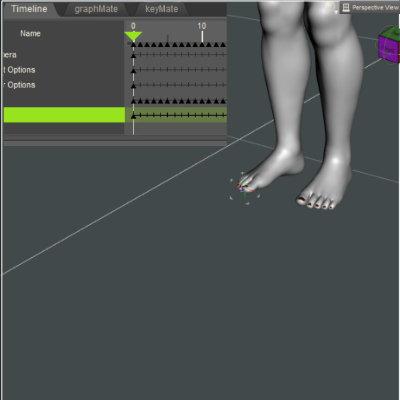
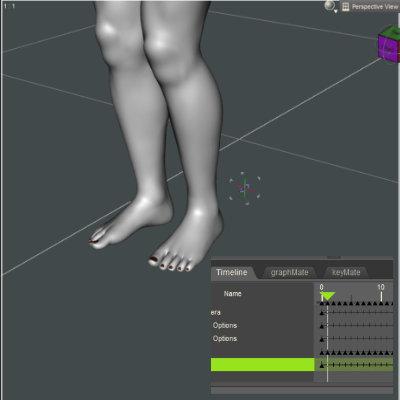
2. I then tried with a character which is morphed and scaled so definitely not the base G8F. Otherwise I went through the same steps. Now I am back to having the character shift out of position after frame zero (i.e. there is a significant jump out of position at frame 1) when baked to the timeline.
So, base G8f figure works fine. A character does not but I'm not sure whether it is a general morph problem or (as I suspect) a scaling problem. G8F is quite a tall figure so most of my female characters are scaled down. As this only happens after baking, none of the above tutorials about editing aniblcoks are relevant. However, there might be a possibility of just editing the aniblock and not taking the step of baking.
Daz 3D is part of

Connect
DAZ Productions, Inc.
7533 S Center View Ct #4664
West Jordan, UT 84084Licensing Agreement | Terms of Service | Privacy Policy | EULA
© 2026 Daz Productions Inc. All Rights Reserved.