-
Face Mojo [Commercial]
This is a FANTASTIC app-- works exactly as advertised in Daz Studio. I'd LOVE to be able to use it in Unreal Engine, but I am absolutely stumped as to how to make this happen. I tried exporting from Daz, but that only seems to work with animations as keyframes on the timeline. Unreal DOES read blend shapes and morph targets, but I'm not really sure how to get that information into Unreal.
I've also experimented using Live Link Face with Genesis 8 models in Unreal, and I hate it. It's just not as articulate as Face Mojo is, but I simply CANNOT GET IT OUT OF DAZ! I love the results of Face Mojo, and I love the speed and efficiency of Unreal Engine. How the heck can I get these two things to work together?!Invisible Pantleg Bulge 01 {Projection Morph}nabob21 said:
I'm soory, but I'm not clear on what this morph does. Can you explain it a little more?
Thanks.
Put a skin tight clothing figure on the legs, select G8M, apply the invisible morph. The pant legs will no longer appear to be skin tight, but straighter and wider within reason. I did smooth it back to figure near the groin and ankles so regular shoes and other morphs for the groin area should not be adversely affected.
Car wrecks & accident morphsmaikdecker said:
RGcincy said:
Sven used dForce to do these crashes.No details on how are given.
My guess would be tons of weightmap editing and then using a timeline to have objects ramming them poor cars... at least that was I would try to do..
Actuallly, these were some of my first experiments with dForce and I quickly found out that destroying things was a lot more fun than draping clothing:) No I didn't use weight maps IIRC. Just set up the animations, added the dynamic surfaces, run a number of test sims with various dynamic strength on tires, windshields and car bodies etc. Probably adjusted the other dynamic properties as to not mash things up completely. Then picked the frame I liked the most, made morphs of them, re-positioned the cars and adjusted morph strength separately for each bone, well something along these lines. Frankly, those renders are kinda fun but for realistic results...not so much:)
Importing EmotiGuy to UnityI do not know, but if you will find how to do it, please share your method here.
Below is my render from Unity, after transfer Emoti Girl using Daz to Unity bridge.
I have waited for this bridge so long, so now there is no reason for me, why not to use it.
 please help me find these hair products
This OOT hair has a windblown morph that looks a bit like that one in the middle. I don't think that's the same hair, but if you're looking for something similar, it might be a good starting point.
Need help: G8 head preset not working with G8.1 [solved]PerttiA said:
It would be better if you attached the actual file to your post instead of copying parts of the text.
What you have pasted has nothing special in it.
I figured out what was causing it. Saya comes with an unique smile expression morph and for some reason when Saya head is dialed into G8.1 her unique smile morph was dialed up to 100% as a hidden morph. This doea not happen with G8. Unhide the parameter in G8.1 and dial down her hidden smile morph to 0 and the G8.1 looks like G8. But of course her G8 smile morph are no longer available in G8.1
Seems like somethnig really bork with G8.1 and G8 expressions. Among the hundreds lines of warnings in the log a ton of them are related to expressions unable to find property value and now this.
DAZ3dIrayUbe Skin Shader Too Light Doesnt fit Baked Scene for Games, Also HDRP Ground Shadows?For making games which include DAZ characters( DONT WORRY I make my games for myself i dont sell them), If you bake a Map, it looks great with shadows and everything but you're not supposed to bake the Player or characters but when you transfer DAZ characters with DAZ to Unity Bridge they have the DAZIrayUber shader and it sometimes after a bake of the map, the skin looks super bright and light, it really doesn't fit the game.
What can you do to make it look more colorful to fit with the baked Scne look? And another question, in previous versions of Unity and also With the Built-in Pipeline as opposed to HDRP you used to get Realtime ground shadows but with HDRP there doesn't seem to be any Realtime groundshadows, is there?
Is there a way to turn Realtime ground shadows when using HDRP? Well i'm basing this theory in the way it looks in the Scene view, in the Scene view there's no ground shadows at all, i haven't checked if the game view has ground shadows.
Transfer Dial Morphs G2 to G8 with my Converted character Using RiverSoft Art Character Creator?Hello everybody and just want to say thanks so much to the author of Character Converter :) I have a question.
When Converting Genesis2 to Genesis8 using Character Converter by RiverSoft Art, can you take the whole packs of selected Head/Body morphs like I have a pack of Head morphs called ExtraorinaryMen for G2Male
https://www.daz3d.com/extraordinary-men-for-genesis-2-male-s-volume-2
and i also got the Extraordinary men for genesis2 males volume 1 but i think they removed it from the store cause i cannot find the link.
Anyways, and things like that, Head morphs not just that, but many others like that and also Some i got for Genesis 2 females
i would love to transfer those so that G8 can use them just like G2 does AS DIALS. Can i do that? And not just that, also other Body morphs and Head morphs that in G2 I apply with Morph Dials on the right side of DAZ studio with dials. Like I bought great Head morphs for Genesis 2 female which i dial with the dials in the Shaping tab on the right side of the screen. With character converter can i export those along with my Character conversion and then use them in G8 once my G2 is converted to G8?
What's the one thing you've always wanted to see sold at daz but never have?a flux capacitor. with flux morph
Invisible Pantleg Bulge 01 {Projection Morph}I'm soory, but I'm not clear on what this morph does. Can you explain it a little more?
Thanks.
DAZtoUNREAL: unable to package my project in UNREAL when bridge was usedI tried a lot in the meantime and still stuck with this problem. Need to give out a version to my beta testers, but unable to package files.
I hope this 4k video helps to find out what I might make wrong: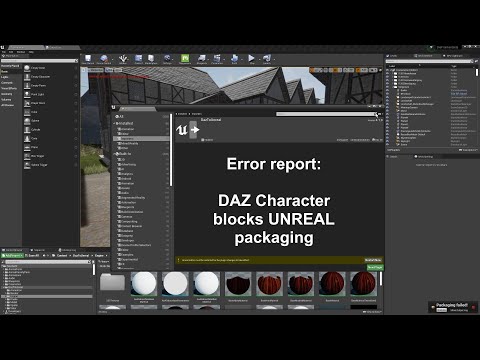
Sorry for my strong German accent. For better understanding, this is the script:I created this to demonstrate my current problem. I cannot package the project containing a DAZ character.
While the UNREAL engine loads a quick info about my computer: It is a Ryzen 9 5900X 12-core processor with base speed of 3.7 GHz. It has 32 gbytes RAM and a NVIDIA GeForce RTX 3090 graphics adapter.
The current UNREAL project has a size of approximately 56 gbytes and has been realized mainly with blueprints. Only some time critical parts have been written in C++.
All software, this is UNREAL, DAZ and the bridge are installed on my 2 tbyte SSD which is the drive C: in this computer. I accepted all defaults during installation.
When I build a 64 bit windows package to be written to my 8 tbyte hard disk drive D:, an error message is reported very soon: DazToUnrealRuntime not flagged for being included.
In this attempt to build the project, the DazToUnreal plugin was enabled.
I used the Unreal engine to move the Engine/DazToUnreal files to the folder game/DazToUnreal/engine. In such a case Unreal changes all references to these files automatically.
As long as the plugin is enabled the DAZ 8 character can walk using my Unreal animations.
I was told to switch off the plugin as it is used for the transfer only. It was mentioned that it was not required to run my project. Therefore I turn off the plugin which requires a restart of the UNREAL engine.
After that restart with disabled DAZ plugin my character no longer can use my animations. It remains in the default A pose. It is true that I now can package my project without problems, but you can imagine that this is not something I can give out to my beta testers.
Enabling the plugin again and restarting Unreal, my character can walk again.
So my assumption is that I still have to move something from engine to game. But the only files remaining in the engine are 2 C++ files.
Yes, I checked that I don’t have a second version of the software on my disks.
I really hope that you can help me.Genesis 8.1 Face ControlsPerttiA said:
Luciel said:
Richard Haseltine said:
Is Genesis 8.1 picking up Genesis 8 morphs correctly? Are Genesis 8 compatible items showing when 8.1 is selected?
Yes. Genesis 8.1 lists all the 8 morphs (like Aiko 8) and has all the 8 compatible items listed (well I assume it's all of them, theres loads).
We are not talking about what you see in "Smart" content, but the dials you can see in Parameters Tab
I assumed that, and my answer was actually about the parameter dials. I picked Aiko 8 because it's an obvious "8" morph by the title alone.
But to be more clear, yes, it has Aiko 8's dial, along with all the other "8" characters and morphs in parameters.
Difference between Morph and ShapeBasically a "Shape Preset" will simply apply/dial in a Morph.Need help: G8 head preset not working with G8.1 [solved]PerttiA said:
What does your log say after you have loaded G8.1 Female? (Help->Troubleshooting->View Logfile)
I got hundreds of warnings of 6843 and 6777 but those warnings appear when I loaded G8 as well so I don't think it's the problem. Althought I don't remember having those hundreds of errors before I installed G8.1 which incidently was the same time I also installed and uninstalled Daz Central, aka the BIG MISTAKE that screwed up my DIM installation paths. How do I debug 6843 and 6777?
After those warnings I got:
2021-05-06 19:33:18.980 Begin Loading Character Addons...
2021-05-06 19:33:19.107 Loaded Morph Deltas in 0 min 0.0 sec.
2021-05-06 19:33:19.107 Loaded file: bs_EyelashesCollapsed.dsf
2021-05-06 19:33:19.118 File loaded in 0 min 0.1 sec.
2021-05-06 19:33:19.120 Loaded file: Genesis 8.1 Female Eyelashes.duf
2021-05-06 19:33:19.125 Loaded Morph Deltas in 0 min 0.0 sec.
2021-05-06 19:33:19.130 Loaded file: PHMMouthRealism_HD_div2.dsf
2021-05-06 19:33:19.137 Loaded Morph Deltas in 0 min 0.0 sec.
2021-05-06 19:33:19.138 Loaded file: PHMMouthRealism8_1_HD_div4.dsf
2021-05-06 19:33:19.370 Loaded Morph Deltas in 0 min 0.0 sec.
2021-05-06 19:33:19.371 Loaded file: bs_TearProjectionShape.dsf
2021-05-06 19:33:19.378 File loaded in 0 min 0.1 sec.
2021-05-06 19:33:19.380 Loaded file: Genesis 8.1 Female Tear.duf
2021-05-06 19:33:19.471 File loaded in 0 min 0.0 sec.
2021-05-06 19:33:19.472 Loaded file: G8_1FAddOnMaps.duf
2021-05-06 19:33:19.474 Finished Loading Character Addons
2021-05-06 19:33:19.494 File loaded in 0 min 12.6 sec.
2021-05-06 19:33:19.497 Loaded file: Genesis 8.1 Basic Female.duf
2021-05-06 19:33:20.831 Loaded image G8_1FBaseHeadMapD_1002.jpg
2021-05-06 19:33:21.025 Loaded image G8FBaseLegsMapD_1003.jpg
2021-05-06 19:33:21.093 Loaded image G8_1FBaseEyes01_1007.jpg
2021-05-06 19:33:21.282 Loaded image G8FBaseArmsMapD_1004.jpg
2021-05-06 19:33:21.348 Loaded image G8_1FBaseMouthMapD_1006.jpg
2021-05-06 19:33:21.541 Loaded image G8_1FBaseFaceMapD_1001.jpg
2021-05-06 19:33:21.726 Loaded image G8_1FBaseBodyMapD_1003.jpg
2021-05-06 19:33:21.774 Loaded image G8_1FEyelashesO.jpg
2021-05-06 19:33:21.811 Loaded image G8_1TearOpacity.jpgEDIT:
I tried it with other purchased characters such as Sangriart's Emmeline and the shape is the same for both G8 and G8.1. Goanna's Saya is the only one that won't work with G8.1. Saya is a HD character so I don't know if that's an issue. I can't try others since Saya is the only HD G8F character I owned.
Jazz 8.1 discussionWonderland said:
I do like his morph but not his skin. Will probably get him someday in a mega sale only because he kind of reminds me of Stephen Lobo, a Canadian actor I like in one of my favorite sci-fi TV shows, Contiuum.
Thanks @Wonderland - I was wondering who he reminded me of. And yes great tv series Continuum. Still miss it.
David
Difference between Morph and ShapeHello all,
I'm a new user Daz user and usually on forums I just lurk around and read a lot of the topics but I can't find an answer to this question anywhere.
What is the difference between a Morph and a Shape?As far as I understood a Morph is something that is applied to a specific part of a body, like a smile emotion.
But then I read about people applying different shapes like the Bodybuilder, shouldn't that be a Bodybuilder Morph then?
The pack https://www.daz3d.com/hfs-ultimate-shapes-bundle is called ultimate shapes but consists of Morphs, shouldn't that be ultimate morphs then?Thanks,
RobertNFT and the Future of Digital ContentMcGyver said:
PerttiA said:

I'm starting to feel like my acorn based cryptocurrency "Wonkles" might actually be worth pursuing...
The following is from an old post or one of my Readmes...
"Bitcoins... Pffft...
Reminds me of the .com days.
Just like small children, investors love playing with bubbles... While I can see some form of crypto currency eventually being a stable alternative currency, I don't think the ones we see now are going to be that, unless there is some sort of radical evolution...
In the meantime these numbskulls are driving up prices for gamers and 3D enthusiasts.
But I'll let everyone in on a secret...I'm currently working on an even better crypto currency... It's based on a complicated system using special acorns which are numbered and given to spiritually enlightened squirrels to bury and then eventually dig up, each person who purchases one acorn (called a wonkel) before it is buried is issued two bananas which are not actually sent to the client, but are given to a specially registered chimpanzee banana attendant who then eats the bananas and writes out a complicated passcode mostly scrawled in poo, which is scanned and then laser etched into the shell of a turtle (called a "foogie") who is placed onto a series of complicated conveyor belts, some of which lead to enclosures with lettuce or others with lava. The surviving foogies (turtles) are then mailed to a crypto bank in Romania (or somewhere secret) where highly trained turtle whispers spin the foogies on a turtle divination board that's sort of like a roulette wheel. The foogie is spun thirteen times and the resulting numbers are multiplied by the number of surviving foogies from the previous night and then divide by 2.003 and that sum dictates the base value of each wonkel issued before 14:00 hours Greenwich time.
The client is then mailed a specially trained budgie (called a parakeet) who sings them their unique transfer code once before it explodes, which they must then quickly write down in invisible ink in their crypto pass book to redeem their wonkels.
As you can see it is foolproof.
My system is based on a physical item, the Wonkel which can be horded or traded, the entire system is based on a bafflingly stupid premise like all real currency, it involves some degree of risk to increase its volatility which drives its demand, it has an ironclad security system involving exploding budgies and invisible ink and the squirrels act as a randomizing factor to keep it real... This creates a complete system that marries the best stupid ideas of both traditional physical asset based currencies and imaginary wish backed crypto currencies.
Of course in the unlikely event all the foogies end up in lava, the system collapses... Which if you were paying any attention to at all, is clearly mostly almost absolutely sorta fairly impossible.
In fact one wonkel is probably kinda guaranteed to do nothing but increase 62,000% per attenuated monthly polysegment.
Not bifurcated yearly amortized disinterest segment, but a real time attenuated MONTHLY polysegment!So... All I'm saying is if you don't want to look like the biggest most flatulant idiot on earth, you should get in on this before it goes so big that obnoxious Internet celebrities and Russia billionaires are the only ones who can afford this... Not only that, but by sinking every penny you have into my system you will help drive down the cost of GPUs and you'll then be able to afford a really good one when the Bitcoin craze pops!
Win-Win for everybody my peeps!"
So yeah... It's looking like people are actually getting stupid enough for me to make this a real thing.
...+1
...and yes I remember the dot com fiasco.
Selling base characters without their additional morphsV3 comes with a male morph in the morph packs.Tanlines for Genesis 8.1?The Blurst of Times said:
I use a Genesis 8 geoshell product from the other store by ShanasSoulmate...
https://www.renderosity.com/rr/mod/bcs/tanlines-for-genesis-8-female/127753/Should work on any skin.
You just have to do the geoshell transfer between G8F and G8.1F, and it should work just fine.First off, thank you Blurst for your reply. I have that product but not familiar how to transfer the geoshell between G8F and G8.1F. I'll try to figure it out. Thanks again!
Hylas' cornerthanks for the shaping preset. It works as far as i own the morphs :-)
the vanishingpoint-site seems to be repaired.
How did you transfer the M4-Morphs to G8.1M ???
Daz 3D is part of

Connect
DAZ Productions, Inc.
7533 S Center View Ct #4664
West Jordan, UT 84084Licensing Agreement | Terms of Service | Privacy Policy | EULA
© 2026 Daz Productions Inc. All Rights Reserved.