-
New to daz 3d
Dartanbeck said:
marble said:
Dartanbeck said:
Yes. Me too. I even use Affinity Photo's really cool clone layer features thingy... can't remember off hand what it's called, and combine textures from different products.
Oooh goody ... I have Affinity Photo too. If you remember more about it, let us know please.
Found it!
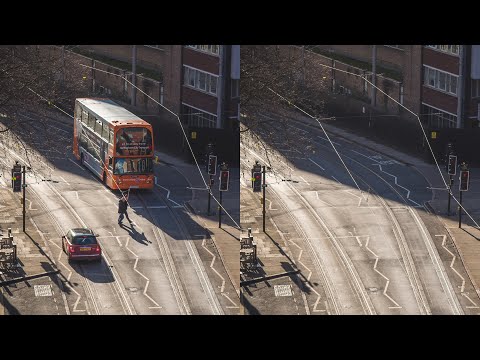
This is the instructional video I was inspired from, though it's being used for a different purpose. So first, watch the video:
Now, for what I was talking about, our stack can be made up of texture maps for different character who match in UV - like characters made for Victoria 8, for example.
With them all in the stack, I can isolate which parts I want to keep in the final map. In his example of putting the bus back into the scene, he's painting white into a mask rather than erasing the unwanted parts. This makes for a completely non-destructive workflow as we're not actually changing anything, just masking it out.
Further, I need to tone match each image used because they always have different skin tones - even if only slight. So I pick my favorite and carefully adjust all others. The one that I like the best has always been the most prominent image (the one that leaves behind the most pixels) so it's never been that hard for me to do this by hand with a simple color correction.
OK - I think I get what you are doing but I am surprised that skin tone matching doesn't make it all but impossible. I find it very difficult to match tones whenever I've tried to mix areas of skin.
When victoria 4 and michael 4 for genesis 9?(*sorry - my laptop is acting up) Please keep me posted @RichardAndTracy of your efforts to create a converter for assets. I have several Victoria 4 characters that I try to convert to workable genesis 8 (now genesis 9) characters. I've been successful using daz3d software that i've purchased in the past only once. then my computer decides it no longer wants to function as a 10th generation core i9 Alienware with an rtx 1080, but I digress. A simple program would be wonderful. these newer characters lack character as if they are more AI-generated than artist generated - NOT to dis any actual artist whatsoever, it's just they all look the same over time. Thank you and thank you for your freebie stuff - you are very talented and very generous.
richardandtracy said:
There is going to be at least one V4->G9 pose converter. I have been asked too many times to avoid doing one. Just not quite sure when I can get around to doing it. Regards,
Richard.
New to daz 3dmarble said:
Dartanbeck said:
Yes. Me too. I even use Affinity Photo's really cool clone layer features thingy... can't remember off hand what it's called, and combine textures from different products.
Oooh goody ... I have Affinity Photo too. If you remember more about it, let us know please.
Found it!
This is the instructional video I was inspired from, though it's being used for a different purpose. So first, watch the video:
Now, for what I was talking about, our stack can be made up of texture maps for different character who match in UV - like characters made for Victoria 8, for example.
With them all in the stack, I can isolate which parts I want to keep in the final map. In his example of putting the bus back into the scene, he's painting white into a mask rather than erasing the unwanted parts. This makes for a completely non-destructive workflow as we're not actually changing anything, just masking it out.
Further, I need to tone match each image used because they always have different skin tones - even if only slight. So I pick my favorite and carefully adjust all others. The one that I like the best has always been the most prominent image (the one that leaves behind the most pixels) so it's never been that hard for me to do this by hand with a simple color correction.
Carrara Challenge 65 - Turning Points - Voting ThreadEntry # 6
Title: Model T - cars for the masses
Artist: Bunyip02
WIP Link: https://www.daz3d.com/forums/discussion/comment/7969691/#Comment_7969691
Credits and Comments: Michael 4 Base - https://www.daz3d.com/michael-4-base-male-3d-model
Menswear 1930 for M4 - https://www.daz3d.com/menswear-1930-for-m4
Victoria 4.2 Base - https://www.daz3d.com/victoria-4-2-base
Everyday 1930 for V4 - https://www.daz3d.com/everyday-1930-for-v4
Charlotta Hair - https://www.daz3d.com/charlotta-hair
1924 Model T Runabout for Poser by Meshbox - Renderosity
Songbird - https://www.daz3d.com/songbird
Millennium Horse - https://www.daz3d.com/millennium-horse
CWRW The Elegant Equine: Classic TexMap Pack by cwrw - Renderosity
Millennium Horse Unicorn Poses 1 - https://www.daz3d.com/millennium-horse-unicorn-poses-1
Country Lane - https://www.daz3d.com/country-lane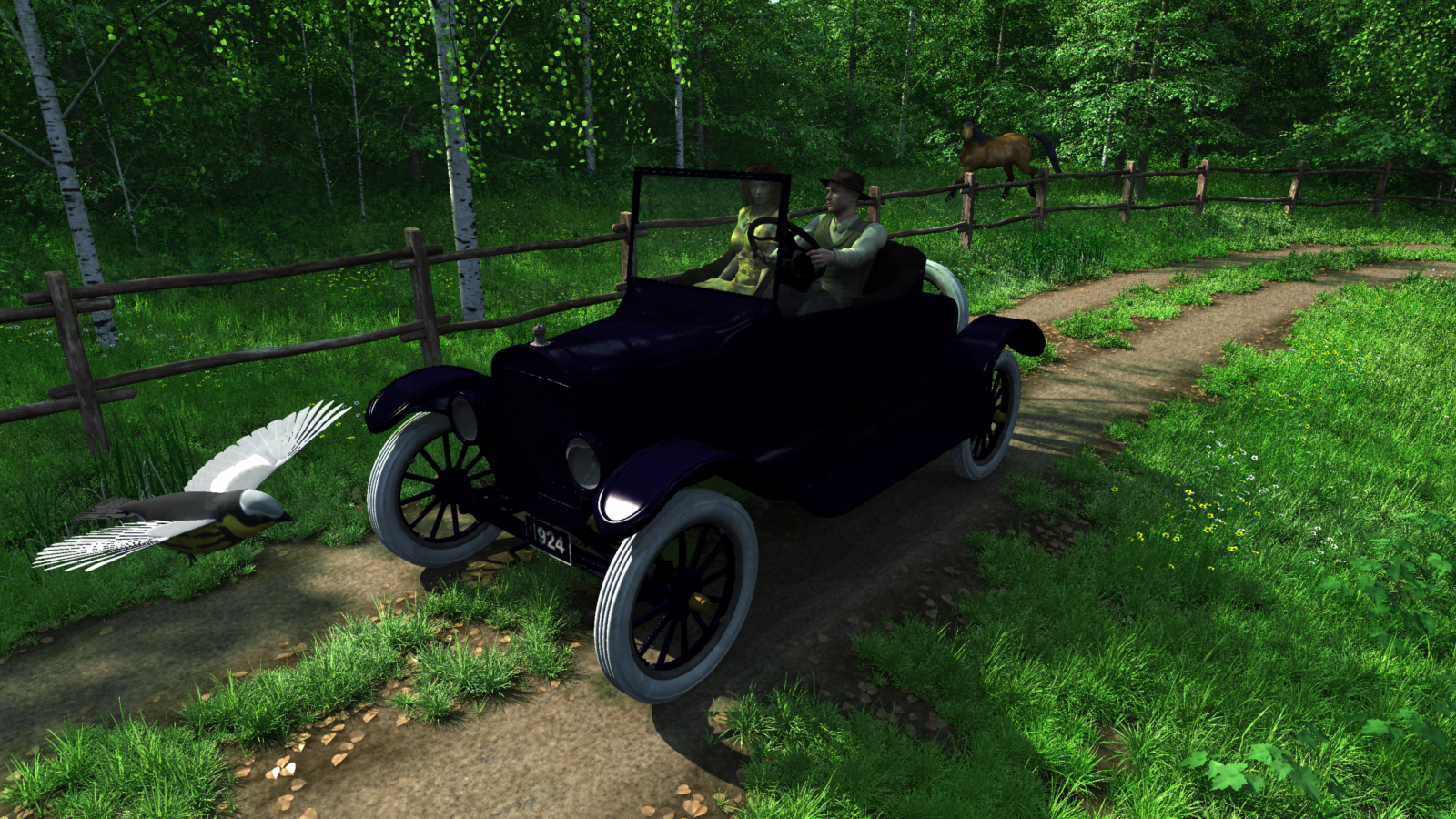 help with Dance of the Veils for Victoria 8?
Have you read the "Additional Details" section in the ReadMe here: http://docs.daz3d.com/doku.php/public/read_me/index/46681/start ?
i.e. You have the apply the morph to the veil that matches the pose you applied to the character.
By the way, if you are using a character other than Victoria 8 then the veil may not exactly fit to the figure, depending on how close the figure shape is to V8.
help with Dance of the Veils for Victoria 8?I just picked up Dance of the veils, and I can't seem to get the cloth to fit the model. I'm missing a step, but if someone knows of a tutorial showing how to use this priduct, I would really appreciate it. It looks good.
I load a gen 8 character, select a pose and select the corresponding prop, but the prop appears above and away from the model. i try to parent the veil to the model and to move it manually but it doesn't "fit"
Is G8/G8.1 abandoned?jd641 said:
outrider42 said:
Well, I let my Daz+ run out in January after having it active for 5 straight years. I haven't felt a desire to renew in large part due to Genesis 9. And I was one of the people excited about G9! My excitement dropped very quickly after release.
It is swell that some PAs like making stuff for G9, but I am not a PA. I make some things and dig around, but I am not selling assets. I am an end user, the customer. Or was, I guess, without PA+ I doubt I will be buying much of anything here for a long time. Funny enough I have picked up some things from the other stores, though.
What's the deal with Genesis 9 bends anyway?

Each generation we are told that the new thing poses so much better and how amazing and life changing it is and how this is the reason to upgrade. Did somebody skip leg day at the Daz office?
Ha!
I like g9, I like the proportions and the body shapes much better than the heroic/idealized shaped of previous generations and I think the faces are fantastic and expressions look more natural too me. But some of the bending issues I see look so terrible, promo images from some of the PA's I know make amazing stuff I've seen some egregious bending issues and that completely turned me off of the product. It's also the higher prices, with a super tight budget I pick only my most wanted items that I will absolutely use often but I have to be able to afford them.
The thing about the proportions though, is that they can be achieved on any Genesis model, 1-8. Proportion is a stylistic choice, not something I would claim as a generational improvement. We also have plenty of anime and toon style characters with highly exaggerated proportions in every generation. Josie 9 is a perfect example, her proportions are not very realistic, even though she is G9 just like Victoria 9.
It is the same with skin. Skin texturing is its own art form, both in style and technique. The person who made Victoria 9 did an amazing job texturing that model, and they came up with a really good Iray setup to make the textures pop. But none of these things are actually part of Genesis 9 itself, it is simply an artist doing really good work. But too many people are acting as if Victoria 9 is what Genesis 9 is, instead of understanding that Victoria 9 is just a well made character. Victoria 9 could absolutely exist on Genesis 8 or 8.1.
....and she would probably have better bending! This is the maddening part of all of this. Expressions are nice, but posing is every bit as important.
Again, we can point at Josie 9 as an example of how the base Genesis has little to do with the resulting character. Josie's skin is toonish and lacking any of the detail that can be found in Victoria 9. The differences between Victoria 9 and Josie 9 illustrate how much the artist behind the character decides what that character is going to be. We can also look at various PAs who have made characters for both G8 and G9. For many of these PAs, their G9 characters still have their distinct style you see with Genesis 8. RY characters for G9 still have that RY look. Thorne was behind Josie, and you can see that Thorne look in her.
Anatomically Correct Geo-Tails for G9FenixPhoenix said:
Esid and I are working on a universal tail for G9, but I am not 100% sure if the tail will spring from the tailbone (still in WIP phase). We discussed the issue of clothing being clipped if it were to start from that placement, though. We still need to finish up other projects before returning to continue working on this one (we wanted to wait for more G9 characters to really test it).
The tail Kayleyss did with Tara and Tara 2 was pretty good, the issue seems to be solveable.
https://www.daz3d.com/tara-2-hd-for-victoria-7-victoria-8
I rather have the tail clipping through clothes (I use Marvellous Designer, so that isn't a issue for me anyway) instead of it looking completely misplaced. Having the tail like 20 centimeters or higher above the tailbone looks really off/bad and to me personally is useless.Is G8/G8.1 abandoned?takezo_3001 said:
What would help is if Daz themselves produced an update via G9 essentials, with at least an equivalent base JCM setup as G8/8.1, that way improvements from 3rd party PAs can continue, but earlier, and with much more frequency as they'll have a stronger and more focused base to work with!
May it happen soon. Meanwhile, G8 has tons of content covering almost every base multiple times. The frustration is that I never imagined G9 would be released with Victoria 2 bends. If they'd gotten that right, the shoulder-torso fail would've been acceptable to me.
Victoria and Freja 9's, and to a lesser degree Michael 9's, facial realism is a needed improvement over the most photorealistic G8/8.1 characters; (the other Core Figures look like A minus grade G8s). The artist(s) that worked on the former has done a phenomenal job, and it's evident that PAs have been unable to attain that level yet (exception: hats off to Herschel Hoffmeyer, though stylized pron milf isn't my scene). Too bad about the G9 bodies, although Freja 9's body looks good for muscles. The faces/eyes make me want to switch, but I'll have to wait until I can get a body close to what I like that has good JCMs (CBSs).
 New to daz 3d
Dartanbeck said:
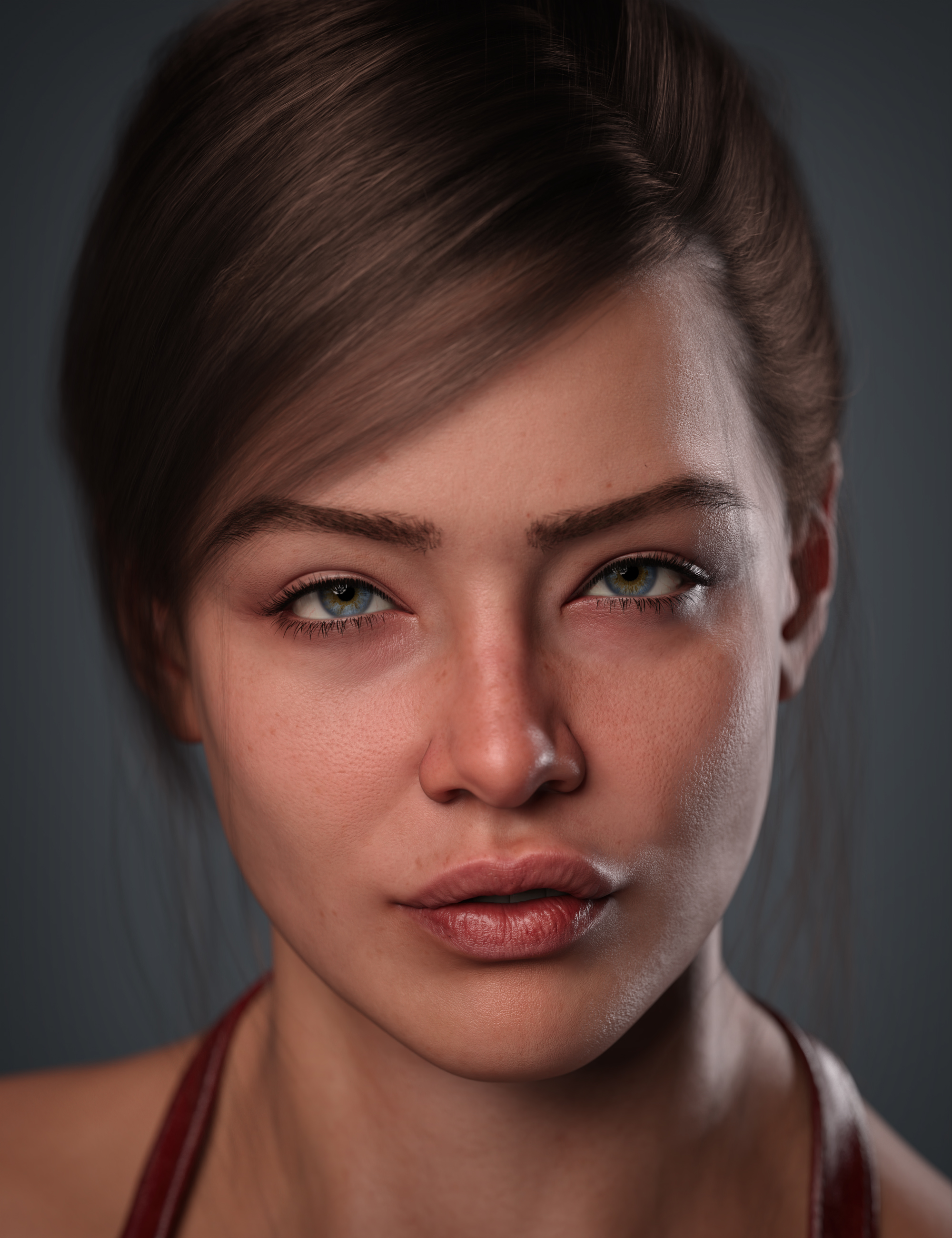
3-what exactly do i need to make a hyper realistic character in daz i want to make a 4k res character
All of the Genesis line have 4k res from Genesis, Genesis 2, 3, 8 and 8.1 - Genesis 9 is 8k
Actually there're only five 8K detail normal maps coming with G9 starter package ~ A Victoria 9 HD uses 33 texture maps as default, four 8K detail NM, the rest of the maps are 4K, 2K, 1K.
If they're all 8K, rendering a scene with V9 might be a nightmare for many people ~ So far I've seen no 8K map in other G9 characters' products as well as Merchant Resources ~ It's a good thing...Is G8/G8.1 abandoned?
Hardly, given that Genesis 8/8.1 has had a fairly long run as content creation cycles go. Yes, DAZ3D is highly focused on content for the newest figure, but that's how they have always been. As others have said, there are other stores that still have vendors that are making and selling content for older versions of Genesis, and even the occasional bit for Victoria 4.
Is G8/G8.1 abandoned?Hardly, given that Genesis 8/8.1 has had a fairly long run as content creation cycles go. Yes, DAZ3D is highly focused on content for the newest figure, but that's how they have always been. As others have said, there are other stores that still have vendors that are making and selling content for older versions of Genesis, and even the occasional bit for Victoria 4.
What's wrong with my Victoria 8.1?Hi, I've been away for a bit. I just got a new graphics rig and am reinstalling my content. Most everything's going great.
Except....what's wrong with my Victoria 8.1? She and my Genesis 8.1 base female both look like bubble-headed aliens! (See attached images)
Genesis 8.1 base male loads fine.I'm not sure what the heck is going on here, but I can make a log file if needed.
There's Always Another Sale Thread -- Discussions OnlyI couldn't make use of the "captivating" new release sale, because there were only 8 applicable items and they seemed random.
Originally I had a great idea for the Extra 70% off for a New Release over $20. I was going to buy the Fiona 9 Bundle as the New Release, and then get the G8F head morphs (which I've needed for a while) plus the Victoria 9 Intro bundle plus the Gen 9 starter essentials expansion so my Victoria and Fiona could have all their "parts". Overall it was like a $200 cart for like $88.
But the problem I ran into is...do I really want to invest in Gen 9 at this point? When I compare Gen 3 to Gen 8 I can see a drastic difference in style -- Gen 3 looks more cartooney to me whereas Gen 8 looks more realistic. And while Gen 9 characters do look nice, really they just seem like really nice (and expensive) gen 8 characters.
Plus I'm iffy on whether or not Gen 8 stuff will fit on Gen 9s. I tried out some G8 stuff on my G9 Belle the other night. I got Haydina Hair to work on her pretty well, but then I tried an Emo Outfit, which didn't work at all.
I think it seems almost dumb that Gen 8 stuff doesn't automatically fit on Gen 9 characters at first, but then from a business perspective, it would be against Daz's interests to have G8 stuff fit G9 characters, because they probably make a decent chunk of their profit on apparel and hairs and stuff. So I don't see cross-compatibility being high on Daz's priority list.
I don't know if I'm ready to embrace G9 quite yet, is the point, which I think at least one other person has already said. Though I do want to take advantage of this sale, because I need that head morph to make my Nena G8F I got from Renderosity to work properly. :D
What's in "Genesis 9 Character Essentials"?Richard Haseltine said:
japangg said:
please forgive my ignorance or stupidity. I am not ion front of my daz pc right now. So, do i still need to purchase G9 Character Essential to get the anatomical elements/genitalia apart from the Vic9 HD bundle pre-order?
Thanks in advance.
Yes, the Victoria 9 bundle does not include the Anatomical Elements, just textures for them.
Victoria textures for anatomy are only good for victoria skin, and completely mismatched and different from 4 sets of skin shaders present in essentials. I honestly don't know why Daz desided it was a good idea to include anatomy and not supply correct textures to it. Renders it kind of unusable.
Genesis 9xyer0 said:richardandtracy said:
richardandtracy said:
xyer0 said:
Quite a quad. Never seen anything like this.
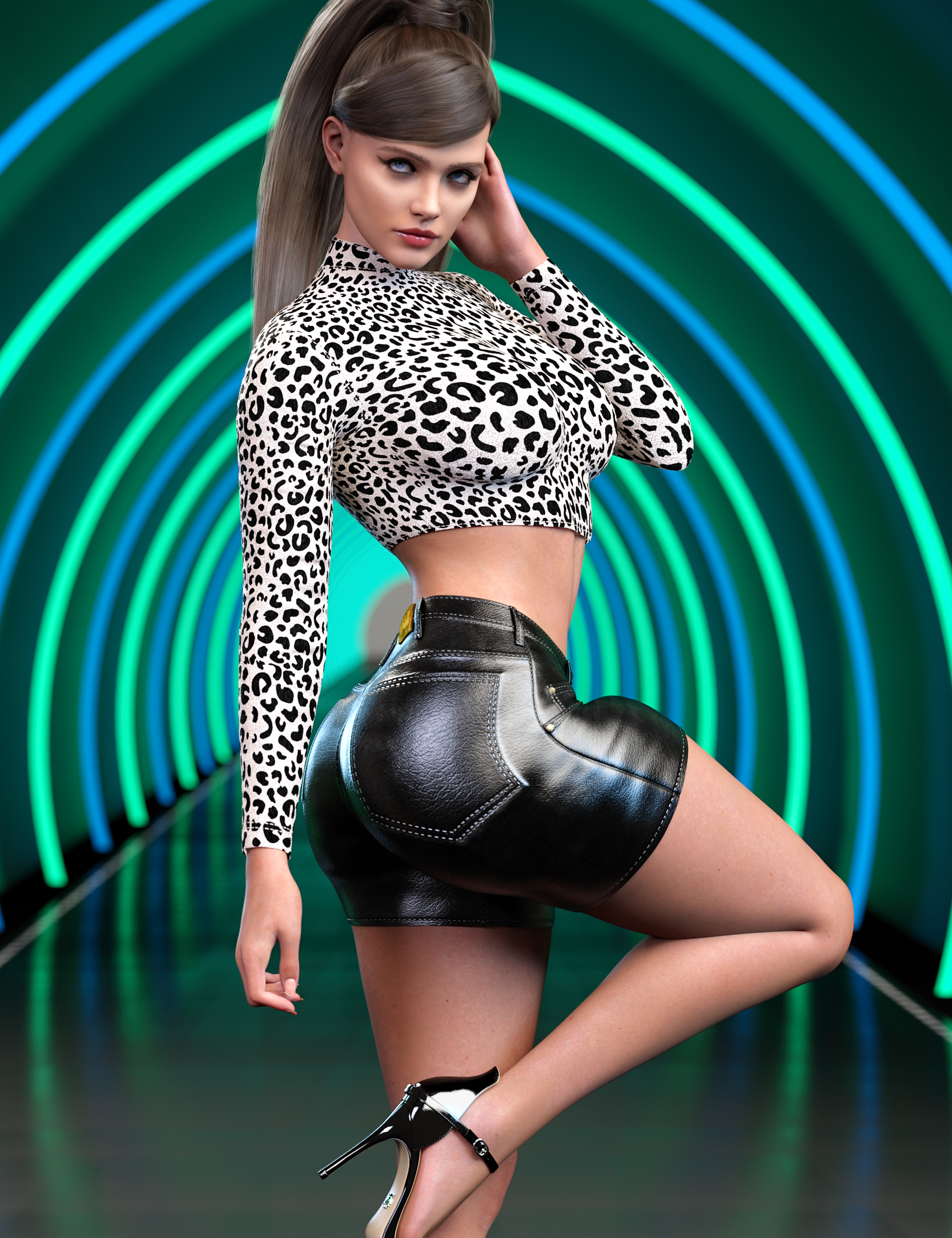
Last time I saw that level of bulge on the front of a thigh was with Victoria 3. It wasn't good then. It's doubly awful now that the preceding generation didn't show it.
Regards, Richard
For the interests of fairness & comparison, I thought I'd compare a V3 Character (Jim Burton's Glamorous Vickie, left, released Jan 2003), A G8 figure (CHB Milan, centre) and a G9 figure (V9, right) to see how they compared with a quick approximation of the pose above. I applied the pose to G8F and used my G8F->GV3.script to get the V3 character in the pose and my G8F/M->G9 script to get the G9 character in the pose. The results were, erm, unexpected.

Looks like the V3 character shows least thigh bulge. Blow me! OK, V3's elbow's the worst by miles, but at this angle her glutes are OK. But it looks like for the thigh bulge V9 is the worst with this pose even though it's not as bad, and G8F isn't actually a lot better. Altering the Right Thight Twist 1 & 2 bones had zero effect. So, this problem is not limited to the G9 character so heavily criticised above.
Regards,
Richard
Thank you, Richard! I bought Glamorous Vickie for $1.99 last month, and I haven't yet downloaded her. She looks good. The thigh bulge on G8 was surprising, but it looks natural. It reminds me of the thighs of some cheerleaders when I was growing up (many of them were built like gymnasts that didn't have to starve themselves). V9's thigh bulge doesn't look too bad, but it doesn't look human either. And her lack of any anatomical detail is disappointing.
GV3 is remarkably good looking. The hair in the image is Jim Burton's now unavailable 'Las Vegas' hair. As GV3 has a separate CR2 file and is not a morph of V3, it's actually quite hard to get clothing to fit. The bikini there is one of the ones Jim Burton did for the character. Lack of clothing is one of the reasons why I use her less than I'd like. Ah well. Regards, Richard
Loving Daz Studio!It's funny. I was totally against using Daz Studio for animating just not long ago. In truth, Carrara does make animating a Lot easier and more fun. The visual feedback in the workspace is nowhere near as pretty, but the tools and features are fluid and fast - and they're very much what an animator will expect to find in an animation toolset - truly.
Learning to animate in Daz Studio started off as the headache you'll read about from everyone who says that you just can't do it... export to Blender instead!
After getting "You Can't" out of the mind, and instead look at what we Can do, it all starts to get easier - especially when I stopped ignoring dials. In Carrara, I use the universal manipulator for just about everything. The manipulators in Studio work, but... I don't know... they're so... cludgy? After being in Studio for a while now, I'm more used to them, so they're fine.
Being a total newbie to Studio for this sort of thing - starting in 2021 - especially now that I've been here long enough to know how to do what I want to do - at least in simple form, I'm back into that fresh feeling of awe and wonder as I learn new tools, functions and settings. That world of discovery!
That never goes away with Carrara - it has such a Massive toolset. It's neat, though because Carrara is designed to put everything right in your face - so just opening the software can teach you something new just by hovering your mouse over something new. If you don't have Carrara, and love to animate, I'd grab it. It's so inexpensive these days and it comes with a plethora of legacy products that add a lot to the library - all of which work beautifully in Carrara.
Check out the content you get with Carrara 8.5 Pro!
These amazing Daz + sales... that's where I found a lot of the Helper products that eased my learning curve for Studio. Things like Andrey's scenes and Sickleyield's and Magix 101's sky systems,
And then there's the fact that I've been throttling back my content purchases to only buy things that worked for Genesis 2 or earlier due to Carrara's limitations in that factor. We can still make new stuff work (and this is only regarding the figures - props and scenes generally work pretty well - but I still avoided them), running Studio opened that all up - so now I'm getting things like Orc for Genesis 8 Male, Drago - a Dragon that can use human aniBlocks? Get Out!!! Awesome!!!
Sickleyield's many clones and cloth helpers make this transition into new generation figures a real blast! I don't know if you use Aiko 3, Victoria 3, Michael 3, etc., clothing... but a lot of clothing from that era of figures is Fantastic, as with generation 4, which you probably already know.
Shader packs from Jen Greenlees and Digital Delirium, and others also help to remove the thought of impossibilities.
Scripts and lighting solutions, tutorials and scene effects... with not a whole lot more $$$ than the price of my yearly Daz + membership really got me a great start into all of this.
So Freaking Fun!!!
I'm Loving Daz Studio!!!
Usability of Victoria 9 HD Makeup and Angela 9 HD Makeup on other G9 characters?Leana said:Not sure about Angela ones but the V9 ones can be used on other textures, examples here: Victoria 9 HD Makeup - Daz 3D Forums
Thanks. That's quite some work lol. Well at least there's a way to do it.
PixelSploiting said:It's case per case. If the character lips shape differs too much from the core character the makeup was made for then the lipstick might look weird.
This really sucks. I hate it but I guess that's what one has to put up with when using G9...
Usability of Victoria 9 HD Makeup and Angela 9 HD Makeup on other G9 characters?Not sure about Angela ones but the V9 ones can be used on other textures, examples here: Victoria 9 HD Makeup - Daz 3D Forums
Usability of Victoria 9 HD Makeup and Angela 9 HD Makeup on other G9 characters?To what extent are Victoria 9 HD Makeup and Angela 9 HD Makeup usable on other G9 characters? Like on default G9? Thanks!Daz 3D is part of

Connect
DAZ Productions, Inc.
7533 S Center View Ct #4664
West Jordan, UT 84084Licensing Agreement | Terms of Service | Privacy Policy | EULA
© 2026 Daz Productions Inc. All Rights Reserved.