-
offering a 100GC for a convert rigging script in carrara
is there really any hope for auto-follower in carrara?
those conforming eyelashes makin me crazy. having to manually add morph support for every character face.
and the eyebrows. i like the fiber brows. but it adds intensive manual labor to every figure render project.i see the projecting morph message and progress thingee. but then at the end it does't bop on to their face. most times, all i see is the hot point.
Head morph issueSo i have this one figure "Ruyun" that im trying to make it work with 8.1
However when I apply the head shape, the lips are in a weird position.
I have attached a screenshot. LEFT is Gen 8.1 and RIGHT is Gen 8.
Any ideas what can cause this?
Daz to Cinema 4D Bridge - Meet the TeamGreetings;
I just installed the updated (May 30th 2021) Bridge for C4D and are have many failures, many I didn't before with the previsous version. I'm using Cinema 4D R1, DAZ 4.12.
Many Genisus 8 charaters simply don't transer, some do. When it does work, and select morphs, the charaters doesn't transfer as designed, instead a base charater transfers with a million morphs. The previsous version sent the designed charater and only the additional posing morphs which was diificult to mange, but at least much less. I suggest it only export the posing morphs that that settings have changed.
Some charaters transfer with their bones all messed up.
When using the morph option on, in Cinema 4D the plug-in crashes before propting to save with materials.
When using the morph option off, in Cinema 4D the plug-in does propting to save with materials. If you select to convert to Redshift materials, I get a message box indicating conversion is still in progress (even after 30 minutes). When you continue, it make Redshift materials with only bump maps (no defuse, or anything else).
If I use Cinema 4D to open tthe FBX file the Bridge created, Cinema 4D indicates it's an invalid format.
Bruce Kingsley
Converting Genesis 8 to Genesis 2 models?Thanks for any help. I'm trying to use the lovely Face Transfer to create a figure, Genesis 8, and then export it out as a Genesis 2 with Genesis 2 textures and morphs. Any thoughts?
I did find a 20+ step guide to convert a G8 morph and to G2. And some suggested this on a random thread to convert the textures. https://www.daz3d.com/genesis-3-uvs-for-genesis-2-female-s
Not sure it will work and the whole thing seems really convoluted just to convert a model. Hoping for a better way.
Remove morphs for Genesis and Genesis 2Okay. To thin the library out - with D/S closed, one can manually dig into the data folders and [first backup the content to a zip folder perhaps] and pick carefully what to delete.
n.b. This is NOT for everybody to be doing please! If one has installed via DIM, uninstalls are done via DIM too. I install manually and know something of how to manually delete stuff but still, ideas are offered "as is" - your computer, your responsibility.
Genesis and Genesis 2 will load faster if "10 years" worth of extra morphs are deleted certainly. I've attached 3 images -- be careful in the data folders, there are 2 for Daz3D, one with a space and one without. In the main one DAZ 3D there are all the figures. Find the one for a particular Genesis number, find the morph folder ... and carefully select the ones you want deleted. I say carefully because some might be for auto-fit clones and things like that which you might want to keep.
When in doubt, don't, do ask ;-)
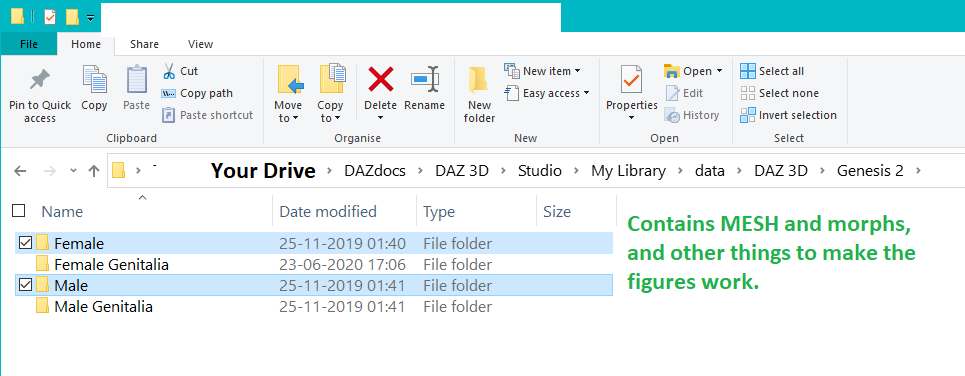
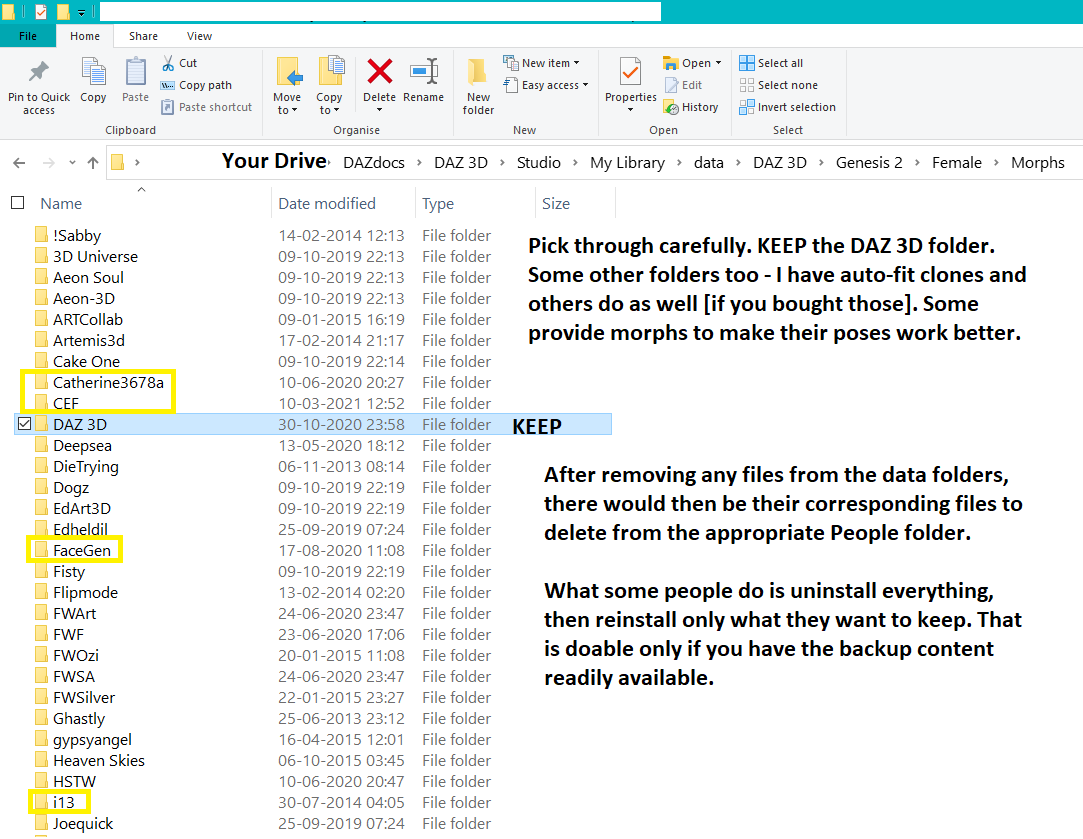
And if the textures are no longer required, those should be in the appropriate subfolder under Textures under Runtime under My Library.
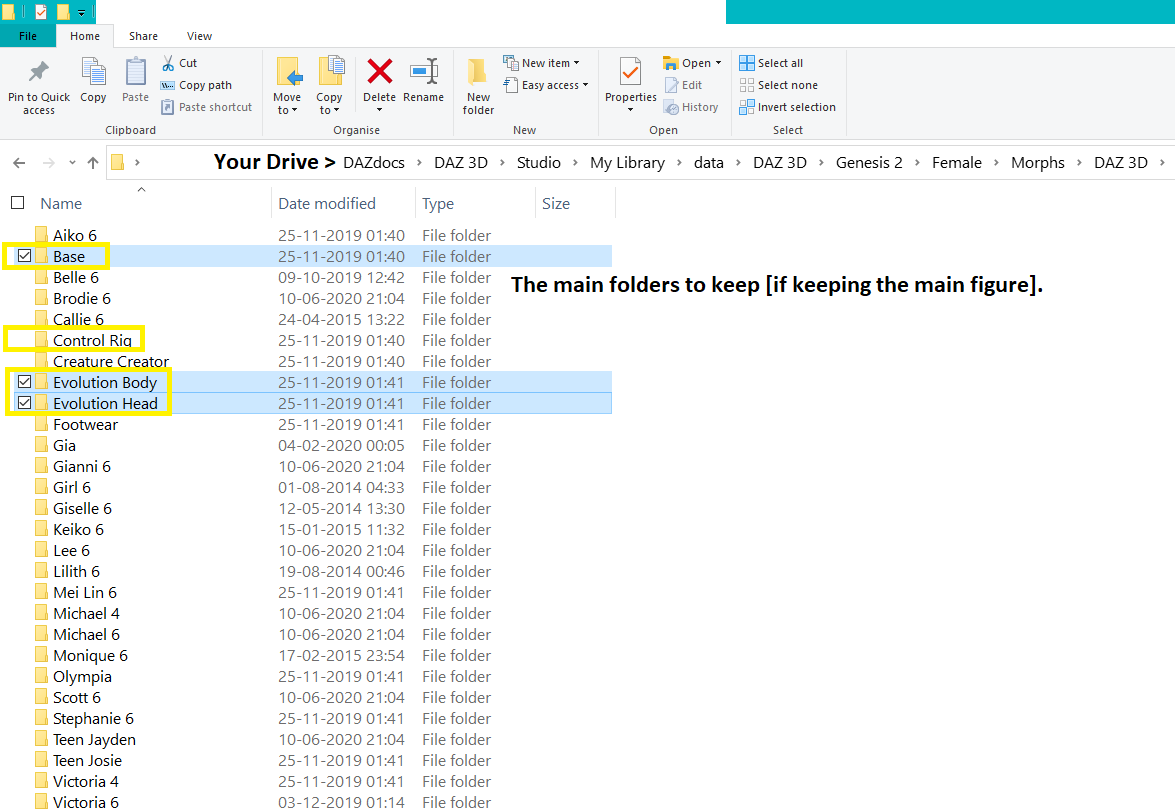
So if for example I deleted Teen Josie, then those morphs will not load with the figure. The less morphs there are, to a point, the faster the figure will load.
Some figures outside of the Daz 3D morphs folder are reliant on these. For example several characters are based on Victoria 6. So if keeping one of those, then Victoria 6 also should be kept.
Hope this helps. If not at least you know where everything is now ;-)
Importing clothing help!The clothing should ideally be modelled around the base shape (Genesis 8.1 Female in this case). You can work around the issue by setting the Source Shape in the Transfer Utility dialogue, then in the extended options (click the More button) check Reverse Source Shape From Target.
Desolate lair of the sullen Fox // WIPs, reviews, escapism //Thank you :)
That's because most vanilla DS shaders don't support Fresnel for specular and have strange refraction algorithms, to boot... and it's also impossible to control reflect/refract bounces per material. Basically, vanilla DS isn't the most 3Delight-friendly environment.
Nope, frankensteining is easy... it's just a matter of positioning. Actually transferring the morph would be much more work. Luke and Laura weren't even among the original Genesis clones for G3, IIRC.
I believe I do have their original morphs. Shame their clothing (and rigging in general) didn't age well at all; there are quite a few possibilities for cute characters.
Ah, well, Gen3 rigging is still better than that of Poser figures like Sydney, Miki etc. But those Poser figures have beautiful facial expressions, much better than most DAZ generations. That's the main prospect for further frankensteining.
What's up with VOOTW?The Xiao Mei character morph is set to a value of 1 in the main character morph file (CTRL Vo Xiao Mei.dsf), it should be set to a default 0 which is then changed by the character preset file when loading it into scene.
This is the reason the morph applies itself to every G8.1F model you load up.
Additionally the character preset only seem to load the head morph, obviously it should load and set both the main character morph as well as the body morph to a value of 1 (100%).
Edit:
Post used to include two edited files which adresses these issues, but since it's apparently not allowed to post vendor files, not even incomplete, I'll direct you to the instructions by Gordig down below. Alternatively you can edit 'CTRL Vo Xiao Mei.dsf' by opening it in 7zip or similar and edit the textfile within.File removed
Importing clothing help!Hello!
I'm fairly new to Daz studio and I've already gotten the bug to create my own clothing! However when I transfer assets my clothing no longer fits and I can't seem to find an online solution to my issues. And quite frankly I don't know where I'm going wrong and it's driving me nuts lol. My character has deformers/morphs applied to it and when I exported the figure I did so with the morphs applied so the catsuit I made reflects those.
When I transfer assets I select the source as Victoria 8.1 (as that's the body I'm using) and the target as the catsuit, projection is full body and that's when everything breaks. I'll include some images to show what's going on.
The one with the white clothing is prior to asset transfer and the ones in black are after. Any suggestions or help would be greatly appreciated!
Survey: Are we missing a feature you wish we had?Uthgard said:
As long as the review system allows the author to respond, unfounded bad reviews shouldn't be a problem at all. The Unity Asset Store is a good example, and it really helps assess not only a product's quality but the general disposition of the author when it comes to solving issues or even adding features to expand usability, which is a great plus.
I bought a character at rendo last year and didn't see that it was only a full body morph with no seperate head morph. So I left a review saying I was disappointed and in this day and age and from a vendor that has been doing this awhile, this shouldn't be an issue. I was then given a hard time by both rendo and the vendor for leaving a negative review. Since the vendor decided to point out they knew what they were doing and I didn't know anything, I have never purchased anything from them since, so yeah, reviews are not helpful IMO
Asian Beauty Appreciation ThreadSetalia said:
I was wondering: If I got Mei Lin 8 and a morph pack that requires her, can I apply these to Genesis 8.1 core? Or will they only work with G8? I'd like to be able to use the 8.1 features.
You have to use 4.15 to get the morphs to load into 8.1 automatically. But I have *heard* that if you manually move the morphs into the 8.1 morphs folder, you can get them to work that way as well. I haven't tried it though, so no promises that that will actually work.
Asian Beauty Appreciation ThreadSetalia said:
I was wondering: If I got Mei Lin 8 and a morph pack that requires her, can I apply these to Genesis 8.1 core? Or will they only work with G8? I'd like to be able to use the 8.1 features.
The Mei Lin 8 shaping morphs & G8F shaping morphs are present with Genesis 8.1 figures.
There should be no problem to apply a G8F figure (including Mei Lin 8 morphs) onto a G8.1F figure at all.Asian Beauty Appreciation ThreadI was wondering: If I got Mei Lin 8 and a morph pack that requires her, can I apply these to Genesis 8.1 core? Or will they only work with G8? I'd like to be able to use the 8.1 features.
Teeth and Mouth Realism HDI have run into this as well but not with the 200 morph pack but with the Rarestone pack. It usually has only hapened to me when using dials that change the whole face. If I go to far the mouth is all jacked up.
Daz to Cinema 4D Beta: How To Download Release Versions, Manually Install, and Replace Old InstallsDAZ_sam said:
Rezca said:
DAZ_sam said:
Rezca said:
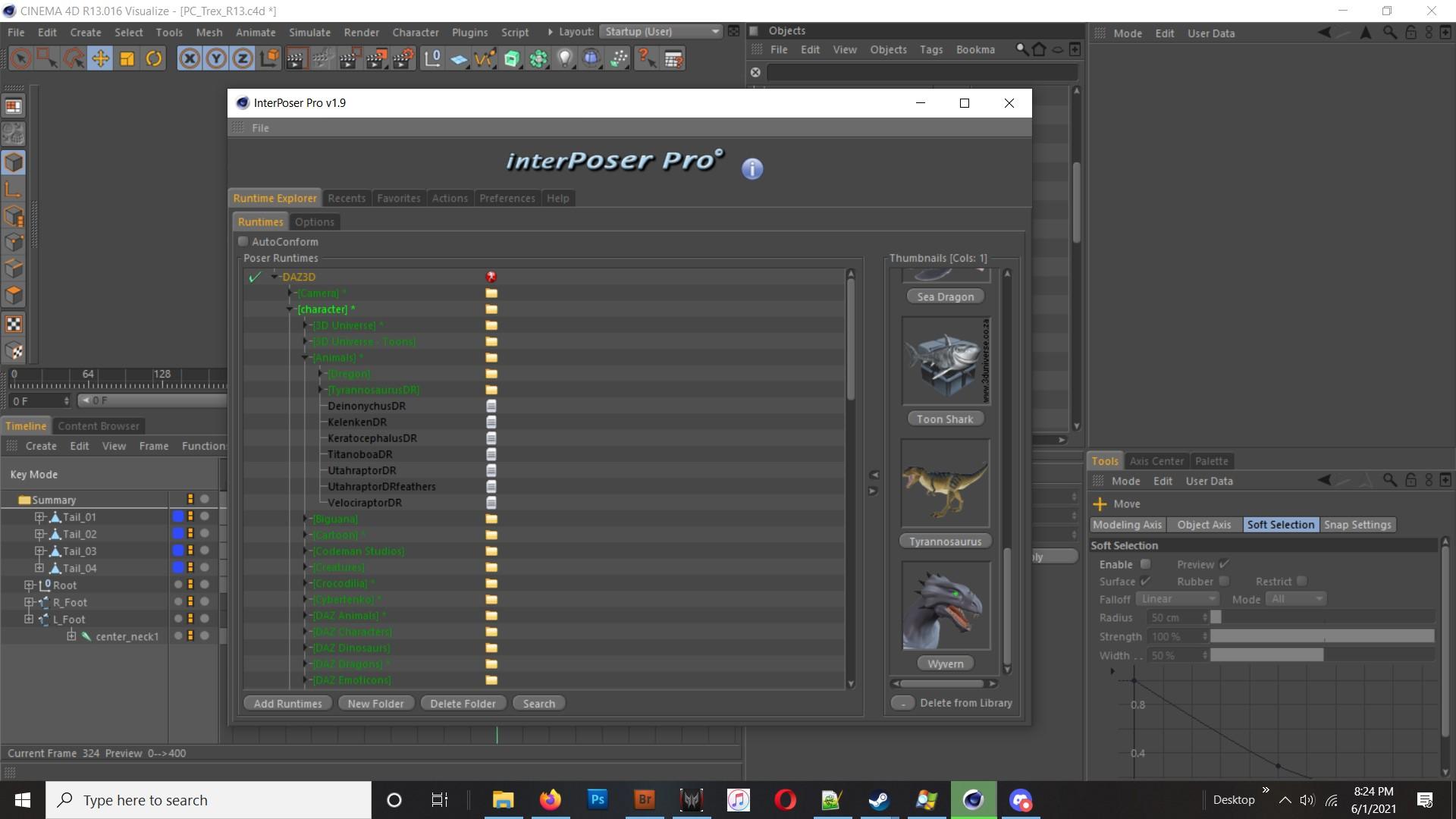
That's an amazing list of changes! It truly pays to be patient, good things come to those who wait. The C4D Bridge just from these last few posts the team's made is already making it look like it'll be on par with the old InterPoser Pro plugin Cinema used to have - but for free. (IPP was like, what.... $100 something? $120? I can't remember, but it was a paid pluggy)
The only things its really lacking now that IPP had is importing entire Poser - or in this case, D|S - scenes with lights & cameras, and the ability to save out/create Morphs & INJ files that Poser/D|S can load. I'd include Poser Cloth too, but that feature sadly never got fully implemented before the developer retired from the programming scene.
Thank you for your kind words and thank you for being patient. I will look into the plugin maybe get some ideas for the bridge itself.
Sadly their site isn't around anymore, and the last version IPP ran on was.... R14, or R15? But you might still be able to find some info about it floating around.
One potential drawback to the plugin though was it was pretty much emulating the Poser rigs and format. So it didn't use Cinema4D's joints or Pose Morph features. Morphs were supported natively without needing copies of the geometry present in the scene (As an owner of Visualize at the time, that was a good thing!) and you could even make and save your own too. Poses could be loaded just like in DS/Poser... All that's a good thing, but it also meant that you couldn't really make use of Cinema's rigging features with it, and the Bake Poser Object feature never got ironed out - it'd convert it into Joints just fine, but the weighting would be absolutely destroyed in the process.
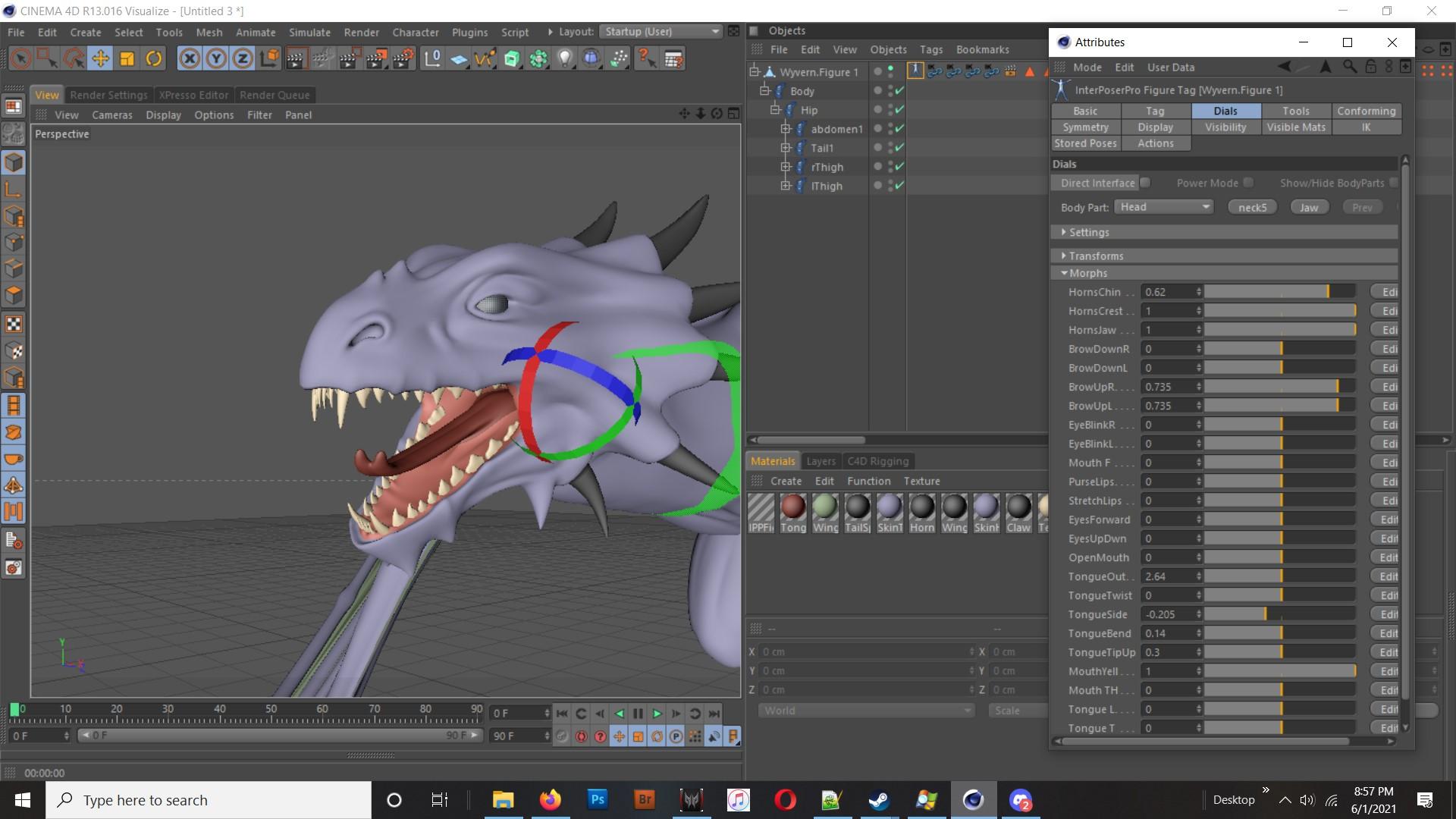
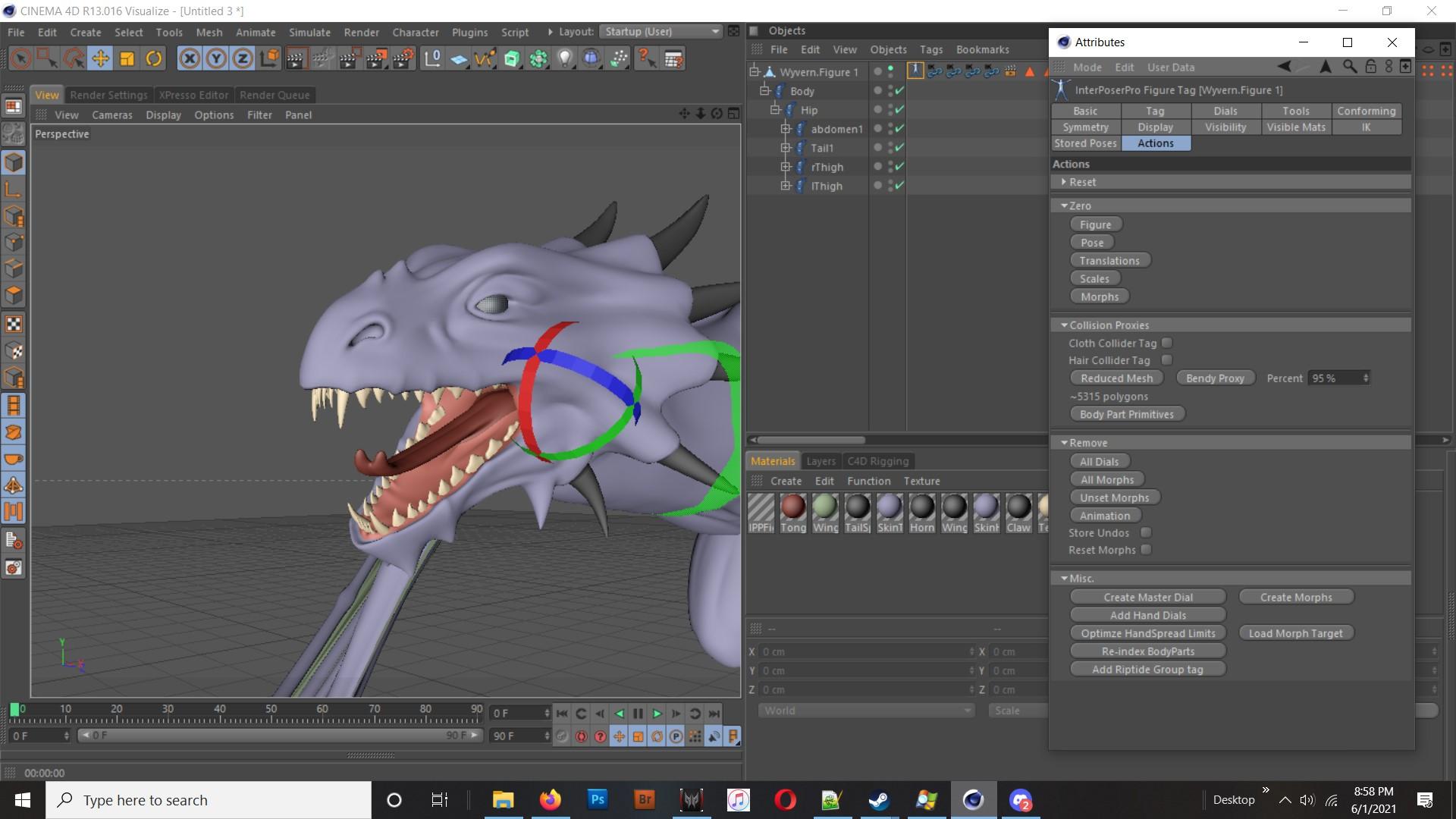
Ah interesting! Thats cool. So based on your original comment our good next step for the bridge is to emulate the cameras and lighting then? The environments import in fairly well now and while there still more optimizations needed for characters it's much better than before.
I see some others hoping for such a feature, so it might be a good idea to put on the To Do list that might like doing setup in D|S before porting the scene over.
It's great to see all this progress being made, but don't overwork yourselves here! Make sure to get rest too
Kiko 8.1 - cute kitsune, stands on her own without a "seasonal passport" or the likeEboshijaana said:
ioonrxoon said:
Eboshijaana said:
Now to see how the 'sharp ears' issue with hair is being solved with Kiko.
This is what you're referring to?

Hahaha, EXACTLY that.
I'm really curious how the namesake hair deals with the ears.In case it hasn't been answered, the ears morph for her is separate, and you can turn it off on the hair. Just select the hair, then in Parameters make sure Show Hidden is on, then look for the Ears morph and set it to 0.
Kiko 8.1 - cute kitsune, stands on her own without a "seasonal passport" or the likeThe Blurst of Times said:
Wolfwood said:
I get some people would have preferred this on SP. But also consider this is still a "toon" character, and lots of people feared getting this on the SP.
On the bundle...Not the worst we have seen, but still many issues:
* Still expensive. It does not look like it because of current PC+ sale, but is only 30% discount on base price of its items.
* 3 Poses/Exp/Anim. Two of those designed only for kiko and not for G8/8.1
* They include a Bass but the pose set is for a Guitar.
Some odd aspects:
* Bundle do not include anatomical elements. Why? August is toonish, young and still includes them. (btw, the anatomical materials listed in readme seems to be for ears and tail)
* While there is no HD addon. The file list in kiko include several hd morphs. They are certainly not described in the "what's included sections, but neither are ears, tail, makeups...."
- My price for the bundle was $29.67 with 3(+) add-ons and the orange banner for owning a lot of stuff. I don't know if that's good or bad price, but it's the price I got.
- The product seems to include the HD morph? "Kiko 8.1" shows up under "Stylized" figures, and I also see a "Kiko 8.1 HD" figure as well.
- Kiko materials do come with Anatomical Elements. (I have no idea about the props themselves since I own them many times over.)
- EDIT: Yes, she loads in with foxy Ear Morphs applied, plus a Tail.


did the banner say something about owning anything in particular? I have the stuff in my cart because I figured the banner was just late but still nothing, and I kinda own a lot of stuff, including almost every 8.1 character
 Daz to Cinema 4D Beta: How To Download Release Versions, Manually Install, and Replace Old Installs
Rezca said:
DAZ_sam said:
Rezca said:
That's an amazing list of changes! It truly pays to be patient, good things come to those who wait. The C4D Bridge just from these last few posts the team's made is already making it look like it'll be on par with the old InterPoser Pro plugin Cinema used to have - but for free. (IPP was like, what.... $100 something? $120? I can't remember, but it was a paid pluggy)
The only things its really lacking now that IPP had is importing entire Poser - or in this case, D|S - scenes with lights & cameras, and the ability to save out/create Morphs & INJ files that Poser/D|S can load. I'd include Poser Cloth too, but that feature sadly never got fully implemented before the developer retired from the programming scene.
Thank you for your kind words and thank you for being patient. I will look into the plugin maybe get some ideas for the bridge itself.
Sadly their site isn't around anymore, and the last version IPP ran on was.... R14, or R15? But you might still be able to find some info about it floating around.
One potential drawback to the plugin though was it was pretty much emulating the Poser rigs and format. So it didn't use Cinema4D's joints or Pose Morph features. Morphs were supported natively without needing copies of the geometry present in the scene (As an owner of Visualize at the time, that was a good thing!) and you could even make and save your own too. Poses could be loaded just like in DS/Poser... All that's a good thing, but it also meant that you couldn't really make use of Cinema's rigging features with it, and the Bake Poser Object feature never got ironed out - it'd convert it into Joints just fine, but the weighting would be absolutely destroyed in the process.
Ah interesting! Thats cool. So based on your original comment our good next step for the bridge is to emulate the cameras and lighting then? The environments import in fairly well now and while there still more optimizations needed for characters it's much better than before.
Kiko 8.1 - cute kitsune, stands on her own without a "seasonal passport" or the likeI really like that the foxy ears are a morph (Kiko 8.1 Ears are under Head->Ears->Stylized, so you can give a partial Kiko dial as well).
It's a really cool idea, and actually very helpful with Hair that does not cover the ears because then the morphs are actually kind of cool. Throw on the ear hairs over this? It's brilliant and much appreciated.
...
And, yeah, Jada's description was/is dumb. Holy cow, what a relic of a prior era, and not in a good way, IMO.
Kiko 8.1 - cute kitsune, stands on her own without a "seasonal passport" or the likeWolfwood said:
I get some people would have preferred this on SP. But also consider this is still a "toon" character, and lots of people feared getting this on the SP.
On the bundle...Not the worst we have seen, but still many issues:
* Still expensive. It does not look like it because of current PC+ sale, but is only 30% discount on base price of its items.
* 3 Poses/Exp/Anim. Two of those designed only for kiko and not for G8/8.1
* They include a Bass but the pose set is for a Guitar.
Some odd aspects:
* Bundle do not include anatomical elements. Why? August is toonish, young and still includes them. (btw, the anatomical materials listed in readme seems to be for ears and tail)
* While there is no HD addon. The file list in kiko include several hd morphs. They are certainly not described in the "what's included sections, but neither are ears, tail, makeups...."
- My price for the bundle was $29.67 with 3(+) add-ons and the orange banner for owning a lot of stuff. I don't know if that's good or bad price, but it's the price I got.
- The product seems to include the HD morph? "Kiko 8.1" shows up under "Stylized" figures, and I also see a "Kiko 8.1 HD" figure as well.
- Kiko materials do come with Anatomical Elements. (I have no idea about the props themselves since I own them many times over.)
- EDIT: Yes, she loads in with foxy Ear Morphs applied, plus a Tail.
Daz 3D is part of

Connect
DAZ Productions, Inc.
7533 S Center View Ct #4664
West Jordan, UT 84084Licensing Agreement | Terms of Service | Privacy Policy | EULA
© 2026 Daz Productions Inc. All Rights Reserved.