-
Face Transfer Files
csteell_c2893e4ab6 said:
Does anyone know where the DAZ Face Transfer files are saved. I have created a face and I have looked everywhere trying to find where it is saved! Cheers
It's saved in that scene subset it creates when you save what it makes.
Face Transfer FilesDoes anyone know where the DAZ Face Transfer files are saved. I have created a face and I have looked everywhere trying to find where it is saved! Cheers
Headshop 13 + Lovechild for G8 - eyes mis-shapenhello, i bought HS13 in the hope that i'd have better luck with it than i did with HS OneClick. I'd like to get this working if possible, as it might work with photos that FaceGen and Face Transfer have issues with - angled heads, open mouths etc.
this post was originally going to be about the eyelashes not adjusting to the morph, but i've just discovered that if i quit/restart DS then it solves itself...
...however, the eyes are noticably mis-shaped, with the irises being stretched taller/narrower and canted inwards at the top.
unlike the eyelashes, they are still like this even after a quit-restart-reload. pic on request.
is there any fix for this, or a way of replacing the eyes with a vanilla pair? i haven't yet googled anything useful.
(fwiw - i read that Abalone's support is conducted via Skype, and i'm mostly deaf so that's not going to be much good to me unfortunately.)
3D Head From Photo?foghorn27 said:
Thank you very much for your useful info. I wasn't aware of the Face Transfer feature, so thanks for sharing that. Hopefully a discussion might follow comparing these different options. If such threads already exist, links are welcome and appreciated.
I'm on to learn more about FaceTransfer!
Whoa! Don't buy that! "Only available for PC - Windows 64-bit."
How Can I Save Morph Limit Properties With The Morph?If you made the prop, saved the prop, then made the morph and saved the morph ... then you should have in the data folders the prop data as well as one morph data.
If you made the prop, made the morph, saved the prop; then maybe changed the morph but whatever, saved the morph ... unless you saved it back to EXACTLY the same place the first morph landed, the old one works and the new one is ignored. Solution is simple, delete the old morph. [Close D/S before editing anything in the data folders]It's the first time I've seen somebody using commas to make folders, we've been using slanted lines. Also, like, if this has been working for you fine, but normally morphs are placed elsewhere on the Parameters Tab - like under Morphs. For some types of morphs it really does matter where you put them - for example if one wants them appearing also on the Shaping Tab, they must be somewhere under Actor.
If you want the morph to load "fixed" to one particular setting, the min and max values need to be the same. Then a little above on the right-side of that Parameters Tab dialogue is a square to check to "lock" the settings.
How do I make solid object morphs in Blender?What is a Morph?How Can I Save Morph Limit Properties With The Morph?Richard Haseltine said:
You can set the limits, and whether to use them, in the inital import dialogue or in the Property Settings dialogue (launched from the gear icon on the slider).
I need help figuring out how I can set the properties in the “initial import dialogue”. I cannot find any control widgets for doing this. See my first attached picture, showing the “initial import dialogue” for Morph Loader Pro. What widget do I use?
My second attached picture shows me setting the morph limit property as I want it: -9.5% to 1200%. This works fine only until the scene is closed. The next time I load that model into a fresh scene, the limits go back to default values of -100% to 100%. Call this the “problem of forgetting my property settings”.
My third attached picture shows me trying to prevent the “problem of forgetting my property settings” by re-saving the morph after I had set the properties as I want them. This did not work. I still had the “problem of forgetting my property settings”. And I see nothing in this dialog that will help me make sure those settings get saved.
My fourth attached picture shows me trying to prevent the “problem of forgetting my property settings” by re-saving the model as a “Figure/Prop Asset” after I had set the properties as I want them AND re-saved the morph per my third attached picture. This did not work. I still had the “problem of forgetting my property settings”. And I see nothing in this dialog that will help me make sure those settings get saved.
I also tried to prevent the “problem of forgetting my property settings” by re-saving the model as a Scene Subset after I had done all of the above. This did not work. I still had the “problem of forgetting my property settings”. And I saw nothing in that dialog that will help me make sure those settings get saved.
I remain at a complete loss as to how to prevent the “problem of forgetting my property settings”.
Genesis 8.1 Skins/Textures on Genesis 3 Possible? New G8.1 Skin Resource in Store TodayWell... I saved Victoria 8.1's stuff as "Shaders" in my own Content Library.
When I've accidentally double clicked without CTRL, they apply onto Genesis 3 Female without grumping at me... but the Neck/Head for 8.1 has no real equivalent for G3F (because the UV is different, as noted above), so that's an issue unless you figure out how to transfer and remap them. (Someone could write a script once they figure all that out, but that someone would not be me.)
Recreating a character - any ideas on used presets, character or hair based on photo?Hello everyone,
I have been trying to recreate the following two photos and have no idea how to address the young teen-like look. The body/head morph in these two pictures should be the same and is created by the same deviantart artist.
I have figured out the blonde hair () but been struggeling to find the brown bun hair as well as the facial creation. Tried using an Ellie, Osuine and Dior morph for Genesis 8 Female including Age Control and jaw/chin adjustments but they still look much older than the original and also neither have the appropriate skin.
Have any of you any ideas and may help? Thanks in advance!
Considering the current freebies, Which TerraDome products work in the latest Daz 4.15?Havos said:
Ascania said:
WillowRaven said:
Thanks ... because almost everything shows: Compatible Software: Poser, Daz to Maya Bridge, Daz to C4D Bridge, Daz to 3ds Max Bridge, Daz to Unity Bridge; but I keep seeing in the description,
- Poser Custom Material Presets (.MT5)
The geometry works is D|S. The textures work in D|S. BUT it comes only with Poser material presets.
That means you have to set up the shaders and apply the textures yourself when you use it in D|S.
I am pretty sure the shaders will not work at all. The Terradome shaders are procedural, so that their appearence is affected by the gradient of the geometry at a given point. They are not simply based on textures, like many other Poser props. As such they will not work at all in DS.
Yes, that's why you have to set up the shaders yourself, as if it were a blank mesh you made and imported yourself, and can't use the ones provided.
On the few I tried I could not even get the morphs working in DS, which makes them almost completely useless in that app, although I guess you could set the shape in Poser, then export the obj for use in DS. You would still need to retexture the whole thing yourself. A lot of work, and you are far better using Terradome 3, which is designed for DS.
Ah, I apologise. TD1 and TD2 use Poser binary morph targets, PMD files. Those do not work in D|S. There used to be a plugin for D|S3 that enabled the program to read them but it has never been updated. So now, if you don't have Poser and so can't re-save the .cr2 with the morphs included the alternatives are an external program or a script. No idea how well either of them work
A Plea to PAs re Pants!Richard Haseltine said:
You could also, in the absence of a supplied morph, use dForms - just position the field over the shins, so that the centre of the sphere is at the bottom and the top comes mid- or upper-calf, then y translate the actual dForm up and towards the centre line a little.
Many thanks for the tip, Richard. I'll give that a try!
 A Plea to PAs re Pants!
You could also, in the absence of a supplied morph, use dForms - just position the field over the shins, so that the centre of the sphere is at the bottom and the top comes mid- or upper-calf, then y translate the actual dForm up and towards the centre line a little.
How Can I Save Morph Limit Properties With The Morph?I recently learned how to save a morph asset.
But saving the morph asset puts the default property values in the morph, such as having the "Use Limits" property checked and so on.
I want my morph to always load with my model and have property values set the way I want them, such as having the "Use Limits" property UN-checked, or set to limits other than -100% to 100%.
How can I do this?
Celebrity Look-a-Likes for 3D figures part 3I created a celebrity look like, (with help of face transfer), I call her Winnie Keller.
Apply Face Transfer to New Figure?emoryahlberg said:
Silent Winter said:
Did it create a morph dial when you saved it? 8.1 shoul have access to all the morphs saved under 8. Look in the parameters tab (or shaping tab) and search for the name (or 'Face Transfer') and see if it shows up.
Well, it created the typical "Face Transfer" morph. But that doesn't save with the Shaping Preset for some reason.
Different idea - a shaping preset is a single file to double-click and apply to another figure - You can save one by yourself using 'save as' and choosing 'shaping preset'
If it's saved as a morph dia for genesis 8, you'll be able to apply it to 8.1 by using the slider in the parameters/shaping tab.
Apply Face Transfer to New Figure?Silent Winter said:
Did it create a morph dial when you saved it? 8.1 shoul have access to all the morphs saved under 8. Look in the parameters tab (or shaping tab) and search for the name (or 'Face Transfer') and see if it shows up.
Well, it created the typical "Face Transfer" morph. But that doesn't save with the Shaping Preset for some reason.
Daz to Cinema 4D Beta: How To Download Release Versions, Manually Install, and Replace Old InstallsI don't know if this is possible given that the transfer is done through FBX rather than OBJ, but is there a way to make dForce hair import into C4D as splines?
Apply Face Transfer to New Figure?Did it create a morph dial when you saved it? 8.1 shoul have access to all the morphs saved under 8. Look in the parameters tab (or shaping tab) and search for the name (or 'Face Transfer') and see if it shows up.
3D Art Freebie Challenge-June 2021-"Dream Vacation" -Main Thread OnlyDream Vacation
Holiday at the seaside
Yes, I know, it's the usual beach vacation that everyone dreams of, but it's my ideal vacation.
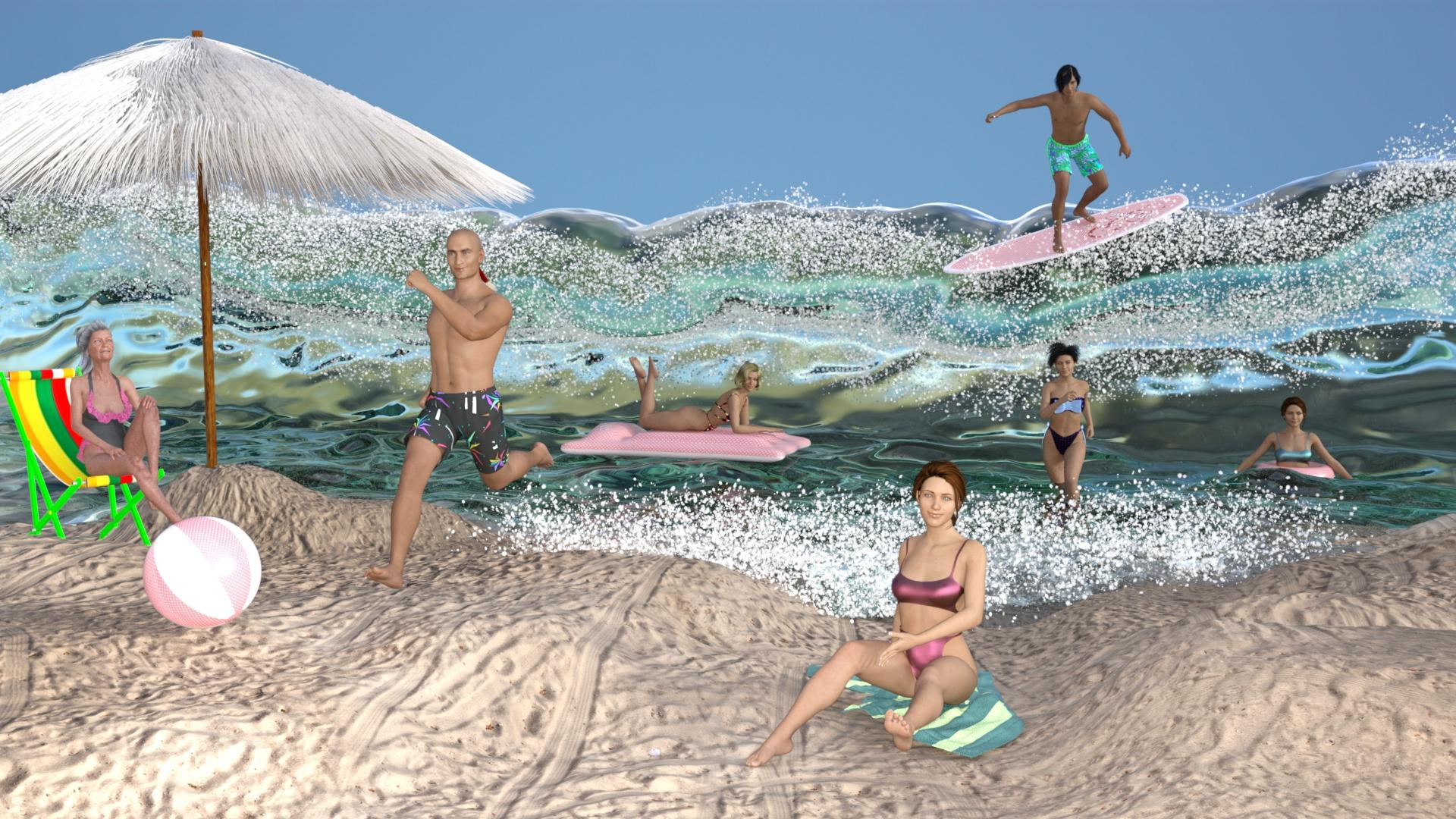
No count
Genesis 8.1 female and Genesis 8.1 male
Freebies
dforce Beach-Pant for dazstudio iray- genesis 8 Male by kalhh
A_la_plage by chacornac
https://www.renderosity.com/freestuff/items/75792/a-la-plage
g8f bikini 7
www.most-digital-creations.com_G8FBikini7
Sheer Chiffon Iray Shader Set
https://mooncraftrp.com/index.php/2020/05/02/free-sheer-chiffon-iray-shader-set/
Shaders for Mother’s Day
https://mooncraftrp.com/index.php/2020/05/01/free-shaders-for-mothers-day-daz-3d/
Path in the Dunes
https://www.renderosity.com/freestuff/items/88082/path-in-the-dunes-daz3d-iray-obj-and-maps-included
SY Big Wave Iray
https://sharecg.com/v/95887/browse/21/DAZ-Studio/SY-Big-Wave-Iray
UPDATE - V Devil May Cry 5 Hair Prop for G8M
https://sharecg.com/v/93558/browse/21/DAZ-Studio/UPDATE-V-Devil-May-Cry-5-Hair-Prop-for-G8M
"STRONG" for G8M Character Morph & Pose by Mar3D
https://www.renderosity.com/freestuff/items/82833/strong-for-g8m-character-morph-amp-pose
pirate´s braid by SmidA
https://www.renderosity.com/freestuff/items/87974/pirate180s-braid
Free Beach Towel (Updated with Morphs and Materials)
https://www.daz3d.com/forums/discussion/206316/free-beach-towel-updated-with-morphs-and-materials/p1
Beach Pack for DAZ Studio v2 - Free 3D Models
https://www.deviantart.com/bubblecloud/art/Beach-Pack-for-DAZ-Studio-v2-Free-3D-Models-757215388
dForce Frilly Outfit for G8F - Daz Freebie
https://www.deviantart.com/lustravias/art/dForce-Frilly-Outfit-for-G8F-Daz-Freebie-857359013
freebie for a time
Mabel 8
I hope you like
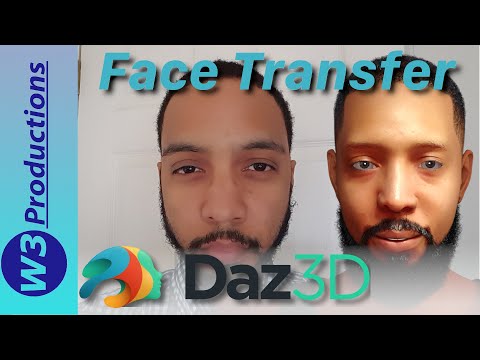
3D Head From Photo?Here's a pretty good video which explains Face Transfer
Daz 3D is part of

Connect
DAZ Productions, Inc.
7533 S Center View Ct #4664
West Jordan, UT 84084Licensing Agreement | Terms of Service | Privacy Policy | EULA
© 2026 Daz Productions Inc. All Rights Reserved.