-
DAZ Central fatal error message
Then you need to show the DAZ central log.
DAZ Central fatal error messagePerttiA said:
That is the DS log, although it indicates that you are logging in to DS, which is not necessary when installing produts with DAZ Central or DAZ Install Manager (DIM)
Ah, but it's DAZ Central that's the problem...
DazCentral won't install Daz studioSame issue here.
I'm installing studio from daz central and i keep on closing and relaunching the program each time i get to this message : "Installation will begin after previous installations".
Percent after percent, I feel like installing the thing by myself. I'm at 72 now.
crazy.
What does this mean? (Error log attached).How do you install your content? (DAZ Install Manager (DIM)/DAZ Central/Manual installation or with DAZ Connect inside DS?)
Just about everything in that log is about DAZ Connect trying to update your assets and failing.
Genesis 8.1 Install TroublesUsing Daz Central 1.5 there is no upgrade option for Genesis 8.1
I have Daz already installed and Genesis 8.
Why can't this be an easier process?
DAZ Studio 4 Installation Guide WindowsCamonra said:
I appear to have a LOT of duplicate content on my drive and a LOT of content in Lost and Found. As a long-term user of DAZ, I have a ton many GB of Daz content, from DIM and now in My DAZ Connect Library.
How can this data be consolidated?
It can't.
One must choose the installation method and stick to it.
If using DAZ Install Manager/DAZ Central/Manual installation, one should not log in to DS, as that enables DAZ Connect inside DS to update metadata for the content and quite often fools the users to install content the second time, which DAZ Connect does into completely different location, using twice the space and also overriding any and all other installation methods, even when DAZ Connect installed content suffers from decryption problems.
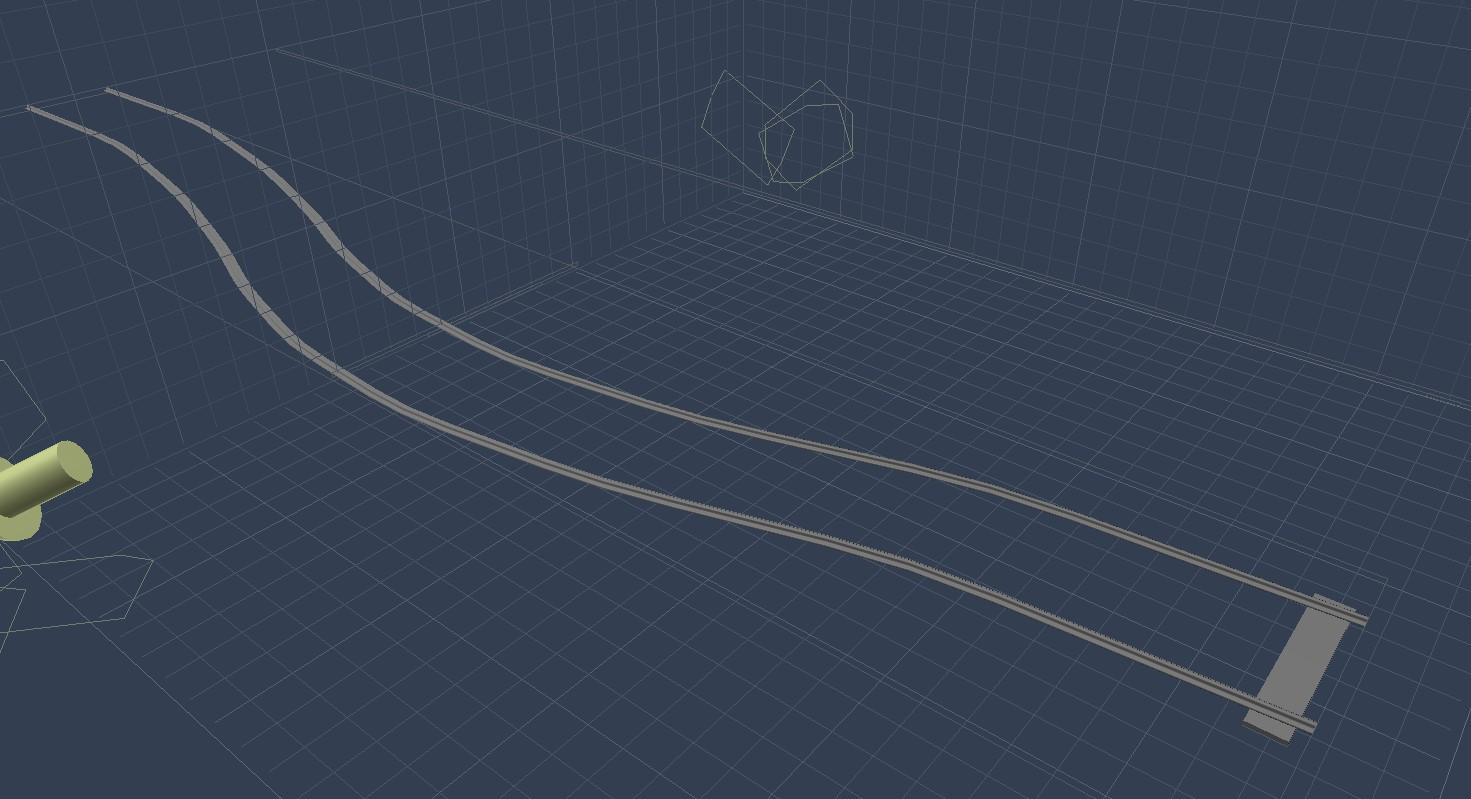
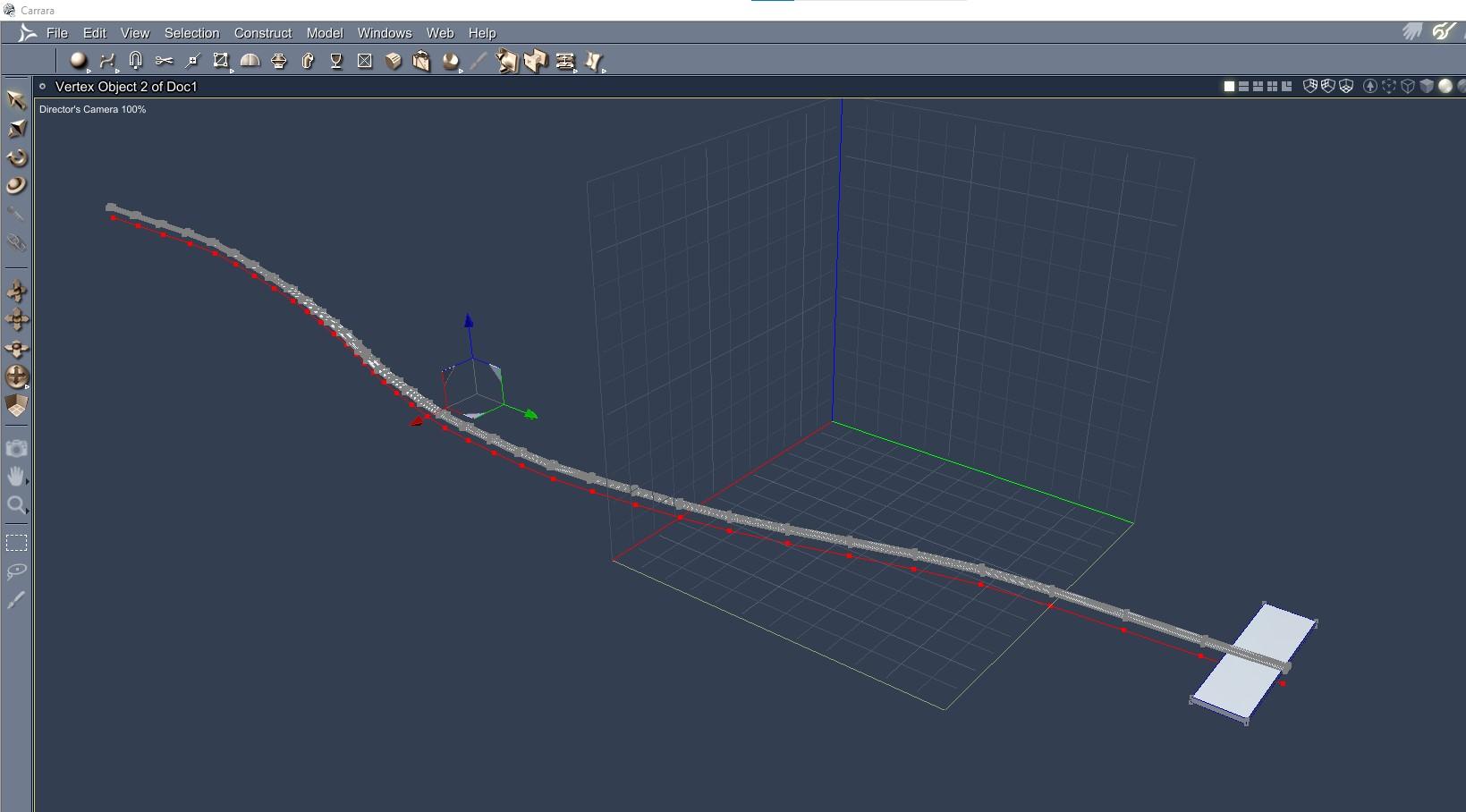
Modeling: Replicate Mesh in Even Intervals Along a Path?Thought I was putting together a quick train tracks and it turned into a modeling question. In the vertex modeler, is it possible to take a submesh and duplicate it along a path? Although I am trying to do it on a curving train tracks, the same issue could arise for a necklace or charm bracelet and many other situations. I know for my present project I could just duplicate the planks along a straight path, rig the straight path and then use the posing tools to create my curved train tracks, but I am curious about the potential modeling feature. Could the feature be in one of the DCG plugins? Am I confusing Carrara with Hexagon or another modeler? Can duplicating at regular intervals along a curving path be done in Carrara?
In the screenshots, I have the two side rails in one picture, and I present the middle of the path in the other. I'd like to duplicate the rectangular plank along the central path at regular intervals so that it curves with the outer rails. I have extracted the central curve from the middle rail.
 Cannot perform dForce simulation: Error initializing OpenCL kernels (Windows + AMD)
Hello,
I have Windows 10 and AMD Radeon 5700 XT GPU. When I try to do dForce simulation Daz Studio first says that dForce kernels need to be compiled. Then it compiles them for a while, and this always results in the error: Error initializing OpenCL kernels.
Version details:
- GPU Drivers: 22.1.2 (newest one)
- Daz Studio 4.16 Pro (newest one, although Daz Central insists that Studio version is 4.15...)
- Selected OpenCL Device in Daz Studio advanced settings is the only one available, AMD Accelerated Paraller Processing gfx1010:xnack-
- Tried with multiple scenes, e.g., with the included simple sheet drop demo scene
Any insights? Is it practically impossible to use AMD GPU with Daz Studio, or should this work? Both render engines work fine, although lray is slow (CPU only).
DAZ Central fatal error messageThat is the DS log, although it indicates that you are logging in to DS, which is not necessary when installing produts with DAZ Central or DAZ Install Manager (DIM)
DAZ Central fatal error messagefrank0314 said:
I don't have Central installed so I'm not positive where the log file would be located but you can try C:\Users\YourName\AppData\Roaming\DAZ 3D and see if there is a folder named Daz Central and if there is go inside it and see if there is a file called log.txt. If so look and see what it says or attach it here so we can look at it.
Edit: Also check in Studio 4 folder and see if there is anything listed as Central that it may be in
Right - I've finally found the AppData\Roaming\DAZ 3D but there's no folder named DazCentral. Install Manager, yes. Withing that one, a log.txt file opens in a Notepad doc, but it does say at the top the following; +++++++ DazCentral 1.5.0.20 starting +++++++
I have no idea if that's the same file you were asking about.
will all genesis male outfits fit fine on genesis female also?I install everything through central, should I uninstall and reinstall through DIM , will that make a difference?
Daz central 0xc00007b errorHello i had problem with Daz Central, ive installed on Disc C and try open but got error 0xc00007b “the application was unable to start correctly”.
i really wanted use Daz Studio because i found some person who make nice moddels for that program.How to install dazIt deepnds on whether he wants to customise locations - Daz Central puts everything in a single folder, with sub-folders for content, applications, and so on. Install Manager allows paths to be set fully independently. It also sems the ebtter option, currently, for Macs with Big Sur or later.
How to install dazI have someone helping me with modeling and he is trying to install daz but is having trouble, I told him to try it thorugh daz central but so far he has not been succesful, is that the best way? when central is installed what should be his next step to install? thanks
dforce and 8.1I prefer clothing that can be used without dForce because they usually have a lot more morphs on them than dForce ones.
One unrelated thing did jump out from the log though. If you are using DAZ Install Manager/DAZ Central/manual installation for installing your content, you do not have any reason to log in to DS (which the log suggests you are doing)
will all genesis male outfits fit fine on genesis female also?I guess it di d not get installed, it was through daz central,
also the one icon it has in library is black with no image
how install mesh grabber ?Actually I don''t believe there is a serial number for Mesh Grabber - I certainly don't seem to have one, but have used Mesh Grabber since February 2020.
First question: how did you install? You say "launch the installation app" - fo you mean DIM, Daz Central , Daz Connect or a manual install?
Was Daz Studio running while you installed - you may just need to stop Daz Studio and restart it for the tool to show up.
When you say "the tools menu bar" - it won't be on the tools menu bar as such unless you put it there, it will be in the tools drop-down menu.
Finally - I presume you are running Daz Studio 64-bit application? (Most people would be nowadays, but a 32-bit exists and Mesh Grabber won't work with it)
Faceshop one click 2022 issuesHis products are not to be installed using DIM or DAZ Central, only manually as he provides his own installer. Usually there's an .exe to run plus a Morpher folder to place where he says to.
............................
In D/S, Edit > Preferences > make sure that the "temp" folder indicated there is the "default" location ... and no I don't why it has to be so, it just does.
joneienleah I set you a PM earlier, hope he can help you there.
8.1 questions: once and for allI haven't had a single issue with G8.1 in terms of mixing characters and using G8 clothing and hair. The thing I've found is if you wanted to mix a G8 and a G8.1 character, load an 8.1 character first and then dial in the G8 morph, you can't start with a G8 and dial in 8.1 (that I know of at least). Otherwise, all the clothes and hair work fine. If it comes up with the autofit box asking what generation, just click unsupported and it works. As for expressions, you have to take out the certain files that are listed in the expressions thread about 8.1, both in the normal content directory and the cloud directory if you've ever used Daz Central.
I don't know anything about geografts quite honestly, but as for mixing everything else, you shouldn't have a problem.
The Mac FAQsupernoob said:
Richard Haseltine said:
supernoob said:
Does Daz Studio run on the new Macs (M1 Max for example)?
And are the latest operating systems supported?
Apologies if this is well known and I've missed it, I'm on my phone and navigation / search isn't the best.
Yes, it does run on M1s
Thanks Richard. Is it compatible with Monterey OS as well?
I updated my OS a while back and Daz was completely incapatible with it so I had to roll it back to Catalina. Just wondering where we are with Mac OS compatibility now.
I believe there are, or were, soem minor, cosmetic issues with Big Sur+ but I am told it is essentially running under Big Sur and Monterey for those who have tried it. People do seem to have issues with Daz Central so I would suggest using Install Manager
Daz 3D is part of

Connect
DAZ Productions, Inc.
7533 S Center View Ct #4664
West Jordan, UT 84084Licensing Agreement | Terms of Service | Privacy Policy | EULA
© 2026 Daz Productions Inc. All Rights Reserved.