-
[Solved] Problems Creating Morph for OOT's Dark Ponytail Hair
barbult said:
crosswind said:
barbult said:
You can also select to delete unused vertices when exporting.
That won't work... because the unused vertices are still on the hair, you'll still get the "mismatch error" when importing OBJ with no unused vertices ~~
It has always worked for me, but I'm generally using decimated clothing rather than hair. Daz Decimator leaves extra vertices. If I export with the option to remove unused vertices, I can import and make a morph with MLP. If I export without checking that box, I get the geometry mismatch in MLP. Why would hair be different?
Oh, I understand what you are saying now.and what I am doing differently.Ah, Decimator... I got what you meant as well.
Does carefully removing third party content manually works?Firstly, the way you showed looks surely OK but it's just a bit time-consuming ~~ When you become experienced, you don't have to create those "dummy folders" ...
Well, in the past, most of us did the same but since Content Wizard was released, we can install 3rd-party products into Smart Content as well as generate installation packages for them to be installed in DIM. Then you can easily uninstall 3rd-party products in DIM.
As for loading time, yes before DS 4.21 (IIRC...), loading time was really long especially when you had a great deal of morph DSF files in data folder. Starting from DS 4.21, the loading time is significantly improved ( 50% at least...) Besides, Turbo Loader can deactivate character / morph products at DSF file level, so as to further shorten loading time, and you don't have to delete / move the product files ~~
Inner GlowNot sure how a morph should look like an inner glow. I would more expext some surface settings or a dedecated setup.
What do you imagine inner glow should look like?
Inner GlowIs there a morph that gives the appearance that a character is glowing internally? I'd prefer it to be G8 based but I'll take any version.
[Solved] Problems Creating Morph for OOT's Dark Ponytail Haircrosswind said:
barbult said:
You can also select to delete unused vertices when exporting.
That won't work... because the unused vertices are still on the hair, you'll still get the "mismatch error" when importing OBJ with no unused vertices ~~
It has always worked for me, but I'm generally using decimated clothing rather than hair. Daz Decimator leaves extra vertices. If I export with the option to remove unused vertices, I can import and make a morph with MLP. If I export without checking that box, I get the geometry mismatch in MLP. Why would hair be different?
Oh, I understand what you are saying now.and what I am doing differently.Mechasar's Characters Catalog: Who's next? (commercial)Matt_Castle said:
I've run into a bit of a bug with the G8.1 version of Beverly that I thought I should pass on, and I wasn't entirely sure if I'd be able to coherently explain it to customer support.
All of her JCMs are set to have her combined character controller as their master, rather than being driven by her individual body and head morphs.
This means that if a user dials in her "Beverly Body" morph separately (without using the combined "Beverly" controller), none of her body bend correctives will function. Or, other combinations such as if you dial in her combined controller but then dial out her head morph, her eye/smile JCMs will continue to affect the result.
I believe most of these should be altered to have her separate Body morph as their master instead, (excepting probably the head bend, eye close and smile JCMs which should probably have her Head morph as their master).
(I've already made the changes in my install - took me a couple of minutes swapping around drivers in Property Hierarchy - but I'm passing it on for the benefit of others).
I'm sorry to hear you ran into some difficulties. Since this is an older character, I went back to double-check, and it’s true, the JCMs are triggered by the full figure. However, this isn’t a bug, as it’s actually mentioned in the product description. It was a design choice made to give users more flexibility.
When the JCMs are linked to the full figure, it means that by using the character’s separate morphs, you can completely cancel out the JCMs. On the other hand, if the JCMs are tied directly to the head or body morphs, they’ll always be active. It’s just a matter of setup: the first approach offers more freedom but requires a bit more manual adjustment, while the second is more rigid but easier to use.
With that in mind, the rest comes down to adjusting morph strengths. For example, my advice when mixing with other characters is to first apply Beverly’s full morph at the desired percentage for the body, and then reduce the head morph as needed, since the three head JCMs have very minimal impact on the overall mix.
If you need any other tips on how to mix a character with Beverly 8.1, feel free to ask.
Where are the G9 Eyebrows--8/3, still no answerCome on...again? Geesh.
That's what I thought. But...Nope. Not under files nor product tabs. I'm trying to find them in the Smart Content section, not the other route in My Contents folder (though I did it there).
And that brings me to my next question. How do I remove the painted on brows Face Transfer created?
Where are the G9 Eyebrows--8/3, still no answerI can't seem to find the G9 Eyebrows Fiber Style 01 or any others in my menu. I'm creating my own models using Face Transfer and all I can get are painted on eyebrows. I did know, or it was available, when I created several models last year but for the life of me I can't find them now. Did the new version of Daz remove that option? Or is it hidden somewhere help?
DAZ Dragon 3 doesn't work in Poser 13Same here. I like the new figures in DAZ but I am using Poser and will not quit to use :)
If there is a Genesis or something other I want to use in Poser, I load it into DAZ, poser it, morph it, maybe dress it and export the whole thing as obj and import the obj into Poser. It is static but for my needs absolutely ok.:) I really love to combine multiple characters in DAZ, this is a bit more fun than in Poser :)
What character is used in this image?Hello! I am trying to find the morph used in this product image however having a hard time finding it.
Upper & LowerElor said:
It's not for Genesis 2 but it should give you an idea how it's done once you have the dFormer ready (I don't know if you can use the one from Genesis 8 or 9 on Genesis 2):

No, weight-maps don't translate between geometries (map here doesn't mean an image but a correspondence between two lists, of vertices in the model and of weights - in this sense a morph is also a map, between vertices and position offets, as are other things).
Can I actually save my Dforce Clothing simulation as a morph slider?Dirty zbrush trick:
Go to zbrush with dforce simulation ready.
In DAZ studio clear your simulation.
GoZ and save your zbrush morph in DAZ studio as a morph target.Can I actually save my Dforce Clothing simulation as a morph slider?dForce2Morph repositions figure to 0,0,0 ... if your figure is not at the world center. The author has not fixed it up to now... which is annoying.
You can always make it in the standard way but with correct settings:
- After simulation is done, select the skirt, set its Resolution Level to Base in Parameters pane. Export it to OBJ file with the settings shown in screenshot 1.
- Clear simulated result in Simulation Settings pane.
- Import OBJ file in Morph Loader Pro with the settings shown in screenshot 2. Dial the morph slider. Done.Be noted, if you're making an animation, remember to move the pointer to the keyframe that you need the morph as the final result, then dial it to 100% or as what you need ~~
Can I actually save my Dforce Clothing simulation as a morph slider?If you export the clothing to import as a morph, it should preferably be done with the base figure, and with character unmoved, else the character and/or movement gets part of the morph. Else you can use 'with reverse deformations' in morph loader, which might be best only for that specific character.
Can I actually save my Dforce Clothing simulation as a morph slider?I've been trying for hours to figure this out. Watching YouTube tutorials and reading google Ai help And to no avail. I basically ran a dforce simulation on a tennis skirt using a wind force fan to bring the back if the skirt up and not the front. I'm working on a blender project. And every time I try to save my morph either as a obj then bring it back in with morph loader pro. Or saving as a modifier asset or whatever. Nothing works. The morph slider I get doesn't give me the simulation results. And something about static and whatnot. But my morph slider instead raises the skirt up without deforming or giving dforce results. Is it possible to save a morph with the simulated d force outcome? Thank u so much!
[Solved] Problems Creating Morph for OOT's Dark Ponytail HairAs the title says, I'm having problems creating a morph for OOT's Dark Ponytail hair for G8F. I pull it into Blender, create my morph, then export it using the exact same settings that I use to create character morphs, but when I use the morph loader, I keep getting the "Geometry did not match" error. This only seems to happen if I pull the hair into Blender, though. If I simply apply a morph to my character that affects the hair, then export it, clear the character morph, then use the morph loader to create a morph from the modified hair, it works just fine.
Does anyone have any ideas why I'm having this issue? I have a feeling it may be due to the 11 empty face groups associated with this hair, but have no idea if that's the actual reason, or how to fix it. Thoughts?
Thanks!
Upper & LowerIf you mean the morph splitter dForm then you can make your own, using a weight mapped dForm (the dForm doesn't do anything itself, it just provides a carrier for the weight map).
Character/Morph Identification - OutoftouchThe skin is GDN Nicole. The morph may be also.
Matt Castle's Freebie thread (NEW: Additional fits for Elysion Grace Suit)Water Park Slide Add-ons
... and finally getting to something new and the reason I was consolidating the threads.
I like Modu8's Water Park product, but was a bit disappointed by the curved slides being bone dry, so it took me a long time to get around to adding water to the slide and doing a scene with it.
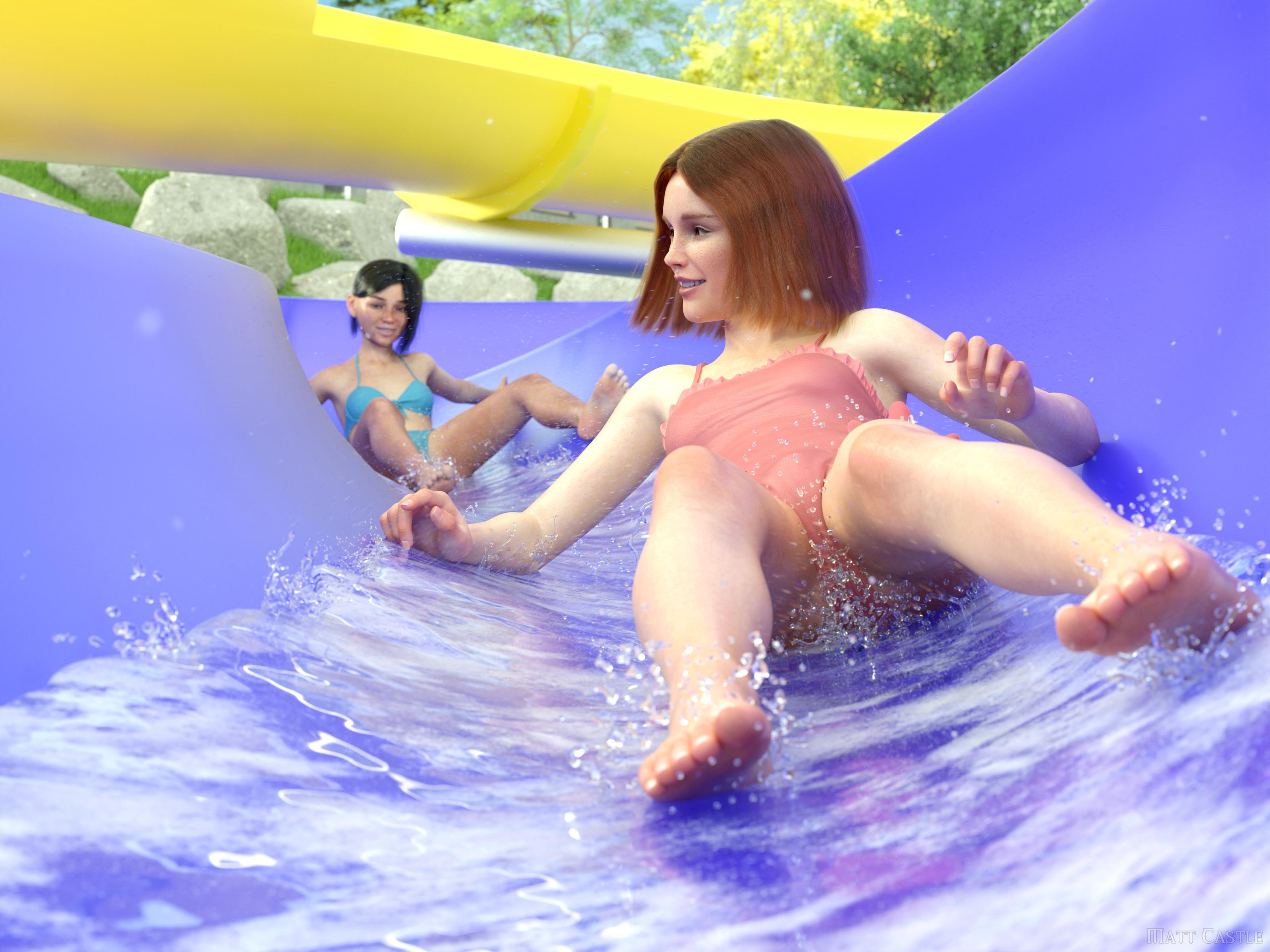
In this back, you get smart propped water that runs the whole way down the slides...
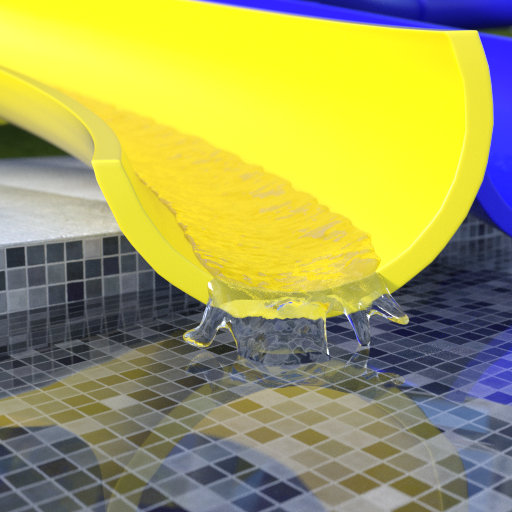
... and also the water outlets I made but ended up ultimately not using:
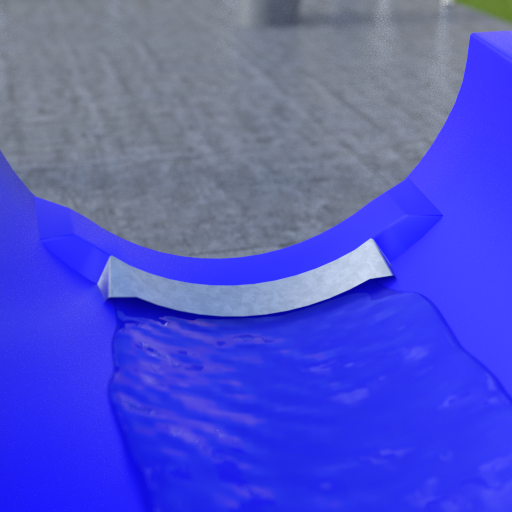
You also get a morph that slightly changes the shape of the slide (I felt the original shape had some of its turns banked the wrong way and was liable to have people hit their heads on some of the infrastructure, as well as a matching morph for the water.
It does not come with the fine splashes from the render (those are individually posed splash props) or the foam (which is applied via a geoshell using a material from one of KindredArts's sets - https://www.daz3d.com/iray-foam-and-bubbles or https://www.daz3d.com/wetfx-decal--shader-kit - I forget which). However, the water has a simple top down UV projection, so should reasonably take any seamless material or geoshell without issue. (By default, the water uses a bump map from the set's ground plane, which actually works well enough).
Download: Attached below.
Matt Castle's Freebie thread (NEW: Additional fits for Elysion Grace Suit)Torso UVs for Genesis 9 Anatomical Elements
Matt_Castle said:
I won't be surprised if someone else has already done the same, but some time ago I created UV sets for the Genesis 9 Anatomical Elements that allow them to use texture/surface settings from the torso, and it seems other people have a need for the same reasonably often, so I'm sharing them here.
Obviously, there are limitations, particularly regarding stretched textures on the male anatomy (no geoshell overlays such as those used by 3rd party anatomies are provided), but it will at least provide something that matches without seaming issues if a character does not come with their own textures for the elements.
If you wish to take it further, you can use these UVs to go through Map Transfer to put the textures on the elements' own UVs, and then use an image editing tool to mask in/colour match the textures from another character to provide the missing details.
https://www.mediafire.com/file/8bg0k5kkuao3vd1/G9F_Genitals_Torso_UVs_20230722.zip
https://www.mediafire.com/file/f0jsj3th9sogvl5/G9M_Genitals_Torso_UVs_20230927.zipIn any case, please don't post renders of you using these, I'm probably on shaky enough ground posting these as they are.
Daz 3D is part of

Connect
DAZ Productions, Inc.
7533 S Center View Ct #4664
West Jordan, UT 84084Licensing Agreement | Terms of Service | Privacy Policy | EULA
© 2026 Daz Productions Inc. All Rights Reserved.