-
Zale's long dreadlocks... is that the Corn Row Hair Set?
LongRedDog said:
I'm really wanting Zale's long dreads, but I can't find that hairstyle anywhere. It seems like it might be Corn Row Hair Set since that's in the bundle, but none of the promo images include pictures of how it looks when it's in the "long" morph, those aren't exactly dreads and Zale doesn't seem to have the sides shaved. But there are no new hairstyle releases like Zale's that I can find, and it doesn't match existing hairstyles unless I'm missing something. Can anyone confirm what hairstyle Zale is using in his main promo images? Thanks!
It wouldn't be the first time Daz dropped a character, but didn't drop the hair til the next day.
Zale's long dreadlocks... is that the Corn Row Hair Set?I'm really wanting Zale's long dreads, but I can't find that hairstyle anywhere. It seems like it might be Corn Row Hair Set since that's in the bundle, but none of the promo images include pictures of how it looks when it's in the "long" morph, those aren't exactly dreads and Zale doesn't seem to have the sides shaved. But there are no new hairstyle releases like Zale's that I can find, and it doesn't match existing hairstyles unless I'm missing something. Can anyone confirm what hairstyle Zale is using in his main promo images? Thanks!
Creating freebies for two years now.. Bit of a Ramble.There are so many freebies around that I have benefitted from that I started to get a bit guilty about using them without returning very much to the community. So I thought it might be nice to offer something back. Not having a huge amount of experience in modelling for DS, I reckoned the only thing I could initially offer was poses, because everyone can do poses (ho hum). In 2004 I downloaded a useful set of poses by Musketeer for V3, and as it wasn't very easy to apply them to G8F, after asking Musketeer for permission, I thought I'd have a go at producing a look-alike set for G8F by using V3 as a reference and posing the G8F figure from scratch. I learnt a great deal about posing doing this, mostly that V3 & G8F have very different joints and some V3 poses are really awkward looking on G8F and needed a great deal of re-work to the pose. Took a bit of time to get both the pose right, find how to create the upload package etc etc. Anyway, I uploaded my first freebie 364 days ago, having finished it a year ago today.
The results have been somewhat surprising. OK, I'll be a little less English: The results stunned me.
Within a day or two the downloads exceeded 100. Over 100, Just for a little pose. What were people thinking of?
Anyway, it looked like I had found something I might be able to do to say 'Thankyou' for all the freebies I'd taken advantage of, and did the rest of the set. As I came close to the end, I accidentally applied a pose to G8F rather than my V3 reference figure, and that triggered the thought of a pose transfer script. Naturally it happened after it would be most useful!
So, the results. Well, I have been very surprised. Over the last year there have been 109,802 downloads of my freebies on renderosity and the fastest downloading set is the G8F warm-up pose set 01-05, getting to 1748 downloads since January. Being an engineer, I tend to like graphs and general data, and have found that there is a common shape to the download pattern of each freebie. It starts off with quite a few downloads, then the daily rate tails off to a pretty constant average figure. This can be seen with a plot of 16 downloads below:
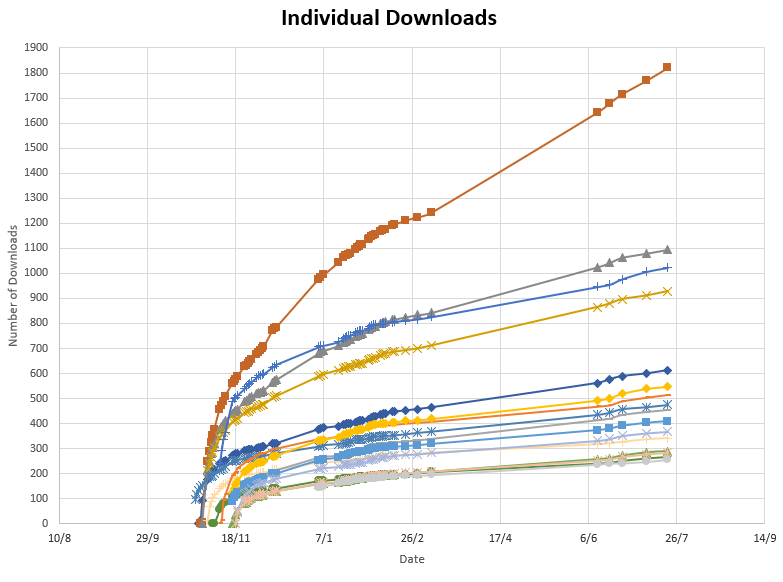
As you can see, starts off fast, then tails off to a pretty constant rate. The only thing that's different is the overall popularity of the individual download which determines the slope of the curve. With a bit of data processing it should be possible to calculate the rough 6 month download rate after taking a 2 day and 7 day download quantity snapshot. As I can see no earthly need for this for freebies, I've not done it. Might be worthwhile if I ever have a massive change of heart & try to sell something, but at the moment it's highly unlikely.
So, at the 1 year anniversary of creating a freebie download I am left feeling 'Wow, that was wild and unexpected.'. It's also nice to have been able to give a little back to the community.
Does anyone else have any similar experiences or stories?
Regards,
Richard.
Want to load 8.1 without "all" of 8's morphs? minitutOK, I'm intrigued by this. I just have to see for myself...
This content is loading off a usb2 thumb-drive on a dog of a computer.With everything "essentials" + my DAZ cloud (a laughable, I'll admit) 24 pages long in the product library listing + freebies from the forums, shrecg and rendo for 3+ years Including yours (If I have not said it yet, "Thank you so much!")
2021-07-20 22:05:39.028 *** Scene Cleared ***
2021-07-20 22:06:04.892 *** Scene Cleared ***
2021-07-20 22:07:22.110 File loaded in 1 min 17.5 sec.
2021-07-20 22:07:22.127 Loaded file: genesis 8.1 female dev load.duf
2021-07-20 22:07:23.101 Loaded Morph Deltas in 0 min 0.0 sec.
2021-07-20 22:07:23.102 Loaded file: PHMEyelashesLengthUpper.dsf
2021-07-20 22:07:23.137 Loaded Morph Deltas in 0 min 0.0 sec.
2021-07-20 22:07:23.138 Loaded file: PHMEyelashesLengthLower.dsf
2021-07-20 22:07:23.172 Loaded Morph Deltas in 0 min 0.0 sec.
2021-07-20 22:07:23.185 Loaded file: PHMEyelashesCurl.dsfSwitch my content directory manager to just content from DAZ3D Install_Manager_Dir("essentials")
2021-07-20 22:07:48.255 *** Scene Cleared ***
2021-07-20 22:08:08.173 *** Scene Cleared ***
2021-07-20 22:09:19.072 File loaded in 1 min 11.1 sec.
2021-07-20 22:09:19.082 Loaded file: genesis 8.1 female dev load.duf
2021-07-20 22:09:19.978 Loaded Morph Deltas in 0 min 0.0 sec.
2021-07-20 22:09:19.978 Loaded file: PHMEyelashesLengthUpper.dsf
2021-07-20 22:09:20.015 Loaded Morph Deltas in 0 min 0.0 sec.
2021-07-20 22:09:20.016 Loaded file: PHMEyelashesLengthLower.dsf
2021-07-20 22:09:20.052 Loaded Morph Deltas in 0 min 0.0 sec.
2021-07-20 22:09:20.064 Loaded file: PHMEyelashesCurl.dsfProof positive. There is a difference. Previous comment withdrawn.
Permanent Installation of Assetskarl said:
Sorry Cenobite, I got lost in your post: totally my fault, I wasn't sure which folders were in DIM, DS, Windows, what I was meant to be copying, and which steps in my procedure need to change to incorporate your suggestion. Were your instructions about manually installing zip files rather than using DIM? Other people advised me to use DIM rather than manually install. Basically I just want a repeatable set of steps that mean if I reinstall Windows or get a new PC, I can reinstall Daz Studio and have it find all my content exactly as before, without needing to download or install it again. But because Daz uses different programs and has settings in each (which can easily conflict) I want to have a simple set of stages as I am trying to create! I'm already having issues when I try to follow my steps, and find extra options in the Settings of DIM where my instructions don't say which of the paths are the ones I need to change to my D:. :-(
I'm just talking about manually installing files so they are basically perm in the daz3d editor, once you have all your usual install paths setup the way you would for your particular computer setup whatever drive that maybe, you would simply install those manual files to the My Daz3d Library folder or its data folder, the assets are listed the My Daz3D library file tree in the content tab.
As for what your saying you would have to copy all your current files with file paths and move them onto another system like a ghost format you would use for windows operating systems in networking. Best thing i can suggest is setting daz3d up on say an external drive then copying it down to whatever drive and make the nessesary file alterations for your setup according to your drives, the updates should recognise what files are in the directory if they are set properly in drive location and won't update files that it detects if they don't require update via the install manager or daz central.
I would install all my files manual then copy the system files in My Daz3D Library, replace them in your new setup & make sure they all follow the same file path would be the easest way i would approch this if i didn't want to download everything via the install manager again, doing this might take you awhile to setup depending how quick you are on the keyboard & mouse but once you had your template you could just copy over the main files into whatever daz3d setup you made on other machines, this doesn't really work in a sense because if your like me you'll be adding content constantly & doing this kind of setup required content manual updates which can be time consuming for large librarys or if your adding lots of new content frequently.
Just remember your in for a wait the more data your moving between hardrives, if your moving 100's of gigs it will still take time to copy from one drive to another no matter what speed you have, i use only SSD which are the quickest and you still need to wait for file transfer which isn't instantanious. In most cases just redownloading your files can take just as long. Try moving 300 or 500 GB you'll be waitng a bit regarless of pc power.
Hd Character in Blender (Diffeomorphic)I played around a little bit and got it to work but it doesn't look good. I think it is possible, just needs some experimentation.
Import two characters from Daz to Blender: one at base resolution and one at HD Resolution
Apply your JCM's, morphs, etc. in Blender to the base resolution character.
Then add your subdivision surface modifier or multi-res modifier to match the number of vertices of the HD character.
Open up Diffeo, go to morphs, then 'transfer shapekeys'. Select the HD character first, then shift select the base res character with the shapekeys and modifier added. Click ok.
Nearest face worked but the transferred shape keys were low resolution. I also tried body and it transferred them but they would not work when changing the values in the shape key panel. Maybe Geograft or Legacy or some other combination would work.
Please let us know if you figure it out. Would be good to know. I'll play around some more if I get time.
exporting to blender and them reimporting to daz either huge or tinyThe inverse of 2% (multiply by .02) is 5000% (multiply by 50). It's best to use or create a preset in the export settings, then selecting the same preset in the import or Morph Loader settings dialogue will correctly reverse the effect.
Some Victoria 4.2 shape++ morphs don't shown in the shaping panel listIf this is your first time using them, V4 must have the morph targets initialized before they can be loaded. (This should have been done automatically when installing with DIM or Central, but it will not work with Connect. Long story). If you use the Power Loader (the default action, unless you changed it at some point), you can generated the needed files by selecting "Generate ExP Files" at the bottom of the Advanced -> Parameters tab of the Power Loader: Import dialog and checking those morph packages that you want to use. (Note; this only needs to be done once, you can uncheck the Generate ExP files box the next time).
If you have done all that, you need to load them onto V4. They won't load automatically unless you check the box in the Power Loader before loading, or go to the Poser Formats library -> Pose -> DAZ's Victoria 4 -> Morph Injections and apply INJ Morphs++ V4 after loading a V4 character.
The aren't always at the top level of the hierarchy. For example, all the head morphs are located only on the head, so you must select the head node to see them. Go through the various nodes of the skeleton and you will get a different set of morphs for each.
Daz studio to zbrush and back tutorialsDoes anybody know if there is a hands-on comprehensive tutorial that explains the exact and precise ins and outs of taking a Genesis figure into ZBrush building a morph complete with high resolution normals and back to Daz studio for character creationWant to load 8.1 without "all" of 8's morphs? minitutGenesis8_1Female.obj = 2.7MB. Typical morphs are about 100K, and a full body morph cannot exceed 2.7MB. The G81Female Dev Load kicks up just as fast with ALL of the thousands of morphs I've collected through this forum as it does without. This is on an a4-5050 (1.5 ghz) with 4G ram, emulating through wine...
Loadtime slowdowns are 100% textures and proceccing thereof (layered images)... A simple reduction of texture sizes will load you up faster than splitting up the runtimes.
Daz Studio 5 development updateBejaymac said:
ghastlycomic said:
Will we finally get proper FBX and DAE import as well as export?
I doubt it, the issue with FBX/DAE is part DAZ part every other idiot devteam.
To understand why they don't work requires some idea on how figures work in DS4, to keep it simple you start with a mesh, parented to it is the root node of the skeleton, somewhere inbetween is the weight mapping, morphs are stored in the mesh as that is the only place they can work, pose controls are also stored there as that's the easiest way of accessing the skeleton.
The import plugins need to be able to convert any rigged item into the above form, basically a very basic version of Genesis 1.
The problem is that the plugins need the contents of the files in a specific order for that to happen. <-- this is the DAZ part of the problem.
That isn't a problem with Poser CR2, open any couple of CR2 and compare them and you'll find the same sections in the same areas in all of them.
Originally FBX and DAE were meant to be universal formats, an easy way to transfer mesh and rigging between different software. This is the part were every other idiot devteam comes into it, they took the base specifications for the formats, butchered the crap out of them, and rewrote them for their own softwares needs, turning a universal format into a software specific format.
Autodesk created the FBX format, and I use their FBX toolkits, I can load DS created FBX in them without any issues, can't load any FBX made in Blender though.
The Daz Studio system of having modifiers belong to the geometry is, as far as I know, pretty common - it's the Poser system which is somewhat unusual.
Why don't we have a ZBrush Sub forum in the software section?Chumly said:
Agreed!
The NFT Forum Seems to be on life supprot..... maybe we could just post all our questions there until they Reneame it to the ZBrush & Bridge Folder...Ya know that would not be such a bad idea, if Richard wasn't such a vigilant moderator, it would most likely drive him up the wall as he'd go nuts having to move/delete posts left and right!

But yeah, we have Max and Maya subforums collecting virtual dust though, I see no reason why ZBrush hasn't been a thing as of yet seeing as it's the most commonly used 3rd party software for character/morph creation, I think I'll put in a ticket!
Daz Studio 5 development updateghastlycomic said:
Will we finally get proper FBX and DAE import as well as export?
I doubt it, the issue with FBX/DAE is part DAZ part every other idiot devteam.
To understand why they don't work requires some idea on how figures work in DS4, to keep it simple you start with a mesh, parented to it is the root node of the skeleton, somewhere inbetween is the weight mapping, morphs are stored in the mesh as that is the only place they can work, pose controls are also stored there as that's the easiest way of accessing the skeleton.
The import plugins need to be able to convert any rigged item into the above form, basically a very basic version of Genesis 1.
The problem is that the plugins need the contents of the files in a specific order for that to happen. <-- this is the DAZ part of the problem.
That isn't a problem with Poser CR2, open any couple of CR2 and compare them and you'll find the same sections in the same areas in all of them.
Originally FBX and DAE were meant to be universal formats, an easy way to transfer mesh and rigging between different software. This is the part were every other idiot devteam comes into it, they took the base specifications for the formats, butchered the crap out of them, and rewrote them for their own softwares needs, turning a universal format into a software specific format.
Autodesk created the FBX format, and I use their FBX toolkits, I can load DS created FBX in them without any issues, can't load any FBX made in Blender though.
Is there a way to include smoothing of child nodes?In the current implementation of Daz Studio, smoothing nodes can only have one target. You'd need to export the smoothed geometry and re-import it as a morph.
ghibli - stylized- toon headsmaybe the universal anime head by ken1171_designs over at renderosity may be on the edge of what you're looking for. Note that it's a head with instructions on how to meld it onto most DAZ bodies.
DAZ has "The Guy 7" and "The Girl 7", along some morph mixing and the Capses expressions may get you near your target? Then theres the Sakura8 base, male morph, and many expressions.
Hiro 3 and Aiko 3 with the Capses Hitoro and Kioki morphs go back a bit, but may be something to look into as a starting point as well - these sets are a good value for a pretty broad spectrum of characters. You may have to buy an older bundle to even get the base figures these days.
--ms
Byemschack said:
Those are beautiful renders!
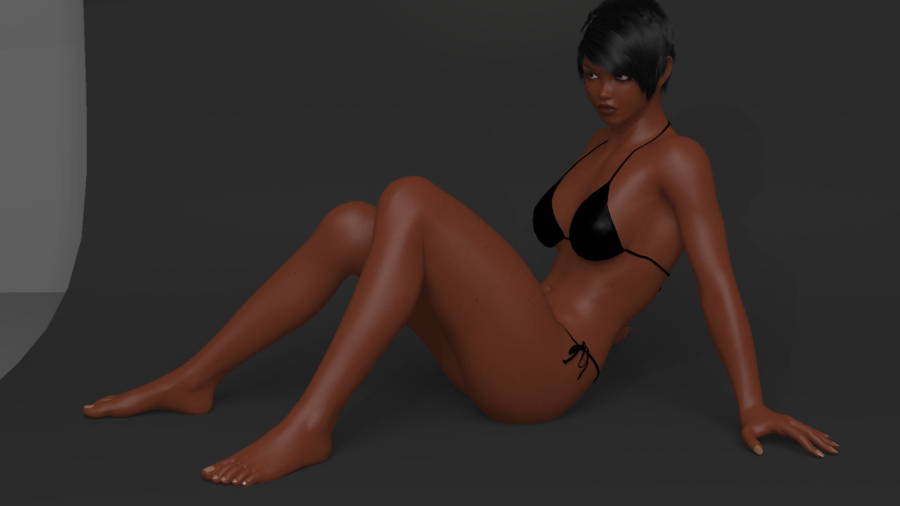
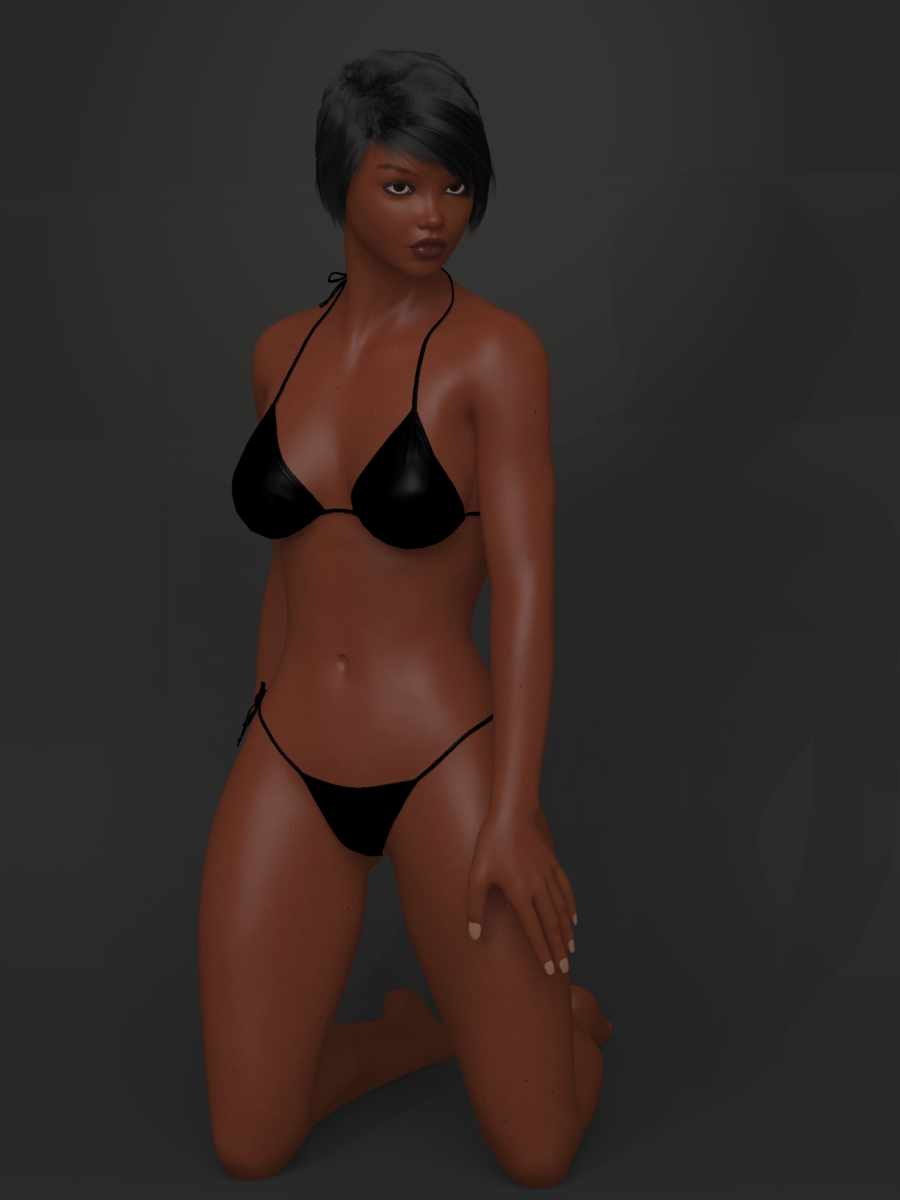
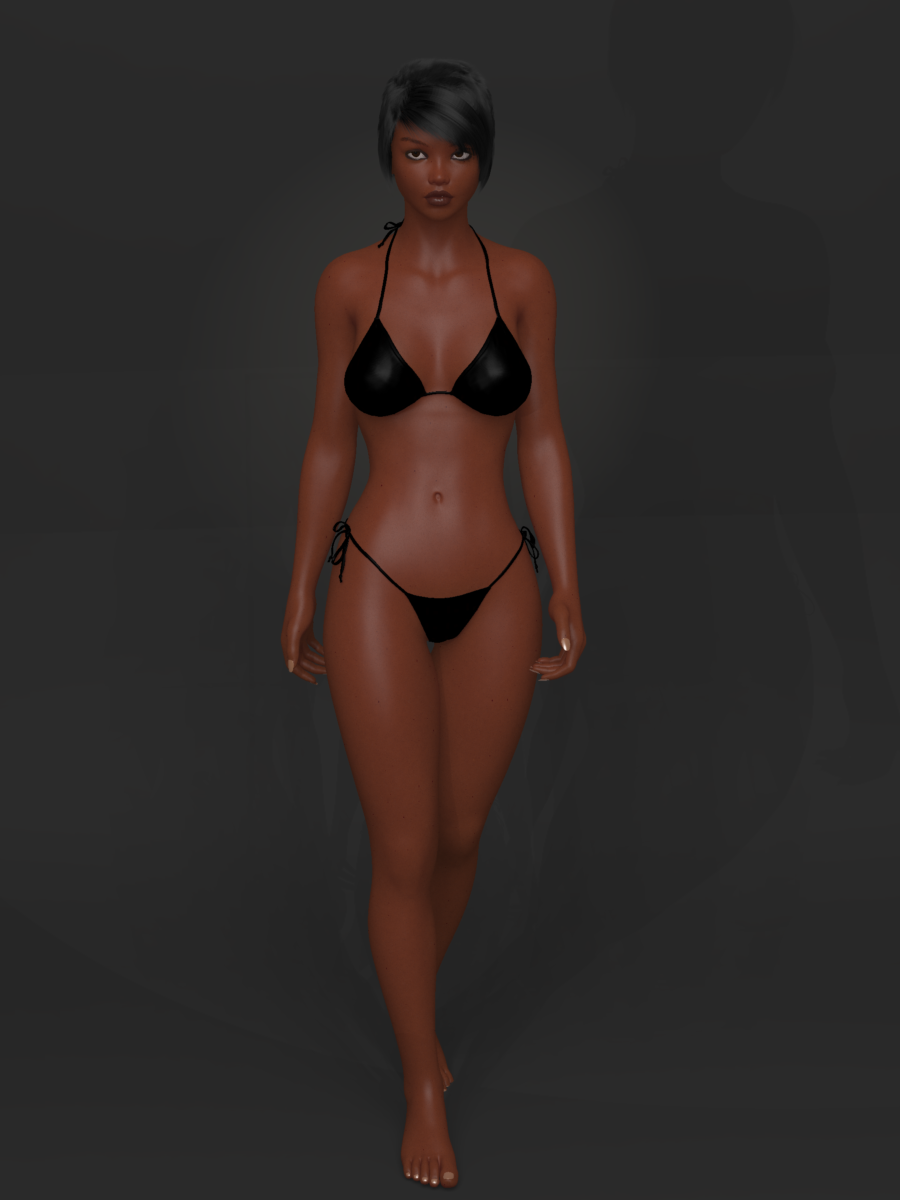
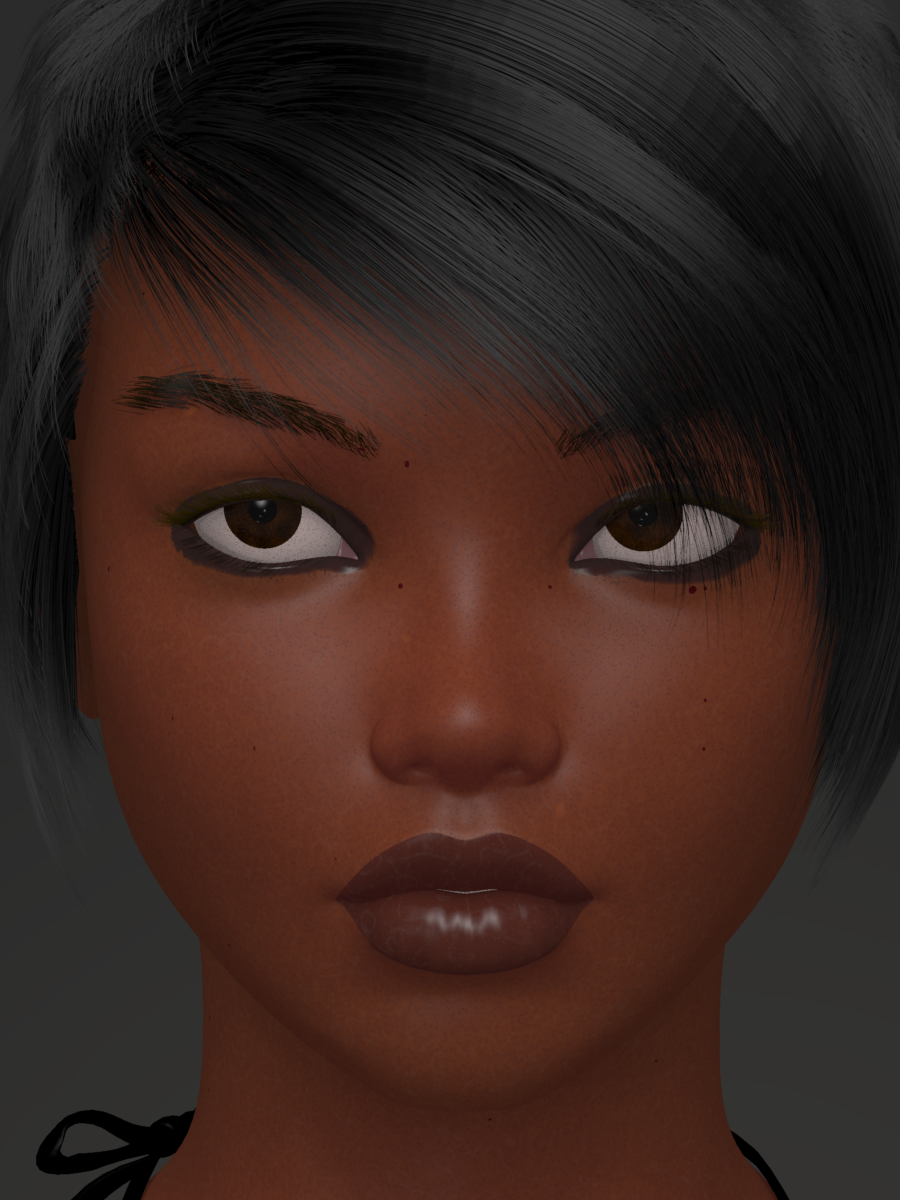
Thanks mschack! Those were some test renders from about a week and half ago as I was fiddling with and refining my newest approach to texturing. I bounce back and forth between working on the realistic skin using professional shaders (which that one above is V4 elite Amy texture btw, which I always thought was the ugliest of the elite textures, but after figuring out how to highlight its strengths I find I quite like it), then I work on the procedural skin shaders I've been trying to refine (which I blatantly ripped off from evilproducers ingenious V4 procedural skin as my baseline) and then I bounce over to working on the 'realistic' anime shader (where I'm trying to mimic that style that Age of Armour's subsurface anime shader product has for Studio). All 3 approaches have similarities, but are also different from each other, and when working on one, suddenly it sparks an idea to try on another, so I've spent quite a while jumping back and forth between each project, doing my best to do better on each type. I'm finally at a place where I'm pretty pleased with all 3, so I plan on making the procedural and anime shaders available as freebies on sharecg once I've worked out the very last kinks. I can't release the realistic texture shader as a freebie obviously, as that approach uses texture maps that are owned by Daz PAs, but I'll be putting together a comprehensive tutorial for them.
Here's a few recent test renders for my prodecural shader, to give an idea where I'm at on that one:
(the eyebrows and lashes are carrara hair made for V5; I also made some beard stubble and a couple of different beard/goatees to add if needed, though I don't think that would fit as well on a female morph, so I left them invisible in these shots :)
 3D Art Freebie Challenge-July 2021-"Wild Wild West" -Entries Thread Only
Well, the contest is heat in the wild west, ok, you got it. It's certinally wild out there now. So we have a woman crawling across what used to be a lake bed in 120+ degree heat, no rain, no water of any kind, except the bottle she is headed for. Fires raging all around, sparks flying, grass and trees dead or dying. The West of 2021 is here, probably from now on.
Title: Parched and on fire
Items used:
Free items:Dead horse skeleton - https://sketchfab.com/3d-models/horse-skeleton-eaca504567604e879b8ab2cf2763025e
Lotion bottle - https://www.deviantart.com/poses17/art/Lotion-Bottle-Freebie-Prop-612435609
Path - https://www.renderosity.com/freestuff/items/88082/path-in-the-dunes-daz3d-iray-obj-and-maps-included
Grass - https://www.renderosity.com/freestuff/items/88095/grass-as-grass-can-be-daz3d-iray-
Figure morph - https://www.deviantart.com/checkertoo/art/Phantom-For-G8F-Dl-858507130
Hair - https://sharecg.com/v/97504/browse/21/DAZ-Studio/Short-Bob
Puma - https://www.most-digital-creations.com/puma.htm
Flames - https://www.deviantart.com/smida460/art/Freebie-SmidA-Magical-Flames-Iray-792443927
Pose - https://www.deviantart.com/cptn0bvious/art/Wrestling-Low-Blows-for-G8F-849840325
Dust - https://www.deviantart.com/squarepeg3d/art/Prop-Dust-Mote-Cloud-875458221
Dirty Skin - https://www.renderosity.com/freestuff/items/87636/swt-warfront-dirty-skin-for-g8f-and-g3f
Purchased items:Clothes - https://www.daz3d.com/badlands-roamer-outfit-for-genesis-3-female-s (I believe I got this in a free starter set during one of the sales events, but I can count it as purchased)
No count items:Creepy Trees - https://www.renderosity.com/rr/mod/bcs/lisas-botanicals---creepier-trees/146113/ (was a freebie but no longer is - hivewire3d virus contest spring/summer 2020)
Base Genesis 8 Female
Background image - must have been free since I don't buy backgrounds.
Post processing done in PSPx6 and ON1 Effects 2019 (free)
Hope you like the real world of the western US in the summer of '21.Has your purchase patterns increased? Decreased? Or remained about the same?It's decreased. A LOT.
It's not because of anything that Daz3D have done. I've been feeding one of my obsessions. Plus, I lost one of my favourite custom Daz characters in a data transfer, and my computer is suffering from a lot of random restarts. So, that's killed a lot of my creativity and enthusiasm. I now have something like 125+ items in my wishlist, which hasn't happened before. But, if any product(s) have/has a significant discount, I will try to find the moolah to buy it.
Is there a way to Send Wrinkles and Defined Muscles to Unity?The only way you get to see Wrinkles(of the Aging Product by DAZ) and Deifined muscles(of any Bodybuilder morph from DAZ or any nonDAZ muscle morph) in the DAZ viewport is by setting the SubDivision level to 3, but that's in DAZ. something that just works in DAZ. Is there a way to make this work in Unity, or just not possible? LIke I tried sending an Old aged guy with Wrinklles using the Aging product(by DAZ) and i turned subdivision to 3 and in daz it works great(though it slows down the etire daz studio) . But in Unity i get nothing but the Hump posture from the Aging product and then some kind of Morph done to the face bu there's no wrinkles at all.
And i haven't tried it yet but i imagine and i'm 100% POSITIVE THAT if i sent a super ripped abs guy with subdivision 3 the abs won't show up at all in Unity. Any tips?
Desolate lair of the sullen Fox // WIPs, reviews, escapism //Looks like, at least in the case of Electro hair, the UV is straightforward: a strand is a "plane", tip at the top. Kinda cool.
I spent a while poking around at morph conversions and ultimately decided to try out the commercial route by the late great Dimension3D - GenX2. I had gotten quite a lot of use of his Morphing Clothes utility back in the day... and GenX2 turned out to have a way of porting Laura/Luke and Maddie/Matt to the Genesis line, which was an unexpectedly awesome bonus. So... yes it was worth the investment (this latest sale was good, to boot). Now I can use all my favourite Gen3 heads and skins on G3F, with minimal effort. I don't transfer body morphs because I don't want to deal with JCMs and other rigging adjustments (no FBM conversions are ever 100% usable without all that, it's simply a given).
G3F because it's the only figure that has Gen3 UVs, thanks to Cayman Studio's "experimental" product. And with Agent Unawares' "Transgender" freebie, it's possible to turn G3F into a male figure. Isn't it awesome?
Why "with minimal effort" and not "without effort"... because it does need a bit more work than just running the scripts/plugins. Getting from Gen3 to G3 requires intermediaries (Genesis and G2); their built-in clones aren't 100% accurate; all that introduces a certain measure of error to the morph, so you need to finetune it. Still, all the unpleasant and boring stuff like adjusting teeth position etc is handled by the GenX2 plugin. It even automagically smoothed the transition between the A3R head and everything else. Oldtimers will know what I mean :))) Hallelujah big time.
...incidentally, anyone old enough to remember the days when Gillan joined DP and they covered this quirky song? I've always wondered what it could have been like, to witness the birth of those classic lineups...

...and many years later BG covered that cover :P

There's a certain lip contour mismatch, at least when it comes to M3 - I'll need to find out if it gets introduced due to the morph conversion process or if it's an underlying issue of the UV map.
Conversion will also mess up the eyeballs most of the time... but I didn't actually ever plan to use G3F vanilla eyes. Even venerable eye replacers Blackhearted made for GND2 are better than those. There are Arki's EYEdeas (oldie but goldie, y'know), there are Raiya's Look at Me HD eyes... anything but those vanilla ones.
Moving to the G3F base also means I can finally use fibermesh eyelashes and eyebrows with those characters. Of course, with Laura- and A3R-based morphs - the most difficult ones - the lashes need quite a lot of adjustment, but it's still better than transmaps.
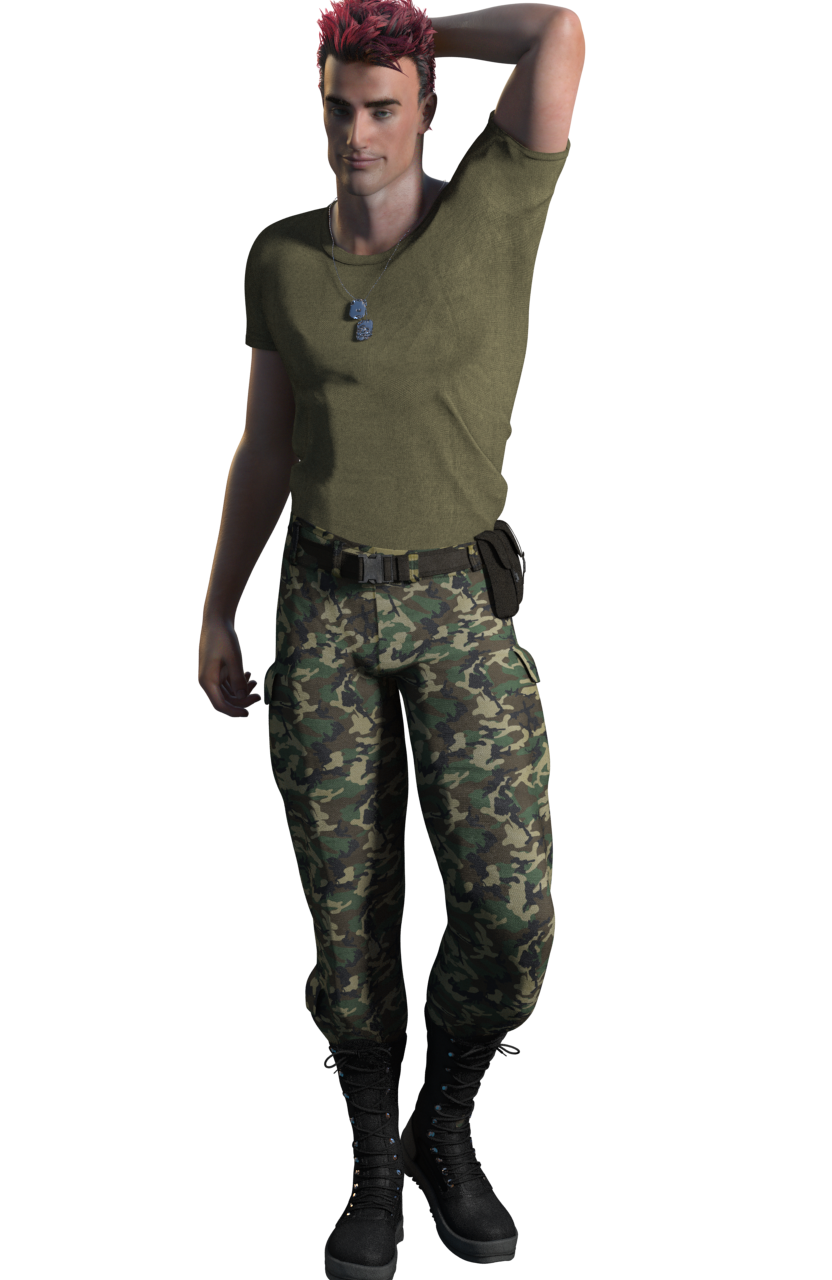
This is an "M3X" with Black(hearted) eyes (V3 "dark blue" colour, I like those maps better than M3's own), OnFleek brows (freebie by AprilYSH) and Soto's Lashes Utilities, wearing Army Uniform for G3F.
This uniform has this weird t-shirt that somehow renders with artefacts from certain angles with any sort of relief mapping enabled - that's a first for me... I tried its own maps and a number of tiles, bump, normal - still much the same ( the renders use this tiling normal map: https://polyhaven.com/a/fabric_pattern_05 ). Its own maps - all of them - have baked-in shadows in creases, to boot. I mean... why.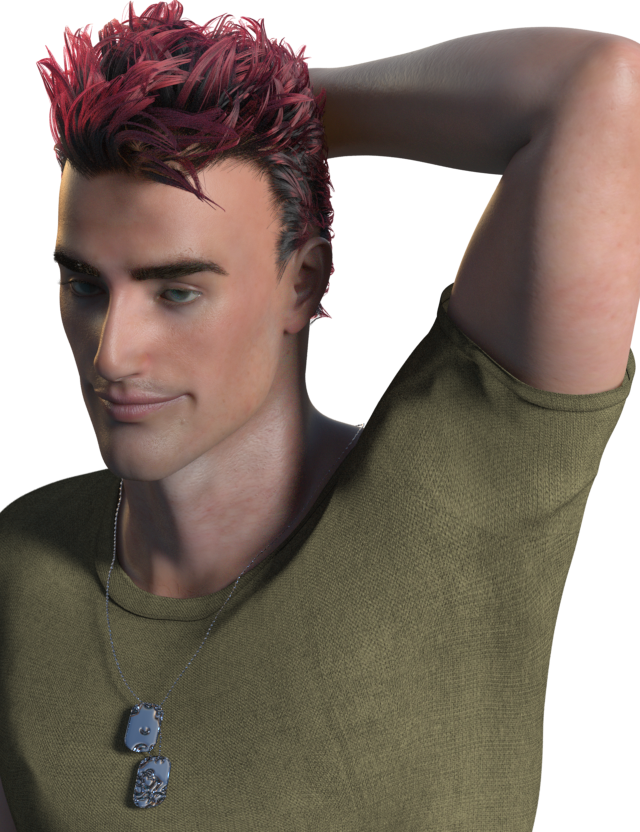
Daz 3D is part of

Connect
DAZ Productions, Inc.
7533 S Center View Ct #4664
West Jordan, UT 84084Licensing Agreement | Terms of Service | Privacy Policy | EULA
© 2026 Daz Productions Inc. All Rights Reserved.