-
More Non-photorealistic Renders (NPR III)
Mine will be :
- In 3Delight render setting there is parameter called Shading Rate . BUMP up to 6 up to 10 to speed up render time especially if you want stylized kind effect from textures .or choose not using texture at all
- Slowly backdown the value if you want your texture look crisps . Set to 3 mostly the sweet spot .
- Sadly this not gonna work if you`re using all outline solution lke Geoshell Outline Shader or pwToon outline since this shader need lower value of Shading rate
- Most 3Delight shaders offer tilling function so you use it if possible , With it you can use 512x512 texture size to fill big area without make your system work harder
- Use multiple 3Delight shader type in figure or scenes as long can make your render cooler . i.e pwBundle really worth of investment , check it out
- If you have plan doing post , consider doing multiple BW shadow passes with help from this auto pass freebie and mashup them in your favorite 2d graphic editor ( check the end of first post with mediafire link )
vrba79 said:
What is your number one piece of advice for people doing NPRs?
Mine is: Don't use texture maps for skins. If you're going for a toon/anime look, you want a nice even/clean looking surface. If you must do a texture, go with minimal details like maybe some eyeshadow, or in the case of G8 and you wanna do some lewds, nipples...because for whatever reason Daz3D didn't add that as a material zone!(Seriousy?!)
More Non-photorealistic Renders (NPR III)FirePro9 said:
pavsikakyj That G'MIC filter plugin is a great find, thanks for sharing! Just installed in GIMP and playing around with it. Do you know which filter you used for that image you posted above?
I use 6 or 7 of them plus 2 native photoshop filters: unsharpen mask + smart sharpen. Besides I tune PWToon shaders, use UE2 + mesh lighting
More Non-photorealistic Renders (NPR III)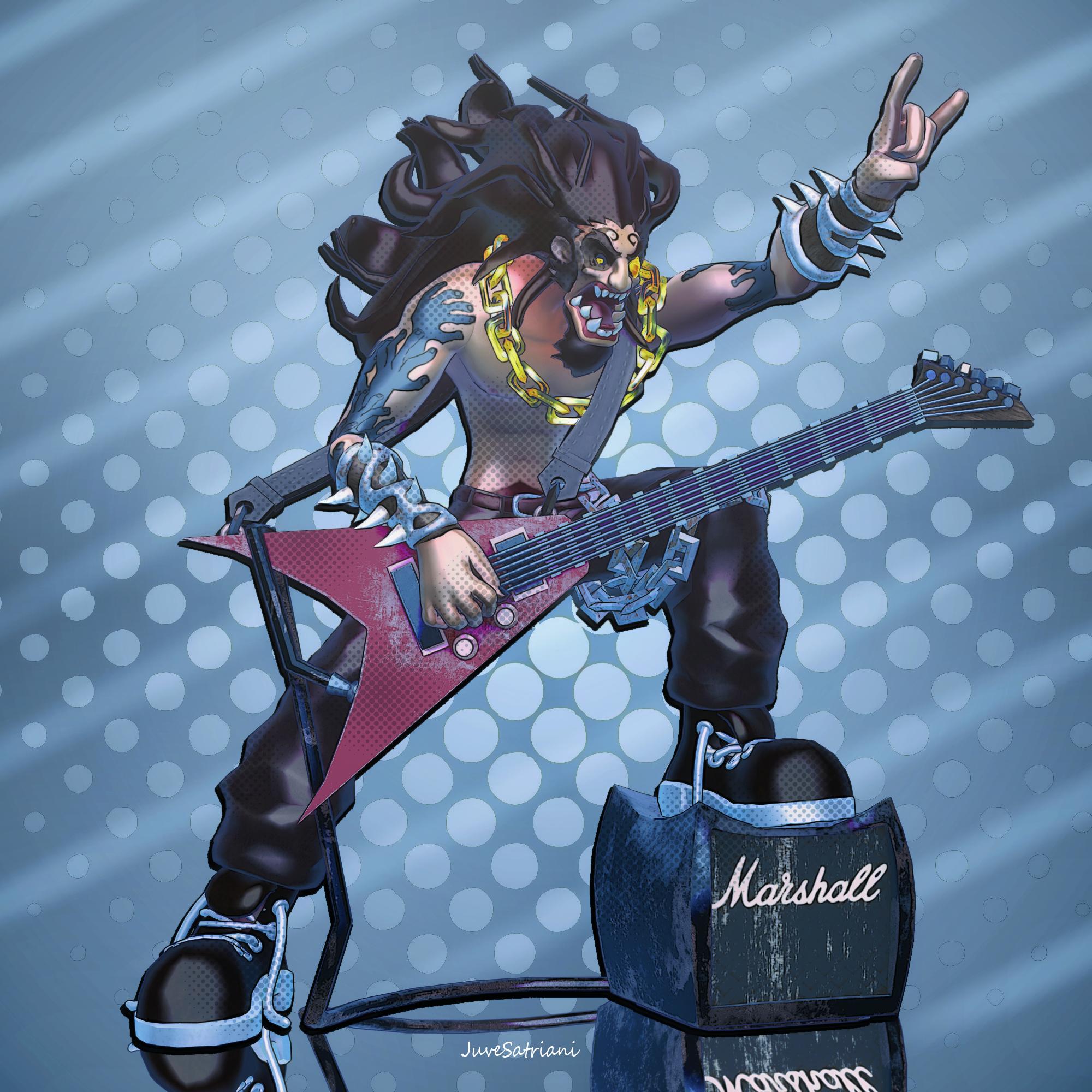
Another Blender model . Bring into DAZ and get pw pwToon and Photoshop Treatment
More Non-photorealistic Renders (NPR III)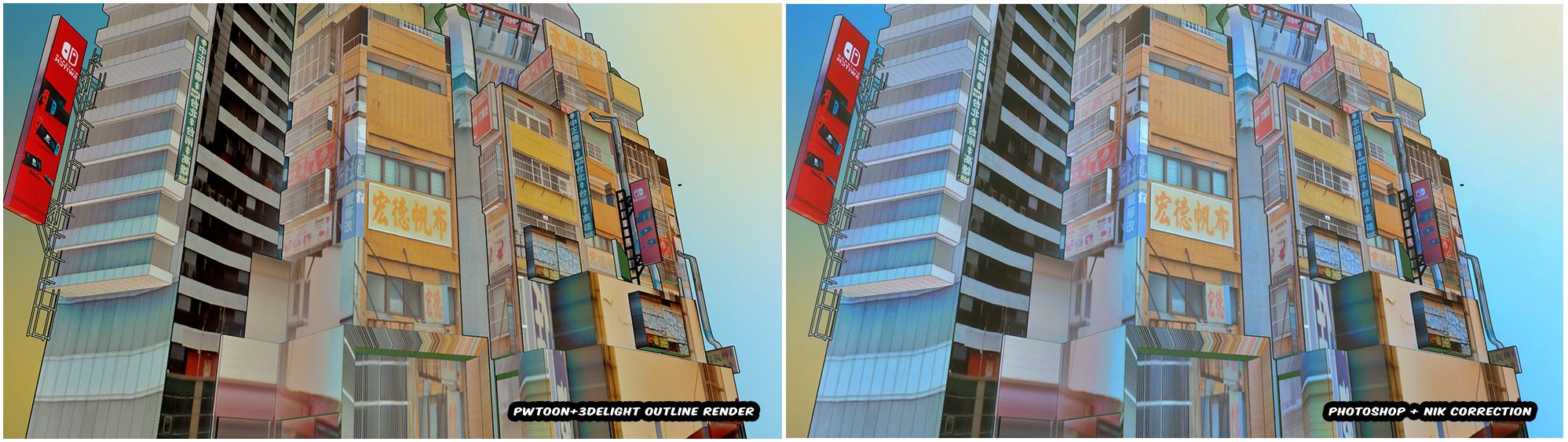
Found cool Blender Environment props in Sketchhub Export as OBJ and tinkering with pwToon , then give NIK in Photoshop to get anime look
More Non-photorealistic Renders (NPR III)@tugpsx yeah thats very usefull for NPR ,especially if we want to work exclusively in DAZ Studio .
Actually I`ve used it for all of my (pwToon) Multipass renders or sometimes as Geoshell Outline alternative when I have busy scene ( lots of objects or sub mesh) and I`m too lazy to create Outline Geoshell for each of those objects :)
I attached my starting point for Outline render setting .I give them different color so in Photoshop I can control which outline more dominant over another .
If anyone interest you can check my recent Multipass PSD file in here . Try to Play with Layer Blend Mode - opacity or different Shadow Passes
I have plan to redo my Multipass tutorial but still have no time to record the video guide
Have fun
Welcome to Hatsune Miku Anime Manga Cafe ☕Creative brain wouldn't let me rest for the night until I made something.
So here's a G1 quickie with G8 hair done in PWToon. My tip for doing anime males with G1, is to mix feminine facial morphs in. You'll get that anime pretty boy look easily.
 More Non-photorealistic Renders (NPR III)
Right now im thinking about start doing motion comic . Not full blown animation ones . Just 2 or 3 pose animation with carefully designed camera movement tricks or like Tokyo Pop Shotgun rider series
Still wrapped my head how to simpilfy all workflow needed. And if possible only using DAZ and card board BG tricks because I want to utilizing pwToon .
Another route maybe Rendering Several character shots with pwToon, then slicing/vectorize it so I can use 2D solution like RIVE - RI Character animation 4 or if not back to AE
Or you guys already doing motion comics ? My ears open for another ideas ;)
More Non-photorealistic Renders (NPR III)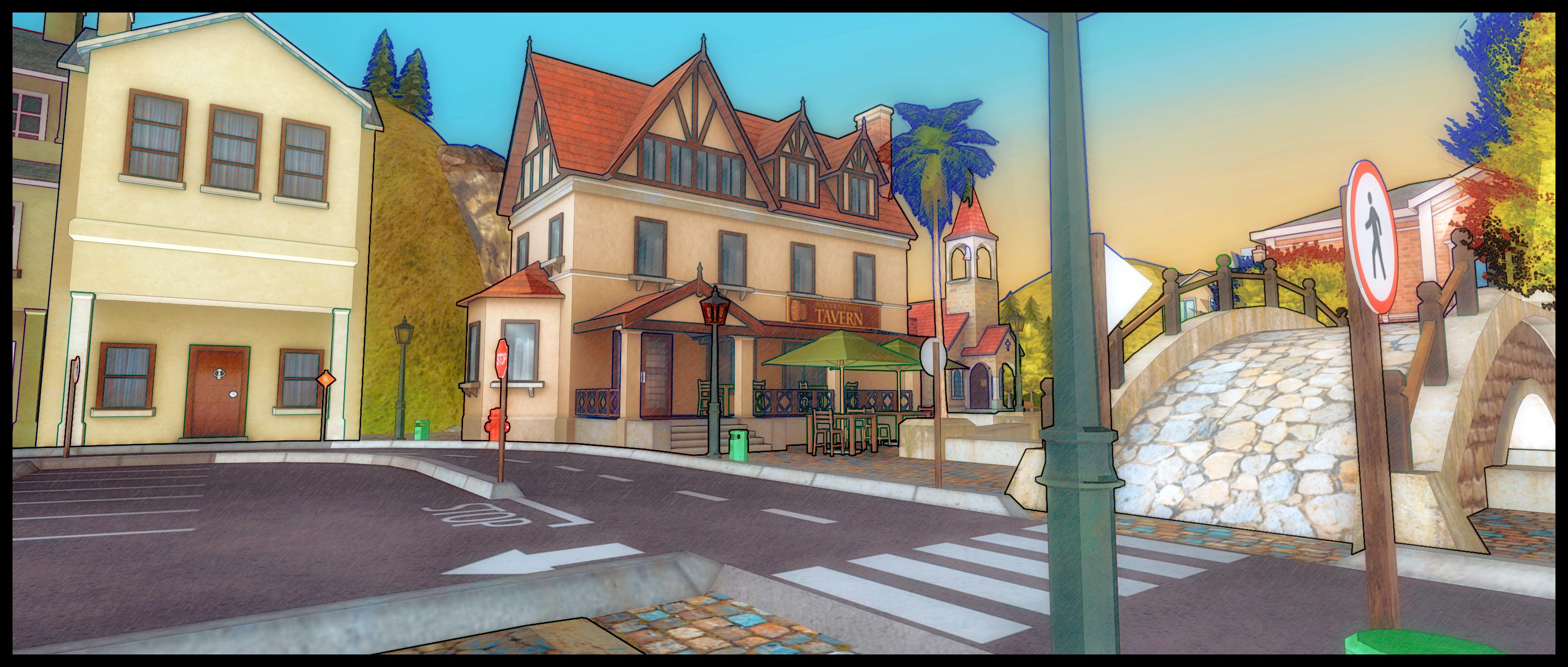
Its really hard to deToon this scene via direct render , so I`m doing Multipass and start working from there .
The Glow and sketchy fx done in Photoshop but main color and Toon Fx is result from pwToon Multipass technique
More Non-photorealistic Renders (NPR III)I LOVE your PWToon stuff. I just am disheartaned by Daz3D abandoning the shader itself. I'll still use it, I'm just developing a good method with other stuff, in case its not compatible with DS5. I wanna believe they'll try and keep it compatible, but their heavy lean towards all things IRAY has me doubting it very much. I guess I'm saying the Missourian in me is skeptical and needs more than a vague sort-of attempt at reassurance.
More Non-photorealistic Renders (NPR III)I can't agree more with @MoreTN. The fact that you've put out your tools for the community is an achievement many appreciate. Everyone has their vision in mind, whether NPR or photorealistic. We're just glad that there are several options for us to use. We're also happy to see each other's work, a source of inspiration if you ask me.
Now, that said, you may have to keep an eye on Daz 5. I hear that plug ins may not work (see screenshot attachment).
Cheers!
MoreTN said:
juvesatriani said:
I wanna keep sharing some pwToon presets and create mini guide for each presets , but since very few peoples really have it , I think its time to move in another direction right ?There are probably quite a few of us lurkers who really appreciate your development of pwToon, so big thanks for that. I think whatever direction you move in is going to be cool. And as I have VSS, Sketchy, Linerender9000, Oso's Toon Shaders, various Topaz filters, the NIK collection, then virtually anything you go on to is going to be of interest. Keep up the extraordinarily good work!
More Non-photorealistic Renders (NPR III)juvesatriani said:
I`m curious what exactly reasons behind DAZ decide to stop selling pwToon ? So far this shader really easy to learn and use plus very fast to get more than 3000x3000px render !
It just work in recent version of DAZ Studio , it also already owned by DAZ ( they bought from the original creator > poseworks ) and surprisingly another shader from same creator still sold in bundle (pwbundle) . If this is about 3delight vs IRAY priorities , Realism vs NPR, so why another 3Delight Toon shader still in Store , but not for pwToon ?
I wanna keep sharing some pwToon presets and create mini guide for each presets , but since very few peoples really have it , I think its time to move in another direction right ?
There are probably quite a few of us lurkers who really appreciate your development of pwToon, so big thanks for that. I think whatever direction you move in is going to be cool. And as I have VSS, Sketchy, Linerender9000, Oso's Toon Shaders, various Topaz filters, the NIK collection, then virtually anything you go on to is going to be of interest. Keep up the extraordinarily good work!
More Non-photorealistic Renders (NPR III)I`m curious what exactly reasons behind DAZ decide to stop selling pwToon ? So far this shader really easy to learn and use plus very fast to get more than 3000x3000px render !
It just work in recent version of DAZ Studio , it also already owned by DAZ ( they bought from the original creator > poseworks ) and surprisingly another shader from same creator still sold in bundle (pwbundle) . If this is about 3delight vs IRAY priorities , Realism vs NPR, so why another 3Delight Toon shader still in Store , but not for pwToon ?
I wanna keep sharing some pwToon presets and create mini guide for each presets , but since very few peoples really have it , I think its time to move in another direction right ?
More Non-photorealistic Renders (NPR III)Is there absolutely no way to get pwtoon anymore? I love that art style.
!JS Flat - Pwtoon presets for Cel Shading and Anime RenderSteveM17 said:
Hello,
If I have PWToon installled how do I get the shader to change from custom to PWToon as described?
if you`re already installed pwToon you can apply my presets . Check my video link in first post . See the surface tab area , and you`ll seeing those material change into pwToon after applying my presets
More Non-photorealistic Renders (NPR III)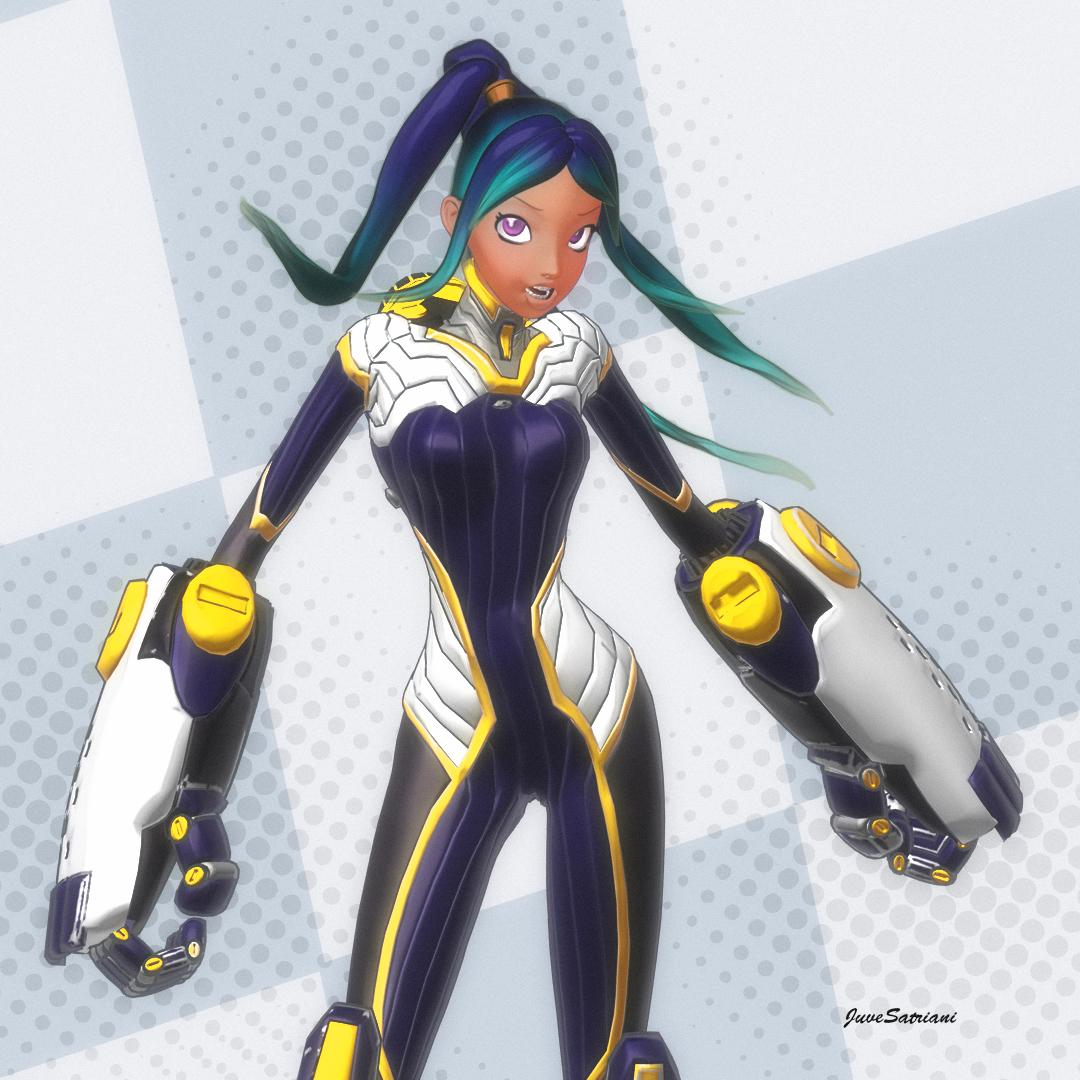
Another pwToon+photoshop combo using Stars 2.0
More Non-photorealistic Renders (NPR III)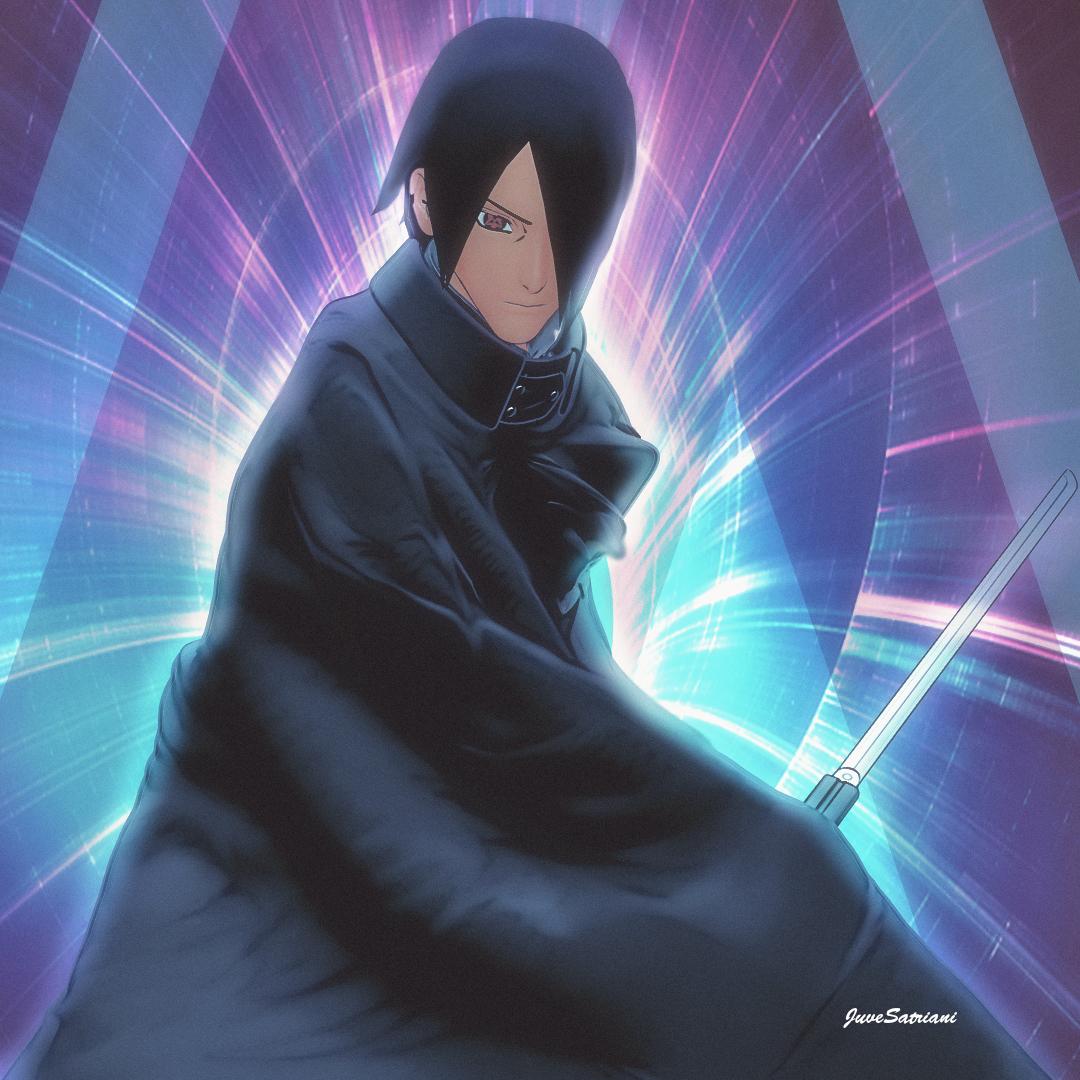
Just playing with my pwToon presets and doing some post in Photoshop
!JS Flat - Pwtoon presets for Cel Shading and Anime RenderHello,
If I have PWToon installled how do I get the shader to change from custom to PWToon as described?
!JS Flat - Pwtoon presets for Cel Shading and Anime Render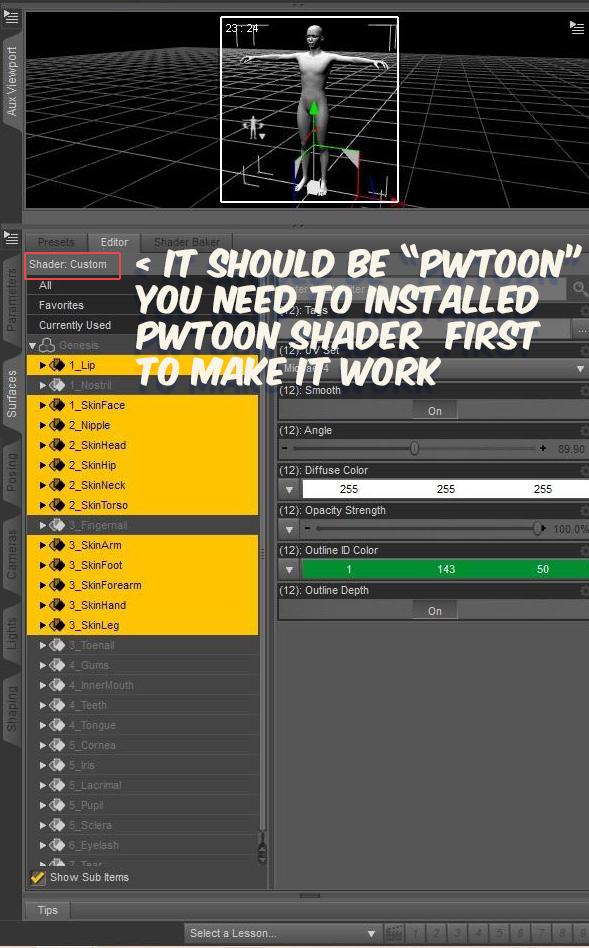
Sorry again if this freebie mislead you , i thought I`ve already mentioned in documentations ,
it seem you`re not yet installed or have pwToon Shader in your DAZ Studio .( special and old 3delight shaders created by posework for get TOON Render) .Check my notes in your screenshoot . If you`re already have pwToon installed , that information should be not said Shader: CUSTOM but SHADER: pwToon instead
@tugpsx feel free to ask or report if there are problems with this freebie
Thanks
More Non-photorealistic Renders (NPR III)!JS Flat - Pwtoon presets for Cel Shading and Anime Render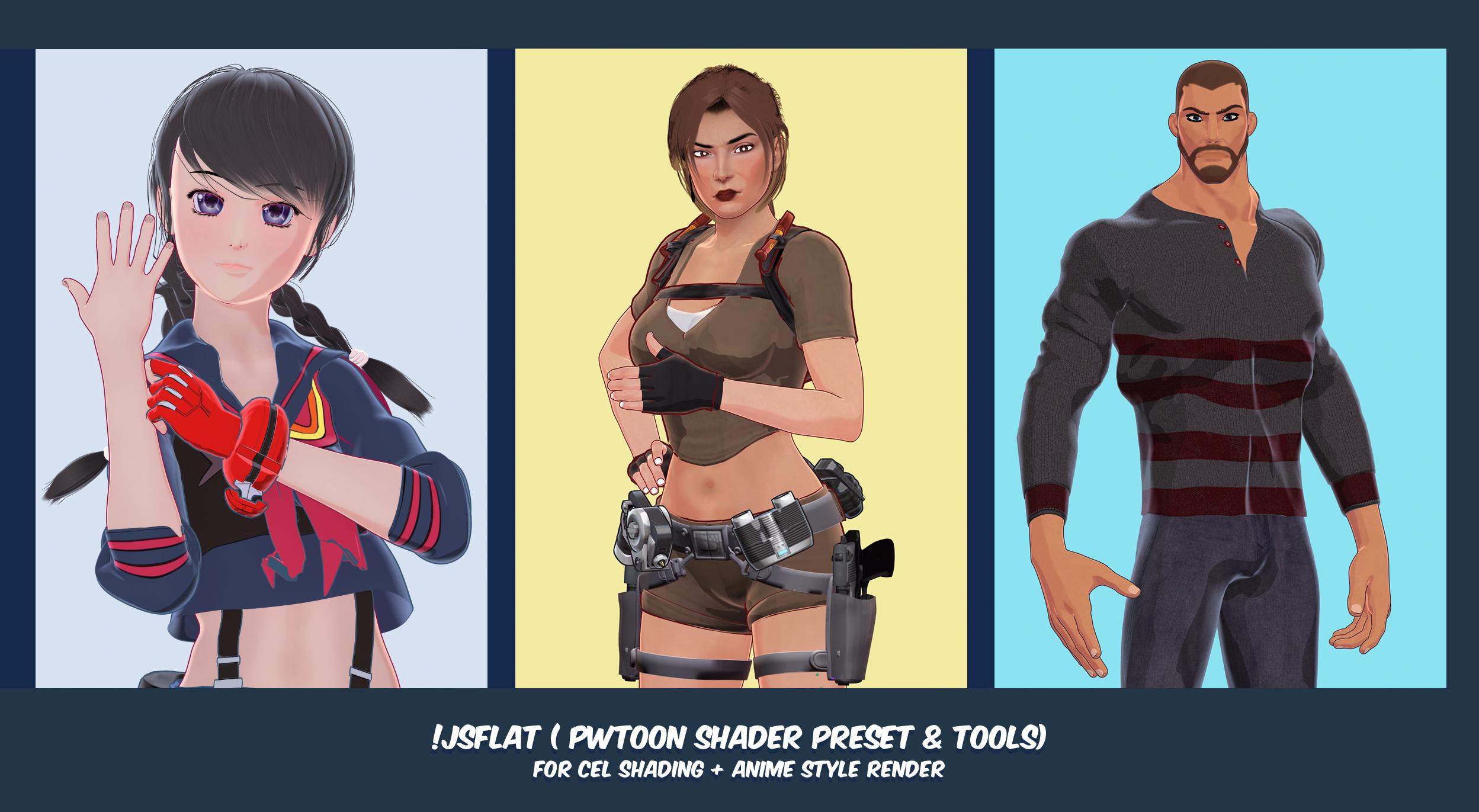
Hi guys , I wanna share my pwToon and tools for DAZ users who love Cel Shading and Anime render styles (NPR) . This is simplified version from my compilcated techique which I`ve ever shared in DAZ NPR forum several month ago . Now you can get aprrox same results with only using ONE Pass render . As you can see from Promo Images , those are straight render from DAZ and pwToon and NO post treatment at all except Layout - BG and Titte texts
Make sure you`ve already installed and get these lists below in your content library
-
pwToon Shader .
-
Unzip and put !JS FLAT Folder in your content library
Optional but recommended
-
CelShader V2 pwToon Presets by Crescent ( Freebie)
Please take a time to read Content info and Guide . Feel free to ask me if you have trouvle using those presets
Have Fun , Juvesatriani
EDIT INFORMATION : This preset only work in 3DELIGHT RENDER ENGINE , NOT IRAY . That also mean you`ll be using CPU only for rendering
19/10/21
Upload simple guide video https://drive.google.com/file/d/1beCBc_OrGCcwRJWiPdSASp_8tahmtSOx/view?usp=sharing
Sorry I couldnt make keycast working , but when apply G8M HMAT int that video I`m actually doing CTRL+CLICK .
Daz 3D is part of

Connect
DAZ Productions, Inc.
7533 S Center View Ct #4664
West Jordan, UT 84084Licensing Agreement | Terms of Service | Privacy Policy | EULA
© 2026 Daz Productions Inc. All Rights Reserved.






