-
Discovered serious flaw/Bug
Richard Haseltine said:
alainmerigot said:
mrinal said:
Richard Haseltine said:
margrave said:
...Optimisation or not, the problem lies within the concern that the DS's architecture/design and morph loading approach has not evolved to support the size of the content library that users have today. When it comes to supporting larger asset library, DS still uses that archaic method of loading assets that was deemed sufficient a decade ago when the users content library wasn't that vast. There are software design issues that can no longer be swept under the rug (without buying a larger rug, of course).
An architecture rethink would abviously be required, but there is also a problem of basic code optimization. Even with this archaic method, it could be easily possible to have much faster loading times. If I load 2 g8F, I can understand that the first one takes a lot of time to load all the morphs. But what about the second g8F? Why is the full morph directory (re)scanning required? Loading should resuse the results of the first scan, unless the DB has been refreshed. So just one full scan per char family per session and the second load should be almost instant. (and it is not alas what I see...)
It could also be possible to scan all the figures directories for their content in another thread while the user is idle. Many (simple) optimizations are possible and not done.
Please stop the assumptions about how the code is inefficient or not optimised - we don't havea ccess to the code to judge.
It's true that loading can be very slow - though memory is not the issue, so I don't think this si forcing people to upgrade - but there does need to be a recognition that people have wanted to have multiple morph sets available, and to be able to add 9or remove) sets and characters easily (which is why loading a second figure again does the property reading). I'm sure Daz is aware of the issue, but they are still bound by the laws of algorithmics and the need to maintain compatibility. We will have to see if daz Studio 5 offers an alternative (and if it does, whether it requires new content to use it).
That is exactly what I said "unless the DB has been refreshed". OS give no portable (nor efficient) means to determine if a subtree of the file system has been modified, but knowing when the DB is refreshed is trivial (even if UI management is in another part of the software). Daz would introduce a modification saying "To reduce the char loading time, the char morph content will be read only once. If you want changes to be taken into account for the newly loaded chars, perform a DB refresh", I am certain that ALL users would be VERY pleased. And even without knowing Daz Studio source code, I know that some modifications are complex and can break code functionality, while others (like this one) are rather simple.
AIUTO...CHI CONOSCE L’ITALIANO? PARTE TREDICIAnfy said:
Non buttarti così giù, io non sono messa molto meglio di te; per imparare ad usare Daz bene ci vuole tempo da dedicare a studiarselo a fondo e fare tante prove...
A mero titolo di esempio mi è del tutto sconosciuta la ragion d'essere del tab "Shaping" tra Parameters e Posing: dentro ci trovo un po' di tutto, ma non riesco a individuare una funzione logica che ne giustifichi l'esistenza...

Serve ad avere sotto mano tutti i morph di una figura, separati da altri parametri come posizione, dimensioni, rotazione o morph che non rientrano in quelle liste predefinite.
Io preferisco usare il tab Parameters per avere tutto sotto controllo quando faccio i mix dei morphs ma il tab Shaping può tornare utile per avere una lista "pulita" per creare un personaggio.Discovered serious flaw/Bugmrinal said:
frank0314 said:
margrave said:
Based on: it takes whole minutes to load a figure and even longer to start a new scene if you have a figure in memory; Daz's IK is riddled with lag but exported figures in Blender aren't; the timeline is a confusing mess with keyframes that disappear yet still affect your scene; docking UI panes is an exercise in frustration and can sometimes get panels stuck so they can't be removed without resetting the layout.
There's probably more, but those are the ones that came to mind as giving me the most grief.
Do you have enough system RAM and a big enough GPU? I'm not having any of those problems regardless of how big my scene it. Obviously if you have the Iray shader turned on in a huge scene you'll have a bit of a lag but that really the only time I get them.
System RAM and GPU limitations are not the main bottleneck here. DS works fine when there are fewer characters and morphs assets in the content library. The problem is the scalability factor which does not seem to have been addressed in the software. With every new character or morph asset added to library, the resource cost increases at a much higher rate than the perceivable benefit it adds. For example, when I use a character in my scene, I only use a combination 2-3 other character morph dials beside a few other generic morphs. But to provide those 2-3 character morph options DS has to pre-load hundreds of character dials to make them available as option in parameters. Almost all of this preloading is unwarranted and unnecessarily draining system resources and load time when the user uses less than 1% of it in any given scene. This is entirely going against to some software design best practices and patterns like YAGNI (you aren't gonna need it).
The user should not be forced to upgrade the system RAM just to accommodate the option of making the new characters available as morph option in a given scene. The system RAM could be a limiting factor for the size and complexity of the scene NOT a limiting factor for the size of the entire content library.
Content sets do not address this problem since they render the excluded content totally inaccessible without restarting DS.Then tell that to every software manufacturer out there. Each and every program out there requires more RAM, processing and VRAM with ever new version, with the exception of a very few. Especially in this industry.
Discovered serious flaw/Bugalainmerigot said:
mrinal said:
Richard Haseltine said:
margrave said:
Based on: it takes whole minutes to load a figure and even longer to start a new scene if you have a figure in memory; Daz's IK is riddled with lag but exported figures in Blender aren't; the timeline is a confusing mess with keyframes that disappear yet still affect your scene; docking UI panes is an exercise in frustration and can sometimes get panels stuck so they can't be removed without resetting the layout.
There's probably more, but those are the ones that came to mind as giving me the most grief.
Most of which, even if I agree to accept them as criticisms, have nothing to do with optimisation - and even the ones that might be affected by optimisation don't prove that that is the case. I've not run into the docking issue, and the timeline sounds like an issue with the filtering settings or not looking at the correct node.
Optimisation or not, the problem lies within the concern that the DS's architecture/design and morph loading approach has not evolved to support the size of the content library that users have today. When it comes to supporting larger asset library, DS still uses that archaic method of loading assets that was deemed sufficient a decade ago when the users content library wasn't that vast. There are software design issues that can no longer be swept under the rug (without buying a larger rug, of course).
An architecture rethink would abviously be required, but there is also a problem of basic code optimization. Even with this archaic method, it could be easily possible to have much faster loading times. If I load 2 g8F, I can understand that the first one takes a lot of time to load all the morphs. But what about the second g8F? Why is the full morph directory (re)scanning required? Loading should resuse the results of the first scan, unless the DB has been refreshed. So just one full scan per char family per session and the second load should be almost instant. (and it is not alas what I see...)
It could also be possible to scan all the figures directories for their content in another thread while the user is idle. Many (simple) optimizations are possible and not done.
Please stop the assumptions about how the code is inefficient or not optimised - we don't havea ccess to the code to judge.
It's true that loading can be very slow - though memory is not the issue, so I don't think this si forcing people to upgrade - but there does need to be a recognition that people have wanted to have multiple morph sets available, and to be able to add 9or remove) sets and characters easily (which is why loading a second figure again does the property reading). I'm sure Daz is aware of the issue, but they are still bound by the laws of algorithmics and the need to maintain compatibility. We will have to see if daz Studio 5 offers an alternative (and if it does, whether it requires new content to use it).
Aging Morphs2 for G2F & M Now Available (Commercial)Hi. Don't think morph packages like these will require any updates for DS5, mainly script based products.
Discovered serious flaw/Bugmrinal said:
Richard Haseltine said:
margrave said:
Based on: it takes whole minutes to load a figure and even longer to start a new scene if you have a figure in memory; Daz's IK is riddled with lag but exported figures in Blender aren't; the timeline is a confusing mess with keyframes that disappear yet still affect your scene; docking UI panes is an exercise in frustration and can sometimes get panels stuck so they can't be removed without resetting the layout.
There's probably more, but those are the ones that came to mind as giving me the most grief.
Most of which, even if I agree to accept them as criticisms, have nothing to do with optimisation - and even the ones that might be affected by optimisation don't prove that that is the case. I've not run into the docking issue, and the timeline sounds like an issue with the filtering settings or not looking at the correct node.
Optimisation or not, the problem lies within the concern that the DS's architecture/design and morph loading approach has not evolved to support the size of the content library that users have today. When it comes to supporting larger asset library, DS still uses that archaic method of loading assets that was deemed sufficient a decade ago when the users content library wasn't that vast. There are software design issues that can no longer be swept under the rug (without buying a larger rug, of course).
An architecture rethink would abviously be required, but there is also a problem of basic code optimization. Even with this archaic method, it could be easily possible to have much faster loading times. If I load 2 g8F, I can understand that the first one takes a lot of time to load all the morphs. But what about the second g8F? Why is the full morph directory (re)scanning required? Loading should resuse the results of the first scan, unless the DB has been refreshed. So just one full scan per char family per session and the second load should be almost instant. (and it is not alas what I see...)
It could also be possible to scan all the figures directories for their content in another thread while the user is idle. Many (simple) optimizations are possible and not done.
A boba tea shop without boba tea?! Really?!Maybe it's possible to uncover the cup and there's a perfect boba tea morph under that cover :D ?
Are Interactive Licenses needed to use Daz renders in visual novels?Terms of Use. Two Dimensional Works. Subject to the terms and conditions of this Agreement, User may (i) access, use, copy and modify the Content in the creation and presentation of two-dimensional animations and renderings, (ii) incorporate two dimensional images (including two dimensional images that simulate motion of three dimensional objects) derived by User from the Content in User's other works, and (iii) publish, market, distribute, transfer, sell or sublicense User's two-dimensional animations, renderings and other works; provided that User may not in any case publish, market, distribute, transfer, sell or sublicense any renderings, animations, software applications, data or any other product from which any Content, or any part thereof, or any substantially similar version of the Content can be separately exported, extracted or de-compiled into any re-distributable form or format.
The EULA is really not that hard to understand.
Is blender right for me & is it possible to animate daz scene in blender & export animation to daz.
Is this possible or should I look elsewhere, if not is there any software that can do what I need.?Actually it wont matter what external program you use to create Character animation with IK (Autodesk MOBU,Reallusion 3DX,Mixamo etc)
The IK solving wont transfer to Daz studio correctly to G3/8 even as baked FK.
I have told people about this for the past year
to no avail.

Apparently there is a third party Houdini Character motion transfer plugin
in the works, so that may have a solution at some point
assuming you want to acquire&learn SideFX Houdini
The bridges exist for people who actually plan to render Genesis
figures in EXTERNAL programs where the native IK system of those other
progams can be applied.If you plan to render in Daz studio you really need to animate your figures in Daz studio as best you can,
How to use male (G3M ?) morph on female (G3F?)?SebastianMichaelis said:
One can also use the transfer utility
I'm not sure I remember all the steps for a 100% perfect transfer, but.
- Load up G3F and M
- Select the character you're transferring from, In this example, lets say G3M, Favorite the morphs you want transferred in the parameters panel and dial in either the G3F clone or if you have the Cross Figure Resource kit The "Transfer to" morph from that (you will need to turn on show hidden in the parameters panel to find them) Dial out any othe morphs that may be applied, you want just the clone morph
- go to edit>object>transfer utility
- For source select the figure with the morphs you want transferred, in this instance G3M, set item shape to "Current" (this way the clone you dialed in will be taken into account)
- For target figure set the figure you want the morphs transferred to, in this instance G3F leave the item shape alone.
- click show options, there's a lot of stuff there, but we won't be using most of it.
- have checked only:
- "Smart left/right filtering"
- "closest vertex first" (this one is new to the latest beta, but will make the areas around the eyes transfer a bit better, but isn'r 100% necessary if you don't want to use the beta)
- "Morph targets"
- Click morph targets to see the extended options, set the source to "favorites" and unclick "from projection template"
- everything else should be unclicked, we dont want weight maps or to fit one figure to another.
- Hit accept, your morphs should transfer pretty nicely!
- You will need to save your morphs as anyother morph under save as > support asset > morph asset
one note transferring morphs does not do things like transferring changes to rigging, so if you have a moprh that drastically alters the proportions of the figure (like changes to height,) things will look weird when you pose the figure, but that is beyond the scope of this tutorial
This works wonderfully for Genesis 8 Figures. Thank you.this worked over the other one by sickle yield. quick easy to read and worked. sorry to necro but this thread should never die.
Discovered serious flaw/BugRichard Haseltine said:
margrave said:
Based on: it takes whole minutes to load a figure and even longer to start a new scene if you have a figure in memory; Daz's IK is riddled with lag but exported figures in Blender aren't; the timeline is a confusing mess with keyframes that disappear yet still affect your scene; docking UI panes is an exercise in frustration and can sometimes get panels stuck so they can't be removed without resetting the layout.
There's probably more, but those are the ones that came to mind as giving me the most grief.
Most of which, even if I agree to accept them as criticisms, have nothing to do with optimisation - and even the ones that might be affected by optimisation don't prove that that is the case. I've not run into the docking issue, and the timeline sounds like an issue with the filtering settings or not looking at the correct node.
Optimisation or not, the problem lies within the concern that the DS's architecture/design and morph loading approach has not evolved to support the size of the content library that users have today. When it comes to supporting larger asset library, DS still uses that archaic method of loading assets that was deemed sufficient a decade ago when the users content library wasn't that vast. There are software design issues that can no longer be swept under the rug (without buying a larger rug, of course).
Discovered serious flaw/Bugfrank0314 said:
margrave said:
Based on: it takes whole minutes to load a figure and even longer to start a new scene if you have a figure in memory; Daz's IK is riddled with lag but exported figures in Blender aren't; the timeline is a confusing mess with keyframes that disappear yet still affect your scene; docking UI panes is an exercise in frustration and can sometimes get panels stuck so they can't be removed without resetting the layout.
There's probably more, but those are the ones that came to mind as giving me the most grief.
Do you have enough system RAM and a big enough GPU? I'm not having any of those problems regardless of how big my scene it. Obviously if you have the Iray shader turned on in a huge scene you'll have a bit of a lag but that really the only time I get them.
System RAM and GPU limitations are not the main bottleneck here. DS works fine when there are fewer characters and morphs assets in the content library. The problem is the scalability factor which does not seem to have been addressed in the software. With every new character or morph asset added to library, the resource cost increases at a much higher rate than the perceivable benefit it adds. For example, when I use a character in my scene, I only use a combination 2-3 other character morph dials beside a few other generic morphs. But to provide those 2-3 character morph options DS has to pre-load hundreds of character dials to make them available as option in parameters. Almost all of this preloading is unwarranted and unnecessarily draining system resources and load time when the user uses less than 1% of it in any given scene. This is entirely going against to some software design best practices and patterns like YAGNI (you aren't gonna need it).
The user should not be forced to upgrade the system RAM just to accommodate the option of making the new characters available as morph option in a given scene. The system RAM could be a limiting factor for the size and complexity of the scene NOT a limiting factor for the size of the entire content library.
Content sets do not address this problem since they render the excluded content totally inaccessible without restarting DS.Zale 8.1 Discussion ThreadAllenArt said:
ALLIEKATBLUE said:
I think he looks great especially the mix with Torment. Not really interested in the merpeople stuff but probably will get the whole bundle.
I think he looks better mixed with Torment too.
I think his tail is way too long and I would have preferred if it was more of a traditional fish tail. The other tail is ok except it's just too narrow. It makes the figure look sickly somehow since there's not enough volume to the tail to match what should be there in the figure. Hope that made sense. LOL
Laurie
(Emphasis mine)
I don't think I've seen it mentioned yet, but Zale's tail comes with a morph (Tail Length) that lets you shorten (or lengthen it). :-)
How to contact an artist here in Daz3d.com?kevinso2001 said:
I want to contact @RiverSoft Art and ask if he/she can make her hair converter and clothes converter also transfer the materials (hair color, clothing styles, options) that come with the original genesis 3 product that was converted
However I cannot find any option to contact them as seen below in the screenshots. I can't find a way to reach their profile
How can i leave messages for the vendors here on daz? thanks!
RiverSoft Art uploads YouTube videos about using his products and he answers viewer comments. For example,
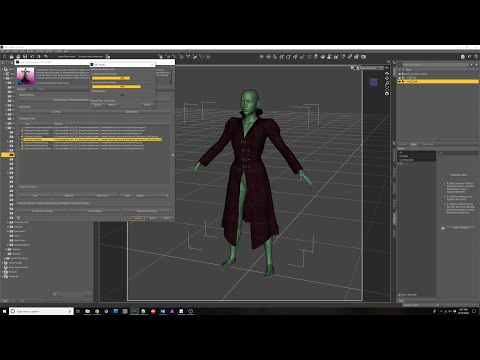 (Clothing Converter). Celebrity Look-a-Likes for 3D figures part 3
tkdrobert said:
Haruchai said:
tkdrobert said:
Does anyone think this model looks like a young Rosario Dawson?
https://www.daz3d.com/arminta-hd-for-genesis-8-and-81-female
The fantasy themed promos throw me off a bit. If there is a resemblance I only see it in this one
Me too. I would use it to make Ashoka, so hair and skin wouldn't matter.
Yeah, Ahsoka skin and Montrals with that morph would work well.
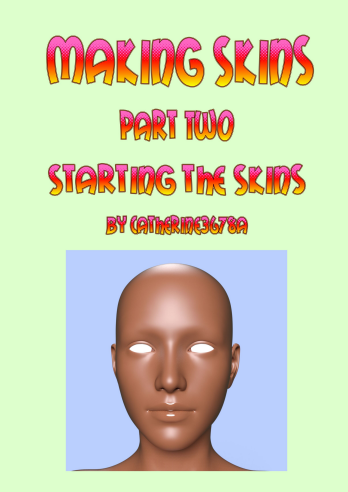
Please make a beautiful dog "Saluki"That would be a cute morph for dog 8 and also dynamic dforce hair for dog too.Making Skins tutorial, Part 1, Part 2 - painting skinsPart Two is now in the final proof-reading basket :-) whew! I think I covered too many topics in it but anyways it's done. Making some skin starters using Textura and by using HeadShop 14. I go over the situation concerning what is happening with the textures being created by HeadShop 14. This is not a discussion about which program morphs better than another. This tutorial is about making textures.
I do include a little tip I came across in how to remove an unwanted section of a morph from a morph.
For fun there is also a section showing how photo images can be used to apply details {such as clothing, "etc."} to figures. Use of an image editor that works with layers is pretty much mandatory for any amount of texturing work. Textura can be linked to programs such as PhotoShop and PaintShopPro, and maybe some others. I suggest only sending over one mapped area at a time because the first time I tried using this feature I had set the entire lot over. It went over to PSP no problems. It was the coming back part, I don't know if I had tried to switch between programs too soon or if it was all just too much, but yes, yours truly crashed the programs!
And then a very small bonus section about shopping :-) I like shopping. I think that should be declared an Olympic sport or something. How much can you spend and how fast an in one store you know ;-) No returning stuff though, gotta play fair ;-)
It's been a long hot stressful week, I hope everybody has a nice peaceful weekend, Part Two is expected to be released sometime this weekend.
 Creative Opportunity ($$) for Artists
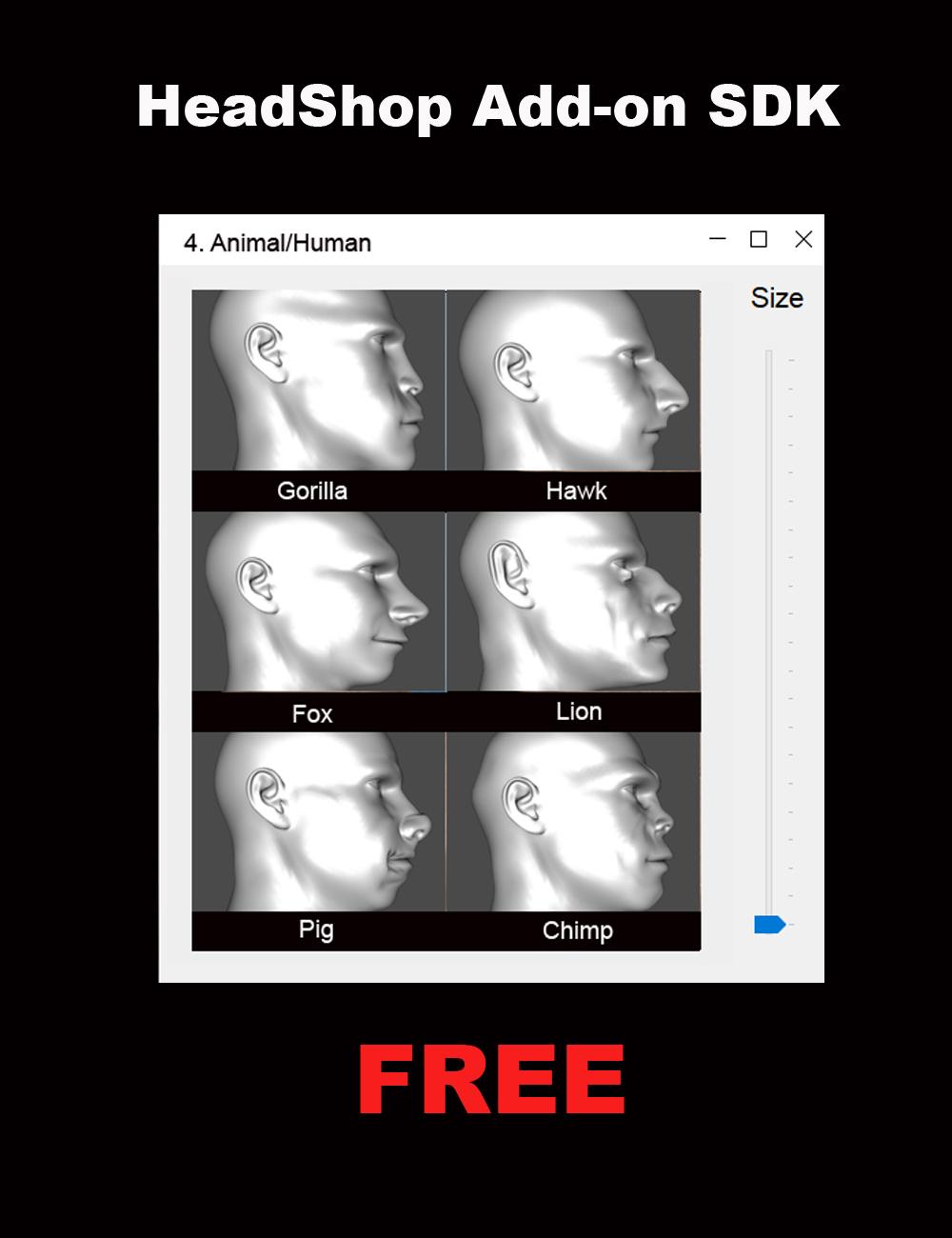
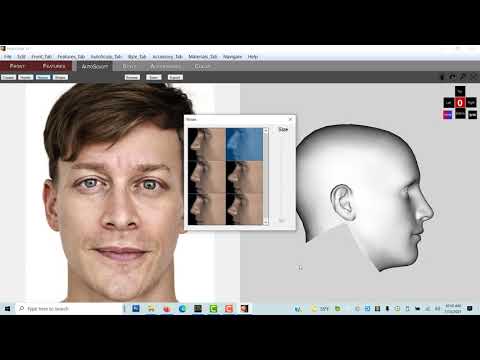
We had made some significant changes to the HeadShop product line (HeadShop 14 and OneClick). The new architecture now allows third party artists to easily create/add new morph libraries to HeadShop via the "AutoSculpt" tab. The architecture supports Genesis 8 and 8.1 Base Male and Female figures. These libraries of six items can range from very simple "dial-spinning" to elaborate Blender or Hexagon sculpting all based on the supplied base Gen 8 and 8.1 OBJ files supplied with the HeadShop SDK. No coding is required and in fact you need to use no other software than DAZ Studio.
You can create HeadShop Add-ons for your own amusement or as a commercial product to be sold through DAZ, and make some easy profit from your effort. Abalone, the creators of HeadShop are fully supporting your efforts! Please don't hesitate to email us at [email protected] or skype at lasloves.
(HeadShop Add-on SDK - PrintAhead)
Good Luck and looking forward to your fun projects.
We hope you will also see a complete "how-to" on generating Add-ons at https://youtu.be/JajgHwrSSlE
Laslo Vespremi, CEO, Abalone LLC - A California Company (PrintAhead - 3D Printed Heads, Statues, Busts & More!)
Links edited by mod
 Welcome to the loneliest thread ever… (or maybe not)
Here's another interesting/depressing set of figures and calculations on NFTs carbon footprint...
https://memoakten.medium.com/the-unreasonable-ecological-cost-of-cryptoart-2221d3eb2053
One interesting takeaway for the TL;DR crowd might be this part...
*************************
A single NFT can involve many transactions. These include minting, bidding, cancelling, sales and transfer of ownership. If we were to break down the footprint by transaction type, we get (details in part 2):
Minting: 142 kWh, 83 KgCO2
Bids: 41 kWh, 24 KgCO2
Cancel Bid: 12 kWh, 7 KgCO2
Sale: 87 kWh, 51 KgCO2
Transfer of ownership: 52 kWh, 30 KgCO2This generally pushes the footprint of a single NFT into hundreds of kWh, and hundreds of KgCO2 emissions, and often higher.
In fact, of the ~18000 CryptoArt NFTs that I analyzed, the average NFT has a footprint of around 340 kWh, 211 KgCO2 (details in part 2).
This single NFT’s footprint is equivalent to a EU resident’s total electric power consumption for more than a month, with emissions equivalent to driving for 1000Km, or flying for 2 hours.
***************************
If you look through the information, many credible sources are cited with links to various articles and scientific studies.
But a good takeaway is the single NFT's carbon footprint being equal to driving 600+ miles or flying in a jet for two hours... but that's only for an NFT that's sold and done with... not one that might change hands or have multiple copies.
Yay.
Making Hair? Include an "Elf Morph" pleaseFor the clueless, what exactly does an elf ear/hair morph do? Does it pull the hair behind the ear?
Daz 3D is part of

Connect
DAZ Productions, Inc.
7533 S Center View Ct #4664
West Jordan, UT 84084Licensing Agreement | Terms of Service | Privacy Policy | EULA
© 2026 Daz Productions Inc. All Rights Reserved.