-
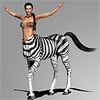
Any idea what the name of this chracter model is ?
BlueFingers said:
I just did a quick check, I think the morph is a combination of Jane and Diana, I got fairly close dailing them in 30/70 for the head, though the lips are a bit too full if you dail it in like I did. I do not have a skin that matches at first glance to confirm anything else. Though I agree the skin could be one of Mousso's, the make-up applied does not seem typical Mousso from what I see going though my library. Though I do not have all of Mousso, I do have quite a lot.
I would say Blue Makup Option 13 without Brows. I am waiting for Jane to be on sale, then I can try some shots...
Unwanted body morphs upon loading new characterPerttiA said:
First check if there is an update to Xiao Mei.
If there isn't or it doesn't help, follow this;
1. Open DS and load "Genesis 8.1 Basic Female" (to an empty scene)
2. Help->Troubleshooting->View Log File (clear the log, close it and select "Save" when asked)
3. Right Click at Parameters Tab->Preferences->Choose "Show Hidden Properties" (part 4 zeroes only 'visible' dials)
4. Right Click at Parameters Tab->Zero->Zero Figure (Zeroes the value of all the 'visible' dials)
5. Right Click at Parameters Tab->Memorize->Memorize Figure (Sets the current value of all the dials as their default value)
6. Edit->Save As->Support Asset->Save Modified Assets (Writes the changed default value to the morph files that were changed)When saving "Modified Assets" DS shows a dialog and asks for confirmation;
"The following file(s) will be permanently modified:" - "Accept/Cancel" - Choose "Accept"Close DS and wait -> Open DS again and load "Genesis 8.1 Basic Female"
Help->Troubleshooting->View Log File (Save the logfile somewhere you can easily find it)
If your G8.1 was not fixed, attach the log to your post with the "Attach a file" under the "Leave a Comment" window, that way we can have a look at it.
Ah okey, I didn't check for updates for a while. You helped me out there, thank you.
Hair and elf ears fix?It's in that same menu, but it's been moved to a subheader. The first one, at the top, I think.
To show all currently used morphs, click the "Currently Used" header in the properties pane.
If I needed elf ears, first I'd make sure there wasn't a morph for it already. If not, I'd export it to Blender and do some light sculpting to move the hair away from the ears.
Any idea what the name of this chracter model is ?I just did a quick check, I think the morph is a combination of Jane and Diana, I got fairly close dailing them in 30/70 for the head, though the lips are a bit too full if you dail it in like I did. I do not have a skin that matches at first glance to confirm anything else. Though I agree the skin could be one of Mousso's, the make-up applied does not seem typical Mousso from what I see going though my library. Though I do not have all of Mousso, I do have quite a lot.
How much Sample do we need to get crisp render in Cycles ?Padone said:
A main breakthrough of 1.6, among other things, is to allow HD expressions. That is, the old 1.5 rig is faster but morphs only drive bones, the new 1.6 rig is slower but morphs also drive displacement maps, thus allowing HD expressions. As for shaders 1.6 converts better some materials and displacement in general.
https://diffeomorphic.blogspot.com/2021/03/new-morph-system.html
https://bitbucket.org/Diffeomorphic/import_daz/issues/357/blender-addon-to-generate-rigged-hd-meshes
Just check recent development version of Diffeo . It works in Blender 3.0 Alpha Cycles X branch
So @padone , if I dont use any HD version at all , e.g using Old Genesis 1 and Genesis 2 , which one better ? Keep using 1.5.1 or 1.6.0 ( because it have better shader transalation from DAZ ) ?
And since you`re the shader guy from this awesome tools , I wonder if someday NPR or toon shader conversion will be included in future Diffeo ;)
How much Sample do we need to get crisp render in Cycles ?Padone said:
A main breakthrough of 1.6, among other things, is to allow HD expressions. That is, the old 1.5 rig is faster but morphs only drive bones, the new 1.6 rig is slower but morphs also drive displacement maps, thus allowing HD expressions. As for shaders 1.6 converts better some materials and displacement in general.
https://diffeomorphic.blogspot.com/2021/03/new-morph-system.html
https://bitbucket.org/Diffeomorphic/import_daz/issues/357/blender-addon-to-generate-rigged-hd-meshes
@Padone, true, but tbh I use Daz figures only as a starting point, a solid fundament for further steps. Concerning HD - what is your workflow? Xins addon, or Hd Meshes, or both combined?
Pose converterI have uploaded a pose transfer script for G2F->G8F here: https://www.daz3d.com/forums/discussion/514796/g2f-pose-transfer-to-g8f
Hope it's useful,
Regards,
Richard
G2F Pose Transfer to G8FI have just finished a pose transfer script from G2F to G8F, and it may be downloaded below. To operate, select G8F's hip, then select G2F's hip & press the accept button, and the pose will be transferred from the G2F character to the G8F character. The 2900 line script takes a little while to work, but will get there in a couple of seconds.
The script converts a majority of the G2F rig to G8F, but does not include the tongue or any of the lower face rig other than the Lower Jaw. I may re-visit this, but figured that the tongue is rarely a major part of a pose, so it's probably best to pose directly on G8F. There is another problem, in that G8F's tongue goes out of normal limits to match the zero shape of the G2F tongue, and I wasn't comfortable about unlocking the limits just for that.
Here is a G2F base pose applied to V6 on the left and then transferred to MostDigitalCreations 'Jenny' in her G8F incarnation. As you can see, the pose transfer is not perfect, but I think it's due to the difference in character shapes rather than incorrect transfer.

Hope it's useful.
Regards,
Richard
How much Sample do we need to get crisp render in Cycles ?A main breakthrough of 1.6, among other things, is to allow HD expressions. That is, the old 1.5 rig is faster but morphs only drive bones, the new 1.6 rig is slower but morphs also drive displacement maps, thus allowing HD expressions. As for shaders 1.6 converts better some materials and displacement in general.
https://diffeomorphic.blogspot.com/2021/03/new-morph-system.html
https://bitbucket.org/Diffeomorphic/import_daz/issues/357/blender-addon-to-generate-rigged-hd-meshes
Unwanted body morphs upon loading new characterrstrangerfield said:
Edit: deleting this morphs fix it, still unsure why it occur with attaching to all figures
i mean one i made, not Xiao Mei
Common mistake even amongst content creators, is that the characters/morphs are saved as assets with the character/morph active - This will result in the saved character/morph being automatically applied and activated for any and all figures/characters that are using the same base figure.
Poke-through.If the nipples poke through I go to the figure and add a low value nipple morph, say 1%, this should add that morph to the clothing which you can use to control that area of the clothing.
New Comp...Still Need An Answer Aug21/2021Ok serious problem...I installed both Daz 4.12 32bit & 4.14 64bit and installed all necessary files, the models and their morph packages. The models and morphs are on the Ddrive in an external My Library, though I did install dforce and other scripts and plugins on Cdrive where the program is installed. I don't know what went wrong, I can't apply any materials to the models or the clothes. The problem is happening in both versions. I looked under surfaces, and it shows the textures in their correct place, yet the image and the clothes only show grey or turn a lighter grey. It doesn't matter if I use 3DL or Iray, also don't matter what model I use, including V4 or props, old and new.
I'm at a complete loss as to what is wrong. I've attached a log for today, but I'm at a loss as to what anything in it means, I did see the word error a few times and not initialized a few times.
Hope someone can help.
Genesis 8 Female loads with my morphPerttiA said:
To fix any ill-behaving morphs, do as follows;
1. Load your base figure or the developer version to an empty scene. ("Genesis 8 Basic Female" or "Genesis 8 Female Dev Load")
2. Select the figure
3. Select "Show Hidden properties" in the Parameters-Tab, drop down menu (right-click)
4. Zero the figure (Found in Parameters-Tab, drop down menu)
5. Memorize the figure (Found in Parameters-Tab, drop down menu)
6. File->Save As->Support Asset->Save Modified AssetsThis procedure will zero the default value in the ill-behaving morph/morphs, and while saving DS also shows you a list of the morphs it is changing.
I can't find the show hidden properties or zero the figure in daz studio 4.15 as I did it again. Help where are they
Poke-through.There are a few things you can try. Firstoff, check the clothing for a smoothing modifier. if it doesn't have one, add one (edit - figure - geometry - add smoothing modifier) and make sure it collides with the figure. This cures 80% of issues with pokethru. If it already has one, play with the settings, both smoothing and collision to see if you can make it go away.
next, check the clothing for any morphs. Some clothing items will have an expand all morph which will also fix this kind of issue
next, if it is a simple cothing item like a tshirt, you can always add a dforce modifier to it (simulation settings tab - the little icon to the upper right - dforce - add dforce modifier dynamic surface) and run a simulation.
next would be to hide the polygons that are showing with the geometry editor (select the geometry editor tool, then select the polygons that are showing, right click, select geometry visability and hide the selected polys.
You could also try adding a deformer to move the parts of the shirt, but that takes lots of practice and doesn't give the best results IMO
there is also a push modifier, but it can create artifacts with the clothing you are using it on.
There are a couple of poke thru addons in the store, but i never really found them any good. Hope this helps
Need help finding this Gen 3 - 8 ModelThis is a quick and dirty attempt for V4 to Genesis 2 and then Genesis 2 to Genesis 8 (I forgot the eye fix morph so her pupils sre shaped strangely and didn't bother with the textures so i used a Raiya texture).
 How much Sample do we need to get crisp render in Cycles ?@juvesatriani, I would go with the developer version 1.6 avail at bitbucket, it has plenty advantages, especially the favorite morph loader in combination with easy import. These two features alone save me a lot of time!Pose Controls
- Set the item up as you wish it to be when the control is at 100% (assuming everything is to move in concert and at a cosntant rate - if you want things to progress in steps then you need to learn about play range ERC).
- Right-click in the Parameters pane and enable edit Mode, if it isn't
- Right-click in the Parameters pane, in the group you want to host your control, and select Create New Property... - use the dialogue to set its name and label, to set limits, and so on, then click Accept.
- Set the new property to 100%
- Right-click on the property>ERC Freeze, check that the right things are included as sub-components, and click Accept
- Test your property - if all is good either save a scene or, if you have already saved the figure or prop as an asset, use File>Save As>Support Assets>Morph Asset to enable the controller to load with the item.
Unwanted body morphs upon loading new characterFirst check if there is an update to Xiao Mei.
If there isn't or it doesn't help, follow this;
1. Open DS and load "Genesis 8.1 Basic Female" (to an empty scene)
2. Help->Troubleshooting->View Log File (clear the log, close it and select "Save" when asked)
3. Right Click at Parameters Tab->Preferences->Choose "Show Hidden Properties" (part 4 zeroes only 'visible' dials)
4. Right Click at Parameters Tab->Zero->Zero Figure (Zeroes the value of all the 'visible' dials)
5. Right Click at Parameters Tab->Memorize->Memorize Figure (Sets the current value of all the dials as their default value)
6. Edit->Save As->Support Asset->Save Modified Assets (Writes the changed default value to the morph files that were changed)When saving "Modified Assets" DS shows a dialog and asks for confirmation;
"The following file(s) will be permanently modified:" - "Accept/Cancel" - Choose "Accept"Close DS and wait -> Open DS again and load "Genesis 8.1 Basic Female"
Help->Troubleshooting->View Log File (Save the logfile somewhere you can easily find it)
If your G8.1 was not fixed, attach the log to your post with the "Attach a file" under the "Leave a Comment" window, that way we can have a look at it.
Unwanted body morphs upon loading new characterHi.
For a while I have this now, and I am curious if I can turn it off or not. The problem is when I load in a new character into the scene, Xia Mei body and head morph get applied to any 8.1 character on top of the normal base morph. Any idea why is it like this? I added an attachment where I tried to load in "Coral 8.1 Human HD" model, and got the X"iao Mei" morph as well for some reason.
Thanks in advance.
Converting Clone Shapes into Proper MorphsConjectural question here,
Assuming that I like certain character shapes from previous generations of Genesis, and I want to transfer them to G8 while keeping the base topography of those shapes, is there a way to convert clone shapes into proper morphs? I'm aware of the character converters available on the Daz store, but unfortunately these won't really work, as they only apply to character presets and not shaping presets. I'm interested in this topic because I thought it would be nice to have a solid reference for the figure's topography, that could be split into regions (head, torso, arms, etc).
If there is a way to achieve this, it's probably extremely complicated. I'd much appreciate any simple workarounds available.
Daz 3D is part of

Connect
DAZ Productions, Inc.
7533 S Center View Ct #4664
West Jordan, UT 84084Licensing Agreement | Terms of Service | Privacy Policy | EULA
© 2026 Daz Productions Inc. All Rights Reserved.