-
Unrequired Assets.
barbult said:
Before you reinstall anything, make sure the Daz Studio Content Directory Manager is looking in the right place for your content library. You might just need to add your library location to the Content Directory Manager and not reinstall anything.
And if you are using DIM, DAZ Central or manual installation, your content has not disappeared anywhere, only DAZ Connect inside DS is screwed up, which can be fixed by uninstalling the content in "Smart Content" and setting the DS preferences for Offline use, ie. never logging in to DS again.
DazCentral won't install Daz studioTried upgrad to 4.20 after installing a new video card - found that Daz Central stalled as the other posts describe - only able to complete installation after uninstalling Daz Install Manager.
DazCentral won't install Daz studioI got my Daz central and tried to Install Daz studio but after 68% done its just stopped and every time i retry is starts from 57% and stops again.....pls Help!!!
Extra: i ran the same version on the same pc before but now it doesnt work.
Problems With Genesis 8 Body and Head Morph ProductsHi.
I have the following products:
Genesis 8 Female Head Morphs
Genesis 8 Male Head Morphs
Genesis 8 Female Body Morphs
Genesis 8 Male Body Morphs
I used DAZ Central to install them. But I was only able to use one of the products once. Since I've received the following message whenever I try to use Central to find one:
"Cound not find the '42075' product."
And all my efforts to find the products in my "Smart Content" folder have turned up nothing.
I've reinstalled everything to no avail.
Does anyone have any ideas?
Looking forward to some wise counsel and using the products.
Thanks in advance
kmw
Genesis 8 male, hand bending problemsOK, if the zeroing the shape worked then the issue is a morph without linked joint adjustemnts, which is an easy fix if you installed manually, through Daz Central, or through Daz Install Manager. Load the dev load version of the figure, Edit>Figure>Zero>Zero Figure Shape, Edit>Figure>Memorise>Memorise Figure Shape, File>Save As>Support Assets>Save Modified Assets, and make a note of what it is saving now as that should tell which files were the source of the problem so that you can report them for an official fix.
Is the genesis 8 female issue the same kind of thing? If so the same approach to fixing should work.
Daz Studio LOGINfsquare2001 said:
I can not log in to my Daz 3D after the installation. pls is there an error with the installation
What applications - Daz Central, Daz Install manager, Daz Studio? What error? What happens when you try to log in?
DForce Blum for V8FI bought it, and it is 'installed,' but I have to look it up by name in the Products folder, it won't show up in Smart content or anywhere else that I can find. I get that this goes on with V4 figures, but surely a product for G8F should install properly through Daz Central? That's the only reason I paid as much as I did for it. Is there some kind of simple fix for this, or do I have to go through the whole metadata procedure that I would with V4?
Mars madness?Cybersox said:
Ultimately, it seems that the DAZ sales and marketing people are having one of those periodic bouts marketing people have of "It isn't broken, but let's try to fix it anyway-itis," having forgotten that the acronym DAZ has practically been rebranded to stand for Drop All Zhorts after years of using slashed prices and discounted/free product tie-ins as the central pillar of almost all new and catalog product promotions. (Which is at least better than Dachsuands and Zuchinni, but let's not go there...)
My previous experience with marketing, working at a large entertainment company is that they love jumping on bandwagons just as those are leaving the station, or come up with "great" ideas without consulting with the creatives.
It ceartainly seems that they've been brainstorming a lot lately, and not to the best result. All these weird "gives us money for some special/exclusive stuff, but we won't tell you what it'll be" deals. And weird themes, like astrology signs. It looks like DAZ marketing is just throwing stuff at the wall to see what sticks. Or maybe they had a big brainstorm, put all their wacky ideas on index cards and randomly pulling them out of a hat.
Mars madness?Ultimately, it seems that the DAZ sales and marketing people are having one of those periodic bouts marketing people have of "It isn't broken, but let's try to fix it anyway-itis," having forgotten that the acronym DAZ has practically been rebranded to stand for Drop All Zhorts after years of using slashed prices and discounted/free product tie-ins as the central pillar of almost all new and catalog product promotions. (Which is at least better than Dachsuands and Zuchinni, but let's not go there...) I'm really surprised that the company isn't making so much money with NFTs that they wouldn't feel compelled to play this kind of games with the frequent buyers, ;) but I can also see how sales figures for the last two years may have been all over the board when one considers the number of users on reduced household incomes versus how many others are suddenly willing to pay extra for instant gratification of something they can do without leaving their fortified homes, on top of Renderosity bringing Poser back from the brink, and the push to get people to side-grade to Genesis 8.1, which I note hasn't received the usual kind of advertising about being the most sucessful 3D figure yet, and follows up an extended period during which the users had time to became more invested in the non-pointy G8 line than in any figure system since V4.
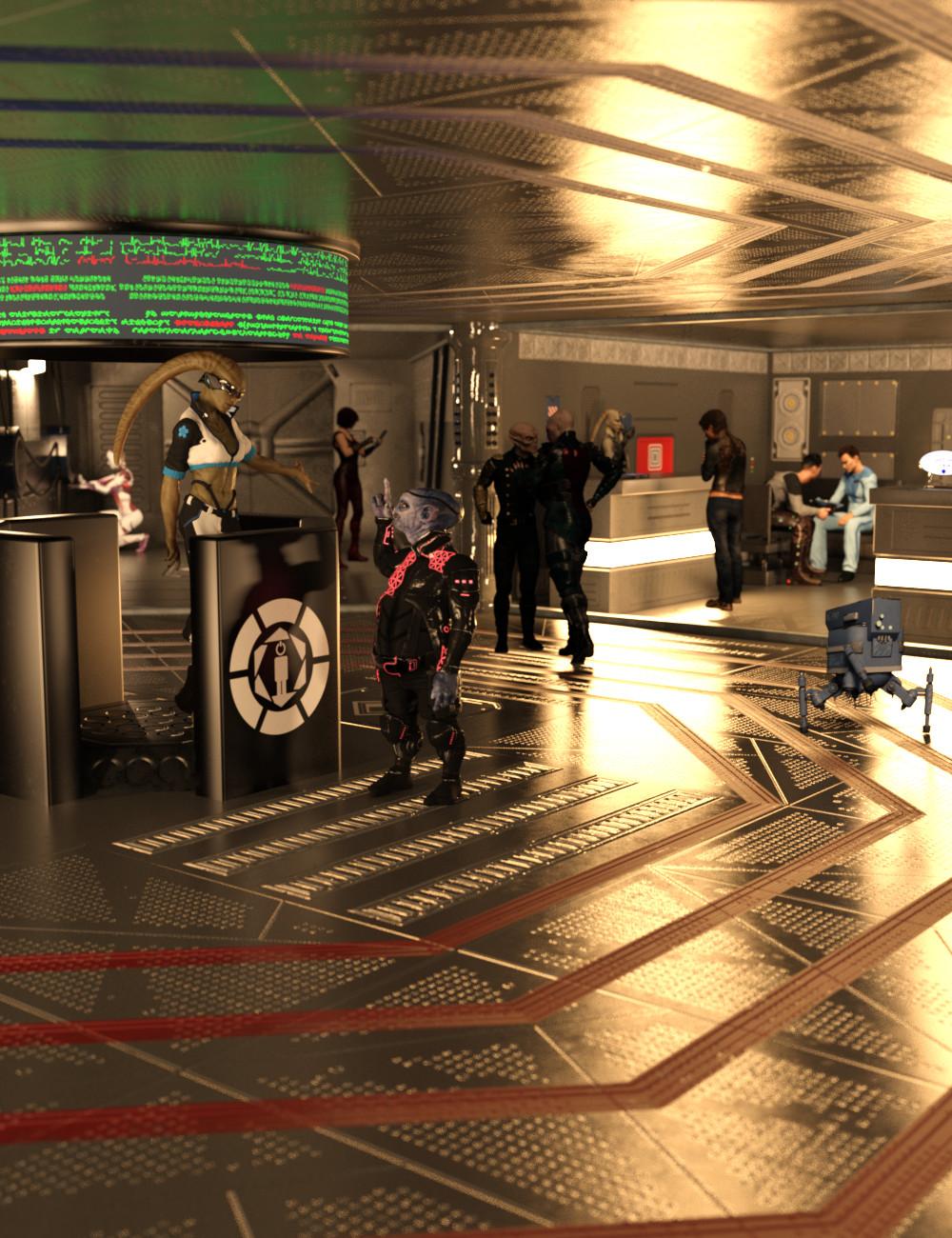
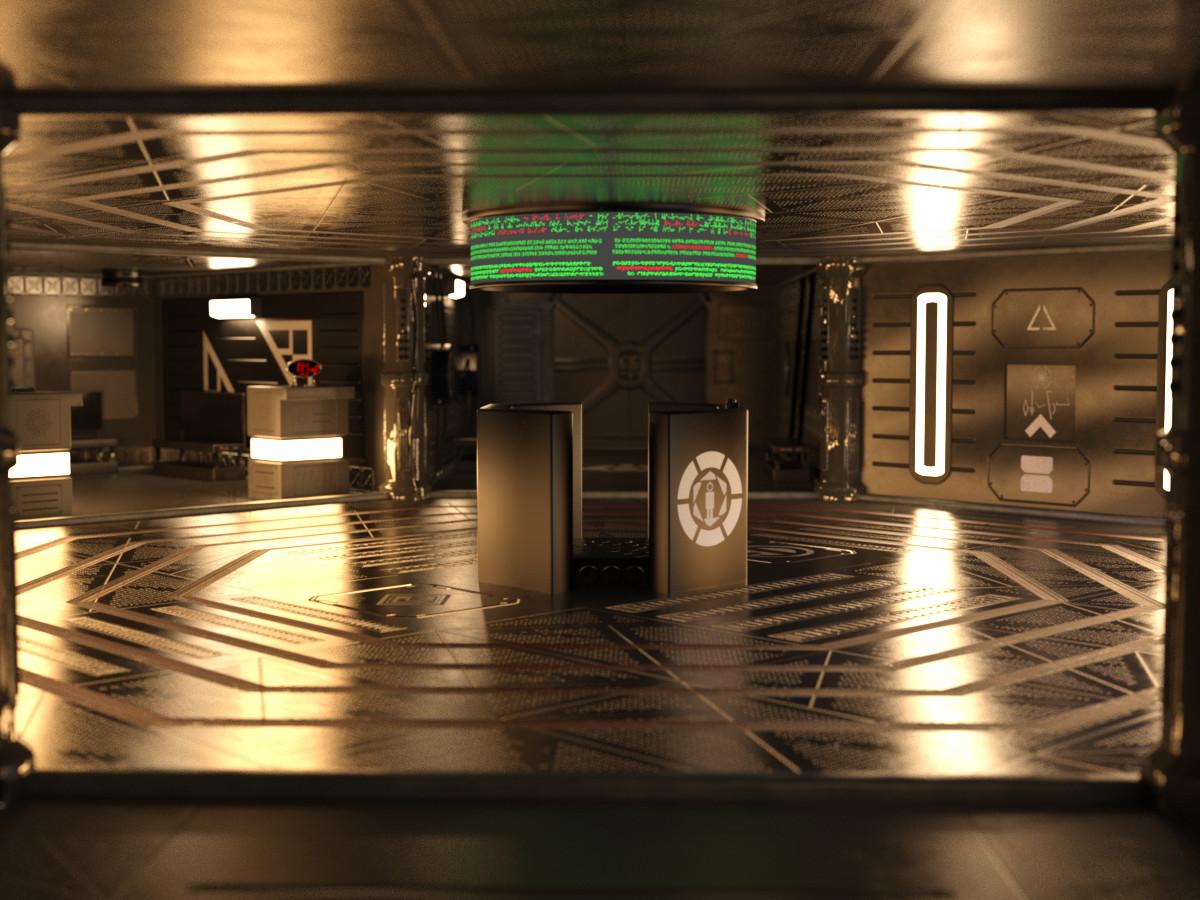
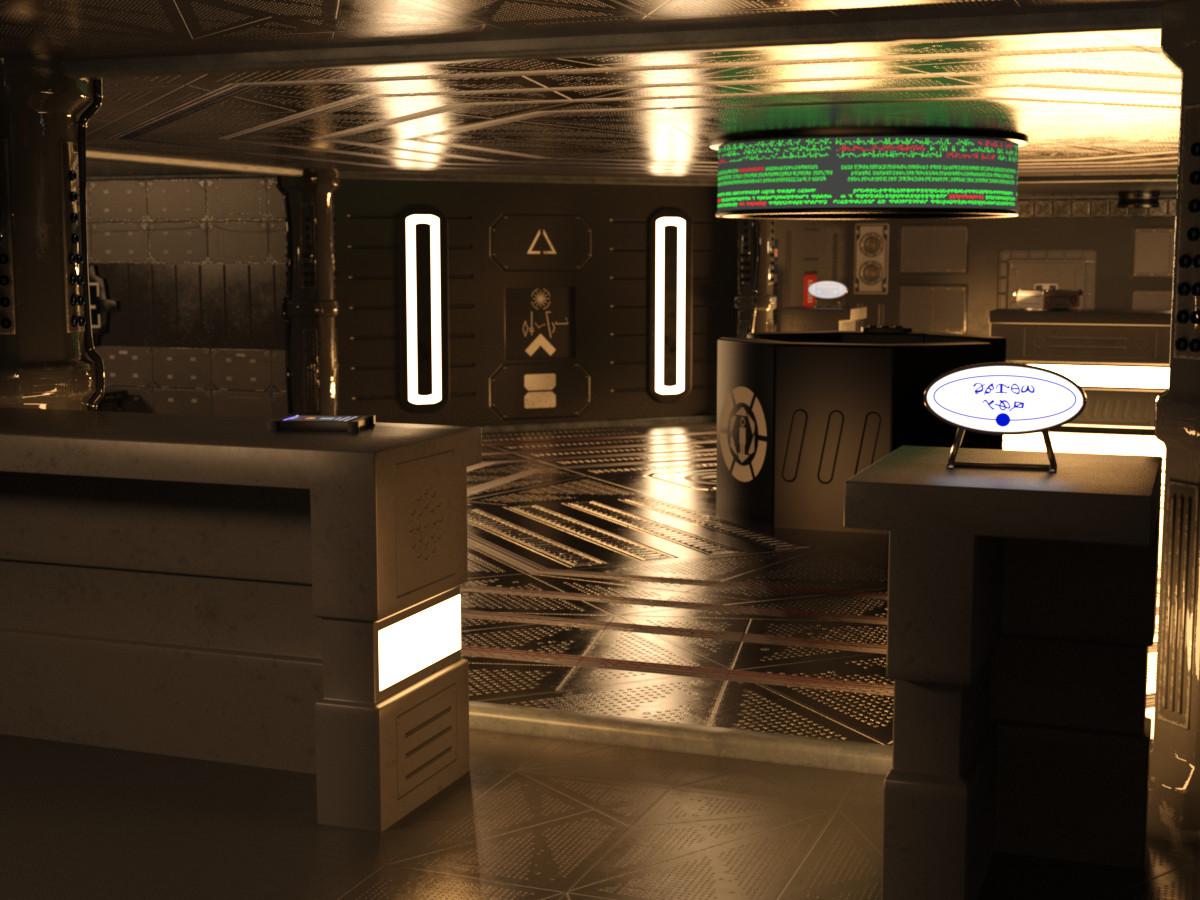
[Out Now] Space Trading Station: Central [Commercial]Just released: https://www.daz3d.com/space-trading-station-central
at Daz store near you, from a galaxy pretty close by, is the Space Trading Station: Central
Whether you're a trader, a smuggler, or a pirate, it's all about the deal. The Space Trading Station: Central is a place for humans and aliens to meet, deal or swindle goods and info. Should you need a translator for the many alien languages around, just ask at the friendly info station.
Yes, the doors open, the hatch on the 'main wall' goes up and down, and the 'samples' box can be opened. It's also modular so you can make your own layouts - see example below.Check out the renders below :)
 How to install daz
VicS said:
Now soemone downloading studio with daz central cause I thought that would be easier for the person, is there any special instructions where to click to download daz from there or it's very straight forward?
thanks
@VicS Check out these 2 short videos on how to Install Daz Studio using Daz Central...
Daz 1.0: Downloading and Installing Daz Studio and Daz Central
https://www.youtube.com/watch?v=QIv-pefoXhMHow to Install Daz Studio using Daz Central [2020]
https://www.youtube.com/watch?v=yjHLhoFiizMSome of the advantages of using Daz Install Manager (DIM) include:
1. Ability to see which products that you've already downloaded have Updates available
2. Easy to both install and Uninstall products
3. Some scripts and utilities will only be available to install via DIM
4. You can drop properly prepared 3rd-Party content using Content Package Assist (CPA) or Content Wizard (CW) into the DIM Downloads folderHow to install dazNow soemone downloading studio with daz central cause I thought that would be easier for the person, is there any special instructions where to click to download daz from there or it's very straight forward?
thanks
Mars madness?zombiewhacker said:
I emailed DAZ customer support asking whether there would be a March Madness sale. This was the response:
"Unfortunately we do not currently have a scheduled date for this sale at this time. Without such date I cannot confirm this at this time. If the sale is ever available it will be visible in the store page. If you have any additional questions or concerns please feel free to ask."
Well... at least they didn't say, "Soon."
"I'm sorry, but we don't have a start date for one of our biggest yearly sales events, even though we're technically at the start of said yearly sales event?"
Um...
TBH I sincerely hope that is not how they're running things at Daz Central...
Does Installing the Newest Version of DS Erase the Older Version ?In my experience, before installing the new version I renamed the previous versions folder then installed the new one as normal. As in I use the exe installer from my product library. I don't use DIM or Central or any of that. I cannot speak to plugins since I don't use any, aside from the default ones that come with the program. And there seems to be no issues with using them in the different versions of the program.
So Daz just [frustrated] meHow did you install DS? Manual, Daz Central, or DIM?
Downgrade is possible?nelsonsmith said:
Man, I'm glad updates aren't automatic. Seems like everytime I've had serious issues with Daz it'Yes because I installed an update before checking it out in the forums first.
I would stay away from Daz Central if you don't want auto updates, that must be why mine auto updated and If I don't get a downgrade, I will be quitting Daz after a decade of my time spent with it.
My saved custom workspace layout is not showing in the select dialog ?Richard Haseltine said:
Peter O said:
Richard Haseltine said:
Peter O said:
Richard Haseltine said:
This is a known issue with 4.20.0.2, the Public Build has a fix.
Hi Richard, thanks for your reply, maybe you could point me to the public build solution, I have searched for an update to version 4.20.0.3 as I understand that this will do the trick, but can not find where I can download it, if this is the solution you are pointing to?
The Public Build is the beta - it's free but, if you haven't yet done so, does have to be purchased from the store https://www.daz3d.com/daz-studio-beta . Once you have it it it is a separate isntallation from the General release, and has to be installed through Install Manager (not manually or through Daz Central) https://www.daz3d.com/get_install_manager/
There should be an update to the General Release, assuming there are no sudden issues with the beta, early in the week.
Yes, I have installed the public build, like you said, version 4.20.0.2 but there is no update to that, I assume I would find the update in the preference menu, but it says that no updates were found, I will check again later, and see if it will be available :) Thank you again, appreciate your help.
The update, 4.20.0.3, was released on Thursday.
Hi Richard, What I did not realize, was that the public build was installed as a separate app, I used my old shortcut, and off cause get the 4.20.0.2 and not the 4.20.0.3. Got it now, Thank you again
 How do I get my Order Date, Release Date, Etc Data back in Smart Content
I've tried Connect, I've tried DIM, I've settled on Central even though I ain't crazy about it.
No matter what method I choose, nothing populates the date data correctly or consistently.
How do I get this fixed? I started today with a totally clean database, installing via Central.
Getting files not found errorHey!
I am new to this 3d modelling and i bought the grovebrook package. I installed using DAZ Central, DIM and Manual install to no avail.
It keeps saying im missing the files.here is a screen shot of what pops up.
Loading clothes or poses into smart contentYeah, don't get confused with different ways to install stuff, if you're using DIM or Daz Central then you do not want to mess around with Connect because if you do then you risk installing the same material twice.
As for smart contents... the keyword is metadata. In order to add a file to the smart contents pane you need to categorize it, and add this metadata which will determine what kind of file you're adding. In order to do this you need to use the content library pane, right click the folder which contains the file(s) which you want to add and then use the option "Edit metadata...". There you can set the type of the file you're adding. So.... actor/character for figures, preset/material for.. materials. etc. After you set that up things will become accessible in smart contents.
Daz 3D is part of

Connect
DAZ Productions, Inc.
7533 S Center View Ct #4664
West Jordan, UT 84084Licensing Agreement | Terms of Service | Privacy Policy | EULA
© 2026 Daz Productions Inc. All Rights Reserved.