-
3D Art Freebie Challenge August_September 2021-"Science" -Main Thread Only
August/September Freebie Contest - Science
Science in my fantasy: space mission, evolution of technology with humanoid robots.
It's more science fiction than real science.Hope you like
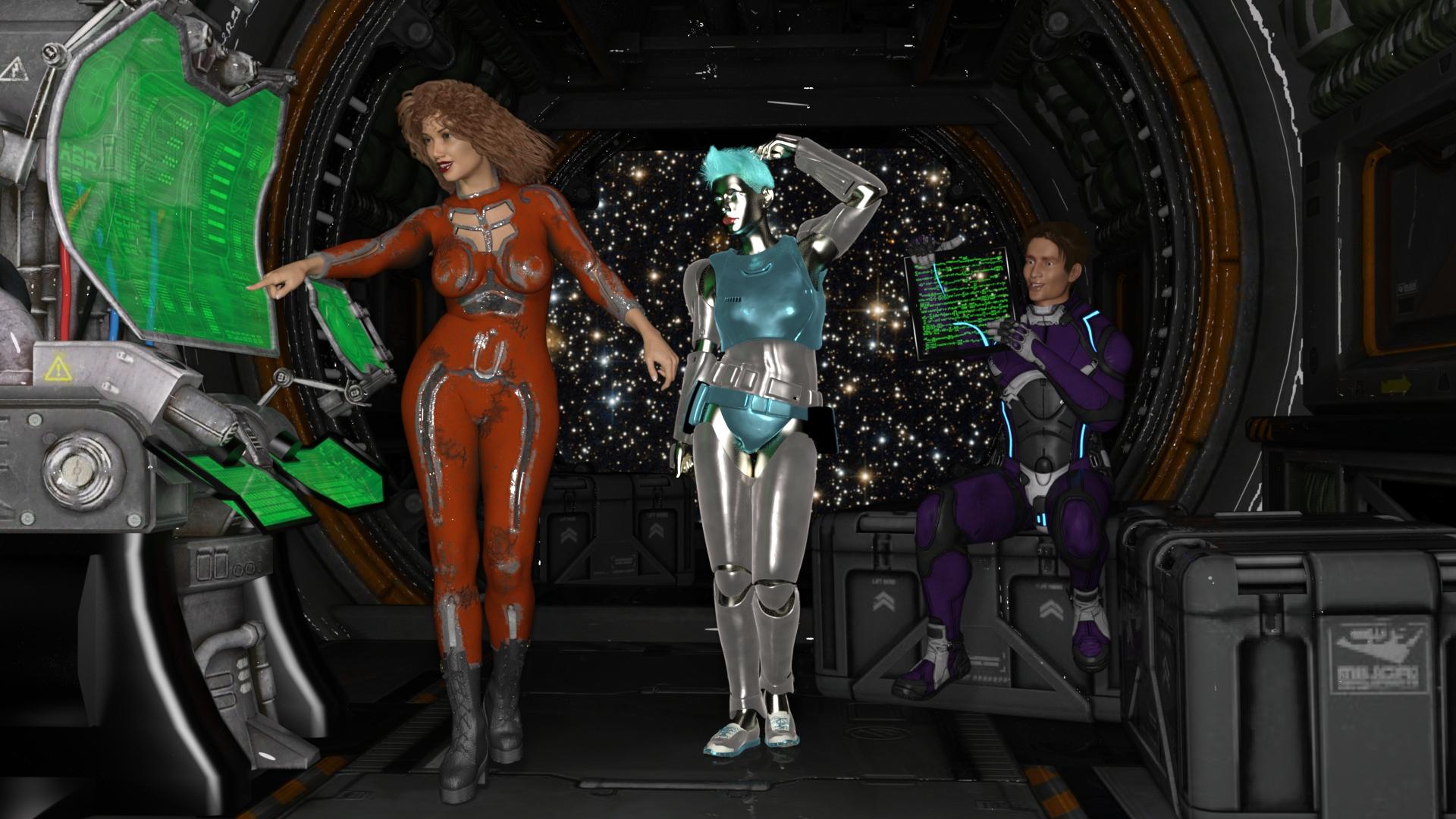
Science in my fantasy: space mission, evolution of technology with humanoid robot.
It's more science fiction than real science.No coint g8.1 f and g8.1 m
Freebies
PS Raeny Shape Morphs for Genesis 8 or 8.1 Female by pixeluna
https://www.renderosity.com/freestuff/items/88639/ps-raeny-shape-morphs-for-genesis-8-or-81-female"STRONG" for G8M Character Morph & Pose by Mar3D
https://www.renderosity.com/freestuff/items/82833/strong-for-g8m-character-morph-amp-poseSci-fi Suit for GF8
https://sharecg.com/v/97719/gallery/21/DAZ-Studio/Sci-fi-Suit-for-GF8Heleus Armor for Genesis 8 Male
https://sharecg.com/v/95690/browse/21/DAZ-Studio/Heleus-Armor-for-Genesis-8-MaleRebel Trooper for Genesis 3 Female
https://www.deviantart.com/amyaimei/art/Rebel-Trooper-for-Genesis-3-Female-580677805hologram console
https://sketchfab.com/3d-models/hologram-console-bfbbb481e98e4be38774b1d0204c192cFacility
https://sketchfab.com/3d-models/facility-beta-9d-assets-af82b47372064fda844baec238f68d7bTablet
https://free3d.com/3d-model/ikea-frame-66557.htmlTablet text
SY Math Magics Iray
https://sharecg.com/v/97801/related/21/DAZ-Studio/SY-Math-Magics-Irayallen art jewlry iray shaders
https://www.deviantart.com/laurieart54/art/Jewelry-Iray-Shaders-Freebie-For-Daz-Studio-803216418
https://sharecg.com/v/95893/browse/21/DAZ-Studio/Iray-Jewelry-ShadersBackground image
https://www.nasa.gov/
https://www.nasa.gov/mission_pages/hubble/multimedia/index.htmlUmbra Outfit for Genesis 8 & 8.1 Females [Commercial]marble said:
You (HH) are obviously skilled at crafting a good quality mesh but I'm not really into these fetish sets. I would humbly request that you put those skills towards making a non-fantasy lingerie set. One that might be bought in a real-life department store?
I've looked and can't find a good, realistic full set of bra/panties/garter (suspender belt), perhaps with a thin-soled (non-platform) pair of high-heels. Many of the available stocking sets don't even allow for the pull of the suspender clips (sorry, I don't know the correct terminology). Also, the couple I have bought suffer badly from poke through the moment I dial in a morph to G8F. I never use a base G8F so those purchases are difficult, if not impossible, to fit to my characters.
Have you checked out his original Mystique and Mystique 2? I mean, I've certainly bought some like that in the past as presents - but then again, I've also bought an Agent Provocateur Whitney set (and I think also did beg request HH to do something like that :D). You can ditch the corsets etc. in the Mystiques and get a really nice normal-but-sexy kind of lingerie. I'm doing a render with the Mystique 2 stockings on the HD Athletic body right now - the body's usually a nightmare with a ton of air between the legs and the stockings, and the stockings are following the body like a dream.
OTOH, I appreciate the different-ness of these shoes. There's a lot of vanilla heel options and most of them should work just fine with the Mystique stockings. I will confess to being an inveterate kitbasher, though.
Any tutorial to make confirming necklace for G8F?Okay, so you've created and uvmapped and applied materials of some kind to your .obj file.
Then in D/S you load it into the scene where it lands exactly where it should be on the figure.
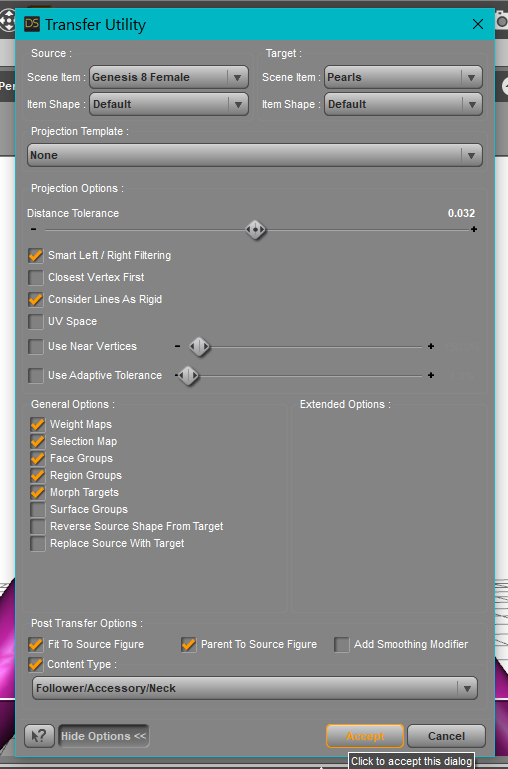
Then you run the Transfer Utility. see image for possible suggested settings.
Then you select and save the new necklace.
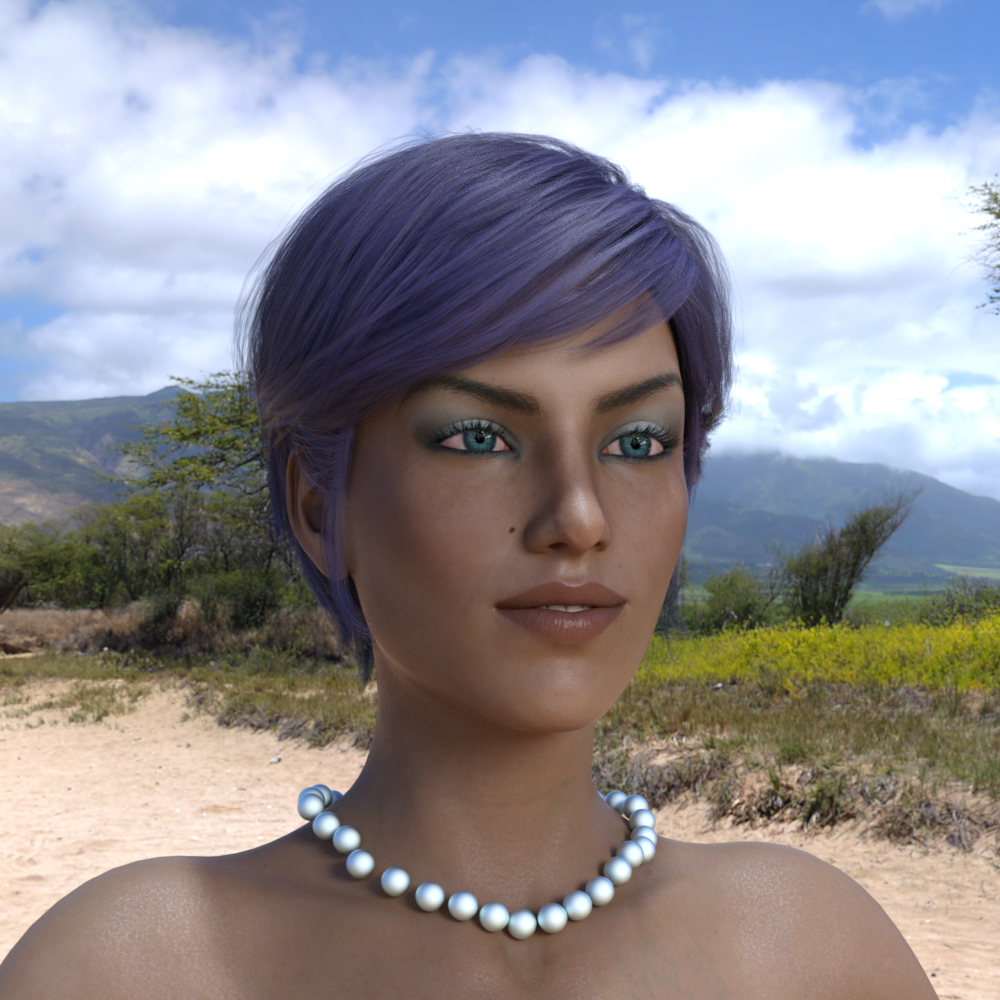
This is not finished enough to sell but it certainly gives you a necklace for a render or three ;-)
This was made quickly for an example.
 AIUTO...CHI CONOSCE L’ITALIANO? PARTE TREDICI
Imago said:
Silvhe said
Ho alcuni orologi da polso che risalgono all'era di Victoria 4 che uso tranquillamente anche con G8 proprio con questo metodo, è vero che c'è da lavorarci un po' ma i rusultati sono ottimi
Non dirmi che fai il fitting ogni volta.

Puoi farlo una volta sola e usarlo instantaneamente su qualsiasi personaggio, ti basta caricare G8 a zero nella scena, posizionare e ridimensionare l'orologio nel modo corretto, nascondere G8 e poi esportare l'orologio come OBJ, poi lo reimporti e con il Transfer Utility crei il nuovo prop. Lo salvi nella libreria e sei felice.
Interessante metodo, lo devo provare
FBX weight values export issueFirst of all, thanks for your response, Doc Acme and margrave!
I've no idea if I can be of any help, but I've been using the 2014 FBX model successfully for a couple years now, but exporting out to Lightwave via both FBX and OBJ's. With FBX's, I get weight maps and morphs; obj's just weights.
I've tried 2011-2014 FBX options both in binary form and in ascii form. Unfortunately, every variation gave the same incorrect result (again, maybe I just need to check some box in DAZ to correctly export weights). Can you explain how do you export weights with OBJ? I don't see weight attributes in my target DCC on the model that was exported from DAZ using +- default settings.
There is a Maya Helpers scripts option; have you investigated that? I know the Daz information pipeline is so vast and easy to research; perhaps on the Maya side it's better? Gotta be.
No, I have not. I am more familiar with Houdini. But I tried out official DazToMaya bridge to proof myself the concept of NOT properly working (OR not properly configured by myself) DAZ' FBX export. As you can see in my 1st message, this tool doesn't work as intended. In this example ( https://i.imgur.com/A94wJ54.jpeg ) I've loaded basic Gen 8.1 Female model and then used DazToMaya Bridge. I personally don't think that it is OK.

I know a developer who was making tools for Lightwave for some years until recently (Oliver Hotz, Origami Digital), but works for O-Toy now (that be Octane), but interdependently develops tools for Houdini. You can find him on Discord.
Thanks for the info!
I use Blender, and that has a feature to copy weight maps between figures. See if you can export a base resolution figure with the weight maps and a figure with the HD morphs, then transfer them between figures.
Thanks for sharing your knowledge! I also have an option to transfer attributes from one mesh to another in my target DCC, but I don't want to do this because this method usually causes a number of issues in character's lips area for example. There are a number of ways to resolve this trouble for sure.
XTransfer Module 1- Genesis 3 to Genesis 8 Morph Converter (Commercial)Zev0 said:
And you sure you have version 1.3 of the product?
I do have version 1.3. I tried uninstalling and reinstalling xtransfer with DIM. I still get the same result. I noticed the transfer process can complete with G3 female based morphs, but the G8 female morph is distorted. I still get the resource error message at 85%, but I can click OK and the processs completes.
G3 morphs that are Victoria 7 based tend to get a resource error message that freezes the transfer at 85% and I can't complete the process. The G8 morph under this situation is more distorted than the above situation.
AIUTO...CHI CONOSCE L’ITALIANO? PARTE TREDICIsi perchè è la forma con cui fu creato originariamente. Il Fit lo adatta alle variazioni della figura:
Es.
se ho una maglia e ho un G8 con una pancia enorme (fatta via morph), il Fit permette di espandere la maglia seguendo la forma della pancia; senza la maglia resterebbe per il G8 di default e la pancia compenetrerebbe la maglia
FBX weight values export issueI use Blender, and that has a feature to copy weight maps between figures. See if you can export a base resolution figure with the weight maps and a figure with the HD morphs, then transfer them between figures.
Clothing is not responding to new morphsSo I just converted a bunch of characters from Kids4/Victoria4 to Genesis3 but the first time I tried setting one up for use (Kaitey from K4). I did what always worked years ago. With the morph loaded by her self and slider at 100% also I had limits and auto-follow on as well . I Fitted the rigging to her shape and then did an ECR freeze to lock the modified bone positions and controllers to the current shape. And then saved her as a morph asset. Then I reset and restarted the G3 base model and watched the armature as I slide the morph on and off, and it's growing/shrinking and fa
Follows perfectly. But when I load any clothing item or hair, it will also follow every movement as well but it wont shrink to the shape of the K4 morph. But will still take the shape of other preloaded morphs. Really confused because this isn't me first time doing this but it's the first time I can't make this work. Any ideas?
[Released] dForce2Morph [Commercial]barbult said:
If you ever decide to do an update to this product, I have a couple enhancements for you to consider:
- I would like the option to have it always default to my author name for the morph creator, instead of the author of the original product. After all, the morphs I save with dforce2morph were not created by the original product creator, and assigning their name to them is a little misleading and confusing. I get tired of changing it to "barbult" in the dforce2morph dialog box every time.
- I would like an option to set the presentation colors. I have a Color A and a Color B that I always use, to help me identify that certain morphs in products were morphs that I created, not something that came with the product. As it is now, I end up changing the colors of the morph created by dforce2morph and resaving the morph asset. That is wasted effort that could be avoided if dforce2morph let me select default presentation colors in the interface. I would like dforce2morph to remember that selection and use it every time, unless I change it.
Thanks for the suggestions @Barbult. These sounds like good options.
AIUTO...CHI CONOSCE L’ITALIANO? PARTE TREDICISilvhe said
Ho alcuni orologi da polso che risalgono all'era di Victoria 4 che uso tranquillamente anche con G8 proprio con questo metodo, è vero che c'è da lavorarci un po' ma i rusultati sono ottimi
Non dirmi che fai il fitting ogni volta.
Puoi farlo una volta sola e usarlo instantaneamente su qualsiasi personaggio, ti basta caricare G8 a zero nella scena, posizionare e ridimensionare l'orologio nel modo corretto, nascondere G8 e poi esportare l'orologio come OBJ, poi lo reimporti e con il Transfer Utility crei il nuovo prop. Lo salvi nella libreria e sei felice.Noska 8.1
Kinda the way Daz is heading. Dforce and Iray. I suspect that's not going to change much unless something better pops up. --------- Also a Build your own Bundle should be pretty much every bundle release. Lay out multiple theme choices and give a discount on a set amount of selections. Have the main figure as a must buy. They do it for other sales, I see no reason not to give people options. If they are just padding the sale with filler I suspect it won't sell as good.JOdel said:As usual I like the morph. The skin is pretty useless to me since I'd be converting it to 3DL anyway, and if I'm going to do that, I might as well just use a different skin.
The long kimono is tempting, but it's dForce, and it looks like dForce only So not that interested. The only other thing even remotely useful to me would be AprilYSH's new hair, but I'm pretty well stocked with hair models. Ergou's new hair is attractive, but its Iray only, and hair doesn't always convert to 3DL that well.
So, a whole lot of nope. I will probably watch for sales on the character and the hair down the road. But for the moment I'm not interested.
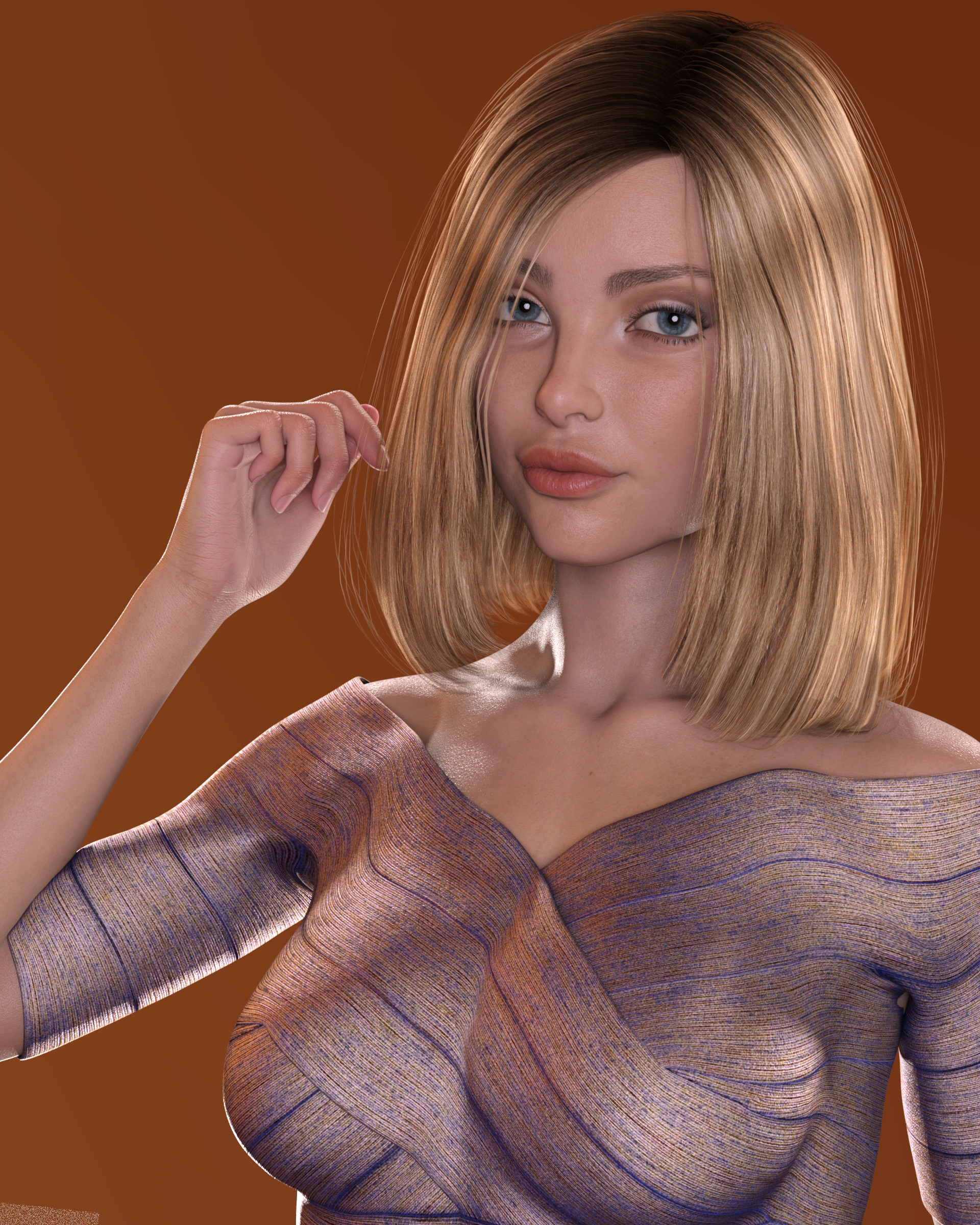
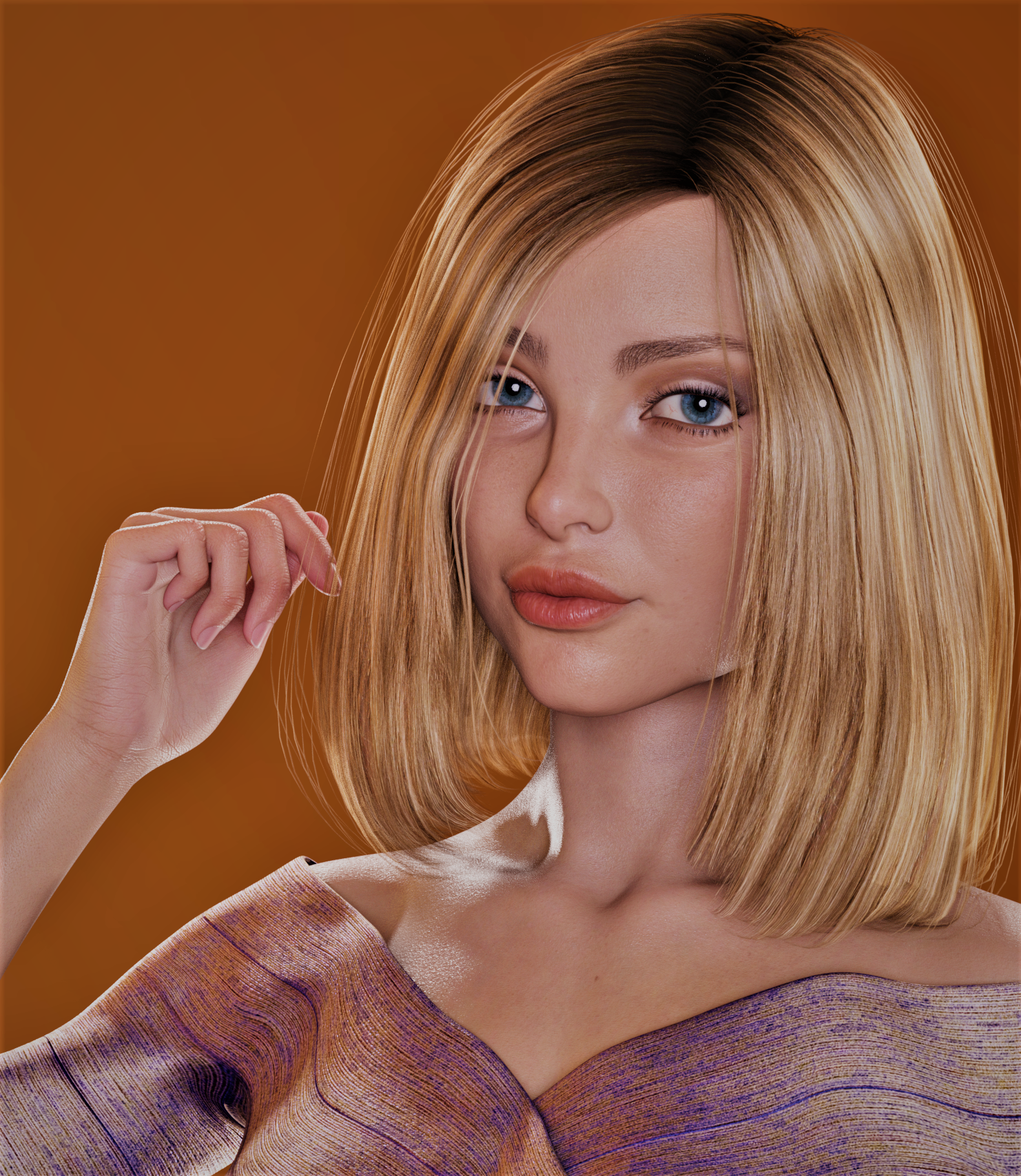
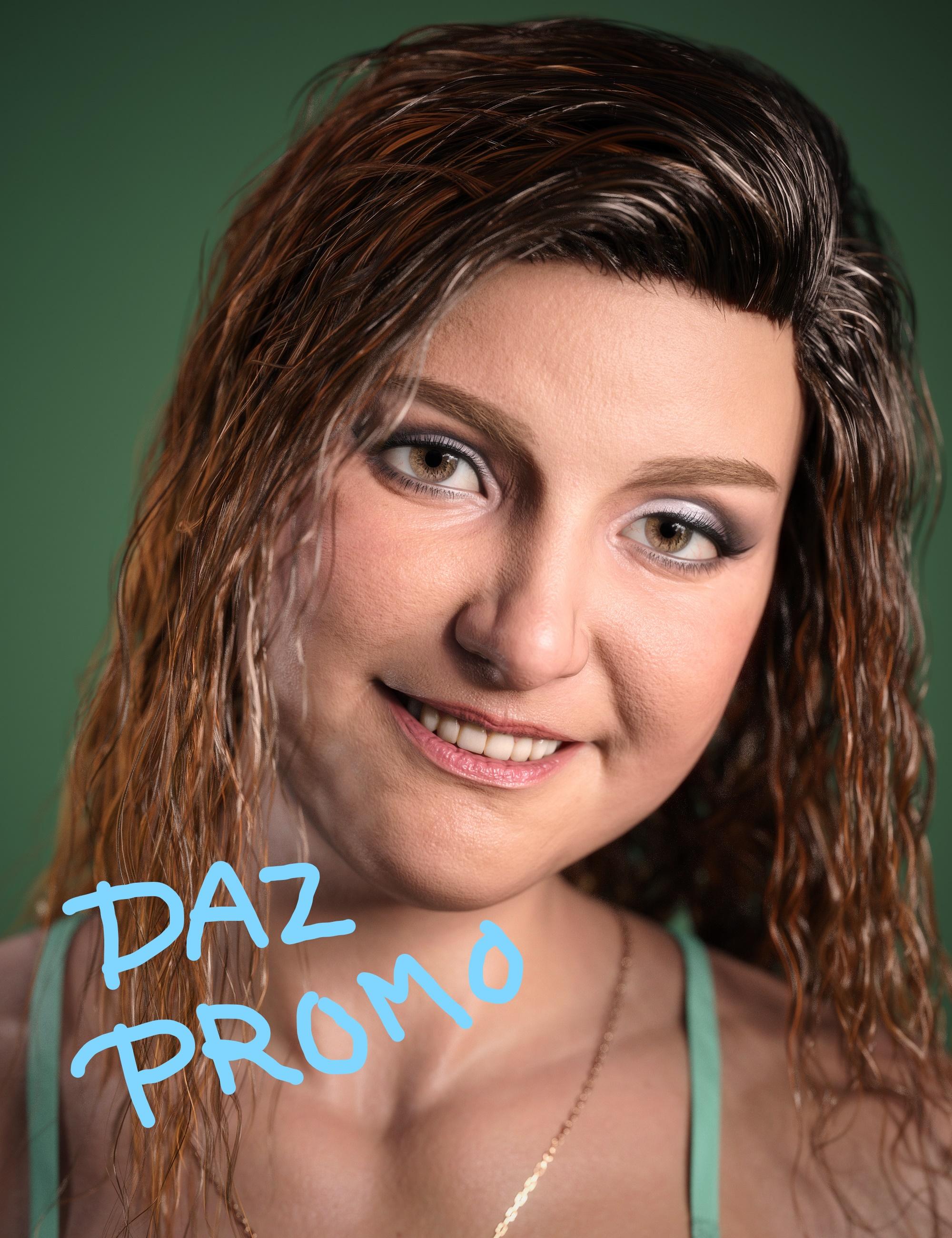
PBR to Original Uber converter? But discovered you can use PBR in 4.14 beta!Based on the Daz promos I had no interest in PBR because skin looked dry and like plaster. But somehow in the 4.14 beta, it looks great IMHO! This is Brooke 8.1 skin on a character morph based on Brooke. (I do not like the Brooke morph but it makes some interesting mixes.) I can't tell if it's the 4.14 renderer that makes it look less dry or it's lighting or what. But I'm much more impressed with the PBR skin I'm rendering in 4.14 beta than the promos that were surely done in 4.15...I'm so glad I discovered this trick! Click the attachment to see full size.And not one crash except when I tried a dforce strand based hair. Second one has quick mild postwork.
 Rheena Centaur for G3F [commercial]
RawArt said:
Wonderland said:
Two questions: Can you change the morph and skin on the girl? (I'm primarily interested in the zebra skin.) And what bow/arrow was used for the poses? Thanks.
Horse body and human body are one morph.
The textures included are made to work how I liked the division between horse and human, not along the actual graft lines, so if you change the human skin, you will have a seam that does not blend well.
as far as the bow.....that was made so long ago, I really have no idea...sorry
Ah, OK thanks. She’s way too muscular for my purposes so I guess I’ll have to pass but I love the zebra skin! ALTHOUGH... Couldn’t I use the skin on a different Centaur character? I can easily change makeup if I want in Photoshop. It’s almost turnover time so I think I’ll get it, I can always return it if it doesn’t work for me.
[Released] dForce2Morph [Commercial]If you ever decide to do an update to this product, I have a couple enhancements for you to consider:
- I would like the option to have it always default to my author name for the morph creator, instead of the author of the original product. After all, the morphs I save with dforce2morph were not created by the original product creator, and assigning their name to them is a little misleading and confusing. I get tired of changing it to "barbult" in the dforce2morph dialog box every time.
- I would like an option to set the presentation colors. I have a Color A and a Color B that I always use, to help me identify that certain morphs in products were morphs that I created, not something that came with the product. As it is now, I end up changing the colors of the morph created by dforce2morph and resaving the morph asset. That is wasted effort that could be avoided if dforce2morph let me select default presentation colors in the interface. I would like dforce2morph to remember that selection and use it every time, unless I change it.
Noska 8.1As usual I like the morph. The skin is pretty useless to me since I'd be converting it to 3DL anyway, and if I'm going to do that, I might as well just use a different skin.
The long kimono is tempting, but it's dForce, and it looks like dForce only So not that interested. The only other thing even remotely useful to me would be AprilYSH's new hair, but I'm pretty well stocked with hair models. Ergou's new hair is attractive, but its Iray only, and hair doesn't always convert to 3DL that well.
So, a whole lot of nope. I will probably watch for sales on the character and the hair down the road. But for the moment I'm not interested.
XTransfer Module 1- Genesis 3 to Genesis 8 Morph Converter (Commercial)Zev0 said:
Did you retry the morph? What morph is this so I can try on my side.
I've retried the morphs. Either Genesis 3 female or victoria 7 based don't work for me. The base Victoria 7 morph even doesn't transfer correctly.
XTransfer Module 1- Genesis 3 to Genesis 8 Morph Converter (Commercial)Did you retry the morph? What morph is this so I can try on my side.
GoZWhen you use GoZ, on a sub-divided model, you are asked if you want to use the current resolution (or divisions - I can't rcall the exact wording). For a morph you don't.
FBX weight values export issueI decided to create this thread because it seems that DAZ FBX exporter doesn't work properly. At least for me.
https://www.daz3d.com/forums/discussion/517201/model-looks-shattered-when-i-sent-it-to-maya#latest
I am facing the same problem as the person started that ☝️ thread. And after doing some research import-export moves I have to say that FBX export doesn't transfer Weight Maps (attributes, values, ..) correctly in those cases when "SubDivision Level" parameter is set (and locked) to anything above 0. Or.. Maybe I am wrong and I just need (as the developers of DazToMaya Bridge) to export those Weight Maps correctly by locking some parameter.. ¯\_(ツ)_/¯
I attach the GIF-file ( https://s9.gifyu.com/images/eq2yWGJoiA.gif ) that shows my exact actions during use of DazToMaya Bridge and I also attach 2 screenshots from Houdini viewport with Weights visualized on both SubD 0 ( https://i.imgur.com/BDr2hez.jpeg ) and SubD 2 ( https://i.imgur.com/U0hTcRd.jpeg ) *.fbx models exported from DAZ using regular "Export" option.
Daz 3D is part of

Connect
DAZ Productions, Inc.
7533 S Center View Ct #4664
West Jordan, UT 84084Licensing Agreement | Terms of Service | Privacy Policy | EULA
© 2026 Daz Productions Inc. All Rights Reserved.