-
Toning down preview strengh
Do you mean to be using Filament?
List of Filament ResourcesReview: SF Beautiful Skin Filament by Sickleyield and Fuseling
https://www.daz3d.com/sf-beautiful-skin-filament
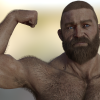
Organic material is a big challenge for DAZ Filament, it often looks quite unnatural, especially when compared to IRAY - the price to pay for lightspeed renders on weak Hardware.
SF Beautiful Skin Filament tries to help the user achieve a more realistic look for skin material in DAZ Filament.
It does this with the clever use of additional geometry: a geoshell is placed beneath the skin of a G3 or G8 figure, the slightly reduced opacity of the skin surface fakes a subsurfacescattering effect by letting the underlying shell material influence the look of the skin.
To further support the user, 2 Filament lights have been included.
Finally the customer receives two Filament hair shader presets and Filament hair caps as a bonus (These are not being reviewed)
How to use it:
First complete your basic figure and light setup. You can use and fine tune the included Filament lights.
Then select the figure and choose one of the three basic skin tones in the "Materials" folder which suits your figure best (here G8F)

Next add the appropriate "SSS Emulator Shell" in the "Anatomy" folder. Your figure should be still selected.

Now you can further enhance the look of your figure by using one of the 15 "Complete Presets" (here the 15 Presets for the basic G8F Dark Skin Material (also in the "Materials" folder).

Finally you can use the 30 "Diffuse Tints" to fine tune your figures' skin tone. (They can be used with all three basic skin tones you might have chosen, here G8F)

My impression:
Raw render without any changes:

Lighting has been tweaked:

Tweaked lighting and the RSSY Filament Base Shader Preset applied to the skin. (From the product: "RSSY 3Delight and IRAY to Filament"):

Tweaked light and "SF Beautiful Skin Filament" applied:

These are the results I got as an advanced beginner tweaking only a few minutes.
Comparing the four skin renders I personally prefer the last one. My impression is that the RSSY Base Shader can't replace this product and therefore I recommend it. Filament will never reach IRAY standard, but this product gets you a step closer, it has become a great addition to my DAZ Filament tool box.
Daz Studio Pro BETA - version 4.20.0.17! (*UPDATED*)Anarkia333 said:
WendyLuvsCatz said:
OK this is new and exceedingly annoying.
the animation range reverting to 217 on reopening scenes is always annoying and stopped for a few builds
now it is back with sprinkles on top, it does it on the fly everytime I do something like pan a camera

OMG guys use DAZ for animation is soo ridiculous

yeah, just spent 17 hours rendering the New Sponza Atrium from Intel with iray 1800 frames
https://www.facebook.com/wendy5/videos/3939049862886761
back to Filament and sanity now

BTW DAZ does not import the FBX nicely so unless you have something that does Like Carrara with textures and glow on bulbs! to export an obj, don't bother
Share Great Hairs For FilamentBHudson said:
I shelled out for this last year and it turned out to be a great investment. I use it exclusively as a base in conjunction with transmapped iray-shaded hair products. While it can take some work getting the shape and shading right it's the best solution I've found yet.
The FSL filament hair shader set complements the SY product well when it comes to getting the colors to match. It also automatically turns the opacity up to 2 on all surfaces, which helps with transparency but isn't usually a solution on its own.
Could you share a render? I won't expect perfection in Filament, but am really curious
 Share Great Hairs For Filament
Padone said:
Just to add that any modern SBH or dForce hair will work fine in filament. Just avoid the "old" transmapped.
Thanks for the suggestion, @Padone! My problem is a grainy look i get from dforce hair (quick render):

I added a filament hair cap and used FSL Filament hair shaders and overall the result is better than with old transmapped hair, but still i can't get rid of that grainy look - any ideas?
Share Great Hairs For Filamentmding said:
Review: SY Filament Friendly Hairs Genesis 8 PART ONE and TWO (sharecg.com)
In order to avoid the current opacity mask problem in DAZ Filament, Sickle Yield has developed a hair bundle which is based completely on geometry and doesn’t use any textures.
I shelled out for this last year and it turned out to be a great investment. I use it exclusively as a base in conjunction with transmapped iray-shaded hair products. While it can take some work getting the shape and shading right it's the best solution I've found yet.
The FSL filament hair shader set complements the SY product well when it comes to getting the colors to match. It also automatically turns the opacity up to 2 on all surfaces, which helps with transparency but isn't usually a solution on its own.
Share Great Hairs For FilamentJust to add that any modern SBH or dForce hair will work fine in filament. Just avoid the "old" transmapped.
Share Great Hairs For FilamentWendyLuvsCatz said:
looks great, I actually grabbed the Filament hair shaders today
will look into those probably next payday
I like the Filament hair shaders, but they can't handle the opacity mask problem, thats why I didn't make a review yet...
Share Great Hairs For Filamentlooks great, I actually grabbed the Filament hair shaders today
will look into those probably next payday
Share Great Hairs For FilamentReview: SY Filament Friendly Hairs Genesis 8 PART ONE and TWO (sharecg.com)
In order to avoid the current opacity mask problem in DAZ Filament, Sickle Yield has developed a hair bundle which is based completely on geometry and doesn’t use any textures.
The hair bundle contains:
5 hairs and a hair cap for G8F and G8M
2 hairs consist of the hair base with 2 bun- and 1 tail- addons

3 adjustment settings (less shiny, more shiny, alternate specular IRAY) and
11 color presets for the hairs and the hair cap (black, blonde, blue, brown dark, brown medium, ginger 1 + 2, grey, green, white and yellow)
Although the hair was created with DAZ Filament in mind, it includes both IRAY and Filament materials.

Part ONE and TWO both together form this product. They both have to be bought in order to use the bundle. This is due to the large file size of the bundle which had to be split into 2 parts.
My impression:
A hair based completely on geometry of course won’t look as perfect as e.g. an OOT IRAY hair product. But it successfully overcomes the opacity problem, for which Sickle Yield really has to be commended. As usual in Filament, some tweaking on the hair surfaces and the lighting is necessary, also adding some lights, turning the hair cap on / off and trying subD can be helpful.
All renders used in this review were created without any postwork (not even Filament layer postwork, just a scene rendered):


Then there is the option of mixing with other (normal) hairs:

Each hair includes an impressive 10 to 13 style morph dials and plenty additional adjustment dials making it incredibly versatile.
Conclusion: This bundle is HUGE – you get a lot! And as long as the current opacity mask problem in DAZ Filament isn’t solved, this hair can save the user a lot of time (and nerves), so I recommend it to everybody, who wants or has to rely completely on DAZ Filament.
Draw Dome is missing in Daz3d 4.20?Create>New environemt Settings Node (or rendering/previewing in Iray or Filament) should give the environemtn controls - the same is true for Tone Mapping.
Check your driver version, the minimum version required by Iray has changed. Also note that there have been significant changes in the way Iray handles emissive surfaces thata re not fully opaque, reducing their luminosity by their opacity value. Thin Film has also been changed, which will affect soem things. Both of these changes were made by nVidia to fix bugs.
The Mac FAQwsterdan said:
supernoob said:
Is filament available on Mac yet?
If so, how do you access it?
Filament is not yet available directly on a Mac, that's theoritically going to be available in DAZ Studio 5 (we were told it was working in the pre-alpha). For now, you can use a Windows partition on a Mac using Boot Camp, VM Fusion, Parallels, etc.
-- Walt Sterdan
Watch the change log http://docs.daz3d.com/doku.php/public/software/dazstudio/4/change_log and, when a new version is released, check for the Highlights thread in the Daz Studio forum. If Filament isn't listed in at least one of those it isn't yet available.
The Mac FAQsupernoob said:
Is filament available on Mac yet?
If so, how do you access it?
Filament is not yet available directly on a Mac, that's theoritically going to be available in DAZ Studio 5 (we were told it was working in the pre-alpha). For now, you can use a Windows partition on a Mac using Boot Camp, VM Fusion, Parallels, etc.
-- Walt Sterdan
The Mac FAQIs filament available on Mac yet?
If so, how do you access it?
Daz Studio Pro BETA - version 4.20.0.17! (*UPDATED*)Masterstroke said:
unless you can affort to wait for 30 minutes per frame, in order to have a decent quality.
Just don't use IRay. There are a lot of extra render engines that are way more faster than that.
For me 3Delight is perfect, high quality with fast renders but Octane is a better alternative than IRay. Anyway, I really hope the devs will make Filament more reliable, it's a great engine with light speed render times. After all, they just have to fix the transparencies, the shadows and make the light work distant from world center.
Where's Filament?deankut said:
Is Filament available now?
For 64 bit WIndows, yes. If you mean for Macs, no. If you want to track what is happening keep an eye on the changelog - any addition of Filament for Mac will certainly be noted there http://docs.daz3d.com/doku.php/public/software/dazstudio/4/change_log
Where's Filament?Is Filament available now?
Daz 4.20Richard Haseltine said:
You mean layout? My workspace resets every time I reopen Daz. - Daz 3D Forums
Layout and STYLE. The viewport goes back to gray color. I use white. It wont save any settings I have made. I collapse some of the panes I don't use and they are all back when I reopen Daz. The Draw style even goes back to that PBR filament, so I have to change that too. Even the cursor changes back to some weird thing and I have to select the arrow. It all goes back to the default settings it comes in.
Crummy changes and problems with 4.2 "Pro"Daz Studio 4.2 didn't have Filament - 4.20.0.2 does, and also has the issue with layout saving, so I assume that is what you mean (version numbers are not decimals).
See My workspace resets every time I reopen Daz. - Daz 3D Forums for more on the session files, and where to get a script that will create the dummy files to enable saving of the sessio layout.
Crummy changes and problems with 4.2 "Pro"IceCrMn said:
1. Next to every object on the Scene Pane will be a small arrow with a little x or check mark next to it.
Click the arrow to switch to the x. Now the object isn't selectable in the view port.
If it's a large prop environment or you have multiple things you you can make a "New Group".Let me know if you need help with this. It's in the Create menu on the main toolbar.
Then when you click the arrow for the group everything in the group will be effected.
2.The current General Release version has a known bug that causes that.It's a relatively easy fix if you don't want to wait for the next update.Or you can install the beta version that has the fix for this already.
The broke is DS isn't writing the new files because there weren't any old files to check before the file write commit.
The fix is to make new empty files so there is something to check.
https://www.daz3d.com/forums/discussion/553786/can-not-save-workspace-layout
3. If Filament( or any other viewport renderer) that is left turned on it will stay that way when you shutdown and restart or when you open new scenes. I didn't know of any other way to fix this other than to switch it off/on when needed.
I use the toggle next to the camera controller in the viewport constantly to switch between preview modes.
I've not seen DS turn this on all by itself, so If you're having issues with this it might take little more sleuthing to find out what's going on.
I got far enough in #2 to know that I need to create empty session UI files for the layout to overwrite (I think?)
I don't know how to make such a file, and will try to find a solution on my own, but if anyone knew how to that'd be great.
Daz 3D is part of

Connect
DAZ Productions, Inc.
7533 S Center View Ct #4664
West Jordan, UT 84084Licensing Agreement | Terms of Service | Privacy Policy | EULA
© 2026 Daz Productions Inc. All Rights Reserved.