-
useful item maybe?
Masterstroke said:
I think of Auto Safe as a quite risky tool in DAZ Studio and here is why:
Although it is helpful to keep your working progress, it might lead to "duplicated formula errors", mostly when saving a new morph asset and saving a scene within the same session.Not sure what you mean... but duplicate formula only results from duplicate url IDs of modifier assets... Saving a Scene never creates any modifier assets let alone url IDs. Auto Save plugin never saves Figure or Modifier assets either ~~
useful item maybe?I think of Auto Safe as a quite risky tool in DAZ Studio and here is why:
Although it is helpful to keep your working progress, it might lead to "duplicated formula errors", mostly when saving a new morph asset and saving a scene within the same session.about genesis 8 male and genesis 9 male...Just want to tell you what I think of Genesis 8 male and Genesis 9 male. However, you have to excuse my syntax because I am deaf and speak American Sign Language which is not exactly English. Hope you can understand me. Okay... I love Genesis 8 male better than Genesis 9 male because the figure 8 has great muscle body, hands, feet and more. Well, I am gay and creating 3D images almost everyday. Sharing with my friends and everyone loves it. I had been trying to creating Genesis 9 male and his body that look great, but almost. Looks good but not really perfect. Just look like a doll. The figure 8's body looks so great and perfect body, feet and hands. They look more like real muscular body than the figure 9. Okay... I hope I didn't mean to upset you or something like that. I just hope you guys create new Genesis 10 male in the future. Hopefully, the body would be great just like Genesis 8 male. I know a lot of artists love Genesis 8 better than 9... or love Genesis 9 than 8. I can understand. I just hope you artists create Genesis 10 male so great. I love using Genesis 8 male as long as I use until the future it would fade away. Just thought I wanted to tell you what I thought of it. I know you gave us many more of dials to morph it body. Genesis 8 male has some dials to morph. More easier to use. Keep it up more. I love creating 3D images for over 25 years! Love it!
Thanks for your time to read!
Joey
Shape Transfer DAZ Premier and other thingsTo use the Shape Transfer Feature... AT THE MENU GO TO EDIT > FIGURE > SHAPE Make sure you have 2 Figures Selected. (Ctrl + Left Click) This may be a Premier Only Feature if you do not see this option. Also make sure you have the Latest Daz Version Installed.Sleepless In . . .my parents barely knew each other, Mum had to transfer to teach in a country school because she was single (Australia 1950) Dad suggested they get married, 2wks later they were.
I was born 12 years later, they were married 22 years when Dad died
What kind of hair is this?And there is no hint of dForce in it.
I tried to add a dForce modifier and a weightmap. But essentially, it is very filtret and will stick together. I removed self collision, and made a morph that got the hair a little away from the body. But then I realised that there are hairs that don't start at the scalp, but some way down, and they will just fly away.
All in all, I don't see that hair being simulated.
You can take it into a modeller and make morphs, but that's it.
Is there a way of converting textures (materials) between Genesis 2 through Genesis 9?Unfortunately there's no legacy product for G2 > G9 from CaymanStudios ~~
You can convert texture maps from G2 to G9 in Blender by projecting the maps across different UVs. This is a totally free way but it requires some technics and skillset of Blender ~~
Alternatively, a much simpler way: you can make a G2F Material Suit for G9, like the one in this product: https://www.daz3d.com/rssy-genesis-8-and-81-female-material-suit-for-genesis-9
i.e. rig a G2F obj onto G9 with Transfer Utility so as to make it as a Material Suit. Attached screenshot is a roughly-made example: Victoria 9 with the material suit of G2F to which Victoria 6's texture maps are applied.
(removed Eyes related surfaces on G2 object, rig it as a "Body and Head Suit" to G9, set G9 as Auto-Hide in Geometry Editor.... etc. etc.)A technical question but I don't need a technical replySilverGirl said:
Is there a reason that it does that and/or a way to prevent it?
Another tool in our arsenal is the weight mapped push modifier, either applied on the clothes on top of everything else, to push them over what's supposed to be under them (in this case, the value of the push modifier is set to a positive value, usually 1), or applied to what's poking through, to push it under the outwear (in this case, the value is negative, usually -1).
When an HD morph is poking through clothes, a positive value and just a tiny bit of painting the weight map around the pokethru area is usually enough.
Most of the time, I'm using them to push socks or stockings inside shoes, under dresses, etc, which has the advantage of keeping the shape of the outmost clothes intact.
With the push modifier inactive (in this case, I put the push modifier value to 0 but forgot to show it on the screen
 ) and the node weight brush tool active to show where I painted the weight map:
With the push modifier value set to -1 (the smoothing modifier is still active here, so it's a bit of a fight between the push modifier and the smoothing one :D):

As you can see on the first picture, the main advantage of a weight mapped push modifier is our capability to apply the pushing only where it's necessary. And as you can see on the second picture, you can have multiple push modifiers on the same clothes, so you could likely have one (I don't remember needed to do it) with a positive value to fix pokethru related to the body of the figure wearing clothing (if smoothing modifier is not enough) and one with a negative value to push that clothing item under other clothing items where it's necessary.
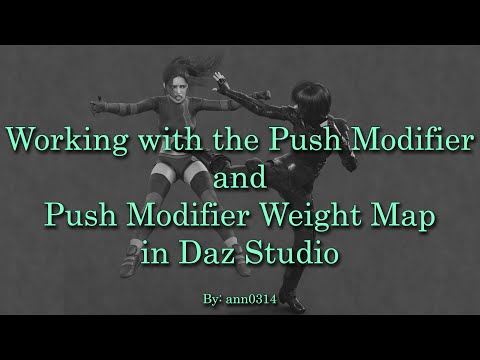
If you want to see how one which is already applied work, you can see it on any clothes recent or semi-recent by Mada. A general tutorial on the subject of weight map and push modifier:
 A technical question but I don't need a technical reply
Matt_Castle said:
Speaking as someone who does make clothing, making clothing fits is a complicated balance.
If you're making a fit for a character shape or body morph, do you prioritise fixing pokethrough, or do you prioritise fixing distortion (e.g. creases around the breasts, which might even be outright "boob socks" on some morphs)? You can't do both, because fixing distortion means that you have to move the mesh somewhat over the surface of the body, and that means those clothing vertices no longer entirely aligns with the body vertices they're rigged to, and that discrepancy often results in pokethrough.
Personally, I prefer to prioritise fixing distortion; distortion is very hard to eliminate well without taking it out to a modelling tool. On the other hand, clipping is easily addressed with a tool like Fit Control, loosen morphs or a modest smoothing modifier.
As such, you may find that a lot of vendor created fits compromise on clipping in order to improve the overall shape of the garment.
(In the event that you're finding it still clips with a smoothing modifier active, you can address this by setting the smoothing target to an invisible geoshell on the figure, which you can adjust the offset of as required).
That was an interesting read -- I learned something, thank you!
I don't mind pokethrough, personally. I mean, it's not my favorite, but like you said, there are reasonably low-effort (and low-skill) ways around that.
If I can ask a semi-technical question... once in a while when I've had some poke-through that was just being stubborn, I used goemetry editor to delete the offending bits... and it ALSO deleted some other bits in a completely different part of the garment. For example - something was interfering with the belt on the right side, so I deleted that pokethrough. And now there's a hole in the middle of the back and another issue near the shoulder. Or a bit of blanket towards the edge suddenly made several holes in the middle. Is there a reason that it does that and/or a way to prevent it?
A technical question but I don't need a technical replyPhoenix1966 said:
Sometimes having "just" an HD morph active is enough to cause pokethru.
this is very true
A technical question but I don't need a technical replyfelis said:
Cloth should follow the body shape, no matter size, unless it is set to not.
Could you say which morph you have used / show example.
Veins morphs, bodybuilding morphs, etc. Stuff like that.
Wow that is some patch ... dForce SU Medium Length JeansAh, I'm sorry but you don't have to really pass on it. There's another good solution to hide it but show no mesh of the brand patch... by using Conditional Graft. I made them on both of jeans for G8/G9 as well as a smoothing morph... in case you're willing to buy it.
If you have the products then, you can extract the data folder within the attached ZIP file to the root directory of your Daz Library where you install the products.
Then load the jeans and dial the property Hide Brand Patch when you want to hide it. Crank up Smooth Brand Mesh if you want it even more smoother.
Hope the solution helps ~~
That is incredibly generous. Thank you for taking the time to do that.
 Genesis 2 Appreciation Thread
Genisis 2 is still one of my all time favorite generations. Some of my favorites: Olympia 6, Victoria 6, Callie 6, Michael 6, The Girl 6, and a few of Raiya's G2F characters, to name a few.
Though there are quite a few more from the Genesis 2 line that I really like. Once you morph the elbow area to be more realistc the figures are fantastic! I had made a custom elbow bend morph for G2 a few years back, sadly it got lost to a failed drive. One of these days I will have to make a new one. A fixed or improved elbow bend really elivates G2F characters.
Wow that is some patch ... dForce SU Medium Length Jeanshjake said:
crosswind said:
hjake said:
dForce SU Medium Length Jeans for Genesis 9, 8.1, and 8 Female
https://www.daz3d.com/dforce-su-medium-length-jeans-for-genesis-9-81-and-8-female
Can the Sue Yee patch be hidden?
Yes, but there'll be a "shape of patch" left ~~ especially with the light color textures.
I just noticed even in the texture expansion show the patch locations. So I would agree that the patches outlines are modeled into the mesh.
Thanks everyone for your replies. I will have to pass on this product.
Ah, I'm sorry but you don't have to really pass on it. There's another good solution to hide it but show no mesh of the brand patch... by using Conditional Graft. I made them on both of jeans for G8/G9 as well as a smoothing morph... in case you're willing to buy it.
If you have the products then, you can extract the data folder within the attached ZIP file to the root directory of your Daz Library where you install the products.
Then load the jeans and dial the property Hide Brand Patch when you want to hide it. Crank up Smooth Brand Mesh if you want it even more smoother.
Hope the solution helps ~~
A technical question but I don't need a technical replySometimes having "just" an HD morph active is enough to cause pokethru.
A technical question but I don't need a technical replySpeaking as someone who does make clothing, making clothing fits is a complicated balance.
If you're making a fit for a character shape or body morph, do you prioritise fixing pokethrough, or do you prioritise fixing distortion (e.g. creases around the breasts, which might even be outright "boob socks" on some morphs)? You can't do both, because fixing distortion means that you have to move the mesh somewhat over the surface of the body, and that means those clothing vertices no longer entirely aligns with the body vertices they're rigged to, and that discrepancy often results in pokethrough.
Personally, I prefer to prioritise fixing distortion; distortion is very hard to eliminate well without taking it out to a modelling tool. On the other hand, clipping is easily addressed with a tool like Fit Control, loosen morphs or a modest smoothing modifier.
As such, you may find that a lot of vendor created fits compromise on clipping in order to improve the overall shape of the garment.
(In the event that you're finding it still clips with a smoothing modifier active, you can address this by setting the smoothing target to an invisible geoshell on the figure, which you can adjust the offset of as required).
A technical question but I don't need a technical replyCloth should follow the body shape, no matter size, unless it is set to not.
Could you say which morph you have used / show example.
A technical question but I don't need a technical replyIn Genesis, Genesis 2 and some Genesis 3 ... I was able to increase a body part to beyond 100% and most clothing would fit with no poke throughs. Now with Genesis 8 and 9, if I add a muscular morph or a fat morph and even stay within the 100% limits, I get poke throughs.
Why?
Why were older clothing more form fitting then current clothing? And what can be done about this?
* CLOSED* RRRR - Unusual Laws / Refused Sports - Render ContestIs a random selection by my Product Library page (I have 51) and item on page (there seem to be 40 per page) acceptable ?
If so here's my Pull #1
page50 item8 - FREE ebook - Choosing a product that works in the market ...unusable, redraw
page15 item22 - Capsces Cute And Casual Keiko 6 ...Gen 2 poses, OK
page45 item 29 - Safari Starter Bundle ...a bundle with a backdrop and some wild animals, OK
page12 item20 - Mixies Thigh Stockings ...for Cookie, OK
page 12 item 32 - Strappy Suspender Textures ...for an item I don't have, redraw
page 23 item 13 - Warrior maiden Okami ...V4 morph and texture, OKIf not, no problem
 How to transfer my DAZ content library from external drive to internal - Windows 11
LindaB said:
I bought a new computer and I need to transfer my 4TB DAZ 3D content library from an external drive to my computer's hard drive, but windows 11 can't do the job. It starts to moving the files for a while and then [drops] out, it stops the transfer. Has anyone else run into this prblem trying to transfer a massive library with Windows 11? What can I do?
Sounds like a RAM issue. Windows 11 does use more RAM than Windows 10. Win 11 has a 4GB min whereas Win 10 has a 2GB minimum. But task manmager will show significantly more RAM usage with programs in Windows 11 versus the same programs & services in Windows 10. Extra RAM is always used when coping files from external to internal or vice versa. I have 64 on one machine and 128 on another and use the latter for such transfers. If RAM is your issue, try coping and pasting less data like subfolders vs folders.
Edit: I have two internal ssds on each of my machines but I highly recommend you stick with storing 3D library on external hardrives and have two, one as a backup and one as a working master.
Daz 3D is part of

Connect
DAZ Productions, Inc.
7533 S Center View Ct #4664
West Jordan, UT 84084Licensing Agreement | Terms of Service | Privacy Policy | EULA
© 2026 Daz Productions Inc. All Rights Reserved.















