-
Looking for help saving Face Transfer 2 texturesHi everyone, I’m hoping someone more experienced with Face Transfer 2 might be able to help me, as I’m a bit stuck and would be extremely grateful for any guidance. I’m having trouble permanently saving the textures generated by Face Transfer 2. At the moment, no matter what I try, the textures don’t seem to persist — only the morphs are saved, and the images appear to remain temporarily associated with the figure rather than being written out and reusable. Here’s what I’ve already tried: Saving via the Save option under the Image tab in the Face Transfer 2 pane Save As → Figure/Prop Asset Save As → Material Preset Save As → Character Preset Save As → Scene Subset In all cases, the morphs save correctly, but the textures do not seem to be preserved in a way that survives loading into a new scene. I’ve also tested this on both: DAZ Studio Premier 4.24.0.4 DAZ Studio Premier 2025 Alpha Unfortunately, the behavior is the same in both versions. I’m sure I’m either missing a step or misunderstanding how Face Transfer 2 is intended to handle texture saving, so if anyone could point me in the right direction — or let me know if this is expected behavior and how others work around it — I would truly appreciate it. Thank you very much for taking the time to read this, and thanks in advance for any help or insight you’re willing to share.Looking for help saving Face Transfer 2 texturesHi everyone, I’m hoping someone more experienced with Face Transfer 2 might be able to help me, as I’m a bit stuck and would be extremely grateful for any guidance. I’m having trouble permanently saving the textures generated by Face Transfer 2. At the moment, no matter what I try, the textures don’t seem to persist — only the morphs are saved, and the images appear to remain temporarily associated with the figure rather than being written out and reusable. Here’s what I’ve already tried: Saving via the Save option under the Image tab in the Face Transfer 2 pane Save As → Figure/Prop Asset Save As → Material Preset Save As → Character Preset Save As → Scene Subset In all cases, the morphs save correctly, but the textures do not seem to be preserved in a way that survives loading into a new scene. I’ve also tested this on both: DAZ Studio Premier 4.24.0.4 DAZ Studio Premier 2025 Alpha Unfortunately, the behavior is the same in both versions. I’m sure I’m either missing a step or misunderstanding how Face Transfer 2 is intended to handle texture saving, so if anyone could point me in the right direction — or let me know if this is expected behavior and how others work around it — I would truly appreciate it. Thank you very much for taking the time to read this, and thanks in advance for any help or insight you’re willing to share.January 2026 - Daz 3D New User Challenge - Composition, Instancing, and Duplication
I wanted to try this challenge to get some input. The character was instanced with the head gear attached. Daveyabbo's DA-15Y Lvl 4 HD Morph for Genesis 8 Female(s), Ansiko's Surgical Strike, Feng's Skyrail Bridge. Off set instances slightly.
Do Victoria 4 and Michael 4 Not Work In The Alpha VersionAh, it appears the script is in the older DS 1/2 format and the new DS 2025 lacks the converter for that - DS 4 would auto-convert. f you uninstall Power Loader and run the /runtme/libraries/!Daz/DzCretaeExPFiles-v4.bat flefrom a file browser the figure shoudl load, though you won't of course get the ease of use options for seelcting morphs/morph sets on load.
Do Victoria 4 and Michael 4 Not Work In The Alpha Versionmight just be Powerloader
may need to load the cr2 and add morph injections manually like one does in Poser
Subject: Missing "Clear Selected Deltas from Selected Morph(s)" in latest DS version?ontent: Hi, I'm trying to edit a morph using Geometry Editor. I have selected vertices, but I cannot find the "Clear Selected Deltas from Selected Morph(s)" option anywhere in the right-click menu or Edit menu. Even in the F3 (Customize) panel, searching for "Delta" only shows "Clear Selected Deltas from Favorites."
Did the name of this function change in the latest version? Or is it moved to a different menu? I am using a custom morph loaded via Morph Loader Pro. Any help would be appreciated!
I am using an AI to translate this message as I only speak Japanese. I would appreciate your kind assistance and patience.
Ohki's hair and thingies!Afrodite-Ohki said:
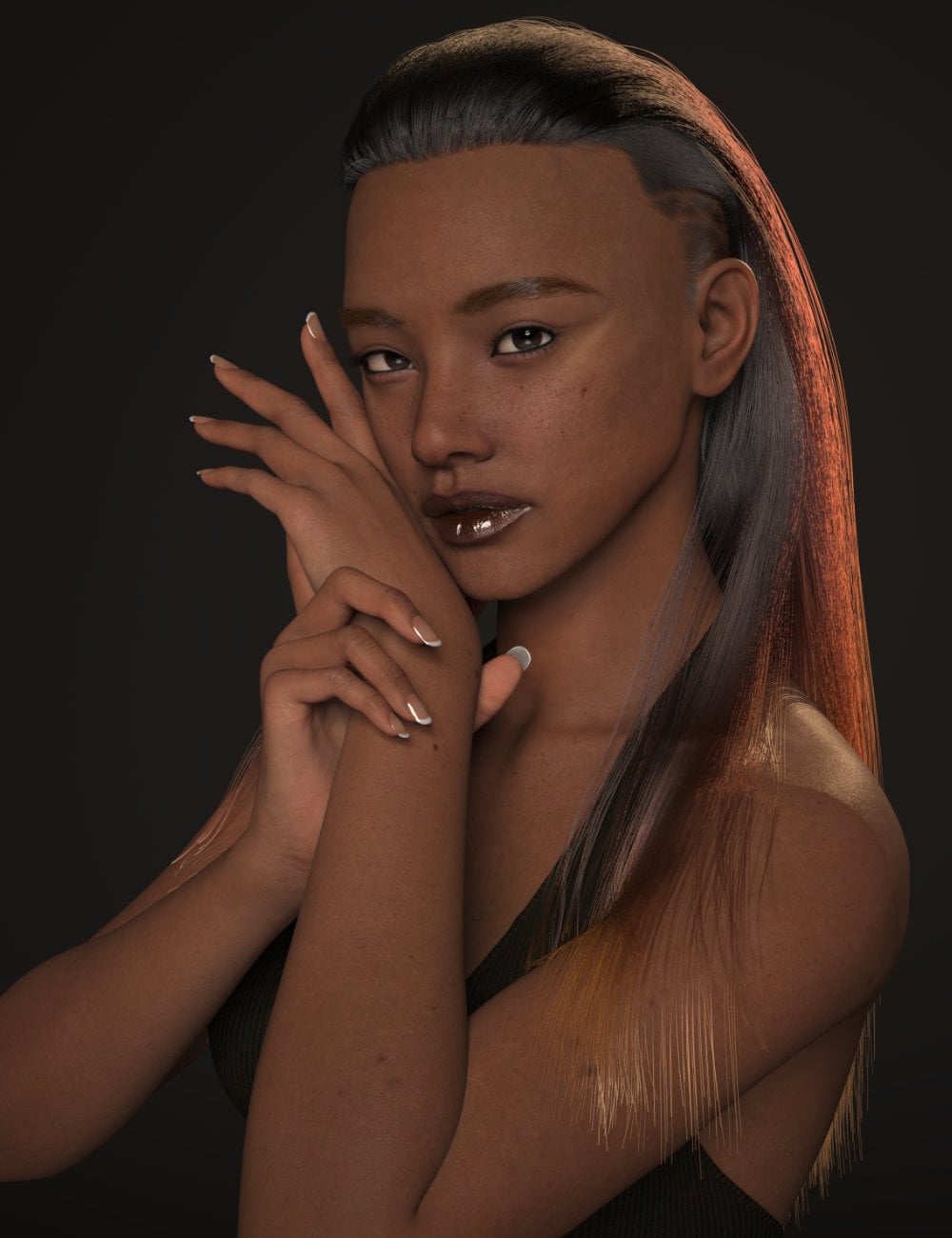
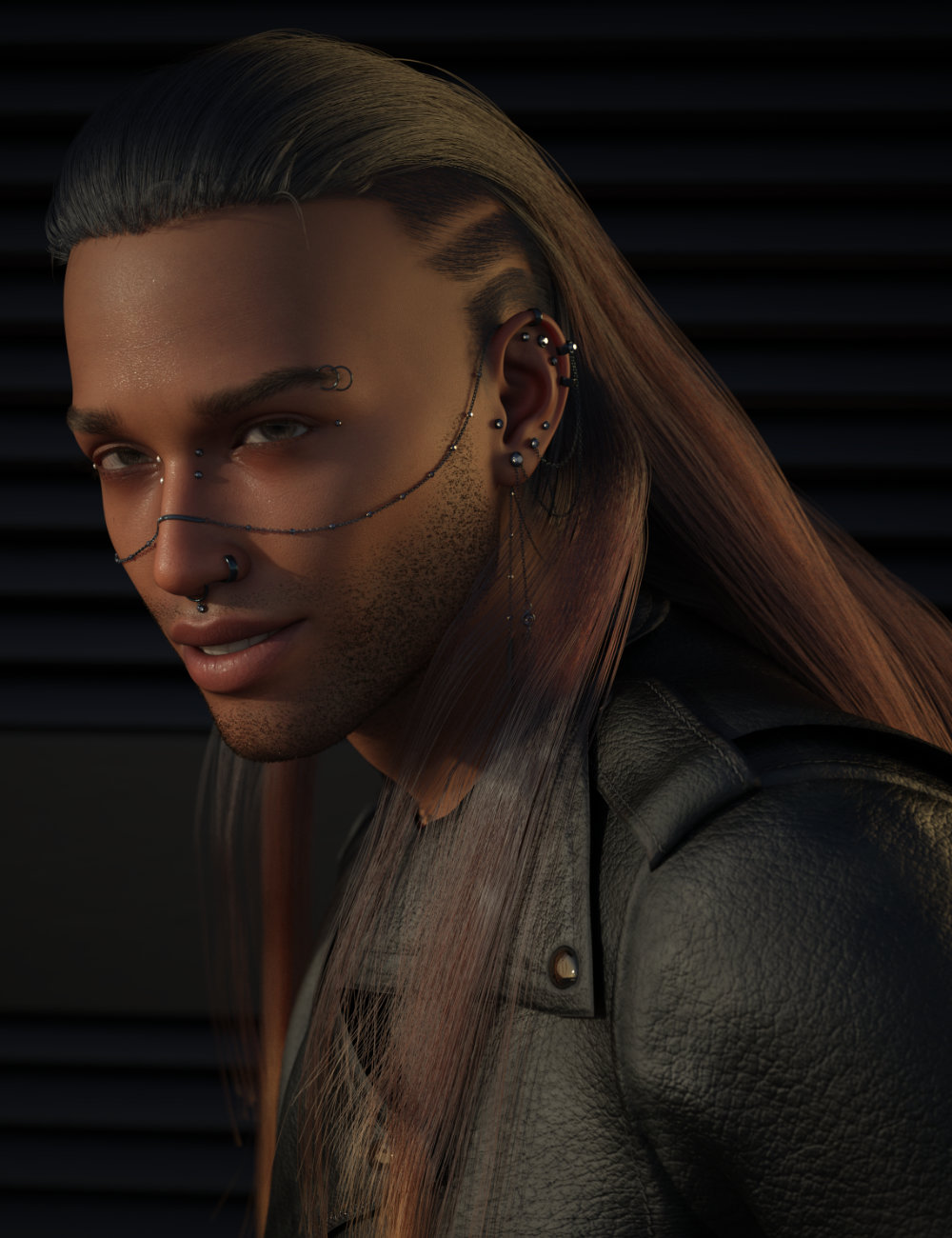
I'm finally home so I'm late posting this here! But yes as noted above, dForce AO Lowell Hair for Genesis 9 has been released!
daveso said:
I am looking at 3 of your newer hair products. They look really nice. BTW, who is the character you use in moonborn hair and the new Lowell Hiar. This hair is different than any I've seen in the DAZ realm ... great creation there.
Thank you muchly, I'm glad you like them! If you mean the character I use for my thumbnails and main images, it's a little mix :) The skin is G9 Feminine Skin 04 (the one included with G9 base), with details added from CJ Genesis 9 Skin Detailer. The morph is JS Jenny HD for Genesis 9!
Thank you very much. I was hoping it wasn't a custom character.
Ohki's hair and thingies!I'm finally home so I'm late posting this here! But yes as noted above, dForce AO Lowell Hair for Genesis 9 has been released!
daveso said:
I am looking at 3 of your newer hair products. They look really nice. BTW, who is the character you use in moonborn hair and the new Lowell Hiar. This hair is different than any I've seen in the DAZ realm ... great creation there.
Thank you muchly, I'm glad you like them! If you mean the character I use for my thumbnails and main images, it's a little mix :) The skin is G9 Feminine Skin 04 (the one included with G9 base), with details added from CJ Genesis 9 Skin Detailer. The morph is JS Jenny HD for Genesis 9!
Anatomy / Daz AlphaOr you can load up the mats in Daz 4.23, save the scene, then load the scene in Alpha. The mats transfer just fine, it's only the script that doesn't work.
Converting G8 morphs to G9?Have you looked at conversion products on the store, which claim to do something like that?
There is also a free way, which requires you to dial in the clone onto G9, and make both figures assume the exact same shape/pose. After you do this, you can run Transfer Utility to transfer across your favorited morphs from G8 and then save them. (Transfer Utility is not just for transfering rigs!).Unfortunately this method will not transfer over any "sub-component" logic, like correctives or adjusted rigging. So you would need to "Adjust Rigging to Shape" every time you want to use one of these morphs in your library. If those morphs have substantial numbers of correctives on G8, then re-establishing all of that corrective logic on G9 would be difficult to do manually.
There are some G8 morphs products for example that have like a hundred dependencies. For example, Auto-Muscle Enhancer i believe has 100s of correctives or subcomponents, and those won't transfer well.
Maybe some of the conversion products on the store can reproduce this process a bit better than the manual/free way I described above.
[Released] RSSY Character And Material Conversion Bundle Genesis 8 to Genesis 9 [Commercial]DaveTheVoice said:
One last question: Would it be "easier" if I set ALL Currently Used parameters to zero then convert? Just asking. I have 35 morphs. I'm sure that's not alot...
If you read the post above, you know that each "small" morph will compound until you have the wrinkling:
"In order to transfer morphs from one generation to another, you need the two characters to match in shape, height, and pose as closely as possible. The script modifies G9's shape to the default G8 shape (using the included "Genesis 8 Female" or "Genesis 8 Male" clone morphs), and poses G9 to the default G8 pose. Once they match, the transfer utility transfers over the morphs and you can save them. However, what transferring means is that the changes between the current G9 shape/height/pose and the morph's shape/height/pose on G8 are what are transferred over as a morph. Because G9 has been changed, the converted morph will "remember" the change in shape, height, and pose as well as the shape changes of the original morph, which can cause problems. This is why, even if the original morph only changed fingernail length or something like that, a converted morph changes the whole body on G9. The script is smart enough to only save the head of a head morph but saves the whole body or figure for all other morphs. This is why small, benign morphs on G8 can cause problems on G9."
You need to combine your morphs into one big morph:
"That said, you can transfer over your custom character by combining all your morphs into one morph on the G8 character first. Load your G8 character in DS at the default position. Export the entire figure as an obj (making sure you have resolution level is base and subD is 0). Clear out all of its old morphs so it is a generic G8 shape and import the obj using morph loader. Save as a character and then convert that."
DaveTheVoice said:
Sorry, I got a bit impatient there. I just really want my OC that I have "raised" from V4 and G3F to G8F. She really needs to be part of the 21st Century, I hope!
I'll follow your post above! Thanks!
RiverSoft Art said:
DaveTheVoice said:
I cannot find my original post or a resolution to the same issue. I have tried "Zero" and the other choice. Every time I get the same Origami G9 (see attached pic). Maybe there is a step by step review of what I did wrong?
The Zero or Restore choice is not your issue. There is no step-by-step review of what you did wrong. You need to try again AFTER clearing out anything which might screw up your next attempt, which is what my previous post tells you how to do.
Can I pay someone to make an HD morph for me?wormsign2k_f087b52efe said:
"use the transfer utility to fit a high resolution obj of the mesh to the base one"
The problem with that is, for animation, wouldn't that cause performance to absolutely crash through the floor when viewing playback in viewport? In my case, specifically I have an HD morph I'd like to use for Dragon 3.
set your animation up with the original mesh at low resolution first?
dragon just use the high resolution skin alone as a wearable because of mouth and eye parts, you can hide the original skin in the geometry editor
Can I pay someone to make an HD morph for me?"You can make a normal map from it that can be just as good most of the time"
That's a really interesting suggestion and I might do that if I can't find anything else.
"use the transfer utility to fit a high resolution obj of the mesh to the base one"
The problem with that is, for animation, wouldn't that cause performance to absolutely crash through the floor when viewing playback in viewport? In my case, specifically I have an HD morph I'd like to use for Dragon 3.
"3D Universe at times does such work. He is a professional so be prepared to pay a professional price. "
I've actually thought of commissioning 3D Universe in the past, thank you for the lead, I'll go talk to them.
Can I pay someone to make an HD morph for me?depends which figure but strictly for your own use, not redistribution, Genesis 9 you could just use the high resolution mesh because eyes, mouth bits etc are separate
use the transfer utility to fit a high resolution obj of the mesh to the base one
can hide or replace the base (transferring favourite morphs) depending on preferences
Can I pay someone to make an HD morph for me?So, it's my understanding that the ability to make HD morphs is closed off to just authorized DAZ PA's, right?
Is there any way I could just take subdivided OBJ that has a morph I want to make, give it to someone, and then they give me back the dsf that I would never redistribute and only use in my own work?
Alternately, can I just pay some amount of money for the right to make HD morphs for my own use? I'm willing to sign an NDA or whatever but one way or another I would really want to make HD morphs for my own purposes.[Released] CC Jynksie for Genesis 9 [Commercial]Hello,
I have two questions related to Jynksie and creating morphs for clothes.
1. From what I understand, it seems to me that:
- Jynksie's morph was created on top of Base Feminine.
- Jynksie's Clothed Breasts' morph was created on top Jynksie's morph.
- Jynksie's Nude Breasts' morph was then created on top of Jynksie's Clothed Breasts' morph.
When I want to create morphs to get a better fit for a piece of clothing, I'm currently following these steps:
- I load Genesis 9 Dev and the clothes I want to fix
- I dial in 'CC Jynksie Body' (which automatically dial 'Base Feminine Body')
- Sometime, I remove the 'CC Jynksie Body' autogenerated morph on the clothes if I feel like I will do a better job than Daz Studio, sometime I keep it and just fix the part I know how to fix.
- I export Genesis 9 Dev and the clothes into Blender, do what I need to in Blender before exporting it back as .obj
- I create a morph in Daz Studio using the .obj file
Then, I will do the same process after dialing in 'CC Jynksie Breasts (Clothed)', keeping 'CC Jynksie Body' at 100% and the last step is adding 'CC Jynksie Breasts (Nude)' on top of everything.
Is it the correct way to do it or is there a better one?
2. By default (if I'm not doing something wrong which is always a possibility of course), Jynksie loads without Genesis 9 micro-details maps loaded. Is it useful to add them using the preset from Genesis 9 Starter Essentials ?
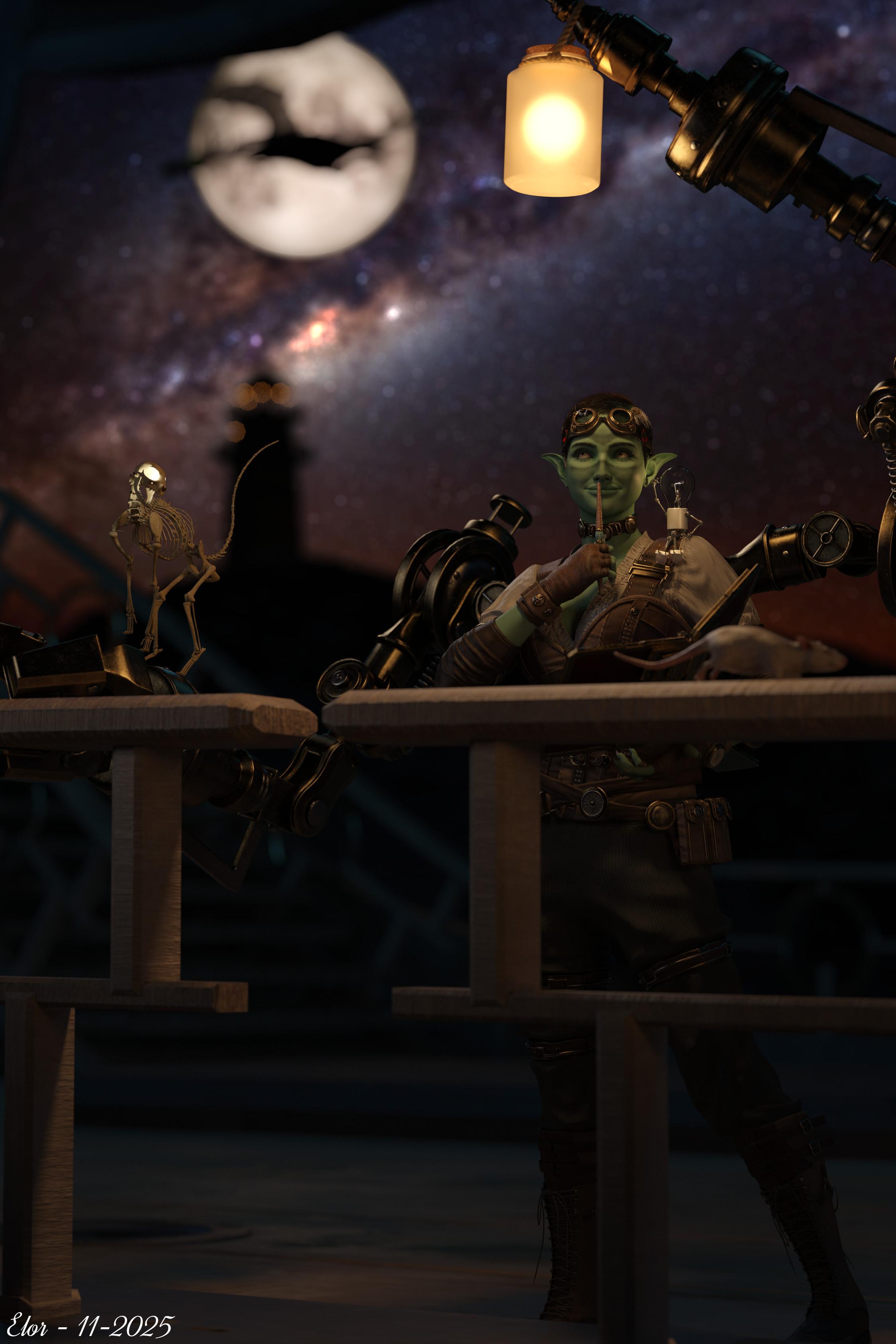
Two and half years later, I still find the main render great and I'm happy to have finally an idea to take advantage of the soot preset (was it based on a specific pair of glasses?), in Dear Diary :
 [Released] OsoDreamer's FelineFolk
Richard Haseltine said:
Eboshijaana said:
AsuCafe said:
This is the best cat-like character. How can I apply the osodreamers-felinefolk model to G8.1? Unlike other G8 characters, it doesn't directly overwrite the G8.1 base figure; instead, it creates a completely new G8 figure.
I tried applying the felinefolk shape and material to the G8.1 base figure, but the fur is problematic. Only the limbs and head have fur, while the torso doesn't.
Additionally, I suggest that the new product could be made into a "Dragonborn" , preferably an Eastern-style one, like Shenron from Dragon Ball, or a raccoon man.
G8 and G8.1 use different UV maps. Hence, the fur doesn't follow act decently on G8.1.
I recommend finding a product for 8.1 has fur and applying felinefolk on that.Genesis 8.1 has the Genesis 8 UV set as well as its own, however the surface names are different - most presets DS will auto-transfer but scripts and other data will require some copy/paste or other manual adjustments
I know, AsuCafe was complaining about the fur that came with felinefolk not matching G8.1. Which it doesn't, because it only has G8 surfaces.
Anyone flip a hair product (left to right)Pendraia said:
barbult said:
This is how I do it (works for dForce hair):
- Load the hair into Daz Studio
- Select the Geometry Editor tool
- Export the hair to OBJ with Remove Unused Vertices and Write Polylines selected, as well as your normal export settings
- Open Blender (I have version 5)
- Import the exported hair OBJ into Blender.
- In Blender Object Mode, select the imported hair object.
- In Blender, Right click and select Mirror, X Global
- In Blender, Export the selected hair to OBJ
- Back in Daz Studio, with the Geometry Editor tool still selected, select Morph Loader Pro and import the Blender-exported-mirrored OBJ as a morph
- Wait and be patient. It takes my computer several minutes to import the OBJ
- Dial the created morph to 100% to verify that it works correctly.
- Set the min and max morph limits to 0% and 100% with Set Limits checked. Be sure default is 0%.
- Save the morph that is created as a Modifier Asset
Now you have a mirroring morph saved to the hair, and you can use it now and when you load the hair in the future.
I don't have Side Swept Glam Hair. Here is an example with Bixie Cut Hair (I only loaded and mirrored the Main hair, and didn't bother with the strays, but they can be mirrored with the same technique).
You can use this same technique to create morphs for dForce hair, by moving vertices around in edit or sculpt mode in Blender, instead of mirroring the whole hair.
Wow! That sounds so easy Blender normally makes my brain melt. I may have to give it another try.
Be sure you heed the Daz Studio part about selecting the Geometry Editor tool.
Anyone flip a hair product (left to right)barbult said:
This is how I do it (works for dForce hair):
- Load the hair into Daz Studio
- Select the Geometry Editor tool
- Export the hair to OBJ with Remove Unused Vertices and Write Polylines selected, as well as your normal export settings
- Open Blender (I have version 5)
- Import the exported hair OBJ into Blender.
- In Blender Object Mode, select the imported hair object.
- In Blender, Right click and select Mirror, X Global
- In Blender, Export the selected hair to OBJ
- Back in Daz Studio, with the Geometry Editor tool still selected, select Morph Loader Pro and import the Blender-exported-mirrored OBJ as a morph
- Wait and be patient. It takes my computer several minutes to import the OBJ
- Dial the created morph to 100% to verify that it works correctly.
- Set the min and max morph limits to 0% and 100% with Set Limits checked. Be sure default is 0%.
- Save the morph that is created as a Modifier Asset
Now you have a mirroring morph saved to the hair, and you can use it now and when you load the hair in the future.
I don't have Side Swept Glam Hair. Here is an example with Bixie Cut Hair (I only loaded and mirrored the Main hair, and didn't bother with the strays, but they can be mirrored with the same technique).
You can use this same technique to create morphs for dForce hair, by moving vertices around in edit or sculpt mode in Blender, instead of mirroring the whole hair.
Wow! That sounds so easy Blender normally makes my brain melt. I may have to give it another try.
[Released] OsoDreamer's FelineFolkEboshijaana said:
AsuCafe said:
This is the best cat-like character. How can I apply the osodreamers-felinefolk model to G8.1? Unlike other G8 characters, it doesn't directly overwrite the G8.1 base figure; instead, it creates a completely new G8 figure.
I tried applying the felinefolk shape and material to the G8.1 base figure, but the fur is problematic. Only the limbs and head have fur, while the torso doesn't.
Additionally, I suggest that the new product could be made into a "Dragonborn" , preferably an Eastern-style one, like Shenron from Dragon Ball, or a raccoon man.
G8 and G8.1 use different UV maps. Hence, the fur doesn't follow act decently on G8.1.
I recommend finding a product for 8.1 has fur and applying felinefolk on that.Genesis 8.1 has the Genesis 8 UV set as well as its own, however the surface names are different - most presets DS will auto-transfer but scripts and other data will require some copy/paste or other manual adjustments
Daz 3D is part of

Connect
DAZ Productions, Inc.
7533 S Center View Ct #4664
West Jordan, UT 84084Licensing Agreement | Terms of Service | Privacy Policy | EULA
© 2026 Daz Productions Inc. All Rights Reserved.