-
Diffeomorphic DAZ Importer version 1.7.0 released
We never experienced the necklace issue, perhaps it is a specific item triggering something, please check the blender console for errors and let us know. Also provide a link to the product page of the assets you't using to eventually reproduce the issue.
As for point 1, favorites are meant to import custom morphs, not standard morphs which are already imported.
As for point 2, this sounds as a duplicate of dbz + favorites, or at least I can't see the difference.
Daz Studio Can't Render UHD 4K (3840x2160)?mikael-aronsson said:
It should of course work to render to video also, image sequences use lots of disk space but makes it easier to pause rendering and continue later and so on, for postwork it can help to render to images also, but that is not your problem.
The render goes to image sequencs anyway, but if you choose to output to a movie file they are turned into a video and deleted at the end. If anything rendering an image sequence should use a bit less disc space at peak.
Try with an image sequence and see if it looks ok, in that case there is something wonky with the video output (most video editors can import an image sequence and turn it into a video).
Try to render a video but just render a few frames and see if the problem is the same.
Check the log for any error messages
It sounds like a bug so a bug report might help also.
I guess it would not be memory related as the problem is in the beginning and fixes itself later, does it always fix itself on the same frame ? or is it different every time ?
It could be codec related, some codecs behave weird and need special settings to work well, not sure what codec it is using, I don't use iRAY.
Diffeomorphic DAZ Importer version 1.7.0 releasedReally appreciate the quick response. Updating the plugin fixed this issue !
Note that the add-on version in Blender still indicates 4.2.1, even after a full uninstall/reinstall. But I was able to see the right version number in the DAZ Setup panel.
--
Unrelated: morphs transfer to clothes seem to fail entirely when the character has a necklace on. So I had to import the clothes and necklace separately.
--
Lastly, 2 suggestions. I could see the value of new options for:
1) merging or skipping duplicate morphs at import. Useful when there's some duplicates coming from load favorites or DAZ favorites, for instance.
2) "bake everything but selection" for "Morphed (Characters)" imports. This would be helpful to keep the list of sliders that are generated in the Runtime panel short. The idea being to only keep the morphs specifically selected by the user editable in Blender, while the rest would be baked for convenience.
--
Anyway, love the plugin ! It's much more consistant than the "official" one. Thanks for the hard work !
Daz Studio Can't Render UHD 4K (3840x2160)?It should of course work to render to video also, image sequences use lots of disk space but makes it easier to pause rendering and continue later and so on, for postwork it can help to render to images also, but that is not your problem.
Try with an image sequence and see if it looks ok, in that case there is something wonky with the video output (most video editors can import an image sequence and turn it into a video).
Try to render a video but just render a few frames and see if the problem is the same.
Check the log for any error messages
It sounds like a bug so a bug report might help also.
I guess it would not be memory related as the problem is in the beginning and fixes itself later, does it always fix itself on the same frame ? or is it different every time ?
It could be codec related, some codecs behave weird and need special settings to work well, not sure what codec it is using, I don't use iRAY.
remove 3Delight filesGo to Content Library > Categories > Default > Materials > 3Delight, Ctrl + A in the Page view to select all thumbnails, right-click menu > Remove Orphaned References... (or Remove References... if you don't need them all...)
If there're many pages, click Right Arrow button to navigate or click Plus button to increase the number of asset items displayed in one page.
Then be noted: DO NOT directly re-import metadata of these products even if you need to do so next time... otherwise these orphaned thumbnails will be back ~~
Diffeomorphic Importer: Instanced objects in wrong locationAs per attached, when I import a Daz environment (specifically the Urban Future 7) from Daz, instances are in the wrong locations.
I highlighted an example. Its origin seems to be in the same place.I have tried different import options (Environment with shared and unshared materials, DBZ, etc) but they are all resulting in this issue. Is there a fix for this?
Daz Setup version 4.1.0.2147:
How to consolidate Morphyou can export (at base res) and import (via morph loader pro) to bake the morph but:
1. it will lose all links (to custom JCMs, rigging)
2. you will need to re-rig, re-link, and save out new morph
Or you can make CTRL property and link all the properties under that control, but then that also will still cause clutter in your Currently Used filter.
Anime Toons and Filatoon Shader Q&Amjdoubledcom said:
CES3D said:
GRFK DSGN Unlimited said:
Just out of curiosity, what is the essentials update supposed to fix? What issues were addressed since the last update in October?
You can find the details of the updates provided on November 19, 2024 for "Genesis 9 Starter Essentials" under "Resolved Issues" on this page.
Here are the details:2024-11-19 Updated:
- Corrected aliases that were causing issues in the log.
- Updated Toon Layers Swap.dse utility script
- Updated Toon Hair morphs
- Updated G9 Anime Nipples presets
- Updated morph icons
- Added Eyelash morph icons
- Added Create Properties on Followers.dse, Hair Blank Morph Template Load.dse, and INFO scripts to Developer Tools Pane
- Updated Metadata
- updates sub division level limit to 4
Yeah, I had previously checked that and according to that log, the file Daz is claiming it is looking for isn't even listed as a file. So, that doesn't help.
Also, since this Windows install is fresh, and the only thing installed on it are Daz programs, I just restored back to a few days ago when I first installed Windows, Installed DIM and had it install all Daz content. Started Daz Studio, tried to add Genesis 9 Toon to the scene and Daz Studio crashed, it gave me a new error, "DAZStudio.exe caused ACCESS_VIOLATION in module "C:\Program Files\DAZ 3D\DAZStudio4\dzfilamentapi.dll"" According to the Internet that means there is some residual Daz info somewhere from the previous install, which shouldn't be the case as I refreshed Windows back to how it was when Windows was first installed. So, anyways, I refreshed again, ran a cleaner that made sure there wasn't a single file or registry key that wasn't from the original Windows install, then installed all the Daz content again, and got the same error.
So, I'm going to blow off the hard drive and re-install Windows all over again, and once again install only Daz and see what happens. If another error exists, I'm just going to stop trying to deal with this for a while until Daz gets itself sorted out.
So, I may update this post once with the results, but maybe not.
Thanks,
J.Even after formatting your HDD, performing a clean Windows installation, and installing DAZ Studio with essential assets such as Genesis 9 Starter Essentials and Default Resources for DAZ Studio 4.23+ and etc., if the error persists, it may be indicative of a hardware problem.
In such a case, I recommend running a check disk (CHKDSK) to diagnose the issue further.November 2024 - Daz 3D New User Challenge - Materials and next level Kitbashing@Stargazey - The mass of products that don't have MetaData in are ones that were brought over from Renderosity when the vendors moved their stores so we really don't have much control over that as they were pre-existing products.
We actually do feedback on the images/challenge and techniques to answer questions and offer solutions so it's all part of the learning Daz Studio process we foster here in the New User Challenges! I do understand where you are coming from though and it sounds like the Art Studio forum may be what you are looking for. You can post your images there and ask for critiques and feedback or you are more than welcome to stay here with us! Either way whatever you choose to do is your choice and we wish you well!!
@iaunpom - I like the adjustment in height for Ronflyd! As for the flooring which ship are you using? You could always try a different shader on the floor to see if it's the mesh or the texture real quick, you might even find one you like better lol Oh also are you doing the Beginner or Intermediate Challenge this month?@Shinji Ikari 9th - Ok this may sound strange coming from the "add more lighting" girl, however I think this one may get more atmosphere from turning down the lights and having the fires around the platform be the main lighting in the scene so that you see mainly glowing eyes from the monster coming out of the tunnel and the outside of the ring is darker. ATM the lighting feels really evenly spread around the scene which is giving it a flat feeling if that makes sense? Are you doing the Beginner or Intermediate Challenge this month?
@YT - Very cool! I love that you have the cyborg wearing Nike lmao I would suggest adding some more dirt to them though since the cape of her cloak has a lot of dirt stains on it ;) There is also some mesh folding around the hood, you can get rid of this via postwork or using the smoothing modifier on the hood.
- Edit - Figure - Geometry - Add Smoothing Modifier
The default is loaded in with Base Shape Matching and the iterations set to 2. Usually this is plenty for the mesh to smooth out but sometimes you get a better result switching Base Shape Matching to Generic from the dropdown box!
Anime Toons and Filatoon Shader Q&ACES3D said:
GRFK DSGN Unlimited said:
Just out of curiosity, what is the essentials update supposed to fix? What issues were addressed since the last update in October?
You can find the details of the updates provided on November 19, 2024 for "Genesis 9 Starter Essentials" under "Resolved Issues" on this page.
Here are the details:2024-11-19 Updated:
- Corrected aliases that were causing issues in the log.
- Updated Toon Layers Swap.dse utility script
- Updated Toon Hair morphs
- Updated G9 Anime Nipples presets
- Updated morph icons
- Added Eyelash morph icons
- Added Create Properties on Followers.dse, Hair Blank Morph Template Load.dse, and INFO scripts to Developer Tools Pane
- Updated Metadata
- updates sub division level limit to 4
Yeah, I had previously checked that and according to that log, the file Daz is claiming it is looking for isn't even listed as a file. So, that doesn't help.
Also, since this Windows install is fresh, and the only thing installed on it are Daz programs, I just restored back to a few days ago when I first installed Windows, Installed DIM and had it install all Daz content. Started Daz Studio, tried to add Genesis 9 Toon to the scene and Daz Studio crashed, it gave me a new error, "DAZStudio.exe caused ACCESS_VIOLATION in module "C:\Program Files\DAZ 3D\DAZStudio4\dzfilamentapi.dll"" According to the Internet that means there is some residual Daz info somewhere from the previous install, which shouldn't be the case as I refreshed Windows back to how it was when Windows was first installed. So, anyways, I refreshed again, ran a cleaner that made sure there wasn't a single file or registry key that wasn't from the original Windows install, then installed all the Daz content again, and got the same error.
So, I'm going to blow off the hard drive and re-install Windows all over again, and once again install only Daz and see what happens. If another error exists, I'm just going to stop trying to deal with this for a while until Daz gets itself sorted out.
So, I may update this post once with the results, but maybe not.
Thanks,
J.Anime Toons and Filatoon Shader Q&AGRFK DSGN Unlimited said:
Just out of curiosity, what is the essentials update supposed to fix? What issues were addressed since the last update in October?
You can find the details of the updates provided on November 19, 2024 for "Genesis 9 Starter Essentials" under "Resolved Issues" on this page.
Here are the details:2024-11-19 Updated:
- Corrected aliases that were causing issues in the log.
- Updated Toon Layers Swap.dse utility script
- Updated Toon Hair morphs
- Updated G9 Anime Nipples presets
- Updated morph icons
- Added Eyelash morph icons
- Added Create Properties on Followers.dse, Hair Blank Morph Template Load.dse, and INFO scripts to Developer Tools Pane
- Updated Metadata
- updates sub division level limit to 4
Need help finalizing my first accessory in DAZ StudioBasically, I am stuck and don't know how to fix the issue I ran into. I made a septum ring piercing (used Blender and Substance 3D Painter). To sculpt the accessory, I only used a torus mesh and two UV spheres. After doing so, I made an UV edit, packed the UV, didn't add anything else to the mesh and exported it as a .FBX file.
Also, I used a Base G8F figure as a reference.After exporting the .FBX file, I import it into Substance 3D Painter and get to painting. I export the textures then I open DAZ 3D and import the .FBX file.
I set an uber base shader for the septum ring piercing then drag and droo the textures. Everything looks as expected until I decide to use the transfer utility tool.
There are no good options so I leave it on "None" and once I click "Accept", my accessory vanishes. What did I do wrong ?
I followed this tutorial: Show Us Your Bryce Renders Part 13
Lots of great work to comment on so bear with me folks!
PixelPie,
That little island is fantastic! The water material, in fact all of the materials, are extremely well done. It has a swimming pool yet oceanic feel both at the same time. The lighting works very well here too! Its kind of a rainbow of colors and effects, and a feeling of safety from the way the floating toys are arranged. Simple and elegant!
Teobaldo,
So sorry to learn of the loss of your father. I too lost my father recently. Stay strong brother!!
Really like the alien scene! The colors are exceptional, the clear view of the sky also makes it feel dangerous in a sense. The liquid actually looks like a metal element, maybe mercury, which is alien indeed. Imaging your science fiction writing is probably very helpful. anything living on this planet is surely tough!
Electro-Elvis and Mermaid,
The moon renders are fantastic. Yes, I do think the revised submission gets your point across better, Mermaid. All three have very good moods, and clever use of the haze field! Electro-elvis, as usual, could well be mistaken for a photo aside from the lack of a frightening tide!
Bunyip,
Thanks for the models! I'll have to play with those. They have a nice space-worthy feel to them, maybe cargo ships and battle cruisers. Love that they are not overly aerodynamic.
Horo,
As always fantastic landscapes! I swear I'll never understand how you produce these types of terrains. I've tried a million times and it just doesnt work. Whenever I try to import an image, even at 16bit, I get all these steps and it drives me insane.
Electro-Elvis,
I think both versions of that interior are amazing! The more dimly lit one is plausible for me entirely since the lamps are not turned on. The second one, with the lamps turned on, looks quite good as wll. Very very good demonstration of the 3D Fill light in action. I do think this tools is a game changer for reasonably fast interior renders that look reasonably realistic! Bravo my friend! Always love seeing your stuff!
Mermaid,
The Trugloid is quite fascinating. The choice of reflective surface material and to HDRI as background and light source are beautiful. The shape should seem frightening and octopus-like, but instead it seems inviting. Love MatCreators models!
Hubert,
The Cobwebs is a great concept. Clever use of the flattened cylinder for the dust too, love when user cleverness manifests itself this way. I also like the way the scene is lit. Something about the clean reflections amid the dust is quite satisfying.
Hansmar,
I've been following your experiments with Plant Factory for a while now. The models seems to have good fidelity, and I think they look really good in Bryce. The shoreline scene with the head statues is particularly pleasing and relaxing to look at. You are also doing great things with your volumetric cloud planes all around. What kind of rendering times are you seeing?
Animation software that supports DAZ content?Hi WendyLuvsCatz. You're so knowledgeable :)
The content I'm using is G8 and a lot of custom models based on G8 or using G8 as a skeleton. So it looks like I'll need to learn more about Blender and iClone. Blender, I'm somewhat familiar with, but I'm using it for modeling. iClone, I've never heard about if before, but it sounds worthy of investigation.
Thank you for your advice!WendyLuvsCatz said:
well there is
Carrara (see Carrara forum here) depending on which content you want to use (pre genesis, genesis 1,2 and with conversion to blended weight genesis 9, most props but D|S functions not all supported
Poser, all legacy content before Genesis, most later content using various import methods such as FBX depending on version, Poser 9-11 have DSON import capabilty for up to Genesis 2, props again not all D|S fuctions supported which you will find with most softwares, I mean things like instances, geoshells etc
Blender, http://diffeomorphic.blogspot.com.au/ the most popular option but me being a Carrara diehard not made the leap, see the Blender forum here https://www.daz3d.com/forums/categories/blender-discussion
Unreal engine, Unity, free using bridges various advantages and limitations, the other Bridges for paid softwares Maya by far being the most popular worldwide and industry standard but fairly stiff subscription prices
iClone by Reallusion (I only have iC6 but 8 looks very robust and pricey) very easy to use but basically a conversion of DAZ content to their own format
Rigging versus mesh/geometry positionMore likely it is an FBX export or import issue. What's your DS version and Blender version?
how to make facial animation in blender using diffeomorhic"import expressions" will only import the standard expressions with the base figure package, to import extra expression packages you have to use "import custom morphs".
[Released] RSSY Character And Material Conversion Bundle Genesis 8 to Genesis 9 [Commercial]
Hello! The doubling is not intended, but the shape change is; Material Suit is a geograft so it completely replaces the original geometry. As thr maker of the suit component, I apologize for any inconvenience.his.royal.duckness said:Correct, I'm not loading any morphs. Just to test, I created a fresh, empty scene and put a dev load Gen9 in there. I clicked "Material Suite Add G8F Material Suite" and while the rest of the body appears to retain the G9 shape, the feet morph to what appears to be the G8F shape. I went back to my original G8F character I was trying to convert and turned off all the additional foot morphs to see if that would fix the issue, but it still warps the toes and enlarges the feet of the final product when I import the G8F shaped morphs over the G9 with the G8F Material Suite added, I think it's doubling them up.
how to use ARP to remap daz character between original daz rig to rigify rigPadone said:
Just pick a side. You can't animate with one rig then convert to another then mix the animations. You can only mix animations within the same rig. If you use the daz rig for cascadeur then you need a control rig which preserves that. Rigify doesn't. ARP I don't know you should look for options to preserve the original rig.
Another option is to use the daz rig alone. You animate with cascadeur, then import in blender, then work with NLA to mix the animations.
Unless I misunderstand what you're trying to do.
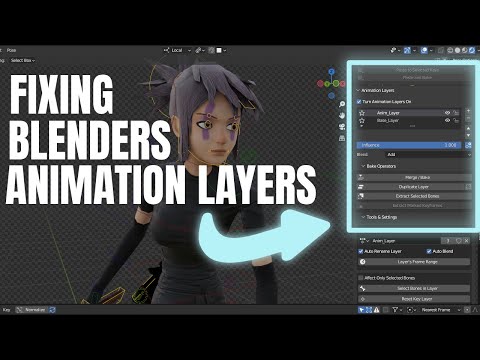
p.s. In diffeomorhic there's an option to keep the daz rig when generating rigify, that may be what you're looking for. This way you can use rigify as a control rig then bake the daz rig for NLA.
https://bitbucket.org/Diffeomorphic/import_daz/wiki/Setup/Rigging
Thank you for explanation. I will try animation with cascadeur in daz and then import it into blender
how to make facial animation in blender using diffeomorhic[how to make facial animation in blender using diffeomorhic] Actually what I need is an animation of a liying person smiled. I found in diffeomorhic import expression button doesn't work, but import pose works well. I save a scene with pose and expression as pose file, only pose show up correctly in blender.
Then I heard Faceit might help me to make dynamic expression. I searched keyword "daz faceit" and hard to find some helpful workflow.
so how to combine faceit and daz, or is there better way to make animation with expression?
[Released] RSSY Character And Material Conversion Bundle Genesis 8 to Genesis 9 [Commercial]Correct, I'm not loading any morphs. Just to test, I created a fresh, empty scene and put a dev load Gen9 in there. I clicked "Material Suite Add G8F Material Suite" and while the rest of the body appears to retain the G9 shape, the feet morph to what appears to be the G8F shape. I went back to my original G8F character I was trying to convert and turned off all the additional foot morphs to see if that would fix the issue, but it still warps the toes and enlarges the feet of the final product when I import the G8F shaped morphs over the G9 with the G8F Material Suite added, I think it's doubling them up.
Daz 3D is part of

Connect
DAZ Productions, Inc.
7533 S Center View Ct #4664
West Jordan, UT 84084Licensing Agreement | Terms of Service | Privacy Policy | EULA
© 2026 Daz Productions Inc. All Rights Reserved.