-
Show Us Your Iray Renders. Part IV
I just bought Victoria 7 and the Pro Bundle, couldn't wait to get started.
Here's what I came up with.
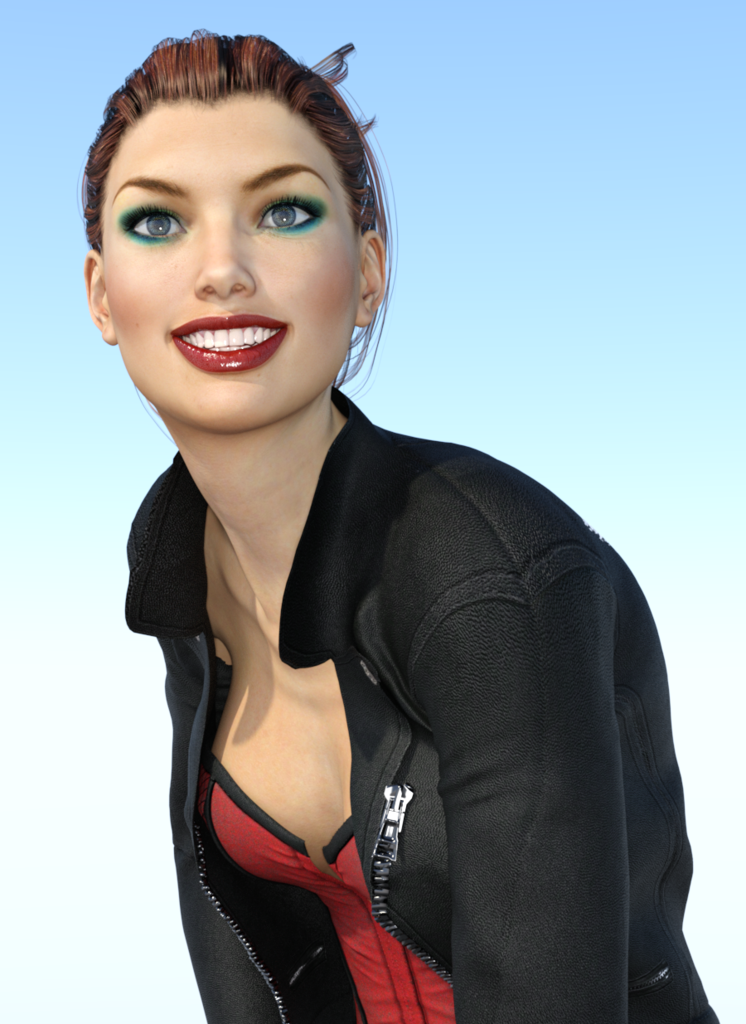
Cool, If you stroke in postwork some smoothing brush over those back strands I think it could turn out still more realistic.
Thanks for your comments :)
Yep a bit of touching up on this one would be an idea :)
BTW, I only just bought those HDRI lights I used in the other one - they are quicker, I love the results.
Your renders are impressive, I especially like the beach one, a nice effect with the light.
Thank you very much!!, I hope to see more of your work, your V7 character looks promising. :)
JUST Recieved $50 coupon from promo!I would have loved this offer. While I do have the V7 base figure, I dont have Bethany. Would that qualify?
The exact message I got was:
"We have noticed that you haven't taken the opportunity to try out Genesis 3 yet. Let us help persuade you. Buy Victoria 7, Eva 7, Bethany 7, or any of their bundles before Aug. 13, 11:59PM (MDT, UTC -6) and we will give you a coupon worth $50 off free DAZ originals. "
I assumed it was because I hadn't bought anything V7/Genesis3 (since it doesn't work in Carrara I have no reason to) and was trying to bribe me into it. I considered briefly purchasing V7 only with the intention of immediately returning it as a faulty item since it doesn't work in Carrara yet, just to get the free $50 worth of Daz originals, but decided that wouldn't be ethical to take advantage of a technicality, so didn't take any advantage of the offer.
It did make me wonder if the number of V7 sales might likely be underperforming though.
Ah. thank you for the clarification. :)
Show Us Your Iray Renders. Part IVI just bought Victoria 7 and the Pro Bundle, couldn't wait to get started.
Here's what I came up with.
Cool, If you stroke in postwork some smoothing brush over those back strands I think it could turn out still more realistic.
Thanks for your comments :)
Yep a bit of touching up on this one would be an idea :)
BTW, I only just bought those HDRI lights I used in the other one - they are quicker, I love the results.
Your renders are impressive, I especially like the beach one, a nice effect with the light.
Show Us Your Iray Renders. Part IVI just bought Victoria 7 and the Pro Bundle, couldn't wait to get started.
Here's what I came up with.
Cool, If you stroke in postwork some smoothing brush over those back strands I think it could turn out still more realistic.
NEW! Novica & Invited Guest Contributors Tips & Product Reviews Pt 6Wear Them All - Autofitting Clones and Clothing Smoothers for Genesis 3 Female(s)
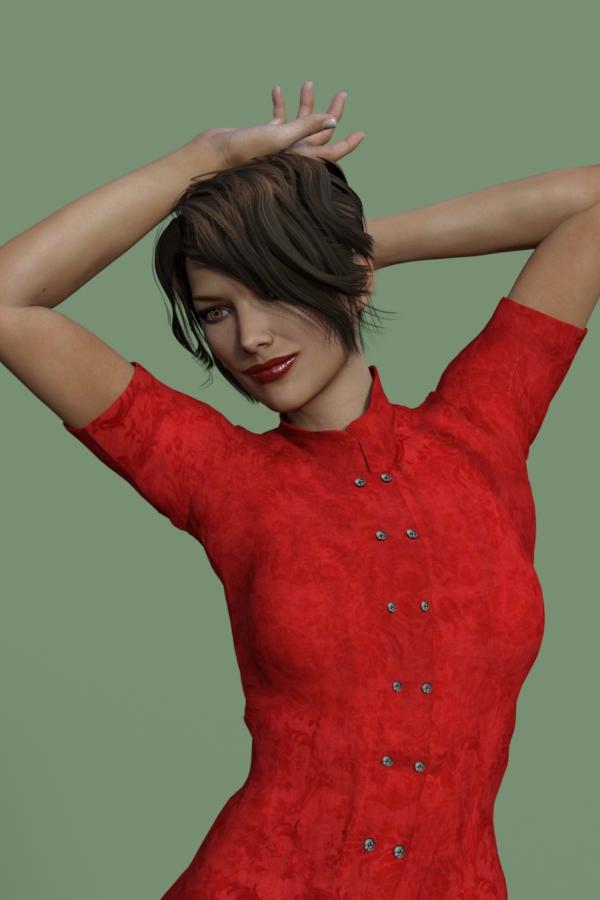
Here's a Victoria 4 item on Genesis 3.
 NEW! Novica & Invited Guest Contributors Tips & Product Reviews Pt 6
War Dog For Genesis Capsces Fun and Flirty Victoria 7 Flashy Hair for Genesis 3 Female(s)
Victoria 7 Attitude Expressions
Wear Them All - Autofitting Clones and Clothing Smoothers for Genesis 3 Female(s)
One word on the Wear Them All- YES!!!!!!
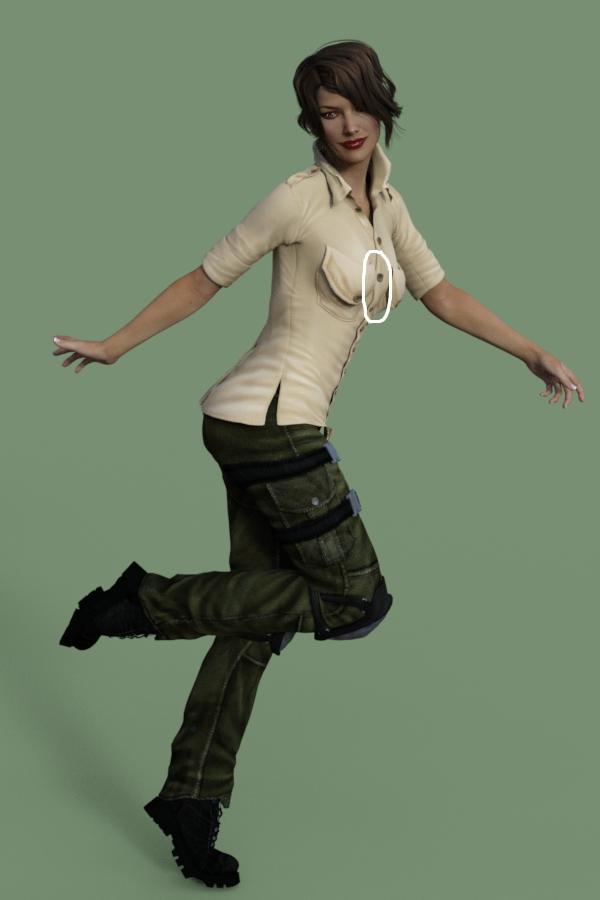
I've only tested it for a Genesis shirt onto Genesis 3, but it's a no brainer for a must-have product IMO. Why? First of all, we've all griped about the lack of ReadMes with zero instructions (and yes, vendors shouldn't have to teach people the basics, but it never hurts to give SOME instructions.) Take a look at the wonderful PDF of instructions/explanations! I feel work like this should be rewarded by supporting the vendors who really go out of their way so we can use the product.
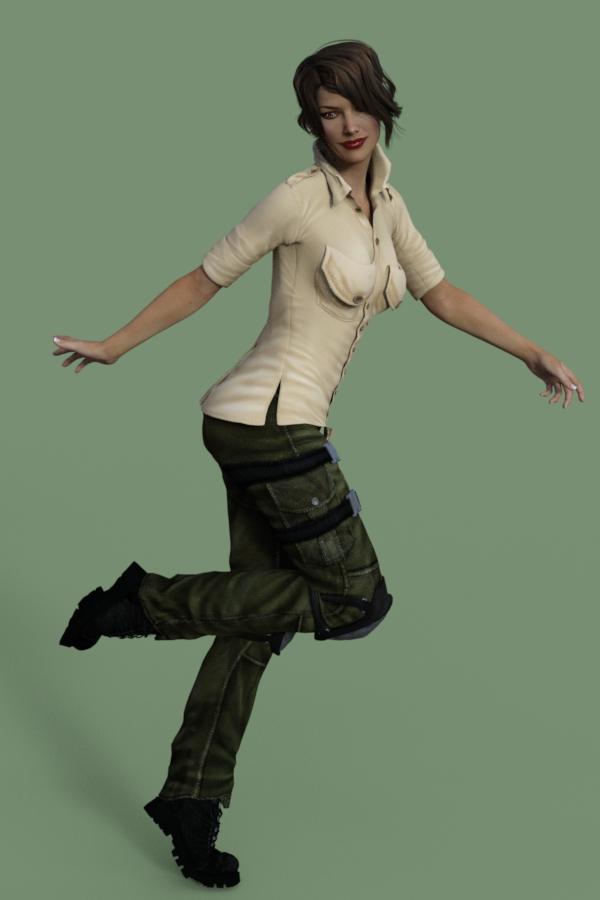
This was tested on Victoria 7 (out of the box). Look at the middle of the chest. (circled in third one for you) I was easily able to bring it out so there was less cling-wrap effect. When the Auto Fit menu appeared, I had the Genesis option to select for Genesis 3. All this is clearly shown with screenshots in the PDF. (Again, love it love it love it!)
I'll be trying some V4 stuff. Anything in particular you'd like to see, feel free to ask.
 JUST Recieved $50 coupon from promo!
I haven't bought into the Genesis 3 series yet, but an offer like this would have made me try it. Maybe next time. :)
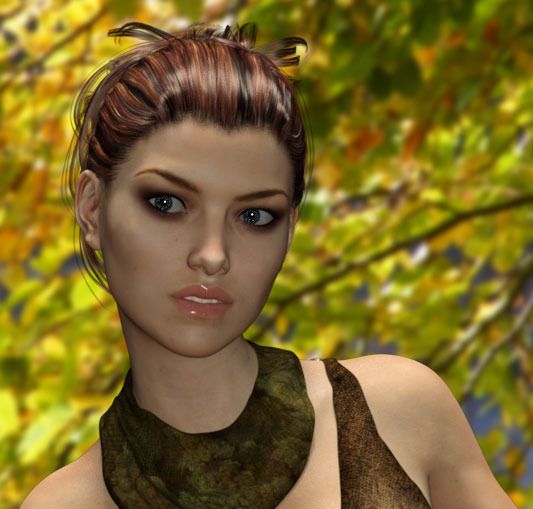
I''ve been away from Daz for a few months and to me Victoria 7 is already my favourite character and I've bought Victoria since V3. She has a lot of character in her face, especially with some of the expressions and I really like one of the smile products.
Here's a simple render I did just now.
 Pubic hair, or not pubic hair, that is the question.
Removing hair from the texture is alot more work than adding..
I have no problem with a mix if it is at least 50 / 50.
But right now textures without hair is rare.
Or am I just have some bad luck.
Last buy was Bethany and Camilla. And they have hair. One of them had a very thin string.
That one would not had been that much work to fix if one want to.
Victoria as mention has no hair and the same is true for the Black skin resource for G3.
Eve has hair I think.
Maybe we could post info about witch one has hair and witch don't in this tread.
I post a list of the one I knows about tomorrow.
I made a suggested to DAZ that there should be a small version of the textures to download so that one could check before buying.
Based on the answer I got the impression that they rather have users demanding refounds than making such changes.
And as they stand behind the 100% satisfied guarantee it's ok by me.
V3 & M3 Skeletons Textures not available anymore?I might be making this up, but I think the skeletons originally came without any textures many years ago, but the product was later modified to include the textures (don't know the exact date). So if you have had this the V3/M3 Skeletons ( http://www.daz3d.com/v3-m3-skeletons ) product for a long time, try redownloading it from your account, and see if that adds new textures that you did not have originally. Perhaps the product you mention could be where those new textures came from? I don't know for certain though.
this is written under details of this product:
"The Millennium Muscle Maps, V3 & M3 Skeletons Textures, Michael 3.0 Base, and Victoria 3.0 Base products used in the product images on this page are available separately."
V3 & M3 Skeletons Textures not available anymore?In some skeleton products a texture set for V3/M3 Skeleton was linked as add on product but it seems that is not longer in the store, is it right?
JUST Recieved $50 coupon from promo!I would have loved this offer. While I do have the V7 base figure, I dont have Bethany. Would that qualify?
The exact message I got was:
"We have noticed that you haven't taken the opportunity to try out Genesis 3 yet. Let us help persuade you. Buy Victoria 7, Eva 7, Bethany 7, or any of their bundles before Aug. 13, 11:59PM (MDT, UTC -6) and we will give you a coupon worth $50 off free DAZ originals. "
I assumed it was because I hadn't bought anything V7/Genesis3 (since it doesn't work in Carrara I have no reason to) and was trying to bribe me into it. I considered briefly purchasing V7 only with the intention of immediately returning it as a faulty item since it doesn't work in Carrara yet, just to get the free $50 worth of Daz originals, but decided that wouldn't be ethical to take advantage of a technicality, so didn't take any advantage of the offer.
It did make me wonder if the number of V7 sales might likely be underperforming though.
question about the victorias and beathanys ecti have, i enjoy it but i see so much options but when i see this needs victoria bethinay ect what i want to know is if you buy one those bases does your options of morphs ect grow so much?
NEW! Novica & Invited Guest Contributors Tips & Product Reviews Pt 6Naturally Real for Victoria 7 ReadMe EJ Valeria for Genesis 3 Female(s)
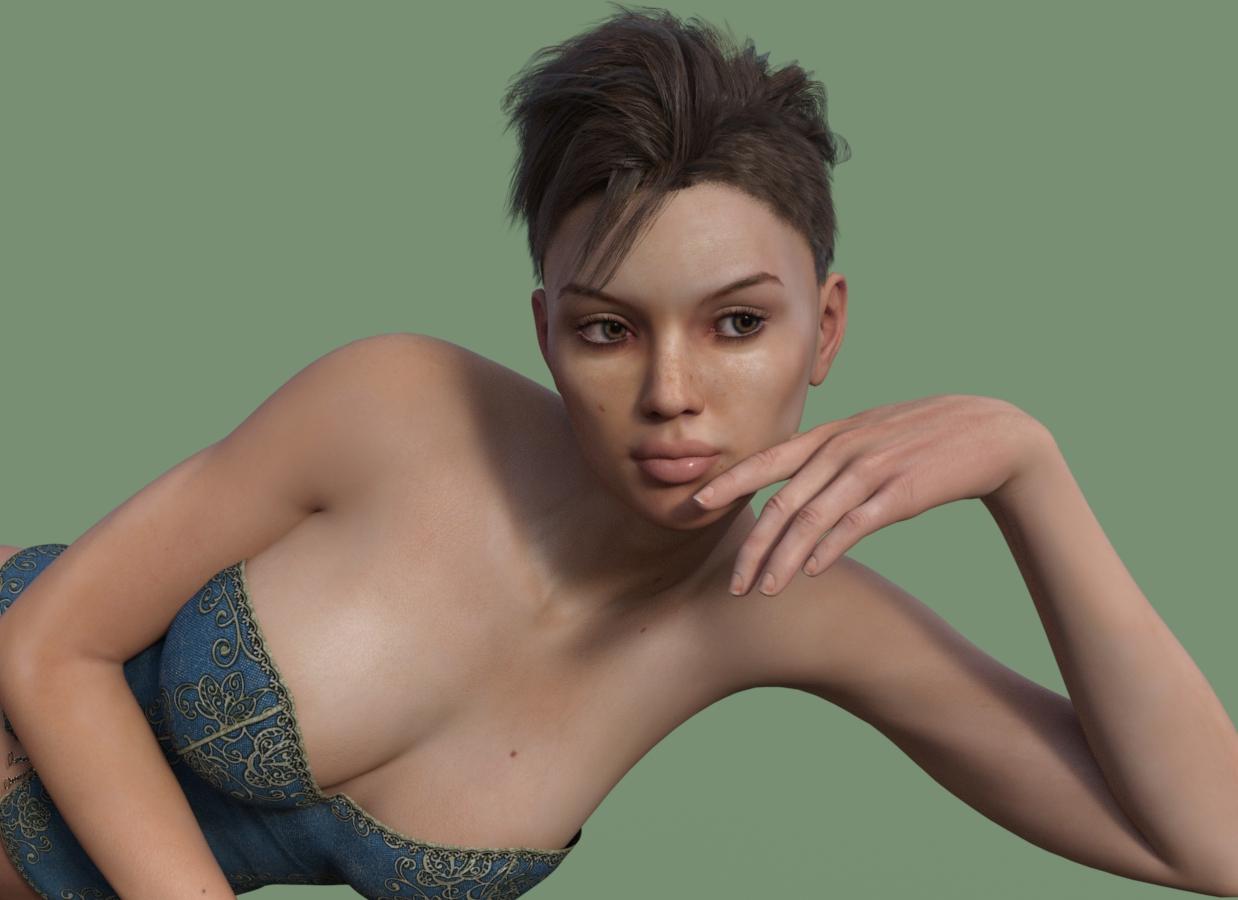
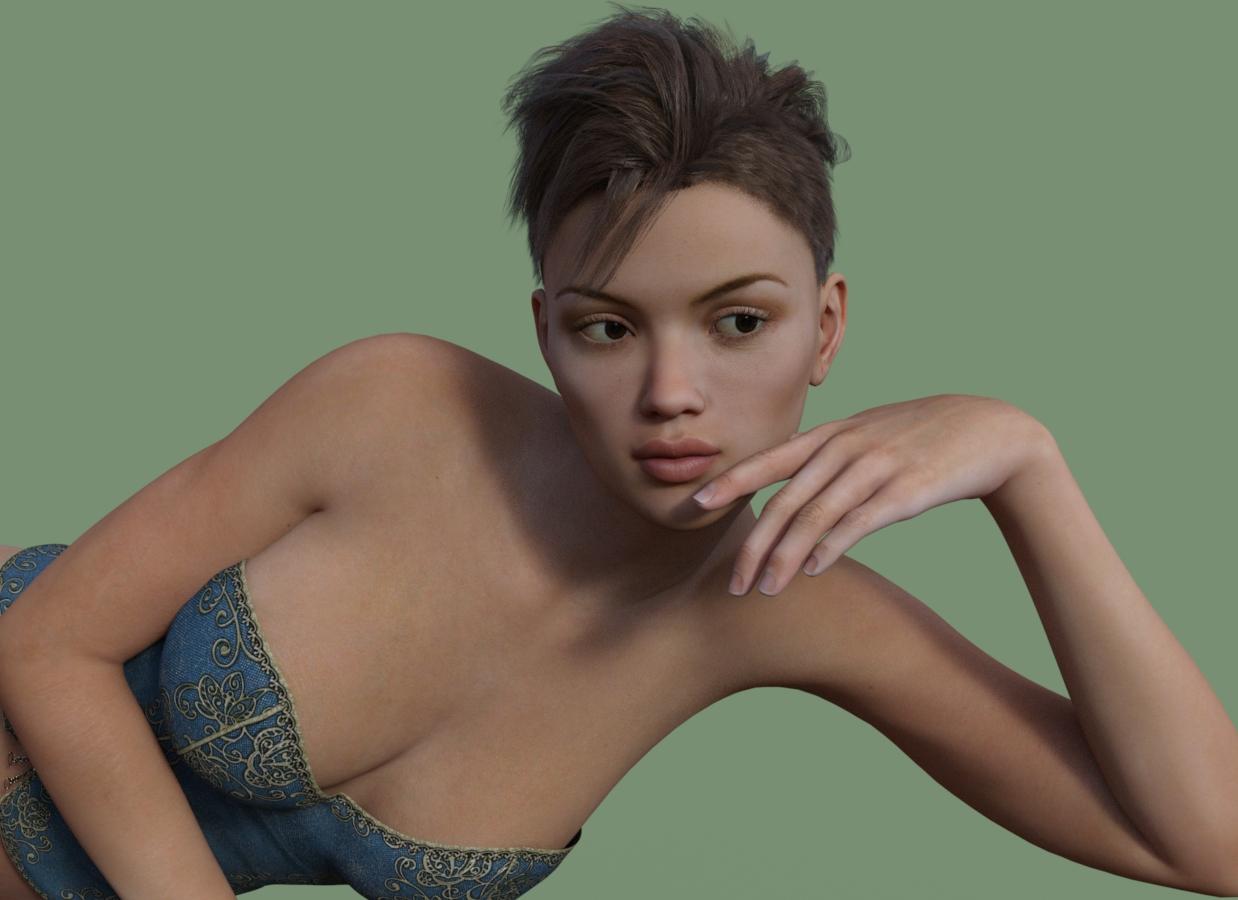
Coming up- I'm going to test Naturally Real for Victoria 7 on Valeria. Right now I'm tweaking the lighting, nothing spectacular but trying to get some highlights and shadows, also want the hand in the view so we can compare. If anyone else has tested Naturally Real, feel free to post- but it needs to have before and after effects. This will take a bit (I'm assuming I can figure out how to use the product, haven't looked at it yet.) I will post the renders here so check back.
BTW, some good poses are Ansiko's Harem poses.
Settings: Exposure Value 13.67, Shutter Speed 189.99, F Stop 7.89, Film Iso 110.00, Burn Highlights .23, Crush Blacks .23, Saturation 1.05. I didn't do postwork to sharpen contrast, etc, this is out of the box.
Please note, this product is for VICTORIA 7. If you use it on other characters, like I am on Valeria, you will lose the details that are unique (what is that called, texture maps?)
Below, Valeria, default. Second will be the Naturally Real which will replace the textures and give you a totally different looking character. Kinda fun. EXACT SAME LIGHTING.
Coming up, a third render with the eyes and lips kept at the default Valeria (you use Surfaces, select only the surfaces you want, hold CTRL then use the option SELECTED for surfaces instead of All)
I am noticing the line above the lips, compared to the 100% Valeria.
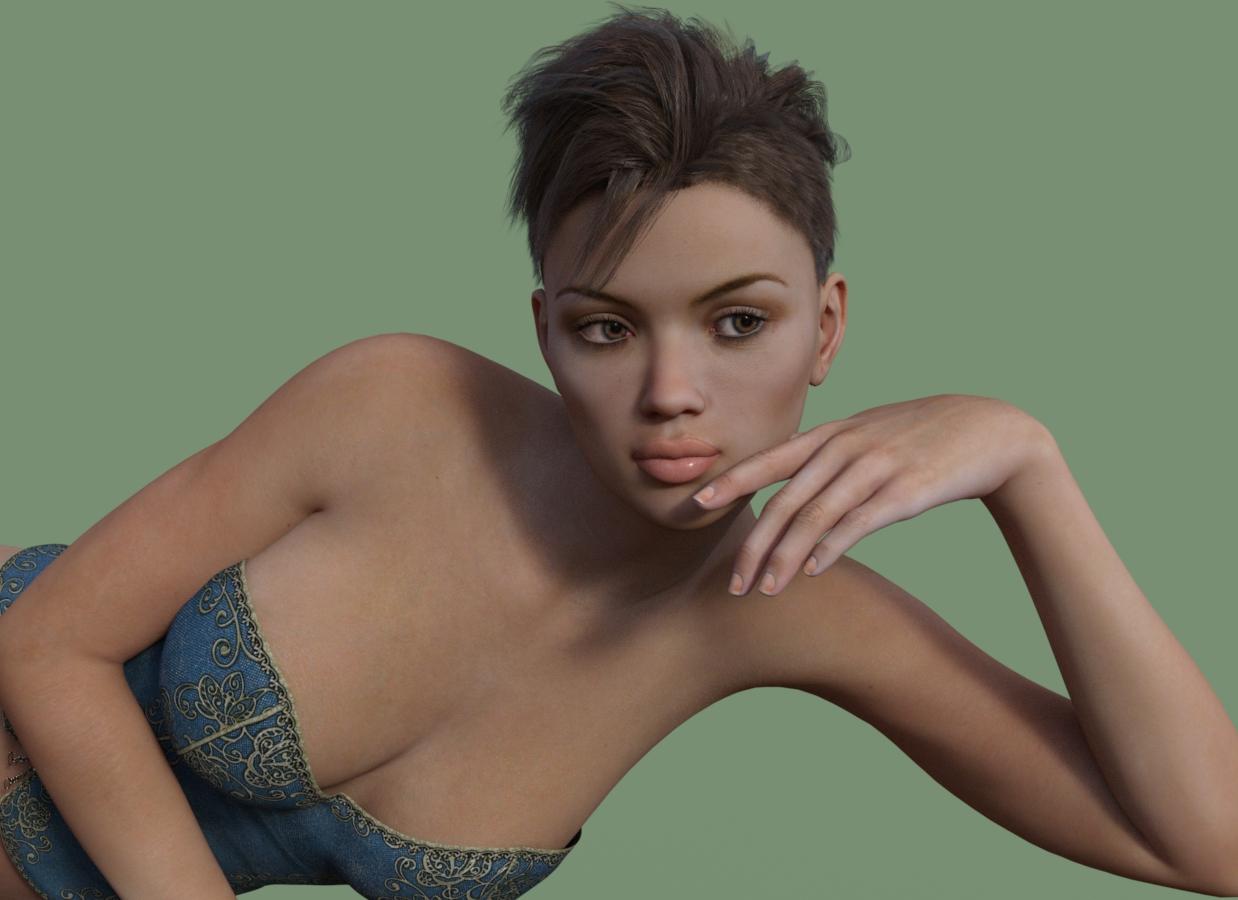 Show Us Your Iray Renders. Part IV
I just bought Victoria 7 and the Pro Bundle, couldn't wait to get started.
Here's what I came up with.
How to cover hair with hoodHi,
I have the Medieval Princess Gown for Genesis 2 Female(s) hood, and using the End of Summer Hair for Genesis and Genesis 2 Female(s) hair on Victoria 6.
The result is not exactly what I am hoping to get. :)
I tried parenting the hood to Victoria, and the hair, but it doesn't seem to make any difference. I enabled showing the hidden parameters, but could not find anything that would have caused the hood to go over the hair.
How can I cover the hair with the hood?
Thanks for all advice,
AtiStarion's WIP and test threadThanks. There is a furry convention in Melbourne, Victoria in January. There is a big easter show with agriculture exhibits in Sydney in March. I think that there is even a small equestrian show at the royal easter show. I still want to see the Blue Mountain National Park. I should make a list of all the cities that I want to see and post it in this thread.
My old friends from high school invited me to dinner next week. Sorry for the short post but my arms are getting tired.
Bye
Realistic Renders.... NOT! 14: A new frontier.....I am really enjoying:
http://www.daz3d.com/wear-them-all-autofitting-clones-and-clothing-smoothers-for-genesis-3-female-s
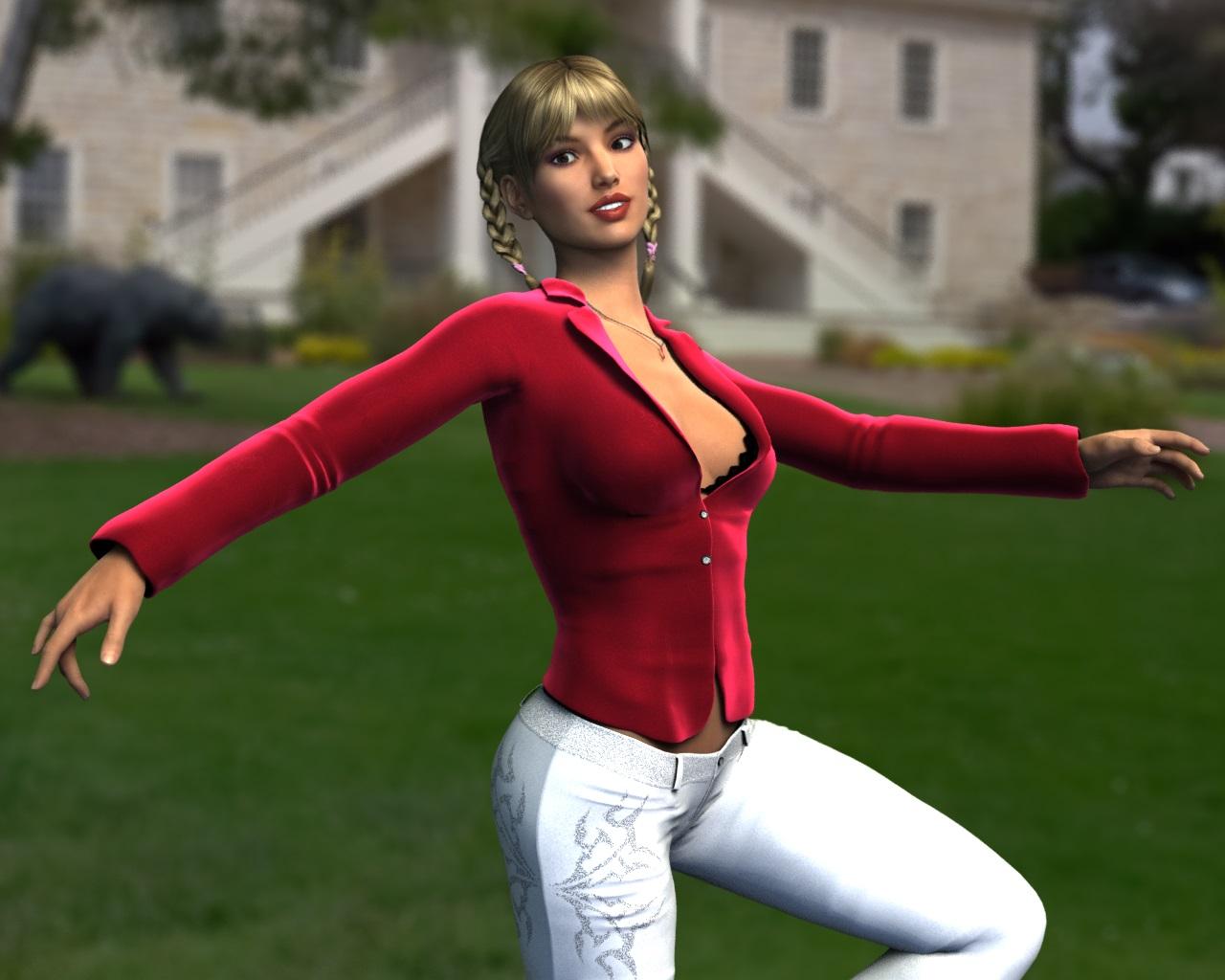
Just put old Pretty3D clothes for V4 (Hi-Fashion Provocative) and FK-Twins V4 hair on Victoria 7,
and they work pretty well. Have changed materials on the jacket with Khory shaders,
because the original Poser ones does not look so good in DS.
Have not changed materials on pants, for comparison.
Also used http://www.daz3d.com/hdr-prosets-monterey
DS 4.8 3Delight render. Rendering Time: 3 minutes 35 seconds
 Best practices? using genesis and genesis 2 content in Carrara
Issue #2: Intermitently Genesis2 characters - in this case - Victoria 6, when loaded natively into the scene, the mesh is seperated from the rigging... Didn't notice this until I had to set the jacket to Conform to Victoria 6... I'm not surprised its not even conforming properly given the issue at hand...
Downloading and Installing DAZ Studio: a guide and FAQIm having a TERRIBLE time with my install ! Almost NOTHING is working well.
I have DAZ 4.8.0059 on Windows 7
I have installed the 64 bit DAZ4.8 program with the DIM to The Default: C:/Program Files/DAZ 3D/DAZStudio4
I have installed all my Genesis 2 and 3 content... and my Victoria 4,5,6 and now 7 using the DIM to The Default: C:/Users/Public/Documents/My DAZ 3D Library
I have my all my downloads going to The Default: C:/Users/Public/Documents/DAZ 3D/InstallManager/Downloads
PROBLEMS ARE:
First time I ran the program I got an error message...Im having problems finding the duf files. see screen capture 1
Tried to load a Genesis figure in... and got error message 2
Then I got a robot for my first character...NICE! So much for default settings in DAZ so far.I previously couldnt load characters for the last 6 months because it could not locate the sss file for the character and for the life of me...I was not able to resolve the problem ever after spending 3-4 hours on it.
I had the SSS provided to me external to the download...and I read that I had to install it manually back in Version 3 I think.In the 9 months I have had the program...I have not been able to use it successfully because of this missing file problems...so my characters rarely ever load.
Tonight I manually uninstalled evert bit of content with the DIM, Uninstalled and reloaded 4.8, and went looking for every DAZ reference not erased and killed it manually. The uninstaller would not work wouldnt you know in my case!I know there are so many folders, and file types, and pointers going on... that I must admit that my brain almost fries. So I tried to do a fresh re-install...and in DEAD IN THE WATER!
I guess im the ultimate unsuccessful newbie here.
Is there someone here that would be willing to help me sort this thing out... and explain why my previous installation logic was so obtuse!Thanks Suzzie
/data/DAZ 3D/Genesis 3/Female/Morphs/DAZ 3D/Base/PHMMouthRealismHD.dsf
/data/DAZ 3D/Genesis 3/Female/Genesis3Female.dsf
/data/DAZ 3D/Genesis 3/Female/Morphs/DAZ 3D/Base/PBMNavel.dsfCarrara Challenge #19: Above and Beyond - WIP Threadbought some howie farkes in the sale.
using:
http://www.daz3d.com/classic-rolled-hair
and it's colors.
http://www.daz3d.com/lux-lucis
http://www.daz3d.com/interceptor-hover-bike
http://www.daz3d.com/helena-for-v4
for the eyes.
http://www.daz3d.com/victoria-4-skin-maps-high-res
http://www.daz3d.com/stoney-creek-sprucevale
i made the: beames, with veloute, the lights, with light spheres, where they hit the scene, and a light for the terminal in the bike.
three points of view:
Very nice job on the speeder bike and blaster beams.
Have you considered using a particle emitter for sparks where the beam looks like it is hitting the tree? The other possibility (and I'm going to sound repetetive) is a small volumetric cloud. With the right settings and the right lighting, it can look like an explosion, even if it is supposed to be a small burst.
Here's an example of a cloud used for a large explosion. The cloud is lit by two lights, set pretty bright (maybe 150%) and different colors. One a saturated yellow and the other a saturated orange skewing towards the red end a bit. The are also not quite at the same position. The lights are within the cloud and the opacity for the cloud was set fairly high along with the silver lining setting. I think I left it white and the lights color it.
Daz 3D is part of

Connect
DAZ Productions, Inc.
7533 S Center View Ct #4664
West Jordan, UT 84084Licensing Agreement | Terms of Service | Privacy Policy | EULA
© 2026 Daz Productions Inc. All Rights Reserved.