-
What *exactly* differentiates G9 and G8(.1) textures?
That's right...what mainly differentiates G9 from G8 in terms of texture quality are those five 8K Detail Normal maps (rather than Normal Maps). You could only find the 8K DN maps on Victoria 9 and Michael 9 (Character Presets). Since they're not merchant resources, PAs could not use them on their characters, but you can use them on yours.
Well for other texture maps, that just depends as they're still 4K even lower. The only difference may be that some PAs provide the maps with higher quality...
Need Help Finding Dark Red / Burgundy Lipstick for G9Neither of these products have what I'm looking for:
So, I need help either of these options:
1) Finding a lipstick kit that includes dark shades of red, or
2) Identifying the mat zone that will let me customize the limited options in the two kits above.
UV Atlas for Genesis 9 Anatomical Elementsfrank0314 said:
The only templates I'm aware of are the ones that come with Genesis 9/V9
There are no gens templates in Genesis 9 Starter Essentials nor in Genesis 9 Anatomical Elements nor in Victoria 9 HD, which is a mistake in my opinion... (There are UVs in G9SE, which is a different thing).
Freebie Challenge September 2023 - Gardening - Main Thread3D Art Freebie Challenge September 2023 "Gardening"
My second entry.
[Best watched at full size for details.]"My organic vegetable garden..."
The tale: (Not entirely fictional)After taking a snapshot of her cherry tomatoes, Victoria thought it would also be nice to take a photo of her courgettes. They also seem to be doing well again this year with hopefully a good harvest. A few oat plants from last year have even reappeared in between the cherry tomatoes...
Non-motion Picture Soundtrack:
Lynn Anderson - (I Never Promised You A) Rose Garden (© 1970) https://www.youtube.com/watch?v=KXHsWBKKNbI
COUNTABLE FREEBIES: (Alphabetic order)#01! CC0 - Hand Rake (fbx) by plaggy
https://sketchfab.com/3d-models/cc0-hand-rake-a5caf2f831964301b8767f3f3aa89de7 **
[Converted from .fbx to .obj with Blender 2.79b]#02! ED's Brick Shader (Iray) by Edheldil3D
https://www.deviantart.com/edheldil3d/art/Freebie-ED-s-Brick-Shader-Iray-788871766 **#03! Game-ready Shovel (fbx) by NollieInward
https://sketchfab.com/3d-models/game-ready-shovel-10b43dc7a0c94da5aba88ac25d59047f **#04! Goat Shack Accessories by McGyver
https://sharecg.com/v/39278/gallery/11/Poser/Goat-Shack-AccessoriesUpdated **
[Worn wooden boards]#05! Grass as Grass can be! (DAZ3D, Iray) by SmidA
https://www.renderosity.com/freestuff/items/88095/grass-as-grass-can-be-daz3d-iray- **#06! Iray car related shader presets 'megapack' by Tom2099
https://www.deviantart.com/tom2099/art/Iray-car-related-shader-presets-megapack-539622361 **#07! Kiara Interior HDRI by Poly Haven
https://polyhaven.com/a/kiara_interior#08! Kitchen Add-on Pack by TruForm
https://www.renderosity.com/mod/freestuff/kitchen-add-on-pack/64895 **
[Tupperware]#09! mcjJapaneseStyleScreens by mCasual Jacques
https://sites.google.com/site/mcasualsdazscripts9/mcjjapanesestylescreens
[Wood texture]#10! Melitaea britomartis (OBJ) by Digital Archive of Natural History
https://sketchfab.com/3d-models/melitaea-britomartis-20a41658fa284141815977b277a08520 **
[Customized texture]#11! Morphing Garden Style Stone by Mapps Graphics
https://mapps.webs.com/downloads4.htm (last item)#12! Oats - Avena sativa by Xfrog inc.
https://www.xfrog.net/product-page/species-oats-avena-sativa **#13! Pavement Cafe Props - Roadside Tree Ginkgo by elleque
https://sharecg.com/v/96834/browse/11/Poser/Pavement-Cafe-Props-Roadside-Tree-Ginkgo **
[Soil texture]#14! Pitchfork (fbx) by wolfcharm
https://sketchfab.com/3d-models/pitchfork-479c09fc6d434937bc293073cf316675 **#15! Small Grass Flower by Erock3D
https://erock3d.com/download/small-grass-flower/#16! Tomato by TreasureChest
http://trumarcar.francemi.net/foodprops_tc.htm (item #15)#17! Watering can (obj) by Xavier del Cid
https://www.sharecg.com/v/48053/gallery/5/3D-Model/Watering-can **
[OBJ fixed with Blender 2.79b]#18! Zucchini - Cucurbita pepo by Xfrog inc.
https://www.xfrog.net/product-page/species-zucchini-cucurbita-pepo **NO-COUNT ITEMS:
--- Scene Lights for Iray by Lali Kamala (Holiday Loyalty Sale 2021 Free Item)
PURCHASED/PAID FOR ITEMS:$1. XfrogPlants Cherry Tomato by Xfrog inc. (Now Zucchini is the free sample in this pack.)
https://www.xfrog.net/product-page/library-home-garden ***1 E-mail address required
** Registration required
#x! Countable Items (Bold ones are used by me for the first time I think.)
--- No longer available freebies
++ Free with DAZ Studio (or the Essentials)
$x. Purchased/Paid For Item
Rendered with DAZ Studio 4.10.0.123 (nVidia Iray®)Other free software used: Blender 2.79b, GIMP v2.10.34 and Irfanview 4.62
Postwork: Used some filters that come with GIMP. Also used mcjLut by mcasual (https://sites.google.com/site/mcasualsdazscripts9/mcjlut) with the free FilterGrade Cinematic LUTs Pack (https://filtergrade.com/free-cinematic-luts-video-editing/) and the Vintage-Look Photoshop Effects Pack/Light Leaks Effect Pack by Michael Jarrott (https://creativecloud.adobe.com/discover/article/vintage-look-photoshop-effects-pack).
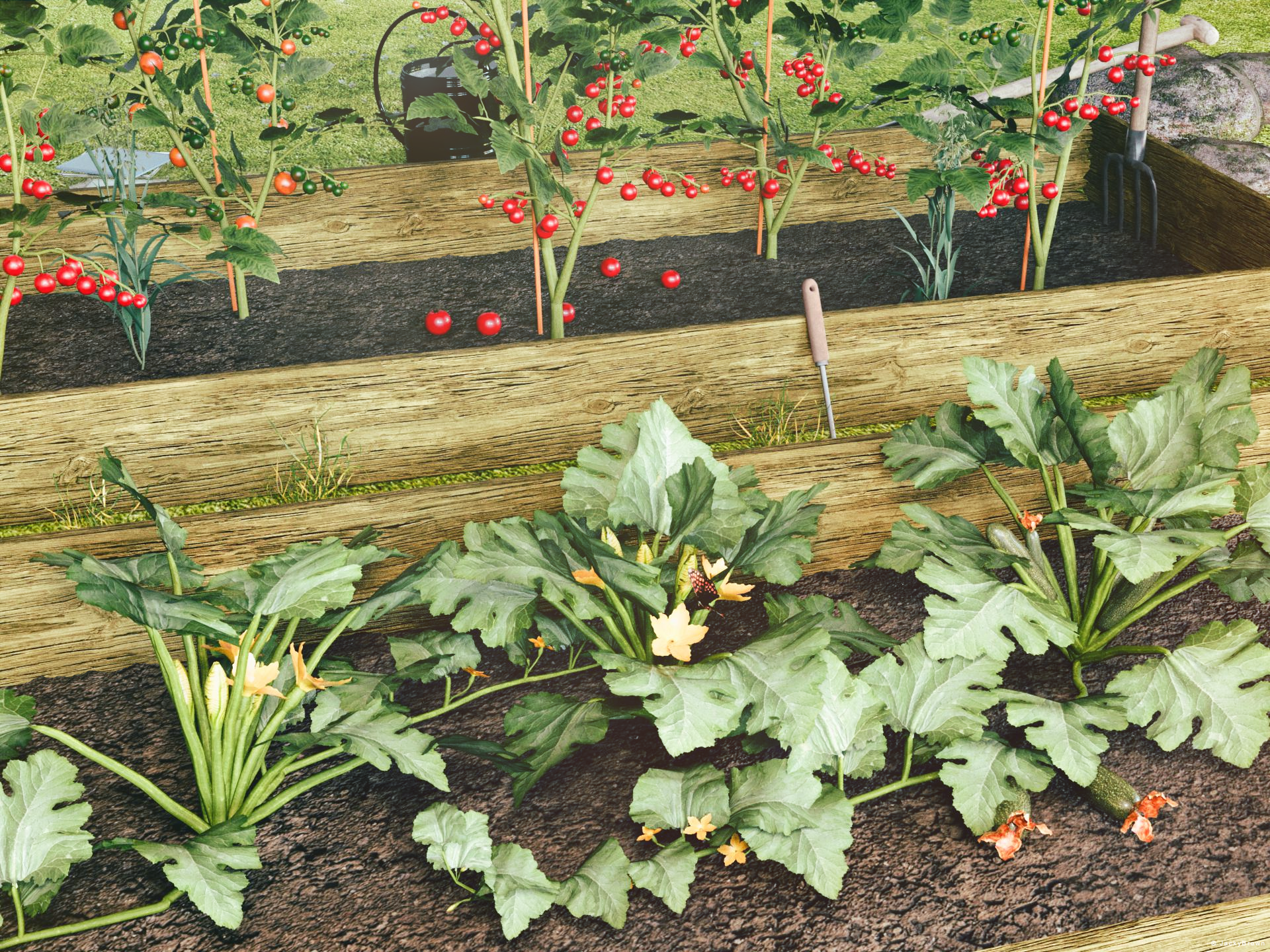
"My organic vegetable garden..."
XTransfer Module 1- Genesis 3 to Genesis 8 Morph Converter (Commercial)Zev0 said:
Looking into it..Worked fine here, but it did take a while.
I think I found what I was doing and brain farted by not doing the Victoria 7 base first but now getting fatal error message when it was at 85% of the saving morphs assets for victoria 7
DAZStudio.exe caused ACCESS_VIOLATION at 0033:0000000000000000
RRRR "Behind the scenes" Render Contest *CLOSED *Yes, you saw it, it's for real!
We're back for another mind shaking, troublemaking, record breaking, reality faking, history making, GPU breaking and breathtaking RRRR Render Contest!This time the theme is "Behind the scenes", which can be behind a book, a photo, a painting, a movie, someone life or a song or a poem. Just use your imagination and the items you pull.
RRRR stands for Random Runtime Roulette Renders, and it's a contest that has been running for over seven years until it needed a well deserved break. We invite anyone to enter, specially all those new users who have shown up the past years. This is not the usual make a very nice render contest but more like tell a really great story, often fun, with your render!
How does it work?
Make your pull of 4 items, and if your any Lucky Bastards, you pull one extra item per LB.Who can play?
Anyone can play!How do you prepare yourself for play?
The rules are very simple, but first you need to have all your items in some kind of order in a text file, dumped from the itemized history into a text file or a spread sheet. Remove things like software, gift certs, and special plugins from the list and items that wil not work with the software you work with. For example if you have items for Poser, Bryce or Carrara, and want to use DAZ Studio, remove those other items from your list. If you have loads of older figures, M3, M4, a ton of non Iray stuff and you only want to use Studio with Iray, remove all the junk from you list. (I personally will see much joy in dropping Camel, I don't know how many times it has been pulled over the years)Then you use a randomizer to randomly pick items from your list (your Runtime/My Library) for your start pull . You can use items from any store. Now build a scene with those 4 items plus any other items you want to add to make a fun scene. For newcomers I heartly recommend looking at the previous contests below to get ideas how you can do this.
Randomizer that works well:
Update!
This seems to have issues (being hacked)?
Randomizer where you get all numbers in one draw scroll down last all the gibbersh and ads and set it to unique values (Remind me to write a randomizer for DS for the next round): random
So I recommend this instead: https://www.random.org/integersThere are some situations where you allowed to redraw, these are:
- You pulled something that doesn’t work, broken thing, only works in a version / software not used etc etc, or you forgot to remove that item from you list even though you knew it wont work, or figure that out later.
- You pulled a software or add-on to a software or anything you should have filtered out from the list.
- You pulled only huge environment props and will not be able to render a scene without crashing.
- You pulled an item you already have been using in two RRRR renders in this content and that was picked randomly. Three is a curse - rule!Lucky Bastard Rule!
I say this again: If you have Lucky Bastards, you pull one extra item for each LB you have, simple as that.
Explaination of Lucky Bastards.
Lucky Bastards, or LBs, are a form of handicap system which makes the contest a little more difficult for those who have won. No lucky bastards are in play now, but will be for the next run.
Current Lucky Bastards Standings:Player LB count Rafael 2 Totte 2 Luci45 1 Zethara 1 How to play?
You pull, you compose and you Render. You post your images and pulls in this thread (Don't miss that, entries without pulls and posts in this thread will be disqualified!!).
Then the entry should also be posted in the Entries only threadBundles
If you pull a bundle, use two or three complete items from it, or more if you like, but you do not need to use all, but only picking a hairpin from Victoria 8 Pro Bundle is “too little”. Clarification: A bundle still counts as only one pulled item.Poses, Expressions and textures/colors
If you pull a pose pack, an expression pack or a texture/color pack, you only need to use one of them, not all. For example if you pull 500 expressions for Genesis 8 Female, use one, if you pull 128 colors for Frappe Hair, use one.
Accidenty breaking the TOS
If your entry is removed by the forum mods because it accidentally, not deliberate, broke the TOS, you do not have to redo that entry but can move on and make a new pull.The rules of madness!
Now you have successfully and randomly picked your items, make a scene, you can add other items as well but the one you picked should be prominent or cleverly used. Render it, post it and make us all laugh! Remember though that the renders must follow the TOS of the forum. As we have a theme on the contest, the render should in some way touch that theme.The contest categories!
There are two categories Best and Funniest. Every image will compete in both categories.Contest duration!
It starts now at WednesDay September 14 2023, and will go on until Sunday October 29 2023 at 23:59:59 local DAZ time.This months sponsors so far:
Totte (Code 66) is sponsoring with two items from his store
Daventaki is sponsoring with a $10 DAZ GC.
Luci45 is sponsoring with a $15 DAZ GC.
We want more sponsors!Do you want to sponsor the RRRR?
Please chip in a gift card sponsorship, sponsors can play, they should play, they are even extra encouraged to play, as sponsors always plays for keeps.Maximum number of entries?
For this round it will be a maximum of 10 entries per player.So, good luck and start your render engines!
DAZ Central installing DAZ Studio to C:/DAZ3D, ignoring Program Files folderSo, this thread has been very eye opening. Thanks all for the info. When I set up my DAZ last year on my new computer I used Daz Central also and it put everything on the C:\ drive. No problem initially, but my C:\ drive only has 1 TB of space, whereas my D:\ drive has 5 TB of space. I've used up a lot of the C:\ drive downloading content for V7, M7, V8 and M8, and can foresee running out of space. Especially when i move to V9 and M9.
From these comments it seems I could use DIM to add another install space for DAZ and my content, essentially having DAZ and the content installed both on my C:\ drive and on my D:\ drive. The D:\ drive would hold all the content I have downloaded now, plus the content I've bought over the years for prior Victoria and Michael versions. Then I could uninstall DAZ and the content from my C:\ drive.
I'd want to do that because I don't want downtime from being able to use Daz. I have whole sets of pictures I want to make and I have 10 years of purchased content to download so it takes awhile to get it all.
Can I do that then? Use DIM to install DAZ on my D:\ drive while it's also installed on my C:\ drive? Or will that cause issues?
Celebrity Look-a-Likes for 3D figures Part 4Is this Victoria June??? NSFW
A way to better organize contentI eventually decided nothing was going to straighten out the unfindability problem except having multiple libraries. I have a passel of them.
- Main (most buildings, prop sets not otherwise classifiable, shaders, lights, other utilities)
- Animals 1 (old animal models)
- Animals 2 (2nd generation animals)
- Hair (all hair, since it's relatively easy to put hair on any generation)
- Cloaks and MFDs (since a lot of cloaks and morphing fantasy dresses can share textures across generations)
- Nature (plants and natural environments. A lot of Flink's stuff in here, manually installed.)
- Hivewire (Dawn, Dusk, Luna, Diva, Hivewire Horse, etc., manually installed.)
- Vehicles
- Millennium 3 (Victoria 3, Michael 3, etc. I've been around long enough to have these.)
- Millennium 4 (Victoria 4 and Michael 4)
- Genesis 5
- Genesis 6
- Genesis 7
- Genesis 8
- Genesis 9
- Resources (This is mostly stuff that doesn't get used directly in Daz Studio. I only put it in a library because it's the easiest way to download the giant tutorials.)
- Incomplete Items (usually something where I accidentally bought an add-on before the main item. Sticking them here keeps them in mind.)
- My Projects
I do almost all my Daz downloads with Daz Install Manager. Some things, like brush sets, other non-Studio items, and items that might not show up in DIM, I may manually download and put elsewhere. Items from elsewhere I download, unzip, and install manually the old-fashioned way.
In Studio I ignore the Smart Content tab and use the Content Library tab instead, because too many items don't show correctly in Smart Content.I added the above libraries manually to Daz Install Manager (gear icon, Advanced Settings, Installation). I decide which library an item belongs in when I download it, and manually direct DIM to install it there.
I also added these libraries manually in Daz Studio, in the Content Directory Manager (in my installation, reachable from the hamburg menu near the top of the upper left panel.). Every library needs a Daz library section and a Poser section. Most of the newer content appears under Daz, but Millennium 3, Millennium 4, and some of my older animals, plants, etc. show up under Poser instead.It took me several days to figure out how to set this up, and then to reinstall everything to the right library. But it's the best arrangement I've tried so far. If I find something in one of my libraries, I usually know what it goes with automatically (or what I can easily mix it with, for hair, cloaks & MFDS). If I find only part of an item because it hasn't installed completely correctly, or it doesn't work right, I have some chance of figuring out where the pieces are supposed to be, and which files I might need to edit to fix it, or to add.
Afterthoughts:
1. Multi-generation products are usually a pain, demanding manual fiddling. If the DIM installers separate Genesis 6(2) from Genesis 7(3), no problem. But often mulitple generations are in the same installer, and they'll put multiple generations in the wrong library. There is often no help for this but to do multiple manual installation and prune the duplicates out of the library they don't belong in.
2. It's been convenient for me to keep Hivewire stuff together. But, generally, separating by store isn't useful, since there are a lot of add-ons at other shops for Daz products.
3. The main reason for separating Animals (and creatures) by generation is that I have some really old ones and they don't have the geometry of later models. I might not want to put them in close focus in a scene where other models are more recent.
4. That's an argument that I should've done this with plants, too, instead of stuffing them all in the Nature library. Except I don't close focus on plants very often.
5. So you might make other decisions about what libraries to separate, and what goes together, than I did.6. Backup your libraries. Old sysadmin here: if you don't have 3 copies, you don't have any.
7. You'll end up making some decisions about which is more important, if you don't want to install to multiple libraries very often. Some people might want to install prop sets into the libraries of the figures they have poses for. I don't pay any attention to poses, since I always have to alter them anyway, so I toss most prop sets into Main, including props like a bunch of melee weapons with poses for, e.g., Genesis 6 Male. It means I can easily see my entire collection of swords across every era, but I don't automatically know which figures already have poses for them.
How are PA's creations created?yuyu.atem said:
Cris Palomino said:
They're called characters. They are created by modifying the base mesh figure. This means the mesh is modified by moving it around to reshape it so that new mesh is created in so doing. The resultant reshaped mesh is a morph. These morphs can be as simple as changing a nose or lip shape or have changes over the whole head and/or body.
The Genesis 9 figure is a base mesh figure. Victoria 9 and Michael 9 are morphs that change base mesh to look like a different figure or character. The reason for only reshaping the base mesh and not adding mesh (as when the mesh is subdivided or extruded) is so it will work with clothing, hair and other types of meshes that work with Genesis 9 (in this example).
These morphs are created mostly in external programs (Blender, ZBrush and others) but can be made within Daz Studio as well. There are tutorials in the Daz Store and some are on the Daz Forums, YouTube and other places. I'm sure others will chime in with links. Will list some later if they haven't.
Ah, ok! I thought the morphs were the cursors used in Daz to modify a character, have I misunderstood?
Thank you in advance for your answder!
Morphs are new shapes, the sliders are used to apply them - at 0% the morph has no effect, at 100% it is exactly as sculpted, and at intermediate values the vertices 9points) that define the shape move along the line from base shape to morphed shape.
How are PA's creations created?Cris Palomino said:
They're called characters. They are created by modifying the base mesh figure. This means the mesh is modified by moving it around to reshape it so that new mesh is created in so doing. The resultant reshaped mesh is a morph. These morphs can be as simple as changing a nose or lip shape or have changes over the whole head and/or body.
The Genesis 9 figure is a base mesh figure. Victoria 9 and Michael 9 are morphs that change base mesh to look like a different figure or character. The reason for only reshaping the base mesh and not adding mesh (as when the mesh is subdivided or extruded) is so it will work with clothing, hair and other types of meshes that work with Genesis 9 (in this example).
These morphs are created mostly in external programs (Blender, ZBrush and others) but can be made within Daz Studio as well. There are tutorials in the Daz Store and some are on the Daz Forums, YouTube and other places. I'm sure others will chime in with links. Will list some later if they haven't.
Ah, ok! I thought the morphs were the cursors used in Daz to modify a character, have I misunderstood?
Thank you in advance for your answder!
How are PA's creations created?They're called characters. They are created by modifying the base mesh figure. This means the mesh is modified by moving it around to reshape it so that new mesh is created in so doing. The resultant reshaped mesh is a morph. These morphs can be as simple as changing a nose or lip shape or have changes over the whole head and/or body.
The Genesis 9 figure is a base mesh figure. Victoria 9 and Michael 9 are morphs that change base mesh to look like a different figure or character. The reason for only reshaping the base mesh and not adding mesh (as when the mesh is subdivided or extruded) is so it will work with clothing, hair and other types of meshes that work with Genesis 9 (in this example).
These morphs are created mostly in external programs (Blender, ZBrush and others) but can be made within Daz Studio as well. There are tutorials in the Daz Store and some are on the Daz Forums, YouTube and other places. I'm sure others will chime in with links. Will list some later if they haven't.
Universal Hands And Feet Control (commercial)Artini : yes you can! You can alternate with any scene camera you want via a dropdown menu, but as soon as you touch a camera dial in the interface, (the ones to rotate the view or zoom in out), the active camera will be the hand or foot camera again. But you have this easily accessible (left of camera controls) dropdown menu to browse all the cameras of your scene (only the perspective and the hand/foot camera are controlled by the interface dials, in order to make sure you don't accidentally lose your other scene camera settings)
DoctorJellybean : Thanks a lot, that's nice!
Kersey : no there is no interest in having it doubled. They act the same way, the difference is that the universal product is simply generalised to work on all generations after (and including) and Victoria and Michael 4, and is complemented by feet control interfaces (for the same "all" generations).
Universal Hands And Feet Control (commercial)Universal Hands And Feet Control is a set of tools allowing you to ease the hands/fingers and feet/toes (+individual toes for the concerned generations) for any figure of any generation, from Victoria and Michael 4 to Genesis 9 (including all Genesis generations).
From the compact interfaces allowing you to easily change your hands and feet poses, you can:
- control a dedicated "hand focused" or "foot focused" camera allowing you to check the hand/foot pose from any angle and distance you want while you pose the hand/foot.
- access all the fingers/ individual toes (when they exist) rotation properties (bend, twist, side-side) in an optimized a single tab, avoiding the fastidious selection of fingers or toes bones (which can only be done in the scene tab for toes) to pose them. Only this drastically makes your workflow more comfortable, but there is more :
- you access all the hands and fingers (and feet and toes) Pose Controls properties, in the same interface, and you can easily swap from bones adjustments to Pose Controls adjustments.. but there is more :
- you can zero indivdual fingers/toes (or zero all at once) even if you used Pose Controls, thanks to integrated baking utilities, automatical for given operations (zeroing triggers a bake) and if you prefer you can click a button to trigger the bake to transforms action on hand/foot (then the pose controls are zeroed but the pose is kept, allowing you to work more freely on further adjustments)
Please note concerning feet only that very old generations "lack of individual toes" and cannot allow the bake of every foot pose controls (because for these very old generations some of the pose controls act on morphs, and not on bones rotations).
Said differently what can you do with Universal Hands And Feet Control ? You can ease and speed up the hands and feet pose process. NO MORE need to select a bone, modify, select another bone, modify, select anohter bone, modify, search for a pose control, adjust pose control, reselect a bone, modify....... Everything is there, right under your eyes : adjust fingers without selecting any bone in a very well organized interface, even the bones which cannot be selected from the viewport (metecarpals, individual toes). In the same interface, find all the concerned pose controls, and feel free to use them since you can bake them whenever you want, you can zero individual fingers, toes, hand, foot...
Make this fastidious process finally fun and creative!
I'll try to see later if I manage to post images, in the meantime you can find the images here : https://www.daz3d.com/universal-hands-and-feet-control
As usually this thread is for any question, remarks, issues, feedback you could have, and as usually I'll be here to answer!
Freebie Challenge September 2023 - Gardening - Entries Thread3D Art Freebie Challenge September 2023 "Gardening"
[Best watched at full size for details.]
The tale: (Not entirely fictional)After Victoria had removed all the weeds again and raked the ground she decided to first harvest some cherry tomatoes instead of watering because the ripest ones had already fallen off the plant. But is the small plastic container she brought with her even big enough? The cherry tomatoes are doing so very well this year and fortunately no Phytophthora!
Non-motion Picture Soundtrack:
Ella Fitzgerald and Louis Armstrong - Let's Call the Whole Thing Off (© 1937)
https://www.youtube.com/watch?v=MPPrvDpsRiATheme soundtrack:
DJ Suede the Remix God - GREENS BEANS POTATOES TOMATOES UNAMEIT! (© 2020)
https://www.youtube.com/watch?v=nHld9rLYBLE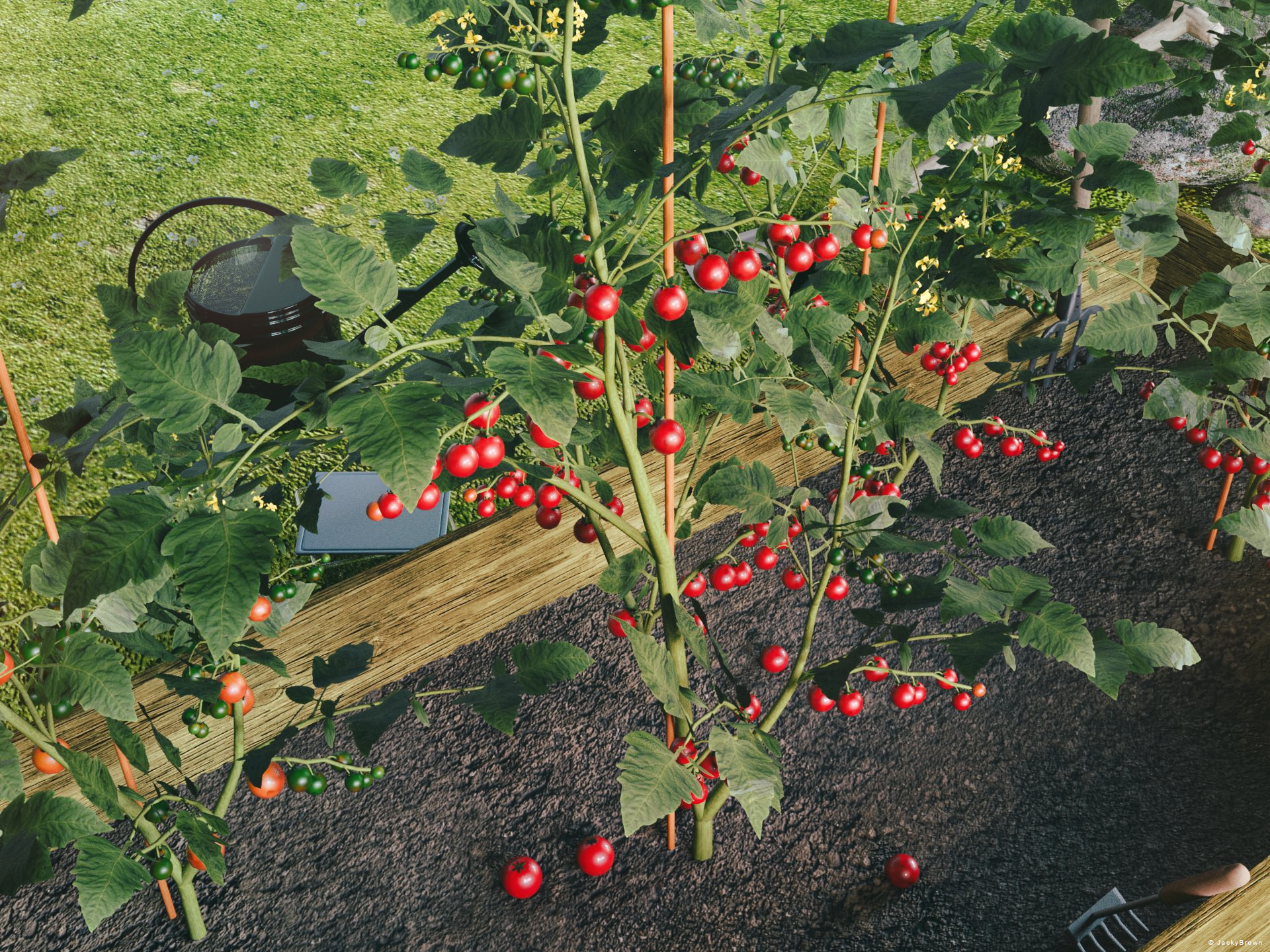
"Organic Cherry Tomatoes..."
Freebie Challenge September 2023 - Gardening - Main ThreadJackyBrown said:
3D Art Freebie Challenge September 2023 "Gardening"
[Best watched at full size for details.]
The tale: (Not entirely fictional)After Victoria had removed all the weeds again and raked the ground she decided to first harvest some cherry tomatoes instead of watering because the ripest ones had already fallen off the plant. But is the small plastic container she brought with her even big enough? The cherry tomatoes are doing so very well this year and fortunately no Phytophthora!
Non-motion Picture Soundtrack:
Ella Fitzgerald and Louis Armstrong - Let's Call the Whole Thing Off (© 1937)
https://www.youtube.com/watch?v=MPPrvDpsRiATheme soundtrack:
DJ Suede the Remix God - GREENS BEANS POTATOES TOMATOES UNAMEIT! (© 2020)
https://www.youtube.com/watch?v=nHld9rLYBLE
COUNTABLE FREEBIES: (Alphabetic order)#01! CC0 - Hand Rake (fbx) by plaggy
https://sketchfab.com/3d-models/cc0-hand-rake-a5caf2f831964301b8767f3f3aa89de7 **
[Converted from .fbx to .obj with Blender 2.79b]#02! ED's Brick Shader (Iray) by Edheldil3D
https://www.deviantart.com/edheldil3d/art/Freebie-ED-s-Brick-Shader-Iray-788871766 **#03! Game-ready Shovel (fbx) by NollieInward
https://sketchfab.com/3d-models/game-ready-shovel-10b43dc7a0c94da5aba88ac25d59047f **#04! Goat Shack Accessories by McGyver
https://sharecg.com/v/39278/gallery/11/Poser/Goat-Shack-AccessoriesUpdated **
[Worn wooden boards]#05! Iray car related shader presets 'megapack' by Tom2099
https://www.deviantart.com/tom2099/art/Iray-car-related-shader-presets-megapack-539622361 **#06! Kiara Interior HDRI by Poly Haven
https://polyhaven.com/a/kiara_interior#07! Kitchen Add-on Pack by TruForm
https://www.renderosity.com/mod/freestuff/kitchen-add-on-pack/64895 **
[Tupperware]#08! mcjJapaneseStyleScreens by mCasual Jacques
https://sites.google.com/site/mcasualsdazscripts9/mcjjapanesestylescreens
[Wood texture]#09! Morphing Garden Style Stone by Mapps Graphics
https://mapps.webs.com/downloads4.htm (last item)#10! Pavement Cafe Props - Roadside Tree Ginkgo by elleque
https://sharecg.com/v/96834/browse/11/Poser/Pavement-Cafe-Props-Roadside-Tree-Ginkgo **
[Soil texture]#11! Pitchfork (fbx) by wolfcharm
https://sketchfab.com/3d-models/pitchfork-479c09fc6d434937bc293073cf316675 **#12! Small Grass Flower by Erock3D
https://erock3d.com/download/small-grass-flower/#13! Tomato by TreasureChest
http://trumarcar.francemi.net/foodprops_tc.htm (item #15)#14! Watering can (obj) by Xavier del Cid
https://www.sharecg.com/v/48053/gallery/5/3D-Model/Watering-can **
[OBJ fixed with Blender 2.79b]
NO-COUNT ITEMS:--- Scene Lights for Iray by Lali Kamala (Holiday Loyalty Sale 2021 Free Item)
PURCHASED/PAID FOR ITEMS:$1. XfrogPlants Cherry Tomato by Xfrog inc. (Now Zucchini is the free sample in this pack)
https://www.xfrog.net/product-page/library-home-garden **Got it years ago for free here: http://xfrog.com/product/HG18.html **
*1 E-mail address required
** Registration required
#x! Countable Items (Bold ones are used by me for the first time I think.)
--- No longer available freebies
++ Free with DAZ Studio (or the Essentials)
$x. Purchased/Paid For Item
Rendered with DAZ Studio 4.10.0.123 (nVidia Iray®)Other free software used: Blender 2.79b, GIMP v2.10.34 and Irfanview 4.62
Postwork: Used some filters that come with GIMP. Also used mcjLut by mcasual (https://sites.google.com/site/mcasualsdazscripts9/mcjlut) with the free FilterGrade Cinematic LUTs Pack (https://filtergrade.com/free-cinematic-luts-video-editing/) and the Vintage-Look Photoshop Effects Pack/Light Leaks Effect Pack by Michael Jarrott (https://creativecloud.adobe.com/discover/article/vintage-look-photoshop-effects-pack).
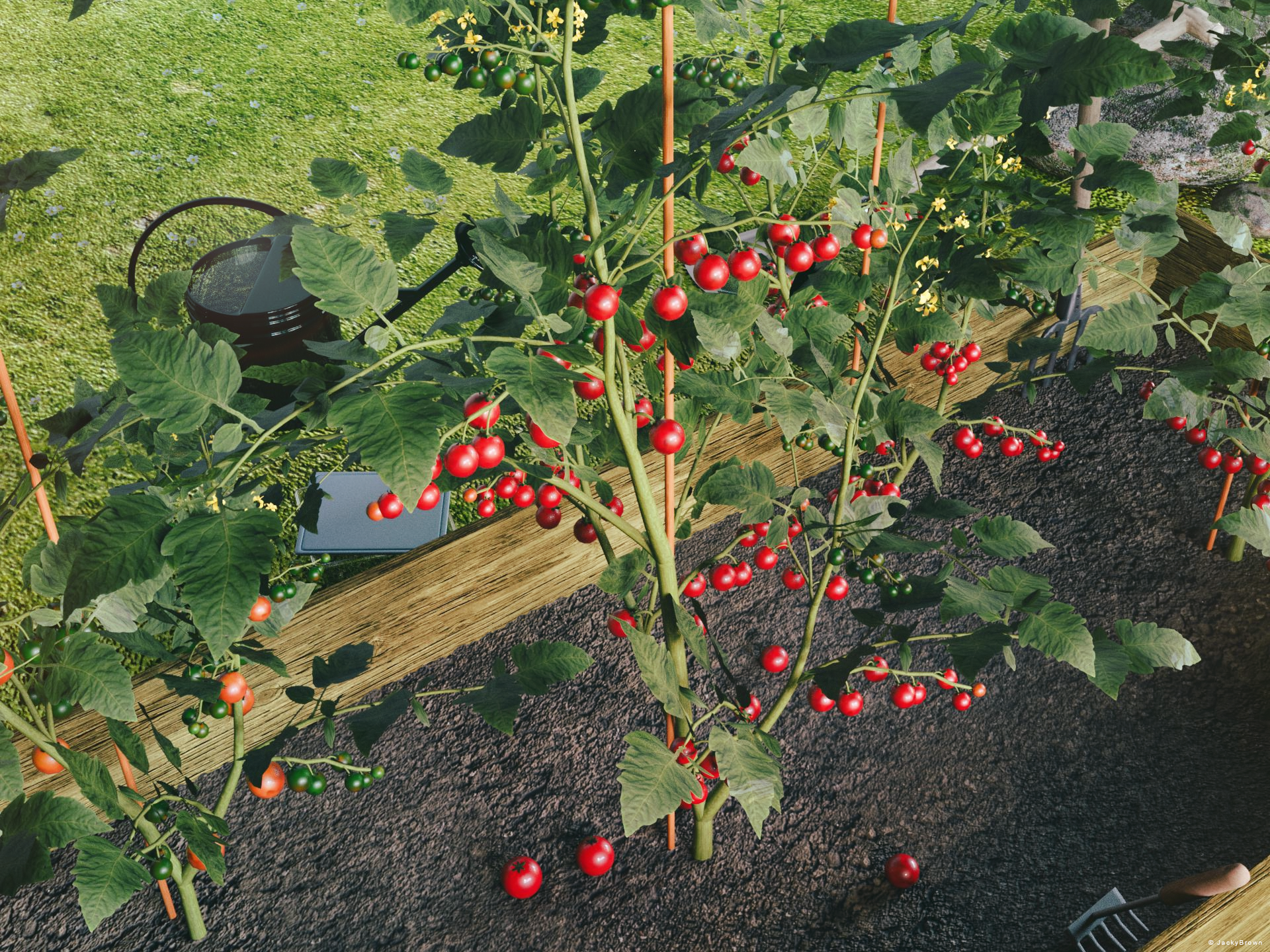
"Organic Cherry Tomatoes..."
All freebies checked. Please move over to the Entry thread whenever you're ready. Please make sure to update your post if you make any changes before you move it to the Entries Thread.
Freebie Challenge September 2023 - Gardening - Main Thread3D Art Freebie Challenge September 2023 "Gardening"
[Best watched at full size for details.]
The tale: (Not entirely fictional)After Victoria had removed all the weeds again and raked the ground she decided to first harvest some cherry tomatoes instead of watering because the ripest ones had already fallen off the plant. But is the small plastic container she brought with her even big enough? The cherry tomatoes are doing so very well this year and fortunately no Phytophthora!
Non-motion Picture Soundtrack:
Ella Fitzgerald and Louis Armstrong - Let's Call the Whole Thing Off (© 1937)
https://www.youtube.com/watch?v=MPPrvDpsRiATheme soundtrack:
DJ Suede the Remix God - GREENS BEANS POTATOES TOMATOES UNAMEIT! (© 2020)
https://www.youtube.com/watch?v=nHld9rLYBLE
COUNTABLE FREEBIES: (Alphabetic order)#01! CC0 - Hand Rake (fbx) by plaggy
https://sketchfab.com/3d-models/cc0-hand-rake-a5caf2f831964301b8767f3f3aa89de7 **
[Converted from .fbx to .obj with Blender 2.79b]#02! ED's Brick Shader (Iray) by Edheldil3D
https://www.deviantart.com/edheldil3d/art/Freebie-ED-s-Brick-Shader-Iray-788871766 **#03! Game-ready Shovel (fbx) by NollieInward
https://sketchfab.com/3d-models/game-ready-shovel-10b43dc7a0c94da5aba88ac25d59047f **#04! Goat Shack Accessories by McGyver
https://sharecg.com/v/39278/gallery/11/Poser/Goat-Shack-AccessoriesUpdated **
[Worn wooden boards]#05! Iray car related shader presets 'megapack' by Tom2099
https://www.deviantart.com/tom2099/art/Iray-car-related-shader-presets-megapack-539622361 **#06! Kiara Interior HDRI by Poly Haven
https://polyhaven.com/a/kiara_interior#07! Kitchen Add-on Pack by TruForm
https://www.renderosity.com/mod/freestuff/kitchen-add-on-pack/64895 **
[Tupperware]#08! mcjJapaneseStyleScreens by mCasual Jacques
https://sites.google.com/site/mcasualsdazscripts9/mcjjapanesestylescreens
[Wood texture]#09! Morphing Garden Style Stone by Mapps Graphics
https://mapps.webs.com/downloads4.htm (last item)#10! Pavement Cafe Props - Roadside Tree Ginkgo by elleque
https://sharecg.com/v/96834/browse/11/Poser/Pavement-Cafe-Props-Roadside-Tree-Ginkgo **
[Soil texture]#11! Pitchfork (fbx) by wolfcharm
https://sketchfab.com/3d-models/pitchfork-479c09fc6d434937bc293073cf316675 **#12! Small Grass Flower by Erock3D
https://erock3d.com/download/small-grass-flower/#13! Tomato by TreasureChest
http://trumarcar.francemi.net/foodprops_tc.htm (item #15)#14! Watering can (obj) by Xavier del Cid
https://www.sharecg.com/v/48053/gallery/5/3D-Model/Watering-can **
[OBJ fixed with Blender 2.79b]
NO-COUNT ITEMS:--- Scene Lights for Iray by Lali Kamala (Holiday Loyalty Sale 2021 Free Item)
PURCHASED/PAID FOR ITEMS:$1. XfrogPlants Cherry Tomato by Xfrog inc. (Now Zucchini is the free sample in this pack)
https://www.xfrog.net/product-page/library-home-garden **Got it years ago for free here: http://xfrog.com/product/HG18.html **
*1 E-mail address required
** Registration required
#x! Countable Items (Bold ones are used by me for the first time I think.)
--- No longer available freebies
++ Free with DAZ Studio (or the Essentials)
$x. Purchased/Paid For Item
Rendered with DAZ Studio 4.10.0.123 (nVidia Iray®)Other free software used: Blender 2.79b, GIMP v2.10.34 and Irfanview 4.62
Postwork: Used some filters that come with GIMP. Also used mcjLut by mcasual (https://sites.google.com/site/mcasualsdazscripts9/mcjlut) with the free FilterGrade Cinematic LUTs Pack (https://filtergrade.com/free-cinematic-luts-video-editing/) and the Vintage-Look Photoshop Effects Pack/Light Leaks Effect Pack by Michael Jarrott (https://creativecloud.adobe.com/discover/article/vintage-look-photoshop-effects-pack).
"Organic Cherry Tomatoes..."
Natural Movements Pack for Genesis 9Elor said:
outrider42 said:
I have seen Genesis 9. Genesis 9 has World Devouring Thighs. Actual promo pic for a G9 product in this store:

It's not the base Genesis 9 figure and in a direct comparison, with Genesis 9 (with Victoria 9 mats) and Genesis 8.1 (with Victoria 8.1 mats), the difference isn't that big (I tried to reduce G8.1's height a bit but I don't know what percentage I needed to remove):

I don't get why the existence of products like Natural Movements or UNBM for Genesis 9 is seen as a defect of G9 when similar products are also available for previous generations too.
outrider42 said:
I've got Victoria 9 converted to G8 and she looks amazing...because her textures are amazing.
I didn't know it was possible and looking for it, I'm mostly finding videos and articles about the reverse process (using previous generations textures on G9).
Is it an easy process and do you have a tutorial / video explaining how to do it ?
The point being G9 is suposed to be BETTER. Why create a version 9 that can at best match what the previous version did? What is the purpose here? And if applying a fairly basic morph results in the image above, that still is not a good thing. We have a lot of examples in the forum of very funky G9 poses. Again...G9 is supposed to be better. Not equal.
Doesn't anybody get this?
I used a mesh wrapping software to match the shapes. From there the software can create new textures. The first thing to do is to use DS Texture Atlas to create a giant texture map. Sadly Texture Atlas does not recognise Iray materials beside color, bump and normal. You can convert the surfaces to DS Default and place the textures in slots that make sense.
You also save your G9 model as OBJ for the software. It is best to match the pose and morph. G9 has a legacy morph that matches G8M or F, so use it, and match the pose. It is best to have the exported models match as close as possible. It makes the resulting textures better. You can do the shapes later.
You need a default G8 for OBJ as well. This one does not need to be base, because you only doing textures. When you start converting morphs you do need base res. So you will have two different saves in this software, one for textures, one for morphs.
From there the software is reasonably easy to use. You'll want to check tutorials on it. There are different ways to do it, too. My way is probably outdated as I have been using the software for a while.
The software is expensive, but it has a 30 trial period. The trial has no limits on its feature set. That is enough time to figure it out and get some sets done. If all you want is a certain model or two, you can get them done in the trial period. If you want more, and if you have the cash, it could be worth buying. I have used it to convert other Genesis generations to G8. Once you figure it out, you can get a lot of mileage out of it, and now that Blacksmith3D Texture Transfer has seemingly closed up, IMO this is the best all round method. You can convert morphs and textures with one tool.
I also use Hexagon to help fix the eyes and teeth. That is its one weakness, the eyeballs and inner mouth can be funky. But that is not unusual for any of these converters.
This sounds pretty complicated, and it sort of is when you set it up. But once you have it set up, you can have save files all set up for the process. You get faster at it. It is possible to do a character in just a few minutes.
The software also opens up all kinds of awesome possibilities. Now that we make a 3D model of things by using something as simple as a phone's camera, you can create a 3D model of yourself or friends and use this to get your head shape on Genesis. How cool is that?
**It completely slipped my mind that Jay has covered this software in Daz's own training video series, and shows a good portion of the workflow. That is a good video to look up.
Natural Movements Pack for Genesis 9With regards to Victoria 9 Thigh and Shin correctives being marginally worse than Victoria 8 Thigh and Shin correctives ... Fine, but that is a critique of the thigh and shin corrective morphs for a Gen 9 character, which are the responsibility of the PA sculpting them. That critique alone cannot really be extrapolated to a critique of Genesis 9 as a base figure. Victoria 9 the character is not Genesis 9. There are a hundred Gen 9 characters that are not Victoria 9, some with perhaps worse and some with better Thigh and Shin correctives, i would hope.
Yes Victoria 9 is a flagship character but that is a nominal honor only, it's not like Victoria 9 actually represents what Gen 9 would be capable of. If you are comparing Victoria 9 and Victoria 8, you are ultimately comparing only those characters rather than the base figures on which they were made.
Natural Movements Pack for Genesis 9lilweep said:
paulawp (marahzen) said:
takezo_3001 said:
barbult said:
@takezo_3001 UNBM is in the store today!
I was hoping someone would give me a head's up, but I found it quickly as I have K.H.Image's storefront webpage pinned in my browser (As well as mechasar's ) as I have been checking it every day since G9 came out, and yes, I'm ecstatically grateful that you let me know all the same!
EDIT: And there's not too many conflicts save for the thigh, but that's easy to switch off, meaning I can use both simultaniously!
I've been around long enough that I'm embarrassed to have total newbie questions, but how do you know if there's a conflict and what do you do about it?
In your defence, I have no idea what they meant either.
Maybe they meant the thigh still doesnt look good on certain characters, either due to those characters being a weird shape such that the correctives dont suit them, or those characters having interfering corrective morphs.
If that's the case, then how you would know is by seeing that it looks bad.
I was fooling around first with Victoria 9 and Ultimate Natural Bend Morphs, Sweet Friends for G9, and got some very nice results when I tried turning on Natural Movements Pack for G9 to all. And yes, the hips/upper thigh went totally wierd. Played with turning both packages on/off to see the difference. Thanks for letting me know the rest is okay. But as someone noted, UNBM is good for fine tuning, and NMP is good for muscles. I like both in my toolbox. (Why I keep picking on V9? She was the first and had the worst noodle limbs out there. Lovely face, but the arms and legs! She needed a transplant.)
Mary
Daz 3D is part of

Connect
DAZ Productions, Inc.
7533 S Center View Ct #4664
West Jordan, UT 84084Licensing Agreement | Terms of Service | Privacy Policy | EULA
© 2026 Daz Productions Inc. All Rights Reserved.