-
Needed help with facial details on Genesis 8.1
Hi, I'm having an issue where facial detail on genesis 8.1 is a little off around eyes area.
I suspected that it was RN Minto face detail since I was temper with it makeup and mat's
before moving to other things. it was the last thing I did to the facial feature from I recalled.
Also when selected remove face detail, it worsen the effect. Apply face detail did nothing
The inner eyelid on right side rotated out slighty and the upper eyelid dented downward.
On the left side, inner eyelid rotated in slighty and the epicanthus are too close to the
lacrimal. I'm assuming that how the left side is but the right side are just buging me the
most. Is there a way to fix this since there's no dial I can tweek this effect and there
is no setting I can change it back to before as well. Thank you in advance for every replies
and for put up with my broken english.
Also, I know that rarestone have move on from this platform so if this request is imposible then I do understand.
It just that I have spended the last hours create a new G8.1 and going through all the morph and detail that
previous model have and it still not even look close to it. Meanwhile if I can just fix this one thing then I'm set.
FBX exporter suddenly exporting bone twist morphs, breaking everything.Doc Acme said:
Hmmm. I'll have to check that out, but have to explore getting UnReal first I guess.
That's one of the issues I have currently is getting specific on the morph exporting. For going out to Lightwave anyway, I end up trimming a lot of morphs that aren't needed (phonemes for Eyebrows) that sort of thing, but is's workable. Getting rid of those really pares the object file size down.
Ya, mexist, I think those are from the new FACS system.
I don't think you actually need Unreal to install the plugin. it exports an FBX, textures and a DTU file to a folder in documents
The Unreal plugin uses the DTU file
FBX exporter suddenly exporting bone twist morphs, breaking everything.Hmmm. I'll have to check that out, but have to explore getting UnReal first I guess.
That's one of the issues I have currently is getting specific on the morph exporting. For going out to Lightwave anyway, I end up trimming a lot of morphs that aren't needed (phonemes for Eyebrows) that sort of thing, but is's workable. Getting rid of those really pares the object file size down.
Ya, mexist, I think those are from the new FACS system.
FBX exporter suddenly exporting bone twist morphs, breaking everything.I find the DAZ to Unreal plugin exports a better FBX than the inbuilt exporter and it has morph options where you can choose exactly what ones you want to include
I have been using those FBX exports in other programs too
How do you fix missing eyelashes on a model?IceCrMn said:
I can't be any help to fix it,sorry, I've not seen this one before :)
but the first thing I though when I saw this was.
"Thats cool.In Clock Work Orange kind of way."Well thank you for the compliment anyways, lol :)
There is an update though....turned out to be a hidden morph effecting it.....not sure how that happened. At least it's figured out. Just have to go through 27 files to fix it.
Creating morphs with r3ds Wrap questions.So I have a 3D scanner. I have been scanning models (as in people) for a different purpose, 3D printing.
I saw the tutorial on the Daz blog and it really hit me I could make some different, realistic characters with it, so I am working on that, I don't have textures for most of the scans though.
I am having trouble with eyes either stretching weird or just being strange looking.
My other question is how do you go about making a morph for a genesis figure that, for example, lacks eyes. or a mouth? Can anyone point me at good tutorial?
Can Anyone Identify the Character and Skin in AprilYSH PromosMimicMolly said:
I think that's Olympia 6 transferred over to G8F. https://www.daz3d.com/forums/discussion/comment/6318921/#Comment_6318921
Edit; I'm certain the skin is Babina 8. The eyebrows are identical, plus Babina 8 is listed on the bottom of the "Products Used." Just that her skin has been made pale.
Yep you got it :D I think I used the lower translucency preset on Babina skin which made it lighter. Thanks for replying. I saw the question earlier but couldn't reply at the time! My computer is still busy so I can't open the promo scene to check why I also have Lanya listed, I might have been using some % of her morph.
Old Character not appearing as a transfer utility sourceThis is the Transfer Utility, not AutoFit - though the issue would eb the same with either, you cannot project weights from a legacy (Poser) rigged figure like Krystal. You could do a pure dForce simulation, though - just leave the clothing unrigged and start from the zero pose in your simulation.
Old Character not appearing as a transfer utility sourceTransfer utility can only rig clothes for weightmapped figures.
Your figure probably isn't weight mapped but using older Poser parametric rigging. You can rig conforming items for those figures using the figure setup tools, like one would do for V4 clothes.Old Character not appearing as a transfer utility sourceHello everyone.
I have modelled a dress for an older, non genesis character in Marvelous Designer wishing to make a dforce conforming garment of it in DAZ studio.
Done in MD exported as an FBX, then tried to run a transfer utility to rig according to the said character, but the character is not available in the dropdown menu to be set as a source.
Is there a way I can get past this problem? I will drop some screenshots below.
Products for different figures (noob question)I would advise you to use G8 or G8.1 chars. As richard say, there are converters and daz has a feature called "autofit" that can convert on the fly an outfit for a G8 char. Just apply the cloth to the figure and autofit will trigger. Some other generations are also supported, but unless you have a specific reason (a char that you really like, a large collection, etc), there is no real reason to use older chars.
To clarify and answer some of your questions.
> a product inteded for a G8 figure can be loaded onto a G8.1 figure but not the other way around
No, 99.99% of products are bidirectionally compatible, except for what concerns expressions.
> Victoria 8" does not appear to be an item that can appear under "Compatible Figures" on a product's page
Victoria 8 is a morph over genesis 8 and all G8F items are compatible with her (or any other genesis 8 char).
> Related to both these questions, you said "Victoria 4 products are usually not compatable with G8F"; why "usually?" When might they be?
V4 assets are NEVER directly compatible with genesis 8. But there are converters, either offline or on-the-fly (autofit for cloths).
> If "Genesis 8 (or 8.1) Female" does not appear under "Compatible Figures" on a product's page, does that %100 mean that the product CANNOT be used with a Genesis 8 Female?
Of course not, and I largely use old V4 to G3 cloths, hair, etc. As it has already been said, autofit works well for cloths and there are converters for cloths, hair, poses, etc and all can do a great job, though the results may sometimes be disappointing.
Plugin does not work in C4D R23chweintr said:
Some of the code has been updated for R23 - for instance, the DRAWFLAGS_NO_REDUCTION has been removed and they tried to change floats for integers, but the script still does not run.
I still can't get files to transfer. OIn the C4D side it says 'nothing to import'. On the DAZ side when trying to run the script, the screen flashes but does not go through the prep process. Any thoughts?
That's cos the C4D Bridge script is pointing to an empty location. Fix for Mac:
1. Replace the .pyp in the C4D scripts folder with the one posted earlier in the thread
2. Make a folder called 'temp3D' in Users/Shared
3. Export an FBX from Daz to the temp3D folder titled "DazToC4D.fbx".
It will import now with a nice IK rig but the face will be screwed up. I guess you can just replace the head with the one from the fbx file you made. idk, I'm gonna try going through blender.VaVaVoom Hair Questionchevybabe25 said:
Your original problem of the hair not being able to be flipped like the promo was solved.
If you would like the side that is above the ear to drape over:
You can go into the scene and expand it. Find the invisible ear shield and delete it.
Select the hair (not the cap) in the scene, then click on the shaping tab.
Click on the "Clean Around Ear" morph. Select the cogwheel in the upper corner of the slider, and change the minimum to something like -50.
Dial it in the negative to bring the hair out over the ear some.
Run your simulation.
It will probably not be symmetrical. The hair is not designed to be.
"Your original problem of the hair not being able to be flipped like the promo was solved." -- You are making an assumption as to what my original problem was. You could have asked "What are you trying to accomplish?"
I could try your suggestion, but I have deleted your product from my machine and am waiting for my refund/credit.
Discovered an Introduction to Shader Mixer :-)Lucked into this discovery hiding over on YouTube! It covers a few topics including a decent introduction to Shader Mixer :-)
00:30 How to set up a boolean property morph
[including at 7:18 Enum property]
22:30 D-formers and weight maps (transferring to a different mesh)
22:50 Customising navigation to match other programs
35:17 Shader Mixer: creating texture rotation
[including at
37:50 Q&A: Distributing shaders (Iray Uber/MDL licensing)
44:39 Shader Mixer overview
53:33 Meaning of node lettering
56:29 Changing input types
58:01 Bulk adding properties
01:01:08 How to set up the rotating texture
01:11:32 How to import your own custom MDL, and layering materials
01:20:20 Q&A creating mappable properties]Enjoy :-)
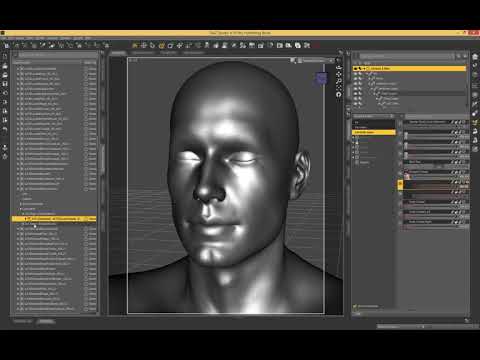 Is it possible to convert a Genesis 8.1 figure to Genesis 8? Reallusion doesn't support G8.1
lwaves said:
VBeerry said:
So, it's been a while since I started this thread but still, I wanted to come back and say Transfer Utility worked like a charm. It was perfect as far as I could tell and after transferring all the morphs from GF8.1 to GF8 I had no problems taking my figure into Reallusion. Thanks Gordig for suggesting that.
As you state you can get G8 into iClone, if you just want the basic shape without all the morphs, there is an easy way. Save G8.1 as a shape preset, apply that shape to G8 and then what you'd normally do to get that into iClone. That may not be enough for what you want though but I figured it was worth mentioning. :-)
If the character uses G8.1 morphs, those will not transfer with shape preset
Is it possible to convert a Genesis 8.1 figure to Genesis 8? Reallusion doesn't support G8.1VBeerry said:
So, it's been a while since I started this thread but still, I wanted to come back and say Transfer Utility worked like a charm. It was perfect as far as I could tell and after transferring all the morphs from GF8.1 to GF8 I had no problems taking my figure into Reallusion. Thanks Gordig for suggesting that
Would you please share your transfer utility settings. I'm also interested in transfering morphs but I have not been able to do it.
Thanks in advance,
MarthaFBX exporter suddenly exporting bone twist morphs, breaking everything.I can export the exact same character (basic Genesis 8 female) and animations on my laptop and everything exports fine. Those morphs don't even show up in the list. I see other threads where it appears someone is having this same issue and they eventually just give up. There has to be a reason they'd show up in the export morph list, anyone?
AIUTO...CHI CONOSCE L’ITALIANO? PARTE TREDICIKainjy said:
Buonasera (o forse sarebbe meglio buonanotte vista l'ora).
E' da un po' che non scrivevo perchè ho avuto da fare in questo periodo. Per farmi perdonare vi lascio un freebe fatto da me (compatibile con Install Manager):Si tratta di una skin per trasformare la G8F in una Victoria 4:
- Prendete la G8F/G8.1F
- Gli applicate la pelle (come un vestito)
- Al vestito applicate uno qualsiasi dei materiali di Victoria 4 e riavrete i vostri vecchi materiali di V4 applicati alla G8F (o 8.1F).
Essendo un vestito, esso si adatterà alla figura sottostante, per cui tutti i morph che applicate alla G8 avranno effetto anche sulla pelle.
Per posare la figura ovviamente basta mettere in posa la G8F (non la pelle). Non abbiate paura di testare anche le espressioni. Così potrete usare i G8 anche con 3DeLight.
Si tratta di un pezzo di un prodotto che mi hanno scartato (non sono interessati a prodotti 3DeLight) per cui lo metto freebie.. intanto ve lo lascio, nel fine settimana lo carico su R.
Provatelo e fatemi sapere cosa ne pensate che eventualmente correggo i bug.
Vi lascio un'immagine dove potete vedere lo stesso materiale applicato a V4 e a G8F (non posso mettere nudi)Grazie mille!

Appena riesco a provarlo ti do riscontro.
VaVaVoom Hair QuestionYour original problem of the hair not being able to be flipped like the promo was solved.
If you would like the side that is above the ear to drape over:
You can go into the scene and expand it. Find the invisible ear shield and delete it.
Select the hair (not the cap) in the scene, then click on the shaping tab.
Click on the "Clean Around Ear" morph. Select the cogwheel in the upper corner of the slider, and change the minimum to something like -50.
Dial it in the negative to bring the hair out over the ear some.
Run your simulation.
It will probably not be symmetrical. The hair is not designed to be.
AIUTO...CHI CONOSCE L’ITALIANO? PARTE TREDICIBuonasera (o forse sarebbe meglio buonanotte vista l'ora).
E' da un po' che non scrivevo perchè ho avuto da fare in questo periodo. Per farmi perdonare vi lascio un freebe fatto da me (compatibile con Install Manager):Si tratta di una skin per trasformare la G8F in una Victoria 4:
- Prendete la G8F/G8.1F
- Gli applicate la pelle (come un vestito)
- Al vestito applicate uno qualsiasi dei materiali di Victoria 4 e riavrete i vostri vecchi materiali di V4 applicati alla G8F (o 8.1F).
Essendo un vestito, esso si adatterà alla figura sottostante, per cui tutti i morph che applicate alla G8 avranno effetto anche sulla pelle.
Per posare la figura ovviamente basta mettere in posa la G8F (non la pelle). Non abbiate paura di testare anche le espressioni. Così potrete usare i G8 anche con 3DeLight.
Si tratta di un pezzo di un prodotto che mi hanno scartato (non sono interessati a prodotti 3DeLight) per cui lo metto freebie.. intanto ve lo lascio, nel fine settimana lo carico su R.
Provatelo e fatemi sapere cosa ne pensate che eventualmente correggo i bug.
Vi lascio un'immagine dove potete vedere lo stesso materiale applicato a V4 e a G8F (non posso mettere nudi)Daz 3D is part of

Connect
DAZ Productions, Inc.
7533 S Center View Ct #4664
West Jordan, UT 84084Licensing Agreement | Terms of Service | Privacy Policy | EULA
© 2026 Daz Productions Inc. All Rights Reserved.