-
!JS Stylized - pwToon Presets
Gordig said:
It's an odd decision to make, given that, as far as I can tell, pwToon is definitely the most widely used of those shaders. I'm not keyed into 3DL rendering at all, so maybe I'm off in that estimation, but I can say that it's the only one that has multiple active threads dedicated to it.
Thats true . Not sure what happen behind the scene about that decision since another products from same original vendor ( posework if I remember correctly) still in DAZ store . Beside easier to use and fast it also offer flexibilities in term of styles . DAZ Studio + pwToon + 3Delight Outline render script actually good combo . Although its not as powerfull as what Blender paid Toon shader offer but the simplicities either when assigning/applying shader or preset making is hard to beat . Especially if we`re talking about DAZ model which having a lot of surfaces
!JS Stylized - pwToon PresetsIt's an odd decision to make, given that, as far as I can tell, pwToon is definitely the most widely used of those shaders. I'm not keyed into 3DL rendering at all, so maybe I'm off in that estimation, but I can say that it's the only one that has multiple active threads dedicated to it.
More Non-photorealistic Renders (NPR III)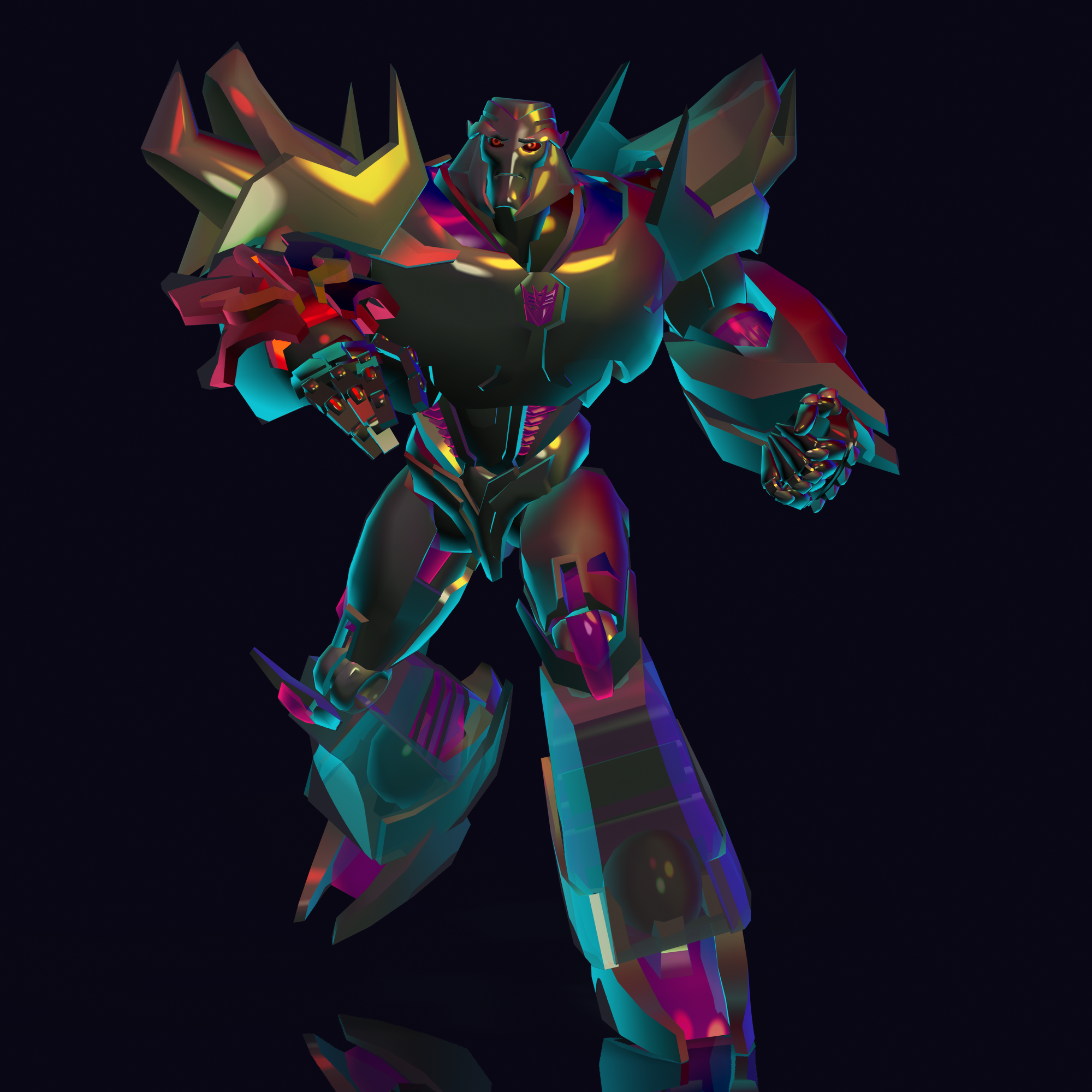
It seem I can get pwtoon working with multiple lights as color aid . That would be make my life easier than recolor each element in Photoshop . This is straight render from DAZ studio + pwToon without postwork . The model is Transformer/Megatron Freebie from Devianart . I will sharing scene file after I Know how to do it without breaking creator EULA . Because there are lots modification in shading smooth + geoshell and render setting to make this image
More Non-photorealistic Renders (NPR III)Beautiful work!
juvesatriani said:
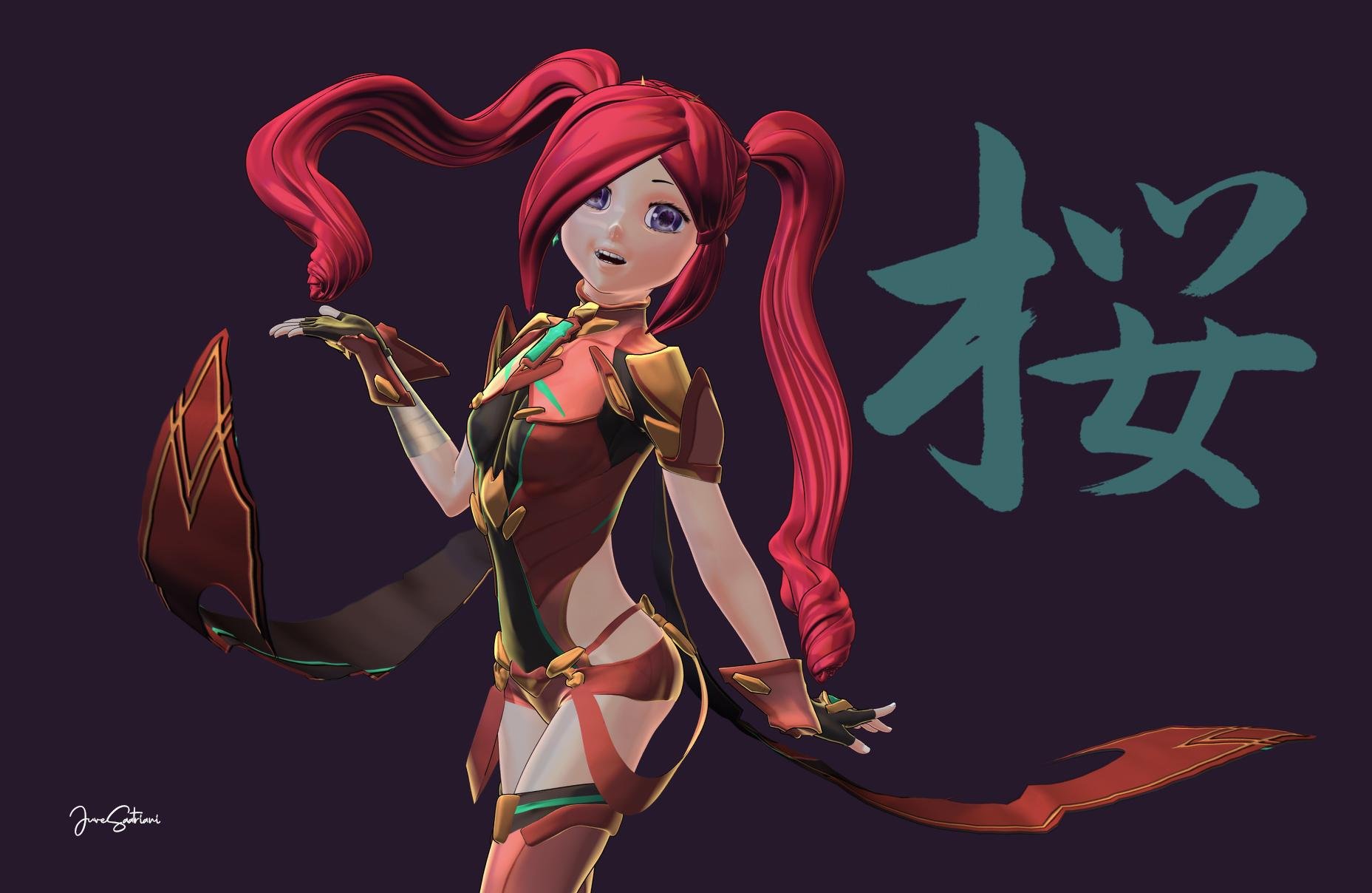
After spent days exploring Blender + Lighting Boy Shader , I finally revisit my JS Style Preset to (try) get decent Non Flat Anime Render
Here Direct render from DAZ Studio + PwToon and my preset . Bring into Photshop to Crop and give it Texts
 More Non-photorealistic Renders (NPR III)
This is good! I like the color warm red-brown tones. Thanks for sharing.
Cheers!
PS. My Chinese isn't as good as it was. What does the Chinese character mean?
juvesatriani said:
After spent days exploring Blender + Lighting Boy Shader , I finally revisit my JS Style Preset to (try) get decent Non Flat Anime Render
Here Direct render from DAZ Studio + PwToon and my preset . Bring into Photshop to Crop and give it Texts
Welcome to Hatsune Miku Anime Manga Cafe ☕Sakura 8 . Render using pwToon and my JS Stylized preset
Creating ghost figures to look like those from haunted mansion posesIt was likely done with pwGhost, a 3DL shader (and does not work in Iray). It is part of a bundle that includes a number of nifty shaders, some of which are no longer available separately, like the lamented pwToon. I am unsure if they are all still included in the bundle (I got it years ago).
There is something similar for Iray, Iray Ghost Shaders, that might be of interest. You need to set it up as directed to get the proper effect.
More Non-photorealistic Renders (NPR III)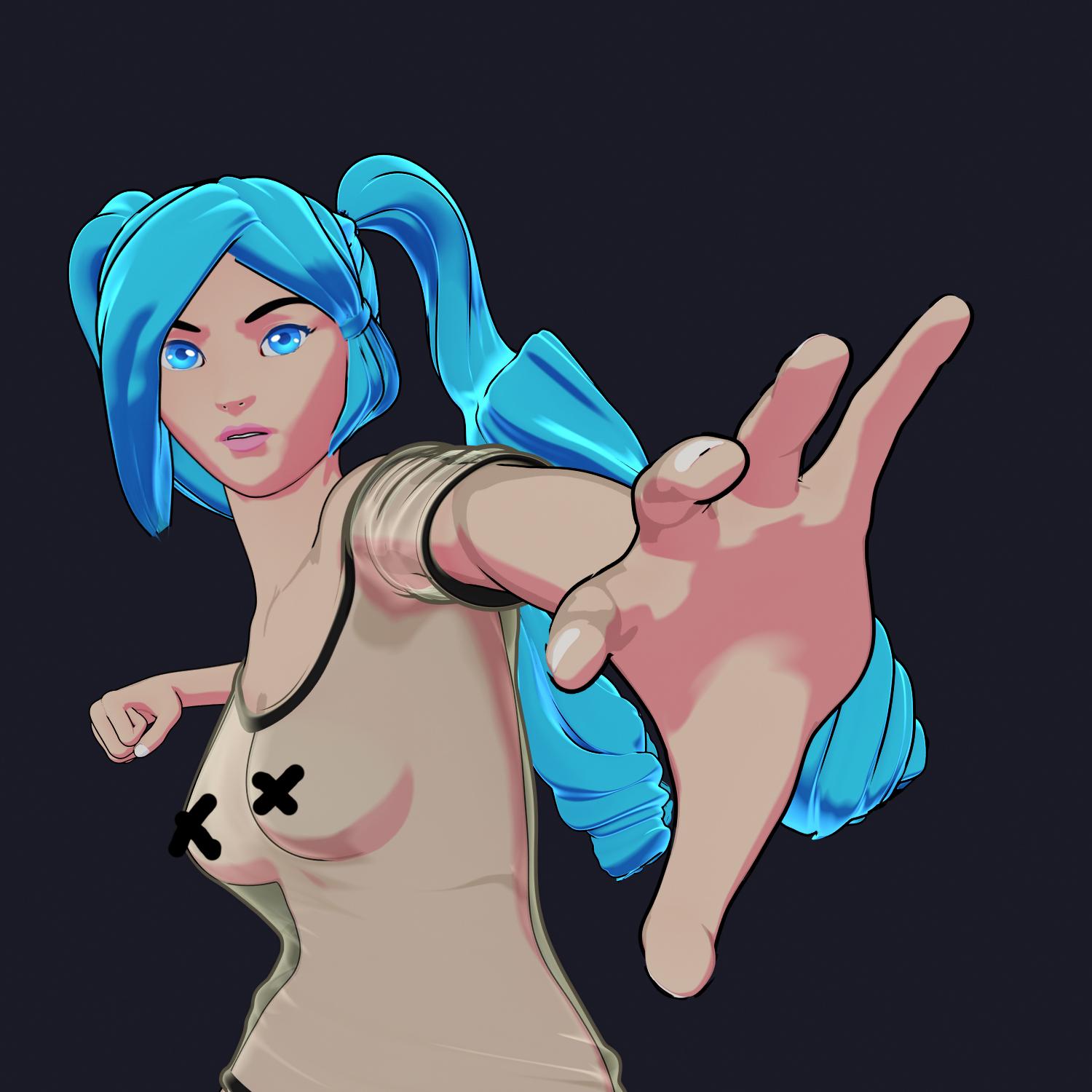
This time experiment to check if I can get iridescence ike FX using pwToon and also how they will react in semi transparent material .
I know hair`s pose seem so wrong LOL , but please just obeserve the FX :) .
DIrect render from DAZ +pwToon + JS FLAT+ gesoshell . Except the eyes , which I replace in Photoshop because so hard to get it right when using toon render . Plus both of X in checst area to avoid Nudity flag
More Non-photorealistic Renders (NPR III)After spent days exploring Blender + Lighting Boy Shader , I finally revisit my JS Style Preset to (try) get decent Non Flat Anime Render
Here Direct render from DAZ Studio + PwToon and my preset . Bring into Photshop to Crop and give it Texts
Cartoonized for Genesis 8There are a number of folks who use Daz to generate assets for comic books. They achieve the toon look either through custom Daz iRay or 3Delight shaders, or take the photo real Daz render output and manipulate it in post. Here's a more detailed reply ... "Some of the Daz products they employ are VIsual Style Shaders, Sketchy, LineRenderer9000, and PWToon just to mention a few. Yet other use post-editing techniques with Photoshop or GIMP. Interested to see more? On the Daz Forum, you'll want to look into the More Non-Photorealistic Rendering threads part 1, part 2 and part 3. Edit: I forgot to add, check out the 3D Comic Book Tips and Pictures as well as the Welcome to Anime Manga Cafe threads."
Hope that helps.
Cheers!
alaltacc said:
Hello!
I don't know if this is the right forum (I think it is) to my question. I'm a newbie (that learnt a lot in a few days thanks to you all) with Daz, and my objective for now is to create comic strips using Daz (and as far as I could read in other posts, ComicLife 3 to add the balloons). Now, besides the ideas, I need characters, and I started to scour the store trying to find them. During this search, I found this:
https://www.daz3d.com/cartoonized-for-genesis-8-female
My question is:how good is it? It's certainly a LOT cheaper than buying lots of cartoon characters, but will the result be as good as a custom-made cartoon-shaped character?
It's a shame that the store doesn't have reviews. It would help a lot.
Thanks!
More Non-photorealistic Renders (NPR III)juvesatriani said:
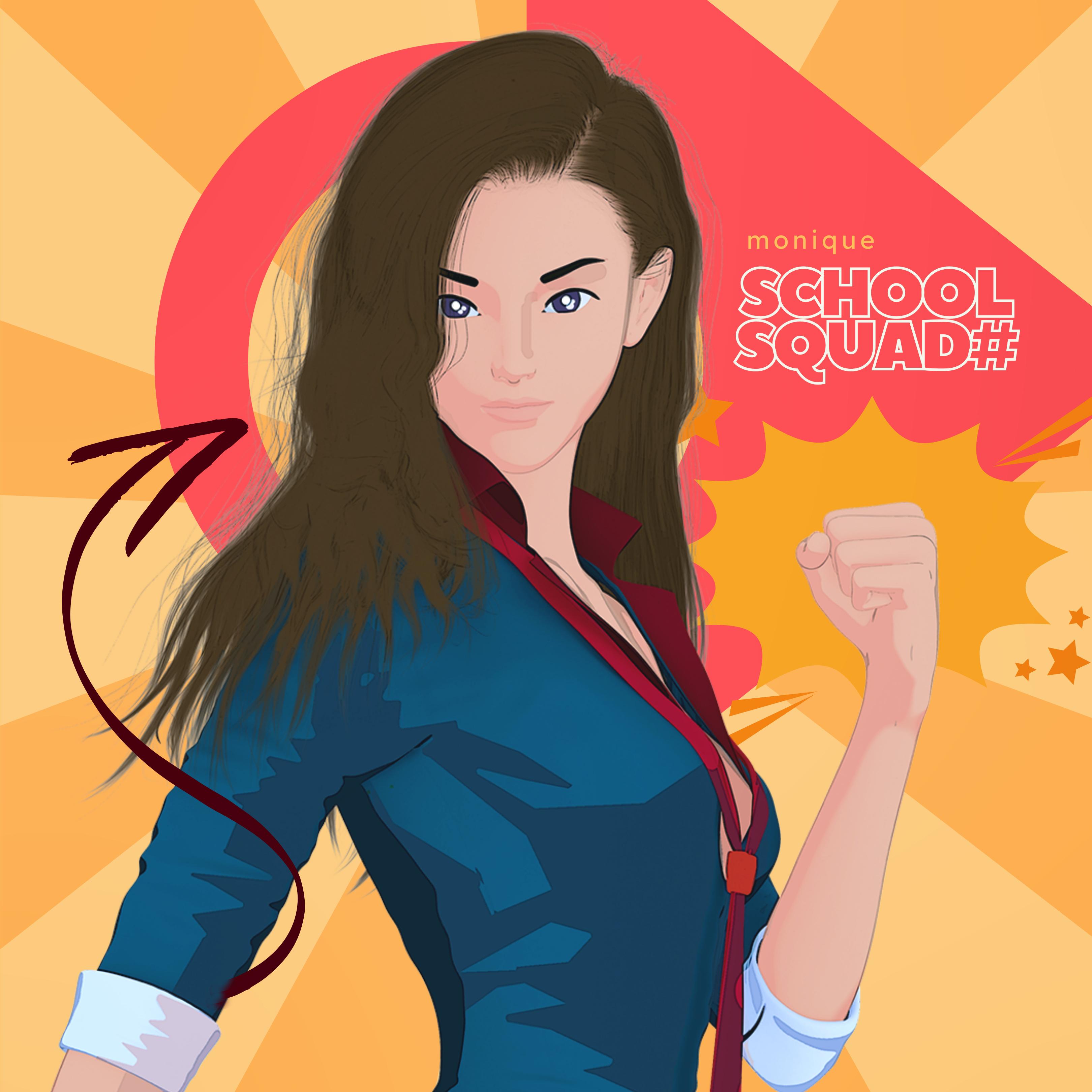
I`ve been doing experiment to utilize Canva for (my upcoming) Insta comic . The pros using cloud service like that I dont need to download every vector or shape elements for my design although talk bubble seem not as flexible as we`ve seen in Comic Life 3 .
Like always this image produced using my pwtoon preset ( !JsFlat) - layout in Canva and final color adjustment using mobile app
Love the results of your efforts...
More Non-photorealistic Renders (NPR III)juvesatriani said:
I`ve been doing experiment to utilize Canva for (my upcoming) Insta comic . The pros using cloud service like that I dont need to download every vector or shape elements for my design although talk bubble seem not as flexible as we`ve seen in Comic Life 3 .
Like always this image produced using my pwtoon preset ( !JsFlat) - layout in Canva and final color adjustment using mobile app
Great. Looking forward to your next creations.
I like very much, how you compose your images.
More Non-photorealistic Renders (NPR III)Very impressive! The colors and clean lines are very vibrant. Looking forward to seeing the inner panels of your comic -- web only?
It looks like we posted near the same time. I normally hold off so others can post their's and have time to showcase their work. Sorry about that.
Cheers!
juvesatriani said:
I`ve been doing experiment to utilize Canva for (my upcoming) Insta comic . The pros using cloud service like that I dont need to download every vector or shape elements for my design although talk bubble seem not as flexible as we`ve seen in Comic Life 3 .
Like always this image produced using my pwtoon preset ( !JsFlat) - layout in Canva and final color adjustment using mobile app
More Non-photorealistic Renders (NPR III)I`ve been doing experiment to utilize Canva for (my upcoming) Insta comic . The pros using cloud service like that I dont need to download every vector or shape elements for my design although talk bubble seem not as flexible as we`ve seen in Comic Life 3 .
Like always this image produced using my pwtoon preset ( !JsFlat) - layout in Canva and final color adjustment using mobile app
More Non-photorealistic Renders (NPR III)juvesatriani said:
Nice render and style guys !!!
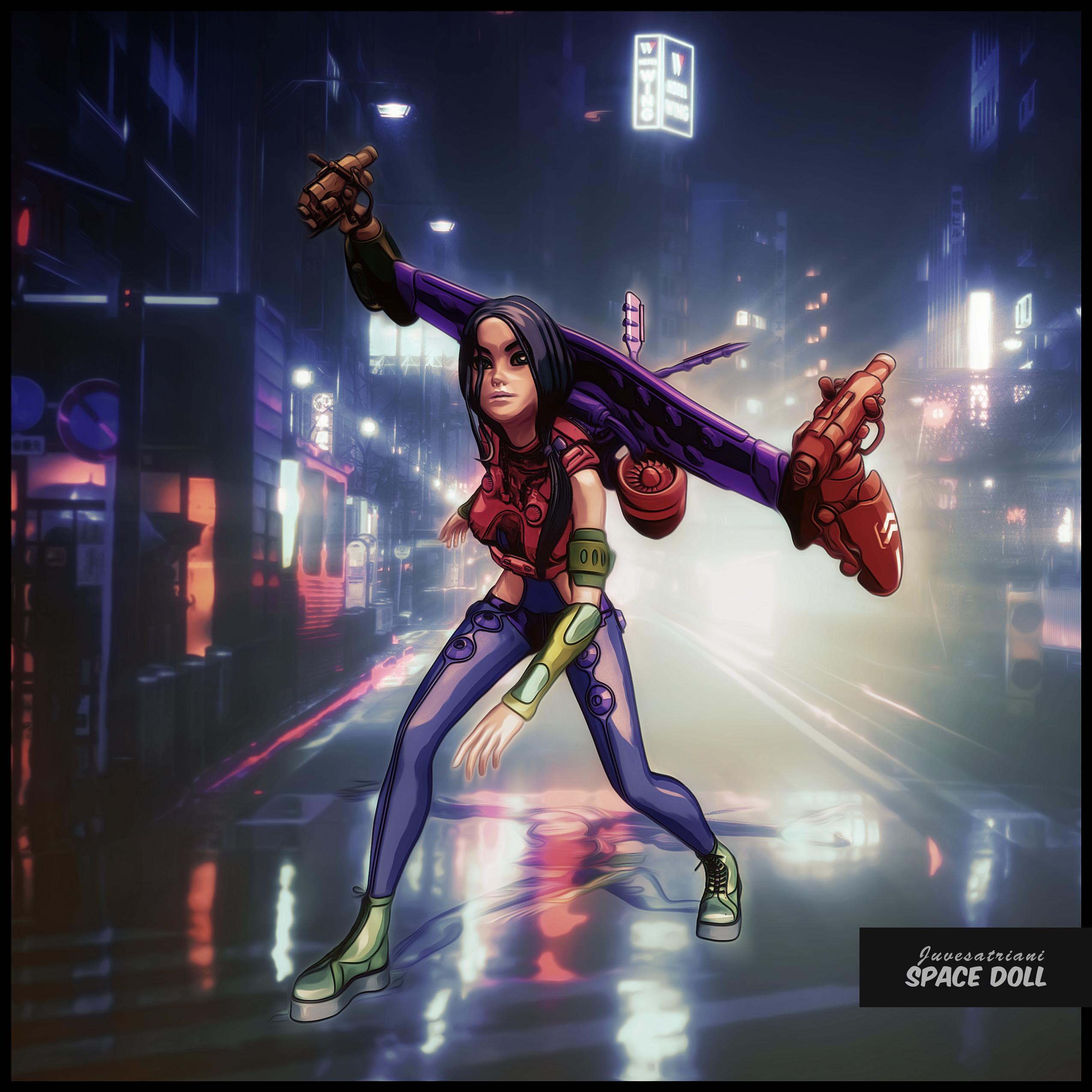
Here another version from my old image . Rework using pwToon - render as multipass and crazy stacking filter and repaint in Photoshop
Great image...Love it alot...
More Non-photorealistic Renders (NPR III)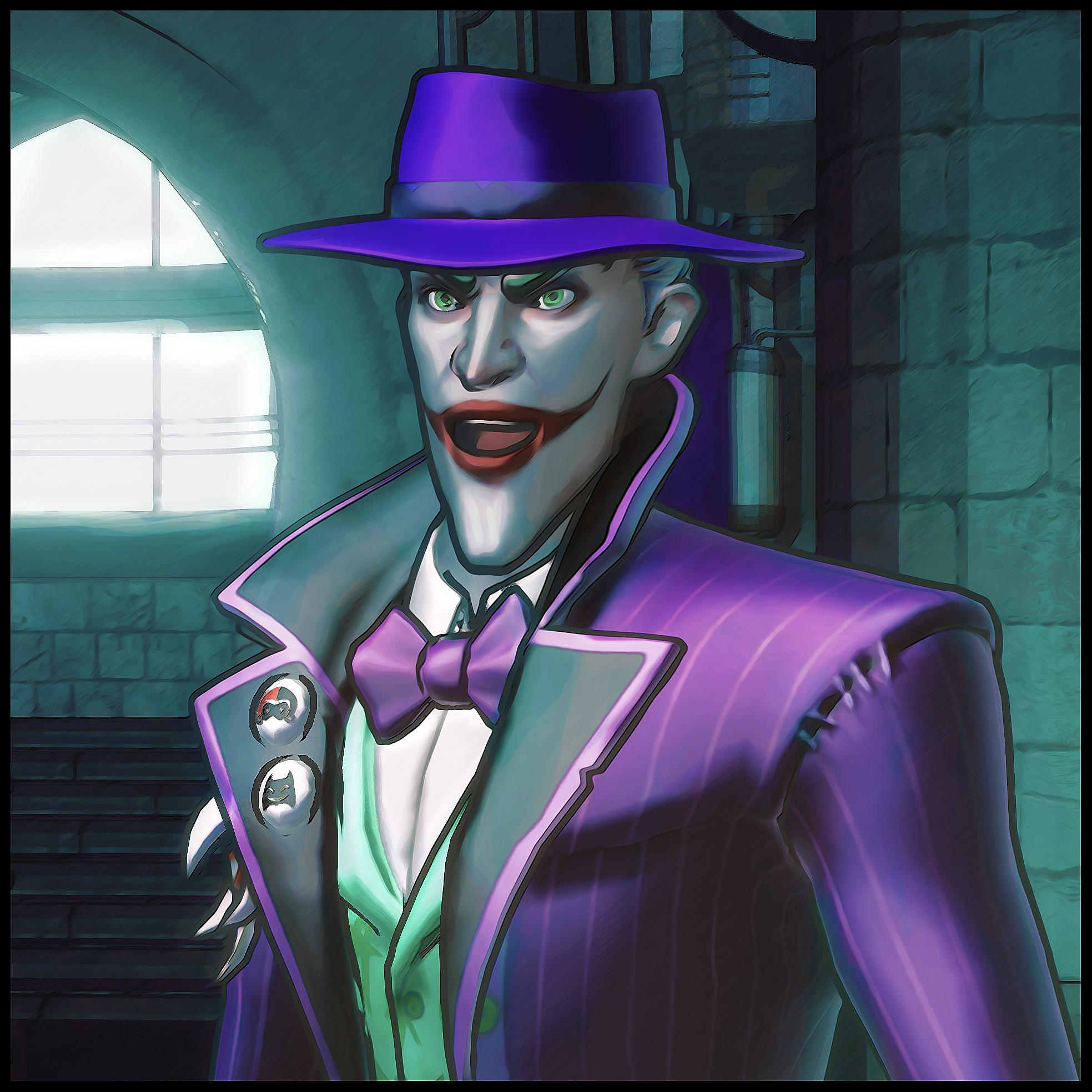
Trying out DSF/DUF exporter from @millighost to bring Full rig model from Blender so I can use pwToon . And of course this one get Multistack filter and repainting in Photoshop :)
More Non-photorealistic Renders (NPR III)Nice render and style guys !!!
Here another version from my old image . Rework using pwToon - render as multipass and crazy stacking filter and repaint in Photoshop
"Comic toon style" character rendersPhotorealism is the coin of the realm. There's no deficit in the amazing work you'll see posted on the Daz forum and the galleries. But if you are interested in toon rendering, there are a few who try to use Daz for non-photorealistic rendering. Some of the Daz products they employ are VIsual Style Shaders, Sketchy, LineRenderer9000, and PWToon just to mention a few. Yet other use post-editing techniques with Photoshop or GIMP. Interested to see more? On the forum, you'll want to look into the More Non-Photorealistic Rendering threads part 1, part 2 and part 3. Edit: I forgot to add, check out the 3D Comic Book Tips and Pictures as well as the Welcome to Anime Manga Cafe threads.
Hope that helps.
Cheers!
TheresaGutmann said:
Dear all,
I have a quetions regarding the attached render which I found via google search. This render has more lets say "comic / toon style than others. Also the color saturation seems pretty much high. Does someone know how to achieve this kind of style? Are there settings to switch on or something like that? Maybe this have someting to do with the character models? I ve tried to find out by myself but without success.
It would be great if someone can help or give me some tips.
Thanks in advance
More Non-photorealistic Renders (NPR III)Good stuff just tends to disappear from the Daz marketplace with no explanation, like PWToon, which I'm gonna use until the wheels fall off.
 More Non-photorealistic Renders (NPR III)
Strangely enough this isn't using juvesatriani's PWToon presets. There are some bundled with PWToon that offer a similar look. I just never looked into them before.

Daz 3D is part of

Connect
DAZ Productions, Inc.
7533 S Center View Ct #4664
West Jordan, UT 84084Licensing Agreement | Terms of Service | Privacy Policy | EULA
© 2026 Daz Productions Inc. All Rights Reserved.