How to Use Hemlock Folly in Daz Studio
 RGcincy
Posts: 2,862
RGcincy
Posts: 2,862
I purchased Hemlock Folly during the PA sale. The first couple of times I tried it, not only did it take some time to load but I could not adjust the camera view at all - totally unresponsive for seconds, then suddenly a big jump. The only view setting that allowed any manipulation was bounding boxes, but then you have no idea what you are looking at. So I was stuck with only using the preset camera views and even changing between them takes an awful long time for Daz Studio to respond and update the preview. As a few others have said they had the same experience, I thought I'd share how I made it possible for me to use this set.
When I gave it another try a few days ago, I re-read the Hemlock Folly Notes provided by the vendor and spotted this: "Hemlock Folly is a large scene and makes extensive use of instanced trees and plants. While not taking up a lot of resource, these instances are still rendered in preview, and this can have the effect of slowing down preview mode. To improve performance, hide either the Vegetation group, the Trees – Models group, or both."
I found that you really have to do BOTH: hide the vegetation group AND the Trees - Models group (which then hides Trees - Base and Tree - Extensions groups as well). Now you can move the camera with ease. But you still have problems: without any trees showing, you can't see how the light is shading them; when you turn back on the trees and vegetation groups, your view may now be blocked; and the system is unresponsive again.
Here's what I ended up doing: load the set once, wait for everything to show up, go through and expand all the vegetation and tree groups, then turn off ALL the vegetation EXCEPT the base trees. Save it as a scene or scene preset. Now you can manipulate the viewport to get the camera angle you want or you can use one of the preset cameras, then set your lights and background. With the tree models showing, you can see how the light affects them. I then do a few test renders, and when happy, I start adding back in vegetation that appears in the scene (much of the vegetation is in subgroups labeled N, S, E, W. I turn one on, and if nothing appears, I turn it back off as it is out of range). Hemlock Folly renders fairly fast, it's just the viewport manipulation with all the vegetation that slows down to worse than a crawl. Sometimes after a render you can turn the vegetation back off to do a second scene, but about half the time the program hangs and becomes unresponsive. When that happens, I just closeout the scene, open the saved scene preset I made, and plan out another render.
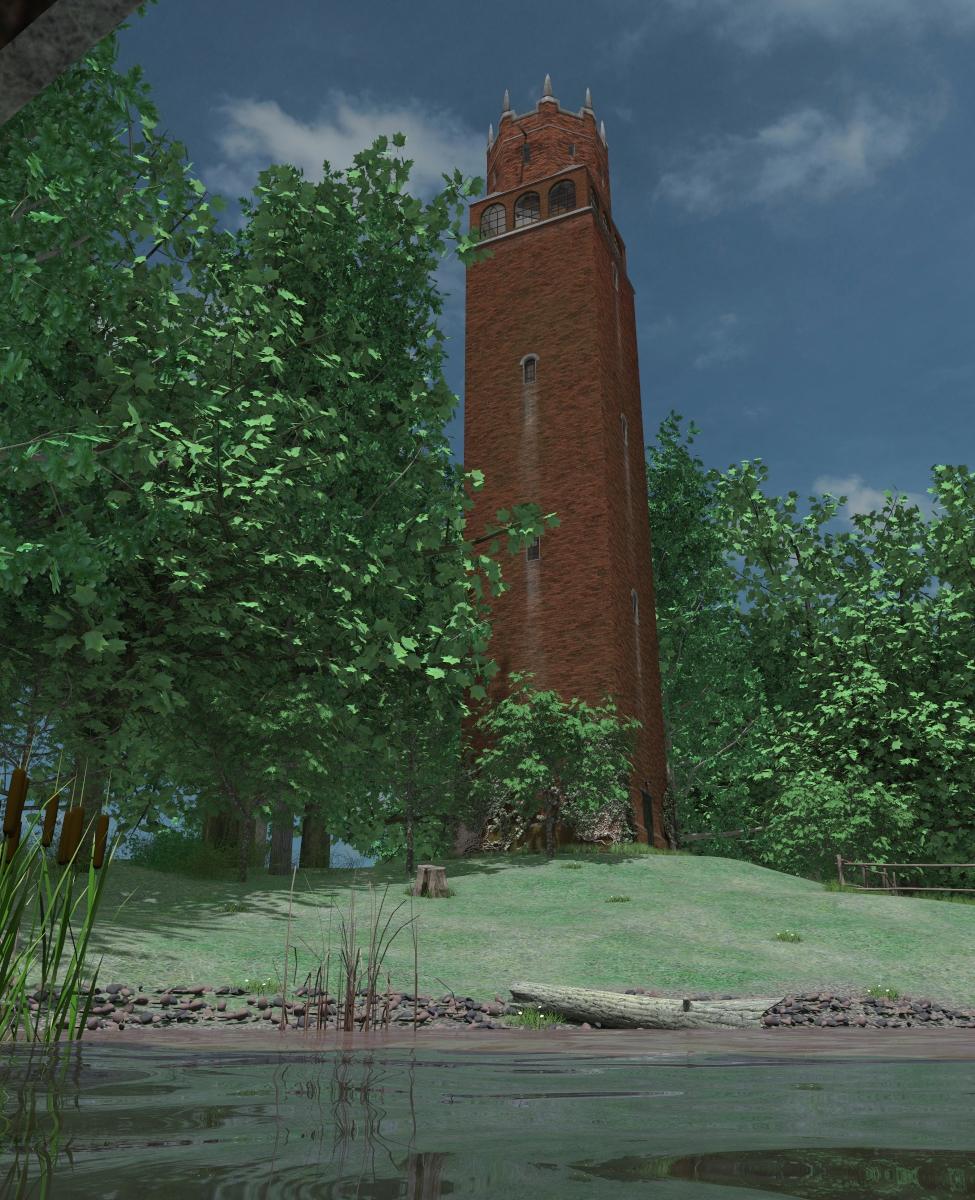
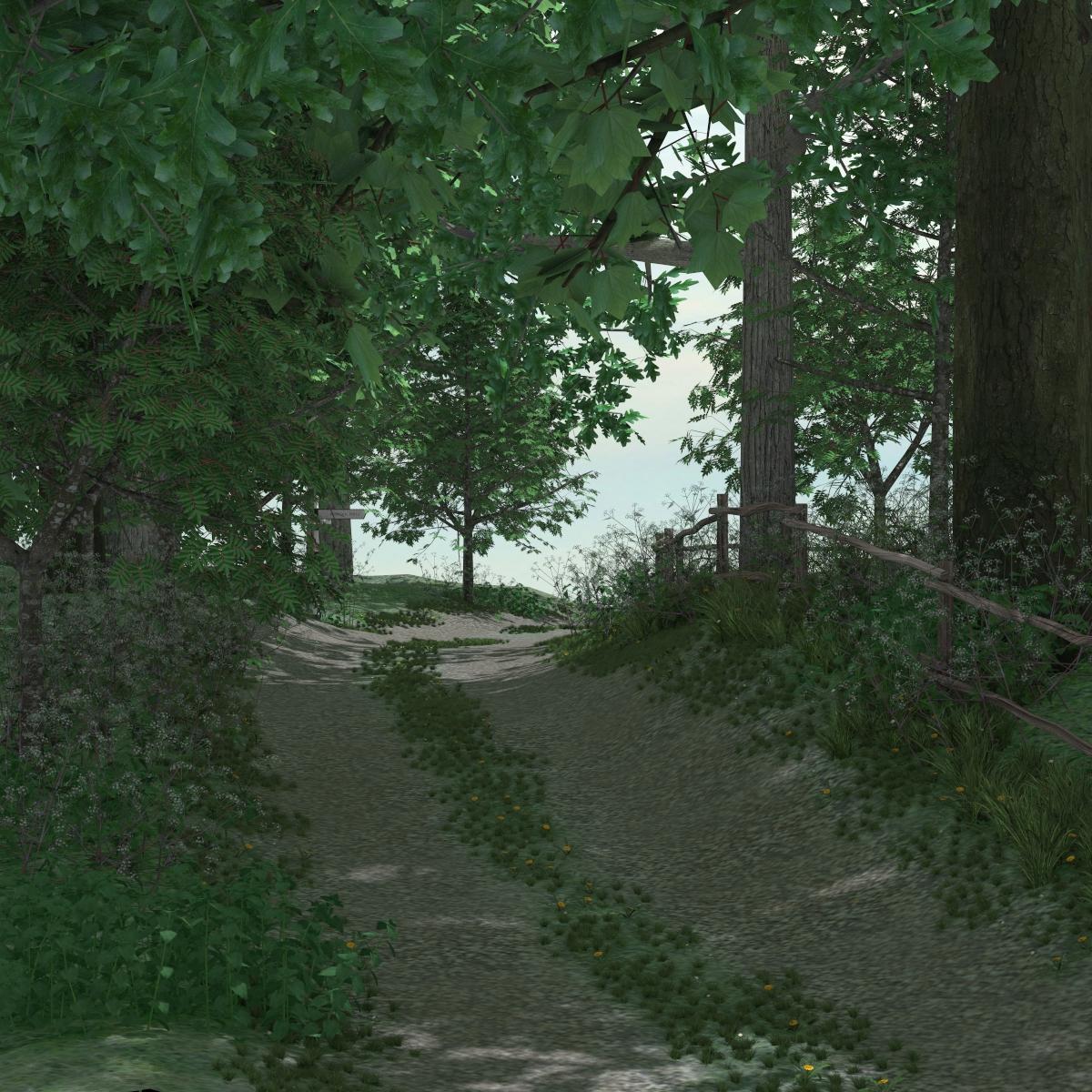
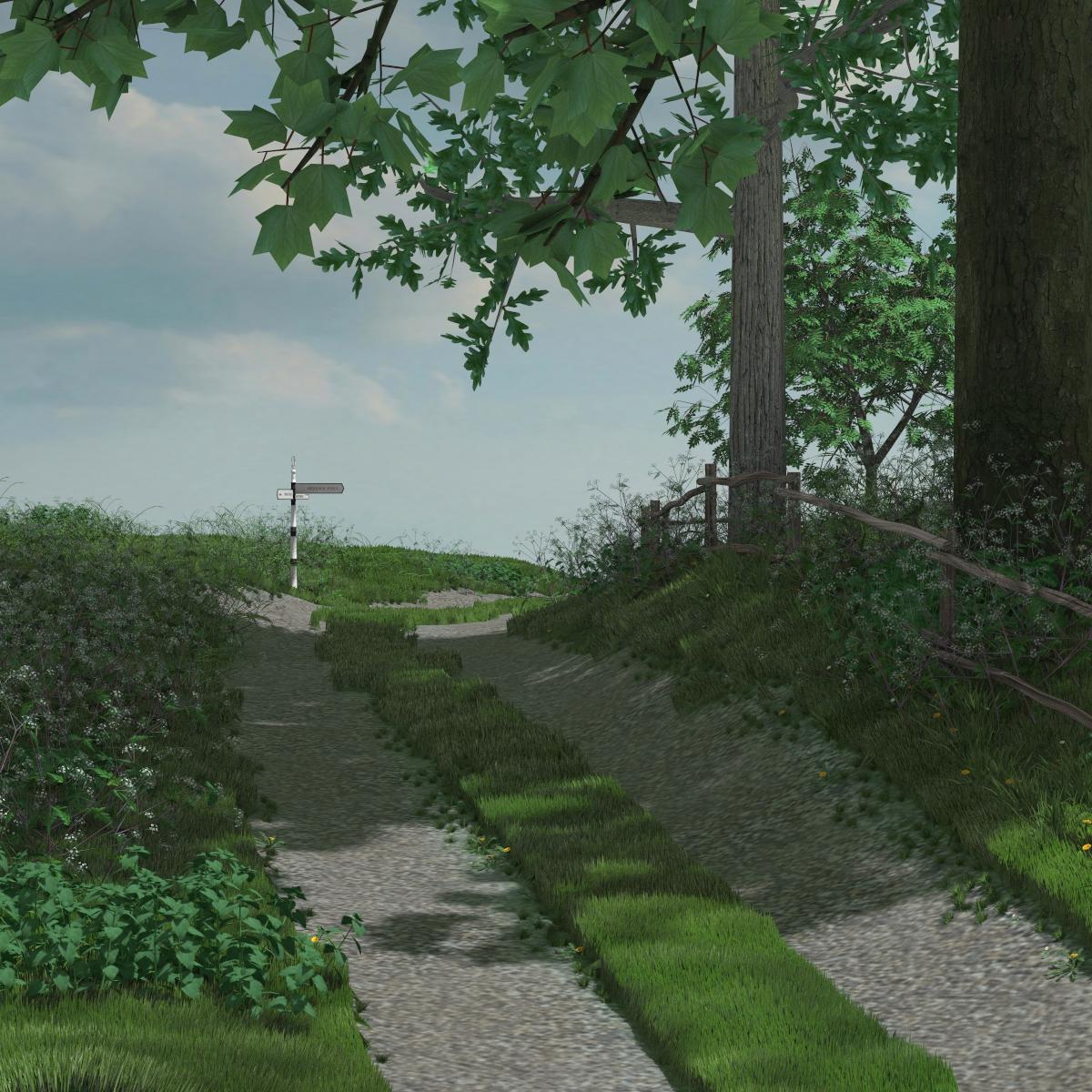
Here are a few renders I've been able to make since I've learned to hide the vegetation. They are 3DL, use the AOA distant and ambient lights (the set has an icon that lets you quickly load them if you own them), and the 3rd render shows the use of AOA grass shader if you own it ( the set has a displacement map that can be used so paths appear without grass). I like how this set has such a variety of plants, especially for the understory, and glad I can now actually use it.

Daz 3D is part of 
Connect
DAZ Productions, Inc.
7533 S Center View Ct #4664
West Jordan, UT 84084
Licensing Agreement | Terms of Service | Privacy Policy | EULA
© 2026 Daz Productions Inc. All Rights Reserved.
Comments
What is your DAZ Studio's Display Optimization settings set to?
Edit>Preferences>Interface
Play with them, use Better or Best for Display Optimization.
Also, look into your Texture Resources: Performance settings as well.
Better Display optimization helps but you still need to turn off half of the vegetation. Even then, it has severe lag on display update, especially when you have a distance view. Best optimization lets you move with all the vegetation on, but it still lags enough that you overshoot whatever change you are trying to make in camera position. It also caused the program to crash at one point. Texture resources didn't have any effect.
Thanks for the comments and your experiences.
Another thing you can look at, which will help with preview performance is the Draw Style setting. Smooth Shaded will generally give you better performance than Texture Shaded, since it removes the texture overhead while preserving the mesh. (Wire Frame is probably less useful in this scene because it's much harder to see what's going on.)
To help with orientation, the tower is at approximately the north west corner (NW), with the door facing east. "N" is everything on the far side of the track. This is the biggest group, so hiding this will have the biggest single impact. "W" is closest to the tower, between the track and the bridge. "E is the other side of the pond/grass/parking area, and "S" is the far side of the bridge.
(Okay, next time I'll make something a bit smaller! )
)
Yes, I've used the Smooth Shaded and Wireframe draw styles as well.
I did want to say thank you for the PDF notes you provided. So many vendors have skimpy readme's that leave a lot for the user to guess at. What you included about turning off vegetation got me on the right track and the maps you show in the notes are also very helpful. I also appreciate the inclusion of the AOA presets and the instructions about using them in the notes as well.
I like what you included in the set, especially all the different types of vegetation. Hope you are planning to make something new! My only suggestion would be to include one extra preset that has all the vegetation added to the scene except most of it is turned off to start. That would let the user load the easier to manipulate version if their system stalls on the full scene (you already have one for just the ground and tower).
Another render looking towards the pond. Uses AOA lights and grass shader. Ready for a summer picnic. I think I have it now where its easy to use.
Want to second the thank you for taking the time to help the user!
I like this model,in preview it renders beautiful only thing is any time I try to clear the scene ( I'd just bought it and wanted to have a look at it) or close down Daz Studio it completely locks Daz and I have to ctrl-alt-delete and close Daz through the task manager. Any help greatly appreciated as it looks lovely the model,lot of work and thought gone into it.
Are you sure it is locked locked? it may just be taking a while to free up memory - I have the saem thing, to a much lesser extent, with any Genesis figure.
I just tested it on Win 7 pro computer. It is slow to delete and you'll get the spinning icon and a "not responding" message on the title bar for a few minutes. Just wait it out and it will respond. This happens on some other sets as well if they have many objects in the scene (which Hemlock Folly does). It's happened to me as well for self created scenes where I have many different objects loaded. I've always assumed it's either Daz Studio doing housekeeping or Windows doing page swapping and you have to wait for one or both to clean everything up as items are deleted.
What's your hardware? I've tried it on a PC with 7-10 year old hardware (Asrock PB5-DE, Q6600 quad core 2.4 Ghz, 8 GB DDR2 RAM, 1 GB VRAM, 1920x1080). With Best optimization there's almost no lag at all. Camera views update instantly.
EDIT: This is in Windows 8.1 btw, it's the same in Windows 10 on an identical machine.
I have to agree on that one - took 8½ minutes to clear the scene here. I don't think it's because of swapping for there's still over 2 GB of free RAM when it's loaded and I haven't rendered it, so no need to swap, and apart from the first minute there's hardly any disk activity either while it's clearing the scene. A bit strange IMO since it only took about 30 seconds to load the scene.
beautiful rowan trees
finished separating out the pieces yesterday,
That is an old issue from when the product first came out in 2015 when it loaded with all the vegetation visible. I have no trouble moving in the viewport with the current .zip of the product.
There was an update to this set in Summer 2016, which had a much smaller memory footprint, more efficient use of resources and used Ultrascatter for the instancing (Ultrascatter not required to use the set). If you don't automatically get updates, it's worth seeking out. (if you have the update you should see spindly bare low poly trees - the Ultrascatter proxies - in the viewport on any of the outside cameras.)
Yes it is still slower to clear the scene than to open it, but on my 2012 i5 iMac it takes just over 90 seconds.
And I very much appreciate you did that!!
.
Oh, sorry, didn't notice the date of the posts.